steering wheel SAAB 9-5 2004 User Guide
[x] Cancel search | Manufacturer: SAAB, Model Year: 2004, Model line: 9-5, Model: SAAB 9-5 2004Pages: 288, PDF Size: 16.91 MB
Page 102 of 288
102 Saab 9-5 Audio SystemLoudness ON/OFF To change the default setting:
The default setting for this function is ON.
– Press and hold the WB button at the
same time as you switch on the Audio
System.
– Select LOUDNESS using
– Select ON/OFF using the VOL control.
– Wait 10 seconds or press one of the but-
tons on the bottom row of the Audio Sys-
tem, e.g. RADIO/BAND, to save the new
default setting.
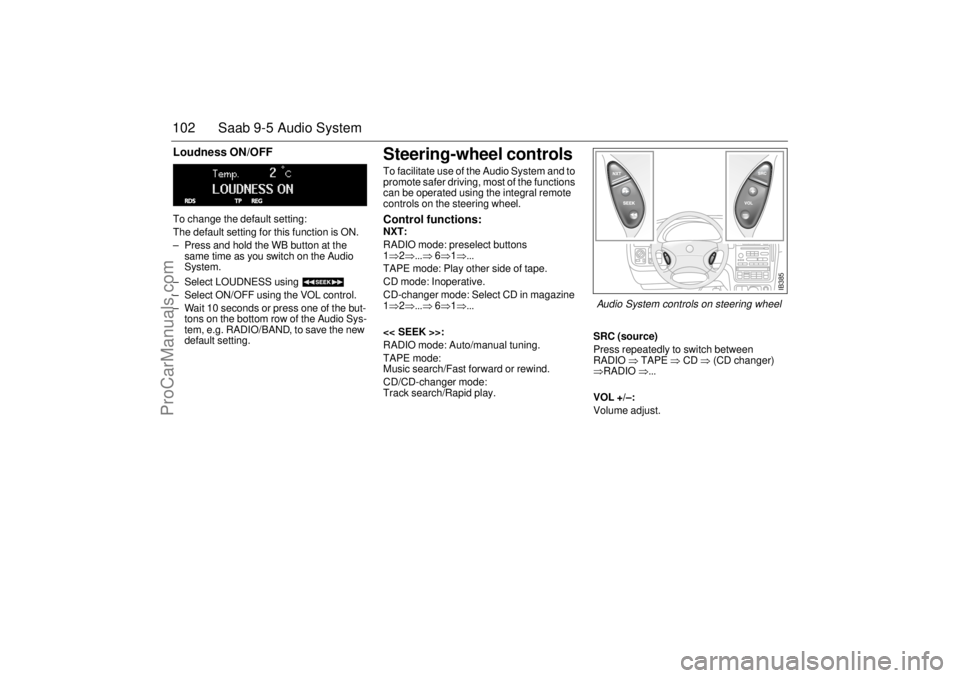
Steering-wheel controls To facilitate use of the Audio System and to
promote safer driving, most of the functions
can be operated using the integral remote
controls on the steering wheel. Control functions: NXT:
RADIO mode: preselect buttons
1⇒2⇒...⇒ 6⇒1⇒...
TAPE mode: Play other side of tape.
CD mode: Inoperative.
CD-changer mode: Select CD in magazine
1⇒2⇒...⇒ 6⇒1⇒...
<< SEEK >>:
RADIO mode: Auto/manual tuning.
TAPE mode:
Music search/Fast forward or rewind.
CD/CD-changer mode:
Track search/Rapid play.SRC (source)
Press repeatedly to switch between
RADIO ⇒ TAPE ⇒ CD ⇒ (CD changer)
⇒RADIO ⇒...
VOL +/–:
Volume adjust.
IB385
Audio System controls on steering wheel
ProCarManuals.com
Page 111 of 288

111 OnStar - Telematics
Roadside assistance**There’s nothing worse than being stranded
on the road with car trouble. No matter what
the problem is (flat tire, out of gas, or engine
trouble), just call OnStar. They will contact
the help you need to get you quickly back on
the road.Stolen vehicle trackingOnStar doesn’t just protect you, it protects
your Saab, too. If your vehicle is ever stolen,
just contact OnStar by calling
1-888-4-ONSTAR. They will put you in
touch with the authorities and aid them in
locating your Saab. Ask your insurance car-
rier about possible premium discounts.Accident Assist™Accident Assist™ provides step-by-step
guidance about what to do in case of a
crash. Working with leading insurance com-
panies OnStar has developed a ”best prac-
tices” list to assist you through most acci-
dent situations. OnStar Accident Assist™
can make the process of completing a
police report and/or insurance claim less
stressful. **There will be no charge for Roadside Assistance as
long as your vehicle is under warranty.
Hands-free communicationTalking to an OnStar advisor is easy and
hands-free. Simply press the OnStar but-
ton, and a small microphone picks up your
voice while the OnStar advisor talks to you
through your stereo speakers. Note: Audio
system must be switched on. You can even
adjust the volume to your liking with the
steering wheel controls or the radio volume
knob. Your hands remain on the steering
wheel, while your eyes remain on the road.Being safe on the road is important, but
there’s more to life than security. There’s liv-
ing. That’s why we have created the OnStar
Directions and Connections Plan. It gives
you not only the important protections of the
Safe and Sound Plan, but also a whole
range of services which truly change driving
from a chore to a luxury.
The OnStar Directions &
Connections PlanRoute supportWith OnStar Route Support, an advisor can
help you find your way, no matter how far off
course you are. You can get exact street
directions, or guidance to nearby gas sta-
tions, restaurants, hotels or ATMs.Ride AssistIf you need a lift, anytime of the day or night,
just call OnStar. They’ll contact transporta-
tion and send it right to you.Information and Convenience ser-
vicesOnStar advisors have access to over five
million service listings including hotels, res-
taurants, gas stations, dealerships, hospi-
tals, ATMs and airports — more than 250
service categories in all. OnStar advisors
can even assist you with hotel and restau-
rant reservations.
ProCarManuals.com
Page 115 of 288

115 OnStar - Telematics
Contact OnStar
You will need your OnStar Personal Identi-
fication Number (PIN) to authorize the
charge to your credit card on file.
If you are not in your Saab, you may call an
OnStar Advisor at 1-888-4-ONSTAR
(1-888-466-7827) to request unit replenish-
ment.
Security/Locking your SystemYou can set up a four-digit Personal Secu-
rity Code to ensure that unauthorized
people do not use the calling capability of
your system. With security set to ON, the
system will not allow any personal calls. You
must turn security OFF before calls can be
made.
Volume ControlThe volume of the audio portion of Personal
Calling is controlled with your steering
wheel volume controls or with the radio
volume knob. 1Press the
OnStar
White Dot
buttonOnStar will respond
”Ready”
2 Say ”Units” OnStar will respond
”Verify or Add”
3 Say ”Add” You will be connected to
OnStar for replenish-
ment
1 Press the
OnStar White
Dot buttonOnStar will respond
”Ready”
2 Say ”Security” OnStar will respond
”Enter Four-Digit
Security Code”
3 Say the 1st Digit OnStar will repeat
the digit
4 Say the 2nd Digit OnStar will repeat
the digit
5 Say the 3rd Digit OnStar will repeat
the digit
6 Say the 4th Digit OnStar reply ”Secu-
rity (code # # # #) is
now ON/OFF”
ProCarManuals.com
Page 119 of 288
119 Interior equipment and trunk
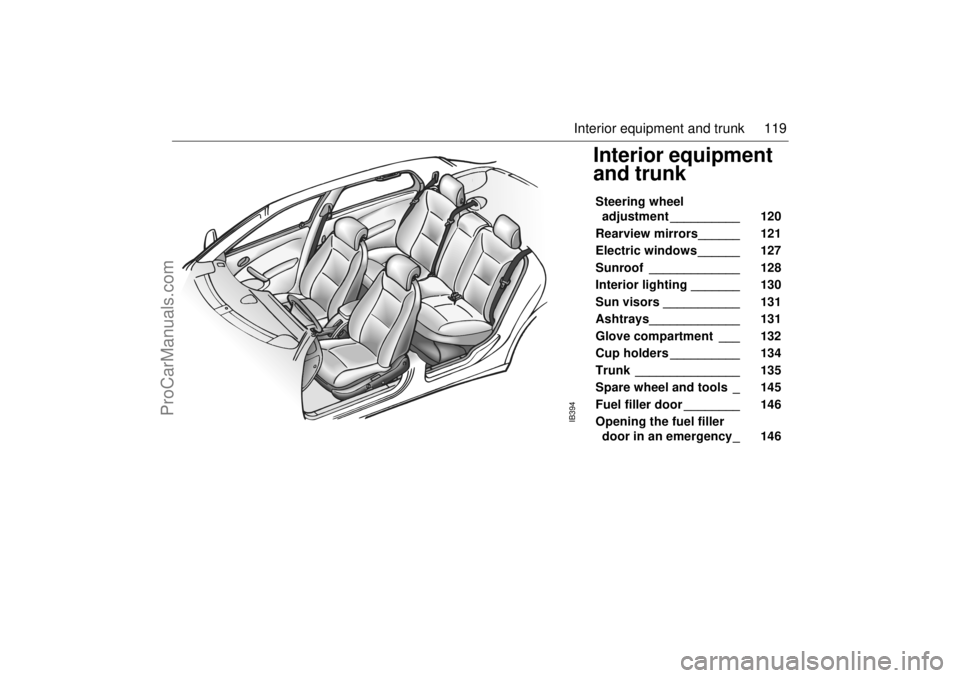
Interior equipment
and trunk Steering wheel
adjustment __________ 120
Rearview mirrors______ 121
Electric windows ______ 127
Sunroof _____________ 128
Interior lighting _______ 130
Sun visors ___________ 131
Ashtrays_____________ 131
Glove compartment ___ 132
Cup holders __________ 134
Trunk _______________ 135
Spare wheel and tools _ 145
Fuel filler door ________ 146
Opening the fuel filler
door in an emergency_ 146
IB394
ProCarManuals.com
Page 120 of 288
120 Interior equipment and trunkSteering wheel
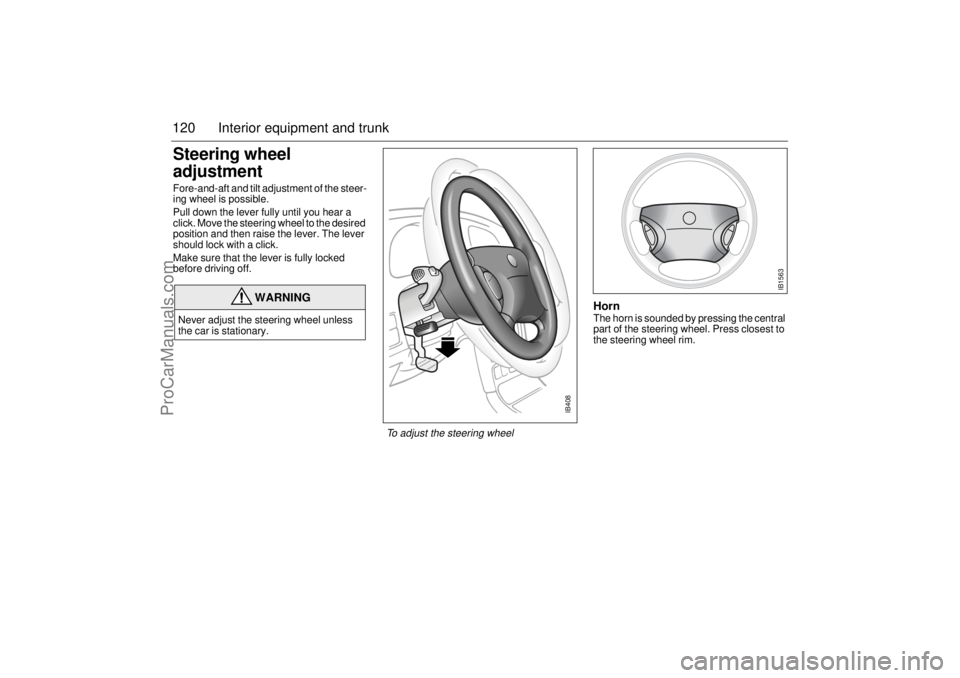
adjustment Fore-and-aft and tilt adjustment of the steer-
ing wheel is possible.
Pull down the lever fully until you hear a
click. Move the steering wheel to the desired
position and then raise the lever. The lever
should lock with a click.
Make sure that the lever is fully locked
before driving off.
HornThe horn is sounded by pressing the central
part of the steering wheel. Press closest to
the steering wheel rim.
WARNING
Never adjust the steering wheel unless
the car is stationary.
IB408
To adjust the steering wheel
IB1563
ProCarManuals.com
Page 163 of 288
163 Starting and driving
Descending hillsIf the speed of the car increases while
descending a steep hill, despite the acceler-
ator being released, the control module will
change down a gear when you brake. If you
desire more powerful engine braking, man-
ually select a lower gear.
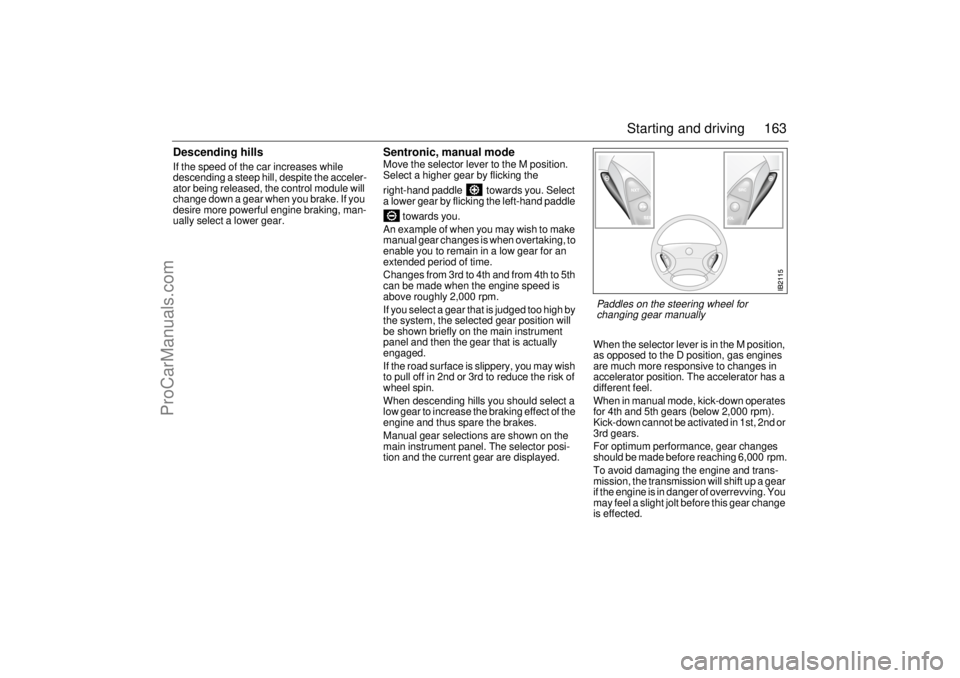
Sentronic, manual modeMove the selector lever to the M position.
Select a higher gear by flicking the
right-hand paddle towards you. Select
a lower gear by flicking the left-hand paddle
towards you.
An example of when you may wish to make
manual gear changes is when overtaking, to
enable you to remain in a low gear for an
extended period of time.
Changes from 3rd to 4th and from 4th to 5th
can be made when the engine speed is
above roughly 2,000 rpm.
If you select a gear that is judged too high by
the system, the selected gear position will
be shown briefly on the main instrument
panel and then the gear that is actually
engaged.
If the road surface is slippery, you may wish
to pull off in 2nd or 3rd to reduce the risk of
wheel spin.
When descending hills you should select a
low gear to increase the braking effect of the
engine and thus spare the brakes.
Manual gear selections are shown on the
main instrument panel. The selector posi-
tion and the current gear are displayed.When the selector lever is in the M position,
as opposed to the D position, gas engines
are much more responsive to changes in
accelerator position. The accelerator has a
different feel.
When in manual mode, kick-down operates
for 4th and 5th gears (below 2,000 rpm).
Kick-down cannot be activated in 1st, 2nd or
3rd gears.
For optimum performance, gear changes
should be made before reaching 6,000 rpm.
To avoid damaging the engine and trans-
mission, the transmission will shift up a gear
if the engine is in danger of overrevving. You
may feel a slight jolt before this gear change
is effected.
Paddles on the steering wheel for
changing gear manually
ProCarManuals.com
Page 170 of 288
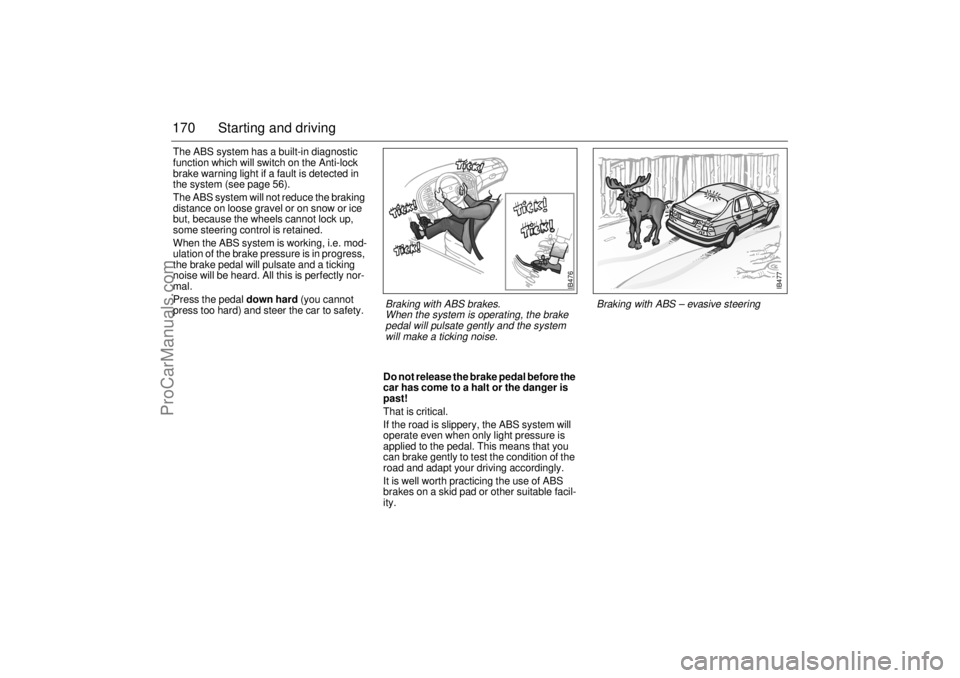
170 Starting and drivingThe ABS system has a built-in diagnostic
function which will switch on the Anti-lock
brake warning light if a fault is detected in
the system (see page 56).
The ABS system will not reduce the braking
distance on loose gravel or on snow or ice
but, because the wheels cannot lock up,
some steering control is retained.
When the ABS system is working, i.e. mod-
ulation of the brake pressure is in progress,
the brake pedal will pulsate and a ticking
noise will be heard. All this is perfectly nor-
mal.
Press the pedal down hard (you cannot
press too hard) and steer the car to safety.
Do not release the brake pedal before the
car has come to a halt or the danger is
past!
That is critical.
If the road is slippery, the ABS system will
operate even when only light pressure is
applied to the pedal. This means that you
can brake gently to test the condition of the
road and adapt your driving accordingly.
It is well worth practicing the use of ABS
brakes on a skid pad or other suitable facil-
ity.
IB476
Braking with ABS brakes.
When the system is operating, the brake
pedal will pulsate gently and the system
will make a ticking noise.
IB477
Braking with ABS – evasive steering
ProCarManuals.com
Page 172 of 288

172 Starting and drivingTCS OFF The indicator on the main instrument
panel will come on:
If a fault has been detected and the
system has therefore been switched off.
If there is a fault in the ABS system.
If the system has been switched off man-
ually.
The indicator light will also come on for
4 seconds when the ignition key is turned to
ON, while an internal system check is per-
formed.
Turning the TCS off The TCS is switched on automatically when
the engine is started.
The system can be switched off manually by
the TCS button, whereupon on the
main instrument panel will come on. The
TCS system cannot be switched off if the car
is travelling faster than 35 mph (60 km/h).
It may be necessary to switch off the system
if the car has become bogged down, for
instance. Press TCS to switch it on again.
If a fault is detected in the ABS system, the
TCS will be switched off automatically.
The cruise-control system will automatically
be disengaged after one second if it is active
when the TCS starts to operate.
Electronic Stability
Program (ESP)The Electronic Stability Program employs
both the antilock braking system (ABS) and
the traction control system (TCS). It is a
safety system that helps the driver to stabi-
lize the car in unusual circumstances that
can otherwise be difficult to handle.How the ESP system worksThe Electronic Stability Program can help to
prevent the car from skidding by braking
one or several wheels independently of the
driver. The engine output is then also
reduced to prevent the driving wheels from
spinning. The car has sensors that measure
wheel speed, yaw acceleration, lateral
acceleration, steering wheel position and
braking pressure. The values provided by
these sensors are used to calculate the
actual direction of the car. If this direction
does not agree with that intended by the
driver, calculated from the steering wheel
position, the ESP is engaged.
ProCarManuals.com
Page 209 of 288
209 Car care and technical information
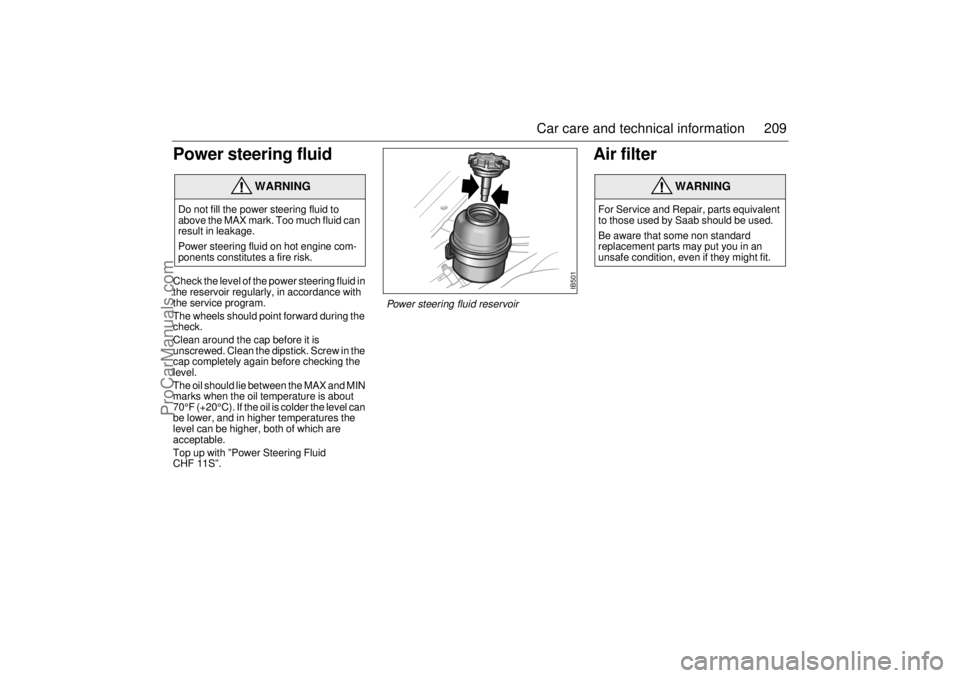
Power steering fluidCheck the level of the power steering fluid in
the reservoir regularly, in accordance with
the service program.
The wheels should point forward during the
check.
Clean around the cap before it is
unscrewed. Clean the dipstick. Screw in the
cap completely again before checking the
level.
The oil should lie between the MAX and MIN
marks when the oil temperature is about
70°F (+20°C). If the oil is colder the level can
be lower, and in higher temperatures the
level can be higher, both of which are
acceptable.
Top up with ”Power Steering Fluid
CHF 11S”.
Air filter
WARNING
Do not fill the power steering fluid to
above the MAX mark. Too much fluid can
result in leakage.
Power steering fluid on hot engine com-
ponents constitutes a fire risk.
WARNING
For Service and Repair, parts equivalent
to those used by Saab should be used.
Be aware that some non standard
replacement parts may put you in an
unsafe condition, even if they might fit.
IB501
Power steering fluid reservoir
ProCarManuals.com
Page 234 of 288

234 Car care and technical informationWhen to checkCheck your tires once a month or more.
Don’t forget your compact spare tire. It
should be at 60 psi (420 kPa).How to CheckUse a good quality pocket-type gage to
check tire pressure. You can’t tell if your
tires are properly inflated simply by looking
at them. Radial tires may look properly
inflated even when they’re underinflated.
Be sure to put the valve caps back on the
valve stems. They help prevent leaks by
keeping out dirt and moisture.Tire Inspection and RotationTires should be rotated every 7,500 miles
(12 500 km).
Any time you notice unusual wear, rotate
your tires as soon as possible and check
wheel alignment. Also check for damaged
tires or wheels. See “When It Is Time for
New Tires” on page 235 and “Wheel
Replacement” on page 238 for more infor-
mation.
The purpose of regular rotation is to achieve
more uniform wear for all tires on the vehi-
cle. The first rotation is the most important.
When rotating your tires, always use the
correct rotation pattern. Left front tire to left
rear. Left rear tire to right front. Right front to
right rear. Right rear to left front.
Don’t include the compact spare tire in your
tire rotation.After the tires have been rotated, adjust the
front and rear inflation pressures as shown
on the Tire-Loading Information label. Make
certain that all wheel nuts are properly tight-
ened. See page 250.
Flat spottingAll tires get hot, especially on long journeys
or when the car is driven hard. After the car
has been parked with hot tires and the tires
have cooled down, a flat spot can form in the
tire, where it is in contact with the ground.
The same can occur if the car has not been
moved for a long time.
Flat spots can cause vibration that can be
felt through the steering wheel, similar to
that experienced when the wheels need bal-
ancing.
Flat spots of this type disappear once the
tires get hot again, usually after 10–15 miles
(20–25 km) of driving at cruising speed.
WARNING
Rust or dirt on a wheel, or on the parts to
which it is fastened, can make wheel nuts
become loose after a time. The wheel
could come off and cause an accident.
When you change a wheel, remove any
rust or dirt from places where the wheel
attaches to the vehicle. In an emergency,
you can use a cloth or a paper towel to do
this; but be sure to use a scraper or wire
brush later, if you need to, to get all the
rust or dirt off. See “Changing a wheel” on
page 247.
ProCarManuals.com