radio SAAB 9-5 2005 Owners Manual
[x] Cancel search | Manufacturer: SAAB, Model Year: 2005, Model line: 9-5, Model: SAAB 9-5 2005Pages: 276, PDF Size: 16.72 MB
Page 85 of 276

83 Saab 9-5 Audio System
Quick guide to the Saab
9-5 Audio System _____ 85
Sound controls ________ 87
Radio ________________ 88
Cassette player ________ 90
CD player _____________ 93
CD changer ___________ 95
Programmable functions 99
Steering-wheel controls _ 100
Security lock __________ 101
Technical data _________ 102
Fault codes ___________ 104
Saab 9-5 Audio System
ProCarManuals.com
Page 86 of 276
84 Saab 9-5 Audio SystemTo get the best out of your Saab 9-5 Audio
System, we recommend that you read
through this entire section.
The Saab 9-5 Audio System is available in
two versions: Premium on the 9-5 Linear
and Prestige on the 9-5 Arc and 9-5 Aero
Both models have been specially matched
to the Saab 9-5 cabin.
The two systems are comprised of a radio,
CD player and cassette player.
A six-disc CD changer for installation in the
luggage compartment is available as a dea-
ler-installed accessory/option.
The Premium system has seven speakers:
three mounted in the fascia (the center
speaker further enhances the overall sound
image) and one in each door.
The Prestige system (Harman Kardon) has
nine speakers (9-5 Sport Wagon has eight
speakers): three mounted in the fascia (the
center speaker further enhances the sound
image), one in each door and two subwoo-
fers in the rear window shelf (9-5 Sport
Wagon: one subwoofer in the luggage
compartment). The subwoofers enhance
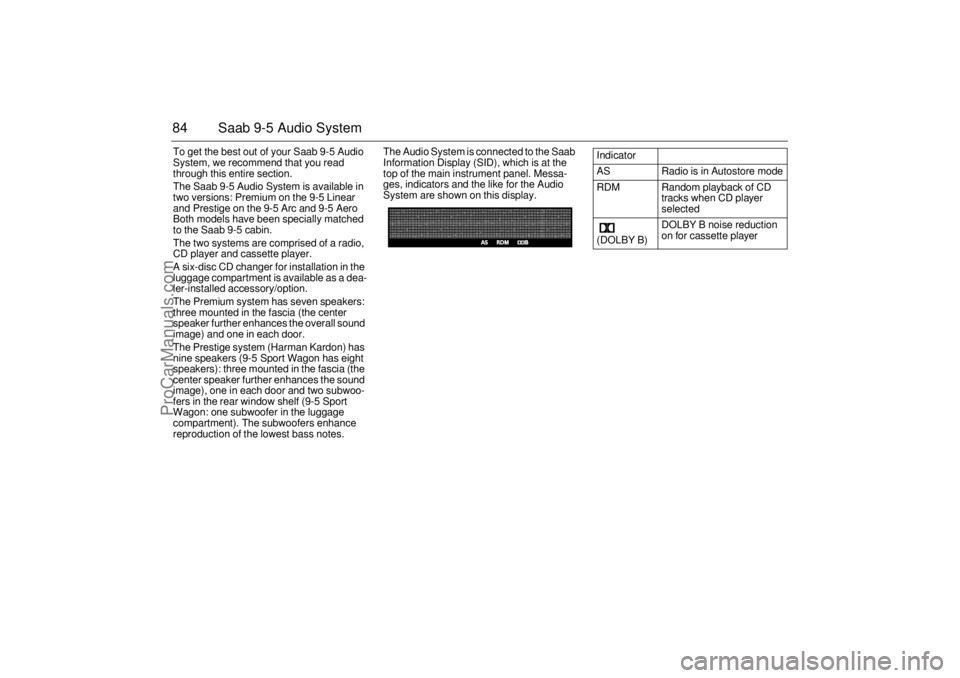
reproduction of the lowest bass notes.The Audio System is connected to the Saab
Information Display (SID), which is at the
top of the main instrument panel. Messa-
ges, indicators and the like for the Audio
System are shown on this display.
Indicator
AS Radio is in Autostore mode
RDM Random playback of CD
tracks when CD player
selected
(DOLBY B) DOLBY B noise reduction
on for cassette player
ProCarManuals.com
Page 87 of 276
85 Saab 9-5 Audio System
Quick guide to the
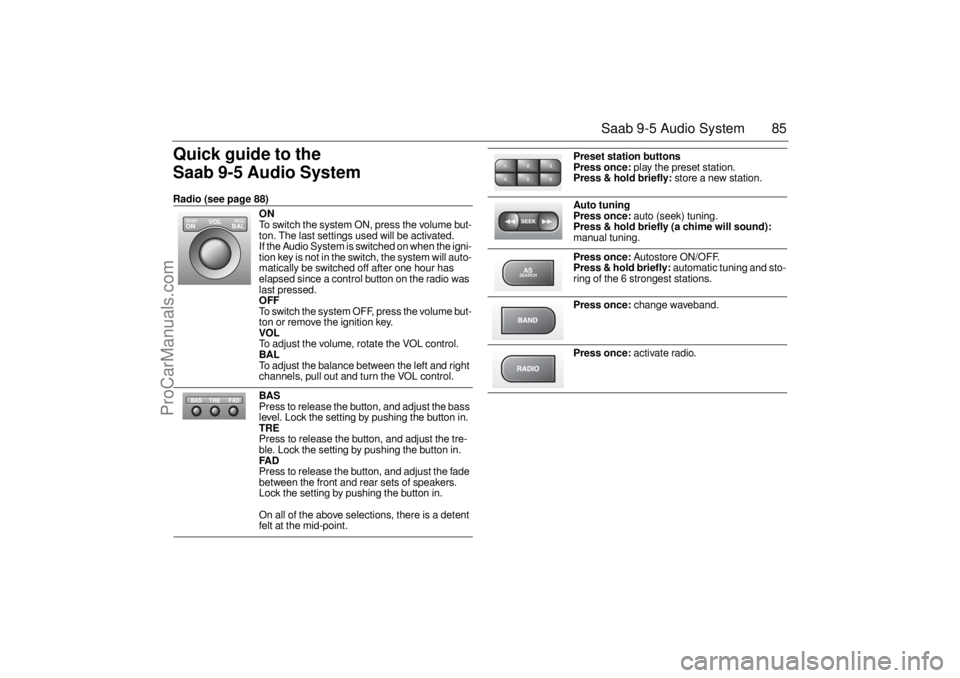
Saab 9-5 Audio System Radio (see page 88)
ON
To switch the system ON, press the volume but-
ton. The last settings used will be activated.
If the Audio System is switched on when the igni-
tion key is not in the switch, the system will auto-
matically be switched off after one hour has
elapsed since a control button on the radio was
last pressed. OFF To switch the system OFF, press the volume but-
ton or remove the ignition key. VOL To adjust the volume, rotate the VOL control. BAL To adjust the balance between the left and right
channels, pull out and turn the VOL control. BAS Press to release the button, and adjust the bass
level. Lock the setting by pushing the button in. TRE Press to release the button, and adjust the tre-
ble. Lock the setting by pushing the button in. FAD Press to release the button, and adjust the fade
between the front and rear sets of speakers.
Lock the setting by pushing the button in.
On all of the above selections, there is a detent
felt at the mid-point.
VOL
BAL ON
PULL PUSH
TREFAD BAS
Preset station buttons
Press once:
play the preset station.
Press & hold briefly:
store a new station.
Auto tuning
Press once:
auto (seek) tuning.
Press & hold briefly (a chime will sound):
manual tuning.
Press once:
Autostore ON/OFF.
Press & hold briefly:
automatic tuning and sto-
ring of the 6 strongest stations.
Press once:
change waveband.
Press once:
activate radio.
2 13
5 46ASSEARCH
ProCarManuals.com
Page 88 of 276
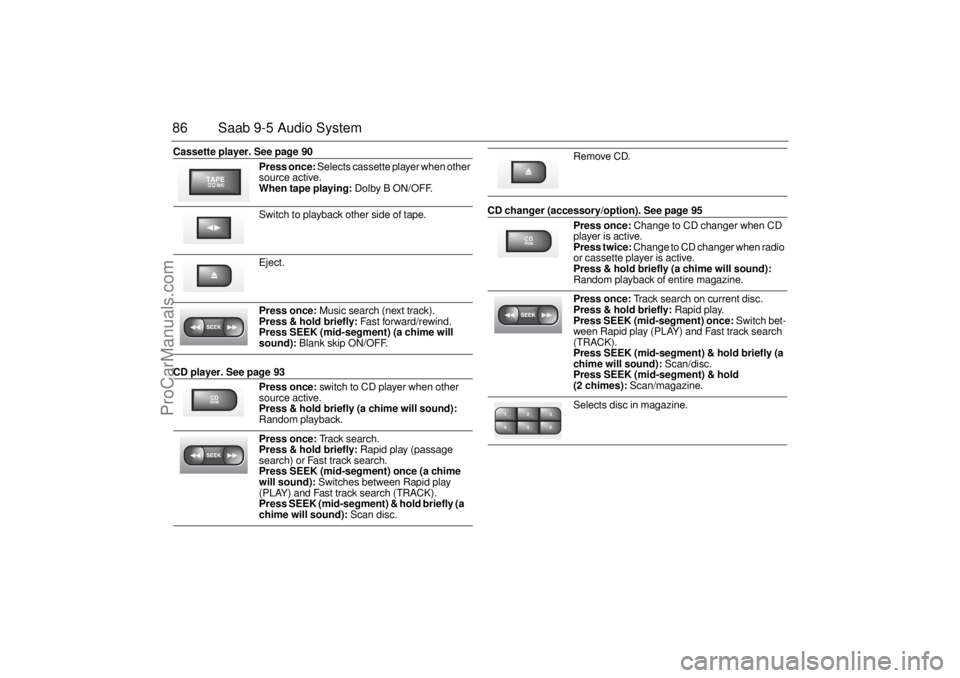
86 Saab 9-5 Audio SystemCassette player. See page 90
CD player. See page 93 CD changer (accessory/option). See page 95 Press once:
Selects cassette player when other
source active.
When tape playing:
Dolby B ON/OFF.
Switch to playback other side of tape.
Eject.
Press once:
Music search (next track).
Press & hold briefly:
Fast forward/rewind.
Press SEEK (mid-segment) (a chime will
sound):
Blank skip ON/OFF.
Press once:
switch to CD player when other
source active.
Press & hold briefly (a chime will sound):
Random playback.
Press once:
Track search.
Press & hold briefly:
Rapid play (passage
search) or Fast track search.
Press SEEK (mid-segment) once (a chime
will sound):
Switches between Rapid play
(PLAY) and Fast track search (TRACK).
Press SEEK (mid-segment) & hold briefly (a
chime will sound):
Scan disc.
CDRDM
Remove CD.Press once:
Change to CD changer when CD
player is active.
Press twice:
Change to CD changer when radio
or cassette player is active.
Press & hold briefly (a chime will sound):
Random playback of entire magazine.
Press once:
Track search on current disc.
Press & hold briefly:
Rapid play.
Press SEEK (mid-segment) once:
Switch bet-
ween Rapid play (PLAY) and Fast track search
(TRACK).
Press SEEK (mid-segment) & hold briefly (a
chime will sound):
Scan/disc.
Press SEEK (mid-segment) & hold
(2 chimes):
Scan/magazine.
Selects disc in magazine.
CDRDM2 13
5 46
ProCarManuals.com
Page 90 of 276
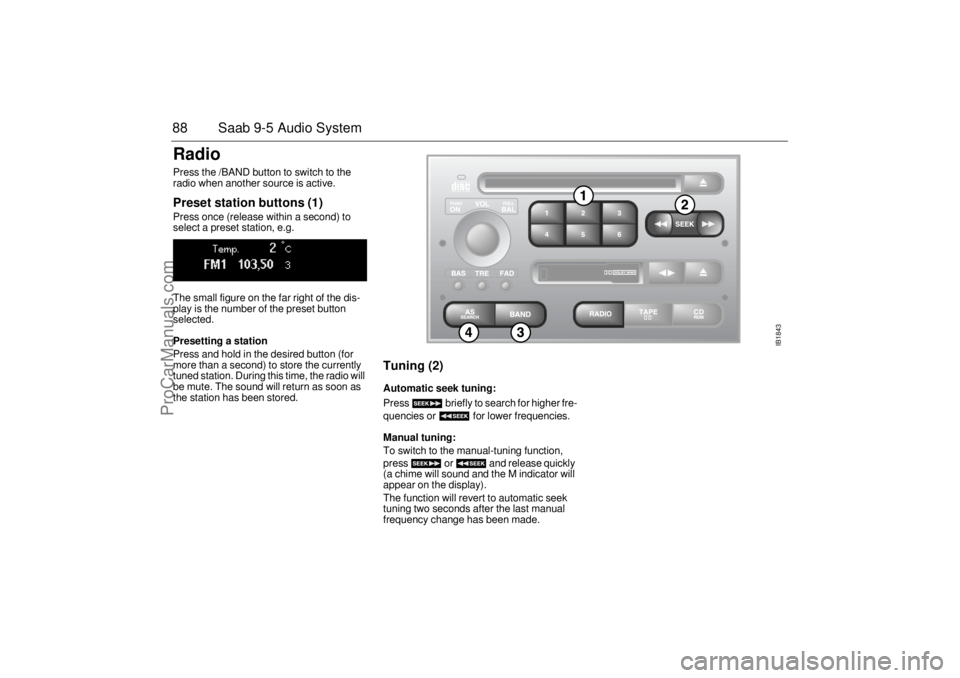
88 Saab 9-5 Audio SystemRadio Press the /BAND button to switch to the
radio when another source is active. Preset station buttons (1) Press once (release within a second) to
select a preset station, e.g.
The small figure on the far right of the dis-
play is the number of the preset button
selected. Presetting a station Press and hold in the desired button (for
more than a second) to store the currently
tuned station. During this time, the radio will
be mute. The sound will return as soon as
the station has been stored.
Tuning (2) Automatic seek tuning: Press briefly to search for higher fre-
quencies or for lower frequencies. Manual tuning: To switch to the manual-tuning function,
press or and release quickly
(a chime will sound and the M indicator will
appear on the display).
The function will revert to automatic seek
tuning two seconds after the last manual
frequency change has been made.
IB1843
ProCarManuals.com
Page 95 of 276

93 Saab 9-5 Audio System
CD playerTo select the CD mode, load a CD into the
deck or, if one is already loaded, press the
CD/RDM button.
Insert the CD, label-side up, and allow the
mechanism to load it automatically. Play-
back of the first track will start and the follo-
wing message will appear on the display:
A tiny, amber-colored LED indicator to the
left of the disc tray is illuminated when a disc
is loaded.
When all the tracks have been played, the
CD player will restart playback from track 1.
To cancel playback, press the eject, RADIO
or TAPE button.
Track search (1) Press or repeatedly to move
to preceding or following tracks. Pressing
once will restart playback from the
beginning of the current track. Thus, to play
the preceding track, press twice.
Rapid play (passage search) When or is pressed and
held, rapid play will be initiated, with the time
and track showing on the display, e.g.:
If the button is depressed for more than
5 seconds, the rapid play will be even faster.
Rapid play stops when the button is rele-
ased.
NOTICEDo not use writeable CDs in your Audio
System. In certain cases, this type of CD
is only suitable for home use and can the-
refore cause operational problems (over-
heating).
IB1845
2
1
3
ProCarManuals.com
Page 97 of 276
95 Saab 9-5 Audio System
CD changer(accessory)Important! Always keep the sliding cover
closed to keep dust out of the CD changer,
so that it will continue to provide satisfactory
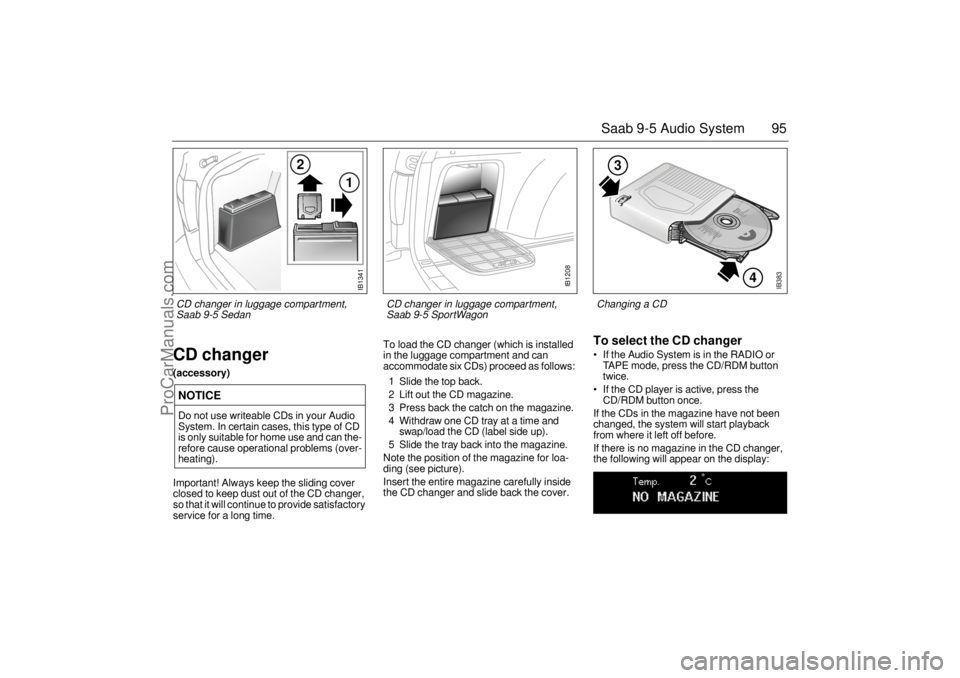
service for a long time. To load the CD changer (which is installed
in the luggage compartment and can
accommodate six CDs) proceed as follows:
1 Slide the top back.
2 Lift out the CD magazine.
3 Press back the catch on the magazine.
4 Withdraw one CD tray at a time and
swap/load the CD (label side up).
5 Slide the tray back into the magazine.
Note the position of the magazine for loa-
ding (see picture).
Insert the entire magazine carefully inside
the CD changer and slide back the cover.
To select the CD changer If the Audio System is in the RADIO or
TAPE mode, press the CD/RDM button
twice.
If the CD player is active, press the
CD/RDM button once.
If the CDs in the magazine have not been
changed, the system will start playback
from where it left off before.
If there is no magazine in the CD changer,
the following will appear on the display:
NOTICEDo not use writeable CDs in your Audio
System. In certain cases, this type of CD
is only suitable for home use and can the-
refore cause operational problems (over-
heating).
IB383
4
3
Changing a CD
IB1341
2
1
CD changer in luggage compartment,
Saab 9-5 Sedan
IB1208
CD changer in luggage compartment,
Saab 9-5 SportWagon
ProCarManuals.com
Page 98 of 276
96 Saab 9-5 Audio SystemIf the magazine in the CD changer is empty,
the following will appear on the display:
If the CD changer is activated right after a
magazine has been loaded, the following
will appear on the display:
The CD number will change as each CD is
played.
After a magazine has been loaded, play-
back will start with the first track on the first
CD when the CD changer is selected, and
the following will appear on the display:
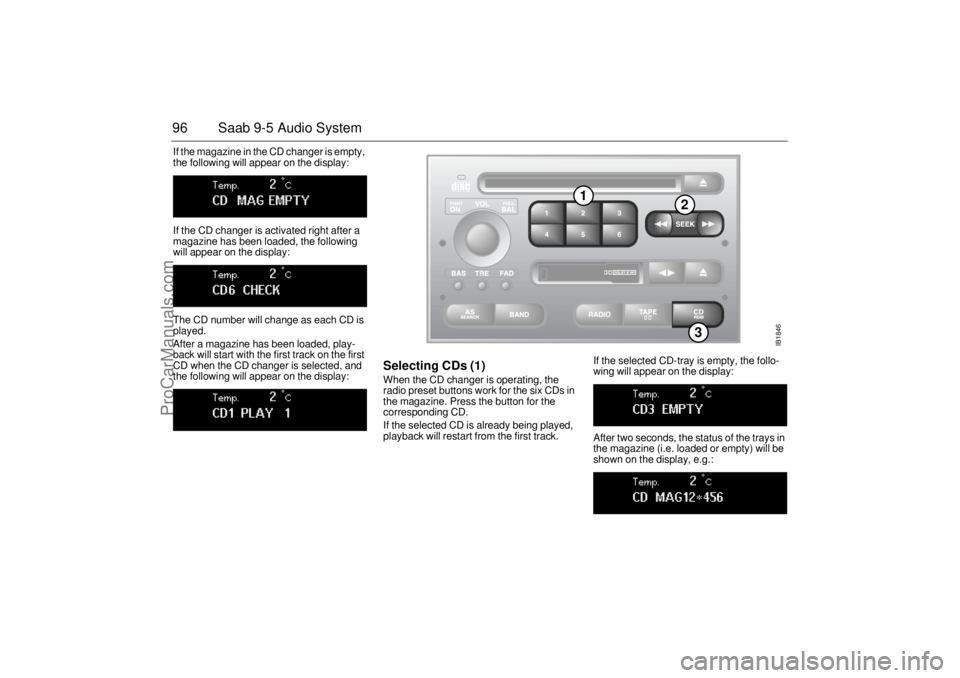
Selecting CDs (1) When the CD changer is operating, the
radio preset buttons work for the six CDs in
the magazine. Press the button for the
corresponding CD.
If the selected CD is already being played,
playback will restart from the first track. If the selected CD-tray is empty, the follo-
wing will appear on the display:
After two seconds, the status of the trays in
the magazine (i.e. loaded or empty) will be
shown on the display, e.g.:
IB1846
3
1
2
ProCarManuals.com
Page 100 of 276

98 Saab 9-5 Audio SystemSCAN Scanning the current CD: To start the SCAN function, which enables
you to hear a sample of each track on the
disc, press and hold (mid-seg-
ment). The display shows that SCAN is in
progress and which track is currently being
sampled. For instance, if you started SCAN
while playing track one, the following dis-
play will appear:
The sample playback starts 30 seconds
after the start of the track and lasts for 8
seconds.
When all the tracks on the disc have been
scanned, the system will revert to playback
of the track that was playing when SCAN
was selected.
Press any segment of the SEEK button
during scanning to play the current track
from the beginning and simultaneously
cancel the SCAN function.
Scanning the entire magazine: Press and hold (mid-segment -
two chimes) to start a scan of the entire
magazine. A message similar to the follo-
wing will appear on the display:
The sample playback starts 30 seconds
after the beginning of the first track on each
CD and lasts for 8 seconds.
After the first track of each CD has been
sampled, the CD changer will revert to play-
back of the track that was playing when
SCAN was selected.
Press any segment of the SEEK button
during scanning to play the current track
from the beginning and simultaneously
cancel the SCAN function.
Random playback (RDM) (3) Press and hold the CD/RDM button to
select/deselect random playback of the
CDs in the magazine. When this function is
selected, RDM will appear at the bottom of
the display.
Press once to move from the current
track to the next during random playback.
Press once to repeat the current
track during random playback.
Pressing and holding or will
start Rapid play. To stop
playback from the CD changer,
simply select once to move from the current
track to the next during random playback
(RADIO/TAPE/ CD). The CD changer will
now enter stand-by mode.
ProCarManuals.com
Page 101 of 276

99 Saab 9-5 Audio System
Programmable
functionsVolume-preset modeTo select the volume-preset mode, press
and hold the BAND button at the same time
as you switch the Audio System on.
Use the button to select the desi-
red function.
The following volume settings can be
preselected:
STARTVOL –
maximum
volume level
when the Audio System is switched on
TEL VOL – preset volume level when an
in-car phone is activated
SP D VOL – speed-dependent volume.
The Audio System will automatically
adjust the volume level to compensate for
background noise, such as road noise,
which increases with vehicle speed.
LOUDNESS ON/OFF – boosting of the
highest and lowest frequency ranges to
enhance the sound image when the
volume is set to a low level.
Adjusting the volume The default setting for START VOL is
volume setting 9, and that for TEL VOL is
volume setting 14 (the highest volume set-
ting is 30).
Maximum
START VOL
TELVOL
To change the volume setting:
– Press and hold the BAND button at the
same time as you switch on the Audio
System.
– After START VOL appears, release the
BAND button.
– Adjust the starting volume using the
volume knob.
– Wait 10 seconds or press one of the but-
tons on the bottom row of the Audio Sys-
tem, e.g. RADIO or BAND, to save the
new volume setting.
Speed-dependent volume
(SP D VOL) ON/OFF To change the default setting:
The default setting for this function is ON.
– Press and hold the BAND button at the
same time as you switch on the Audio
System.
– After START VOL appears, release the
BAND button.
– Select SP D VOL using
– Select ON or OFF using the VOL control.
– Wait 10 seconds or press one of the but-
tons on the bottom row of the Audio Sys-
tem, e.g. RADIO or BAND, to save the
new default setting.
WARNING
These functions should only be carried
out when the car is stationary.
ProCarManuals.com