wheel SAAB 9-5 2007 User Guide
[x] Cancel search | Manufacturer: SAAB, Model Year: 2007, Model line: 9-5, Model: SAAB 9-5 2007Pages: 288, PDF Size: 18.14 MB
Page 39 of 288
39 Safety
AIRBAG servicingThe airbag must be inspected as part of the
normal service program but otherwise may
be regarded as maintenance-free.Scrapping or working on airbags
and belt pretensioners
WARNING
If you damage the covering for the driver's
or the right front passenger's airbag, or
the side impact airbag covering on the
ceiling near the side windows, the bag
may not work properly. You may have to
replace the airbag module in the steering
wheel, both the airbag module and the
instrument panel for the right front pas-
senger's airbag, or side impact airbag
module and ceiling covering for the
roof-mounted side impact airbag. Do not
open or break the airbag coverings.
WARNING
Under no circumstances should any
modifications be made that affect the
steering wheel or the airbag’s electri-
cal circuitry.
Before starting any welding work on
the car, always disconnect the nega-
tive (–) battery lead and cover the con-
ductor.
Airbags and belt pretensioners must
be deployed under controlled condi-
tions before the car is scrapped or any
of the system’s components are
removed. Airbags or belt pretension-
ers that have been deployed as a
result of a crash must be replaced by
new ones.
Airbag-system components must
never be transferred for use in another
vehicle.
All work involving the scrapping or
replacement of airbags or belt preten-
sioners must only be carried out by
knowledgeable personnel.
The headlining and roof pillar trim
must not be modified in any way. Work
on these areas must only be carried
out at a Saab dealer.
95_U S _M 07.book Page 39 Friday, June 9, 2006 8:58 AM
ProCarManuals.com
Page 60 of 288
60 Instruments and controlsThis light will show when the parking brake
is on (see page 165).
The parking brake is mechanical and oper-
ates on the rear wheels. This light will come on if a fault has occurred
in the ABS system.
On certain variants and can light
up to indicate a fault in the electronic brake
force distribution system (distribution of the
brake pressure between the front and rear
wheels).
Conventional braking without the ABS func-
tion will still be available.
For safety reasons, stop the car and check
the level of the brake fluid (see page 196).
If the level is normal, depress the brake
pedal firmly two or three times. Now check
the level again. If the level is still normal, you
may drive the car, with considerable cau-
tion, to the nearest authorized Saab dealer
to have the brake system checked.This light indicates that the headlights or the
parking lights are on.
Parking brake warning
light
WARNING
Always apply the parking brake when
parking, see page 165.
Always apply the parking brake
before removing the ignition key.
not apply the parking brake while
the car is moving.
Anti-lock brake warning
WARNING
If the ABS is inoperative, there is a
danger of the rear wheels locking up
on hard braking.
If the level of brake fluid in the reser-
voir is below the MIN mark, the car
should be towed to an authorized
Saab dealer.
Headlight and parking
light indicator
95_U S _M 07.book Page 60 Friday, June 9, 2006 8:58 AM
ProCarManuals.com
Page 65 of 288
65 Instruments and controls
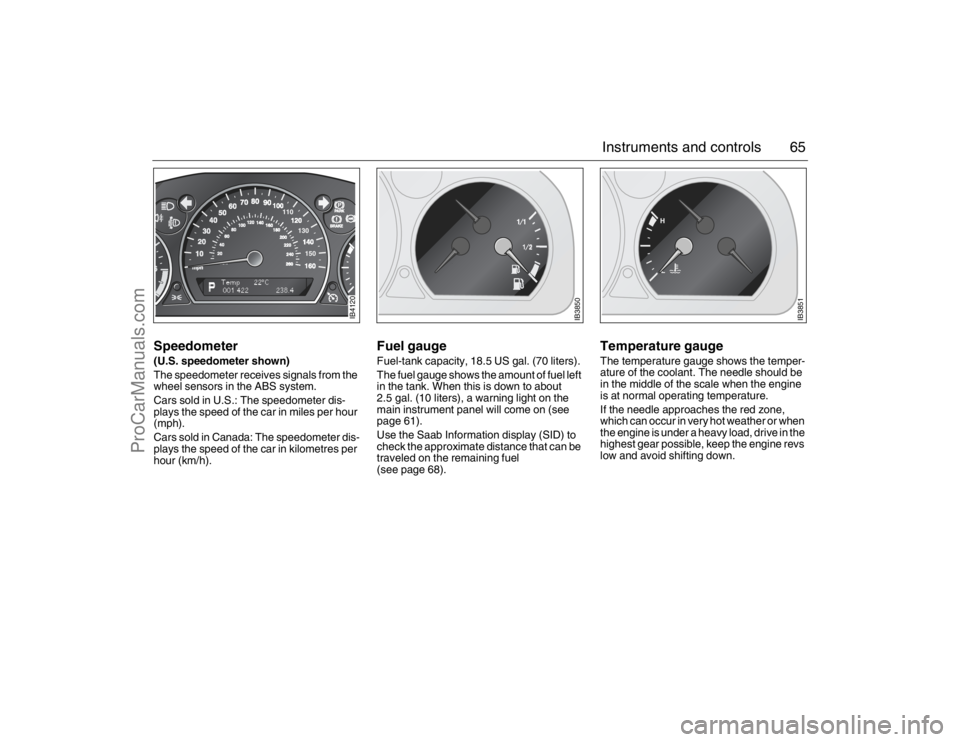
Speedometer(U.S. speedometer shown)
The speedometer receives signals from the
wheel sensors in the ABS system.
Cars sold in U.S.: The speedometer dis-
plays the speed of the car in miles per hour
(mph).
Cars sold in Canada: The speedometer dis-
plays the speed of the car in kilometres per
hour (km/h).
Fuel gauge Fuel-tank capacity, 18.5 US gal. (70 liters).
The fuel gauge shows the amount of fuel left
in the tank. When this is down to about
2.5 gal. (10 liters), a warning light on the
main instrument panel will come on (see
page 61).
Use the Saab Information display (SID) to
check the approximate distance that can be
traveled on the remaining fuel
(see page 68).
Temperature gauge The temperature gauge shows the temper-
ature of the coolant. The needle should be
in the middle of the scale when the engine
is at normal operating temperature.
If the needle approaches the red zone,
which can occur in very hot weather or when
the engine is under a heavy load, drive in the
highest gear possible, keep the engine revs
low and avoid shifting down.
IB4120
IB3850
IB3851
95_U S _M 07.book Page 65 Friday, June 9, 2006 8:58 AM
ProCarManuals.com
Page 74 of 288
74 Instruments and controlsCourtesy Headlight FeatureA delay function allows the headlights to
remain on low beam for about 30 seconds
after the driver’s door has been closed.
To activate this function,
Switch off the ignition and remove the key
Open the driver’s door
Pull the high/low beam control stalk
towards the steering wheel like you are
flashing the high beam, see page 73. The
low beam headlights will now come on
immediately after the driver’s door has
been closed (within 30 seconds) and will
remain on for about 30 seconds.
The length of time for this function can be
adjusted by your authorized Saab dealer.
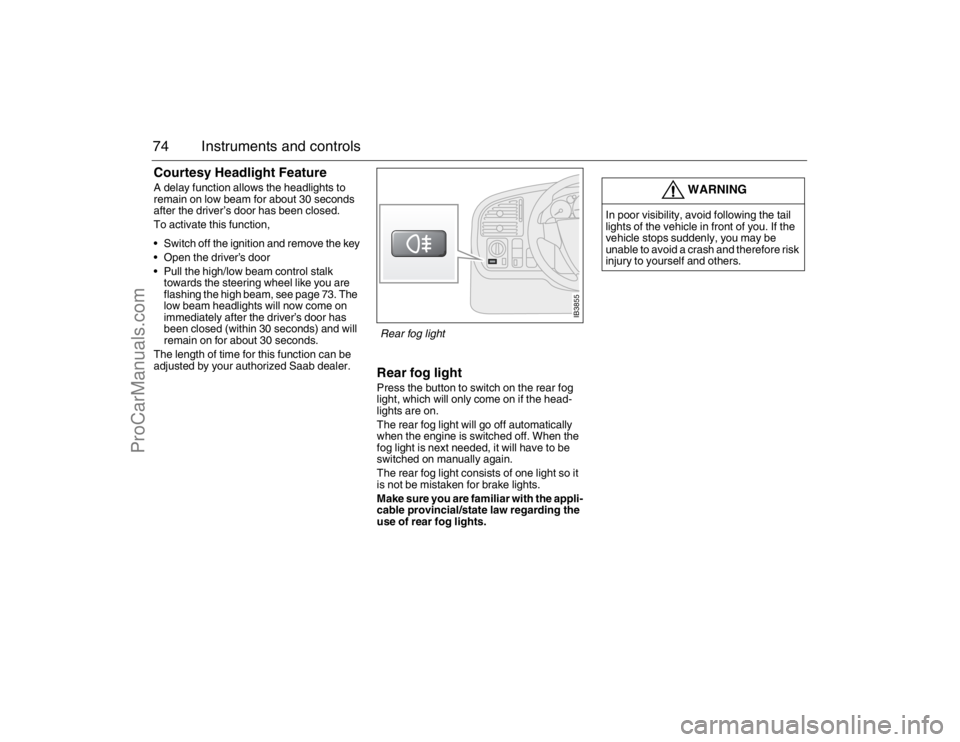
Rear fog lightPress the button to switch on the rear fog
light, which will only come on if the head-
lights are on.
The rear fog light will go off automatically
when the engine is switched off. When the
fog light is next needed, it will have to be
switched on manually again.
The rear fog light consists of one light so it
is not be mistaken for brake lights.
Make sure you are familiar with the appli-
cable provincial/state law regarding the
use of rear fog lights.
WARNING
In poor visibility, avoid following the tail
lights of the vehicle in front of you. If the
vehicle stops suddenly, you may be
unable to avoid a crash and therefore risk
injury to yourself and others.
IB3855
Rear fog light
95_U S _M 07.book Page 74 Friday, June 9, 2006 8:58 AM
ProCarManuals.com
Page 90 of 288
90 Saab 9-5 Audio SystemSaab 9-5 Audio
System3To get the best out of your Saab 9-5 Audio
System, we recommend that you read
through this entire section.
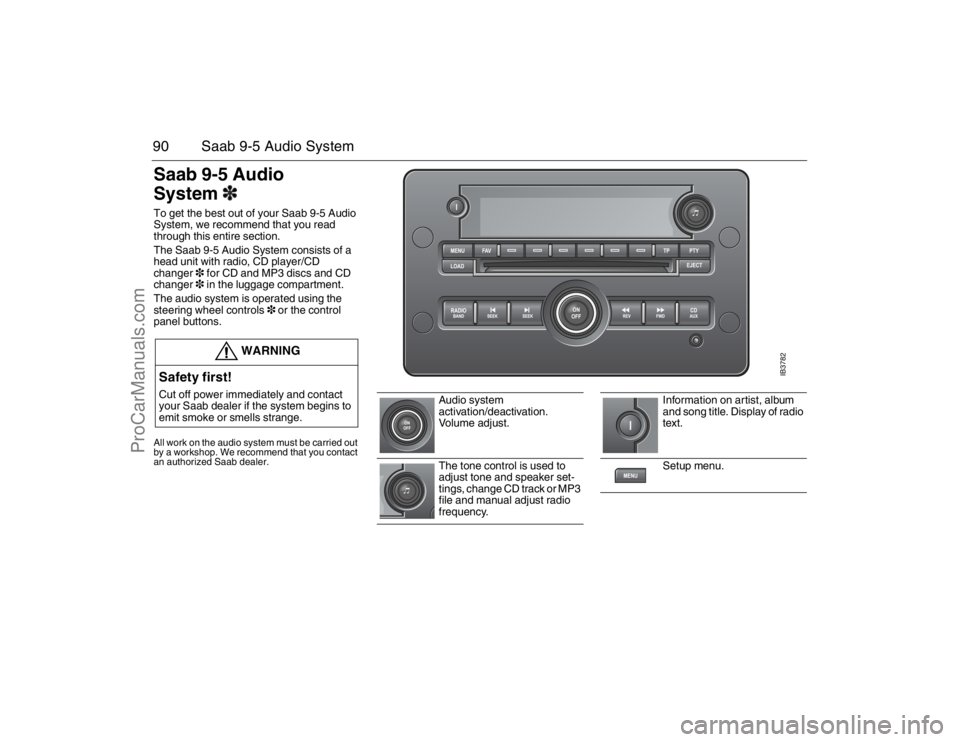
The Saab 9-5 Audio System consists of a
head unit with radio, CD player/CD
changer3 for CD and MP3 discs and CD
changer3 in the luggage compartment.
The audio system is operated using the
steering wheel controls3 or the control
panel buttons.All work on the audio system must be carried out
by a workshop. We recommend that you contact
an authorized Saab dealer.
WARNING
Safety first!Cut off power immediately and contact
your Saab dealer if the system begins to
emit smoke or smells strange.
Audio system
activation/deactivation.
Vo l u m e a d j u s t .
The tone control is used to
adjust tone and speaker set-
tings, change CD track or MP3
file and manual adjust radio
frequency.
Information on artist, album
and song title. Display of radio
text.
Setup menu.
IB3782
95_U S _M 07.book Page 90 Friday, June 9, 2006 8:58 AM
ProCarManuals.com
Page 91 of 288
91 Saab 9-5 Audio System
Steering wheel controls3l
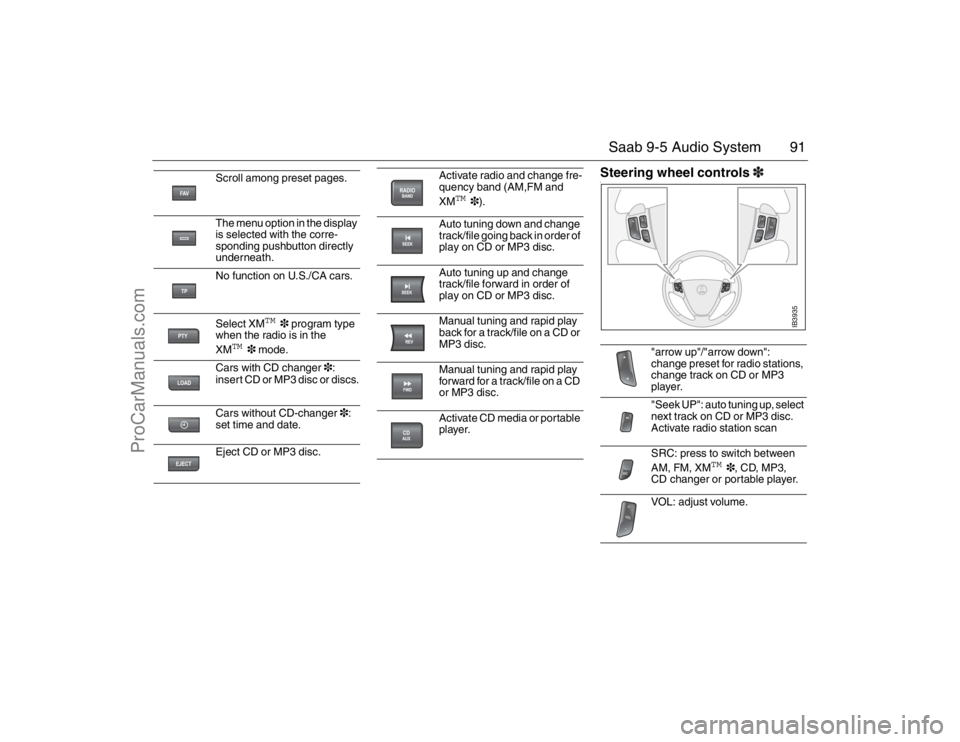
Scroll among preset pages.
The menu option in the display
is selected with the corre-
sponding pushbutton directly
underneath.
No function on U.S./CA cars.
Select XM
TM
3 program type
when the radio is in the
XM
TM
3 mode.
Cars with CD changer3:
insert CD or MP3 disc or discs.
Cars without CD-changer3:
set time and date.
Eject CD or MP3 disc.
Activate radio and change fre-
quency band (AM,FM and
XM
TM
3).
Auto tuning down and change
track/file going back in order of
play on CD or MP3 disc.
Auto tuning up and change
track/file forward in order of
play on CD or MP3 disc.
Manual tuning and rapid play
back for a track/file on a CD or
MP3 disc.
Manual tuning and rapid play
forward for a track/file on a CD
or MP3 disc.
Activate CD media or portable
player.
"arrow up"/"arrow down":
change preset for radio stations,
change track on CD or MP3
player.
"Seek UP": auto tuning up, select
next track on CD or MP3 disc.
Activate radio station scan
SRC: press to switch between
AM, FM, XM
TM
3, CD, MP3,
CD changer or portable player.
VOL: adjust volume.
IB3935
95_U S _M 07.book Page 91 Friday, June 9, 2006 8:58 AM
ProCarManuals.com
Page 93 of 288

93 Saab 9-5 Audio System
RadioPress the RADIO BAND button to return to
radio mode if another audio source is in use.Selecting a radio stationSelecting a frequency band
Press the RADIO BAND button to change
frequency band. The selected frequency
band appears on the display.
Selecting a preset station
Scroll to the desired preset page by press-
ing the FAV button and then pressing the
pushbutton (1-6) under the desired preset
station.
You can also press or on the steering
wheel to select another preset station.
Tuning a stationFine tuning
Turn the tone control one increment or
press the REV or FWD button to fine-tune
the frequency in increments of 0.2 MHz.
Automatic tuning
Press one of the SEEK buttons or the
button on the steering wheel for automatic
seek tuning. The radio then searches
upward in the frequency band for the near-
est strong station and stops at that fre-
quency.
Manual tuning
Turn the tone control or hold the REV or
FWD button depressed to seek a frequency
manually. Release the control/button to
stop at the desired frequency.
Scanning radio stations
Hold one of the SEEK buttons or the
button on the steering wheel depressed
until a chime sounds for a 5 second sam-
pling of each station accessible on the fre-
quency band.
Scanning...
appears on the
display.
Press one of the SEEK buttons or the
button on the steering wheel again to cancel
the scan and select the radio station being
played at that instant.
Storing presetsYou can store up to 36 radio stations as pre-
sets by using the 6 pushbuttons under the
display and the FAV button. Press the FAV
button to scroll through up to 6 pages with
6 presets per page. Each page can contain
a combination of AM, FM and XM
TM
3
stations.
Storing the current station as a preset
To store the current station as a preset:
1 Press the FAV button until you come to
the preset page (1-6) at which the sta-
tion is to be stored.
2 Hold the pushbutton depressed under
the spot (1-36) at which the station is to
be stored. A chime will sound once the
station is stored.
Preset stations
95_U S _M 07.book Page 93 Friday, June 9, 2006 8:58 AM
ProCarManuals.com
Page 99 of 288
99 Saab 9-5 Audio System
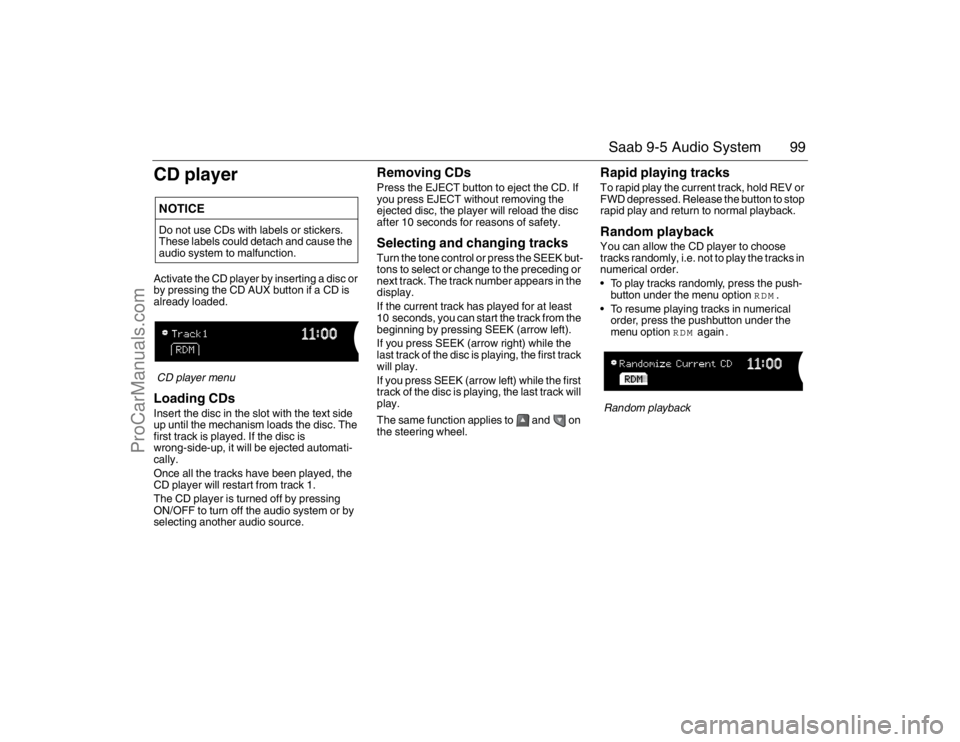
CD playerActivate the CD player by inserting a disc or
by pressing the CD AUX button if a CD is
already loaded.CD player menuLoading CDsInsert the disc in the slot with the text side
up until the mechanism loads the disc. The
first track is played. If the disc is
wrong-side-up, it will be ejected automati-
cally.
Once all the tracks have been played, the
CD player will restart from track 1.
The CD player is turned off by pressing
ON/OFF to turn off the audio system or by
selecting another audio source.
Removing CDsPress the EJECT button to eject the CD. If
you press EJECT without removing the
ejected disc, the player will reload the disc
after 10 seconds for reasons of safety.Selecting and changing tracksTurn the tone control or press the SEEK but-
tons to select or change to the preceding or
next track. The track number appears in the
display.
If the current track has played for at least
10 seconds, you can start the track from the
beginning by pressing SEEK (arrow left).
If you press SEEK (arrow right) while the
last track of the disc is playing, the first track
will play.
If you press SEEK (arrow left) while the first
track of the disc is playing, the last track will
play.
The same function applies to and on
the steering wheel.
Rapid playing tracksTo rapid play the current track, hold REV or
FWD depressed. Release the button to stop
rapid play and return to normal playback.Random playbackYou can allow the CD player to choose
tracks randomly, i.e. not to play the tracks in
numerical order.
To play tracks randomly, press the push-
button under the menu option
RDM
.
To resume playing tracks in numerical
order, press the pushbutton under the
menu option
RDM
again
.
Random playback
NOTICEDo not use CDs with labels or stickers.
These labels could detach and cause the
audio system to malfunction.95_U S _M 07.book Page 99 Friday, June 9, 2006 8:58 AM
ProCarManuals.com
Page 101 of 288
101 Saab 9-5 Audio System
Selecting and changing tracksTurn the tone control or press the SEEK but-
tons to select or change to the preceding or
next track. The track number appears in the
display.
If the current track has played for at least
10 seconds, you can start the track from the
beginning by pressing SEEK (arrow left).
If you press SEEK (arrow right) while the
last track of the disc is playing, the first track
will play.
If you press SEEK (arrow left) while the first
track of the disc is playing, the last track will
play.
The same function applies to and on
the steering wheel.
For selecting/changing MP3 files, see
page 102.
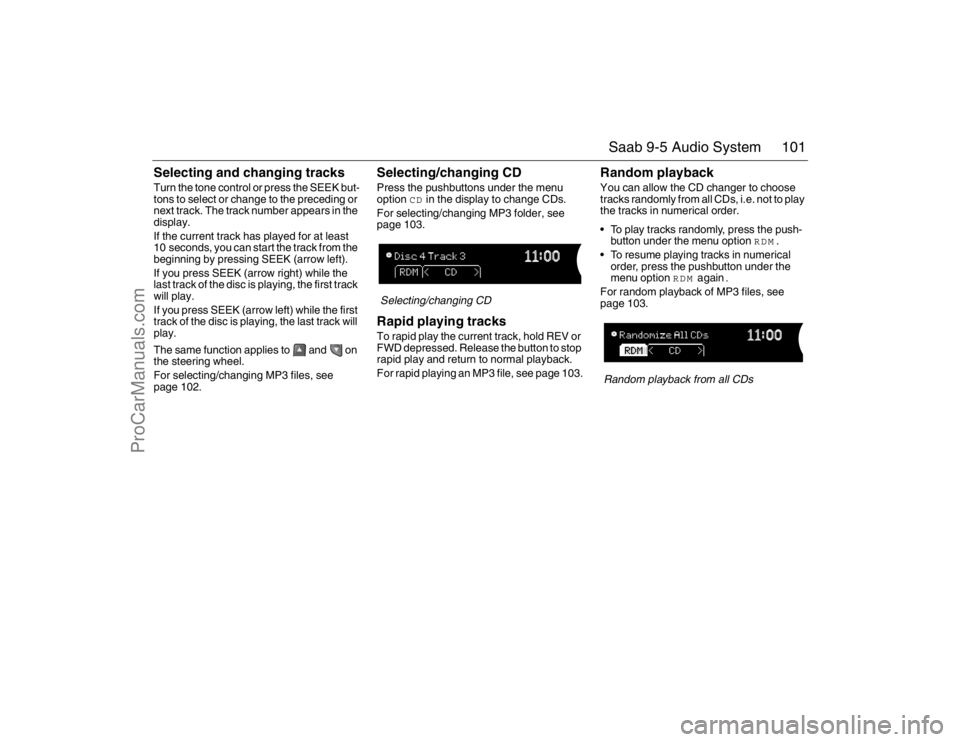
Selecting/changing CDPress the pushbuttons under the menu
option
CD
in the display to change CDs.
For selecting/changing MP3 folder, see
page 103.
Selecting/changing CDRapid playing tracksTo rapid play the current track, hold REV or
FWD depressed. Release the button to stop
rapid play and return to normal playback.
For rapid playing an MP3 file, see page 103.
Random playbackYou can allow the CD changer to choose
tracks randomly from all CDs, i.e. not to play
the tracks in numerical order.
To play tracks randomly, press the push-
button under the menu option
RDM
.
To resume playing tracks in numerical
order, press the pushbutton under the
menu option
RDM
again
.
For random playback of MP3 files, see
page 103.Random playback from all CDs
95_U S _M 07.book Page 101 Friday, June 9, 2006 8:58 AM
ProCarManuals.com
Page 102 of 288
102 Saab 9-5 Audio SystemMP3 playerThe audio system can play MP3 files
recorded on an CD-R disc with the following
bit speed: 32 - 320 kbps. Sound quality may
vary depending on the quality of the CD-R
disc, recording method and quality of the
recorded music.
The audio system can read and play a max-
imum of 50 MP3 files, 50 playlists, 10 ses-
sions and 255 MP3 files. Discs containing
several folders, playlists, sessions and files
can be played up to the max. limit. Anything
over the max. limit will be ignored.
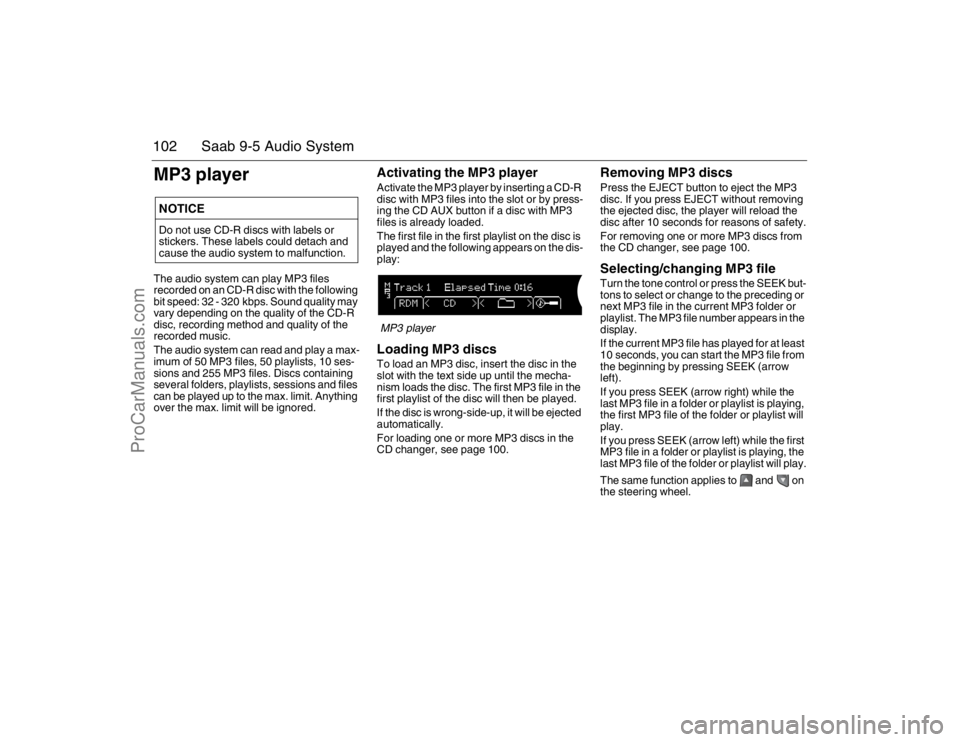
Activating the MP3 playerActivate the MP3 player by inserting a CD-R
disc with MP3 files into the slot or by press-
ing the CD AUX button if a disc with MP3
files is already loaded.
The first file in the first playlist on the disc is
played and the following appears on the dis-
play:MP3 playerLoading MP3 discsTo load an MP3 disc, insert the disc in the
slot with the text side up until the mecha-
nism loads the disc. The first MP3 file in the
first playlist of the disc will then be played.
If the disc is wrong-side-up, it will be ejected
automatically.
For loading one or more MP3 discs in the
CD changer, see page 100.
Removing MP3 discsPress the EJECT button to eject the MP3
disc. If you press EJECT without removing
the ejected disc, the player will reload the
disc after 10 seconds for reasons of safety.
For removing one or more MP3 discs from
the CD changer, see page 100.Selecting/changing MP3 fileTurn the tone control or press the SEEK but-
tons to select or change to the preceding or
next MP3 file in the current MP3 folder or
playlist. The MP3 file number appears in the
display.
If the current MP3 file has played for at least
10 seconds, you can start the MP3 file from
the beginning by pressing SEEK (arrow
left).
If you press SEEK (arrow right) while the
last MP3 file in a folder or playlist is playing,
the first MP3 file of the folder or playlist will
play.
If you press SEEK (arrow left) while the first
MP3 file in a folder or playlist is playing, the
last MP3 file of the folder or playlist will play.
The same function applies to and on
the steering wheel.
NOTICEDo not use CD-R discs with labels or
stickers. These labels could detach and
cause the audio system to malfunction.95_U S _M 07.book Page 102 Friday, June 9, 2006 8:58 AM
ProCarManuals.com