door lock SATURN ASTRA 2008 User Guide
[x] Cancel search | Manufacturer: SATURN, Model Year: 2008, Model line: ASTRA, Model: SATURN ASTRA 2008Pages: 304, PDF Size: 1.92 MB
Page 70 of 304

Windows
{CAUTION
Leaving children, helpless
adults, or pets in a vehicle
with the windows closed is
dangerous. They can be
overcome by the extreme heat
and suffer permanent injuries
or even death from heat stroke.
Never leave a child, a helpless
adult, or a pet alone in a
vehicle, especially with the
windows closed in warm or hot
weather.
Power Windows
{CAUTION
Leaving children in a vehicle
with the keys is dangerous for
many reasons, children or
others could be badly injured
or even killed. They could
operate the power windows or
other controls or even make the
vehicle move. The windows will
function and they could be
seriously injured or killed if
caught in the path of a closing
window. Do not leave keys in a
vehicle with children.
When there are children in
the rear seat use the window
lockout button to prevent
unintentional operation of
the windows.
2-10 Keys, Doors and Windows
ProCarManuals.com
Page 71 of 304
The window switches are located on
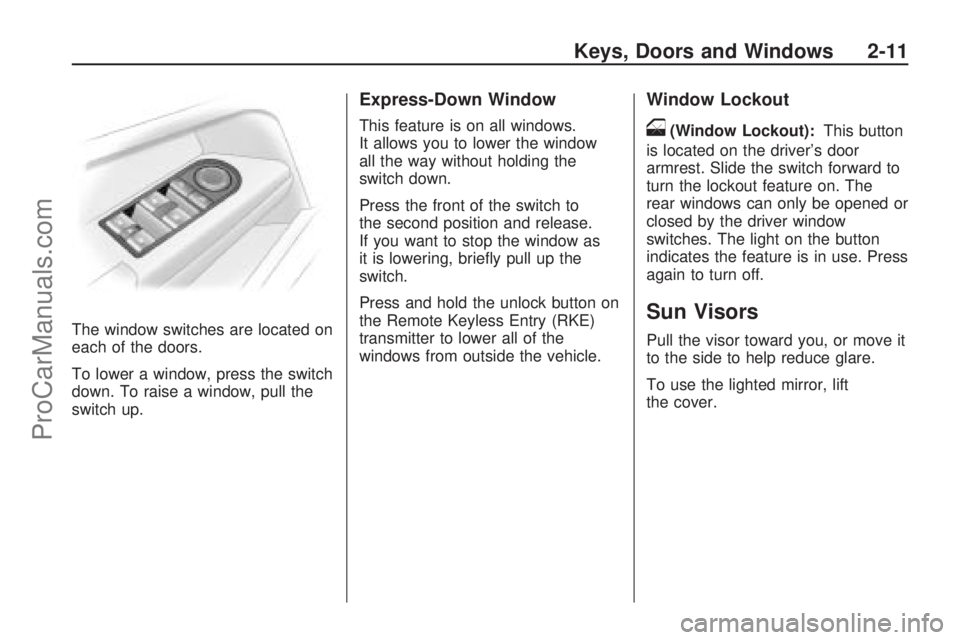
each of the doors.
To lower a window, press the switch
down. To raise a window, pull the
switch up.
Express-Down Window
This feature is on all windows.
It allows you to lower the window
all the way without holding the
switch down.
Press the front of the switch to
the second position and release.
If you want to stop the window as
it is lowering, briey pull up the
switch.
Press and hold the unlock button on
the Remote Keyless Entry (RKE)
transmitter to lower all of the
windows from outside the vehicle.
Window Lockout
o(Window Lockout):This button
is located on the driver’s door
armrest. Slide the switch forward to
turn the lockout feature on. The
rear windows can only be opened or
closed by the driver window
switches. The light on the button
indicates the feature is in use. Press
again to turn off.
Sun Visors
Pull the visor toward you, or move it
to the side to help reduce glare.
To use the lighted mirror, lift
the cover.
Keys, Doors and Windows 2-11
ProCarManuals.com
Page 77 of 304
Instruments and
Controls
Instrument Panel
Overview
Instrument Panel
Overview...........................4-2
Hazard Warning Flashers. . .4-4
Horn...................................4-4
Tilt Wheel...........................4-4
Turn Signal/Multifunction
Lever................................4-4
Cruise Control....................4-5
Turn and Lane-Change
Signals.............................4-8
Headlamp High/Low-Beam
Changer............................4-8
Flash-to-Pass......................4-8
Windshield Wipers..............4-9
Windshield Washer...........4-10
Rear Window Wiper/
Washer...........................4-10
Accessory Power
Outlet(s)..........................4-10
Warning Lights, Gages,
and Indicators
Warning Lights, Gages,
and Indicators.................4-11
Instrument Panel Cluster. . .4-12
Speedometer and
Odometer........................4-13
Trip Odometer(s)...............4-13
Tachometer.......................4-13
Safety Belt Reminders......4-14
Airbag Readiness Light.....4-14
Passenger Airbag Status
Indicator..........................4-15
Charging System Light......4-17
Brake System Warning
Light................................4-17
Antilock Brake System
(ABS) Warning Light.......4-18
StabiliTrak®Indicator
Light................................4-19
Engine Coolant
Temperature Warning
Light
................................4-19
Tire Pressure Light...........4-19
Malfunction
Indicator Lamp................4-20
Oil Pressure Light.............4-22
Low Oil Level Light...........4-23
Winter Driving Mode
Light................................4-23
Fog Lamp Light................4-23
Exterior Lamps Off
Reminder........................4-24Cruise Control Light..........4-24
Highbeam On Light...........4-24
Door Ajar Light.................4-24
Service Vehicle Soon
Light................................4-24
Fuel Gage........................4-25
Low Fuel Warning Light. . . .4-25
Driver Information
Center (DIC)
Driver Information
Center (DIC)...................4-26
DIC Operation and
Displays (Base Level
DIC and Audio)
...............4-27
DIC Operation and
Displays (Uplevel
DIC and Audio)
...............4-31
DIC Warnings and
Messages (Base and
Uplevel Systems)
............4-37
OnStar®System
OnStar®System................4-38
Instruments and Controls 4-1
ProCarManuals.com
Page 79 of 304
The main components of the
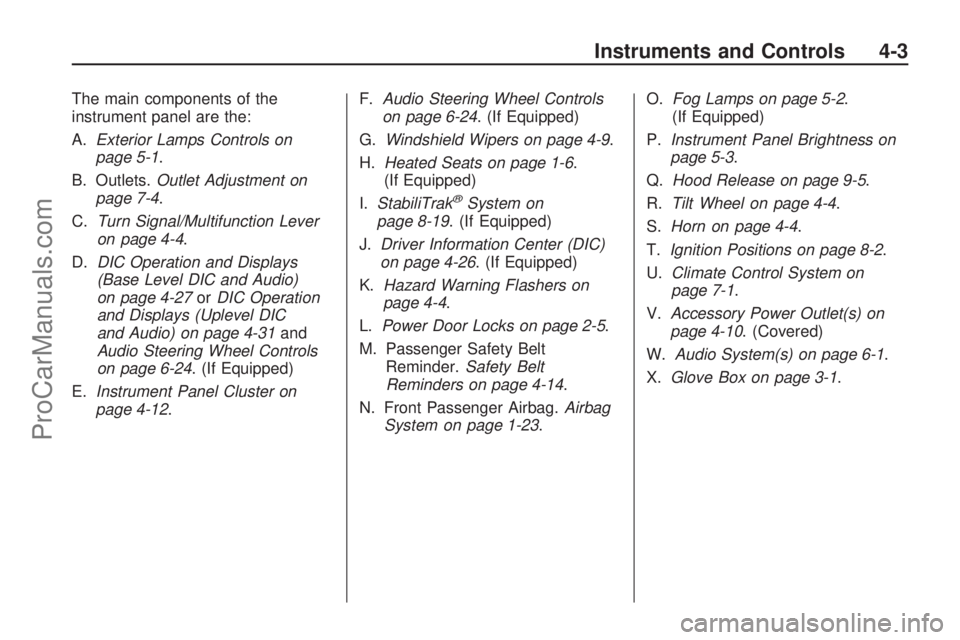
instrument panel are the:
A.Exterior Lamps Controls on
page 5-1.
B. Outlets.Outlet Adjustment on
page 7-4.
C.Turn Signal/Multifunction Lever
on page 4-4.
D.DIC Operation and Displays
(Base Level DIC and Audio)
on page 4-27orDIC Operation
and Displays (Uplevel DIC
and Audio) on page 4-31and
Audio Steering Wheel Controls
on page 6-24. (If Equipped)
E.Instrument Panel Cluster on
page 4-12.F.Audio Steering Wheel Controls
on page 6-24. (If Equipped)
G.Windshield Wipers on page 4-9.
H.Heated Seats on page 1-6.
(If Equipped)
I.StabiliTrak
®System on
page 8-19. (If Equipped)
J.Driver Information Center (DIC)
on page 4-26. (If Equipped)
K.Hazard Warning Flashers on
page 4-4.
L.Power Door Locks on page 2-5.
M. Passenger Safety Belt
Reminder.Safety Belt
Reminders on page 4-14.
N. Front Passenger Airbag.Airbag
System on page 1-23.O.Fog Lamps on page 5-2.
(If Equipped)
P.Instrument Panel Brightness on
page 5-3.
Q.Hood Release on page 9-5.
R.Tilt Wheel on page 4-4.
S.Horn on page 4-4.
T.Ignition Positions on page 8-2.
U.Climate Control System on
page 7-1.
V.Accessory Power Outlet(s) on
page 4-10. (Covered)
W.Audio System(s) on page 6-1.
X.Glove Box on page 3-1.
Instruments and Controls 4-3
ProCarManuals.com
Page 114 of 304
Brakelight switch check
This message displays when the
brake lamp does not come on
when the brake is applied. Have
your vehicle serviced by your
dealer/retailer immediately.
Coolant level check
This message displays when the
engine coolant level is low. Have
the cooling system serviced by your
dealer/retailer as soon as possible.
SeeEngine Coolant on page 9-12.
Remote Control Battery
check
This message displays if the
Remote Keyless Entry (RKE)
transmitter battery is low. Replace
the battery in the transmitter.
See “Battery Replacement” under
Remote Keyless Entry (RKE)
System Operation on page 2-4.
Safeguard check
This message displays when there
is a problem with the theft-deterrent
system. Have the system serviced
by your dealer/retailer immediately.
Washer Fluid Level
(Base Level) or Washing
Water Level (Uplevel)
This message displays when the
vehicle’s windshield washer uid is
low. When the washer uid level is
low, the rear window washer system
is deactivated. Fill the windshield
washer uid reservoir to the proper
level as soon as possible. See
Windshield Washer Fluid on
page 9-20.
OnStar®System
OnStar uses several innovative
technologies and live advisors to
provide you with a wide range of
safety, security, information, and
convenience services. If your airbags
deploy, the system is designed to
make an automatic call to OnStar
Emergency advisors who can
request emergency services be
sent to your location. If you lock your
keys in the vehicle, call OnStar at
1-888-4-ONSTAR and they can send
a signal to unlock your doors. If you
need roadside assistance, press the
OnStar button and they can contact
Roadside Service for you.
4-38 Instruments and Controls
ProCarManuals.com
Page 115 of 304
OnStar service is provided to you
subject to the OnStar Terms and
Conditions. You may cancel your
OnStar service at any time by
contacting OnStar. A complete
OnStar Owner’s Guide and the
OnStar Terms and Conditions are
included in the vehicle’s OnStar
Subscriber glove box literature.
For more information, visit
onstar.com or onstar.ca, contact
OnStar at 1-888-4-ONSTAR
(1-888-466-7827) or TTY
1-877-248-2080, or press the
OnStar button to speak with an
OnStar advisor 24 hours a day,
7 days a week.
Not all OnStar features are available
on all vehicles. To check if your
vehicle is equipped to provide the
services described below, or for a
full description of OnStar services
and system limitations, see the
OnStar Owner’s Guide in your
glove box or visit onstar.com.OnStar Services
For new vehicles with OnStar,
the Safe & Sound Plan, or the
Directions & Connections Plan
is included for one year from the
date of purchase. You can extend
this plan beyond the rst year,
or upgrade to the Directions &
Connections Plan. For more
information, press the OnStar
button to speak with an advisor.
Some OnStar services (such as
Remote Door Unlock or Stolen
Vehicle Location Assistance) may
not be available until you register
with OnStar.Available Services with
Safe & Sound PlanAutomatic Notication of Airbag
Deployment
Link to Emergency Services
Roadside Assistance
Stolen Vehicle Location
Assistance
AccidentAssist
Remote Door Unlock/Vehicle
Alert
OnStar Vehicle Diagnostics
GM Goodwrench On Demand
Diagnostics (if equipped)
OnStar Hands-Free Calling with
30 complimentary minutes
OnStar Virtual Advisor
(U.S. Only)
Instruments and Controls 4-39
ProCarManuals.com
Page 121 of 304

Instrument Panel
Brightness
D
(Instrument Panel
Brightness):The knob with this
symbol on it is located next to the
exterior lamps control to the left of
the steering wheel. Push the knob in
all the way until it extends out and
then turn the knob clockwise or
counterclockwise to brighten or dim
the lights. Push the knob back in
when nished.
Dome Lamp(s)
There are two dome lamps. The rear
dome lamp turns on automatically
with the front dome lamp.
+(On/Off):Press to turn the
front dome lamp on or off while
the doors are closed.
Entry Lighting
With entry lighting, the interior of the
vehicle is illuminated while entering
the vehicle. The interior lamps
turn on briey when the door
is unlocked using the key or the
Remote Keyless Entry (RKE)
transmitter and the ignition is in
LOCK/OFF. After a few seconds
have passed, the interior lamps
will slowly fade out.
Reading Lamps
Front Reading Lamps
The front reading lamps, located on
the headliner, can be controlled
separately by the buttons located
near each lamp.
\(On/Off):Press to turn the lamp
on or off.
Lighting 5-3
ProCarManuals.com
Page 150 of 304

Y(Vent):This mode directs air to
the instrument panel outlets.
X(Defog):This mode directs air
to the windshield and front door
windows. To reduce fogging, press
#to turn on the air conditioner.
The fan must also be on.
W(Defog/Floor):This mode
directs air to the windshield, front
door windows, and oor outlets.
To reduce fogging, press
#to turn
on the air conditioner. The fan
must also be on.
[(Floor):This mode directs
most of the air to the oor outlets.Temperature Control Knob
Turn the center knob clockwise or
counterclockwise to increase or
decrease the temperature inside the
vehicle.
Fan Speed Control Knob
Turn the right knob clockwise or
counterclockwise to increase
or decrease the fan speed. The
speed settings can be adjusted
between 1 (Low) and 4 (High).
When the fan is off, the air
conditioning compressor is also off.
There will be some airow from
the outlets when driving, even with
the fan in the off position.
A(Fan):Select this position to
turn the fan off.
Air Conditioning
For vehicles with air conditioning.
#(Air Conditioning):Press
to turn the air conditioning system
on or off. An indicator light inside
the button comes on when the air
conditioning is activated. The air
conditioning can only be operated
if the engine is on and the fan is
running.
When the air conditioning is on
the air is cooled and dehumidied.
If cooling or dehumidication is not
desired, turn off the air conditioning
to save fuel.
On hot days, open the windows
briey to let the hot inside air
escape, then close them. This helps
to reduce the time it takes for the
vehicle to cool down.
7-2 Climate Controls
ProCarManuals.com
Page 155 of 304
B (STEERING UNLOCKED/
IGNITION OFF):This position
unlocks the steering wheel.
C (ON/RUN):The ignition switch
stays in this position when the
engine is running. This position can
be used to operate the electrical
accessories, as well as to display
some warning and indicator lights.
The battery could be drained if you
leave the key in the ON/RUN position
with the engine off. You may not be
able to start the vehicle if the battery
is allowed to drain for an extended
period of time.
D (START):This position starts
the engine. When the engine starts,
release the key. The ignition switch
will return to ON/RUN for normal
driving. A warning tone will sound
when the driver door is opened and
the key is in the ignition.Retained Accessory
Power (RAP)
The power windows and mirrors
may be used for up to ve minutes
after the key is turned to LOCK/OFF.
The power windows and mirrors will
not operate after any of the front
doors are opened.
The radio may be used for up to
sixty minutes after the key is turned
to LOCK/OFF.
Starting the Engine
Automatic Transmission
Move the shift lever to P (Park) or
N (Neutral). The engine will not start
in any other position. To restart
when you are already moving,
use N (Neutral) only.
Notice:Do not try to shift to
P (Park) if your vehicle is moving.
If you do, you could damage the
transmission. Shift to P (Park)
only when your vehicle is stopped.
Manual Transmission
The shift lever should be in Neutral
and the parking brake engaged.
Hold the clutch pedal to the
oor and start the engine. The
vehicle will not start if the clutch
pedal is not all the way down.
Starting Procedure
1. With your foot off the accelerator
pedal, turn the ignition key to
START. When the engine starts,
let go of the key. The idle speed
will go down as your engine gets
warm. Do not race the engine
immediately after starting it.
Operate the engine and
transmission gently to allow the
oil to warm up and lubricate all
moving parts.
Driving and Operating 8-3
ProCarManuals.com
Page 183 of 304

{CAUTION
Do not load the vehicle any
heavier than the Gross
Vehicle Weight Rating
(GVWR), or either the
maximum front or rear
Gross Axle Weight Rating
(GAWR). If you do, parts on
the vehicle can break, and it
can change the way your
vehicle handles. These
could cause you to lose
control and crash. Also,
overloading can shorten
the life of the vehicle.Tire and Loading Information
Label
A vehicle specic Tire and
Loading Information label
is attached to the vehicle’s
center pillar (B-pillar). With the
driver’s door open, you will
nd the label attached below
the door lock post. The Tireand Loading Information label
shows the number of occupant
seating positions (A), and
the maximum vehicle capacity
weight (B) in kilograms and
pounds.
The Tire and Loading
Information label also shows the
tire size of the original equipment
tires (C) and the recommended
cold tire ination pressures (D).
For more information on tires and
ination seeTires on page 9-38
andInflation - Tire Pressure on
page 9-46.
There is also important loading
information on the Certication
label. It tells you the Gross
Vehicle Weight Rating (GVWR)
and the Gross Axle Weight
Rating (GAWR) for the front and
rear axle; see “Certication
Label” later in this section.
Label Example
Driving and Operating 8-31
ProCarManuals.com