park assist SATURN OUTLOOK 2009 Owners Manual
[x] Cancel search | Manufacturer: SATURN, Model Year: 2009, Model line: OUTLOOK, Model: SATURN OUTLOOK 2009Pages: 432, PDF Size: 2.48 MB
Page 67 of 432

Features and
Controls
KeysKeys...................................2-2
Remote Keyless Entry (RKE)
System..............................2-3
Remote Keyless Entry (RKE)
System Operation................2-4
Remote Vehicle Start.............2-6
Doors and LocksDoor Locks..........................2-8
Power Door Locks.................2-8
Delayed Locking...................2-8
Programmable Automatic
Door Locks.........................2-9
Rear Door Security Locks.......2-9
Lockout Protection.................2-9
Liftgate...............................2-10
Power Liftgate.....................2-11
WindowsWindows............................2-14
Power Windows..................2-14
Sun Visors.........................2-16
Theft-Deterrent SystemsTheft-Deterrent Systems.......2-16
Content Theft-Deterrent........2-16
PASS-Key
®III+ Electronic
Immobilizer.......................2-18
PASS-Key
®III+ Electronic
Immobilizer Operation.........2-18
Starting and Operating
Your Vehicle
New Vehicle Break-In...........2-20
Ignition Positions.................2-20
Retained Accessory
Power (RAP).....................2-21
Starting the Engine..............2-22
Engine Coolant Heater.........2-23
Automatic Transmission
Operation..........................2-24
Tow/Haul Mode...................2-26
Parking Brake.....................2-27
Shifting Into Park.................2-28
Shifting Out of Park.............2-29
Parking Over Things
That Burn.........................2-29
Engine Exhaust...................2-30
Running the Vehicle While
Parked.............................2-30
MirrorsManual Rearview Mirror........2-31
Automatic Dimming
Rearview Mirror.................2-31
Outside Power Mirrors..........2-32
Outside Power Foldaway
Mirrors.............................2-33
Park Tilt Mirrors..................2-34
Outside Convex Mirror..........2-34
Outside Heated Mirrors.........2-34
Object Detection SystemsUltrasonic Rear Parking
Assist (URPA)...................2-34
Rear Vision Camera (RVC).....2-37
OnStar®SystemOnStar®System..................2-42
Universal Home Remote
System
Universal Home Remote
System.............................2-45
Universal Home Remote
System Operation..............2-46
Features and Controls 2-1
ProCarManuals.com
Page 88 of 432

Starting the Engine
Move the shift lever to P (Park) or
N (Neutral). The engine will not start
in any other position. To restart the
engine when the vehicle is already
moving, use N (Neutral) only.
Notice:Do not try to shift to
P (Park) if the vehicle is moving.
If you do, you could damage
the transmission. Shift to P (Park)
only when the vehicle is stopped.
Starting Procedure
1. With your foot off the
accelerator pedal, turn the
ignition to START. When the
engine starts, let go of the key.
The idle speed will slow down
as the engine warms. Do not
race the engine immediately after
starting it. Operate the engine
and transmission gently to allow
the oil to warm up and lubricate
all moving parts.The vehicle has a
Computer-Controlled
Cranking System. This feature
assists in starting the engine
and protects components.
If the ignition key is turned to
the START position, and
then released when the engine
begins cranking, the engine
will continue cranking for a
few seconds or until the vehicle
starts. If the engine does not
start and the key is held in
START, cranking will be stopped
after 15 seconds to prevent
cranking motor damage.
To prevent gear damage, this
system also prevents cranking if
the engine is already running.
Engine cranking can be stopped
by turning the ignition switch
to the ACC/ACCESSORY
or LOCK/OFF position.Notice:Cranking the engine for
long periods of time, by returning
the key to the START position
immediately after cranking has
ended, can overheat and damage
the cranking motor, and drain the
battery. Wait at least 15 seconds
between each try, to let the
cranking motor cool down.
2. If the engine does not start
after 5-10 seconds, especially
in very cold weather (below 0°F
or−18°C), it could be ooded
with too much gasoline.
Try pushing the accelerator
pedal all the way to the oor
and holding it there as you hold
the key in START for up to a
maximum of 15 seconds.
Wait at least 15 seconds
between each try, to allow the
cranking motor to cool down.
When the engine starts, let go
of the key and accelerator.
2-22 Features and Controls
ProCarManuals.com
Page 93 of 432
Automatic Engine Grade
Braking
Automatic Engine Grade Braking
assists when driving on a downhill
grade. It maintains vehicle speed by
automatically implementing a shift
schedule that uses the engine and
the transmission to slow the vehicle.
The system will automatically
command downshifts to reduce
vehicle speed, until the brake pedal
is no longer being pressed.
While in the Electronic Range
Select (ERS) mode, grade braking
is deactivated, allowing the driver
to select a range and limiting
the highest gear available. Grade
braking is available for normal
driving and in Tow/Haul mode.
SeeAutomatic Transmission
Operation on page 2-24.
Parking Brake
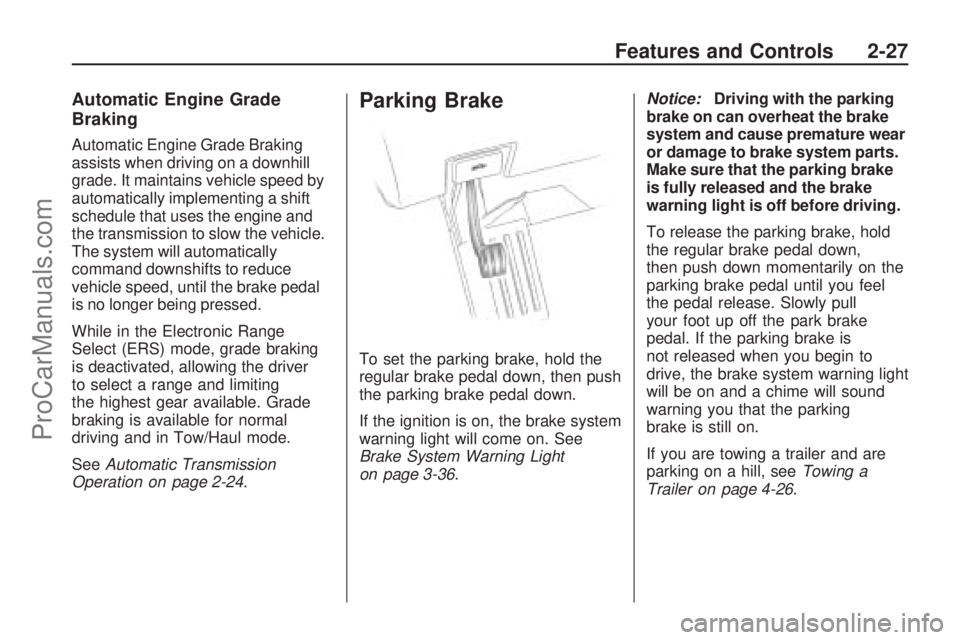
To set the parking brake, hold the
regular brake pedal down, then push
the parking brake pedal down.
If the ignition is on, the brake system
warning light will come on. See
Brake System Warning Light
on page 3-36.Notice:Driving with the parking
brake on can overheat the brake
system and cause premature wear
or damage to brake system parts.
Make sure that the parking brake
is fully released and the brake
warning light is off before driving.
To release the parking brake, hold
the regular brake pedal down,
then push down momentarily on the
parking brake pedal until you feel
the pedal release. Slowly pull
your foot up off the park brake
pedal. If the parking brake is
not released when you begin to
drive, the brake system warning light
will be on and a chime will sound
warning you that the parking
brake is still on.
If you are towing a trailer and are
parking on a hill, seeTowing a
Trailer on page 4-26.
Features and Controls 2-27
ProCarManuals.com
Page 100 of 432

Park Tilt Mirrors
If the vehicle has the memory
package, the outside mirrors have a
park tilt feature. This feature tilts
the outside mirrors to a preselected
position when the vehicle is in
R (Reverse). This allows the driver
to view the curb for parallel parking.
The passenger and/or driver
mirror returns to its original position
when the vehicle is shifted out of
R (Reverse), or the ignition is
turned off or to OFF/LOCK.
This feature can be turned on or off
through the Driver Information
Center (DIC). SeeDIC Vehicle
Customization (With DIC Buttons)
on page 3-65andMemory Seat
and Mirrors on page 1-6for more
information.
Outside Convex Mirror
{CAUTION
A convex mirror can make things
(like other vehicles) look farther
away than they really are. If you
cut too sharply into the right lane,
you could hit a vehicle on the
right. Check the inside mirror or
glance over your shoulder before
changing lanes.
The passenger side mirror is convex
shaped. A convex mirror’s surface
is curved so more can be seen from
the driver seat.
Outside Heated Mirrors
For vehicles with heated mirrors:
<(Rear Window Defogger):
Press to heat the mirrors.
See “Rear Window Defogger” under
Dual Automatic Climate Control
System on page 3-22for more
information.
Object Detection
Systems
Ultrasonic Rear Parking
Assist (URPA)
For vehicles with the Ultrasonic
Rear Parking Assist (URPA) system,
it operates at speeds less than
5 mph (8 km/h), and assists the
driver with parking and avoiding
objects while in R (Reverse).
The sensors on the rear bumper are
used to detect the distance to an
object up to 8 feet (2.5 m) behind
the vehicle, and at least 10 inches
(25.4 cm) off the ground.
2-34 Features and Controls
ProCarManuals.com
Page 101 of 432
{CAUTION
The Ultrasonic Rear Parking
Assist (URPA) system does not
replace driver vision. It cannot
detect:
objects that are below the
bumper, underneath the
vehicle, or if they are too
close or far from the vehicle
children, pedestrians,
bicyclists, or pets.
If you do not use proper care
before and while backing; vehicle
damage, injury, or death could
occur. Even with URPA, always
check behind the vehicle before
backing up. While backing, be
sure to look for objects and check
the vehicle’s mirrors.The display is located in the
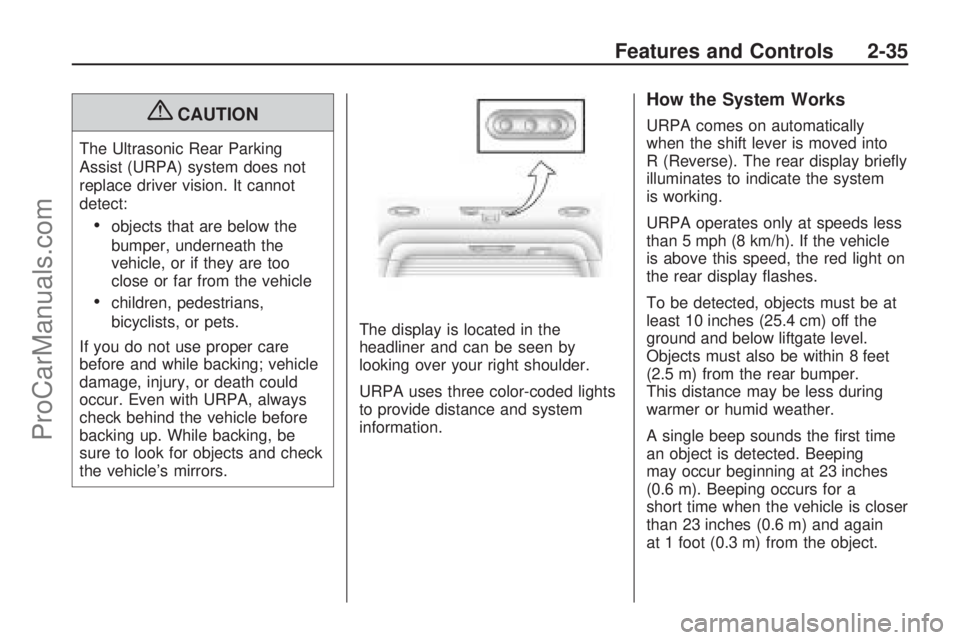
headliner and can be seen by
looking over your right shoulder.
URPA uses three color-coded lights
to provide distance and system
information.
How the System Works
URPA comes on automatically
when the shift lever is moved into
R (Reverse). The rear display briey
illuminates to indicate the system
is working.
URPA operates only at speeds less
than 5 mph (8 km/h). If the vehicle
is above this speed, the red light on
the rear display ashes.
To be detected, objects must be at
least 10 inches (25.4 cm) off the
ground and below liftgate level.
Objects must also be within 8 feet
(2.5 m) from the rear bumper.
This distance may be less during
warmer or humid weather.
A single beep sounds the rst time
an object is detected. Beeping
may occur beginning at 23 inches
(0.6 m). Beeping occurs for a
short time when the vehicle is closer
than 23 inches (0.6 m) and again
at 1 foot (0.3 m) from the object.
Features and Controls 2-35
ProCarManuals.com
Page 102 of 432

The following describes how the URPA display lights appear as the vehicle
gets closer to a detected object:
DescriptionEnglishMetric
amber light 8 ft2.5 m
amber/amber lights 40 in1.0 m
amber/amber/red lights 23 in0.6 m
amber/amber/red lights ashing 1 ft 0.3 m
The system can be disabled
through the Driver Information
Center (DIC). See “Park Assist”
under DIC Operation and Displays
(With DIC Buttons) on page 3-45
or DIC Operation and Displays
(Without DIC Buttons) on page 3-50
for more information.
When the System Does Not
Seem to Work Properly
If the URPA system does not
activate due to a temporary
condition, the message PARK ASSIST OFF displays on the DIC
and a red light will be shown on the
rear URPA display when the shift
lever is moved into R (Reverse).
This may occur under the following
conditions:
The driver disables the system.
The ultrasonic sensors are
not clean. Keep the vehicle’s rear
bumper free of mud, dirt, snow,
ice and slush. For cleaning
instructions, see
Washing Your
Vehicle on page 5-87 .
A trailer was attached to the
vehicle, or a bicycle or an
object was hanging out of the
liftgate during the last drive cycle,
the red light may illuminate in
the rear display. Once the
attached object is removed,
URPA will return to normal
operation.
A tow bar is attached to the
vehicle.
The vehicle’s bumper is
damaged. Take the vehicle to
your dealer/retailer to repair
the system.
Other conditions may affect
system performance, such
as vibrations from a jackhammer
or the compression of air
brakes on a very large truck.
If the system is still disabled, after
driving forward at least 15 mph
(25 km/h), take the vehicle to your
dealer/retailer.
2-36 Features and Controls
ProCarManuals.com
Page 105 of 432
There is a message on the rear
vision camera screen that states
“Check Surroundings for Safety”.
Adjusting the Brightness and
Contrast of the Screen
To adjust the brightness and
contrast of the screen, press the
MENU button while the rear vision
camera image is on the display.
Any adjustments made will
only affect the rear vision camera
screen.
](Brightness):Touch the + (plus)
or – (minus) screen buttons to
increase or decrease the brightness
of the screen.
_(Contrast):Touch the + (plus)
or – (minus) screen buttons to
increase or decrease the contrast
of the screen.Symbols
The navigation system may have a
feature that lets the driver view
symbols on the navigation screen
while using the rear vision camera.
The Ultrasonic Rear Park Assist
(URPA) system must not be
disabled to use the caution symbols.
If URPA has been disabled and
the symbols have been turned on,
the Rear Parking Assist Symbols
Unavailable error message may
display. SeeUltrasonic Rear Parking
Assist (URPA) on page 2-34.
The symbols appear when an object
has been detected by the URPA
system. The symbol may cover the
object when viewing the navigation
screen.To turn the symbols on or off:
1. Make sure that URPA has not
been disabled.
2. Shift into P (Park).
3. Press the MENU hard key to
enter the congure menu
options, then press the MENU
hard key repeatedly until Display
is selected or touch the Display
screen button.
4. Select the Rear Camera Options
screen button. The Rear Camera
Options screen will display.
5. Touch the Symbols screen
button. The screen button will be
highlighted when on.
Features and Controls 2-39
ProCarManuals.com
Page 112 of 432

Universal Home Remote
System Operation
If there is one triangular Light
Emitting Diode (LED) indicator light
above the Universal Home Remote
buttons, follow the instructions
below.
This system provides a way to
replace up to three remote control
transmitters used to activate devices
such as garage door openers,
security systems, and home
automation devices.Do not use the Universal Home
Remote with any garage door
opener that does not have the stop
and reverse feature. This includes
any garage door opener model
manufactured before April 1, 1982.
Read the instructions completely
before attempting to program
the Universal Home Remote.
Because of the steps involved,
it may be helpful to have another
person available to assist you in the
programming the Universal Home
Remote.
Keep the original hand-held
transmitter for use in other vehicles
as well as for future Universal
Home Remote programming.
It is also recommended that upon
the sale of the vehicle, the
programmed Universal Home
Remote buttons should be erased
for security purposes. See “Erasing
Universal Home Remote Buttons”
later in this section.When programming a garage door,
park outside of the garage. Park
directly in line with and facing
the garage door opener motor-head
or gate motor-head. Be sure that
people and objects are clear of the
garage door or gate that is being
programmed.
It is recommended that a new
battery be installed in your
hand-held transmitter for quicker
and more accurate transmission of
the radio-frequency signal.
Programming the Universal
Home Remote System
For questions or help programming
the Universal Home Remote
System, call 1-800-355-3515 or
go to www.homelink.com.
Programming a garage door opener
involves time-sensitive actions,
so read the entire procedure before
starting. Otherwise, the device
will time out and the procedure will
have to be repeated.
2-46 Features and Controls
ProCarManuals.com
Page 168 of 432

T(Vehicle Information):Press
this button to display the oil life, park
assist on vehicles with this feature,
units, tire pressure readings on
vehicles with the Tire Pressure
Monitor System (TPMS), Remote
Keyless Entry (RKE) transmitter
programming, and compass
calibration and zone setting
on vehicles with this feature.
3(Trip/Fuel):Press this
button to display the odometer,
trip odometers, fuel range, average
economy, timer, fuel used, and
average speed.
Vehicle Information Menu
Items
T(Vehicle Information):Press
this button to scroll through the
following menu items:
OIL LIFE
Press the vehicle information button
until OIL LIFE REMAINING displays.
This display shows an estimate of
the oil’s remaining useful life. If you
see 99% OIL LIFE REMAINING on
the display, that means 99% of the
current oil life remains. The engine
oil life system will alert you to change
the oil on a schedule consistent with
your driving conditions.
When the remaining oil life is low,
the CHANGE ENGINE OIL SOON
message will appear on the display.
See “CHANGE ENGINE OIL SOON”underDIC Warnings and Messages
on page 3-56. You should change
the oil as soon as you can.
SeeEngine Oil on page 5-13.
In addition to the engine oil life
system monitoring the oil life,
additional maintenance is
recommended in the Maintenance
Schedule in this manual. See
Scheduled Maintenance on page 6-3
for more information.
Remember, you must reset the
OIL LIFE display yourself after each
oil change. It will not reset itself.
Also, be careful not to reset the
OIL LIFE display accidentally at any
time other than when the oil has just
been changed. It cannot be reset
accurately until the next oil change.
To reset the engine oil life system,
seeEngine Oil Life System on
page 5-15.
3-46 Instrument Panel
ProCarManuals.com
Page 169 of 432

PARK ASSIST
If your vehicle has the Ultrasonic
Rear Parking Assist (URPA) system,
press the vehicle information button
until PARK ASSIST displays.
This display allows the system to be
turned on or off. Once in this display,
press the set/reset button to select
between ON or OFF. If you choose
ON, the system will be turned on.
If you choose OFF, the system will
be turned off. The URPA system
automatically turns back on after
each vehicle start. When the URPA
system is turned off and the vehicle
is shifted out of P (Park), the DIC
will display the PARK ASSIST OFF
message as a reminder that the
system has been turned off.
SeeDIC Warnings and Messages
on page 3-56andUltrasonic Rear
Parking Assist (URPA) on page 2-34
for more information.UNITS
Press the vehicle information
button until UNITS displays.
This display allows you to select
between English or Metric units of
measurement. Once in this display,
press the set/reset button to select
between ENGLISH or METRIC units.
All of the vehicle information will
then be displayed in the unit of
measurement selected.
FRONT TIRES or REAR TIRES
On vehicles with the Tire Pressure
Monitor System (TPMS), the
pressure for each tire can be viewed
in the DIC. The tire pressure will be
shown in either pounds per square
inch (psi) or kilopascals (kPa). Press
the vehicle information button until
the DIC displays FRONT TIRES
PSI (kPa) LEFT ## RIGHT ##. Press
the vehicle information button again
until the DIC displays REAR TIRES
PSI (kPa) LEFT ## RIGHT ##.If a low or high tire pressure
condition is detected by the system
while driving, a message advising
you to check the pressure in a
specic tire will appear in the
display. SeeInflation - Tire Pressure
on page 5-45andDIC Warnings
and Messages on page 3-56
for more information.
If the tire pressure display shows
dashes instead of a value, there
may be a problem with your vehicle.
If this consistently occurs, see
your dealer/retailer for service.
RELEARN REMOTE KEY
This display allows you to match
Remote Keyless Entry (RKE)
transmitters to your vehicle.
This procedure will erase all
previously learned transmitters.
Therefore, they must be relearned
as additional transmitters.
Instrument Panel 3-47
ProCarManuals.com