steering Seat Alhambra 2007 User Guide
[x] Cancel search | Manufacturer: SEAT, Model Year: 2007, Model line: Alhambra, Model: Seat Alhambra 2007Pages: 291, PDF Size: 9.13 MB
Page 64 of 291
Cockpit
62correspond to the symbols used in the versions with the steering wheel on
the leftInstrumentsInstrument overview
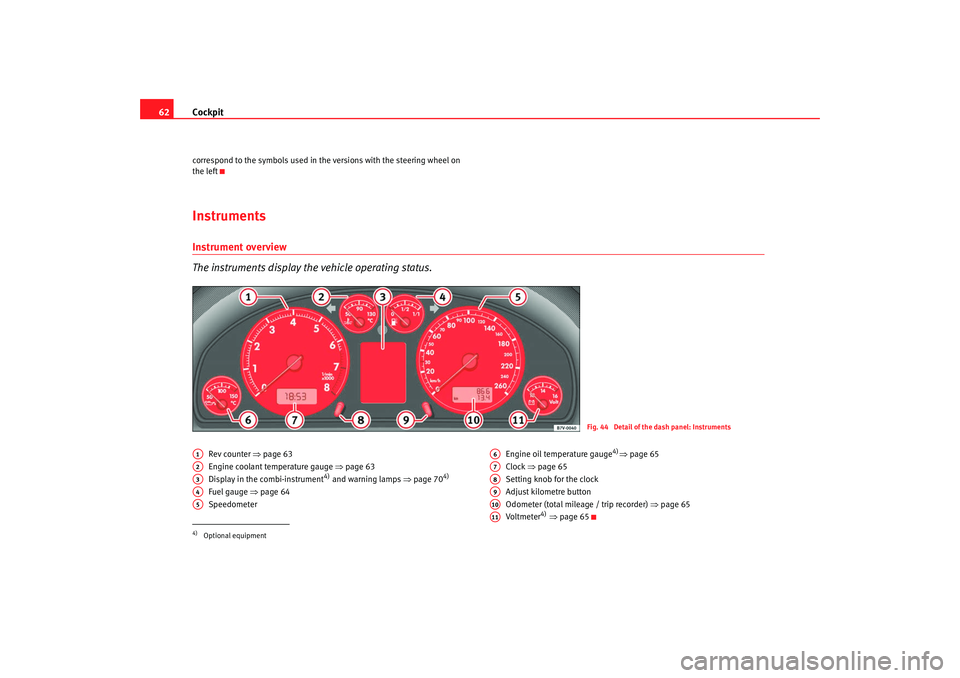
The instruments display the vehicle operating status.
Rev counter ⇒ page 63
Engine coolant temperature gauge ⇒page 63
Display in the combi-instrument
4) and warning lamps ⇒page 70
4)
Fuel gauge ⇒ page 64
Speedometer Engine oil temperature gauge
4)⇒
page 65
Clock ⇒page 65
Setting knob for the clock
Adjust kilometre button
Odometer (total mileage / trip recorder) ⇒page 65
Voltmeter
4) ⇒ page 65
Fig. 44 Detail of the dash panel: Instruments
4)Optional equipmentA1A2A3A4A5
A6A7A8A9A10A11
alhambra ingles.book Seite 62 Donnerstag, 19. April 2007 4:04 16
Page 86 of 291
Steering wheel controls
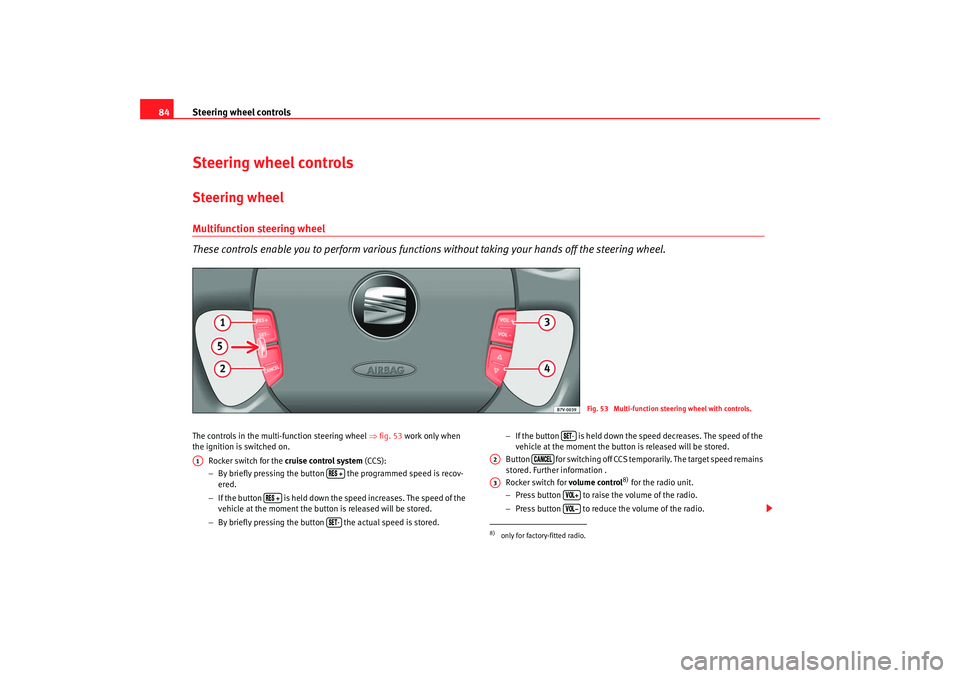
84Steering wheel controlsSteering wheelMultifunction steering wheel
These controls enable you to perform various functi ons without taking your hands off the steering wheel.The controls in the multi-function steering wheel ⇒fig. 53 work only when
the ignition is switched on.
Rocker switch for the cruise control system (CCS):
− By briefly pressing the button the programmed speed is recov-
ered.
− If the button is held down the speed increases. The speed of the
vehicle at the moment the button is released will be stored.
− By briefly pressing the button the actual speed is stored. −
If the button is held down the speed decreases. The speed of the
vehicle at the moment the button is released will be stored.
Button for switching off CCS temporarily. The target speed remains
stored. Further information .
Rocker switch for volume control
8) for the radio unit.
− Press button to raise the volume of the radio.
− Press button to reduce the volume of the radio.
Fig. 53 Multi-function steering wheel with controls.
A1
-
8)only for factory-fitted radio.
-
A2
A3
alhambra ingles.book Seite 84 Donnerstag, 19. April 2007 4:04 16
Page 87 of 291
Steering wheel controls85
Safety First
Operating instructions
Tips and Maintenance
Te c h n i c a l D a t a
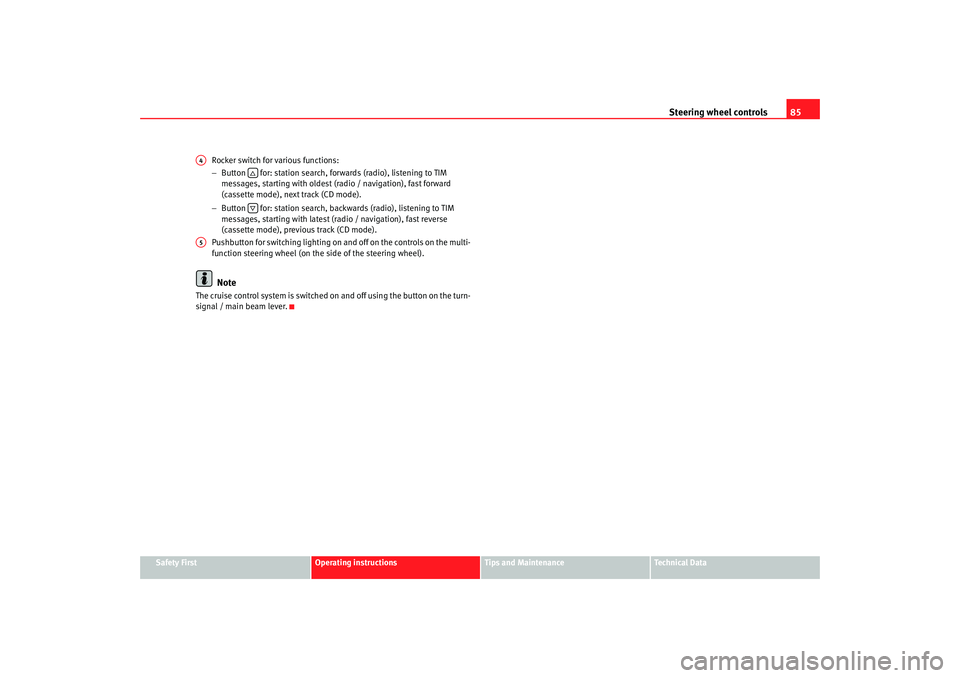
Rocker switch for various functions:
−
Button for: station search, forwards (radio), listening to TIM
messages, starting with oldest (radio / navigation), fast forward
(cassette mode), next track (CD mode).
− Button for: station search, backwards (radio), listening to TIM
messages, starting with latest (radio / navigation), fast reverse
(cassette mode), previous track (CD mode).
Pushbutton for switching lighting on and off on the controls on the multi-
function steering wheel (on the side of the steering wheel).
Note
The cruise control system is switched on and off using the button on the turn-
signal / main beam lever.A4
A5
alhambra ingles.book Seite 85 Donnerstag, 19. April 2007 4:04 16
Page 88 of 291
Unlocking and locking
86Unlocking and lockingKeysKey set
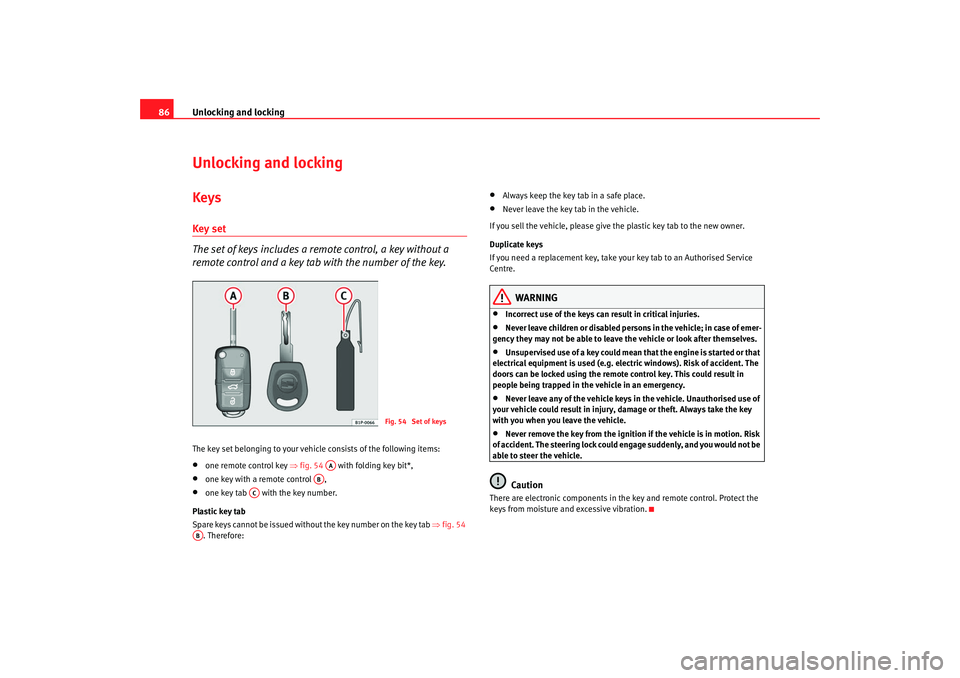
The set of keys includes a remote control, a key without a
remote control and a key tab with the number of the key.The key set belonging to your vehicle consists of the following items:•
one remote control key ⇒fig. 54 with folding key bit*,
•
one key with a remote control ,
•
one key tab with the key number.
Plastic key tab
Spare keys cannot be issued without the key number on the key tab ⇒fig. 54
. Therefore:
•
Always keep the key tab in a safe place.
•
Never leave the key tab in the vehicle.
If you sell the vehicle, please give the plastic key tab to the new owner.
Duplicate keys
If you need a replacement key, take your key tab to an Authorised Service
Centre.
WARNING
•
Incorrect use of the keys can result in critical injuries.
•
Never leave children or disabled persons in the vehicle; in case of emer-
gency they may not be able to leave the vehicle or look after themselves.
•
Unsupervised use of a key could mean that the engine is started or that
electrical equipment is used (e.g. elec tric windows). Risk of accident. The
doors can be locked using the remote control key. This could result in
people being trapped in the vehicle in an emergency.
•
Never leave any of the vehicle keys in the vehicle. Unauthorised use of
your vehicle could result in injury, damage or theft. Always take the key
with you when you leave the vehicle.
•
Never remove the key from the ignition if the vehicle is in motion. Risk
of accident. The steering lock could engage suddenly, and you would not be
able to steer the vehicle.Caution
There are electronic components in th e key and remote control. Protect the
keys from moisture and excessive vibration.
Fig. 54 Set of keys
AA
AB
AC
AB
alhambra ingles.book Seite 86 Donnerstag, 19. April 2007 4:04 16
Page 91 of 291
Unlocking and locking89
Safety First
Operating instructions
Tips and Maintenance
Te c h n i c a l D a t a
•
The deadlock mechanism, th e interior monitoring system
10) and the anti-
theft alarm
10) will be activated immediately if the key is turned once in the
lock. The activation is confirmed by the turn signals flashing briefly.
•
The deadlock mechanism, the interior monitoring system and the anti-
theft alarm will not be activated if the key is turned in the lock twice within
one second. All the doors and the tailgate will, however, be locked. The doors
can be unlocked from the inside if the deadlock mechanism has not been
activated. To do this, operate the door opening lever on the door in question.
The alarm will go off.
•
When locking the vehicle, the interior lights in the courtesy switch posi-
tion will be switched off.
•
A warning lamp in the driver door flashes to indicate the deadlock is
working. The warning lamp will switch of f after 14 days. This is to prevent the
vehicle battery from discharging complete ly when the vehicle is not used for
a longer period. The system is still active.
•
Windows, or the sliding roof, which are still open can be closed automat-
ically on vehicles equipped with electric windows and electric vent windows
or with an electric sliding roof. To do this, the key must be kept held in the
locking position until all windows an d the sliding roof are fully closed.
WARNING
If the vehicle is locked, children and disabled people may be trapped
inside.•
Never leave children or disabled persons in the vehicle; in case of emer-
gency they may not be able to leave the vehicle or look after themselves.
•
Always take you car keys with you when you leave the vehicle. Misuse
of the keys, for example, by children, may result in serious damage and
accident.
−The engine may accidentally be started and be out of control.
− If the ignition is switched on, the electric equipment could be acti-
vated with risk of injury, for example, in the electric windows. −
The doors can be locked using the remote control key. This could
result in people being trapped in the vehicle in an emergency.
− Always take the key with you when you leave the vehicle.
•
Never remove the key from the ignition if the vehicle is in motion. Risk
of accident. The steering lock could engage suddenly, and you would not be
able to steer the vehicle.Caution
Each key contains electronic components. Protect the keys from moisture and
excessive vibration.
Note
•
Any SEAT Service centre can programme the central locking system so that
only the driver's door is unlocked when the key is turned once to open.WARNING (continued)
alhambra ingles.book Seite 89 Donnerstag, 19. April 2007 4:04 16
Page 96 of 291
Unlocking and locking
94
WARNING
•
Never leave children or disabled persons in the vehicle; in case of emer-
gency they may not be able to leave the vehicle or look after themselves.
•
Always take you car keys with you when you leave the vehicle. Misuse
of the keys, for example, by children, may result in serious damage and
accident.
−The engine may accidentally be started and be out of control.
− If the ignition is switched on, the electric equipment could be acti-
vated with risk of injury, for example, in the electric windows.
− The doors can be locked using the remote control key. This could
result in people being trapped in the vehicle in an emergency.
− Always take the key with you when you leave the vehicle.
•
Never remove the key from the ignition if the vehicle is in motion. Risk
of accident. The steering lock could engage suddenly, and you would not be
able to steer the vehicle.Note
•
An Authorised SEAT Service Centre can programme the individual
opening of doors. In this case, when the unlock button on the remote
control is pressed once, only the driver's door is unlocked ⇒ page 88. When
the button is pressed once more, all doors and the tailgate will be unlocked.
Seat Service will be happy to provide more information on the activation of
this function.
•
The remote control transmitter and th e batteries are integrated in the
remote control. The receiver is in the interior of the vehicle. Obstacles
between the remote control and the vehicle, bad weather conditions and
discharged batteries can considerably re duce the range of the remote control.
•
The remote control only locks and unlocks the vehicle when it is used
within range.
•
The vehicle will be locked again automatically if you do not open one of
the doors or the tailgate 30 seconds after unlocking the car. This function prevents the vehicle from remaining unlocked if the unlocking button is
pressed by mistake.
•
If it is not possible to open or close the vehicle using the remote control,
this should be re-synchronised ⇒page 94 or change the battery ⇒page 94.
•
The working of the remote control may be momentarily affected if there is
transmitter using the same waveband (e.g. radiotelephone, mobile tele-
phone, etc) in the vicinity of the vehicle.
Synchronising the remote control keySynchronising the remote control key
– Briefly press the open button ⇒page 93, fig. 61 once.
– Then open or close the vehicle using the key bit within one minute ⇒page 88.The vehicle can no longer be opened and closed with the remote control if you
press button ⇒page 93, fig. 61 a long way outside the effective range
of the radio wave remote control. The re mote control key will have to be resyn-
chronised.
Spare remote control keys are available from SEAT Service. They must be
matched to the locking system.
Up to four remote control keys can be used.Replacing the batteryIf the battery indicator on the remote control ⇒page 93, fig. 61 does not
flash when the buttons are pushed, the battery must be replaced.
A1
A1
A4
alhambra ingles.book Seite 94 Donnerstag, 19. April 2007 4:04 16
Page 111 of 291
Lights and visibility109
Safety First
Operating instructions
Tips and Maintenance
Te c h n i c a l D a t a
If you are towing a trailer equipped with a rear fog light on a vehicle with a
factory-fitted
towing bracket
17), the rear fog light on the car will automatically
be switched off.
WARNING
•
Never drive with just the side lights on. Risk of accident. The side lights
are not bright enough to illuminate the road ahead and to ensure that other
road users are able to see you. Always use your dipped headlights if it is
dark or if visibility is poor.Note
•
If the lights are left on after the key has been taken out of the ignition lock,
a buzzer sounds when the driver door is opened. This is a reminder to switch
off the lights.
•
The rear fog light is so bright that it can dazzle drivers behind you. You
should use the rear fog light only when visibility is very poor.
•
If you are towing a trailer equipped with a rear fog light on a vehicle with
a factory-fitted towing bracket, the rear fog light on the car will automatically
be switched off.
•
The use of the lighting described here is subject to the relevant statutory
requirements.
Coming Home function (guide lights)*
The Coming Home function (guide lights) allows the vehicle
lights to stay on for approximately 3 minutes after the ignition
is switched off.To activate the Coming Home function the vehicle lights should have
already been switched on. – Switch off vehicle lights.
– Switch off ignition.
– Keep all doors closed.
– Briefly pull the turn signal lever towards the steering wheel
within a maximum of 2 minutes after switching off the lights.
– Open the driver door.
When the driver's door is opened, the ve hicle lights automatically light up for
approx. 3 minutes If the door is closed within 3 minutes, the guide lights will
stay on for approximately. 30 seconds. If the door is closed after 3 minutes,
the vehicle lights switch off and the guide lights are not activated.Illumination of instruments and switches
and headlight
range control
Fig. 72 Instrument panel:
headlight range control and illumination of
instruments and switches A1A2
alhambra ingles.book Seite 109 Donnerstag, 19. April 2007 4:04 16
Page 114 of 291
Lights and visibility
112
Switching on the turn signals
– Move the lever all the way up ⇒page 111, fig. 74 to indicate
right , and all the way down to indicate left.
Signalling a lane change
– Move the lever upwards or downwards to change lanes.
Switching main beam on and off
– Turn the light switch to position
⇒ page 108, fig. 71 .
– Press the lever forward to switch on the main beams.
– Pull the lever back towards you to switch the main beam head- lights off again.
Headlight flasher
– Pull the lever towards the steering wheel to operate the flasher.
Switching on parking lights
– Switch off the ignition and remove the key from the lock.
– Move the lever up or down to turn on the right or left-hand parking lights respectively.
WARNING
The main beam can dazzle other drivers. Risk of accident! Never use the
main beam headlights or the headlight flasher if they could dazzle other
drivers.
Note
•
The turn signals only work when the ignition is switched on. The corre-
sponding warning lamp or flashes in the combi-instrument. The warning
lamp 20) flashes when the turn signals are operated, provided a trailer is
correctly attached and connected to the vehicle. If a turn signal bulb is defec-
tive, the warning lamp flashes at double speed. If the trailer turn signal bulbs
are damaged, warning lamp does not light up. You should have the bulbs
replaced.
•
Both warning lamps will flash at the same time when the hazard warning
lights are switched on.
•
If one turn signal fails, whether that of the vehicle or of the trailer, the
warning lamp will start flashing twice as fast.
•
The main beam headlights can only be switched on if the dipped beam
headlights are already on. The warning lamp
then comes on in the combi-
instrument.
•
The headlight flasher comes on for as long as you pull the lever – even if
no other lights are switch ed on. The warning lamp
then comes on in the
combi-instrument.
•
When the parking light is switched on, the front side light and the rear
light of the corresponding side of the ve hicle stay lit. The parking lights will
only work if the key is removed from the ignition.
•
If the turn signal lever is left on after the key has been taken out of the
ignition lock, a buzzer sounds when th e driver door is opened. This is a
reminder to switch off the turn signal, unless of course you wish to leave the
parking light on.
A1
A2
A1
A2
A3
A4
20)Optional equipment
alhambra ingles.book Seite 112 Donnerstag, 19. April 2007 4:04 16
Page 119 of 291
Lights and visibility117
Safety First
Operating instructions
Tips and Maintenance
Te c h n i c a l D a t a
Caution
In icy conditions, always check that th e wiper blades are not frozen to the
glass before using the wipers for the fi rst time. If you switch on the wipers
when the wiper blades are frozen to the windscreen, you could damage both
the wiper blades and the wiper motor.Rear window wiper
The windscreen wiper lever controls the rear window wipers
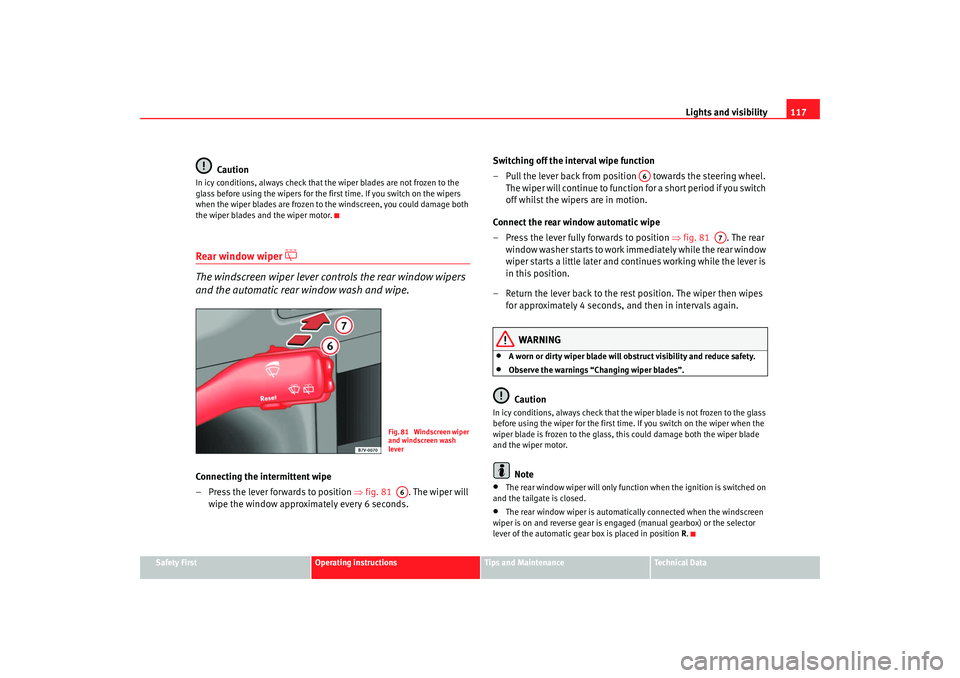
and the automatic rear window wash and wipe.Connecting the intermittent wipe
– Press the lever forwards to position ⇒fig. 81 . The wiper will
wipe the window approximately every 6 seconds. Switching off the interval wipe function
– Pull the lever back from position towards the steering wheel.
T h e wi p e r will co n t i n u e to fun c t i o n fo r a s h o r t p e r i o d i f yo u s wi tch
off whilst the wipers are in motion.
Connect the rear window automatic wipe
– Press the lever fully forwards to position ⇒fig. 81 . The rear
wi n d o w w a s h e r s ta r t s t o w o r k i m mediately while the rear window
wiper starts a little later and continues working while the lever is
in this position.
– Return the lever back to the rest position. The wiper then wipes for approximately 4 seconds, and then in intervals again.
WARNING
•
A worn or dirty wiper blade will obstruct visibility and reduce safety.
•
Observe the warnings “Changing wiper blades”.Caution
In icy conditions, always check that the wiper blade is not frozen to the glass
before using the wiper for the first time. If you switch on the wiper when the
wiper blade is frozen to the glass, this could damage both the wiper blade
and the wiper motor.
Note
•
The rear window wiper will only function when the ignition is switched on
and the tailgate is closed.
•
The rear window wiper is automatically connected when the windscreen
wiper is on and reverse gear is engaged (manual gearbox) or the selector
lever of the automatic gear box is placed in position R.
Fig. 81 Windscreen wiper
and windscreen wash
leverA6
A6
A7
alhambra ingles.book Seite 117 Donnerstag, 19. April 2007 4:04 16
Page 120 of 291
Lights and visibility
118Headlamp washer*
The headlight washers clean the headlight lenses.The headlight washers are activated automatically when the windscreen
washer is used and the windscreen wiper lever is pulled towards the steering
wheel ⇒page 116, fig. 80 for at least 5 seconds – provided the dipped
headlights or main beams are switched on. Clean off stubborn dirt (insects,
etc.) from the headlights at regular intervals, for instance when filling the fuel
tank.
Note
To ensure that the headlight washers work properly in winter, keep the
nozzles in the bumper free of snow and remove any ice with a de-icer spray.
MirrorsInterior mirror
It is dangerous to drive if you cannot see clearly through the
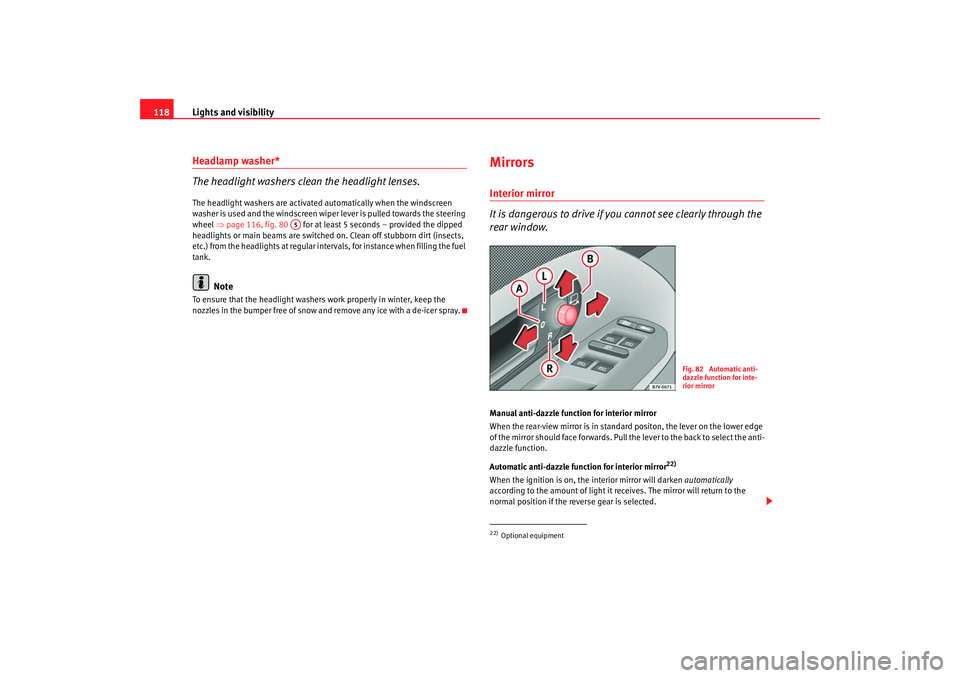
rear window.Manual anti-dazzle function for interior mirror
When the rear-view mirror is in standard positon, the lever on the lower edge
of the mirror should face forwards. Pull the lever to the back to select the anti-
dazzle function.
Automatic anti-dazzle function for interior mirror
22)
When the ignition is on, the interior mirror will darken automatically
according to the amount of light it receives. The mirror will return to the
normal position if the reverse gear is selected.
A5
22)Optional equipment
Fig. 82 Automatic anti-
dazzle function for inte-
rior mirror
alhambra ingles.book Seite 118 Donnerstag, 19. April 2007 4:04 16