sensor Seat Alhambra 2011 User Guide
[x] Cancel search | Manufacturer: SEAT, Model Year: 2011, Model line: Alhambra, Model: Seat Alhambra 2011Pages: 385, PDF Size: 7.92 MB
Page 110 of 385
108
Lights and visibility
Lifting and returning windscreen wiper arms
● Place the wiper arms in the service position ⇒ .
● Only hold the wiper arms at the point where the blade is fixed. CAUTION
● To prevent damage to the bonnet and the wiper arms, only leave them in
the ser v
ice position.
● Before driving, always lower the wiper arms.
Rain sensor* Fig. 69 Windscreen wip-
er lev
er: a
djusting the
rain sensor A . Fig. 70 Rain sensor sen-
sitiv
e s
urface.
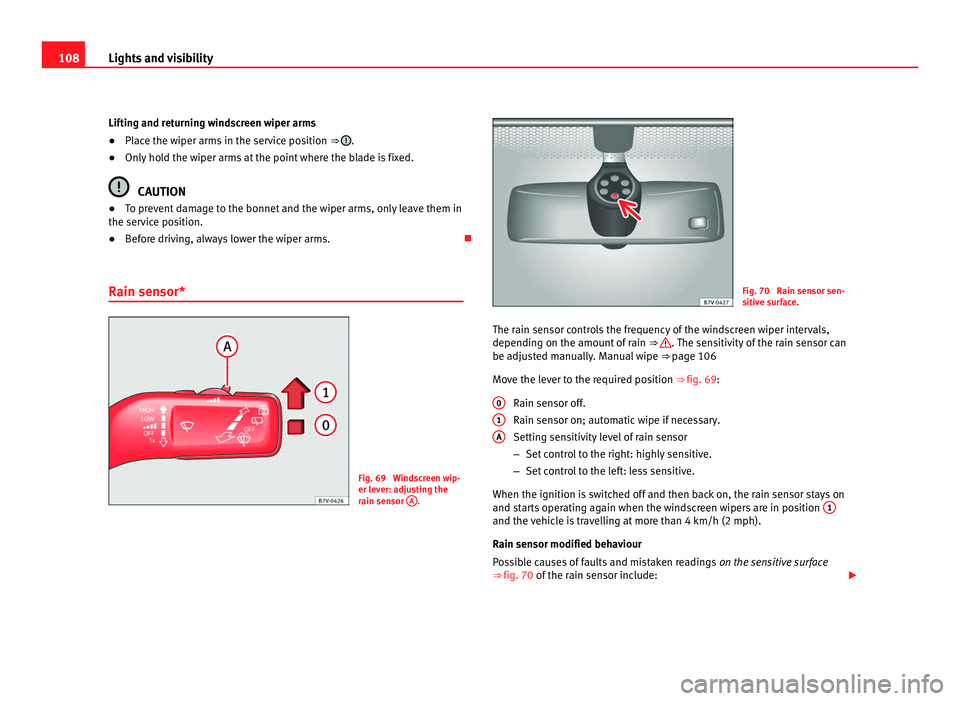
The rain sensor controls the frequency of the windscreen wiper intervals,
depending on the amount
of rain ⇒ . The sensitivity of the rain sensor can
be adju s
ted manually. Manual wipe ⇒ page 106
Move the lever to the required position ⇒ fig. 69: Rain sensor off.
Rain sensor on; automatic wipe if necessary.
Setting sensitivity level of rain sensor
–Set control to the right: highly sensitive.
– Set control to the left: less sensitive.
When the ignition is switched off and then back on, the rain sensor stays on
and starts operating again when the windscreen wipers are in position 1 and the vehicle is travelling at more than 4 km/h (2 mph).
Rain sen
sor modified beh
aviour
Possible causes of faults and mistaken readings on the sensitive surface
⇒ fig. 70 of the rain sensor include:
0 1
A
Page 111 of 385
109
Lights and visibility
● Damaged blades: A film of water on the damaged blades may lengthen
the activ ation time, r
educe the washing intervals or result in a fast and con-
tinuous wipe.
● Insects: insects on the sensor may trigger the windscreen wipers.
● Salt on roads: in winter, salt spread in the roads may cause an extra
long wipe when the w
indscreen is almost dry.
● Dirt: dry dust, wax, coating on glass (Lotus effect) or traces of detergent
(car wa
sh) may reduce the effectiveness of the rain sensor or make it react
more slowly, later or not at all.
● Cracked windscreen: the impact of a stone will trigger a single wipe cy-
cle w
ith the rain sensor on. Next the rain sensor detects the reduction in the
sensitive surface area and adapts accordingly. The behaviour of the sensor
will vary with the size of the damage caused by the stone. WARNING
The rain sensor may not detect enough rain to switch on the wipers.
● If necessary, switch on the wipers manually when water on the wind-
sc r
een obstructs visibility. Note
● Clean the sensitive surface of the rain sensor regularly and check the
b l
ades for damage ⇒ fig. 70 (arrow).
● To remove wax and coatings, we recommend a window cleaner contain-
ing alcoho
l. Checking and topping up the windscreen washer bottle
with wat
er Fig. 71 In the engine
comp
ar
tment: wind-
screen washer bottle top.
Check the water level in the windscreen washer bottle regularly and top up
as r
equired.
● Open the bonnet ⇒ pag
e 275.
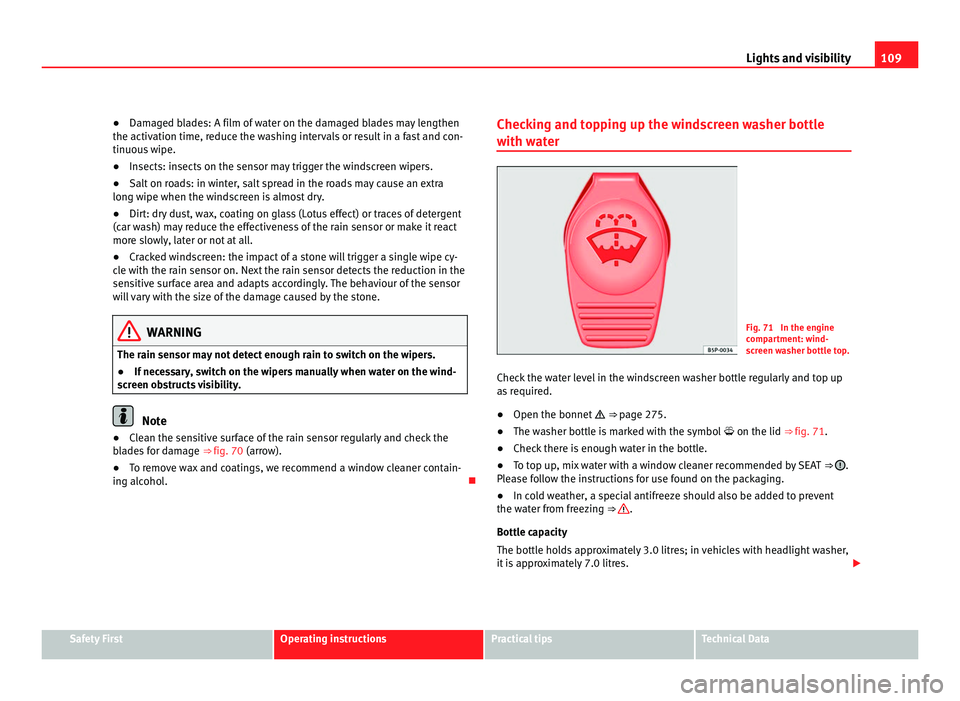
● The washer bottle is marked with the symbol on the lid ⇒ fig. 71.
● Check there is enough water in the bottle.
● To top up, mix water with a window cleaner recommended by SEAT ⇒ .
Ple a
se follow the instructions for use found on the packaging.
● In cold weather, a special antifreeze should also be added to prevent
the water fr
om freezing ⇒ .
Bottle c ap
acity
The bottle holds approximately 3.0 litres; in vehicles with headlight washer,
it is approximately 7.0 litres. Safety First Operating instructions Practical tips Technical Data
Page 113 of 385
111
Lights and visibility
Rear vision mirror Fig. 72 Manual anti-daz-
zl
e f
unction for rear vi-
sion mirror Fig. 73 Automatic anti-
dazz
l
e function for rear
vision mirror
The driver should always adjust the rear vision mirror to permit adequate
vis
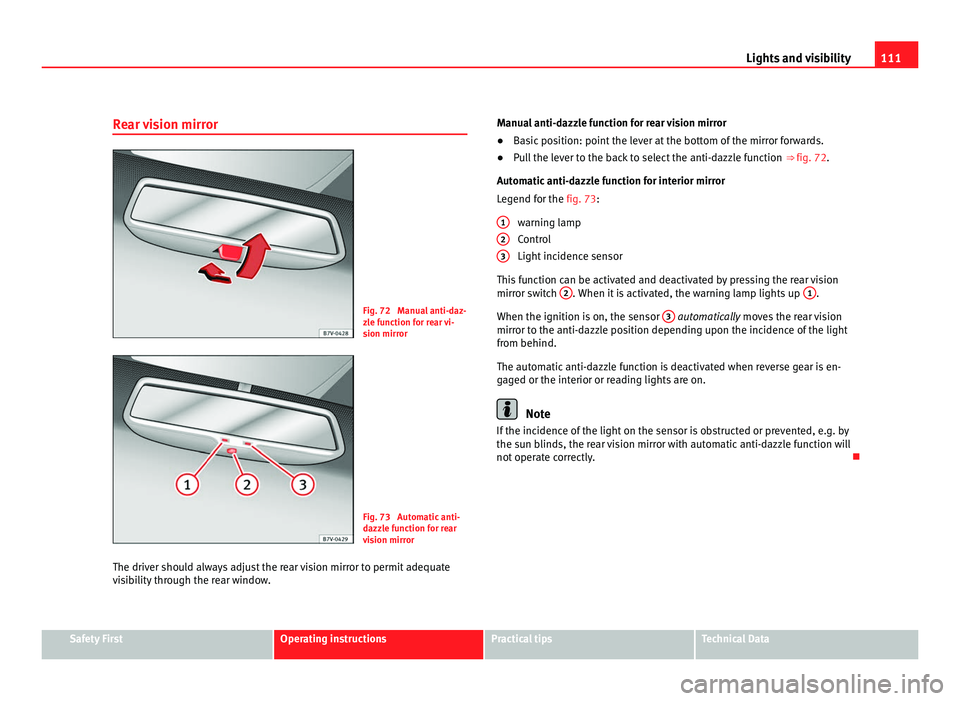
ibility through the rear window. Manual anti-dazzle function for rear vision mirror
●
Basic position: point the lever at the bottom of the mirror forwards.
● Pull the lever to the back to select the anti-dazzle function ⇒ fig. 72.
Automatic
anti-dazzle function for interior mirror
Legend for the fig. 73:
warning lamp
Control
Light incidence sensor
This function can be activated and deactivated by pressing the rear vision
mirror switch 2 . When it is activated, the warning lamp lights up
1 .
When the ignition is on, the sen
sor 3 automatically moves the rear vision
mirr or t
o the anti-dazzle position depending upon the incidence of the light
from behind.
The automatic anti-dazzle function is deactivated when reverse gear is en-
gaged or the interior or reading lights are on. Note
If the incidence of the light on the sensor is obstructed or prevented, e.g. by
the su n b
linds, the rear vision mirror with automatic anti-dazzle function will
not operate correctly.
1 2
3
Safety First Operating instructions Practical tips Technical Data
Page 170 of 385
168
Driving flashes Possible cause Solution
(red) Fault in the steering column
electr
onic
lock.
Do not drive on!
Seek pr
ofessional advice.
(yel-
lo w) Steering column deviation. Gently turn the steering wheel to
and fro
. Steering wheel not unlocked
or lock
ed. Remove the key from the igni-
tion and then swit
c
h the ignition
back on. Check the messages
displayed on the instrument
panel at the same time.
Do not drive on, if the steering
column remains locked after the
ignition has been switched on.
You should obtain professional
assistance. Several warning and control lamps should light up for a few seconds when
the ignition is
sw
itched. This signals that the lamp is working properly. They
will switch off after a few seconds. WARNING
If the warning lamps and messages are ignored, the vehicle may stall in
traffic, or m a
y cause accidents and severe injuries.
● Never ignore the warning lamps or text messages.
● Stop the vehicle safely as soon as possible. CAUTION
Failure to heed the warning lamps and text messages when they appear
ma y
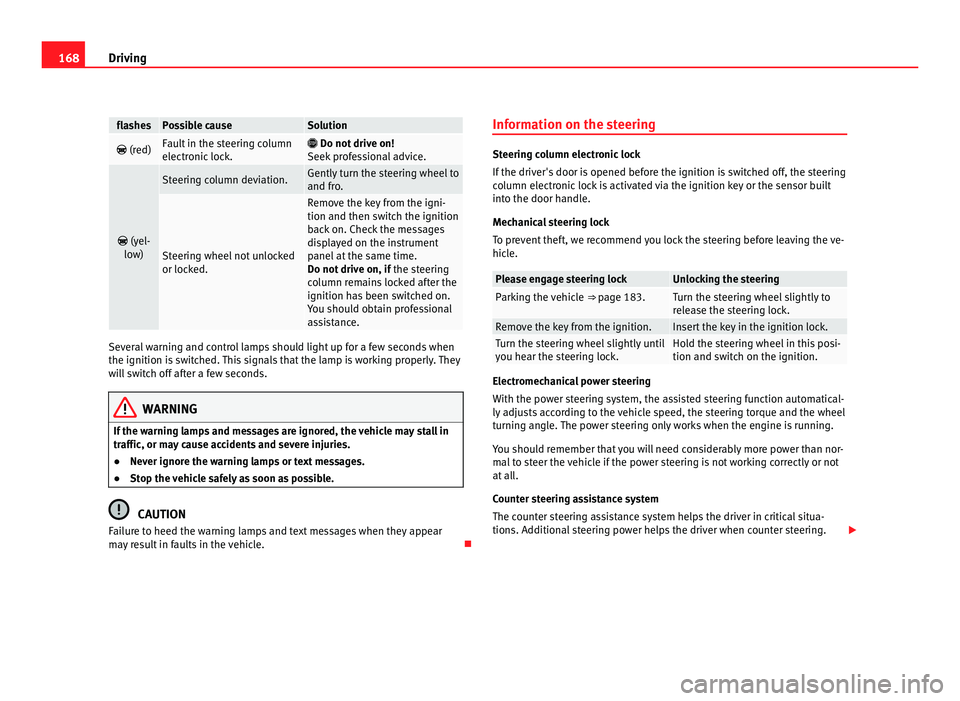
result in faults in the vehicle. Information on the steering Steering column electronic lock
If the driv
er's
door is opened before the ignition is switched off, the steering
column electronic lock is activated via the ignition key or the sensor built
into the door handle.
Mechanical steering lock
To prevent theft, we recommend you lock the steering before leaving the ve-
hicle. Please engage steering lock Unlocking the steering
Parking the vehicle
⇒ page 183. Turn the steering wheel slightly to
rel
e
ase the steering lock. Remove the key from the ignition. Insert the key in the ignition lock.
Turn the steering wheel slightly until
you he
ar the s
teering lock. Hold the steering wheel in this posi-
tion and swit
c
h on the ignition. Electromechanical power steering
With the po
w
er steering system, the assisted steering function automatical-
ly adjusts according to the vehicle speed, the steering torque and the wheel
turning angle. The power steering only works when the engine is running.
You should remember that you will need considerably more power than nor-
mal to steer the vehicle if the power steering is not working correctly or not
at all.
Counter steering assistance system
The counter steering assistance system helps the driver in critical situa-
tions. Additional steering power helps the driver when counter steering.
Page 176 of 385
174
Driving Note
● In vehicles with automatic gearbox, the key can only be removed when
the sel ect
or lever is in position P.
● After stopping the engine, the engine compartment fan may continue
running f
or a few minutes, even when the ignition has been switched off or
the key removed. The radiator fan is automatically switched off.
Electronic immobiliser The gear lock prevents the engine from being started with an unauthorised
key
and the
vehicle being moved.
The vehicle key has a built-in chip. It automatically deactivates the immobil-
izer when the key is inserted into the ignition lock.
For this reason, the vehicle can only be used with a genuine SEAT key with
the correct code. Coded keys can be obtained from your Authorised Service
Centre ⇒ page 71. If an unauthorised key is used, the message SAFE or Immobiliser active is
displayed on the instrument panel. The vehicle cannot be started in this
case Note
The correct operation of the vehicle is only guaranteed when original SEAT
key s
are used. Changing gear
Introduction When reverse gear is engaged and the ignition is switched on the following
tak
e
s place:
● Reverse lights light up.
● When reversing, the air conditioner automatically changes to air recircu-
lation mode.
● The re
ar window heater switches on when the windscreen wiper is acti-
vated.
● A
lso, the parking sensor system, the optical parking sensor and the
camera f
or the reverse assist system are connected.
Additional information and warnings:
● Instruments ⇒ page 57
● Br
aking, stopping and parking ⇒ page 183
● P
arking sensor system ⇒ page 198
● P
ark Assist system ⇒ page 202
● R
everse assist system (Rear Assist) ⇒ page 207
● Air c
onditioning ⇒ page 155
● El
ectronic power control and exhaust gases purification system
⇒ page 228
● Emer
gency locking and unlocking ⇒ page 314 WARNING
Rapid acceleration can cause loss of traction and skidding, especially on
slip per
y ground. This could cause loss of control of the vehicle resulting
in an accident and considerable damage.
● Only use the kickdown or rapid acceleration if visibility, weather, road
and traffic c
onditions so permit.
Page 200 of 385
198
Driving
Parking sensor system*
Introduction The parking sensor system assists the driver when parking. When the vehi-
cl
e ap
proaches an obstacle, forwards or backwards, an intermittent sound
will be heard, higher or lower depending on the distance. The shorter the
distance, the shorter the intervals between tones. If the vehicle is too close
to the obstacle, the sound signal becomes constant.
If you continue to approach an obstacle when the sound is continuous, this
means the system can no longer measure the distance.
The sensor system on the bumpers transmit and receive ultrasound. Using
the ultrasound signal (transmission, reflection from the obstacle and recep-
tion), this system continuously calculates the distance between the bumper
and the obstacle.
Additional information and warnings:
● Park Assist system ⇒ page 202
● A
ccessories, parts replacement, repairs and modifications ⇒ page 257WARNING
The parking sensor system and the optical parking system cannot re-
pl ac
e driver awareness.
● The sensors have blind spots in which obstacles and people are not
regi
stered.
● Always observe the area around the vehicle, as the sensors do not al-
way
s detect small children, animals or objects. WARNING (Continued)
● The s urface of certain objects and some clothing do not reflect the ul-
tr a
sound signals from the parking distance system. The system cannot
detect or incorrectly detects these objects and people wearing these
types of clothes.
● External sound sources can affect the parking distance aid signals. In
this c
ase, under certain circumstances, people and objects will not be de-
tected. CAUTION
● The sensors may not always be able to detect objects such as trailer
dr a
w bars, thin rails, fences, posts, trees and open boots, etc. This could re-
sult in damage to your car.
● Although the parking sensor system detects and warns of the presence
of an ob
stacle, the obstacle could disappear from the angle of measure-
ment of the sensors if it is too high or low and the system would no longer
indicate it. Therefore, it will not warn you of these objects. Ignoring the
warnings of the parking sensor system could cause considerable damage to
the vehicle.
● The bumper sensors may become damaged or misaligned, for example,
when parkin
g.
● To ensure that the system works properly, the bumper sensors must be
kept c
lean, free of ice and snow and uncovered.
● When cleaning the sensors with high-pressure or steam cleaning equip-
ment, spra
y the sensors briefly at a distance of no less than 10 cm (4 in-
ches). Note
Acoustic sources may lead to erroneous warnings on the parking sensor
sys t
em, e.g. rough tarmac, cobbles or the noise of other vehicles.
Page 201 of 385
199
Driving
Parking sensor system* Fig. 140 Detailed view of
the centr
e c
onsole: but-
ton for switching the
parking sensor system
on and off. Fig. 141 Parking sensor
sys
t
em sensors on the
front bumper.
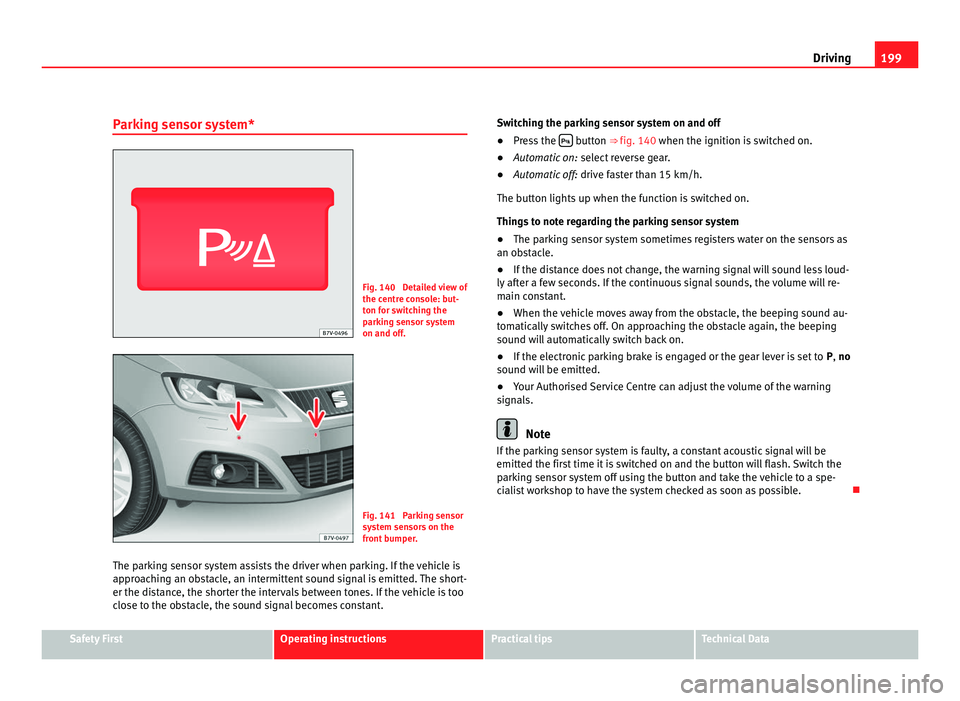
The parking sensor system assists the driver when parking. If the vehicle is
appro
aching an obstacle, an intermittent sound signal is emitted. The short-
er the distance, the shorter the intervals between tones. If the vehicle is too
close to the obstacle, the sound signal becomes constant. Switching the parking sensor system on and off
●
Press the button ⇒
fig. 140 when the ignition i
s switched on.
● Automatic on: select r
everse gear.
● Automatic off: drive fa
ster than 15 km/h.
The button lights up when the function is switched on.
Things to note regarding the parking sensor system
● The parking sensor system sometimes registers water on the sensors as
an obs
tacle.
● If the distance does not change, the warning signal will sound less loud-
ly aft
er a few seconds. If the continuous signal sounds, the volume will re-
main constant.
● When the vehicle moves away from the obstacle, the beeping sound au-
tomatic
ally switches off. On approaching the obstacle again, the beeping
sound will automatically switch back on.
● If the electronic parking brake is engaged or the gear lever is set to P, no
sound wi
ll be emitted.
● Your Authorised Service Centre can adjust the volume of the warning
signal
s. Note
If the parking sensor system is faulty, a constant acoustic signal will be
emitted the fir s
t time it is switched on and the button will flash. Switch the
parking sensor system off using the button and take the vehicle to a spe-
cialist workshop to have the system checked as soon as possible. Safety First Operating instructions Practical tips Technical Data
Page 202 of 385
200
Driving
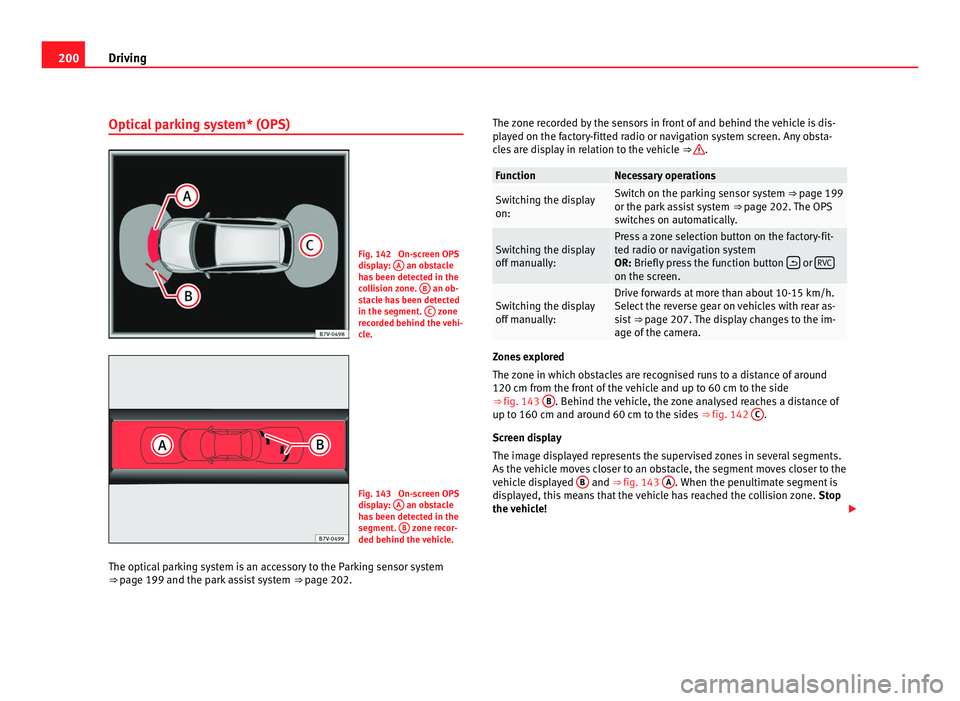
Optical parking system* (OPS) Fig. 142 On-screen OPS
dis
p
lay: A an obstacle
ha s
been detected in the
collision zone. B an ob-
st ac
le has been detected
in the segment. C zone
rec or
ded behind the vehi-
cle. Fig. 143 On-screen OPS
dis
p
lay: A an obstacle
ha s
been detected in the
segment. B zone recor-
ded behind the v ehic
le.
The optical parking system is an accessory to the Parking sensor system
⇒ page 199 and the p
ark assist system ⇒ page 202. The zone recorded by the sensors in front of and behind the vehicle is dis-
pla
yed on the factory-fitted radio or navigation system screen. Any obsta-
cles are display in relation to the vehicle ⇒ .
Function Necessary operations
Switching the display
on: Switch on the parking sensor system ⇒ pag
e 199
or the p
ark assist system ⇒ page 202. The OPS
switches on automatically. Switching the display
off m
anual
ly: Press a zone selection button on the factory-fit-
ted r
a
dio or navigation system
OR: Briefly press the function button or
RVC on the screen.
Switching the display
off m
anual
ly: Drive forwards at more than about 10-15 km/h.
Select
the r
everse gear on vehicles with rear as-
sist ⇒ page 207. The display changes to the im-
age of the camera. Zones explored
The z
one in whic
h obstacles are recognised runs to a distance of around
120 cm from the front of the vehicle and up to 60 cm to the side
⇒ fig. 143 B . Behind the vehicle, the zone analysed reaches a distance of
up to 160 c m and ar
ound 60 cm to the sides ⇒ fig. 142 C .
Scr een di
splay
The image displayed represents the supervised zones in several segments.
As the vehicle moves closer to an obstacle, the segment moves closer to the
vehicle displayed B and ⇒ fig. 143
A . When the penultimate segment is
dis p
layed, this means that the vehicle has reached the collision zone. Stop
the vehicle!
Page 203 of 385
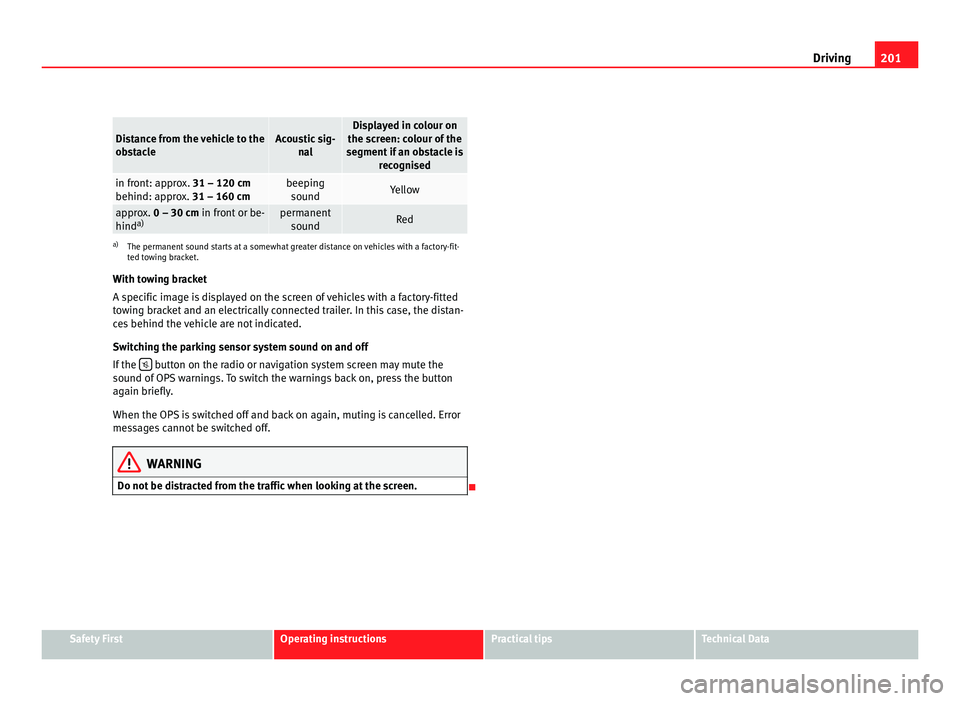
201
Driving Distance from the vehicle to the
ob
s
tacle Acoustic sig-
nal Displayed in colour on
the sc r
een: colour of the
segment if an obstacle is recognised in front: approx. 31 – 120 cm
behind: ap
pr
ox. 31 – 160 cm beeping
sound Yellow
approx. 0 – 30 cm
in fr
ont or be-
hind a) permanent
sound Red
a)
The permanent sound starts at a somewhat greater distance on vehicles with a factory-fit-
ted t o
wing bracket.
With towing bracket
A specific image is displayed on the screen of vehicles with a factory-fitted
towing bracket and an electrically connected trailer. In this case, the distan-
ces behind the vehicle are not indicated.
Switching the parking sensor system sound on and off
If the button on the radio or navigation system screen may mute the
sound of OP
S warnings. To switch the warnings back on, press the button
again briefly.
When the OPS is switched off and back on again, muting is cancelled. Error
messages cannot be switched off. WARNING
Do not be distracted from the traffic when looking at the screen.
Safety First Operating instructions Practical tips Technical Data
Page 204 of 385
202
Driving
Park Assist system*
Introduction The Park Assist system helps the driver to find a suitable place to park, to
inser
t
the vehicle into parallel and perpendicular parking places and to
leave parallel parking places.
The Park Assist system is limited to the system abilities and requires that
the driver is especially attentive ⇒ .
The park in
g sensor system is a component of the Park Assist system that
helps to park the vehicle.
For vehicles with the optical parking system, the radio navigation systems
screen displays the detected zones in front of and behind the vehicle, indi-
cating - within the limits of the system - the position of obstacles compared
to the vehicle.
The park assist system cannot be switched on if the factory-fitted towing
bracket is electrically connected to a trailer.
Additional information and warnings:
● Braking, stopping and parking ⇒ page 183
● P
arking sensor system ⇒ page 198
● C
aring for and cleaning the vehicle exterior ⇒ page 242
● A
ccessories, parts replacement, repairs and modifications ⇒ page 257 WARNING
Despite the assistance provided by the park assist system, do not run
any ri
sks when parking. The system is not a replacement for driver
awareness.
● Unintentional movements of the vehicle could cause serious injury.
● Adjust your speed and driving style to visibility, road, traffic and
weather c
onditions.
● The surface of certain objects and items of clothing and external
sound sourc
es may have a negative affect on the park assist signals or on
the system sensors or may not reflect its signals.
● The sensors have blind spots in which obstacles and people are not
regi
stered.
● Always observe the area around the vehicle, as the sensors do not al-
way
s detect small children, animals or objects. CAUTION
● The park assist system aims exclusively at other parked vehicles, with-
out t
aking curbs or other circumstances into account. Make sure you do not
damage the tyres and wheel rims when parking. Where necessary, stop ma-
noeuvring to avoid damaging the vehicle.
● The sensors may not always be able to detect objects such as trailer
draw b
ars, thin rails, fences, posts and trees, etc. This could result in dam-
age to your car.
● Although the parking sensor system detects and warns of the presence
of an ob
stacle, the obstacle could disappear from the angle of measure-
ment of the sensors if it is too high or low and the system would no longer
indicate it. Therefore, it will not warn you of these objects. Ignoring the
warnings of the parking sensor system could cause considerable damage to
the vehicle. This is also valid when using the park assist (e.g. to park be-
hind a truck or motorcycle). Therefore, always keep a close watch on the
area in front of and behind the vehicle while parking, and intervene prompt-
ly if necessary.