bonnet Seat Alhambra 2011 Owner's Manual
[x] Cancel search | Manufacturer: SEAT, Model Year: 2011, Model line: Alhambra, Model: Seat Alhambra 2011Pages: 385, PDF Size: 7.92 MB
Page 56 of 385
54
Cockpit
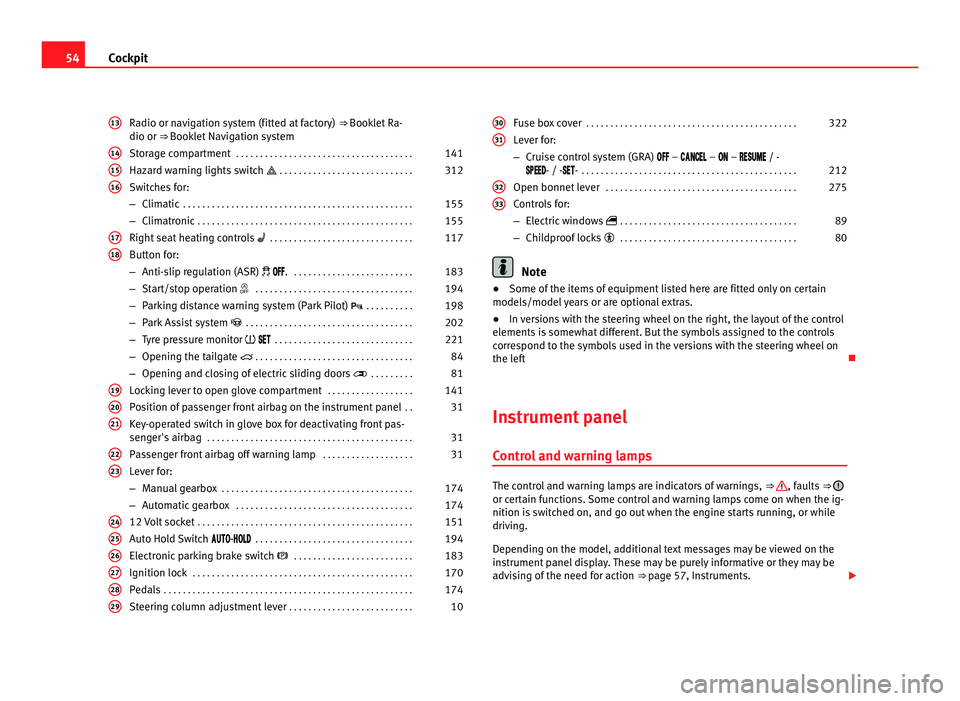
Radio or navigation system (fitted at factory) ⇒ Booklet Ra-
dio or ⇒ Booklet Navigation system
Storage compartment . . . . . . . . . . . . . . . . . . . . . . . . . . . . . . . . . . . . . 141
Hazard warning lights switch . . . . . . . . . . . . . . . . . . . . . . . . . . . . 312
Switches for:
– Climatic . . . . . . . . . . . . . . . . . . . . . . . . . . . . . . . . . . . . . . . . . . . . . . . . 155
– C
limatronic . . . . . . . . . . . . . . . . . . . . . . . . . . . . . . . . . . . . . . . . . . . . . 155
Right se
at heating controls . . . . . . . . . . . . . . . . . . . . . . . . . . . . . . 117
Button for:
– Anti-slip r
egulation (ASR) . . . . . . . . . . . . . . . . . . . . . . . . . . 183
– Start/stop operation . . . . . . . . . . . . . . . . . . . . . . . . . . . . . . . . . 194
– Parking distance warning system (Park Pilot) . . . . . . . . . . 198
– Park Assist system . . . . . . . . . . . . . . . . . . . . . . . . . . . . . . . . . . . 202
– Tyre pressure monitor
. . . . . . . . . . . . . . . . . . . . . . . . . . . . . 221
– Opening the tailgate . . . . . . . . . . . . . . . . . . . . . . . . . . . . . . . . . 84
– Opening and closing of electric sliding doors . . . . . . . . . 81
Loc
king lever to open glove compartment . . . . . . . . . . . . . . . . . .141
Position of passenger front airbag on the instrument panel . .31
Key-operated switch in glove box for deactivating front pas-
senger's
airbag . . . . . . . . . . . . . . . . . . . . . . . . . . . . . . . . . . . . . . . . . . . 31
Passenger front airbag off warning lamp . . . . . . . . . . . . . . . . . . .31
Lever for:
– Manual g
earbox . . . . . . . . . . . . . . . . . . . . . . . . . . . . . . . . . . . . . . . . 174
– Automatic gearbox . . . . . . . . . . . . . . . . . . . . . . . . . . . . . . . . . . . . . 174
12 V
olt socket . . . . . . . . . . . . . . . . . . . . . . . . . . . . . . . . . . . . . . . . . . . . . 151
Auto Hold Switch - . . . . . . . . . . . . . . . . . . . . . . . . . . . . . . . . . 194
Electr
onic parking brake switch . . . . . . . . . . . . . . . . . . . . . . . . . 183
Ignition lock . . . . . . . . . . . . . . . . . . . . . . . . . . . . . . . . . . . . . . . . . . . . . . 170
Pedals . . . . . . . . . . . . . . . . . . . . . . . . . . . . . . . . . . . . . . . . . . . . . . . . . . . . 174
Steering column adjustment lever . . . . . . . . . . . . . . . . . . . . . . . . . . 10
13 14
15
16
17
18
19
20
21
22
23
24
25
26
27
28
29 Fuse box cover
. . . . . . . . . . . . . . . . . . . . . . . . . . . . . . . . . . . . . . . . . . . . 322
Lever for:
– Crui se c
ontrol system (GRA) – – – / -
- / -- . . . . . . . . . . . . . . . . . . . . . . . . . . . . . . . . . . . . . . . . . . . . . 212
Open bonnet lever . . . . . . . . . . . . . . . . . . . . . . . . . . . . . . . . . . . . . . . . 275
Controls for:
– Electric w
indows . . . . . . . . . . . . . . . . . . . . . . . . . . . . . . . . . . . . . 89
– Childproof locks . . . . . . . . . . . . . . . . . . . . . . . . . . . . . . . . . . . . . 80 Note
● Some of the items of equipment listed here are fitted only on certain
model s/model
years or are optional extras.
● In versions with the steering wheel on the right, the layout of the control
elements i
s somewhat different. But the symbols assigned to the controls
correspond to the symbols used in the versions with the steering wheel on
the left
Instrument panel Contro
l and warning lamps The control and warning lamps are indicators of warnings,
⇒ , faults
⇒ or certain functions. Some control and warning lamps come on when the ig-
nition is
sw
itched on, and go out when the engine starts running, or while
driving.
Depending on the model, additional text messages may be viewed on the
instrument panel display. These may be purely informative or they may be
advising of the need for action ⇒ page 57, Instruments.
30 31
32
33
Page 58 of 385
56
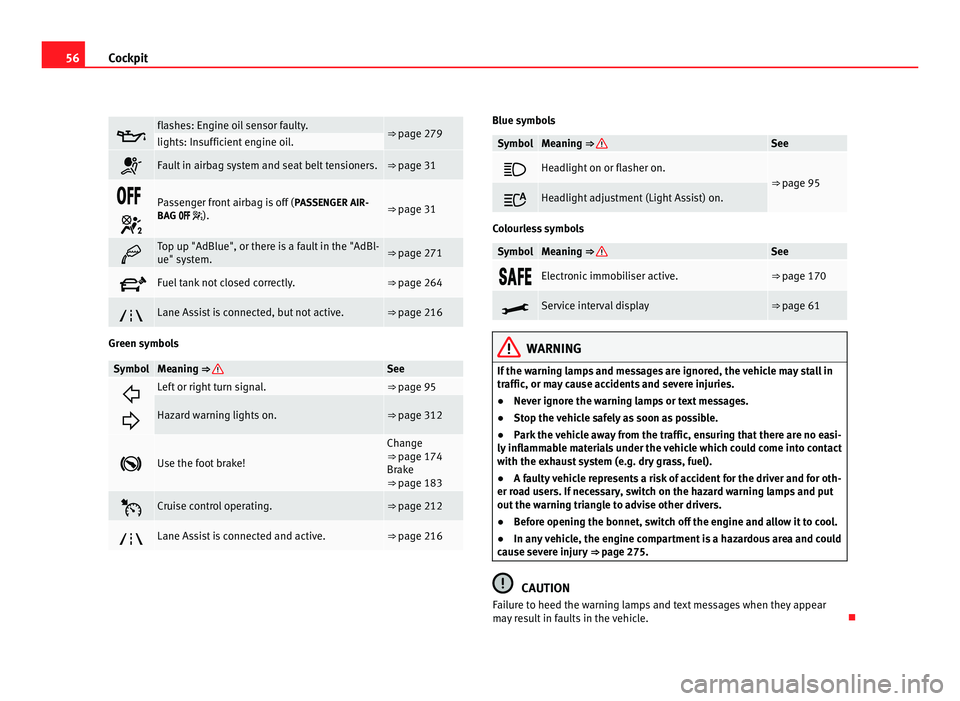
Cockpit flashes: Engine oil sensor faulty.
⇒ page 279
lights: Insufficient engine oil.
Fault in airbag system and seat belt tensioners. ⇒ page 31
Passenger front airbag is off (
PASSENGER AIR-
BAG ). ⇒ page 31
Top up "AdBlue", or there is a fault in the "AdBl-
ue" system.
⇒ page 271
Fuel tank not closed correctly. ⇒ page 264
Lane Assist is connected, but not active. ⇒ page 216
Green symbols
Symbol Meaning ⇒ See
Left or right turn signal. ⇒ page 95
Hazard warning lights on. ⇒ page 312
Use the foot brake! Change
⇒ page 174
Br ak
e
⇒ page 183 Cruise control operating. ⇒ page 212
Lane Assist is connected and active. ⇒ page 216 Blue symbols
Symbol Meaning
⇒ See
Headlight on or flasher on.
⇒
page 95 Headlight adjustment (Light Assist) on.
Colourless symbols
Symbol Meaning ⇒ See
Electronic immobiliser active. ⇒ page 170
Service interval display ⇒ page 61
WARNING
If the warning lamps and messages are ignored, the vehicle may stall in
traffic, or may cause accidents and severe injuries.
● Never ignore the warning lamps or text messages.
● Stop the vehicle safely as soon as possible.
● Park the vehicle away from the traffic, ensuring that there are no easi-
ly inflammable materials under the vehicle which could come into contact
with the exhaust system (e.g. dry grass, fuel).
● A faulty vehicle represents a risk of accident for the driver and for oth-
er road users. If necessary, switch on the hazard warning lamps and put
out the warning triangle to advise other drivers.
● Before opening the bonnet, switch off the engine and allow it to cool.
● In any vehicle, the engine compartment is a hazardous area and could
cause severe injury ⇒ page 275. CAUTION
Failure to heed the warning lamps and text messages when they appear
may result in faults in the vehicle.
Page 80 of 385
78
Unlocking and locking
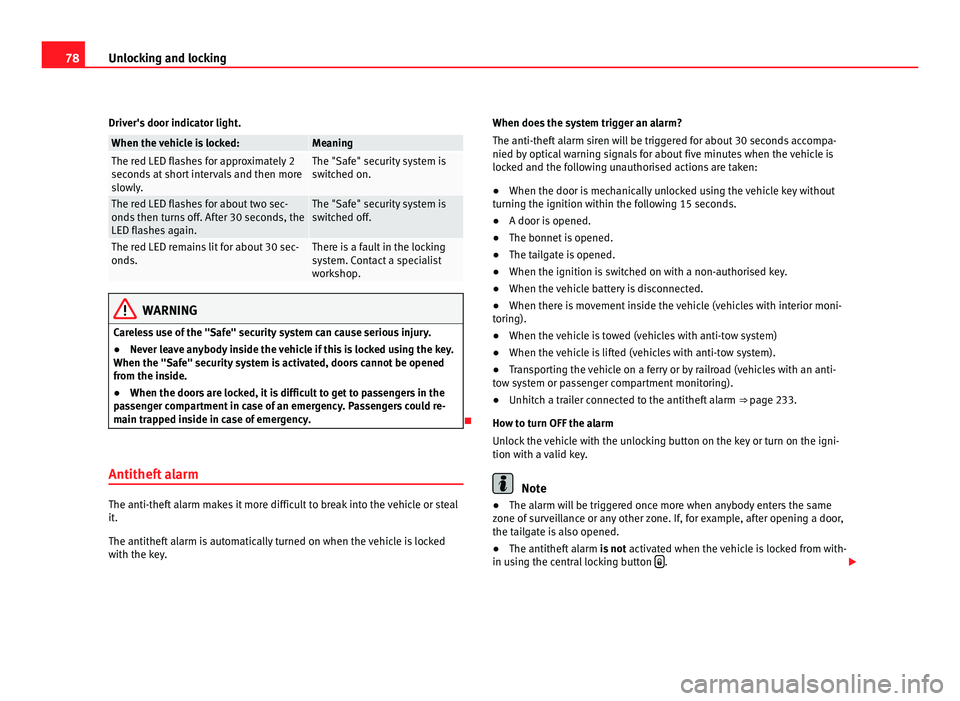
Driver's door indicator light. When the vehicle is locked: Meaning
The red LED flashes for approximately 2
second
s
at short intervals and then more
slowly. The "Safe" security system is
swit
c
hed on. The red LED flashes for about two sec-
onds
then t
urns off. After 30 seconds, the
LED flashes again. The "Safe" security system is
swit
c
hed off. The red LED remains lit for about 30 sec-
onds. There is a fault in the locking
sys
t
em. Contact a specialist
workshop. WARNING
Careless use of the "Safe" security system can cause serious injury.
● Never leave anybody inside the vehicle if this is locked using the key.
When the "Safe" sec urity
system is activated, doors cannot be opened
from the inside.
● When the doors are locked, it is difficult to get to passengers in the
pas
senger compartment in case of an emergency. Passengers could re-
main trapped inside in case of emergency.
Antitheft alarm The anti-theft alarm makes it more difficult to break into the vehicle or steal
it.
The antithef
t
alarm is automatically turned on when the vehicle is locked
with the key. When does the system trigger an alarm?
The anti-theft al
arm siren will be triggered for about 30 seconds accompa-
nied by optical warning signals for about five minutes when the vehicle is
locked and the following unauthorised actions are taken:
● When the door is mechanically unlocked using the vehicle key without
turning the ignition w
ithin the following 15 seconds.
● A door is opened.
● The bonnet is opened.
● The tailgate is opened.
● When the ignition is switched on with a non-authorised key.
● When the vehicle battery is disconnected.
● When there is movement inside the vehicle (vehicles with interior moni-
toring).
● When the
vehicle is towed (vehicles with anti-tow system)
● When the vehicle is lifted (vehicles with anti-tow system).
● Transporting the vehicle on a ferry or by railroad (vehicles with an anti-
tow sy
stem or passenger compartment monitoring).
● Unhitch a trailer connected to the antitheft alarm ⇒ pag
e 233.
How to turn OFF the alarm
Unlock the vehicle with the unlocking button on the key or turn on the igni-
tion with a valid key. Note
● The alarm will be triggered once more when anybody enters the same
z one of
surveillance or any other zone. If, for example, after opening a door,
the tailgate is also opened.
● The antitheft alarm is not activ
ated when the vehicle is locked from with-
in using the central locking button .
Page 108 of 385
106
Lights and visibility
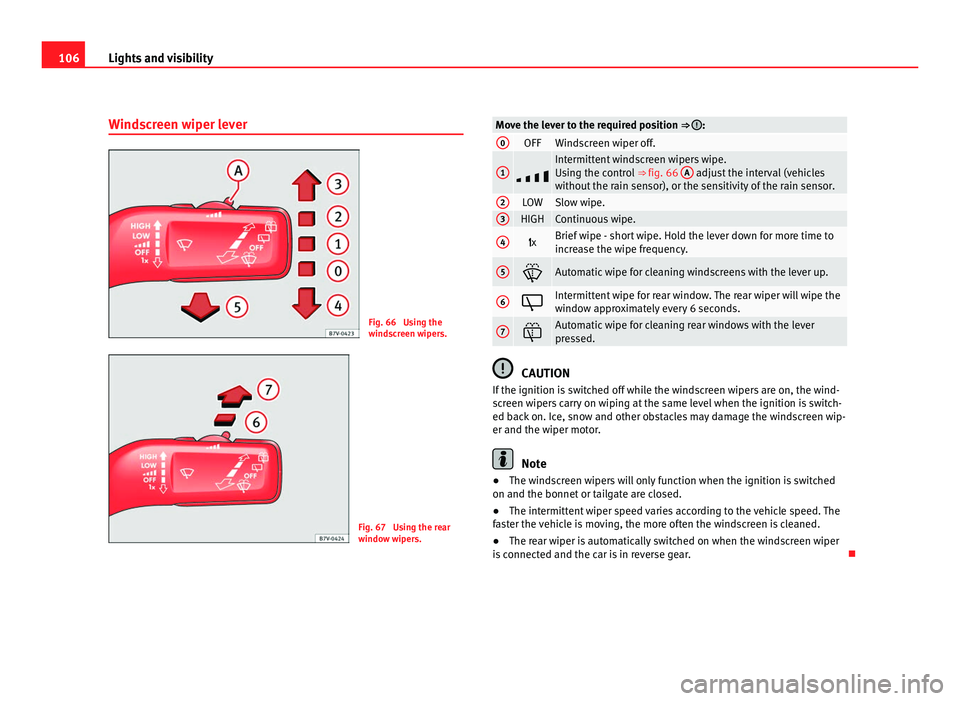
Windscreen wiper lever Fig. 66 Using the
wind
s
creen wipers. Fig. 67 Using the rear
windo
w w
ipers. Move the lever to the required position ⇒ :
0
OFF Windscreen wiper off.
1
Intermittent windscreen wipers wipe.
Us
in
g the control ⇒ fig. 66 A adjust the interval (vehicles
without the r
ain sensor), or the sensitivity of the rain sensor. 2
LOW Slow wipe.
3
HIGH Continuous wipe.
4
x Brief wipe - short wipe. Hold the lever down for more time to
incr
e
ase the wipe frequency. 5
Automatic wipe for cleaning windscreens with the lever up.
6
Intermittent wipe for rear window. The rear wiper will wipe the
windo
w ap
proximately every 6 seconds. 7
Automatic wipe for cleaning rear windows with the lever
pre
s
sed. CAUTION
If the ignition is switched off while the windscreen wipers are on, the wind-
sc r
een wipers carry on wiping at the same level when the ignition is switch-
ed back on. Ice, snow and other obstacles may damage the windscreen wip-
er and the wiper motor. Note
● The windscreen wipers will only function when the ignition is switched
on and the bonnet or t
ailgate are closed.
● The intermittent wiper speed varies according to the vehicle speed. The
fas
ter the vehicle is moving, the more often the windscreen is cleaned.
● The rear wiper is automatically switched on when the windscreen wiper
is c
onnected and the car is in reverse gear.
Page 109 of 385
107
Lights and visibility
Windscreen wiper functions Windscreen wiper performance in different situations:
If the vehicle is at a stand-
sti
l
l: The activated position provisionally changes
to the pr
ev
ious position. During the automatic wipe: The air conditioning comes on for approxi-
mat
ely
30 seconds in air recirculation mode
to prevent the smell of the windscreen wash-
er fluid entering the inside of the vehicle. For the intermittent wipe: The intervals between wipes vary according
to the s
peed of
the vehicle. The higher the
vehicle speed the shorter the intervals. Heated windscreen washer jets
The heatin
g on
ly thaws the frozen jets, it does not thaw the water in the
washer hoses. The heated windscreen washer jets automatically adjust the
heat depending on the ambient temperature, when the ignition is switched
on.
Headlight wash /wipe system
The headlight washers/wipers clean the headlight lenses.
After the ignition is switched on, the first and every fifth time the wind-
screen washer is switched on, the headlights are also washed. Therefore,
the windscreen wiper lever should be pulled towards the steering wheel
when the dipped beam or main beam are on. Any incrusted dirt (such as in-
sects) should be cleaned regularly (e.g. when refuelling).
To ensure the headlight washers work correctly in winter, any snow which
has got into the bumper jet supports should be cleaned away. If necessary,
remove snow with an anti-icing spray. Note
The wiper will try to wipe away any obstacles that are on the windscreen.
The wiper w i
ll stop moving if the obstacle blocks its path. Remove the ob-
stacle and switch the wiper back on again.
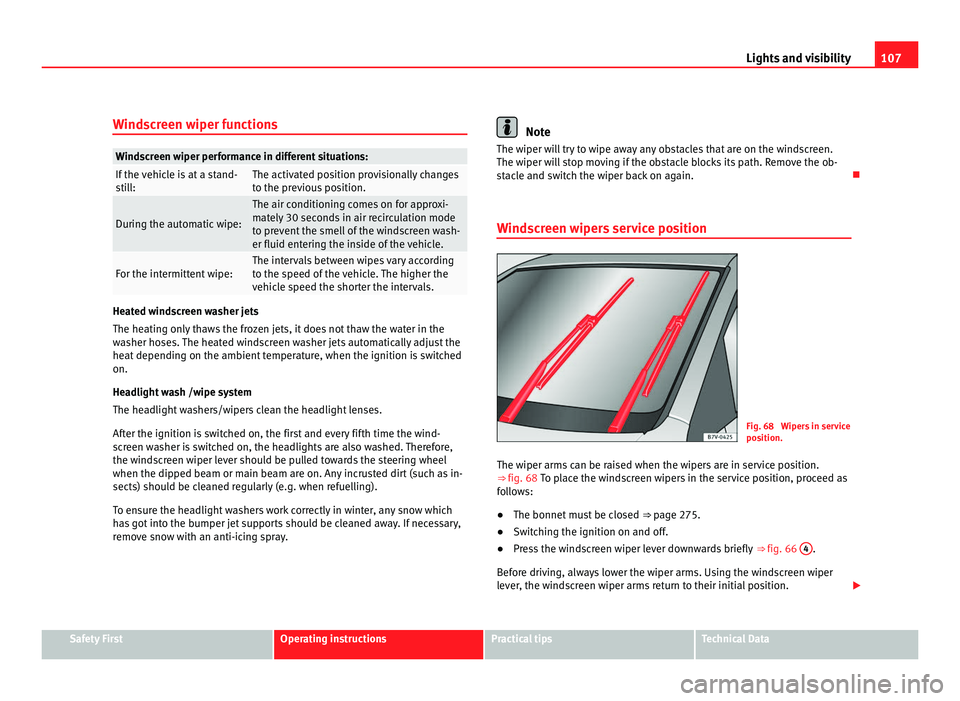
Windscreen wipers service position Fig. 68 Wipers in service
pos
ition.
The w
iper arms can be raised when the wipers are in service position.
⇒ fig. 68 To p l
ace the windscreen wipers in the service position, proceed as
follows:
● The bonnet must be closed ⇒ page 275.
● Sw
itching the ignition on and off.
● Press the windscreen wiper lever downwards briefly ⇒ fig. 66 4 .
Bef or
e driving, always lower the wiper arms. Using the windscreen wiper
lever, the windscreen wiper arms return to their initial position. Safety First Operating instructions Practical tips Technical Data
Page 110 of 385
108
Lights and visibility
Lifting and returning windscreen wiper arms
● Place the wiper arms in the service position ⇒ .
● Only hold the wiper arms at the point where the blade is fixed. CAUTION
● To prevent damage to the bonnet and the wiper arms, only leave them in
the ser v
ice position.
● Before driving, always lower the wiper arms.
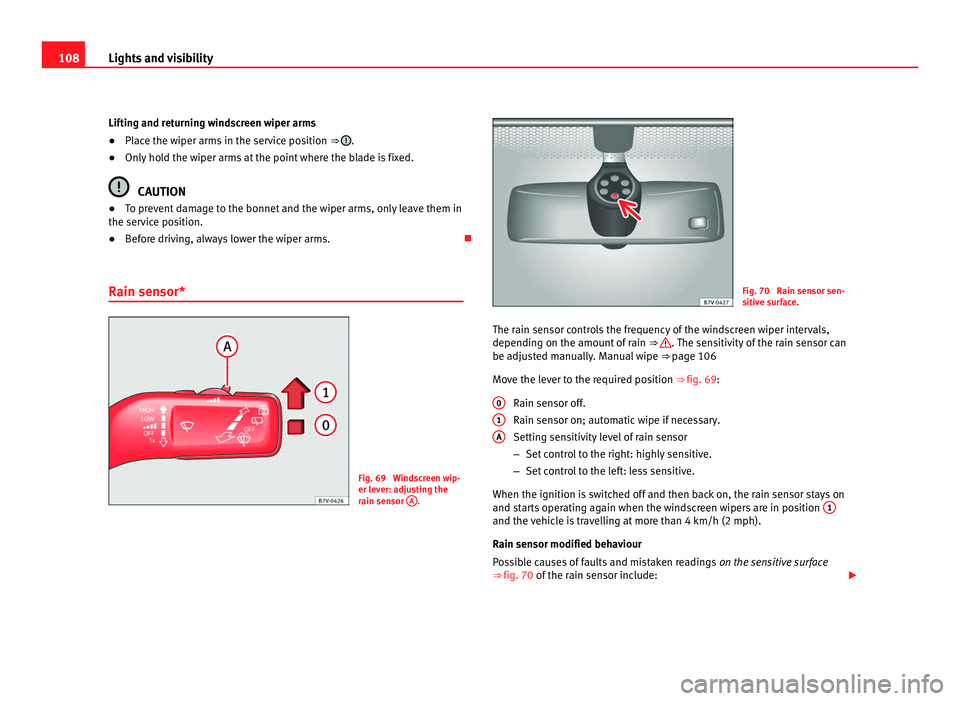
Rain sensor* Fig. 69 Windscreen wip-
er lev
er: a
djusting the
rain sensor A . Fig. 70 Rain sensor sen-
sitiv
e s
urface.
The rain sensor controls the frequency of the windscreen wiper intervals,
depending on the amount
of rain ⇒ . The sensitivity of the rain sensor can
be adju s
ted manually. Manual wipe ⇒ page 106
Move the lever to the required position ⇒ fig. 69: Rain sensor off.
Rain sensor on; automatic wipe if necessary.
Setting sensitivity level of rain sensor
–Set control to the right: highly sensitive.
– Set control to the left: less sensitive.
When the ignition is switched off and then back on, the rain sensor stays on
and starts operating again when the windscreen wipers are in position 1 and the vehicle is travelling at more than 4 km/h (2 mph).
Rain sen
sor modified beh
aviour
Possible causes of faults and mistaken readings on the sensitive surface
⇒ fig. 70 of the rain sensor include:
0 1
A
Page 111 of 385
109
Lights and visibility
● Damaged blades: A film of water on the damaged blades may lengthen
the activ ation time, r
educe the washing intervals or result in a fast and con-
tinuous wipe.
● Insects: insects on the sensor may trigger the windscreen wipers.
● Salt on roads: in winter, salt spread in the roads may cause an extra
long wipe when the w
indscreen is almost dry.
● Dirt: dry dust, wax, coating on glass (Lotus effect) or traces of detergent
(car wa
sh) may reduce the effectiveness of the rain sensor or make it react
more slowly, later or not at all.
● Cracked windscreen: the impact of a stone will trigger a single wipe cy-
cle w
ith the rain sensor on. Next the rain sensor detects the reduction in the
sensitive surface area and adapts accordingly. The behaviour of the sensor
will vary with the size of the damage caused by the stone. WARNING
The rain sensor may not detect enough rain to switch on the wipers.
● If necessary, switch on the wipers manually when water on the wind-
sc r
een obstructs visibility. Note
● Clean the sensitive surface of the rain sensor regularly and check the
b l
ades for damage ⇒ fig. 70 (arrow).
● To remove wax and coatings, we recommend a window cleaner contain-
ing alcoho
l. Checking and topping up the windscreen washer bottle
with wat
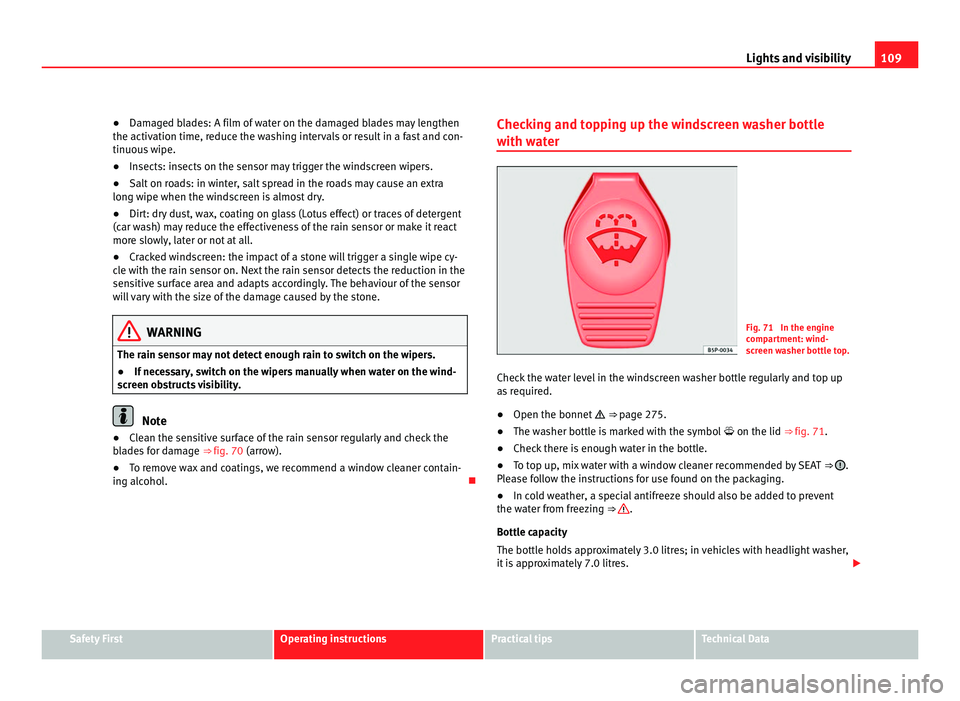
er Fig. 71 In the engine
comp
ar
tment: wind-
screen washer bottle top.
Check the water level in the windscreen washer bottle regularly and top up
as r
equired.
● Open the bonnet ⇒ pag
e 275.
● The washer bottle is marked with the symbol on the lid ⇒ fig. 71.
● Check there is enough water in the bottle.
● To top up, mix water with a window cleaner recommended by SEAT ⇒ .
Ple a
se follow the instructions for use found on the packaging.
● In cold weather, a special antifreeze should also be added to prevent
the water fr
om freezing ⇒ .
Bottle c ap
acity
The bottle holds approximately 3.0 litres; in vehicles with headlight washer,
it is approximately 7.0 litres. Safety First Operating instructions Practical tips Technical Data
Page 198 of 385
196
Driving
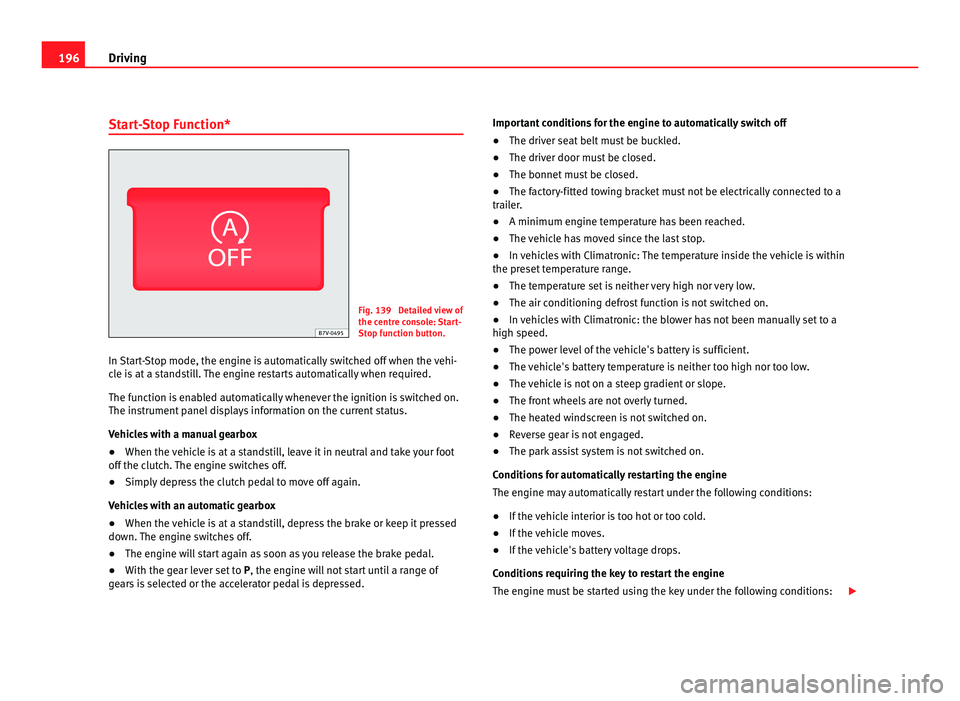
Start-Stop Function* Fig. 139 Detailed view of
the centr
e c
onsole: Start-
Stop function button.
In Start-Stop mode, the engine is automatically switched off when the vehi-
cle i
s at a standstill. The engine restarts automatically when required.
The function is enabled automatically whenever the ignition is switched on.
The instrument panel displays information on the current status.
Vehicles with a manual gearbox
● When the vehicle is at a standstill, leave it in neutral and take your foot
off the clut
ch. The engine switches off.
● Simply depress the clutch pedal to move off again.
Vehicl
es with an automatic gearbox
● When the vehicle is at a standstill, depress the brake or keep it pressed
down. The en
gine switches off.
● The engine will start again as soon as you release the brake pedal.
● With the gear lever set to P, the engine wi
ll not start until a range of
gears is selected or the accelerator pedal is depressed. Important conditions for the engine to automatically switch off
●
The driver seat belt must be buckled.
● The driver door must be closed.
● The bonnet must be closed.
● The factory-fitted towing bracket must not be electrically connected to a
trail
er.
● A minimum engine temperature has been reached.
● The vehicle has moved since the last stop.
● In vehicles with Climatronic: The temperature inside the vehicle is within
the preset
temperature range.
● The temperature set is neither very high nor very low.
● The air conditioning defrost function is not switched on.
● In vehicles with Climatronic: the blower has not been manually set to a
high speed.
● The pow
er level of the vehicle's battery is sufficient.
● The vehicle's battery temperature is neither too high nor too low.
● The vehicle is not on a steep gradient or slope.
● The front wheels are not overly turned.
● The heated windscreen is not switched on.
● Reverse gear is not engaged.
● The park assist system is not switched on.
Conditions
for automatically restarting the engine
The engine may automatically restart under the following conditions:
● If the vehicle interior is too hot or too cold.
● If the vehicle moves.
● If the vehicle's battery voltage drops.
Conditions
requiring the key to restart the engine
The engine must be started using the key under the following conditions:
Page 199 of 385
197
Driving
● If the driver unbuckles his/her seat belt.
● If the driv
er's door is opened.
● If the bonnet is opened.
● In vehicles with a manual gearbox: If a gear has been selected.
Switc
hing Start-Stop mode on and off manually
● Press the button on the centre console ⇒
fig. 139.
● The b
utton will light up when the Start-Stop function is switched off.
The engine wi
ll start immediately if the vehicle is in Stop mode when it is
switched off manually. WARNING
The brake servo and the power steering do not work when the engine is
swit c
hed off.
● Never allow the vehicle to move when the engine is switched off. CAUTION
Using the Start-Stop function for a long period at very high outdoor temper-
atur e
s could damage the vehicle's battery. Note
In some cases, you may have to restart the vehicle using the key. Observe
the corr e
sponding message on the instrument panel display. Safety First Operating instructions Practical tips Technical Data
Page 246 of 385
244
Vehicle maintenance and cleaning
● Switch off the rain sensor and the Auto Hold function before entering a
c ar w
ash.
● Compare the height and width of your vehicle with the available height
and width when enterin
g and driving through the car wash.
● Fold in exterior mirrors Electrically retractable exterior mirrors must NOT
be fol
ded in or out by hand. Always use the electrical power control.
● To avoid damaging the bonnet paintwork, rest the wipers on the wind-
scr
een after drying them. Do not let them fall!
● Lock the tailgate to prevent it from opening unexpectedly while inside
the car wa
sh.
Washing the vehicle with high pressure cleaning
equipment When cleaning the vehicle with a high-pressure cleaner, always follow the
operatin
g in
structions for the equipment. Pay special attention to the re-
quired pressure of the jet and the distance between the jet and the vehicle
⇒ .
Keep a s uit
able distance from soft materials, such as rubber hoses or insu-
lating material, and from the parking distance warning system sensors. The
parking distance sensors are fitted in the rear bumpers and, where applica-
ble, in the front bumpers ⇒ .
Do not u se a no
zzle that sprays the water out in a direct stream or one that
has a rotating jet for forcing off dirt ⇒ . WARNING
The incorrect use of high pressure cleaning equipment could result in
permanent d
amage, visible or invisible, to the tyres or other materials.
This could result in serious accident.
● Ensure there is a suitable distance between the nozzle and the tyres.
● Never wash tyres with a concentrated jet or so-called “dirt blasters”.
Even at
large spraying distances and short cleaning times, you may dam-
age the tyres. WARNING
After the vehicle has been washed, the braking effect will be reduced
(and the brakin
g distance increased) due to moisture (and ice in winter)
on the brakes.
● Dry the brakes and remove ice by braking carefully. Ensure that you
are not end
angering other road-users or breaking traffic regulations in
the process. CAUTION
● The temperature of the water must not be above +60°C (+140°F).
● To av
oid damage to the paintwork, do not wash the vehicle in full sun.
● The sensors on the bumpers should be kept clean and free of ice at all
times t
o ensure the parking distance warning system and the parking aid
system operate correctly. When cleaning with pressure hoses and steam
cleaners, the sensors should be sprayed only briefly. A distance of 10 cm
between the sensors and the steam / hose nozzle must be observed.
● Do not use a high pressure cleaner to remove ice or snow from windows
● Washing the vehicle in low temperatures: When washing the vehicle
with a hose, do not
direct water into the lock cylinders or the gaps around
the doors, tailgate, or sunroof. Locks and seals could freeze!