change time Seat Alhambra 2012 User Guide
[x] Cancel search | Manufacturer: SEAT, Model Year: 2012, Model line: Alhambra, Model: Seat Alhambra 2012Pages: 388, PDF Size: 6.72 MB
Page 144 of 388
142Seats and storage compartments
Storage compartments
Introduction
Storage compartments must only be used to store light or small objects.
The front central armrest compartment houses the factory-fitted AUX-IN or
multimedia (MEDIA-IN) connection sockets.
The factory-fitted CD changer is located in the left-hand storage compart-
ment of the luggage compartment.
Additional information and warnings:
● Child seats (accessories) ⇒ page 39
● Luggage compartment ⇒ page 126
● Care and cleaning of the vehicle interior ⇒ page 253
● ⇒ Booklet Radio or ⇒ Booklet navigation system
WARNING
In the event of sudden braking movements or turns, loose objects may be
thrown around the vehicle interior. This could cause serious injuries to
passengers and cause the driver to lose control of the vehicle.
● Do not transport animals or place hard, heavy or sharp objects inside
the vehicle in: open storage compartments, instrument panel, storage
tray, items of clothing or bags.
● While driving, always keep object compartments closed.
WARNING
Objects falling into the driver's footwell could prevent use of the pedals.
This could lead the driver to lose control of the vehicle, increasing the
risk of a serious accident.
● Make sure the pedals can be used at all times, with no objects rolling
underneath them.
● The floor mat should always be secured to the floor.
● Never place other mats or rugs on top of the original mat supplied by
the factory.
● Make sure that no objects can fall into the driver's footwell while the
vehicle is in motion.
CAUTION
● Objects on the shelf could chafe against the wires of the heating ele-
ment in the rear window and cause damage.
● Do not keep heat-sensitive objects, food or medicines inside the vehi-
cle. Heat and cold could damage them or render them useless.
● Light-transparent objects placed inside the vehicle, such as lenses,
magnifying glasses or transparent suction caps on the windows, could con-
centrate the sun's rays and cause damage to the vehicle.
Note
The ventilating slits between the heated rear window and the shelf must not
be covered so that used air can escape from the vehicle.
Page 173 of 388
171
Driving
WARNING
The counter steering assistance system combined with ESC helps the
driver to steer the vehicle in critical driving conditions. At all times, it is
the driver who steers the vehicle. The counter steering system does not
steer the vehicle.
Adjusting the steering wheel position
Fig. 127 Mechanical
steering wheel adjust-
ment.
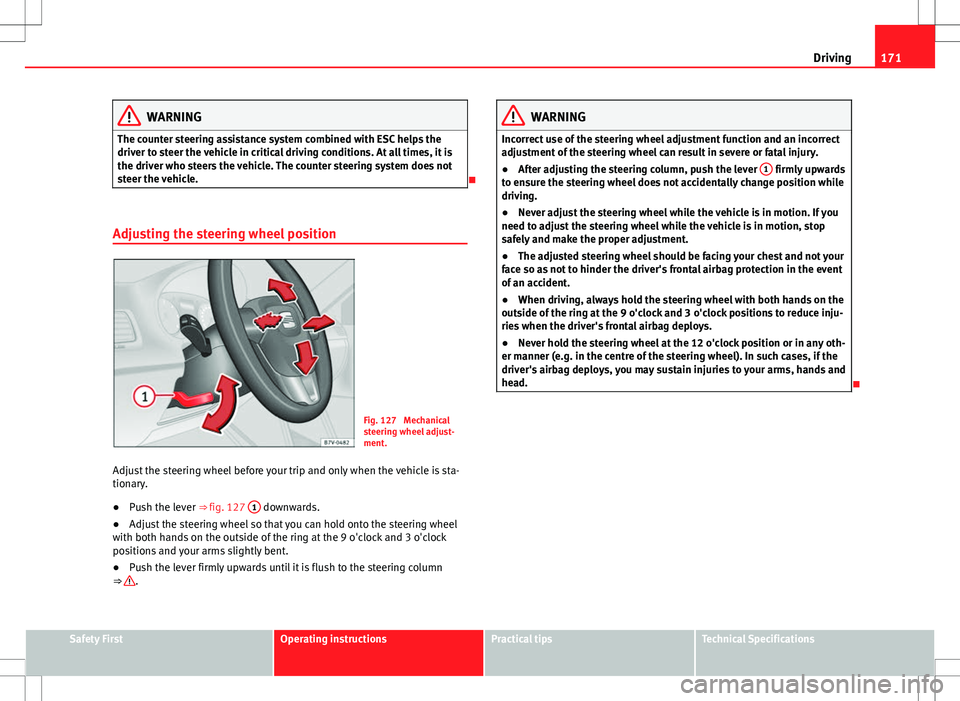
Adjust the steering wheel before your trip and only when the vehicle is sta-
tionary.
● Push the lever ⇒ fig. 127 1
downwards.
● Adjust the steering wheel so that you can hold onto the steering wheel
with both hands on the outside of the ring at the 9 o'clock and 3 o'clock
positions and your arms slightly bent.
● Push the lever firmly upwards until it is flush to the steering column
⇒
.
WARNING
Incorrect use of the steering wheel adjustment function and an incorrect
adjustment of the steering wheel can result in severe or fatal injury.
● After adjusting the steering column, push the lever 1
firmly upwards
to ensure the steering wheel does not accidentally change position while
driving.
● Never adjust the steering wheel while the vehicle is in motion. If you
need to adjust the steering wheel while the vehicle is in motion, stop
safely and make the proper adjustment.
● The adjusted steering wheel should be facing your chest and not your
face so as not to hinder the driver's frontal airbag protection in the event
of an accident.
● When driving, always hold the steering wheel with both hands on the
outside of the ring at the 9 o'clock and 3 o'clock positions to reduce inju-
ries when the driver's frontal airbag deploys.
● Never hold the steering wheel at the 12 o'clock position or in any oth-
er manner (e.g. in the centre of the steering wheel). In such cases, if the
driver's airbag deploys, you may sustain injuries to your arms, hands and
head.
Safety FirstOperating instructionsPractical tipsTechnical Specifications
Page 184 of 388
182Driving
Changing gears with Tiptronic*
Fig. 134 Selector lever
in Tiptronic position (left-
hand drive vehicles). The
lay-out in right-hand
drive vehicles is symmet-
rically opposed.
Fig. 135 Steering wheel
with two paddle shifts for
Tiptronic.
The Tiptronic system allows you to manually change gears in vehicles with
an automatic gearbox. When you change to the Tiptronic programme, the
vehicle remains in the currently selected gear. This is possible as long as
the system is not changing gear automatically due to a traffic situation. Using Tiptronic with the selector lever
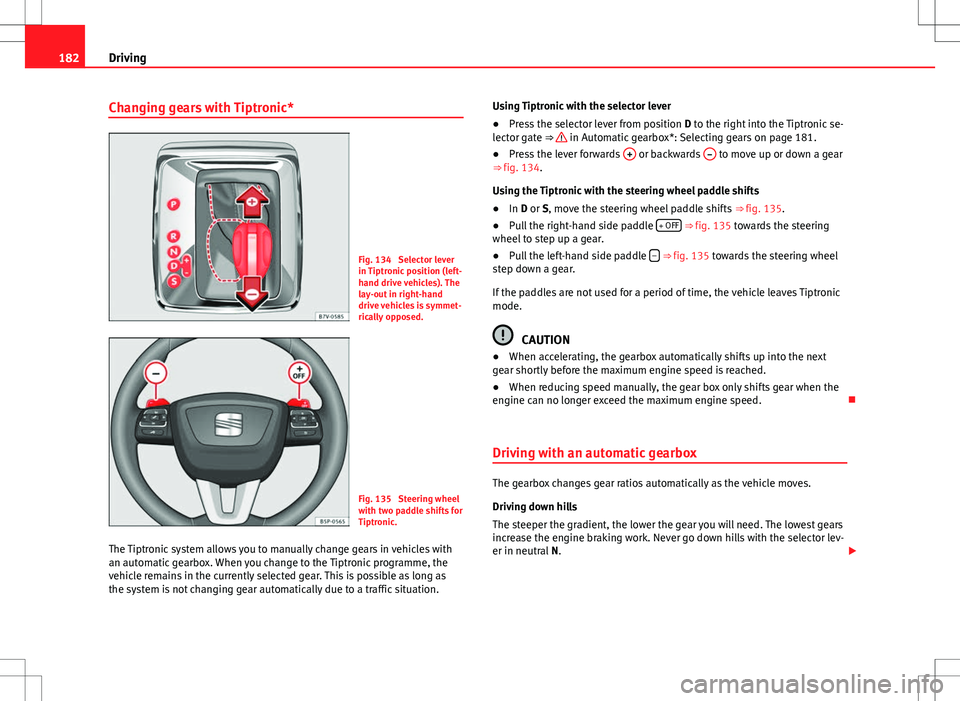
●
Press the selector lever from position D to the right into the Tiptronic se-
lector gate ⇒
in Automatic gearbox*: Selecting gears on page 181.
● Press the lever forwards + or backwards – to move up or down a gear
⇒ fig. 134.
Using the Tiptronic with the steering wheel paddle shifts
● In D or S, move the steering wheel paddle shifts ⇒ fig. 135.
● Pull the right-hand side paddle + OFF
⇒ fig. 135 towards the steering
wheel to step up a gear.
● Pull the left-hand side paddle –
⇒ fig. 135 towards the steering wheel
step down a gear.
If the paddles are not used for a period of time, the vehicle leaves Tiptronic
mode.
CAUTION
● When accelerating, the gearbox automatically shifts up into the next
gear shortly before the maximum engine speed is reached.
● When reducing speed manually, the gear box only shifts gear when the
engine can no longer exceed the maximum engine speed.
Driving with an automatic gearbox
The gearbox changes gear ratios automatically as the vehicle moves.
Driving down hills
The steeper the gradient, the lower the gear you will need. The lowest gears
increase the engine braking work. Never go down hills with the selector lev-
er in neutral N.
Page 193 of 388
191
Driving
Note
When checking the front brake pads, take the time to also check the rear
brake pads. The thickness of the brake pads should be checked visually and
regularly, by looking through the openings in the wheel rims or from under-
neath the vehicle. If necessary, remove the wheels to check them thorough-
ly. SEAT recommends visiting a Technical Service.
Brake assist systems
The brake assist systems ESC, ABS, BAS, ASR and EDL only operate when
the ignition is switched on. They contribute significantly to increasing active
safety.
Electronic Stability Control (ESC)
ESC reduces the risk of skidding and increases the vehicle stability by brak-
ing individual wheels under specific driving conditions. ESC detects critical
handling situations, such as understeer, oversteer and wheelspin on the
driven wheels. The system stabilises the vehicle by braking individual
wheels or by reducing the engine torque.
The ESC has limits. It is important to realise that the ESC is also subject to
the laws of physics. ESC will not be able to deal with all situations with
which drivers may be faced. For example, if the road surface changes sud-
denly then ESC will not be useful in all cases. If the vehicle suddenly enters
a section covered by water, mud or snow then ESC will not provide assis-
tance in the same way as on dry ground. If the vehicle loses its grip on the
ground and moves on a film of water (aquaplaning), the ESC will not be able
to assist the driver to control the vehicle due to the loss of adherence with
the road surface preventing braking and steering. If the vehicle is driven
through series of bends at high speed, the ESC will not always be as effec-
tive: the vehicle reaction to aggressive driving is not the same as at reduced
speeds. When driving with a trailer, ESC does not provide the same amount
of vehicle control as without a trailer. Adjust your speed and driving style to road, traffic and weather conditions.
ESC cannot push the limits of the laws of physics; improve the transmission
available or maintain the vehicle on the road if a lack of driver attention cre-
ates an inevitable situation. Otherwise, ESC assists in maintaining vehicle
control in extreme situations and uses the movements of the steering made
by the driver to maintain the vehicle moving in the desired direction. If the
vehicle is driven at such a speed that it will leave the road before ESC can
intervene then the system cannot provide assistance.
The ABS, BAS, ASR and EDL systems are incorporated into the ESC. The ESC
is always on. The ESC should only be turned off using the ASR button
⇒
fig. 137 when traction is insufficient. Always remember to turn on the ASR
once more when the vehicle has traction again.
Anti-lock brake system (ABS)
ABS can prevent the wheels from locking during braking until just before
the vehicle stops thus helping the driver to steer the vehicle and maintain
control. This means that, even during full braking, the risk of skidding is re-
duced:
● Press and hold the brake pedal fully. Do not remove your foot from the
brake pedal or reduce braking force!
● Do not “pump” the brake pedal, or reduce braking force!
● Maintain vehicle direction when braking fully.
● When the brake pedal is released or when the brake force is reduced,
ABS is turned off.
ABS control can be observed by vibration of the brake pedal and noise. You
should never expect the ABS to reduce the braking distance under any cir-
cumstances. Braking distances will increase when driving on gravel, recent
snow or on icy and slippery ground.
When driving on loose ground, the all-terrain configuration of the ABS is au-
tomatically turned on. When ABS is activated, the front wheels may lock
briefly. This shortens the braking distance in off-road situations as the
wheels are prevented from digging into loose surfaces. All-terrain ABS only
Safety FirstOperating instructionsPractical tipsTechnical Specifications
Page 195 of 388
193
Driving
WARNING (Continued)
● Changes to the vehicle suspension or using unapproved wheel/tyre
combinations can affect operation of the ABS, BAS, ASL EDL and ESC and
their effectiveness.
● Likewise, the effectiveness of ESC depends on the use of suitable
tyres ⇒ page 297.
Note
● To ensure that the ESC and ASR work properly, all four wheels must be
fitted with identical tyres. Any differences in the rolling radius of the tyres
can cause the system to reduce engine power when this is not desired.
● If a malfunction should occur in the ABS, the ESC, EDL and ASR will also
be out of action.
● Noises may be heard while any of the above systems are operating.
Turning on and off the ASR
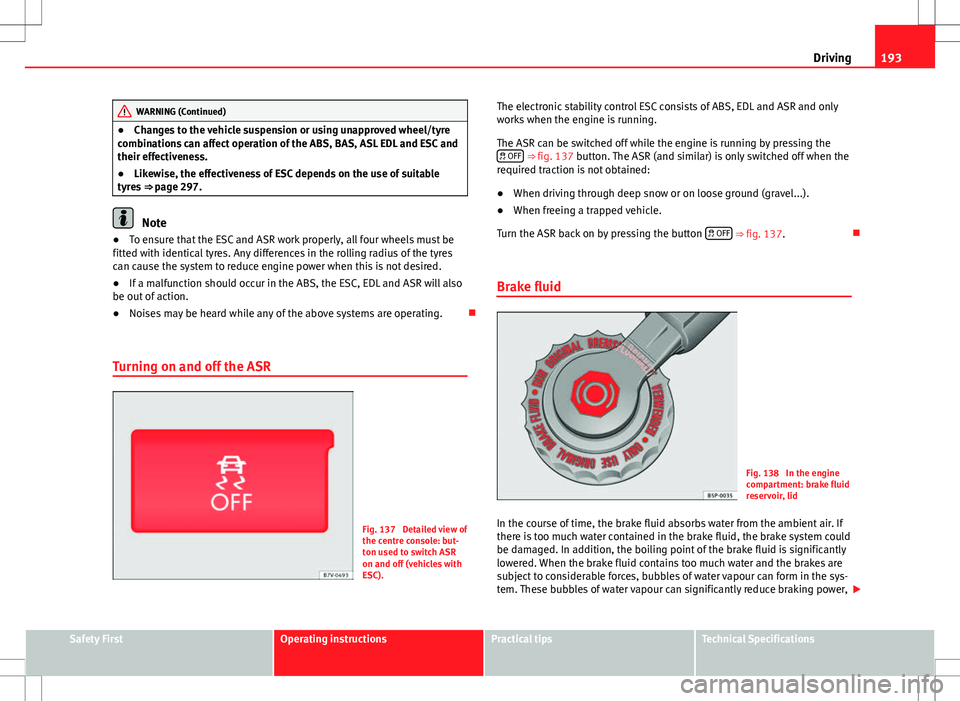
Fig. 137 Detailed view of
the centre console: but-
ton used to switch ASR
on and off (vehicles with
ESC). The electronic stability control ESC consists of ABS, EDL and ASR and only
works when the engine is running.
The ASR can be switched off while the engine is running by pressing the
OFF
⇒ fig. 137 button. The ASR (and similar) is only switched off when the
required traction is not obtained:
● When driving through deep snow or on loose ground (gravel...).
● When freeing a trapped vehicle.
Turn the ASR back on by pressing the button OFF
⇒ fig. 137.
Brake fluid
Fig. 138 In the engine
compartment: brake fluid
reservoir, lid
In the course of time, the brake fluid absorbs water from the ambient air. If
there is too much water contained in the brake fluid, the brake system could
be damaged. In addition, the boiling point of the brake fluid is significantly
lowered. When the brake fluid contains too much water and the brakes are
subject to considerable forces, bubbles of water vapour can form in the sys-
tem. These bubbles of water vapour can significantly reduce braking power,
Safety FirstOperating instructionsPractical tipsTechnical Specifications
Page 199 of 388
197
Driving
If any of the conditions necessary for the Auto Hold function change while
the vehicle stopped, the system is turned off as is the indicator on the but-
ton ⇒ fig. 139. The electronic parking brake engages where necessary to
park the vehicle safely ⇒
.
Conditions for keeping the vehicle at a standstill with Auto Hold:
● The driver's door must be closed.
● The driver's seat belt must be buckled.
● The engine must be running.
● The ASR system is switched on ⇒ page 185.
Switching Auto Hold on and off manually
Press the AUTO HOLD
button ⇒ . The control lamp on the button switches
off when the Auto Hold function is switched off.
Permanent Auto Hold connection
The Auto Hold function must be switched on every time the engine is star-
ted. However, to switch the Auto Hold function on permanently, the mark
must be switched on in the Settings menu, “Autohold” submenu
⇒ page 62.
Auto Hold works automatically under the following conditions:
All points must be fulfilled simultaneously ⇒ : manual gearboxAutomatic gearbox1.If the vehicle is stopped using the brake pedal on a flat or slope.2.The engine must be running smoothly.3.On a slope, the 1st gear is engag-
ed uphill or the reverse gear is en-
gaged for a downhill. The clutch
must be held down.A gear for driving is selected from
R, D or S.
Upon accelerating and pressing in
the clutch simultaneously, the
brake releases gradually.Upon accelerating, the brake re-
leases gradually.
Auto Hold turns off automatically under the following conditions:
manual gearboxAutomatic gearbox1.If one of the conditions mentioned in table on page 197 changes.2.If the engine is not running regularly or if there is a malfunction.3.When changing to idle speed.If the selector lever is placed in
neutral (N).
4.If the engine is turned off or stalls.If the engine is switched off.5.If the driver accelerates while
pressing the clutch in.If the vehicle is accelerated.
6. When one of the wheels has mini-
mal contact with the ground (for
example, on uneven ground).
WARNING
The Auto Hold technology is limited by the laws of physics. The improved
comfort provided by Auto Hold should never prompt you to take risks.
● Never leave the vehicle running and with the Auto Hold function
switched on.
● Auto Hold cannot always stop the vehicle uphill and downhill (for ex-
ample, if the ground is slippery or frozen).
CAUTION
Before entering an automatic car wash, always switch the Auto Hold func-
tion off, as it could be damaged when the electronic parking brake automat-
ically engages.
Safety FirstOperating instructionsPractical tipsTechnical Specifications
Page 203 of 388
201
Driving
Parking sensor system*
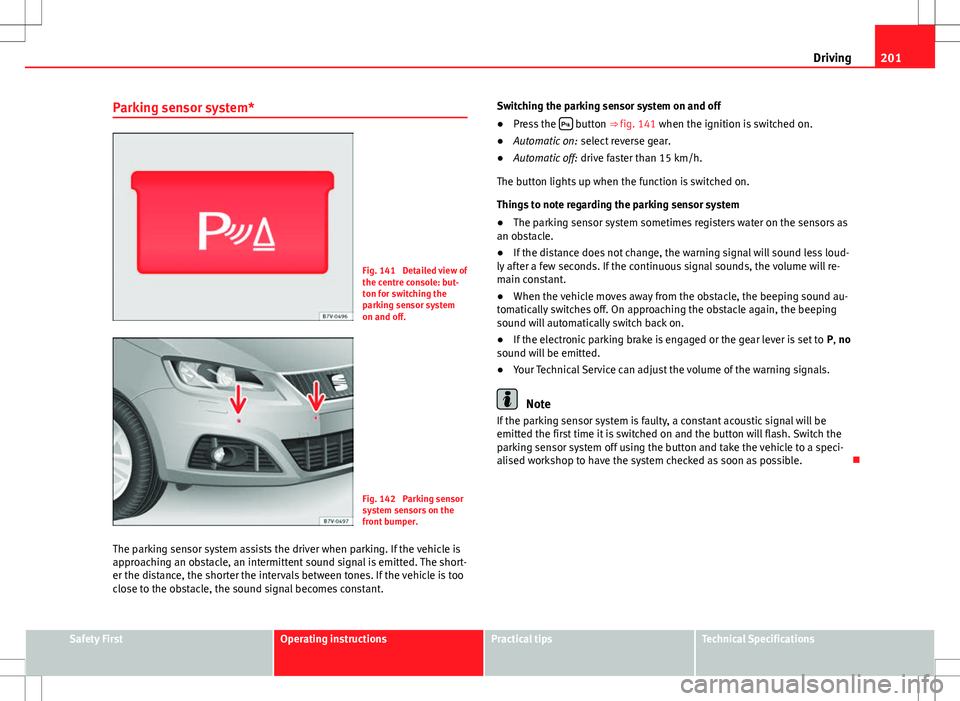
Fig. 141 Detailed view of
the centre console: but-
ton for switching the
parking sensor system
on and off.
Fig. 142 Parking sensor
system sensors on the
front bumper.
The parking sensor system assists the driver when parking. If the vehicle is
approaching an obstacle, an intermittent sound signal is emitted. The short-
er the distance, the shorter the intervals between tones. If the vehicle is too
close to the obstacle, the sound signal becomes constant. Switching the parking sensor system on and off
●
Press the
button ⇒
fig. 141 when the ignition is switched on.
● Automatic on: select reverse gear.
● Automatic off: drive faster than 15 km/h.
The button lights up when the function is switched on.
Things to note regarding the parking sensor system
● The parking sensor system sometimes registers water on the sensors as
an obstacle.
● If the distance does not change, the warning signal will sound less loud-
ly after a few seconds. If the continuous signal sounds, the volume will re-
main constant.
● When the vehicle moves away from the obstacle, the beeping sound au-
tomatically switches off. On approaching the obstacle again, the beeping
sound will automatically switch back on.
● If the electronic parking brake is engaged or the gear lever is set to P, no
sound will be emitted.
● Your Technical Service can adjust the volume of the warning signals.
Note
If the parking sensor system is faulty, a constant acoustic signal will be
emitted the first time it is switched on and the button will flash. Switch the
parking sensor system off using the button and take the vehicle to a speci-
alised workshop to have the system checked as soon as possible.
Safety FirstOperating instructionsPractical tipsTechnical Specifications
Page 218 of 388
216Driving
FunctionControl position,
control operations
⇒ fig. 152Action
Switching the
speed setting
back on.Press RESUME 1
The stored speed is reached again
and maintained. If no speed has
been set then the vehicle will re-
cord and maintain the actual
speed of the vehicle.
Increasing the
stored speed (dur-
ing CCS setting).Hold down
SPEED + +
Short press:
Increases the speed
at intervals of 10 km/h and re-
cords it.
Long press: the vehicle acceler-
ates while the button remains
pressed. Release the button to
store the current speed.
Reducing the stor-
ed speed (during
CCS setting).Press SPEED – –
Short press:
Reduces the speed at
intervals of 10 km/h and records
it.
Long press: while this remains
pressed, speed is reduced inter-
rupting the accelerator without
using the brakes. Release the but-
ton to store the current speed.
Switching off the
cruise control sys-
tem.Click OFF 2The system is switched off. The
stored speed is deleted.
Travelling down hills with the CCS
When travelling down hills the CCS cannot maintain a constant speed. Slow
the vehicle down using the brake pedal and reduce gears if required.
Automatic off
The cruise control system is switched off automatically or temporarily: ●
If the system detects a fault that could affect the working order of the
CCS.
● If you increase the stored speed by using the accelerator for a certain
time.
● if the brake or clutch pedal is depressed.
● If you change gears.
● If the airbag is triggered.
Page 219 of 388
217
Driving
Lane Assist system* Introduction
Additional information and warnings:
● SEAT information system ⇒ page 62
● Accessories, parts replacement, repairs and modifications ⇒ page 261
WARNING
The intelligent technology in the lane assist system cannot change the
limits imposed by the laws of physics and by the system itself. Careless
or uncontrolled use of the lane assist system may cause accidents and in-
jury. The system is not a replacement for driver awareness.
● Always adapt your speed and the distance to the vehicles ahead in
line with visibility, weather conditions, the condition of the road and the
traffic situation.
● Always keep your hands on the steering wheel so you can turn it at
any time.
● The lane assist system does not detect all road markings. In some cir-
cumstances, the poor state of the road, structures located on it or certain
objects may be mistakenly recognised as road markings by the lane as-
sist system. In such situations, switch the lane assist system off immedi-
ately.
● Pay attention to the instructions on the instrument panel display and
act accordingly to its requests.
● Always pay attention to the vehicle's surroundings.
Note
The lane assist system has been exclusively developed for driving on as-
phalted roads.
Note
If the lane assist system does not work as described in this chapter, do not
use it and contact a specialised workshop.
Note
If you observe any system malfunction, have the system checked by a speci-
alised workshop.
Safety FirstOperating instructionsPractical tipsTechnical Specifications
Page 220 of 388
218Driving
Control lamps
Blinks or lights
upPossible causeSolution
(yellow)Lane assist system con-
nected but inactive.
The system cannot clearly
detect the lane. See and
page 219, The lane assist
system is inactive (control
lamp lit in yellow).
(green)Lane assist system con-
nected and active.–
Several warning and control lamps should light up for a few seconds when
the ignition is switched. This signals that the lamp is working properly. They
will switch off after a few seconds.
WARNING
If the warning lamps and messages are ignored, the vehicle may stall in
traffic, or may cause accidents and severe injuries.
● Never ignore the warning lamps or text messages.
● Stop the vehicle safely as soon as possible.
CAUTION
Failure to heed the warning lamps and text messages when they appear
may result in faults in the vehicle. Operation mode
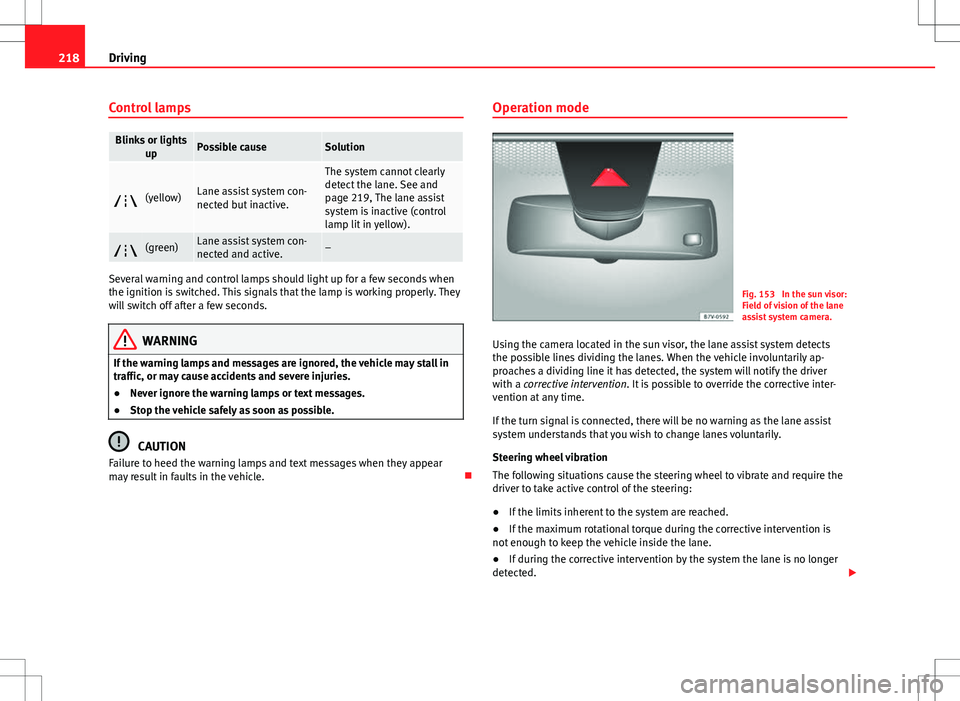
Fig. 153 In the sun visor:
Field of vision of the lane
assist system camera.
Using the camera located in the sun visor, the lane assist system detects
the possible lines dividing the lanes. When the vehicle involuntarily ap-
proaches a dividing line it has detected, the system will notify the driver
with a corrective intervention. It is possible to override the corrective inter-
vention at any time.
If the turn signal is connected, there will be no warning as the lane assist
system understands that you wish to change lanes voluntarily.
Steering wheel vibration
The following situations cause the steering wheel to vibrate and require the
driver to take active control of the steering:
● If the limits inherent to the system are reached.
● If the maximum rotational torque during the corrective intervention is
not enough to keep the vehicle inside the lane.
● If during the corrective intervention by the system the lane is no longer
detected.