parking Seat Alhambra 2012 Owner's Guide
[x] Cancel search | Manufacturer: SEAT, Model Year: 2012, Model line: Alhambra, Model: Seat Alhambra 2012Pages: 388, PDF Size: 6.72 MB
Page 187 of 388
185
Driving
Braking, stopping and parking
Introduction
The assisted braking systems include the anti-lock braking system (ABS),
the brake assist system (BAS), the electronic differential lock (EDL), the trac-
tion control system (ASR) and the electronic stability control (ESC).
Additional information and warnings:
● Towing mode ⇒ page 237
● Start assist systems ⇒ page 196
● Wheels and tyres ⇒ page 297
● Accessories, parts replacement, repairs and modifications ⇒ page 261
WARNING
Driving with worn brake pads or a faulty brake system may lead to seri-
ous accident.
● If lights, alone or accompanied by a warning message on the in-
strument panel, please go immediately to a specialised workshop to
check the brake pads and to replace them if they are worn.
WARNING
Careless parking can cause serious injury.
● Never remove the key from the ignition if the vehicle is in motion. The
steering lock may engage and locked the steering wheel making the vehi-
cle impossible to control.
● Always park your vehicle so that no part of the exhaust system can
come in contact with flammable materials (such as wood, leaves, spilled
fuel, dried grass, etc).
WARNING (Continued)
● Always apply the electronic parking brake when you leave your vehi-
cle and when you park.
● Never leave children or disabled people alone in the vehicle. They
could release the electronic parking brake, activate the selector lever or
gear stick and start the vehicle moving. This could result in serious acci-
dent.
● Always take all the keys with you whenever you leave the vehicle. The
engine could accidentally be started and electrical equipment such as
the windows could accidentally be operated resulting in serious injury.
● Never leave children or disabled people alone in the car. They could
be trapped in the car in an emergency and will not be able to get them-
selves to safety. For example, depending on the time of the year, temper-
atures inside a locked and closed vehicle can be extremely high or ex-
tremely low resulting in serious injuries and illness or even death, partic-
ularly for young children.
CAUTION
● Special care should be taken when parking in areas with high kerbs or
fixed barriers. Objects protruding from the ground may damage the bumper
or other parts of the vehicle during manoeuvres. To avoid damage, stop be-
fore the wheels touched the barrier or kerb.
● Special attention is required when driving through entrances, over
ramps, kerbs or other objects. The vehicle underbody, bumpers, mudguards
and running gear, and the engine and exhaust system could be damaged as
you drive over these objects.
Safety FirstOperating instructionsPractical tipsTechnical Specifications
Page 188 of 388
186Driving
Warning and control lamps
lights upPossible cause ⇒ Solution
(red)
Together with the control
lamp on the button: Elec-
tronic parking brake on.⇒ page 187
Fault in the brake system Stop the vehicle!
Seek professional assistance!
⇒ page 189.
Brake fluid level inadequate. Do not drive on!
Check brake fluid level
⇒ page 194.
Together with the ABS con-
trol lamp : ABS fault.Contact a specialised workshop.
The vehicle can be braked with-
out ABS.
(red)Brake pedal not pressed!Press brake pedal to the floor.
(yel-
low)Front brake pads worn.
Contact a specialised workshop
immediately. Inspect all the
brake pads and replace as nec-
essary.
(yel-
low)
ESC disconnected by system.Switching the ignition on and
off If necessary, drive for a short
distance.
Fault in the ESC.Contact a specialised workshop.
Together with the ABS con-
trol lamp : Fault in ABS.Contact a specialised workshop.
The vehicle can be braked with-
out ABS.
The battery has been recon-
nected.⇒ page 292
(yellow)ASR manually deactivated.
Switch on ASR ⇒ page 193.
ASR is automatically activated
when the ignition is switched on
or off.
lights upPossible cause ⇒ Solution
(yel-
low)Together with the ESC control
lamp : Fault in ABS.Contact a specialised workshop.
The vehicle can be braked with-
out ABS.
Together with the warning
lamp or : ABS fault.
(yel-
low)Together with the warning
lamp flashing: Electronic
parking brake faulty.Contact a specialised workshop.
(green)Brake pedal not pressed.
Press the brake pedal to select
a gear ratio.
Press the brake pedal to discon-
nect the electronic parking
brake ⇒ page 187.
flashesPossible cause ⇒ Solution
(red)
Electronic parking brake faul-
ty. The control lamp may
light up at the same time or
the control lamp may flash
on the button.Contact a specialised work-
shop, as it may not be possible
to park the vehicle in safety.
(yel- low)ESC or ASR regulating.Take your foot off the accelera-
tor. Adjust your driving style to
the road conditions.
Several warning and control lamps should light up for a few seconds when
the ignition is switched. This signals that the lamp is working properly. They
will switch off after a few seconds.
WARNING
If the warning lamps and messages are ignored, the vehicle may stall in
traffic, or may cause accidents and severe injuries.
● Never ignore the warning lamps or text messages.
● Stop the vehicle safely as soon as possible.
Page 189 of 388
187
Driving
WARNING
Driving with brakes in bad condition could result in a serious accident.
● If the brake warning lamp does not go out, or if it lights up when
driving, the brake fluid level in the reservoir is too low or there is a fault
in the brake system. Obtain professional assistance immediately
⇒ page 193, Brake fluid.
● If the brake warning lamp lights up together with the ABS warning
lamp , the regulation function of the ABS could be malfunctioning. As a
result, the rear wheels can lock relatively easily when braking. If the rear
wheels lock this could result in loss of vehicle control! If possible, reduce
your speed and drive carefully to a specialised workshop close by to
check the brake system. During the following journey, avoid sudden brak-
ing and manoeuvres.
● If the ABS warning lamp does not go out or if it lights while driv-
ing, the ABS is malfunctioning. The vehicle can only be stopped using
normal braking without ABS. The protection provided by the ABS is not
available. Visit a specialised workshop as soon as possible.
● If lights, alone or accompanied by a warning message on the in-
strument panel screen, please go immediately to a specialised workshop
to check the brake pads and to replace them if they are worn.
CAUTION
Failure to heed the warning lamps and text messages when they appear
may result in faults in the vehicle. Electronic parking brake
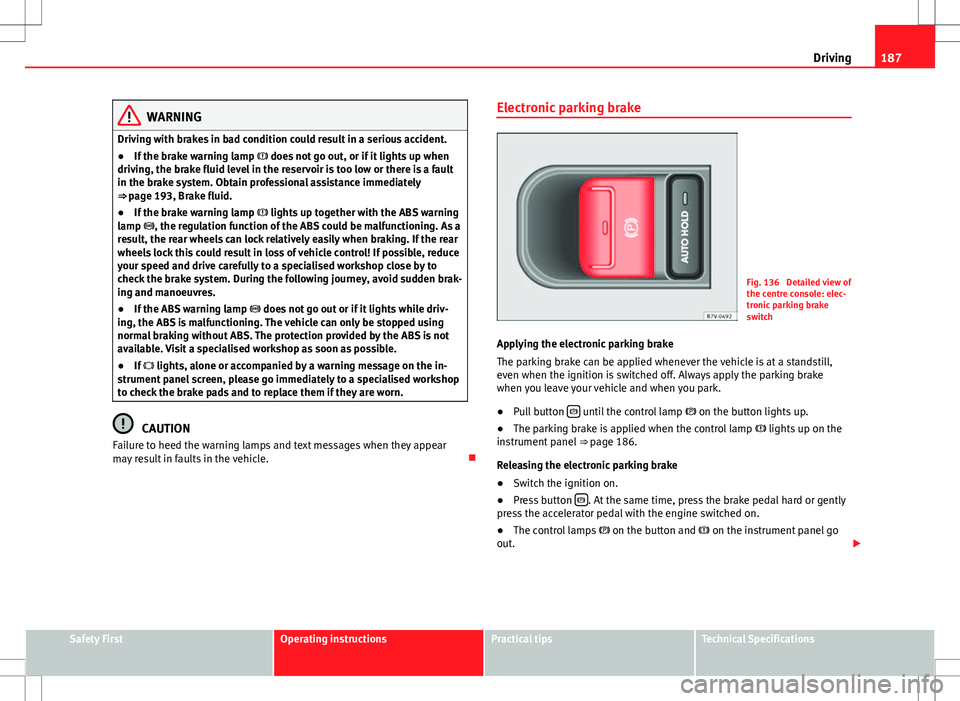
Fig. 136 Detailed view of
the centre console: elec-
tronic parking brake
switch
Applying the electronic parking brake
The parking brake can be applied whenever the vehicle is at a standstill,
even when the ignition is switched off. Always apply the parking brake
when you leave your vehicle and when you park.
● Pull button
until the control lamp
on the button lights up.
● The parking brake is applied when the control lamp lights up on the
instrument panel ⇒ page 186.
Releasing the electronic parking brake
● Switch the ignition on.
● Press button
. At the same time, press the brake pedal hard or gently
press the accelerator pedal with the engine switched on.
● The control lamps on the button and on the instrument panel go
out.
Safety FirstOperating instructionsPractical tipsTechnical Specifications
Page 190 of 388
188Driving
Automatic release of the electronic parking brake on starting the engine
The electronic parking brake is automatically released when the vehicle
starts moving, if the driver's door is closed and the driver is wearing his/her
seat belt. In vehicles with a manual gearbox the clutch pedal should also be
pressed to the floor before starting the engine so that the system recogni-
ses that the parking brake should be released.
Emergency braking function
Only use the emergency braking function if the vehicle cannot be stopped
with the brake pedal ⇒
!
● Pull button
hard to stop the vehicle. The warning display will be ac-
companied by the corresponding warning chime.
● To stop the braking process, release the button or press the accelerator.
WARNING
The incorrect use of the electronic parking brake may result in serious ac-
cident.
● Never use the electronic parking brake to brake the vehicle except in
an emergency. The braking distance is considerably longer, because
braking is only applied to the rear wheels. Always use the foot brake.
● Never accelerate from the engine compartment with the engine run-
ning and a gear or a gear range engaged. The vehicle could move, even if
the parking brake is applied.
Note
● In vehicles with a manual gearbox: When the clutch pedal is released
and the accelerator pressed at the same time, the electronic parking brake
is automatically released.
● If the vehicle battery is flat, it will not be possible to disconnect the elec-
tronic parking brake. Use the jump-start ⇒ page 341. ●
When the electronic parking brake is applied or released, noises may be
heard.
● If the electronic parking brake has not been used for a long while, the
system sometimes performs automatic and audible checks while the vehi-
cle is at a standstill.
Parking
When parking your vehicle, all legal requirements should be observed.
To park the vehicle
Complete operations only in the sequence given.
● Park the vehicle on a suitable surface ⇒
.
● Press and hold the brake pedal until the vehicle comes to a standstill.
● Connect the electronic parking brake ⇒ page 187.
● For an automatic gearbox, move the selector lever to position P.
● Switch off the engine and release the brake pedal.
● Remove the key from the ignition.
● If necessary, turn the steering wheel slightly to lock the steering.
● With a manual gearbox, engage the 1st gear on flat ground and slopes,
or even the reverse gear on hills, and release the clutch pedal.
● Ensure that all passengers leave the vehicle, especially children.
● When leaving the vehicle, take all keys with you.
● Lock the vehicle.
Additional information for steep slopes and hills
Before switching off the engine, rotate the steering wheel so that if the vehi-
cle should move then it will be held by the kerb.
Page 191 of 388
189
Driving
● On slopes, turn the front wheels so that they are against the edge of the
kerb.
● Uphill, turn the wheels towards the centre of the road.
WARNING
The components of the exhaust system reach very high temperatures.
This could cause a fire and considerable damage.
● Always park your vehicle so that no part of the exhaust system can
come in contact with flammable materials (such as wood, leaves, spilled
fuel, dried grass, etc).
CAUTION
● Special care should be taken when parking in areas with high kerbs or
fixed barriers. Objects protruding from the ground may damage the bumper
or other parts of the vehicle during manoeuvres. To avoid damage, stop be-
fore the wheels touched the barrier or kerb.
● Special attention is required when driving through entrances, over
ramps, kerbs or other objects. The vehicle underbody, bumpers, mudguards
and running gear, and the engine and exhaust system could be damaged as
you drive over these objects.
Information about the brakes
For the first 200 to 300 km (100 to 200 miles), new brake pads have not yet
reached their maximum braking capacity, and need to be “run in” first ⇒ .
The slightly reduced braking effect can be compensated for by increasing
pressure on the brake pedal. While running in, the full braking distance or
emergency braking distance is larger then when the brake pads have been
run in. While running in, avoid full power braking or situations requiring
braking performance. For example, in heavy traffic. The rate of wear of the brake pads
depends to a great extent on the condi-
tions in which the vehicle is used and the way the vehicle is driven. If the
vehicle is used frequently in city traffic or for short trips or driven sport style,
visit a specialised workshop regularly more frequently than advised in the
Maintenance Programme to have the bake pads checked.
If you drive with wet brakes, for example, after crossing areas of water, in
heavy rainfall or even after washing the car, the effect of the brakes is less-
ened as the brake discs are wet or even frozen (in winter). At higher speed,
dry the brakes as quickly as possible by braking gently several times. Only
do this without endangering vehicles behind you or any other road users
⇒
.
A layer of salt on the discs and brake pads will reduce brake efficiency and
increase braking distance. If you drive for a prolonged period on salted
roads without braking then brake carefully several times to eliminate the
layer of salt on the brakes ⇒
.
If the vehicle remains parked for considerable lengths of time, is used little,
or if the brakes are not used, there may be corrosion on the brake discs and
a build-up of dirt on the brake pads. If the brakes are not used frequently, or
if rust has formed on the discs, SEAT recommends cleaning the pads and
discs by braking firmly a few times at a moderately high speed. Only do this
without endangering vehicles behind you or any other road users ⇒
.
Faults in the brake system
During braking, if you notice that the vehicle does not react as usual (that
the braking distance has increased suddenly) it may be possible that there
is a fault in the braking system. The warning lamp lights up and a text
message displayed. Take the vehicle to a Technical Service immediately and
have the fault repaired. Drive at a moderate speed and be prepared to use
more pressure on the brake pedal, and allow for longer stopping distances.
Brake servo
The brake servo only operates when the engine is running and the pressure
applied by the driver on the brake pedal increases.
Safety FirstOperating instructionsPractical tipsTechnical Specifications
Page 198 of 388
196Driving
Start assist systems
Introduction
Additional information and warnings:
● SEAT information system ⇒ page 62
● Braking, stopping and parking ⇒ page 185
● Vehicle battery ⇒ page 292
● Wheels and tyres ⇒ page 297
● Accessories, parts replacement, repairs and modifications ⇒ page 261
● Jump starting ⇒ page 341
WARNING
The intelligent technology in the start assist systems cannot change the
laws of physics. The improved comfort provided by start assist systems
should not prompt you to take risks.
● Unintentional movements of the vehicle could cause serious injury.
● The start assist systems are not a replacement for driver awareness.
● Always try to adapt the speed of the vehicle and your style of driving
to the condition of the ground or the road and to weather and traffic con-
ditions.
● The start assist system cannot keep the vehicle stationary in all con-
ditions on a gradient or cause it to brake on steep downhill gradients,
e.g. if the road is slippery or icy.
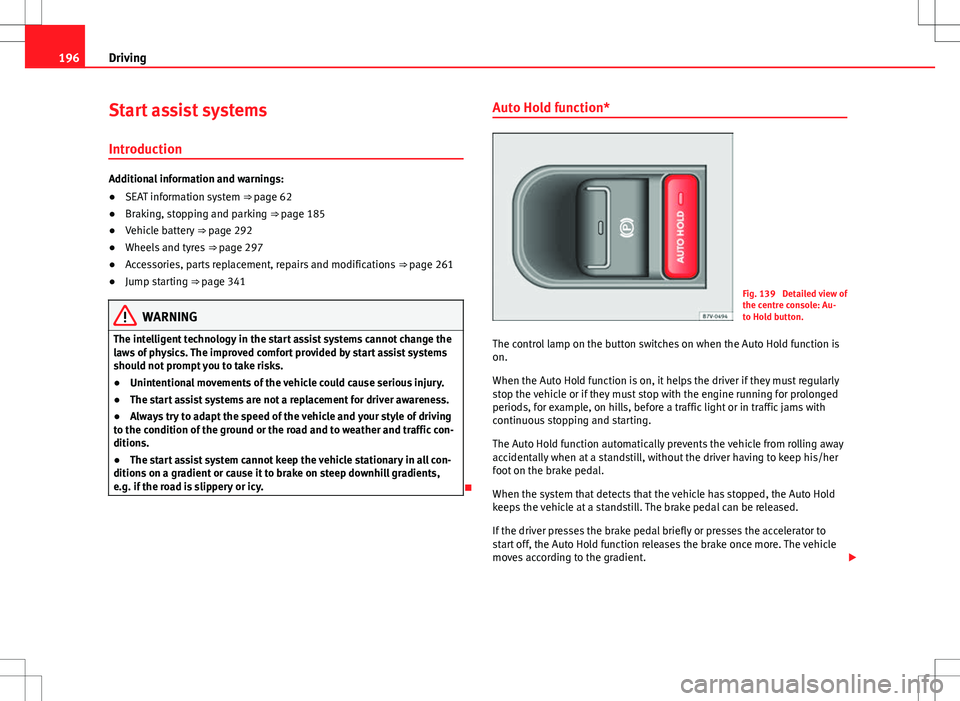
Auto Hold function*
Fig. 139 Detailed view of
the centre console: Au-
to Hold button.
The control lamp on the button switches on when the Auto Hold function is
on.
When the Auto Hold function is on, it helps the driver if they must regularly
stop the vehicle or if they must stop with the engine running for prolonged
periods, for example, on hills, before a traffic light or in traffic jams with
continuous stopping and starting.
The Auto Hold function automatically prevents the vehicle from rolling away
accidentally when at a standstill, without the driver having to keep his/her
foot on the brake pedal.
When the system that detects that the vehicle has stopped, the Auto Hold
keeps the vehicle at a standstill. The brake pedal can be released.
If the driver presses the brake pedal briefly or presses the accelerator to
start off, the Auto Hold function releases the brake once more. The vehicle
moves according to the gradient.
Page 199 of 388
197
Driving
If any of the conditions necessary for the Auto Hold function change while
the vehicle stopped, the system is turned off as is the indicator on the but-
ton ⇒ fig. 139. The electronic parking brake engages where necessary to
park the vehicle safely ⇒
.
Conditions for keeping the vehicle at a standstill with Auto Hold:
● The driver's door must be closed.
● The driver's seat belt must be buckled.
● The engine must be running.
● The ASR system is switched on ⇒ page 185.
Switching Auto Hold on and off manually
Press the AUTO HOLD
button ⇒ . The control lamp on the button switches
off when the Auto Hold function is switched off.
Permanent Auto Hold connection
The Auto Hold function must be switched on every time the engine is star-
ted. However, to switch the Auto Hold function on permanently, the mark
must be switched on in the Settings menu, “Autohold” submenu
⇒ page 62.
Auto Hold works automatically under the following conditions:
All points must be fulfilled simultaneously ⇒ : manual gearboxAutomatic gearbox1.If the vehicle is stopped using the brake pedal on a flat or slope.2.The engine must be running smoothly.3.On a slope, the 1st gear is engag-
ed uphill or the reverse gear is en-
gaged for a downhill. The clutch
must be held down.A gear for driving is selected from
R, D or S.
Upon accelerating and pressing in
the clutch simultaneously, the
brake releases gradually.Upon accelerating, the brake re-
leases gradually.
Auto Hold turns off automatically under the following conditions:
manual gearboxAutomatic gearbox1.If one of the conditions mentioned in table on page 197 changes.2.If the engine is not running regularly or if there is a malfunction.3.When changing to idle speed.If the selector lever is placed in
neutral (N).
4.If the engine is turned off or stalls.If the engine is switched off.5.If the driver accelerates while
pressing the clutch in.If the vehicle is accelerated.
6. When one of the wheels has mini-
mal contact with the ground (for
example, on uneven ground).
WARNING
The Auto Hold technology is limited by the laws of physics. The improved
comfort provided by Auto Hold should never prompt you to take risks.
● Never leave the vehicle running and with the Auto Hold function
switched on.
● Auto Hold cannot always stop the vehicle uphill and downhill (for ex-
ample, if the ground is slippery or frozen).
CAUTION
Before entering an automatic car wash, always switch the Auto Hold func-
tion off, as it could be damaged when the electronic parking brake automat-
ically engages.
Safety FirstOperating instructionsPractical tipsTechnical Specifications
Page 202 of 388
200Driving
Parking sensor system*
Introduction
The parking sensor system assists the driver when parking. When the vehi-
cle approaches an obstacle, forwards or backwards, an intermittent sound
will be heard, higher or lower depending on the distance. The shorter the
distance, the shorter the intervals between tones. If the vehicle is too close
to the obstacle, the sound signal becomes constant.
If you continue to approach an obstacle when the sound is continuous, this
means the system can no longer measure the distance.
The sensor system on the bumpers transmit and receive ultrasound. Using
the ultrasound signal (transmission, reflection from the obstacle and recep-
tion), this system continuously calculates the distance between the bumper
and the obstacle.
Additional information and warnings:
● Park Assist system ⇒ page 204
● Accessories, parts replacement, repairs and modifications ⇒ page 261
WARNING
The parking sensor system and the optical parking system cannot re-
place driver awareness.
● The sensors have blind spots in which obstacles and people are not
registered.
● Always observe the area around the vehicle, as the sensors do not al-
ways detect small children, animals or objects.
WARNING (Continued)
● The surface of certain objects and some clothing do not reflect the ul-
trasound signals from the parking distance system. The system cannot
detect or incorrectly detects these objects and people wearing these
types of clothes.
● External sound sources can affect the parking distance aid signals. In
this case, under certain circumstances, people and objects will not be de-
tected.
CAUTION
● The sensors may not always be able to detect objects such as trailer
draw bars, thin rails, fences, posts, trees and open boots, etc. This could re-
sult in damage to your car.
● Although the parking sensor system detects and warns of the presence
of an obstacle, the obstacle could disappear from the angle of measure-
ment of the sensors if it is too high or low and the system would no longer
indicate it. Therefore, it will not warn you of these objects. Ignoring the
warnings of the parking sensor system could cause considerable damage to
the vehicle.
● The bumper sensors may become damaged or misaligned, for example,
when parking.
● To ensure that the system works properly, the bumper sensors must be
kept clean, free of ice and snow and uncovered.
● When cleaning the sensors with high-pressure or steam cleaning equip-
ment, spray the sensors briefly at a distance of no less than 10 cm (4 in-
ches).
Note
Acoustic sources may lead to erroneous warnings on the parking sensor
system, e.g. rough tarmac, cobbles or the noise of other vehicles.
Page 203 of 388
201
Driving
Parking sensor system*
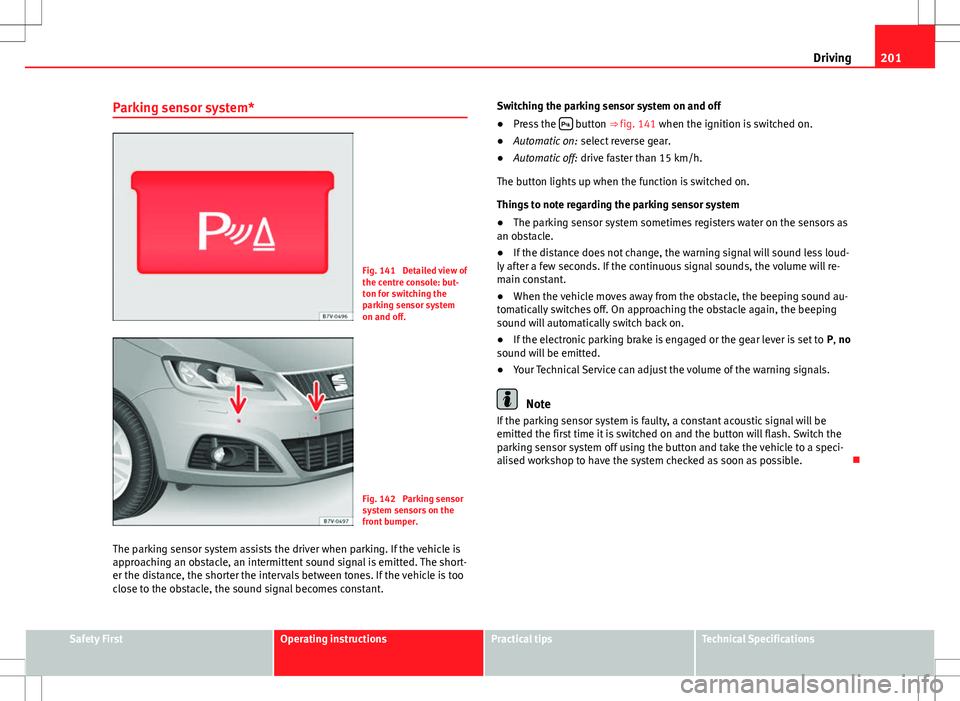
Fig. 141 Detailed view of
the centre console: but-
ton for switching the
parking sensor system
on and off.
Fig. 142 Parking sensor
system sensors on the
front bumper.
The parking sensor system assists the driver when parking. If the vehicle is
approaching an obstacle, an intermittent sound signal is emitted. The short-
er the distance, the shorter the intervals between tones. If the vehicle is too
close to the obstacle, the sound signal becomes constant. Switching the parking sensor system on and off
●
Press the
button ⇒
fig. 141 when the ignition is switched on.
● Automatic on: select reverse gear.
● Automatic off: drive faster than 15 km/h.
The button lights up when the function is switched on.
Things to note regarding the parking sensor system
● The parking sensor system sometimes registers water on the sensors as
an obstacle.
● If the distance does not change, the warning signal will sound less loud-
ly after a few seconds. If the continuous signal sounds, the volume will re-
main constant.
● When the vehicle moves away from the obstacle, the beeping sound au-
tomatically switches off. On approaching the obstacle again, the beeping
sound will automatically switch back on.
● If the electronic parking brake is engaged or the gear lever is set to P, no
sound will be emitted.
● Your Technical Service can adjust the volume of the warning signals.
Note
If the parking sensor system is faulty, a constant acoustic signal will be
emitted the first time it is switched on and the button will flash. Switch the
parking sensor system off using the button and take the vehicle to a speci-
alised workshop to have the system checked as soon as possible.
Safety FirstOperating instructionsPractical tipsTechnical Specifications
Page 204 of 388
202Driving
Optical parking system* (OPS)
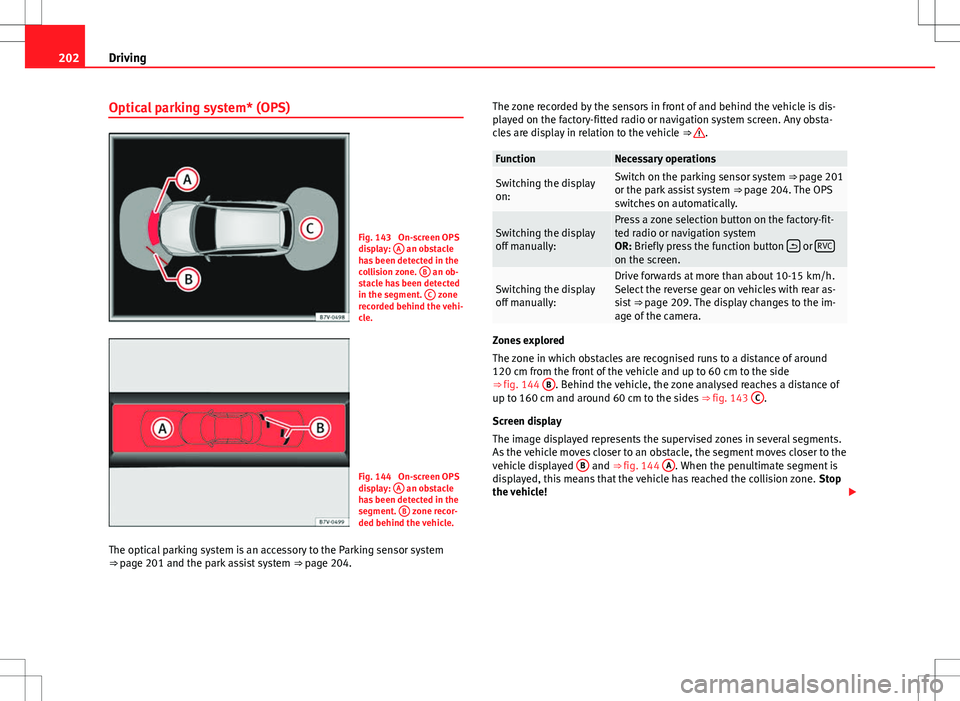
Fig. 143 On-screen OPS
display: A an obstacle
has been detected in the
collision zone. B
an ob-
stacle has been detected
in the segment. C
zone
recorded behind the vehi-
cle.
Fig. 144 On-screen OPS
display: A an obstacle
has been detected in the
segment. B
zone recor-
ded behind the vehicle.
The optical parking system is an accessory to the Parking sensor system
⇒ page 201 and the park assist system ⇒ page 204. The zone recorded by the sensors in front of and behind the vehicle is dis-
played on the factory-fitted radio or navigation system screen. Any obsta-
cles are display in relation to the vehicle
⇒
.
FunctionNecessary operations
Switching the display
on:Switch on the parking sensor system ⇒ page 201
or the park assist system ⇒ page 204. The OPS
switches on automatically.
Switching the display
off manually:Press a zone selection button on the factory-fit-
ted radio or navigation system
OR: Briefly press the function button
or RVCon the screen.
Switching the display
off manually:Drive forwards at more than about 10-15 km/h.
Select the reverse gear on vehicles with rear as-
sist
⇒ page 209. The display changes to the im-
age of the camera.
Zones explored
The zone in which obstacles are recognised runs to a distance of around
120 cm from the front of the vehicle and up to 60 cm to the side
⇒ fig. 144 B
. Behind the vehicle, the zone analysed reaches a distance of
up to 160 cm and around 60 cm to the sides ⇒ fig. 143 C.
Screen display
The image displayed represents the supervised zones in several segments.
As the vehicle moves closer to an obstacle, the segment moves closer to the
vehicle displayed B
and ⇒ fig. 144 A. When the penultimate segment is
displayed, this means that the vehicle has reached the collision zone. Stop
the vehicle!