instrument panel Seat Alhambra 2014 Service Manual
[x] Cancel search | Manufacturer: SEAT, Model Year: 2014, Model line: Alhambra, Model: Seat Alhambra 2014Pages: 381, PDF Size: 5.75 MB
Page 219 of 381
217
Driving
Lane Assist system* Introduction
Additional information and warnings:
● SEAT information system ⇒ page 62
● Accessories, parts replacement, repairs and modifications ⇒ page 261
WARNING
The intelligent technology in the lane assist system cannot change the
limits imposed by the laws of physics and by the system itself. Careless
or uncontrolled use of the Lane Assist system may cause accidents and
injury. The system is not a replacement for driver awareness.
● Always adapt your speed and the distance to the vehicles ahead in
line with visibility, weather conditions, the condition of the road and the
traffic situation.
● Always keep your hands on the steering wheel so you can turn it at
any time.
● The lane assist system does not detect all road markings. In some cir-
cumstances, the poor state of the road, structures located on it or certain
objects may be mistakenly recognised as road markings by the lane as-
sist system. In such situations, switch the lane assist system off immedi-
ately.
● Pay attention to the instructions on the instrument panel display and
act accordingly to its requests.
● Always pay attention to the vehicle's surroundings.
Note
The lane assist system has been exclusively developed for driving on as-
phalted roads.
Note
If the lane assist system does not work as described in this chapter, do not
use it and contact a specialised workshop.
Note
If you observe any system malfunction, have the system checked by a speci-
alised workshop.
Safety FirstOperating instructionsPractical TipsTechnical Specifications
Page 222 of 381
220Driving
Sign Assist*
Introduction
Sign Assist can help the driver with information on speed limits or if over-
taking is prohibited at that moment. The traffic signs and additional infor-
mation detected by the system is represented in the instrument panel dis-
play and in the visual presentation of the navigation system map.
Applicable countries:
Sign Assist is supported in the following countries:
Andorra, Belgium, Denmark, Germany, Finland, France, Ireland, Italy, Liech-
tenstein, Luxembourg, Monaco, Netherlands, Norway, Austria, Poland, Por-
tugal, San Marino, Sweden, Switzerland, Spain, Czech Republic, United
Kingdom, Vatican City.
Additional information and warnings:
● SEAT information system ⇒ page 62
● Navigation system ⇒ Booklet Navigation system
WARNING
The traffic signs and instructions shown by Sign Assist may differ from
the current traffic situation.
● The signs and Highway Code rules always take precedence over the
instructions and display of Sign Assist.
● Adjust your speed and driving style to visibility, road, traffic and
weather conditions.
● The system cannot always detect or correctly show all the traffic
signs.
WARNING
The traffic sign detection is not a replacement for driver awareness.
● Adverse conditions of visibility, darkness, snow, rain and fog can
cause the system not to show the traffic signs or to show them errone-
ously.
CAUTION
● If old mapping data is used in the navigation system, this may cause the
traffic signs to be shown incorrectly.
● In the route points mode (navigation by route points) of the navigation
system, Sign Assist is only partly available.
Page 223 of 381
221
Driving
Indication on display
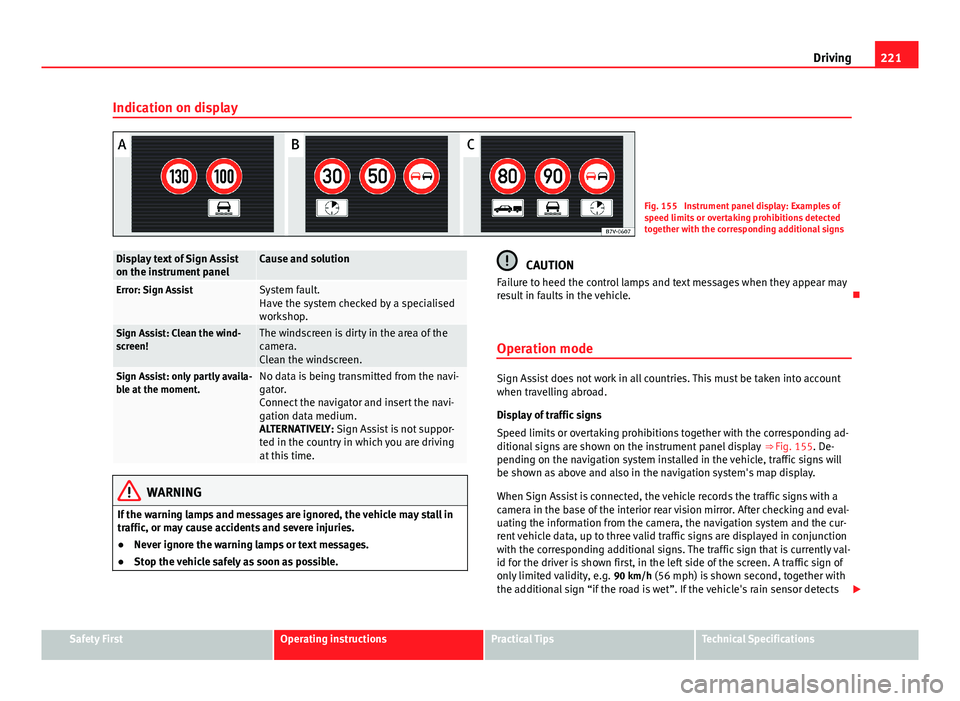
Fig. 155 Instrument panel display: Examples of
speed limits or overtaking prohibitions detected
together with the corresponding additional signs
Display text of Sign Assist
on the instrument panelCause and solution
Error: Sign AssistSystem fault.
Have the system checked by a specialised
workshop.
Sign Assist: Clean the wind-
screen!The windscreen is dirty in the area of the
camera.
Clean the windscreen.
Sign Assist: only partly availa-
ble at the moment.No data is being transmitted from the navi-
gator.
Connect the navigator and insert the navi-
gation data medium.
ALTERNATIVELY: Sign Assist is not suppor-
ted in the country in which you are driving
at this time.
WARNING
If the warning lamps and messages are ignored, the vehicle may stall in
traffic, or may cause accidents and severe injuries.
● Never ignore the warning lamps or text messages.
● Stop the vehicle safely as soon as possible.
CAUTION
Failure to heed the control lamps and text messages when they appear may
result in faults in the vehicle.
Operation mode
Sign Assist does not work in all countries. This must be taken into account
when travelling abroad.
Display of traffic signs
Speed limits or overtaking prohibitions together with the corresponding ad-
ditional signs are shown on the instrument panel display ⇒ Fig. 155. De-
pending on the navigation system installed in the vehicle, traffic signs will
be shown as above and also in the navigation system's map display.
When Sign Assist is connected, the vehicle records the traffic signs with a
camera in the base of the interior rear vision mirror. After checking and eval-
uating the information from the camera, the navigation system and the cur-
rent vehicle data, up to three valid traffic signs are displayed in conjunction
with the corresponding additional signs. The traffic sign that is currently val-
id for the driver is shown first, in the left side of the screen. A traffic sign of
only limited validity, e.g. 90 km/h (56 mph) is shown second, together with the additional sign “if the road is wet”. If the vehicle's rain sensor detects
Safety FirstOperating instructionsPractical TipsTechnical Specifications
Page 224 of 381
222Driving
rain during travel, the traffic sign valid at this moment will move to the first
position along the additional sign “if the road is wet”.
The permanent display on the instrument panel screen is shown as you
pass the real traffic signs. The signs for entering and leaving towns activate
the display of the usual speed limits for that country on roads in populated
areas and national highways, even if the speed is not limited by an actual
traffic sign.
The end of a prohibition or limitation is not displayed. If you exceed the
speed limits shown, a warning will not appear. The system does not detect
areas with little traffic. The current legal provisions apply.
Connection and disconnection
● Connect or disconnect the assist system in the Settings menu in the
SEAT information system ⇒ page 62.
● OR: Press the button for the driver assist systems on the main beam lev-
er.
Trailer
Connect or disconnect the secondary display for speed limits and overtak-
ing bans that apply to trailers (trailer mode) in the Settings menu in the
SEAT information system ⇒ page 62.
Page 225 of 381
223
Driving
Tiredness detection (recommendation to
take a break) Introduction
Additional information and warnings:
● SEAT information system ⇒ page 62
● Accessories, parts replacement, repairs and modifications ⇒ page 261
WARNING
Do not let the extra convenience afforded by the tiredness detection func-
tion tempt you into taking any risks when driving. When making long
trips, conveniently long breaks must be taken.
● The driver is responsible for determining their capacity to drive.
● Never drive when tired.
● The system does not always detect the tiredness of the driver. Please
read the information provided in the section ⇒ page 224, Limited opera-
tion.
● In some situations the system may incorrectly interpret an intended
manoeuvre as a sign of tiredness of the driver.
● In the event of the an episode called “microsleep” at the wheel, a
strong warning is not in place!
● Observe the indications on the display of the instrument panel and
act in accordance with them.
Note
● The tiredness detection function has only been conceived for driving on
motorways and wide roads.
● If there is a fault in the system, refer to a Specialised workshop to have
the system inspected. Function and operation
Fig. 156 On the instru-
ment panel display:
tiredness detection sym-
bol
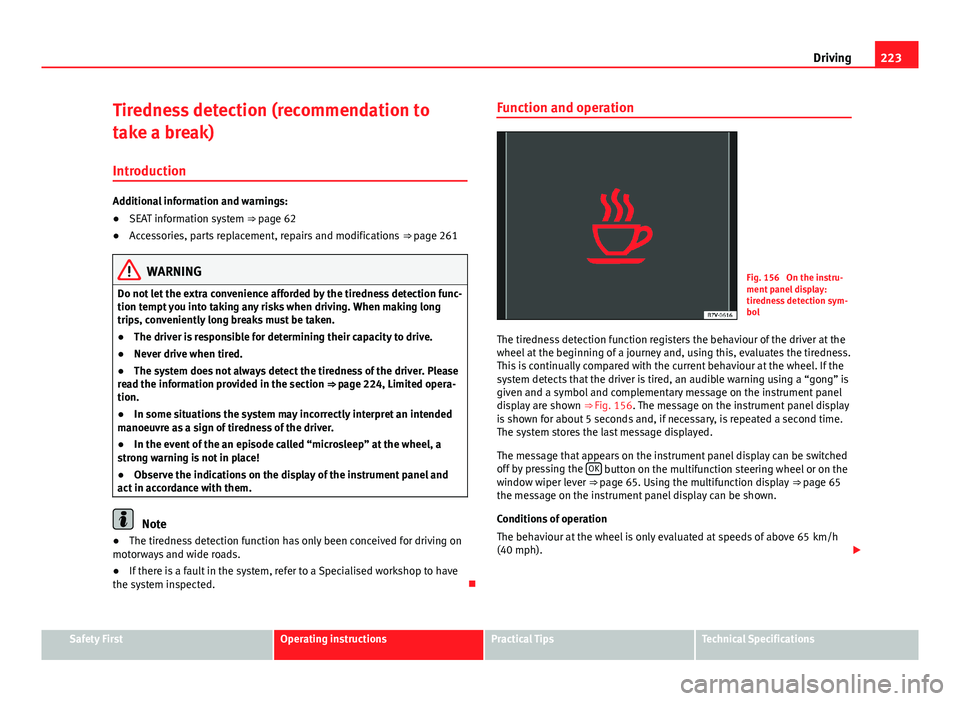
The tiredness detection function registers the behaviour of the driver at the
wheel at the beginning of a journey and, using this, evaluates the tiredness.
This is continually compared with the current behaviour at the wheel. If the
system detects that the driver is tired, an audible warning using a “gong” is
given and a symbol and complementary message on the instrument panel
display are shown ⇒ Fig. 156. The message on the instrument panel display
is shown for about 5 seconds and, if necessary, is repeated a second time.
The system stores the last message displayed.
The message that appears on the instrument panel display can be switched
off by pressing the OK
button on the multifunction steering wheel or on the
window wiper lever ⇒ page 65. Using the multifunction display ⇒ page 65
the message on the instrument panel display can be shown.
Conditions of operation
The behaviour at the wheel is only evaluated at speeds of above 65 km/h
(40 mph).
Safety FirstOperating instructionsPractical TipsTechnical Specifications
Page 228 of 381
226Driving
Note
● Do not only rely on the tyre monitoring system. Regularly check your
tyres to ensure that the tyre pressure is correct and that the tyres are not
damaged due to puncture, cuts, tears and impacts/dents. Remove objects
from the tyres only when the tyres have not been pierced by these.
● The tyre monitoring system is set to the tyre pressure recommended by
the manufacturer and indicated on the label ⇒ Fig. 179.
Elements of the tyre monitoring indicator
Tyre monitoring indicator with button.See ⇒ page 227. Control lamp on the instrument panel. SET button on the centre console.
Monitoring the tread of all tyres using ABS sensors (indirect measure-
ment).
Adjustable medium and full-load tyre pressures. Button to update the system when the tyre pressure is changed. Control lamp
Lights
up or
flashesPossible cause ⇒ Solution
The tyre pressure of a wheel
has dropped considerably in
relation to the pressure set by
the driver ⇒ page 227.
Stop the vehicle! Reduce your
speed immediately! Stop the ve-
hicle safely as soon as possible.
Avoid sudden manoeuvres and
braking!
Check all tyres and pressures.
Replace any damaged tyres.
System malfunction.
Consult a specialised workshop
if the tyre pressure is correct and
the lamp remains lit after
switching the ignition off and
back on again. Have the system
checked there.
Several warning and control lamps should light up for a few seconds when
the ignition is switched on, signalling that the function is being verified.
They will switch off after a few seconds.
WARNING
When the tyres are inflated at different pressures or at a pressure that is
too low then a tyre may be damaged resulting in a loss of control of the
vehicle and a serious or fatal accident.
● If the warning lamp lights up, stop immediately and check the
tyres.
● If the tyres are inflated at different pressures or if a tyre pressure is
too low, this will increase tyre wear, negatively affecting vehicle stability
and increasing braking distances.
Page 229 of 381
227
Driving
WARNING (Continued)
● If tyres are inflated at different pressures or a tyre pressure is too low,
a tyre may be damaged and burst resulting in a loss of control of the ve-
hicle.
● The driver is responsible for ensuring that all of the vehicle tyres are
correctly inflated to the right pressure. The recommended tyre pressure
is indicated on the label ⇒ Fig. 179.
● The tyre monitoring system can only operate correctly if all of the
tyres are inflated to the correct pressure when cold.
● Driving with tyres at the wrong pressure can cause them damage and
result in an accident. Ensure that the tyre pressures of all the tyres corre-
spond to the vehicle load.
● Before starting a journey, always inflate tyres to the correct pressure.
● If tyre pressure is too low then the tyre is subject to greater forces
and it may be heated to such an extent that the tread can rupture and the
tyre will burst.
● With an overloaded vehicle at high speed, the tyres can overheat and
burst resulting in a loss of vehicle control.
● Tyre pressures which are too high or too low reduce the useful life of
the tyre, affecting vehicle performance.
● If a tyre has not been punctured then it does not have to be changed
immediately; drive to the nearest specialised workshop at a moderate
speed and have the tyre checked and inflated to the correct pressure.
WARNING
If the warning lamps and messages are ignored, the vehicle may stall in
traffic, or may cause accidents and severe injuries.
● Never ignore the warning lamps or text messages.
● Stop the vehicle safely as soon as possible.
CAUTION
Failure to heed the control lamps and text messages when they appear may
result in faults in the vehicle.
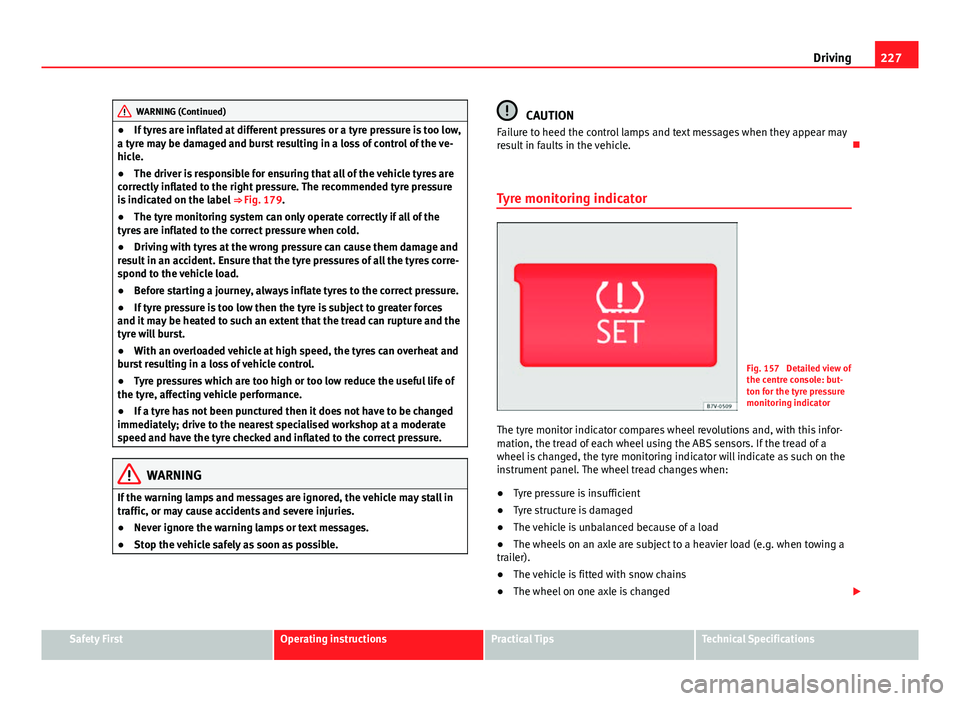
Tyre monitoring indicator
Fig. 157 Detailed view of
the centre console: but-
ton for the tyre pressure
monitoring indicator
The tyre monitor indicator compares wheel revolutions and, with this infor-
mation, the tread of each wheel using the ABS sensors. If the tread of a
wheel is changed, the tyre monitoring indicator will indicate as such on the
instrument panel. The wheel tread changes when:
● Tyre pressure is insufficient
● Tyre structure is damaged
● The vehicle is unbalanced because of a load
● The wheels on an axle are subject to a heavier load (e.g. when towing a
trailer).
● The vehicle is fitted with snow chains
● The wheel on one axle is changed
Safety FirstOperating instructionsPractical TipsTechnical Specifications
Page 244 of 381
242Trailer towing
●The vehicle centre of gravity and handling change because of the trailer
load and because of the increased combined mass of the vehicle and trail-
er.
● If the towing vehicle is empty and the trailer loaded then the load distri-
bution is incorrect. If you must travel in these conditions, drive carefully and
reduce your speed accordingly.
Hill starts with a trailer
Depending on the hill and the gross combined weight, it is possible that the
combined vehicle and trailer move backwards slightly when starting.
For a hill start with a trailer, proceed as follows:
● Press and hold the brake pedal.
● Press the button
once to turn off the electric parking brake
⇒ page 185.
● Press and hold the button
to hold the vehicle and trailer combination
using the parking brake.
● With a manual gearbox: press the clutch pedal to the floor.
● Engage first gear or the gear range D ⇒ page 176, Changing gear.
● Release the brake pedal.
● Move off slowly. To do this, gently release the clutch pedal (for manual
gearbox).
● Release the button
only when the engine provides sufficient power
to move the vehicle and trailer combination.
WARNING
Jerking the trailer in an unsuitable manner could cause loss of vehicle
control with the subsequent serious consequences.
● Driving with a trailer and transporting heavy or a large objects will
change the vehicle handling and braking distances.
WARNING (Continued)
● Anticipate traffic and be extremely cautious. Brake early.
● Adjust your speed and driving style to visibility, road, traffic and
weather conditions. Reduce your speed, especially on steep hills.
● Accelerate gently and carefully. Avoid brusque manoeuvres and sud-
den braking.
● Always take the following precautions seriously. Reduce your speed
immediately if you observe the trailer rocking from side to side.
● Never try to stop the “snaking” by increasing speed.
● Always take the speed limits for vehicles with and without trailers in
each country into account.
Stabilising the vehicle and trailer combination
Stabilisation of the vehicle and trailer combination is an extension of the
electronic stability control (ESC) and helps, with the assistance of the trajec-
tory control, to reduce trailer “snaking”.
Stabilisation of the vehicle and trailer combination is active when the ESC
indicator on the dash panel remains lit for about two seconds more than the
ABS indicator.
Requirements for stabilising the vehicle/trailer combination
● An original tow hitch is fitted by the manufacturer or a compatible model
is retrofitted.
● The ECS is switched on. The warning lamp on the instrument panel is
not lit.
● The trailer is connected to the vehicle using the power socket.
● Driving faster than 60 km/h (37 mph).
● The maximum drawbar load is used.
Page 259 of 381
257
Vehicle maintenance and cleaning
CAUTION
● On no account use solvents, wax polish, shoe cream, stain removers or
similar materials on leather.
● If the stain remains on the leather for long, it will soak in and be impos-
sible to remove.
● In the event of spilt liquids, dry immediately with an absorbent cloth to
prevent the liquid penetrating through the leather or seams.
● If the vehicle is left standing in the sun for long periods, the leather
should be protected against direct sunlight to prevent it from fading.
Note
The leather will usually change colour slightly with use.
Cleaning synthetic leather upholstery
Before cleaning the synthetic leather upholstery, bear in mind the following
recommendations ⇒ page 255, Cleaning the fabric on heated seats and
electrically adjustable seats or seats with airbag components
Only use water and neutral cleaning products to clean synthetic leather up-
holstery.
CAUTION
Do not use solvents, floor wax, shoe cream, stain removers or similar prod-
ucts on synthetic leather. These will stiffen the material, causing it to crack
prematurely. Cleaning storage compartments, drinks holders and
ashtray
Cleaning storage compartments and drinks holders
Some storage compartments and drinks holders have a removable rubber
mat.
●
Use a clean, damp, lint-free cloth to clean parts.
● If this does not provide satisfactory results, we recommend using a spe-
cial solvent-free plastic cleaning product.
Cleaning the ashtray
● Extract the ashtray and empty it.
● Clean the ashtray with a dishcloth.
Use a toothpick or similar to remove ash from the area where cigarettes are
stubbed out.
Care and cleaning of plastic parts, wooden trim and the
instrument panel
● Use a clean, damp, lint-free cloth to clean parts.
● Clean plastic parts (inside and outside the vehicle) and the dash panel
with a special solvent-free product for the care and cleaning of plastic, ap-
proved by SEAT ⇒
.
● Wash wooden trims with a mild soap and water solution.
Safety FirstOperating instructionsPractical TipsTechnical Specifications
Page 266 of 381
264Accessories, replacement of parts and modifications
Retro-fitting of two-way radios
An exterior aerial is required for the use of two-way radios in the vehicle.
The retro-fitting of electrical or electronic appliances in the vehicle is sub-
ject to their approval for use in your vehicle. Under certain circumstances,
this could mean that your vehicle registration documents are no longer val-
id.
SEAT has approved your vehicle for use with two-way radios providing the
following conditions are observed:
●The exterior aerial must be mounted professionally.
● The maximum transmitting power is 10 watts.
The optimal reach of the equipment is only achieved with an external aerial.
Check first with a specialised workshop if you wish to use a two-way radio
with a transmitting power of over 10 watts. The specialised workshops are
familiar with the technical options for installation. SEAT recommends visit-
ing a Technical Service.
All legal requirements, together with the instructions for the use of two-way
radios must be observed.
WARNING
If the two-way radio is not securely fastened in position, it could be sent
flying around the vehicle in the event of sharp braking, sudden manoeu-
vres or accident, causing injury.
● While driving, two-way radios must be securely fastened in position,
outside the radius of action of the airbags, or safely stowed away.
WARNING
When using a two-way radio without a connection to an exterior aerial,
the maximum permitted levels of electromagnetic radiation may be ex-
ceeded. This is also the case if the aerial has not been correctly installed.
● You should only use a two-way radio inside the vehicle if it has first
been correctly connected to an exterior aerial.
Information stored by the control units
Your vehicle is fitted at the factory with a series of electronic control units
responsible for the engine and gearbox management. In addition, the con-
trol units supervise the performance of the exhaust gas system and the air-
bag systems.
Therefore, while the vehicle is being driven, these electronic control units
are continuously analysing the vehicle data. In the event of faults or devia-
tions from the theoretical values, only this data is stored. Normally, the
warning lamps on the instrument panel light up in the event of faults.
This data can only be read and analysed using special equipment.
The storing of the data allows specialised workshops to detect and repair
faults. Stored data may include:
● Data relating to the engine or the gearbox
● Speed
● Direction of travel
● Braking force
● Detection of seat belt
The vehicle control units never record conversations held by passengers in
the vehicle.