ESP Seat Alhambra 2014 Repair Manual
[x] Cancel search | Manufacturer: SEAT, Model Year: 2014, Model line: Alhambra, Model: Seat Alhambra 2014Pages: 381, PDF Size: 5.75 MB
Page 210 of 381
208Driving
● Press the foot brake ⇒
!
Following the intervention of the brakes, the Park Assist will stop.
WARNING
Despite the assistance provided by the park assist system, do not run
any risks when parking. The system is not a replacement for driver
awareness.
● Always be ready to brake.
● Automatic brake intervention will end after 1.5 seconds approximate-
ly. Following automatic intervention of the brakes, stop the vehicle your-
self.
Page 221 of 381
219
Driving
Switching the lane assist system on or off
● Select the corresponding menu option using the button for the driver as-
sist systems ⇒ page 62.
● OR: Activate or deactivate the system in the menu Settings, sub-menu
Assist systems , menu Lane Assist ⇒ page 62. The “confirmation sign” indi-
cates that the driver assist system is switched on.
Automatic deactivation: the lane assist system can be deactivated automat-
ically if there is a system malfunction. Control lamp switches off.
The lane assist system is inactive (control lamp lit in yellow)
● When the speed of travel drops to below approx. 65 km/h (40 mph).
● When the Lane Assist system does not detect the dividing lines of the
road. For example, in the event of road works, and snow, dirt, moisture or
reflections.
● When the radius of a curve is too small.
● When there is no dividing line.
● When the distance to the next dividing line is excessive.
● When there are more than two lane markings per lane.
● When the ASR is switched off.
● When the system does not detect any active rotation of the steering
wheel by the driver during a prolonged period.
● Temporarily, in the event of very dynamic driving.
● When the turn signal is connected.
Note
Before starting travel, verify that the camera's field of vision is not covered
⇒ Fig. 154.
Note
Keep the camera window clean. Disconnect the lane assist system in the following
situations
Due to the limits of the lane assist system, disconnect it in the following sit-
uations:
●
When more attention is required of the driver
● For very sporty driving
● In very unfavourable weather conditions
● In very unfavourable road conditions
● In areas of road works
Safety FirstOperating instructionsPractical TipsTechnical Specifications
Page 223 of 381
221
Driving
Indication on display
Fig. 155 Instrument panel display: Examples of
speed limits or overtaking prohibitions detected
together with the corresponding additional signs
Display text of Sign Assist
on the instrument panelCause and solution
Error: Sign AssistSystem fault.
Have the system checked by a specialised
workshop.
Sign Assist: Clean the wind-
screen!The windscreen is dirty in the area of the
camera.
Clean the windscreen.
Sign Assist: only partly availa-
ble at the moment.No data is being transmitted from the navi-
gator.
Connect the navigator and insert the navi-
gation data medium.
ALTERNATIVELY: Sign Assist is not suppor-
ted in the country in which you are driving
at this time.
WARNING
If the warning lamps and messages are ignored, the vehicle may stall in
traffic, or may cause accidents and severe injuries.
● Never ignore the warning lamps or text messages.
● Stop the vehicle safely as soon as possible.
CAUTION
Failure to heed the control lamps and text messages when they appear may
result in faults in the vehicle.
Operation mode
Sign Assist does not work in all countries. This must be taken into account
when travelling abroad.
Display of traffic signs
Speed limits or overtaking prohibitions together with the corresponding ad-
ditional signs are shown on the instrument panel display ⇒ Fig. 155. De-
pending on the navigation system installed in the vehicle, traffic signs will
be shown as above and also in the navigation system's map display.
When Sign Assist is connected, the vehicle records the traffic signs with a
camera in the base of the interior rear vision mirror. After checking and eval-
uating the information from the camera, the navigation system and the cur-
rent vehicle data, up to three valid traffic signs are displayed in conjunction
with the corresponding additional signs. The traffic sign that is currently val-
id for the driver is shown first, in the left side of the screen. A traffic sign of
only limited validity, e.g. 90 km/h (56 mph) is shown second, together with the additional sign “if the road is wet”. If the vehicle's rain sensor detects
Safety FirstOperating instructionsPractical TipsTechnical Specifications
Page 225 of 381
223
Driving
Tiredness detection (recommendation to
take a break) Introduction
Additional information and warnings:
● SEAT information system ⇒ page 62
● Accessories, parts replacement, repairs and modifications ⇒ page 261
WARNING
Do not let the extra convenience afforded by the tiredness detection func-
tion tempt you into taking any risks when driving. When making long
trips, conveniently long breaks must be taken.
● The driver is responsible for determining their capacity to drive.
● Never drive when tired.
● The system does not always detect the tiredness of the driver. Please
read the information provided in the section ⇒ page 224, Limited opera-
tion.
● In some situations the system may incorrectly interpret an intended
manoeuvre as a sign of tiredness of the driver.
● In the event of the an episode called “microsleep” at the wheel, a
strong warning is not in place!
● Observe the indications on the display of the instrument panel and
act in accordance with them.
Note
● The tiredness detection function has only been conceived for driving on
motorways and wide roads.
● If there is a fault in the system, refer to a Specialised workshop to have
the system inspected. Function and operation
Fig. 156 On the instru-
ment panel display:
tiredness detection sym-
bol
The tiredness detection function registers the behaviour of the driver at the
wheel at the beginning of a journey and, using this, evaluates the tiredness.
This is continually compared with the current behaviour at the wheel. If the
system detects that the driver is tired, an audible warning using a “gong” is
given and a symbol and complementary message on the instrument panel
display are shown ⇒ Fig. 156. The message on the instrument panel display
is shown for about 5 seconds and, if necessary, is repeated a second time.
The system stores the last message displayed.
The message that appears on the instrument panel display can be switched
off by pressing the OK
button on the multifunction steering wheel or on the
window wiper lever ⇒ page 65. Using the multifunction display ⇒ page 65
the message on the instrument panel display can be shown.
Conditions of operation
The behaviour at the wheel is only evaluated at speeds of above 65 km/h
(40 mph).
Safety FirstOperating instructionsPractical TipsTechnical Specifications
Page 228 of 381
226Driving
Note
● Do not only rely on the tyre monitoring system. Regularly check your
tyres to ensure that the tyre pressure is correct and that the tyres are not
damaged due to puncture, cuts, tears and impacts/dents. Remove objects
from the tyres only when the tyres have not been pierced by these.
● The tyre monitoring system is set to the tyre pressure recommended by
the manufacturer and indicated on the label ⇒ Fig. 179.
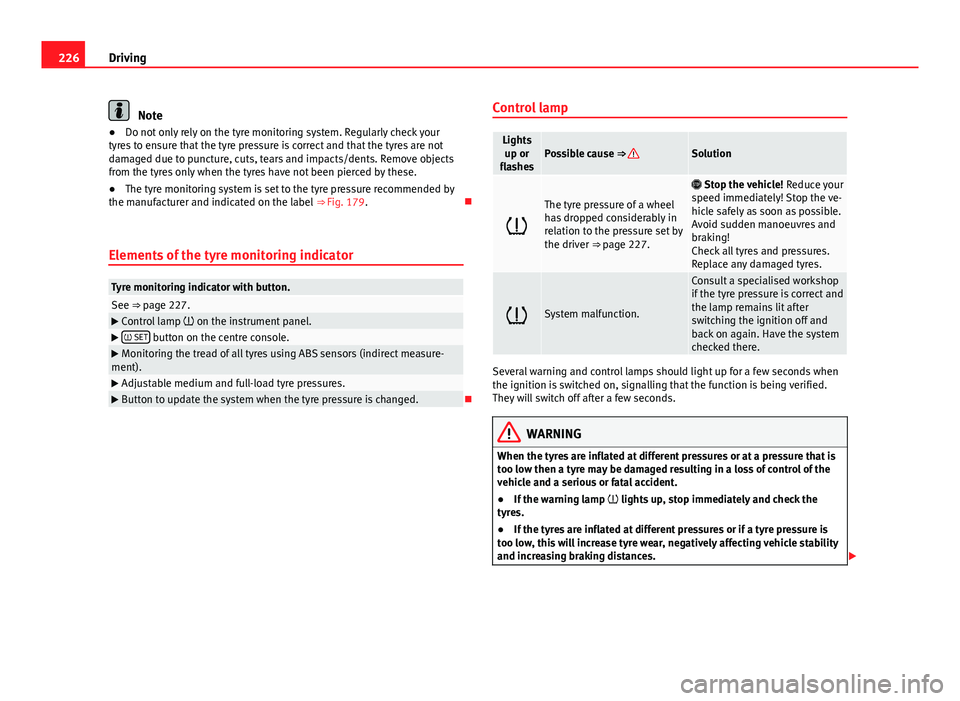
Elements of the tyre monitoring indicator
Tyre monitoring indicator with button.See ⇒ page 227. Control lamp on the instrument panel. SET button on the centre console.
Monitoring the tread of all tyres using ABS sensors (indirect measure-
ment).
Adjustable medium and full-load tyre pressures. Button to update the system when the tyre pressure is changed. Control lamp
Lights
up or
flashesPossible cause ⇒ Solution
The tyre pressure of a wheel
has dropped considerably in
relation to the pressure set by
the driver ⇒ page 227.
Stop the vehicle! Reduce your
speed immediately! Stop the ve-
hicle safely as soon as possible.
Avoid sudden manoeuvres and
braking!
Check all tyres and pressures.
Replace any damaged tyres.
System malfunction.
Consult a specialised workshop
if the tyre pressure is correct and
the lamp remains lit after
switching the ignition off and
back on again. Have the system
checked there.
Several warning and control lamps should light up for a few seconds when
the ignition is switched on, signalling that the function is being verified.
They will switch off after a few seconds.
WARNING
When the tyres are inflated at different pressures or at a pressure that is
too low then a tyre may be damaged resulting in a loss of control of the
vehicle and a serious or fatal accident.
● If the warning lamp lights up, stop immediately and check the
tyres.
● If the tyres are inflated at different pressures or if a tyre pressure is
too low, this will increase tyre wear, negatively affecting vehicle stability
and increasing braking distances.
Page 229 of 381
227
Driving
WARNING (Continued)
● If tyres are inflated at different pressures or a tyre pressure is too low,
a tyre may be damaged and burst resulting in a loss of control of the ve-
hicle.
● The driver is responsible for ensuring that all of the vehicle tyres are
correctly inflated to the right pressure. The recommended tyre pressure
is indicated on the label ⇒ Fig. 179.
● The tyre monitoring system can only operate correctly if all of the
tyres are inflated to the correct pressure when cold.
● Driving with tyres at the wrong pressure can cause them damage and
result in an accident. Ensure that the tyre pressures of all the tyres corre-
spond to the vehicle load.
● Before starting a journey, always inflate tyres to the correct pressure.
● If tyre pressure is too low then the tyre is subject to greater forces
and it may be heated to such an extent that the tread can rupture and the
tyre will burst.
● With an overloaded vehicle at high speed, the tyres can overheat and
burst resulting in a loss of vehicle control.
● Tyre pressures which are too high or too low reduce the useful life of
the tyre, affecting vehicle performance.
● If a tyre has not been punctured then it does not have to be changed
immediately; drive to the nearest specialised workshop at a moderate
speed and have the tyre checked and inflated to the correct pressure.
WARNING
If the warning lamps and messages are ignored, the vehicle may stall in
traffic, or may cause accidents and severe injuries.
● Never ignore the warning lamps or text messages.
● Stop the vehicle safely as soon as possible.
CAUTION
Failure to heed the control lamps and text messages when they appear may
result in faults in the vehicle.
Tyre monitoring indicator
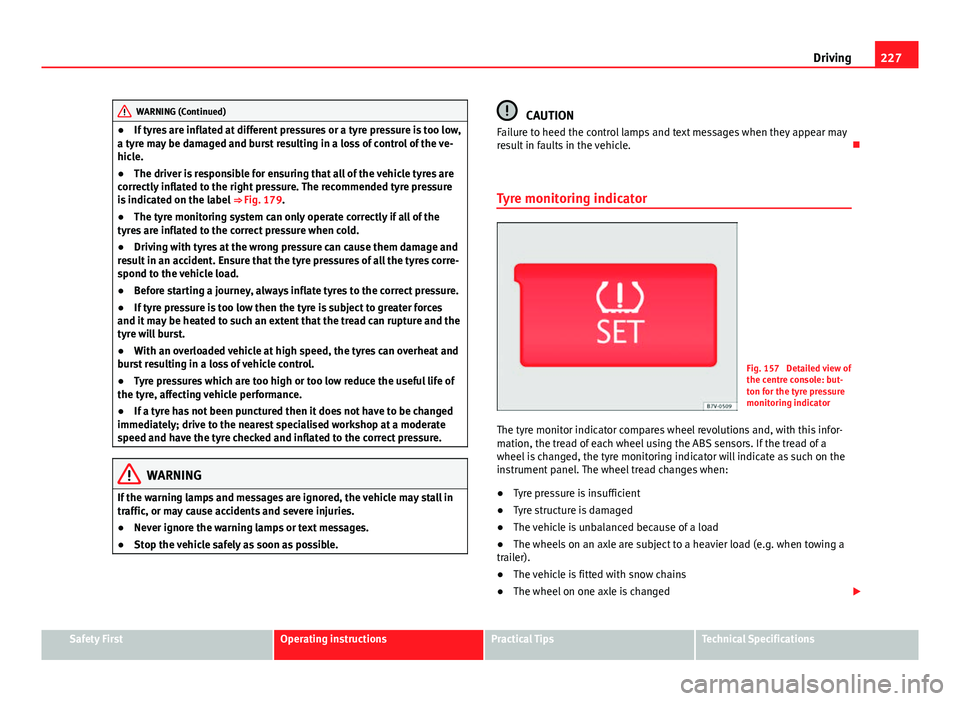
Fig. 157 Detailed view of
the centre console: but-
ton for the tyre pressure
monitoring indicator
The tyre monitor indicator compares wheel revolutions and, with this infor-
mation, the tread of each wheel using the ABS sensors. If the tread of a
wheel is changed, the tyre monitoring indicator will indicate as such on the
instrument panel. The wheel tread changes when:
● Tyre pressure is insufficient
● Tyre structure is damaged
● The vehicle is unbalanced because of a load
● The wheels on an axle are subject to a heavier load (e.g. when towing a
trailer).
● The vehicle is fitted with snow chains
● The wheel on one axle is changed
Safety FirstOperating instructionsPractical TipsTechnical Specifications
Page 231 of 381
229
Driving and the environment
Practical Tips Driving and the environment
Running-in
Please observe the instructions for running-in new components.
Running-in the engine
The engine needs to be run-in over the first 1500 km (1000 miles). During
its first few hours of running, the internal friction in the engine is greater
than later on when all the moving parts have bedded down.
How the vehicle is driven for the first 1500 km (1000 miles) influences the
future engine performance. Throughout the life of the vehicle, it should be
driven at a moderate speed – especially when the engine is cold – this will
reduce engine wear and increase its useful life. Never drive at extremely low
engine speeds. Always engage a lower gear when the engine works “irregu-
larly”. For the first 1000 km or 600 miles, please note:
● Do not use full throttle.
● Do not force the engine above two thirds of its maximum speed.
● Do not tow a trailer.
Between 1000 and 1500 kilometres (600 to 1000 miles), gradually in-
crease power until reaching the maximum speed and high engine speeds.
Running in new tyres and brake pads
● Replacement of new tyres and wheel rims ⇒ page 297
● Notes on the brakes ⇒ page 189
For the sake of the environment
If the engine is run in gently, the life of the engine will be increased and the
engine oil consumption reduced.
Ecological driving Introduction
Fuel consumption, environmental impact and engine, brake and tyre wear
depend largely on three factors:
● Personal driving style.
● Conditions of use (weather, road surface).
● Technical requirements.
Savings of up to 25% in fuel consumption are possible with an appropriate
driving style and the adoption of certain simple tips.
WARNING
Always adapt your speed and the distance to the vehicles ahead in line
with visibility, weather conditions, the condition of the road and the traf-
fic situation.
Safety FirstOperating instructionsPractical TipsTechnical Specifications
Page 234 of 381
232Driving and the environment
Avoid carrying unnecessary loads
The lighter the vehicle, the more economical and ecological the driving
style. For example, an additional weight of 100 kg will increase fuel con-
sumption up to 0.3 l/100 km.
Remove any unnecessary objects or loads from the vehicle.
Remove optional equipment and unnecessary accessories
The more aerodynamic the vehicle, the lower the fuel consumption. Option-
al equipment and accessories (such as roof racks or bike carriers) reduce
the aerodynamic benefits of the vehicle.
Therefore, we recommend you remove all optional and unnecessary equip-
ment and racks, especially if you intend to drive at high speeds.
Environmental friendliness
Environmental protection is a top priority in the design, choice of materials
and manufacture of your new SEAT.
Constructive measures to encourage recycling
● Joints and connections designed for easy dismantling
● Modular construction to facilitate dismantling
● Increased use of single-grade materials.
● Plastic parts and elastomers are marked in accordance with ISO 1043,
ISO 11469 and ISO 1629.
Choice of materials
● Use of recycled materials.
● Use of compatible plastics in the same part if its components are not
easily separated.
● Use of recycled materials and/or materials originating from renewable
sources. ●
Reduction of volatile components, including odour, in plastic materials.
● Use of CFC-free coolants.
Ban on heavy metals, with the exceptions dictated by law (Annex II of ELV
Directive 2000/53/EC): cadmium, lead, mercury, hexavalent chromium.
Manufacturing methods
● Reduction of the quantity of thinner in the protective wax for cavities.
● Use of plastic film as protection during vehicle transport.
● Use of solvent-free adhesives.
● Use of CFC-free coolants in cooling systems.
● Recycling and energy recovery from residues (RDF).
● Improvement in the quality of waste water.
● Use of systems for the recovery of residual heat (thermal recovery, en-
thalpy wheels, etc.).
● The use of water-soluble paints.
Engine management and exhaust gas
purification system Introduction
Additional information and warnings:
● Changing gear ⇒ page 176
● Refuelling ⇒ page 268
● Fuel ⇒ page 271
● Engine oil ⇒ page 283
● Vehicle battery ⇒ page 292
Page 235 of 381
233
Driving and the environment
● Information stored in the control units ⇒ page 261
● Tow starting and towing away ⇒ page 344
WARNING
The components of the exhaust system reach very high temperatures.
This could cause a fire.
● Always park your vehicle so that no part of the exhaust system can
come in contact with flammable materials (such as dried grass).
● Do not apply additional underseal or anti-corrosion coatings to the
exhaust pipes, catalytic converter, heat shields or the diesel particulate
filter.
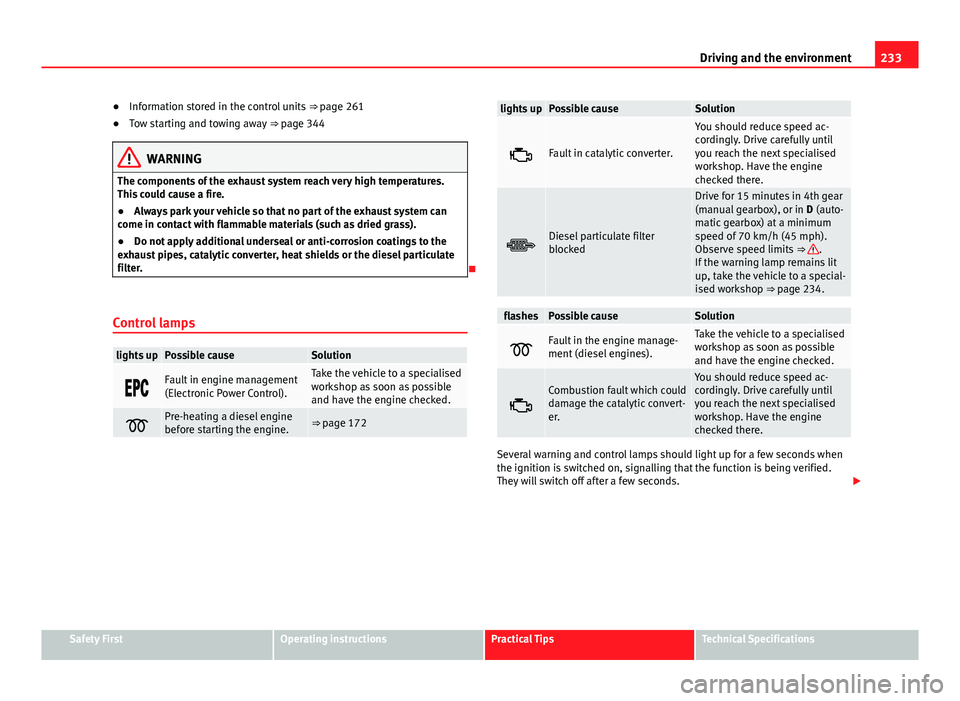
Control lamps
lights upPossible causeSolution
Fault in engine management
(Electronic Power Control).Take the vehicle to a specialised
workshop as soon as possible
and have the engine checked.
Pre-heating a diesel engine
before starting the engine.⇒ page 172
lights upPossible causeSolution
Fault in catalytic converter.
You should reduce speed ac-
cordingly. Drive carefully until
you reach the next specialised
workshop. Have the engine
checked there.
Diesel particulate filter
blocked
Drive for 15 minutes in 4th gear
(manual gearbox), or in D (auto-
matic gearbox) at a minimum
speed of 70 km/h (45 mph).
Observe speed limits ⇒
.
If the warning lamp remains lit
up, take the vehicle to a special-
ised workshop ⇒ page 234.
flashesPossible causeSolution
Fault in the engine manage-
ment (diesel engines).Take the vehicle to a specialised
workshop as soon as possible
and have the engine checked.
Combustion fault which could
damage the catalytic convert-
er.You should reduce speed ac-
cordingly. Drive carefully until
you reach the next specialised
workshop. Have the engine
checked there.
Several warning and control lamps should light up for a few seconds when
the ignition is switched on, signalling that the function is being verified.
They will switch off after a few seconds.
Safety FirstOperating instructionsPractical TipsTechnical Specifications
Page 236 of 381
234Driving and the environment
WARNING
Observe traffic regulations when cleaning the diesel particulate filter
while driving.
● Only carry on driving if visibility, weather, road and traffic conditions
so permit.
● Never endanger your safety or that of other road users.
CAUTION
Always pay attention to any lit control lamps and to the corresponding de-
scriptions and instructions to avoid damage to the vehicle.
Note
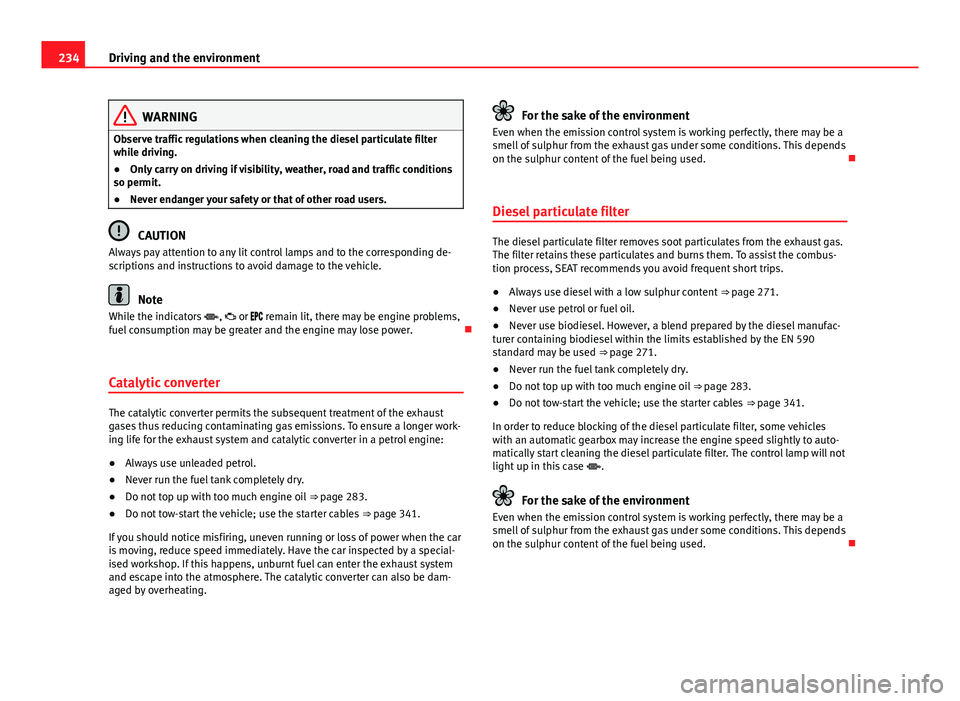
While the indicators , or remain lit, there may be engine problems,
fuel consumption may be greater and the engine may lose power.
Catalytic converter
The catalytic converter permits the subsequent treatment of the exhaust
gases thus reducing contaminating gas emissions. To ensure a longer work-
ing life for the exhaust system and catalytic converter in a petrol engine:
● Always use unleaded petrol.
● Never run the fuel tank completely dry.
● Do not top up with too much engine oil ⇒ page 283.
● Do not tow-start the vehicle; use the starter cables ⇒ page 341.
If you should notice misfiring, uneven running or loss of power when the car
is moving, reduce speed immediately. Have the car inspected by a special-
ised workshop. If this happens, unburnt fuel can enter the exhaust system
and escape into the atmosphere. The catalytic converter can also be dam-
aged by overheating.
For the sake of the environment
Even when the emission control system is working perfectly, there may be a
smell of sulphur from the exhaust gas under some conditions. This depends
on the sulphur content of the fuel being used.
Diesel particulate filter
The diesel particulate filter removes soot particulates from the exhaust gas.
The filter retains these particulates and burns them. To assist the combus-
tion process, SEAT recommends you avoid frequent short trips.
● Always use diesel with a low sulphur content ⇒ page 271.
● Never use petrol or fuel oil.
● Never use biodiesel. However, a blend prepared by the diesel manufac-
turer containing biodiesel within the limits established by the EN 590
standard may be used ⇒ page 271.
● Never run the fuel tank completely dry.
● Do not top up with too much engine oil ⇒ page 283.
● Do not tow-start the vehicle; use the starter cables ⇒ page 341.
In order to reduce blocking of the diesel particulate filter, some vehicles
with an automatic gearbox may increase the engine speed slightly to auto-
matically start cleaning the diesel particulate filter. The control lamp will not
light up in this case .
For the sake of the environment
Even when the emission control system is working perfectly, there may be a
smell of sulphur from the exhaust gas under some conditions. This depends
on the sulphur content of the fuel being used.