engine Seat Alhambra 2015 User Guide
[x] Cancel search | Manufacturer: SEAT, Model Year: 2015, Model line: Alhambra, Model: Seat Alhambra 2015Pages: 305, PDF Size: 5.46 MB
Page 57 of 305
Opening and closing
Vehicle keys
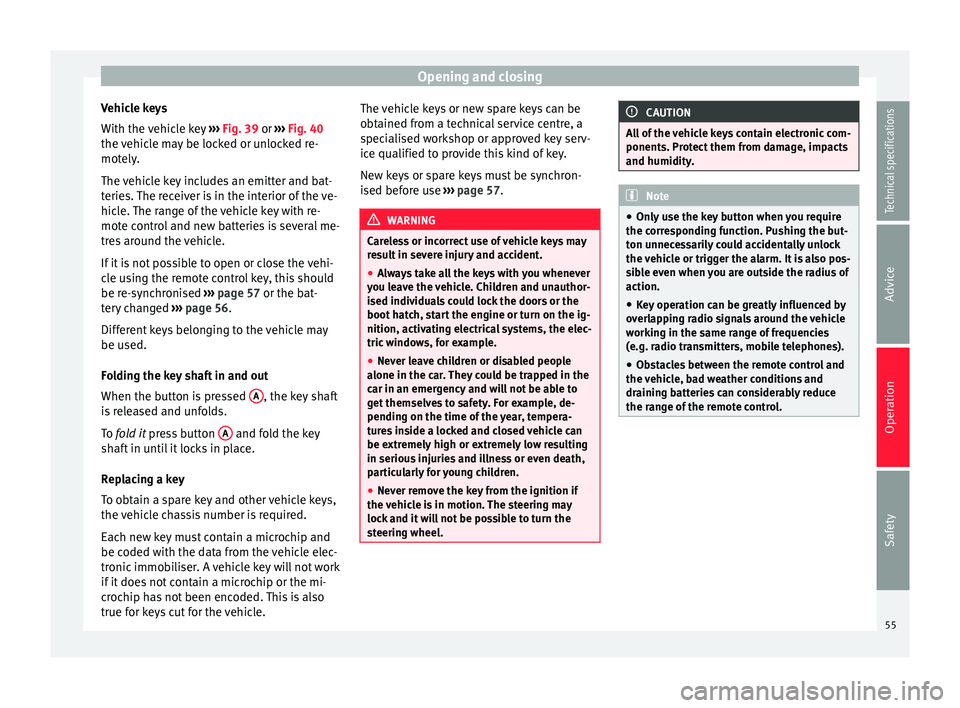
With the vehicle key ››› Fig. 39 or
›
›› Fig. 40
the
vehicle may be locked or unlocked re-
motely.
The vehicle key includes an emitter and bat-
teries. The receiver is in the interior of the ve-
hicle. The range of the vehicle key with re-
mote control and new batteries is several me-
tres around the vehicle.
If it is not possible to open or close the vehi-
cle using the remote control key, this should
be re-synchronised ››› page 57 or the bat-
tery changed ››› page 56.
Differ
ent keys belonging to the vehicle may
be used.
Folding the key shaft in and out
When the button is pressed A , the key shaft
is released and unfolds.
To fold it
press button A and fold the key
shaft in until it locks in place.
Replacing a key
To obtain a spare key and other vehicle keys,
the vehicle chassis number is required.
Each new key must contain a microchip and
be coded with the data from the vehicle elec-
tronic immobiliser. A vehicle key will not work
if it does not contain a microchip or the mi-
crochip has not been encoded. This is also
true for keys cut for the vehicle. The vehicle keys or new spare keys can be
obtained from a technical service centre, a
specialised workshop or approved key serv-
ice qualified to provide this kind of key.
New keys or spare keys must be synchron-
ised before use
››› page 57. WARNING
Careless or incorrect use of vehicle keys may
result in severe injury and accident.
● Always take all the keys with you whenever
you leave the vehicle. Children and unauthor-
ised individuals could lock the doors or the
boot hatch, start the engine or turn on the ig-
nition, activating electrical systems, the elec-
tric windows, for example.
● Never leave children or disabled people
alone in the car. They could be trapped in the
car in an emergency and will not be able to
get themselves to safety. For example, de-
pending on the time of the year, tempera-
tures inside a locked and closed vehicle can
be extremely high or extremely low resulting
in serious injuries and illness or even death,
particularly for young children.
● Never remove the key from the ignition if
the vehicle is in motion. The steering may
lock and it will not be possible to turn the
steering wheel. CAUTION
All of the vehicle keys contain electronic com-
ponents. Protect them from damage, impacts
and humidity. Note
● Only use the key button when you require
the corresponding function. Pushing the but-
ton unnecessarily could accidentally unlock
the vehicle or trigger the alarm. It is also pos-
sible even when you are outside the radius of
action.
● Key operation can be greatly influenced by
overlapping radio signals around the vehicle
working in the same range of frequencies
(e.g. radio transmitters, mobile telephones).
● Obstacles between the remote control and
the vehicle, bad weather conditions and
draining batteries can considerably reduce
the range of the remote control. 55
Technical specifications
Advice
Operation
Safety
Page 62 of 305
Operation
● Keyless-Entry: unlocking of the vehicle with
the handles on the four doors or the button
located on the boot hatch.
● Keyless-Go: engine ignition and driving. For
this to occur, there has to be a valid key in-
side the vehicle and the ignition push button
needs to be pressed ››› page 133.
● Keyless-Exit: unlocking of the vehicle with
one of the four door handle.
The central locking and locking systems oper-
ate in the same way as a normal locking and
u n
locking system. Only the controls change.
Unlocking the vehicle is confirmed with a
double flash of the indicator lights; locking
by
a single flash.
The vehicle will lock again after a few sec-
onds if you unlock the vehicle but fail to open
any door or boot hatch.
Unlocking and opening the doors (Keyless-
Entry)
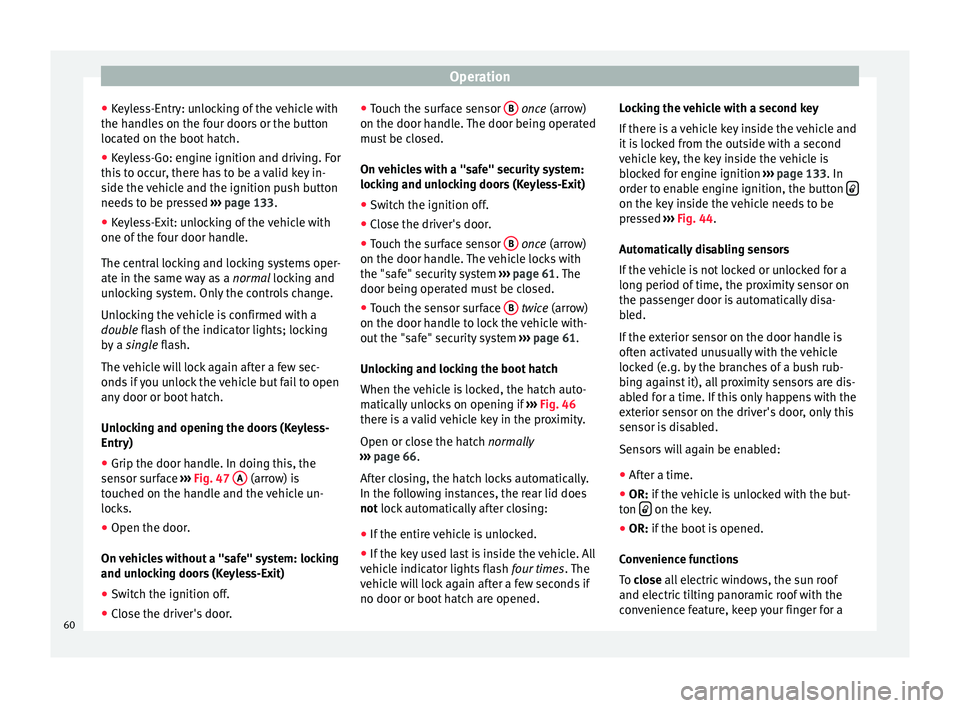
● Grip the door handle. In doing this, the
sensor surface ››› Fig. 47 A (arrow) is
touched on the handle and the vehicle un-
locks.
● Open the door.
On vehicles without a "safe" system: locking
and unlocking doors (Keyless-Exit)
● Switch the ignition off.
● Close the driver's door. ●
Touch the surface sensor B
once
(arrow)
on the door h
andle. The door being operated
must be closed.
On vehicles with a "safe" security system:
locking and unlocking doors (Keyless-Exit)
● Switch the ignition off.
● Close the driver's door.
● Touch the surface sensor B
once
(arrow)
on the door h
andle. The vehicle locks with
the "safe" security system ››› page 61. The
door being operated must be closed.
● Touch the sensor surface B
twice
(arrow)
on the door h
andle to lock the vehicle with-
out the "safe" security system ››› page 61.
Unlocking and locking the boot hatch
When the vehicle is locked, the hatch auto-
matically unlocks on opening if ››› Fig. 46
there is a valid vehicle key in the proximity.
Open or close the hatch normally
››
› page 66.
Aft
er closing, the hatch locks automatically.
In the following instances, the rear lid does
not
lock automatically after closing:
● If the entire vehicle is unlocked.
● If the key used last is inside the vehicle. All
vehicle indicator lights flash four times. The
vehicle will lock again after a few seconds if
no door or boot hatch are opened. Locking the vehicle with a second key
If there is a vehicle key inside the vehicle and
it is locked from the outside with a second
vehicle key, the key inside the vehicle is
blocked for engine ignition
››› page 133. In
order to enable engine ignition, the button on the key inside the vehicle needs to be
pressed
››› Fig. 44 .
Aut om
atically disabling sensors
If the vehicle is not locked or unlocked for a
long period of time, the proximity sensor on
the passenger door is automatically disa-
bled.
If the exterior sensor on the door handle is
often activated unusually with the vehicle
locked (e.g. by the branches of a bush rub-
bing against it), all proximity sensors are dis-
abled for a time. If this only happens with the
exterior sensor on the driver's door, only this
sensor is disabled.
Sensors will again be enabled:
● After a time.
● OR:
if the vehicle is unlocked with the but-
ton on the key.
● OR: if the boot is opened.
C on
venience functions
To
close all electric windows, the sun roof
and electric tilting panoramic roof with the
convenience feature, keep your finger for a
60
Page 74 of 305
Operation
anti-trap function, deactivated for a short
time.
● After more than 10 seconds, the anti-trap
function is reactivated. The window will stop
once again if there is another difficulty or ob-
stacle.
● If the window will still not close, visit a spe-
cialised workshop. WARNING
Closing the electric windows without the an-
ti-trap function can cause serious injury.
● Always close the electric windows careful-
ly.
● Nobody should be in the way of the electric
windows, especially when the anti-trap func-
tion is deactivated.
● The anti-trap function does not prevent fin-
gers or other parts of the body getting
pinched against the window frame and caus-
ing injury. Note
The anti-trap function also operates if the
windows are closed from the outside of the
vehicle using the ignition key for convenience
closing ››› page 71. Panoramic sliding sunroof*
Introduction WARNING
Careless or uncontrolled use of the panoram-
ic sliding sunroof can cause serious injuries.
● Only close the panoramic sliding sunroof
and the sun blind when nobody is in the way.
● Always take all the keys with you whenever
you leave the vehicle.
● Never leave children or disabled persons in
the vehicle, particularly if they have access to
the keys. Uncontrolled use of the key could
lock the vehicle, start the engine, turn on the
ignition and operate the panoramic sliding
sunroof.
● The panoramic sliding sunroof can be oper-
ated for up to about ten minutes after the ig-
nition has been switched off, provided the
driver door and the front passenger door are
not opened. Note
In case of a fault in the operation of the pan-
oramic sliding sunroof, the anti-trap function
will not operate correctly. Visit a specialised
workshop. Opening or closing the panoramic
sliding sunroof
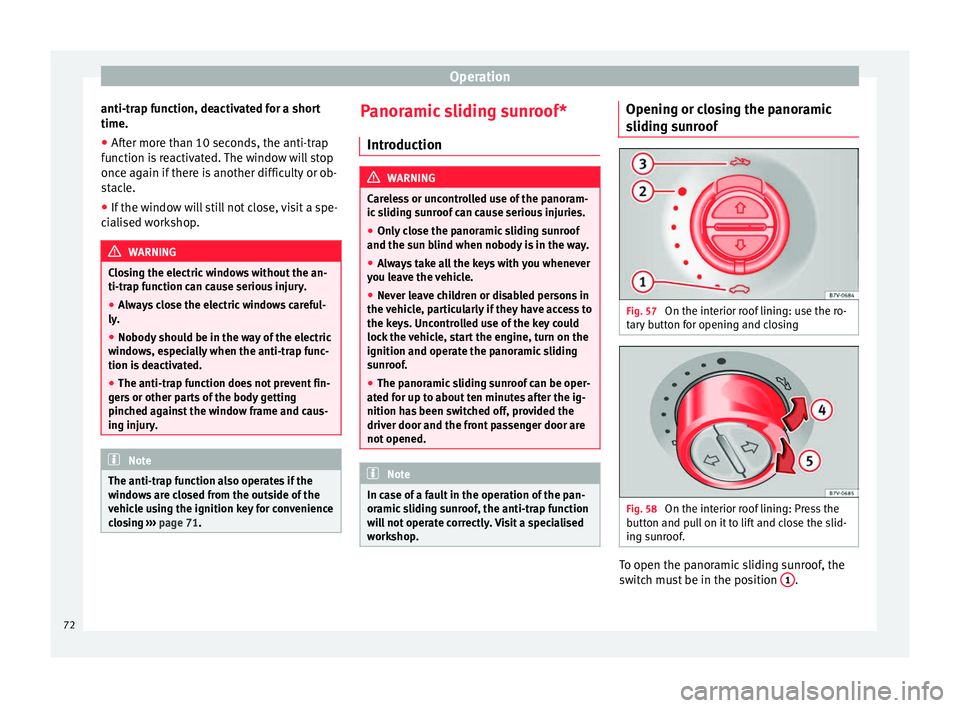
Fig. 57
On the interior roof lining: use the ro-
tary button for opening and closing Fig. 58
On the interior roof lining: Press the
button and pull on it to lift and close the slid-
ing sunroof. To open the panoramic sliding sunroof, the
switch must be in the position
1 .
72
Page 121 of 305
Transport and practical equipment
WARNING
Incorrect use of the ashtray may cause a fire
or burns and other serious injuries.
● Never put paper or other flammable objects
in the ashtray. Cigarette lighter
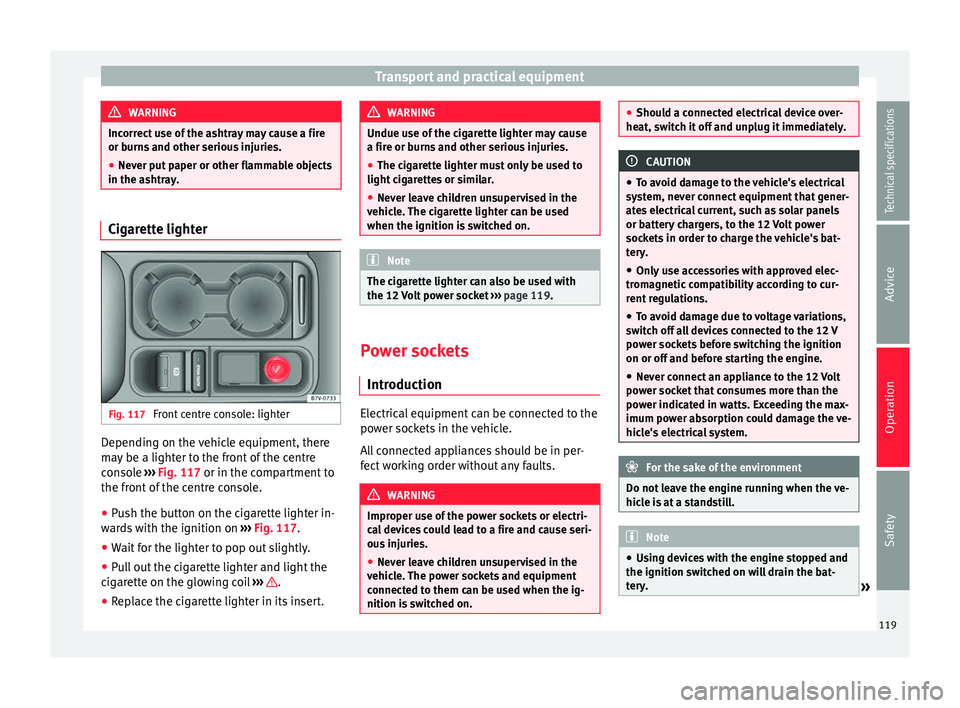
Fig. 117
Front centre console: lighter Depending on the vehicle equipment, there
may be a lighter to the front of the centre
console
››› Fig. 117 or in the compartment to
the fr ont
of the centre console.
● Push the button on the cigarette lighter in-
wards with the ignition on ››› Fig. 117.
● Wait
for the lighter to pop out slightly.
● Pull out the cigarette lighter and light the
cigarette on the glowing coil ››› .
● Replace the cigarette lighter in its insert. WARNING
Undue use of the cigarette lighter may cause
a fire or burns and other serious injuries.
● The cigarette lighter must only be used to
light cigarettes or similar.
● Never leave children unsupervised in the
vehicle. The cigarette lighter can be used
when the ignition is switched on. Note
The cigarette lighter can also be used with
the 12 Volt power socket ››› page 119. Power sockets
Introduction Electrical equipment can be connected to the
power sockets in the vehicle.
All connected appliances should be in per-
fect working order without any faults.
WARNING
Improper use of the power sockets or electri-
cal devices could lead to a fire and cause seri-
ous injuries.
● Never leave children unsupervised in the
vehicle. The power sockets and equipment
connected to them can be used when the ig-
nition is switched on. ●
Should a connected electrical device over-
heat, switch it off and unplug it immediately. CAUTION
● To avoid damage to the vehicle's electrical
system, never connect equipment that gener-
ates electrical current, such as solar panels
or battery chargers, to the 12 Volt power
sockets in order to charge the vehicle's bat-
tery.
● Only use accessories with approved elec-
tromagnetic compatibility according to cur-
rent regulations.
● To avoid damage due to voltage variations,
switch off all devices connected to the 12 V
power sockets before switching the ignition
on or off and before starting the engine.
● Never connect an appliance to the 12 Volt
power socket that consumes more than the
power indicated in watts. Exceeding the max-
imum power absorption could damage the ve-
hicle's electrical system. For the sake of the environment
Do not leave the engine running when the ve-
hicle is at a standstill. Note
● Using devices with the engine stopped and
the ignition switched on will drain the bat-
tery. » 119
Technical specifications
Advice
Operation
Safety
Page 122 of 305
Operation
●
Unshielded equipment can cause interfer-
ence on the radio equipment and the vehi-
cle's electrical system.
● Interference can occur on the radio's AM
waveband if electrical appliances are used
near the rear window aerial. Vehicle power sockets
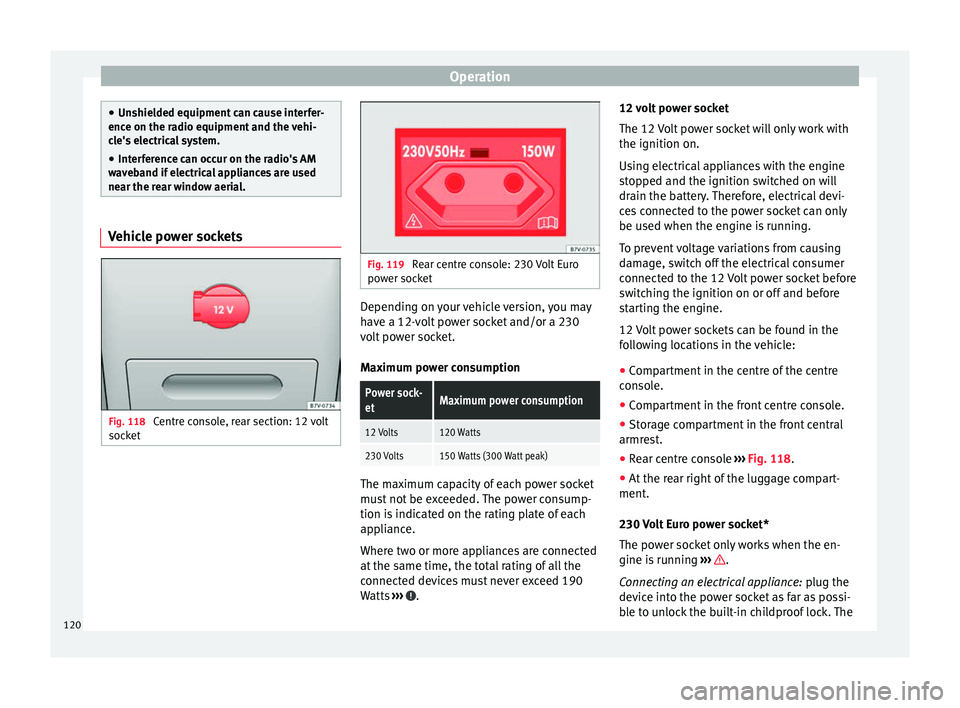
Fig. 118
Centre console, rear section: 12 volt
socket Fig. 119
Rear centre console: 230 Volt Euro
power socket Depending on your vehicle version, you may
have a 12-volt power socket and/or a 230
volt power socket.
Maximum power consumptionPower sock-
etMaximum power consumption
12 Volts120 Watts
230 Volts150 Watts (300 Watt peak)
The maximum capacity of each power socket
must not be exceeded. The power consump-
tion is indicated on the rating plate of each
appliance.
Where two or more appliances are connected
at the same time, the total rating of all the
connected devices must never exceed 190
Watts
››› .12 volt power socket
The 12 Volt power socket will only work with
the ignition on.
Using electrical appliances with the engine
stopped and the ignition switched on will
drain the battery. Therefore, electrical devi-
ces connected to the power socket can only
be used when the engine is running.
To prevent voltage variations from causing
damage, switch off the electrical consumer
connected to the 12 Volt power socket before
switching the ignition on or off and before
starting the engine.
12 Volt power sockets can be found in the
following locations in the vehicle:
●
Compartment in the centre of the centre
console.
● Compartment in the front centre console.
● Storage compartment in the front central
armrest.
● Rear centre console ››› Fig. 118 .
● At the r
ear right of the luggage compart-
ment.
230 Volt Euro power socket*
The power socket only works when the en-
gine is running ››› .
Connecting an electrical appliance: plug the
device into the power socket as far as possi-
ble to unlock the built-in childproof lock. The
120
Page 124 of 305
Operation
Air conditioning
Air conditioner Introduction Viewing Climatronic information
The factory-fitted radio or navigation system
screen briefly displays information relating to
Climatronic.
The units of temperature measurement is dis-
played on the factory-installed radio or navi-
gation system and, depending on the vehicle
equipment, can be set using the
Configura-
tion menu on the instrument panel. WARNING
Reduced visibility through the windows in-
creases the risk of serious accidents.
● Ensure that all windows are free of ice and
snow and that they are not fogged up pre-
venting a clear view of everything outside.
● The maximum heat output required to de-
frost windows quickly is only available when
the engine has reached its normal running
temperature. Only drive when you have good
visibility. ●
Always ensure that you use the air condi-
tioner and heated rear window to maintain
good visibility.
● Never leave the air recirculation on for a
long period of time. If the cooling system is
switched off and air recirculation mode
switched on, the windows can mist over very
quickly, considerably limiting visibility.
● Switch air recirculation mode off when it is
not required. WARNING
Stuffy or used air will increase fatigue and re-
duce driver concentration possibly resulting
in a serious accident.
● Never leave the fresh air fan turned off or
use the air recirculation for long periods of
time; the air in the vehicle interior will not be
refreshed. CAUTION
● Switch the air conditioner off if you think it
may be broken. This will avoid additional
damage. Have the air conditioner checked by
a specialised workshop.
● Repairs to the air conditioner require spe-
cialist knowledge and special tools. SEAT rec-
ommends taking your car in for technical
service. ●
Do not smoke when air recirculation is
switched on in vehicles with an air condition-
er. The smoke taken in could lie on the cool-
ing system vaporiser and on the activated
charcoal cartridge of the dust and pollen fil-
ter, leading to a permanently unpleasant
smell. Note
● When the cooling system is turned off, air
coming from the outside will not be dried. To
avoid fogging up the windows, SEAT recom-
mends leaving the cooler (compressor) on. To
do this, press the A/C button. The button
lamp should light up.
● If the humidity and temperature outside the
vehicle are high, condensation can drip off
the evaporator in the cooling system and
form a pool underneath the vehicle, this is
completely normal and there is no need to
suspect a leak.
● Keep the air intake slots in front of the
windscreen free of snow, ice and leaves to en-
sure heating and cooling are not impaired,
and to prevent the windows from misting
over. 122
Page 126 of 305
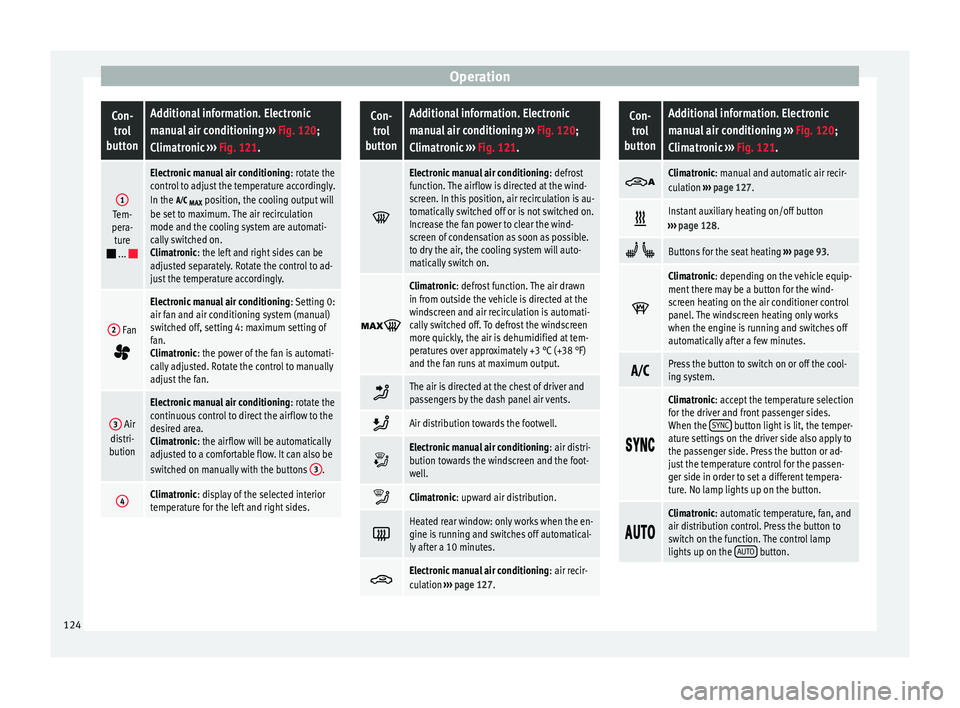
OperationCon-
trol
buttonAdditional information. Electronic
manual air conditioning ››› Fig. 120;
Climatronic ››› Fig. 121.
1Tem-
pera- ture
...
Electronic manual air conditioning : rotate the
control to adjust the temperature accordingly.
In the
MAX position, the cooling output will
be set to maximum. The air recirculation
mode and the cooling system are automati-
cally switched on.
Climatronic: the left and right sides can be
adjusted separately. Rotate the control to ad-
just the temperature accordingly.
2 Fan
Electronic manual air conditioning : Setting 0:
air fan and air conditioning system (manual)
switched off, setting 4: maximum setting of
fan.
Climatronic: the power of the fan is automati-
cally adjusted. Rotate the control to manually
adjust the fan.
3 Air
distri-
bution
Electronic manual air conditioning : rotate the
continuous control to direct the airflow to the
desired area.
Climatronic: the airflow will be automatically
adjusted to a comfortable flow. It can also be
switched on manually with the buttons 3
.
4Climatronic: display of the selected interior
temperature for the left and right sides.
Con-
trol
buttonAdditional information. Electronic
manual air conditioning ››› Fig. 120;
Climatronic ››› Fig. 121.
Electronic manual air conditioning
: defrost
function. The airflow is directed at the wind-
screen. In this position, air recirculation is au-
tomatically switched off or is not switched on.
Increase the fan power to clear the wind-
screen of condensation as soon as possible.
to dry the air, the cooling system will auto-
matically switch on.
Climatronic: defrost function. The air drawn
in from outside the vehicle is directed at the
windscreen and air recirculation is automati-
cally switched off. To defrost the windscreen
more quickly, the air is dehumidified at tem-
peratures over approximately +3 °C (+38 °F)
and the fan runs at maximum output.
The air is directed at the chest of driver and
passengers by the dash panel air vents.
Air distribution towards the footwell.
Electronic manual air conditioning
: air distri-
bution towards the windscreen and the foot-
well.
Climatronic: upward air distribution.
Heated rear window: only works when the en-
gine is running and switches off automatical-
ly after a 10 minutes.
Electronic manual air conditioning
: air recir-
culation ››› page 127.
Con-
trol
buttonAdditional information. Electronic
manual air conditioning ››› Fig. 120;
Climatronic ››› Fig. 121.
Climatronic: manual and automatic air recir-
culation
››› page 127.
Instant auxiliary heating on/off button
››› page 128.
Buttons for the seat heating ››› page 93.
Climatronic: depending on the vehicle equip-
ment there may be a button for the wind-
screen heating on the air conditioner control
panel. The windscreen heating only works
when the engine is running and switches off
automatically after a few minutes.
Press the button to switch on or off the cool-
ing system.
Climatronic: accept the temperature selection
for the driver and front passenger sides.
When the
SYNC
button light is lit, the temper-
ature settings on the driver side also apply to
the passenger side. Press the button or ad-
just the temperature control for the passen-
ger side in order to set a different tempera-
ture. No lamp lights up on the button.
Climatronic: automatic temperature, fan, and
air distribution control. Press the button to
switch on the function. The control lamp
lights up on the
AUTO
button.124
Page 127 of 305
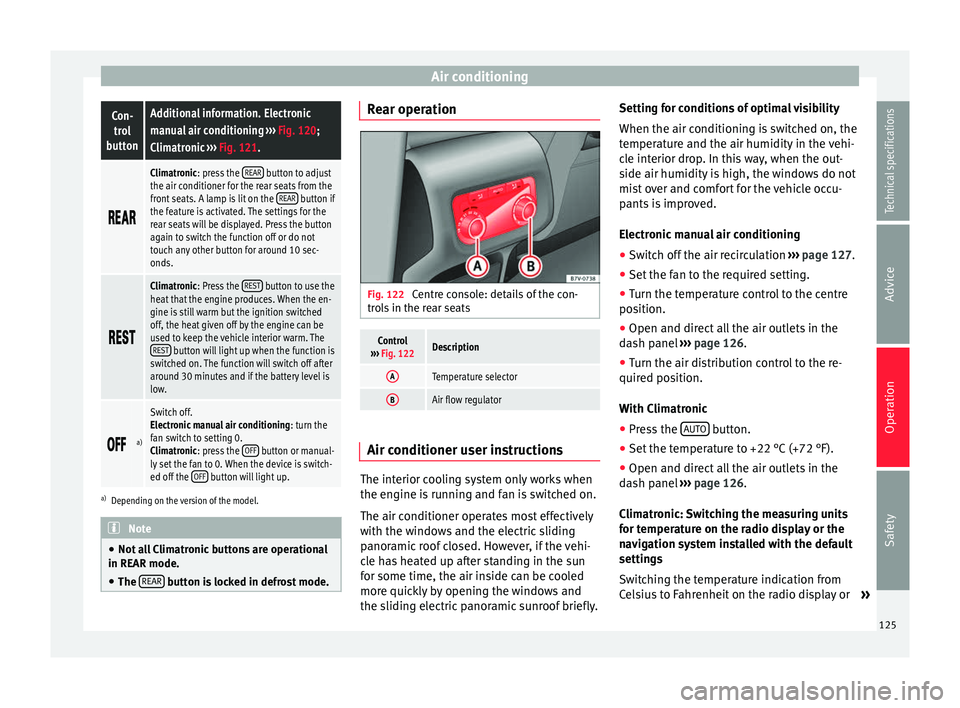
Air conditioningCon-
trol
buttonAdditional information. Electronic
manual air conditioning ››› Fig. 120;
Climatronic ››› Fig. 121.
Climatronic: press the
REAR button to adjust
the air conditioner for the rear seats from the
front seats. A lamp is lit on the REAR
button if
the feature is activated. The settings for the
rear seats will be displayed. Press the button
again to switch the function off or do not
touch any other button for around 10 sec-
onds.
Climatronic: Press the
REST button to use the
heat that the engine produces. When the en-
gine is still warm but the ignition switched
off, the heat given off by the engine can be
used to keep the vehicle interior warm. The REST
button will light up when the function is
switched on. The function will switch off after
around 30 minutes and if the battery level is
low.
a)
Switch off.
Electronic manual air conditioning
: turn the
fan switch to setting 0.
Climatronic: press the OFF
button or manual-
ly set the fan to 0. When the device is switch-
ed off the OFF
button will light up.
a)
Depending on the version of the model. Note
● Not all Climatronic buttons are operational
in REAR mode.
● The REAR button is locked in defrost mode. Rear operation
Fig. 122
Centre console: details of the con-
trols in the rear seats
Control
››› Fig. 122Description
ATemperature selector
BAir flow regulator Air conditioner user instructions
The interior cooling system only works when
the engine is running and fan is switched on.
The air conditioner operates most effectively
with the windows and the electric sliding
panoramic roof closed. However, if the vehi-
cle has heated up after standing in the sun
for some time, the air inside can be cooled
more quickly by opening the windows and
the sliding electric panoramic sunroof briefly.Setting for conditions of optimal visibility
When the air conditioning is switched on, the
temperature and the air humidity in the vehi-
cle interior drop. In this way, when the out-
side air humidity is high, the windows do not
mist over and comfort for the vehicle occu-
pants is improved.
Electronic manual air conditioning
● Switch off the air recirculation ››› page 127.
● Set the fan to the required setting.
● Turn the temperature control to the centre
position.
● Open and direct all the air outlets in the
dash panel ››› page 126 .
● Turn the air di
stribution control to the re-
quired position.
With Climatronic
● Press the AUTO button.
● Set the temperature to +22 °C (+72 °F).
● Open and direct all the air outlets in the
dash panel ››› page 126 .
C lim
atronic: Switching the measuring units
for temperature on the radio display or the
navigation system installed with the default
settings
Switching the temperature indication from
Celsius to Fahrenheit on the radio display or »
125
Technical specifications
Advice
Operation
Safety
Page 128 of 305
Operation
the navigation system is carried out in the
menu on the instrument panel ››› page 51.
The cooling system does not switch on
If the air conditioning system cannot be
switched on, this may be caused by the fol-
lowing:
● The engine is not running.
● The fan is switched off.
● The air conditioning fuse is blown. ●
The outside temperature is lower than ap-
proximately +3 °C (+38 °F).
● The air conditioner compressor has been
temporarily switched off because the engine
coolant temperature is too high.
● Another fault in the vehicle. Have the air
conditioner checked by a specialised work-
shop.
Things to note
If the humidity and temperature outside the
vehicle are high, condensation
can drip off the vaporiser in the cooling system and form
a pool underneath the vehicle. This is normal
and does not indicate a leak! Note
After starting the engine, any residual humid-
ity in the air conditioner could mist over the
windscreen. Switch on the defrost function as
soon as possible to clear the windscreen of
condensation. Air vents
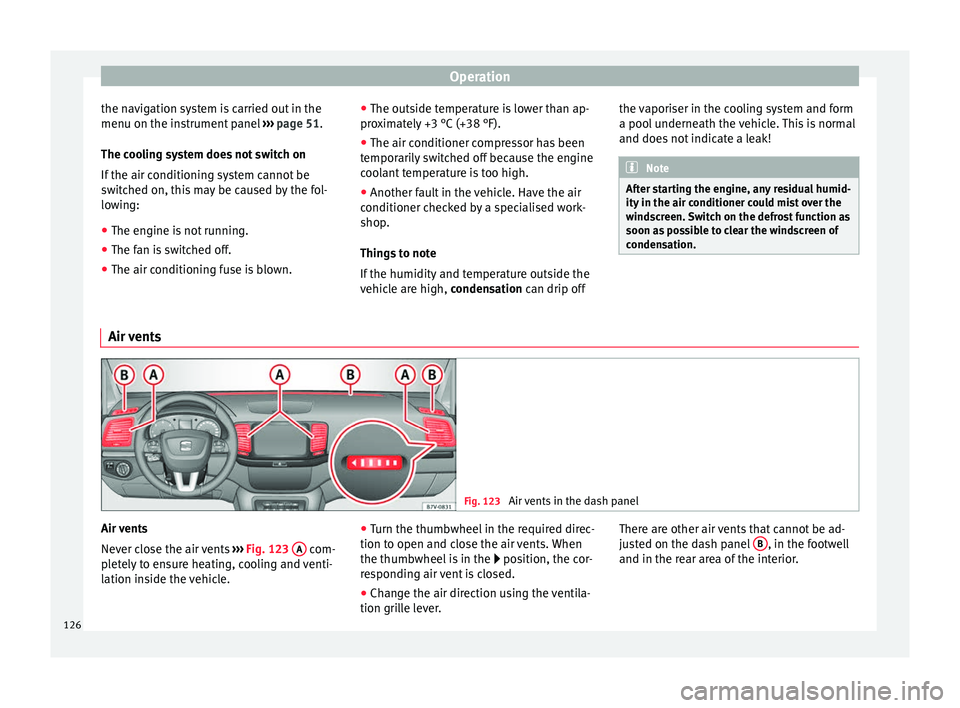
Fig. 123
Air vents in the dash panel Air vents
Never close the air vents
››› Fig. 123 A com-
pletely to ensure heating, cooling and venti-
lation inside the vehicle. ●
Turn the thumbwheel in the required direc-
tion to open and close the air vents. When
the thumbwheel is in the position, the cor-
r e
sponding air vent is closed.
● Change the air direction using the ventila-
tion grille lever. There are other air vents that cannot be ad-
justed on the dash panel
B , in the footwell
and in the rear area of the interior.
126
Page 133 of 305
Driving
Operating instructions The auxiliary heater exhaust system located
below the vehicle must be kept clear of snow,
mud and other objects. The exhaust gases
must not be obstructed in any way. The ex-
haust gases generated by the auxiliary heater
are removed via an exhaust pipe fitted under-
neath the vehicle.
On heating the vehicle interior, depending on
the outside temperature the warm air is first
directed at the windscreen and then to the
rest of the vehicle interior through the air
vents. If the air vents are turned towards the
windows, for example, the form of air distri-
bution may be affected.
Depending on the outside temperature, the
temperature at which the auxiliary heater
warms the vehicle interior may be somewhat
higher if the heating or air conditioner tem-
perature control is set to maximum before
switching the heating on.
Depending on the engine, vehicles with aux-
iliary heater may be fitted with a second bat-
tery in the luggage compartment that is re-
sponsible for powering the auxiliary heater.
Cases in which the auxiliary heater will not
switch on
● The auxiliary heater requires about as
much power as the dipped beam headlights.
If the battery charge is low, the auxiliary heat- er will switch off automatically or will not
even switch on. This avoids problems when
starting the engine.
●
The heater will switch on just once each
time. The timer will also have to be switched
back on every time it is required. Note
● Noise will be heard while the auxiliary
heater is running.
● When the air humidity is high and the out-
side temperature low, the heating system
may evaporate condensation from the auxili-
ary heater. In this case, steam may be re-
leased from underneath the vehicle. This is
completely normal and there is no need to
suspect a fault!
● If the auxiliary heater runs several times
over a prolonged period, the vehicle battery
may run flat. To re-charge the battery, drive
the vehicle for a long distance. As a general
rule, drive for as much time as the auxiliary
heating was working. Driving
Address Introduction The power steering is not hydraulic but elec-
tromechanical. The advantage of this steer-
ing system is that it disposes of hydraulic
tubes, hydraulic oil, the pump, filter and oth-
er components. The electromechanical sys-
tem saves fuel. While a hydraulic system re-
quires oil pressure to be maintained, electro-
mechanical steering only requires energy
when the steering wheel is turned.
With the power steering system, the assisted
steering function automatically adjusts ac-
cording to the vehicle speed, the steering tor-
que and the wheel turning angle. The power
steering only works when the engine is run-
ning.
WARNING
If the power steering is not working then the
steering wheel is much more difficult to turn
and the vehicle more difficult to control.
● The power steering only works when the
engine is running.
● Never allow the vehicle to move when the
engine is switched off.
● Never remove the key from the ignition if
the vehicle is in motion. The steering may » 131Technical specifications
Advice
Operation
Safety