battery Seat Alhambra 2015 Owner's Guide
[x] Cancel search | Manufacturer: SEAT, Model Year: 2015, Model line: Alhambra, Model: Seat Alhambra 2015Pages: 305, PDF Size: 5.46 MB
Page 138 of 305
Operation
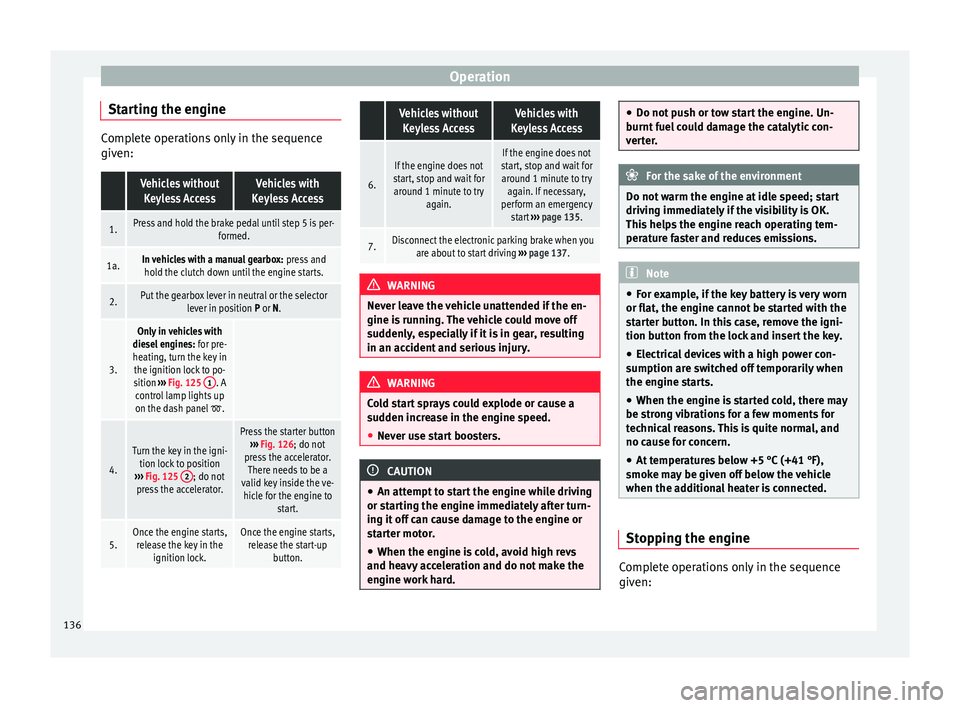
Starting the engine Complete operations only in the sequence
given: Vehicles without
Keyless AccessVehicles with
Keyless Access
1.Press and hold the brake pedal until step 5 is per- formed.
1a.In vehicles with a manual gearbox: press and
hold the clutch down until the engine starts.
2.Put the gearbox lever in neutral or the selector lever in position P or N.
3.
Only in vehicles with
diesel engines: for pre-
heating, turn the key in the ignition lock to po-
sition ››› Fig. 125 1
. A
control lamp lights up
on the dash panel
.
4.
Turn the key in the igni- tion lock to position
››› Fig. 125 2
; do not
press the accelerator.
Press the starter button ››› Fig. 126; do not
press the accelerator. There needs to be a
valid key inside the ve- hicle for the engine to start.
5.Once the engine starts,release the key in the ignition lock.Once the engine starts,release the start-up button.
Vehicles without
Keyless AccessVehicles with
Keyless Access
6.
If the engine does not
start, stop and wait for around 1 minute to try again.If the engine does not
start, stop and wait for around 1 minute to try again. If necessary,
perform an emergency start ››› page 135.
7.Disconnect the electronic parking brake when you
are about to start driving ››› page 137. WARNING
Never leave the vehicle unattended if the en-
gine is running. The vehicle could move off
suddenly, especially if it is in gear, resulting
in an accident and serious injury. WARNING
Cold start sprays could explode or cause a
sudden increase in the engine speed.
● Never use start boosters. CAUTION
● An attempt to start the engine while driving
or starting the engine immediately after turn-
ing it off can cause damage to the engine or
starter motor.
● When the engine is cold, avoid high revs
and heavy acceleration and do not make the
engine work hard. ●
Do not push or tow start the engine. Un-
burnt fuel could damage the catalytic con-
verter. For the sake of the environment
Do not warm the engine at idle speed; start
driving immediately if the visibility is OK.
This helps the engine reach operating tem-
perature faster and reduces emissions. Note
● For example, if the key battery is very worn
or flat, the engine cannot be started with the
starter button. In this case, remove the igni-
tion button from the lock and insert the key.
● Electrical devices with a high power con-
sumption are switched off temporarily when
the engine starts.
● When the engine is started cold, there may
be strong vibrations for a few moments for
technical reasons. This is quite normal, and
no cause for concern.
● At temperatures below +5 °C (+41 °F),
smoke may be given off below the vehicle
when the additional heater is connected. Stopping the engine
Complete operations only in the sequence
given:
136
Page 141 of 305
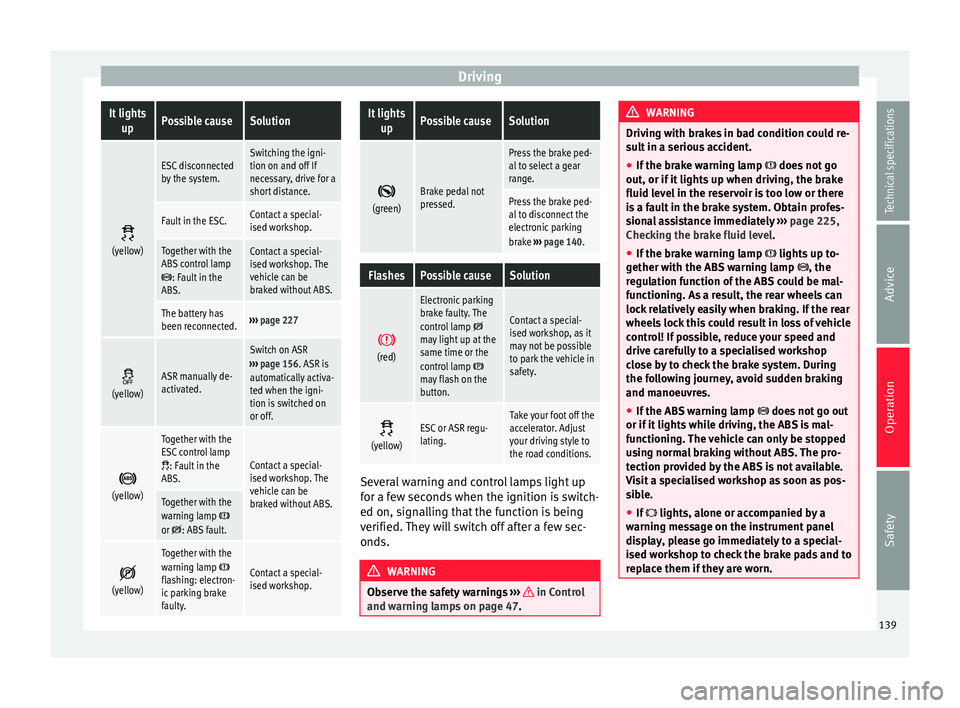
DrivingIt lights
upPossible causeSolution
(yellow)
ESC disconnected
by the system.Switching the igni-
tion on and off If
necessary, drive for a
short distance.
Fault in the ESC.Contact a special-
ised workshop.
Together with the
ABS control lamp
: Fault in the
ABS.
Contact a special-
ised workshop. The
vehicle can be
braked without ABS.
The battery has
been reconnected.››› page 227
(yellow)ASR manually de-
activated.
Switch on ASR
››› page 156. ASR is
automatically activa-
ted when the igni-
tion is switched on
or off.
(yellow)
Together with the
ESC control lamp
: Fault in the
ABS.Contact a special-
ised workshop. The
vehicle can be
braked without ABS.
Together with the
warning lamp or : ABS fault.
(yellow)
Together with the
warning lamp flashing: electron-
ic parking brake
faulty.Contact a special-
ised workshop.
It lights
upPossible causeSolution
(green)Brake pedal not
pressed.
Press the brake ped-
al to select a gear
range.
Press the brake ped-
al to disconnect the
electronic parking
brake
››› page 140.
FlashesPossible causeSolution
(red)
Electronic parking
brake faulty. The
control lamp
may light up at the
same time or the
control lamp
may flash on the
button.
Contact a special-
ised workshop, as it
may not be possible
to park the vehicle in
safety.
(yellow)ESC or ASR regu-
lating.Take your foot off the
accelerator. Adjust
your driving style to
the road conditions.
Several warning and control lamps light up
for a few seconds when the ignition is switch-
ed on, signalling that the function is being
verified. They will switch off after a few sec-
onds.
WARNING
Observe the safety warnings ››› in Control
and warning lamps on page 47. WARNING
Driving with brakes in bad condition could re-
sult in a serious accident.
● If the brake warning lamp does not go
out, or if it lights up when driving, the brake
fluid level in the reservoir is too low or there
is a fault in the brake system. Obtain profes-
sional assistance immediately ››› page 225,
Checking the brake fluid level.
● If the brake warning lamp lights up to-
gether with the ABS warning lamp , the
regulation function of the ABS could be mal-
functioning. As a result, the rear wheels can
lock relatively easily when braking. If the rear
wheels lock this could result in loss of vehicle
control! If possible, reduce your speed and
drive carefully to a specialised workshop
close by to check the brake system. During
the following journey, avoid sudden braking
and manoeuvres.
● If the ABS warning lamp does not go out
or if it lights while driving, the ABS is mal-
functioning. The vehicle can only be stopped
using normal braking without ABS. The pro-
tection provided by the ABS is not available.
Visit a specialised workshop as soon as pos-
sible.
● If lights, alone or accompanied by a
warning message on the instrument panel
display, please go immediately to a special-
ised workshop to check the brake pads and to
replace them if they are worn. 139
Technical specifications
Advice
Operation
Safety
Page 142 of 305
Operation
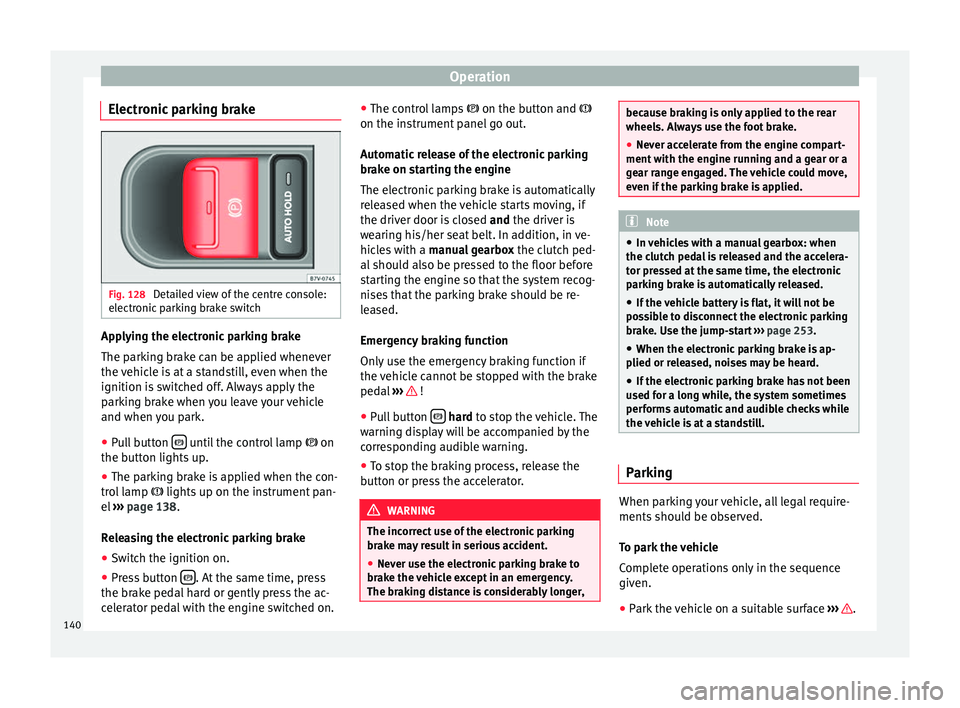
Electronic parking brake Fig. 128
Detailed view of the centre console:
electronic parking brake switch Applying the electronic parking brake
The parking brake can be applied whenever
the vehicle is at a standstill, even when the
ignition is switched off. Always apply the
parking brake when you leave your vehicle
and when you park.
●
Pull button until the control lamp
on
the button lights up.
● The parking brake is applied when the con-
trol lamp lights up on the instrument pan-
el ››› page 138 .
R el
easing the electronic parking brake
● Switch the ignition on.
● Press button . At the same time, press
the brake pedal hard or gently press the ac-
celerator pedal with the engine switched on. ●
The control lamps on the button and
on the in s
trument panel go out.
Automatic release of the electronic parking
brake on starting the engine
The electronic parking brake is automatically
released when the vehicle starts moving, if
the driver door is closed and
the driver is
wearing his/her seat belt. In addition, in ve-
hicles with a manual gearbox the clutch ped-
al should also be pressed to the floor before
starting the engine so that the system recog-
nises that the parking brake should be re-
leased.
Emergency braking function
Only use the emergency braking function if
the vehicle cannot be stopped with the brake
pedal ››› !
● Pull button
hard
to stop the vehicle. The
w
arning display will be accompanied by the
corresponding audible warning.
● To stop the braking process, release the
button or press the accelerator. WARNING
The incorrect use of the electronic parking
brake may result in serious accident.
● Never use the electronic parking brake to
brake the vehicle except in an emergency.
The braking distance is considerably longer, because braking is only applied to the rear
wheels. Always use the foot brake.
●
Never accelerate from the engine compart-
ment with the engine running and a gear or a
gear range engaged. The vehicle could move,
even if the parking brake is applied. Note
● In vehicles with a manual gearbox: when
the clutch pedal is released and the accelera-
tor pressed at the same time, the electronic
parking brake is automatically released.
● If the vehicle battery is flat, it will not be
possible to disconnect the electronic parking
brake. Use the jump-start ››› page 253.
● When the electronic parking brake is ap-
plied or released, noises may be heard.
● If the electronic parking brake has not been
used for a long while, the system sometimes
performs automatic and audible checks while
the vehicle is at a standstill. Parking
When parking your vehicle, all legal require-
ments should be observed.
To park the vehicle
Complete operations only in the sequence
given.
● Park the vehicle on a suitable surface ››› .
140
Page 160 of 305
Operation
CAUTION
Before entering an automatic car wash, al-
ways switch the Auto Hold function off, as it
could be damaged when the electronic park-
ing brake automatically engages. Start-Stop Function*
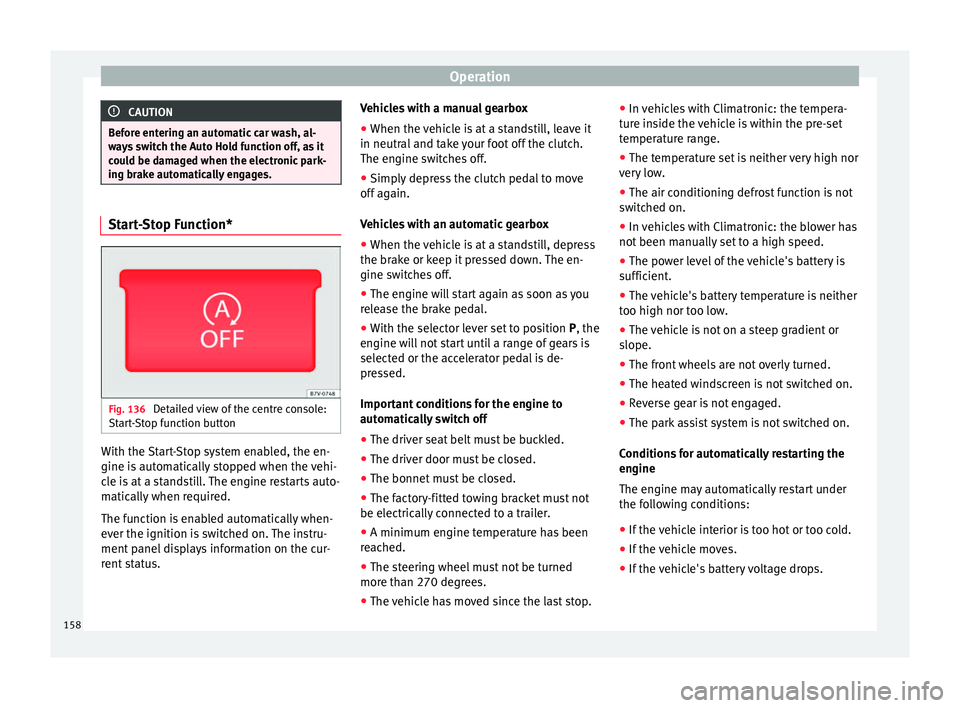
Fig. 136
Detailed view of the centre console:
Start-Stop function button With the Start-Stop system enabled, the en-
gine is automatically stopped when the vehi-
cle is at a standstill. The engine restarts auto-
matically when required.
The function is enabled automatically when-
ever the ignition is switched on. The instru-
ment panel displays information on the cur-
rent status. Vehicles with a manual gearbox
● When the vehicle is at a standstill, leave it
in neutral and take your foot off the clutch.
The engine switches off.
● Simply depress the clutch pedal to move
off again.
Vehicles with an automatic gearbox
● When the vehicle is at a standstill, depress
the brake or keep it pressed down. The en-
gine switches off.
● The engine will start again as soon as you
release the brake pedal.
● With the selector lever set to position P, the
en gine w
ill not start until a range of gears is
selected or the accelerator pedal is de-
pressed.
Important conditions for the engine to
automatically switch off
● The driver seat belt must be buckled.
● The driver door must be closed.
● The bonnet must be closed.
● The factory-fitted towing bracket must not
be electrically connected to a trailer.
● A minimum engine temperature has been
reached.
● The steering wheel must not be turned
more than 270 degrees.
● The vehicle has moved since the last stop. ●
In vehicles with Climatronic: the tempera-
ture inside the vehicle is within the pre-set
temperature range.
● The temperature set is neither very high nor
very low.
● The air conditioning defrost function is not
switched on.
● In vehicles with Climatronic: the blower has
not been manually set to a high speed.
● The power level of the vehicle's battery is
sufficient.
● The vehicle's battery temperature is neither
too high nor too low.
● The vehicle is not on a steep gradient or
slope.
● The front wheels are not overly turned.
● The heated windscreen is not switched on.
● Reverse gear is not engaged.
● The park assist system is not switched on.
Conditions for automatically restarting the
engine
The engine may automatically restart under
the following conditions:
● If the vehicle interior is too hot or too cold.
● If the vehicle moves.
● If the vehicle's battery voltage drops.
158
Page 161 of 305
Driver assistance systems
Conditions requiring the key to restart the
engine
The engine must be started manually under
the following conditions:
● If the driver unbuckles his/her seat belt.
● If the driver door is opened.
● If the bonnet is opened.
● In vehicles with a manual gearbox: if a gear
has been selected.
Switching Start-Stop mode on and off
manually
● Press the button on the centre console
››› Fig. 136 .
● The b utt
on will light up when the Start-Stop
function is switched off.
The engine will start immediately if the vehi-
cle is in Stop mode when it is switched off
manually. WARNING
The brake servo and the power steering do
not work when the engine is switched off.
● Never allow the vehicle to move when the
engine is switched off. CAUTION
Using the Start-Stop function for a long peri-
od at very high outside temperatures could
damage the vehicle's battery. Note
● In some cases, you may have to restart the
vehicle using the key. Observe the corre-
sponding message on the instrument panel
display.
● If the steering wheel is turned more than
270°, Stop will not function; however, the an-
gle of steering wheel turn does not affect
starting the vehicle. Parking sensor system*
Introduction The parking sensor system assists the driver
when parking. When the vehicle approaches
an obstacle, forwards or backwards, an inter-
mittent audible warning will be heard, higher
or lower depending on the distance. The
shorter the distance, the shorter the intervals
between tones. If the vehicle is too close to
the obstacle, the audible warning becomes
constant.
If you continue to approach an obstacle when
the sound is continuous, this means the sys-
tem can no longer measure the distance.
The sensor system on the bumpers transmit
and receive ultrasound. Using the ultrasound
signal (transmission, reflection from the ob-
stacle and reception), this system continu-ously calculates the distance between the
bumper and the obstacle. WARNING
The parking sensor system and the optical
parking system cannot replace driver aware-
ness.
● The sensors have blind spots in which ob-
stacles and people are not registered.
● Always observe the area around the vehi-
cle, as the sensors do not always detect
small children, animals or objects.
● The surface of certain objects and some
clothing do not reflect the ultrasound signals
from the parking distance system. The sys-
tem cannot detect or incorrectly detects
these objects and people wearing these
types of clothes.
● External sound sources can affect the park-
ing distance aid signals. In this case, under
certain circumstances, people and objects
will not be detected. CAUTION
● The sensors may not always be able to de-
tect objects such as trailer draw bars, thin
rails, fences, posts, trees and open boots,
etc. This could result in damage to your car.
● Although the parking sensor system de-
tects and warns of the presence of an obsta-
cle, the obstacle could disappear from the an-
gle of measurement of the sensors if it is too
high or low and the system would no longer » 159
Technical specifications
Advice
Operation
Safety
Page 186 of 305
Operation
If the system detects that a trailer has been
connected electrically, the electrical equip-
ment on the trailer will receive voltage
through this connection (pins 9 and 10). Pin
9 has a permanent live. This powers, for ex-
ample, the trailer's interior lighting. Electrical
devices such as a fridge in a caravan only re-
c eiv
e electrical power if the engine is running
(through pin 10).
The earth wires, pin 3 and pin 13, should not
be connected to each other to avoid over-
loading the electrical system.
If the trailer has a 7-contact connector , you
will need to use an adapter cable. In this case
the function corresponding to pin 10 will not
be available.
Trailer cable
Always secure the trailer cable to the towing
vehicle correctly. Leave a little bit of slack in
the cable for turning. However, ensure that
the cable does not rub off the ground while
driving.
Trailer rear lights
Check the trailer rear lights to ensure they
work correctly and remain legal. Ensure that
the trailer does not use more than the maxi-
mum power ›››
page 181. Tr
ailer connected to the anti-theft alarm:
● When a vehicle comes from the factory fit-
ted with an anti-theft alarm and tow hitch.
● When the trailer is connected to the vehicle
using the socket.
● When the vehicle and trailer electrical sys-
tems work correctly and are not damaged.
● When the vehicle is locked using the vehi-
cle key and the anti-theft alarm is turned on.
When the vehicle is locked, the alarm is trig-
gered when the electrical connection be-
tween the vehicle and the trailer is removed.
Always turn off the anti-theft alarm system
before connecting or disconnecting a trailer.
Otherwise, the tilt sensor may erroneously
activate the alarm.
Trailer with rear LED lights
For technical reasons, trailers fitted with rear
LED lights cannot be connected to the anti-
theft alarm system.
When the vehicle is locked, the alarm does
not trigger if the electrical connection with
the trailer is cut if it has rear light with light-
emitting diodes. WARNING
Erroneous or unsuitable connection of elec-
tric cables may supply energy to the trailer
causing an anomaly in the vehicle electronics that could result in an accident with serious
consequences.
●
All work on the electrical system must be
carried out only by a specialised workshop.
● Never connect the trailer's electric system
to the electrical connections of the rear lights
or any other power sources. CAUTION
Do not leave the trailer connected to the vehi-
cle when parked; places on its support wheel
or its supports. For example, when changing
the load or a puncture, the vehicle will be
pushed up or down. The force acting on the
tow hitch and the trailer could damage the
vehicle or the trailer. Note
● In the event of a fault in the vehicle or trail-
er electrical system or in the event of prob-
lems with the anti-theft alarm system, have
the system checked by a specialised work-
shop.
● If the trailer accessories use energy from
the power socket when the engine is stop-
ped, the battery will be discharged.
● For technical reasons, trailers fitted with
rear LED lights cannot be connected to the
anti-theft alarm system.
● If the vehicle battery is running low, the
electrical connection with the trailer is auto-
matically cut. 184
Page 217 of 305
Checking and refilling levels
carried out by a specialised workshop if you
are uncertain. Negligent work can cause seri-
ous injury. WARNING
If the vehicle moves unexpectedly, this could
cause serious injury.
● Never work under the vehicle if it has not
been immobilized. If you must work under-
neath the vehicle with the wheels in contact
with the ground then it should be parked on
flat ground, the wheels should be prevented
from moving and the key should be removed
from the ignition.
● If you have to work underneath the vehicle,
you must use suitable stands additionally to
support the vehicle, there is a risk of acci-
dent!. The jack is not intended for this kind of
work and its failure could lead to severe inju-
ries. WARNING
The engine compartment is a dangerous area
capable of causing serious injury.
● For all type of work, always take the utmost
precautions, work carefully and note the gen-
eral safety standards in force. Never take per-
sonal risks.
● Never work on the engine or in the engine
compartment if you are not familiar with the
necessary operations. If you are not sure
about procedures then visit a specialised
workshop to carry out the necessary work. Working incorrectly can cause serious inju-
ries.
●
Never open the bonnet if you see steam or
coolant escaping from the engine compart-
ment. This may cause serious burns. Always
wait until you cannot see or hear the sound of
steam or coolant coming from the engine
compartment.
● Always allow the engine to cool down be-
fore opening the bonnet.
● Contact with hot elements of the engine
and the exhaust system can cause burns.
● Once the engine has cooled, follow the in-
structions below before opening the bonnet:
– Turn on the electronic parking brake and
place the gear selector lever in P or the
gearbox lever in neutral.
– Remove the key from the ignition.
– Keep children away from the engine com-
partment and never leave them unsuper-
vised.
● When the engine is warm or hot, the cool-
ing system is pressurised. Do not unscrew
the cap on the expansion tank when the en-
gine is hot. Otherwise, coolant may spray out
under pressure causing burns and serious in-
jury.
– Carefully and slowly unscrew the cap an-
ticlockwise, gently pressing down on it.
– Always protect your face, hands and arms
from hot coolant and steam using a large,
thick cloth. ●
When refilling liquids, avoid spilling them
on parts of the engine and the exhaust sys-
tem. Spilled liquids could cause a fire. WARNING
The high voltages of the electrical system can
give electric shocks as well as causing burns
and serious injury and possibly even death!
● Never cause short circuits in the electrical
system. The battery could explode.
● To minimise the risk of electric shock and
serious consequences while the engine is
running or starting the engine, note the fol-
lowing:
– Never touch the electrical wiring of the
ignition system.
– Never touch electric cables or the gas dis-
charge lamps. WARNING
In the engine compartment, there are rotat-
ing parts that could cause serious injury.
● Never place your hands on or near the radi-
ator fan. Touching the rotor blades could seri-
ously harm you. The ventilator works accord-
ing to the engine temperature and could start
suddenly even when the ignition is turned off
and the key is removed.
● If any work has to be performed when the
engine is started or with the engine running,
there is an additional, potentially fatal, safety » 215Technical specifications
Advice
Operation
Safety
Page 218 of 305
Advice
risk from rotating parts, such as the drive
belts, alternator, radiator fan, etc., as well as
from the high-voltage ignition system. Al-
ways work with the utmost caution.
– Always make sure that no parts of your
body, jewellery, ties, loose clothing and
long hair can be trapped by the rotating
parts of the engine. Before any work, re-
move ties and jewellery (necklaces, etc),
tie long hair back and tie all items of
loose clothing to your body to make sure
that they cannot be trapped by engine
components.
– Take extreme caution when operating the
accelerator and remain attentive. The ve-
hicle could move, even with the electron-
ic parking brake activated.
● Always make sure you have not left any ob-
jects, such as cleaning cloths and tools, in
the engine compartment. If any object is left
in the engine compartment, this could cause
malfunctions, engine faults and even a fire. WARNING
Refill liquids and certain materials can catch
fire easily in the engine compartment, caus-
ing a fire and serious injury!
● Never smoke.
● Never work close to places exposed to
flames or sparks.
● Never pour service fluids over the engine.
These fluid may ignite hot engine parts and
cause injuries. ●
If it is necessary to work on the fuel system
or the electrical system, please follow the in-
structions below:
–Always disconnect the vehicle battery.
When disconnecting the battery, ensure
that the vehicle is unlocked otherwise
the anti-theft alarm will be triggered.
– Never work close to heaters, heat sources
or places exposed to flames or sparks.
● Always keep a recently serviced and per-
fectly working fire extinguisher close by.
● Never cover the engine with additional in-
sulating materials such as a blanket. Risk of
fire! CAUTION
When refilling or changing service liquids,
ensure that you put the liquids into the right
tank. Making a mistake when refilling could
cause serious malfunctions and damage the
engine! For the sake of the environment
Service fluids leaks are harmful to the envi-
ronment. For this reason you should make
regular checks on the ground underneath
your vehicle. Take the vehicle to a specialised
workshop to be checked if you see stains, oil
or other fluids on the ground. Collect any
spilt service fluids and allow a professional to
dispose of them. Opening and closing the bonnet
Fig. 162
In the footwell on the driver side:
Lever for unlocking the bonnet Fig. 163
Release lever to open the bonnet in
the radiator grille Opening the bonnet
The lever to open the bonnet can only be
used if the driver door is open.
216
Page 219 of 305
Checking and refilling levels
● Before opening the bonnet, make sure that
the windscreen wiper arms are in place
against the windscreen ››› .
● Open the driver door.
● Pull the release lever ››› Fig. 162 in the di-
r ection of
the arrow. The bonnet is released
from the lock carrier by a spring mechanism
››› .
● Lift the bonnet using the release lever
››› Fig. 163 (arrow) and open the bonnet fully.
The bonnet i
s held open thanks to the gas
strut.
Closing the bonnet
● To close the bonnet, pull it down to over-
come the gas strut pressure ››› .
● Allow the bonnet to fall into the lock carrier.
Do not press down.
If the bonnet is not correctly closed, open it
once again and close it correctly.
The bonnet is correctly closed when it is flush
with the corresponding parts on the body-
work. WARNING
If the bonnet is not correctly closed, it could
suddenly open while driving leaving the driv-
er without visibility. This could result in a se-
rious accident.
● After closing the bonnet, always check that
it is properly secured by the locking mecha- nism in the lock carrier. The bonnet must be
flush with the surrounding body panels.
●
While driving, if you notice that the bonnet
is not correctly closed then stop immediately
and close it correctly.
● Only open and close the bonnet when there
is nobody within its range. CAUTION
● To avoid damage to the bonnet and to the
windscreen wiper arms, only open it when
the windscreen wipers are in place against
the windscreen.
● Before driving, always lower the wiper
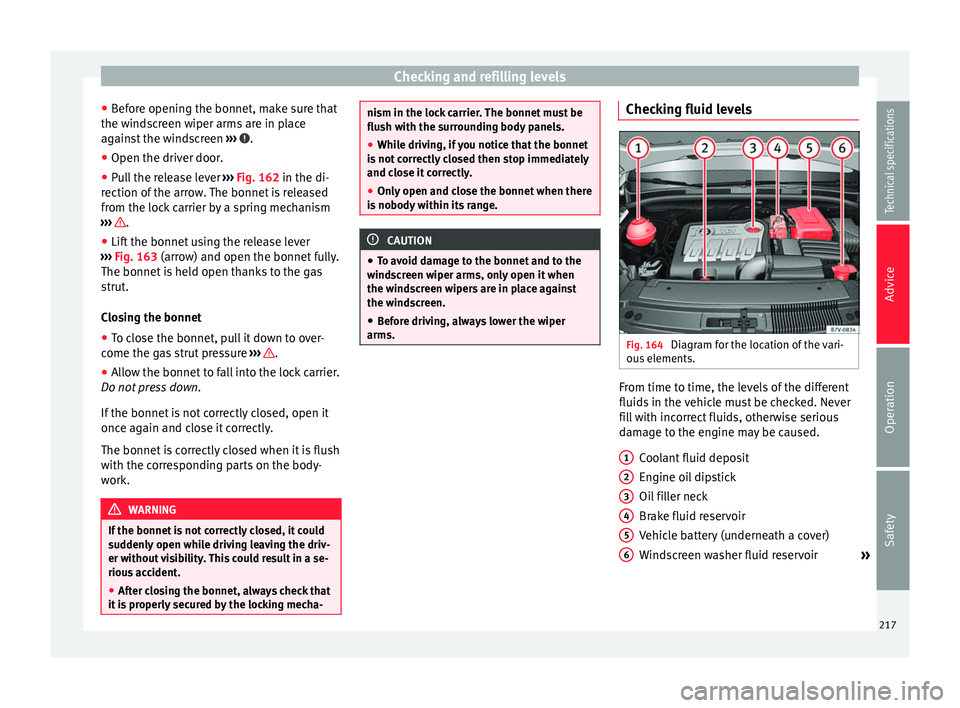
arms. Checking fluid levels
Fig. 164
Diagram for the location of the vari-
ous elements. From time to time, the levels of the different
fluids in the vehicle must be checked. Never
fill with incorrect fluids, otherwise serious
damage to the engine may be caused.
Coolant fluid deposit
Engine oil dipstick
Oil filler neck
Brake fluid reservoir
Vehicle battery (underneath a cover)
Windscreen washer fluid reservoir »
1 2
3
4
5
6
217
Technical specifications
Advice
Operation
Safety
Page 229 of 305
Checking and refilling levels
● The washer reservoir is marked with the
symbol on the lid
›
›› Fig. 171.
● Check there is enough water in the reser-
voir.
● To top up, mix water with a window cleaner
recommended by SEAT ››› . Please follow
the instructions for use found on the packag-
ing.
● In cold weather, a special antifreeze should
also be added to prevent the water from
freezing ››› .
Reservoir capacity
The capacity of the tank is approximately 3 li-
tres; in vehicles with a headlight washer sys-
tem, it is approximately 7 litres. WARNING
Never mix an unsuitable antifreeze or other
similar additives with the windscreen washer
water. A greasy layer may be formed on the
windscreen which will impair visibility.
● Use clean water with a window cleaner rec-
ommended by SEAT.
● If necessary, add a suitable antifreeze to
the water in the reservoir. CAUTION
● Do not mix cleaning products recommen-
ded by SEAT with other products. This could
lead to flocculation and may block the wind-
screen washer jets. ●
When topping up service fluids, make abso-
lutely certain that you fill the fluids into the
correct reservoirs. Using the wrong fluids
could cause serious malfunctions and engine
damage! Vehicle battery
Introduction The battery is a component of the vehicle's
electrical system.
Never work on the electrical system without
fully understanding the operations required,
the applicable safety standards and without
the correct tools
››› ! If required, have any
work carried out by a specialised workshop.
SEAT recommends taking your car in for tech-
nical service. Negligent work can cause seri-
ous injury.
Location and number of batteries in the
vehicle
The battery is located in the engine compart-
ment.
Explanation of the warning indications on
the vehicle's battery
SymbolMeaning
Wear eye protection!
SymbolMeaning
Battery acid is very corrosive and caustic.
Always wear protective gloves and eye
protection!
Fires, sparks, open flames and smoking
are prohibited.
A highly explosive mixture of gases is re-
leased when the battery is under charge.
Keep children away from acid and batter-
ies!
WARNING
Working on the vehicle battery and the elec-
trical system can cause corrosion, fire and
electric shocks. Always read and take into ac-
count the following warnings and safety
standards before carrying out any work:
● Before working on the battery, switch off
the engine, the ignition and all electrical de-
vices then disconnect the negative connec-
tion on the battery.
● Keep children away from acid and the bat-
tery itself!
● Wear eye protection.
● Battery acid is very corrosive and caustic. It
can burn skin and cause blindness. When
handling the battery, protect yourself from
splashes of acids, above all your hands, arms
and face.
● Do not smoke and never work close to pla-
ces exposed to flames or sparks. » 227
Technical specifications
Advice
Operation
Safety