lock Seat Alhambra 2015 Workshop Manual
[x] Cancel search | Manufacturer: SEAT, Model Year: 2015, Model line: Alhambra, Model: Seat Alhambra 2015Pages: 305, PDF Size: 5.46 MB
Page 103 of 305
Transport and practical equipment
Note
The ventilating slits between the heated rear
window and the shelf must not be covered so
that used air can escape from the vehicle. Folding down rear seats to create load
space
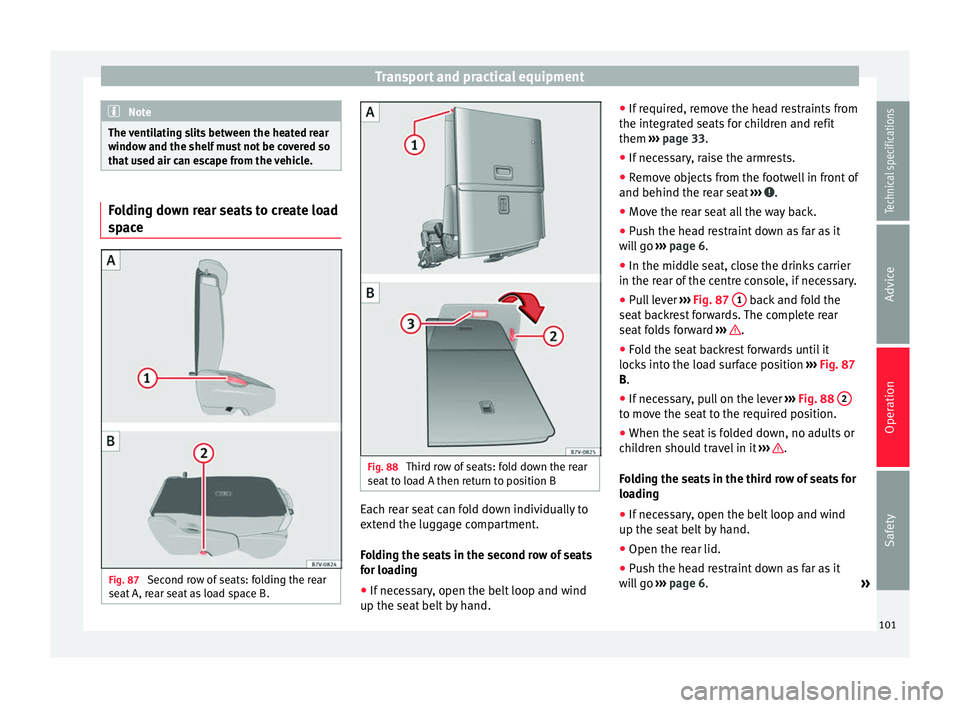
Fig. 87
Second row of seats: folding the rear
seat A, rear seat as load space B. Fig. 88
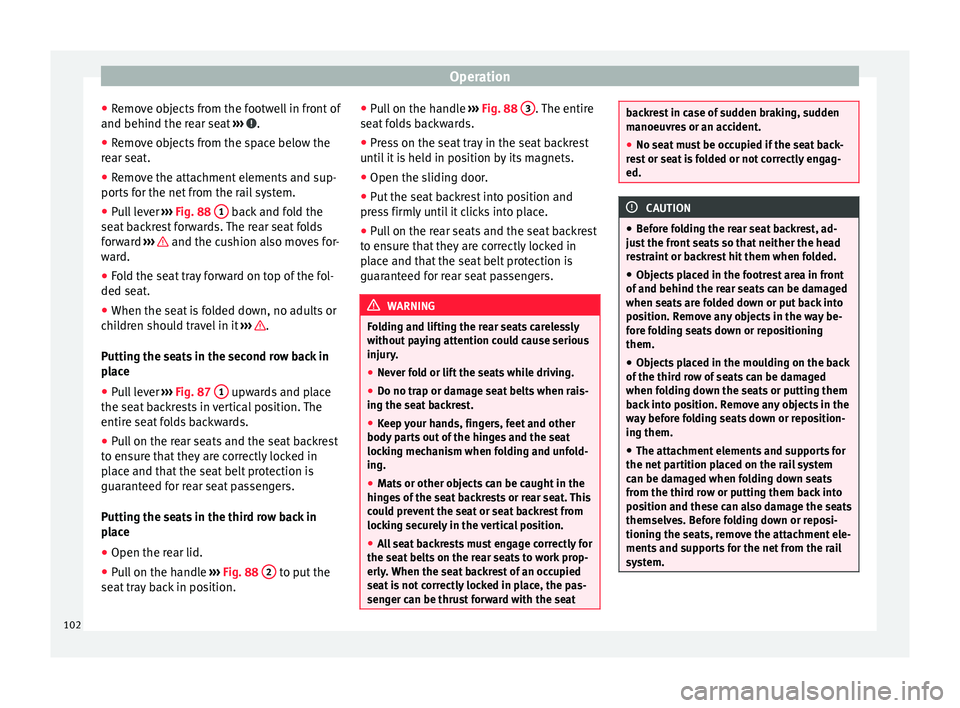
Third row of seats: fold down the rear
seat to load A then return to position B Each rear seat can fold down individually to
extend the luggage compartment.
Folding the seats in the second row of seats
for loading
●
If necessary, open the belt loop and wind
up the seat belt by hand. ●
If required, remove the head restraints from
the integrated seats for children and refit
them ››› page 33 .
● If nec
essary, raise the armrests.
● Remove objects from the footwell in front of
and behind the rear seat ››› .
● Move the rear seat all the way back.
● Push the head restraint down as far as it
will go ››› page 6 .
● In the mid dl
e seat, close the drinks carrier
in the rear of the centre console, if necessary.
● Pull lever ››› Fig. 87
1 back and fold the
seat backrest forwards. The complete rear
seat folds forward ››› .
● Fold the seat backrest forwards until it
locks into the load surface position ››› Fig. 87
B .
● If nec
essary, pull on the lever ››› Fig. 88 2 to move the seat to the required position.
●
When the seat is folded down, no adults or
children should travel in it ››› .
Folding the seats in the third row of seats for
loading
● If necessary, open the belt loop and wind
up the seat belt by hand.
● Open the rear lid.
● Push the head restraint down as far as it
will go ››› page 6 .
»
101
Technical specifications
Advice
Operation
Safety
Page 104 of 305
Operation
● Remove objects from the footwell in front of
and behind the rear seat ››› .
● Remove objects from the space below the
rear seat.
● Remove the attachment elements and sup-
ports for the net from the rail system.
● Pull lever ››› Fig. 88 1 back and fold the
seat backrest forwards. The rear seat folds
forward ››› and the cushion also moves for-
ward.
● Fold the seat tray forward on top of the fol-
ded seat.
● When the seat is folded down, no adults or
children should travel in it ››› .
Putting the seats in the second row back in
place
● Pull lever ››› Fig. 87 1 upwards and place
the seat backrests in vertical position. The
entire seat folds backwards.
● Pull on the rear seats and the seat backrest
to ensure that they are correctly locked in
place and that the seat belt protection is
guaranteed for rear seat passengers.
Putting the seats in the third row back in
place
● Open the rear lid.
● Pull on the handle ››› Fig. 88 2 to put the
seat tray back in position. ●
Pull on the handle ››› Fig. 88 3 . The entire
seat folds backwards.
● Press on the seat tray in the seat backrest
until it is held in position by its magnets.
● Open the sliding door.
● Put the seat backrest into position and
press firmly until it clicks into place.
● Pull on the rear seats and the seat backrest
to ensure that they are correctly locked in
place and that the seat belt protection is
guaranteed for rear seat passengers. WARNING
Folding and lifting the rear seats carelessly
without paying attention could cause serious
injury.
● Never fold or lift the seats while driving.
● Do no trap or damage seat belts when rais-
ing the seat backrest.
● Keep your hands, fingers, feet and other
body parts out of the hinges and the seat
locking mechanism when folding and unfold-
ing.
● Mats or other objects can be caught in the
hinges of the seat backrests or rear seat. This
could prevent the seat or seat backrest from
locking securely in the vertical position.
● All seat backrests must engage correctly for
the seat belts on the rear seats to work prop-
erly. When the seat backrest of an occupied
seat is not correctly locked in place, the pas-
senger can be thrust forward with the seat backrest in case of sudden braking, sudden
manoeuvres or an accident.
●
No seat must be occupied if the seat back-
rest or seat is folded or not correctly engag-
ed. CAUTION
● Before folding the rear seat backrest, ad-
just the front seats so that neither the head
restraint or backrest hit them when folded.
● Objects placed in the footrest area in front
of and behind the rear seats can be damaged
when seats are folded down or put back into
position. Remove any objects in the way be-
fore folding seats down or repositioning
them.
● Objects placed in the moulding on the back
of the third row of seats can be damaged
when folding down the seats or putting them
back into position. Remove any objects in the
way before folding seats down or reposition-
ing them.
● The attachment elements and supports for
the net partition placed on the rail system
can be damaged when folding down seats
from the third row or putting them back into
position and these can also damage the seats
themselves. Before folding down or reposi-
tioning the seats, remove the attachment ele-
ments and supports for the net from the rail
system. 102
Page 107 of 305
Transport and practical equipment
● Hook in the net partition on the rear right-
hand side roof support by pressing on the
rod.
● Secure the net partition hooks into the
straps in the front of the boot ››› Fig. 92 then
tight en the belts.
In
stalling the net partition behind the front
seats
● Hook in the net partition on the front left-
hand side roof support ››› Fig. 92. To do this,
guide the rod fr
om up to down.
● Hook in the net partition on the rear right-
hand side roof support by pressing on the
rod.
● Secure the hooks of the net partition to the
attachment rings in the left and right hand
side footwells on the second row of seats
then tighten the straps.
Removing the net partition
● Loosen the net partition straps.
● Release the net partition hooks from the
rings ››› Fig. 92.
● Unhook the net
partition on the right-hand
side roof support ››› Fig. 92 by pressing on
the rod.
● Unhook
the net partition from the left-hand
side roof support. Folding in the net partition
●
Press on the release button ››› Fig. 91 2 and bend the rod
A in the direction of the
arrow with the release button pressed.
● Press on the release button ››› Fig. 91 3 and bend the rod
B in the direction of the
arrow with the release button pressed.
● Store the net partition securely in the vehi-
cle. WARNING
Loose objects in the vehicle interior can be vi-
olently thrown in case of a sudden manoeu-
vre or braking and especially in accidents
causing serious injury.
● Ensure that the rods are correctly locked in
place.
● Even when the net partition is correctly fit-
ted, objects must be secured.
● When driving with the net partition, no pas-
sengers should be behind it. Fastening rings*
Fig. 93
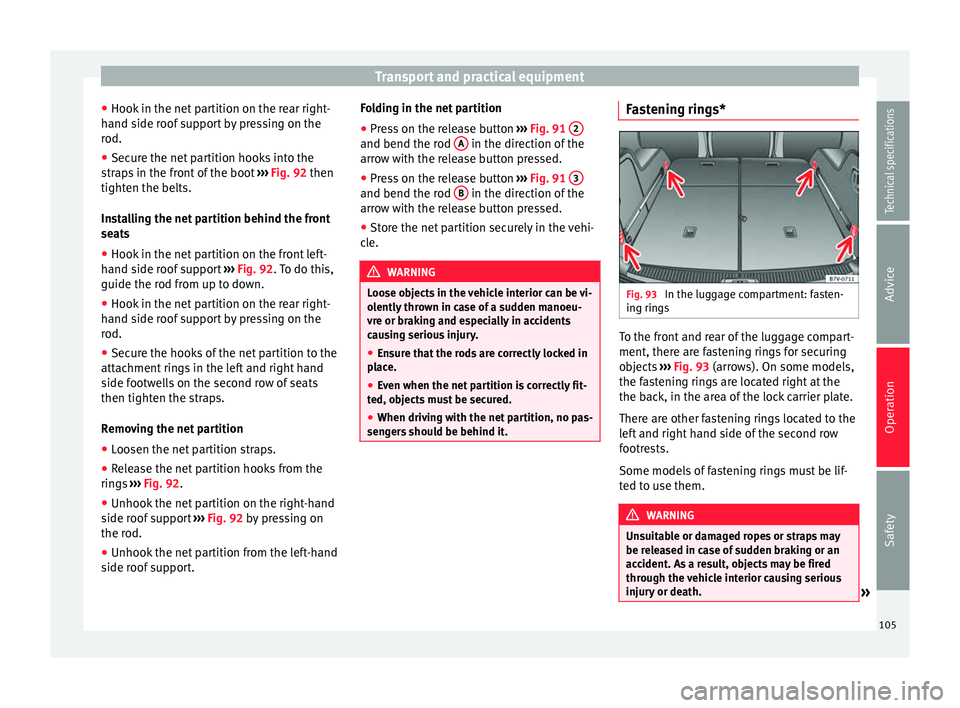
In the luggage compartment: fasten-
ing rings To the front and rear of the luggage compart-
ment, there are fastening rings for securing
objects
››› Fig. 93 (arrows). On some models,
the f a
stening rings are located right at the
the back, in the area of the lock carrier plate.
There are other fastening rings located to the
left and right hand side of the second row
footrests.
Some models of fastening rings must be lif-
ted to use them. WARNING
Unsuitable or damaged ropes or straps may
be released in case of sudden braking or an
accident. As a result, objects may be fired
through the vehicle interior causing serious
injury or death. » 105
Technical specifications
Advice
Operation
Safety
Page 114 of 305
Operation
Storage compartments Introduction Storage compartments must only be used to
store light or small objects.
The front central armrest compartment hous-
es the factory-fitted
AUX-IN or multimedia
(MEDIA-IN) connection sockets.
The factory-fitted
CD changer is located in the
left-hand storage compartment of the boot. WARNING
In the event of sudden braking movements or
turns, loose objects may be thrown around
the vehicle interior. This could cause serious
injuries to passengers and cause the driver to
lose control of the vehicle.
● Do not transport animals or place hard,
heavy or sharp objects inside the vehicle in:
open storage compartments, dash panel, rear
shelf, items of clothing or bags.
● While driving, always keep object compart-
ments closed. WARNING
Objects falling into the driver's footwell could
prevent use of the pedals. This could lead the
driver to lose control of the vehicle, increas-
ing the risk of a serious accident. ●
Make sure the pedals can be used at all
times, with no objects rolling underneath
them.
● The floor mat should always be secured to
the floor.
● Never place other mats or rugs on top of
the original mat supplied by the factory.
● Make sure that no objects can fall into the
driver's footwell while the vehicle is in mo-
tion. CAUTION
● Objects on the shelf could chafe against
the wires of the heating element in the heat-
ed rear window and cause damage.
● Do not keep heat-sensitive objects, food or
medicines inside the vehicle. Heat and cold
could damage them or render them useless.
● Light-transparent objects placed inside the
vehicle, such as lenses, magnifying glasses
or transparent suction caps on the windows,
may concentrate the sun's rays and cause
damage to the vehicle. Note
The ventilating slits between the heated rear
window and the shelf must not be covered so
that used air can escape from the vehicle. Spectacle case in the roof console
Fig. 100
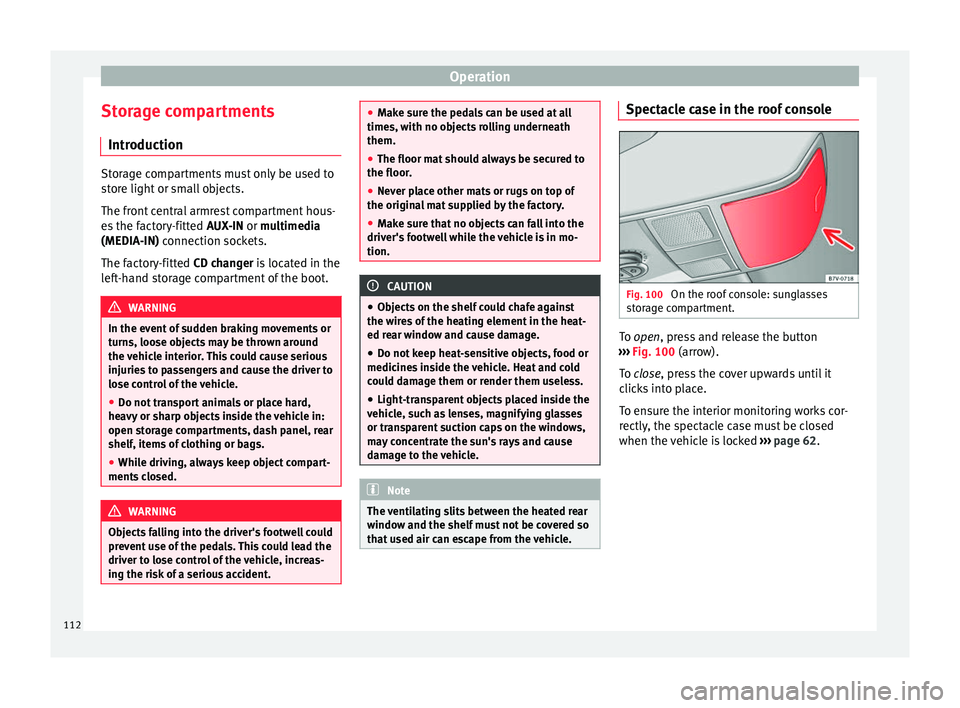
On the roof console: sunglasses
storage compartment. To
open
, press and release the button
›
›› Fig. 100 (arrow).
To
close, press the cover upwards until it
clicks into place.
To ensure the interior monitoring works cor-
rectly, the spectacle case must be closed
when the vehicle is locked ››› page 62.
112
Page 115 of 305
Transport and practical equipment
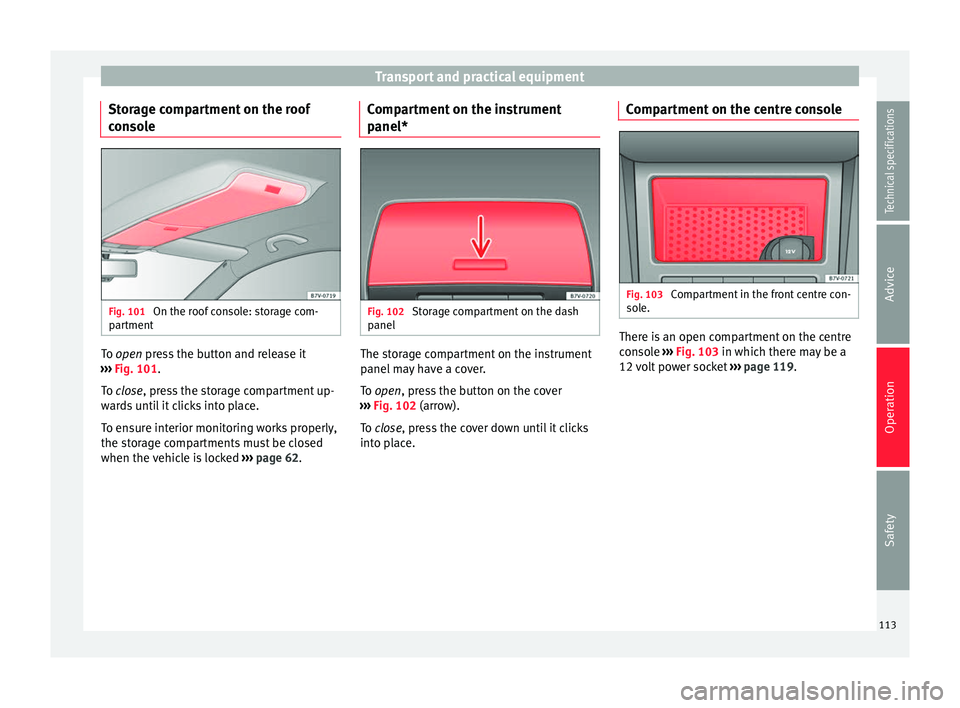
Storage compartment on the roof
console Fig. 101
On the roof console: storage com-
partment To
open
press the button and release it
›
›› Fig. 101.
To
close, press the storage compartment up-
wards until it clicks into place.
To ensure interior monitoring works properly,
the storage compartments must be closed
when the vehicle is locked ››› page 62. Compartment on the instrument
panel*
Fig. 102
Storage compartment on the dash
panel The storage compartment on the instrument
panel may have a cover.
To
open
, press the button on the cover
›
›› Fig. 102 (arrow).
To
close, press the cover down until it clicks
into place. Compartment on the centre console Fig. 103
Compartment in the front centre con-
sole. There is an open compartment on the centre
console
››› Fig. 103 in which there may be a
12 v
olt power socket ››› page 119.
113
Technical specifications
Advice
Operation
Safety
Page 116 of 305
Operation
Compartment in the front central
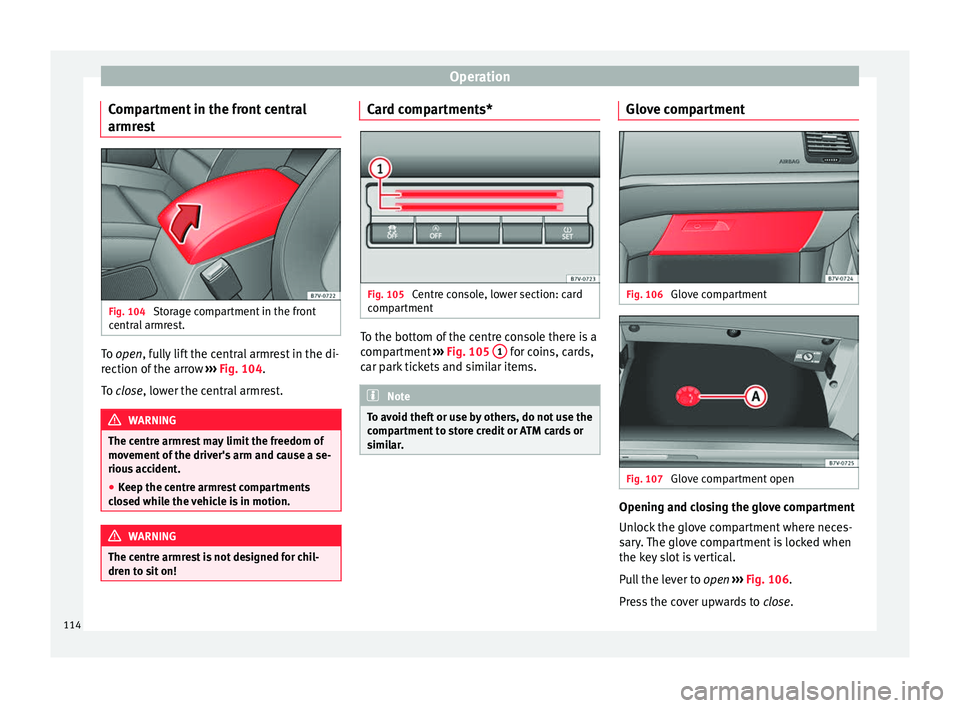
armrest Fig. 104
Storage compartment in the front
central armrest. To
open
, fully lift the central armrest in the di-
r
ection of the arrow ››› Fig. 104.
To
close, lower the central armrest. WARNING
The centre armrest may limit the freedom of
movement of the driver's arm and cause a se-
rious accident.
● Keep the centre armrest compartments
closed while the vehicle is in motion. WARNING
The centre armrest is not designed for chil-
dren to sit on! Card compartments*
Fig. 105
Centre console, lower section: card
compartment To the bottom of the centre console there is a
compartment
››› Fig. 105 1 for coins, cards,
car park tickets and similar items. Note
To avoid theft or use by others, do not use the
compartment to store credit or ATM cards or
similar. Glove compartment
Fig. 106
Glove compartment Fig. 107
Glove compartment open Opening and closing the glove compartment
Unlock the glove compartment where neces-
sary. The glove compartment is locked when
the key slot is vertical.
Pull the lever to
open
›
›› Fig. 106
.
Press the cover upwards to close.
114
Page 119 of 305
Transport and practical equipment
Side compartments in the luggage
compartment
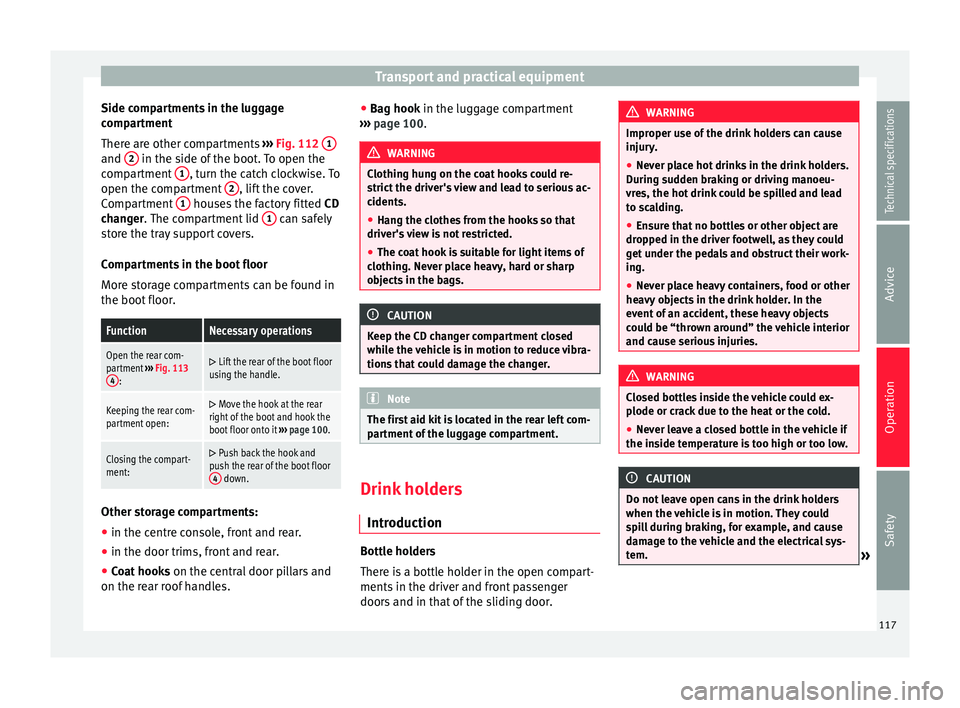
There are other compartments ››› Fig. 112 1 and
2 in the side of the boot. To open the
compartment 1 , turn the catch clockwise. To
open the compartment 2 , lift the cover.
Compartment 1 houses the factory fitted
CD
changer . The compartment lid 1 can safely
store the tray support covers.
Compartments in the boot floor
More storage compartments can be found in
the boot floor.FunctionNecessary operations
Open the rear com-
partment ››› Fig. 113
4
:
Lift the rear of the boot floor
using the handle.
Keeping the rear com-
partment open: Move the hook at the rear
right of the boot and hook the
boot floor onto it ››› page 100.
Closing the compart-
ment: Push back the hook and
push the rear of the boot floor 4
down. Other storage compartments:
● in the centre console, front and rear.
● in the door trims, front and rear.
● Coat hooks on the central door pillars and
on the rear roof handles. ●
Bag hook in the luggage compartment
› ›
› page 100. WARNING
Clothing hung on the coat hooks could re-
strict the driver's view and lead to serious ac-
cidents.
● Hang the clothes from the hooks so that
driver's view is not restricted.
● The coat hook is suitable for light items of
clothing. Never place heavy, hard or sharp
objects in the bags. CAUTION
Keep the CD changer compartment closed
while the vehicle is in motion to reduce vibra-
tions that could damage the changer. Note
The first aid kit is located in the rear left com-
partment of the luggage compartment. Drink holders
Introduction Bottle holders
There is a bottle holder in the open compart-
ments in the driver and front passenger
doors and in that of the sliding door. WARNING
Improper use of the drink holders can cause
injury.
● Never place hot drinks in the drink holders.
During sudden braking or driving manoeu-
vres, the hot drink could be spilled and lead
to scalding.
● Ensure that no bottles or other object are
dropped in the driver footwell, as they could
get under the pedals and obstruct their work-
ing.
● Never place heavy containers, food or other
heavy objects in the drink holder. In the
event of an accident, these heavy objects
could be “thrown around” the vehicle interior
and cause serious injuries. WARNING
Closed bottles inside the vehicle could ex-
plode or crack due to the heat or the cold.
● Never leave a closed bottle in the vehicle if
the inside temperature is too high or too low. CAUTION
Do not leave open cans in the drink holders
when the vehicle is in motion. They could
spill during braking, for example, and cause
damage to the vehicle and the electrical sys-
tem. » 117
Technical specifications
Advice
Operation
Safety
Page 122 of 305
Operation
●
Unshielded equipment can cause interfer-
ence on the radio equipment and the vehi-
cle's electrical system.
● Interference can occur on the radio's AM
waveband if electrical appliances are used
near the rear window aerial. Vehicle power sockets
Fig. 118
Centre console, rear section: 12 volt
socket Fig. 119
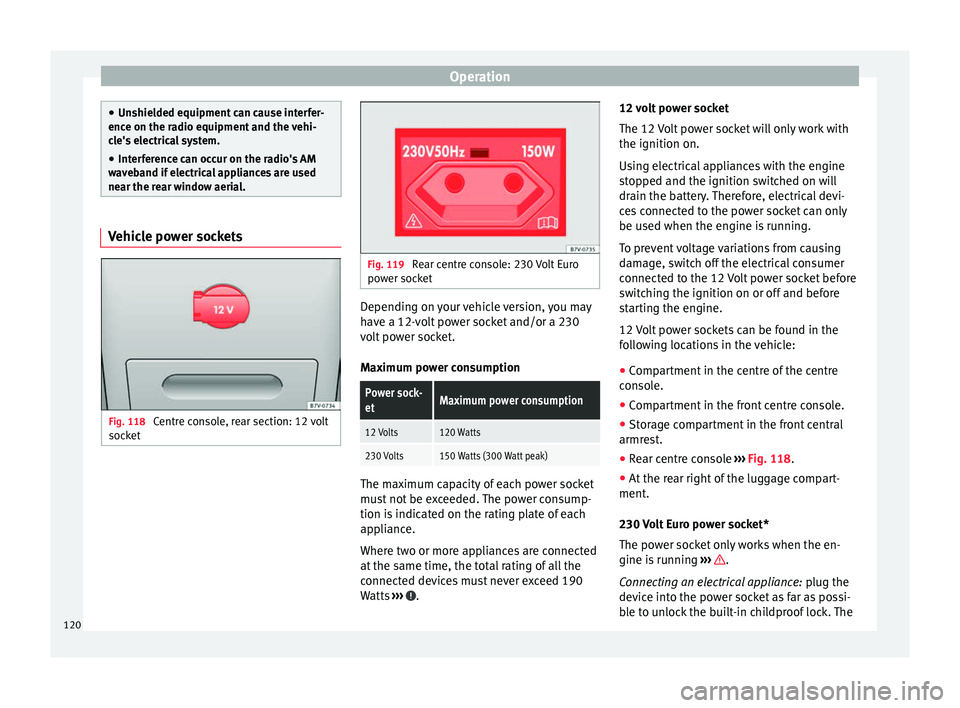
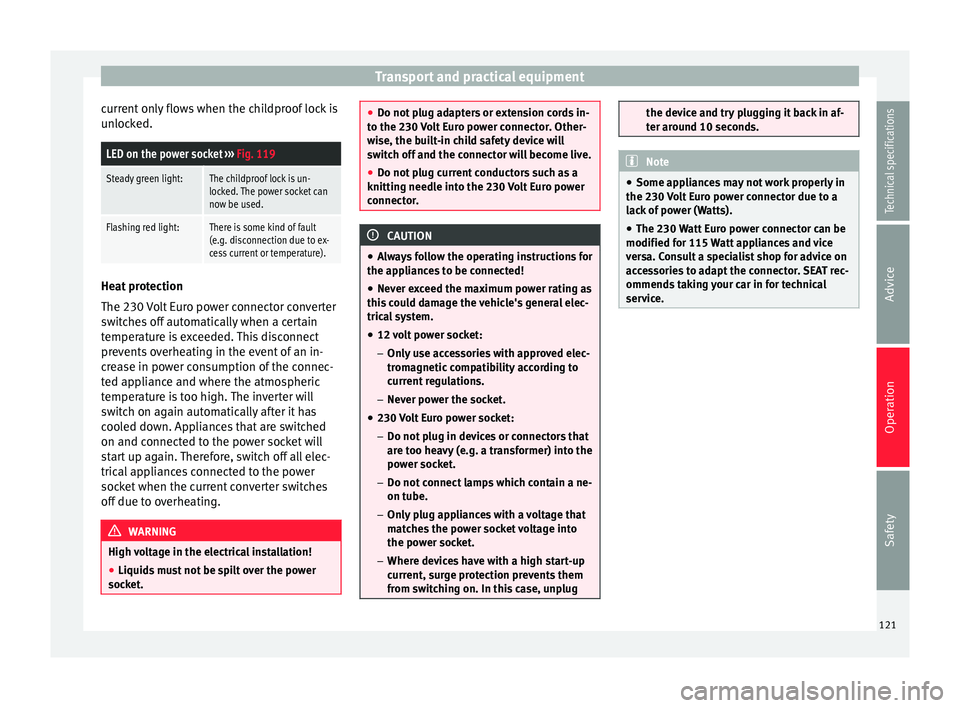
Rear centre console: 230 Volt Euro
power socket Depending on your vehicle version, you may
have a 12-volt power socket and/or a 230
volt power socket.
Maximum power consumptionPower sock-
etMaximum power consumption
12 Volts120 Watts
230 Volts150 Watts (300 Watt peak)
The maximum capacity of each power socket
must not be exceeded. The power consump-
tion is indicated on the rating plate of each
appliance.
Where two or more appliances are connected
at the same time, the total rating of all the
connected devices must never exceed 190
Watts
››› .12 volt power socket
The 12 Volt power socket will only work with
the ignition on.
Using electrical appliances with the engine
stopped and the ignition switched on will
drain the battery. Therefore, electrical devi-
ces connected to the power socket can only
be used when the engine is running.
To prevent voltage variations from causing
damage, switch off the electrical consumer
connected to the 12 Volt power socket before
switching the ignition on or off and before
starting the engine.
12 Volt power sockets can be found in the
following locations in the vehicle:
●
Compartment in the centre of the centre
console.
● Compartment in the front centre console.
● Storage compartment in the front central
armrest.
● Rear centre console ››› Fig. 118 .
● At the r
ear right of the luggage compart-
ment.
230 Volt Euro power socket*
The power socket only works when the en-
gine is running ››› .
Connecting an electrical appliance: plug the
device into the power socket as far as possi-
ble to unlock the built-in childproof lock. The
120
Page 123 of 305
Transport and practical equipment
current only flows when the childproof lock is
unlocked.LED on the power socket ››› Fig. 119
Steady green light:The childproof lock is un-
locked. The power socket can
now be used.
Flashing red light:There is some kind of fault
(e.g. disconnection due to ex-
cess current or temperature). Heat protection
The 230 Volt Euro power connector converter
switches off automatically when a certain
temperature is exceeded. This disconnect
prevents overheating in the event of an in-
crease in power consumption of the connec-
ted appliance and where the atmospheric
temperature is too high. The inverter will
switch on again automatically after it has
cooled down. Appliances that are switched
on and connected to the power socket will
start up again. Therefore, switch off all elec-
trical appliances connected to the power
socket when the current converter switches
off due to overheating.
WARNING
High voltage in the electrical installation!
● Liquids must not be spilt over the power
socket. ●
Do not plug adapters or extension cords in-
to the 230 Volt Euro power connector. Other-
wise, the built-in child safety device will
switch off and the connector will become live.
● Do not plug current conductors such as a
knitting needle into the 230 Volt Euro power
connector. CAUTION
● Always follow the operating instructions for
the appliances to be connected!
● Never exceed the maximum power rating as
this could damage the vehicle's general elec-
trical system.
● 12 volt power socket:
– Only use accessories with approved elec-
tromagnetic compatibility according to
current regulations.
– Never power the socket.
● 230 Volt Euro power socket:
– Do not plug in devices or connectors that
are too heavy (e.g. a transformer) into the
power socket.
– Do not connect lamps which contain a ne-
on tube.
– Only plug appliances with a voltage that
matches the power socket voltage into
the power socket.
– Where devices have with a high start-up
current, surge protection prevents them
from switching on. In this case, unplug the device and try plugging it back in af-
ter around 10 seconds.
Note
● Some appliances may not work properly in
the 230 Volt Euro power connector due to a
lack of power (Watts).
● The 230 Watt Euro power connector can be
modified for 115 Watt appliances and vice
versa. Consult a specialist shop for advice on
accessories to adapt the connector. SEAT rec-
ommends taking your car in for technical
service. 121Technical specifications
Advice
Operation
Safety
Page 127 of 305
Air conditioningCon-
trol
buttonAdditional information. Electronic
manual air conditioning ››› Fig. 120;
Climatronic ››› Fig. 121.
Climatronic: press the
REAR button to adjust
the air conditioner for the rear seats from the
front seats. A lamp is lit on the REAR
button if
the feature is activated. The settings for the
rear seats will be displayed. Press the button
again to switch the function off or do not
touch any other button for around 10 sec-
onds.
Climatronic: Press the
REST button to use the
heat that the engine produces. When the en-
gine is still warm but the ignition switched
off, the heat given off by the engine can be
used to keep the vehicle interior warm. The REST
button will light up when the function is
switched on. The function will switch off after
around 30 minutes and if the battery level is
low.
a)
Switch off.
Electronic manual air conditioning
: turn the
fan switch to setting 0.
Climatronic: press the OFF
button or manual-
ly set the fan to 0. When the device is switch-
ed off the OFF
button will light up.
a)
Depending on the version of the model. Note
● Not all Climatronic buttons are operational
in REAR mode.
● The REAR button is locked in defrost mode. Rear operation
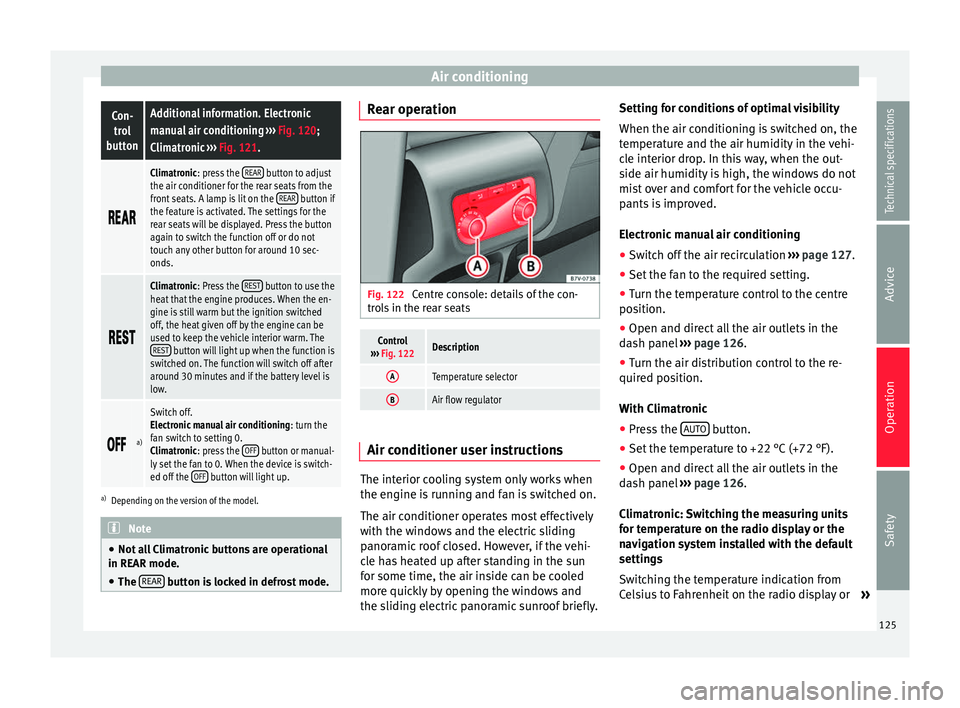
Fig. 122
Centre console: details of the con-
trols in the rear seats
Control
››› Fig. 122Description
ATemperature selector
BAir flow regulator Air conditioner user instructions
The interior cooling system only works when
the engine is running and fan is switched on.
The air conditioner operates most effectively
with the windows and the electric sliding
panoramic roof closed. However, if the vehi-
cle has heated up after standing in the sun
for some time, the air inside can be cooled
more quickly by opening the windows and
the sliding electric panoramic sunroof briefly.Setting for conditions of optimal visibility
When the air conditioning is switched on, the
temperature and the air humidity in the vehi-
cle interior drop. In this way, when the out-
side air humidity is high, the windows do not
mist over and comfort for the vehicle occu-
pants is improved.
Electronic manual air conditioning
● Switch off the air recirculation ››› page 127.
● Set the fan to the required setting.
● Turn the temperature control to the centre
position.
● Open and direct all the air outlets in the
dash panel ››› page 126 .
● Turn the air di
stribution control to the re-
quired position.
With Climatronic
● Press the AUTO button.
● Set the temperature to +22 °C (+72 °F).
● Open and direct all the air outlets in the
dash panel ››› page 126 .
C lim
atronic: Switching the measuring units
for temperature on the radio display or the
navigation system installed with the default
settings
Switching the temperature indication from
Celsius to Fahrenheit on the radio display or »
125
Technical specifications
Advice
Operation
Safety