gearbox Seat Alhambra 2018 Owner's Guide
[x] Cancel search | Manufacturer: SEAT, Model Year: 2018, Model line: Alhambra, Model: Seat Alhambra 2018Pages: 324, PDF Size: 7.04 MB
Page 192 of 324
Operation
display, please go immediately to a
spec
i
alised workshop to check the brake
pads and to replace them if they are worn. Electronic parking brake
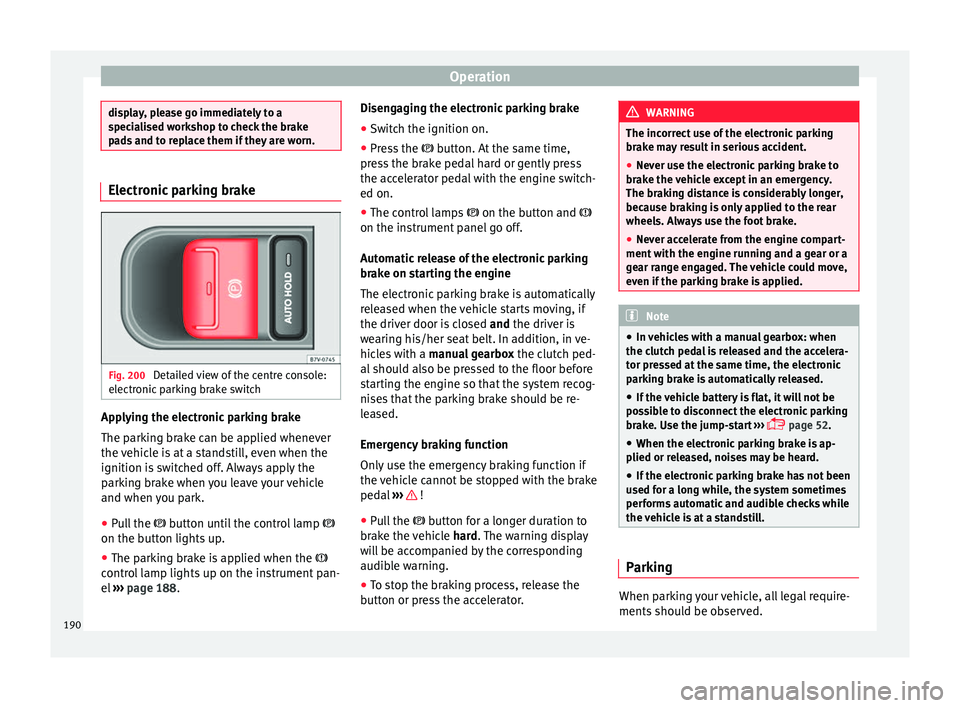
Fig. 200
Detailed view of the centre console:
el ectr
onic
parking brake switch Applying the electronic parking brake
The p
ark
in
g brake can be applied whenever
the vehicle is at a standstill, even when the
ignition is switched off. Always apply the
parking brake when you leave your vehicle
and when you park.
● Pull the button u
ntil the control lamp
on the button lights up.
● The parking brake is applied when the
contro
l lamp lights up on the instrument pan-
el ››› page 188. Disengaging the electronic parking brake
● Switch the ignition on.
● Press the button. At
the same time,
press the brake pedal hard or gently press
the accelerator pedal with the engine switch-
ed on.
● The control lamps on the button and
on the instrument panel go off.
Automatic release of the electronic parking
brake on starting the engine
The electronic parking brake is automatically
released when the vehicle starts moving, if
the driver door is closed and the driver is
wearing his/her seat belt. In addition, in ve-
hicles with a manual gearbox the clutch ped-
al should also be pressed to the floor before
starting the engine so that the system recog-
nises that the parking brake should be re-
leased.
Emergency braking function
Only use the emergency braking function if
the vehicle cannot be stopped with the brake
pedal ››› !
● Pull the butt
on f
or a longer duration to
brake the vehicle hard. The warning display
will be accompanied by the corresponding
audible warning.
● To stop the braking process, release the
button or pr
ess the accelerator. WARNING
The incorrect use of the electronic parking
brak e m
ay result in serious accident.
● Never use the electronic parking brake to
brake the
vehicle except in an emergency.
The braking distance is considerably longer,
because braking is only applied to the rear
wheels. Always use the foot brake.
● Never accelerate from the engine compart-
ment with the en
gine running and a gear or a
gear range engaged. The vehicle could move,
even if the parking brake is applied. Note
● In v ehic
les with a manual gearbox: when
the clutch pedal is released and the accelera-
tor pressed at the same time, the electronic
parking brake is automatically released.
● If the vehicle battery is flat, it will not be
poss
ible to disconnect the electronic parking
brake. Use the jump-start ›››
page 52.
● When the electronic parking brake is ap-
plied or rel
eased, noises may be heard.
● If the electronic parking brake has not been
used for a lon
g while, the system sometimes
performs automatic and audible checks while
the vehicle is at a standstill. Parking
When parking your vehicle, all legal require-
ments
shou
l
d be observed.
190
Page 193 of 324
Driving
To park the vehicle
C omp
l
ete operations only in the sequence
given.
● Park the vehicle on a suitable surface ›››
.
● Press and hold the brake pedal until the ve-
hic l
e c
omes to a standstill.
● Connect the electronic parking brake
›››
page 190.
● For an automatic gearbox, move the selec-
tor lev
er to position P.
● Switch off the engine and release the brake
pedal.
● R
emove the key from the ignition.
● If necessary, turn the steering wheel slight-
ly to loc
k the steering.
● With a manual gearbox, engage 1st gear on
flat gr
ound and slopes, or even reverse gear
on hills, and release the clutch pedal.
● Ensure that all passengers leave the vehi-
cle, e
specially children.
● When leaving the vehicle, take all keys with
you.
● Loc
k the vehicle.
Additiona
l information for steep ascents and
descents
Before switching off the engine, rotate the
steering wheel so that if the vehicle should
move, it will be held by the kerb. ●
On slopes, t
urn the front wheels so that
they are against the edge of the kerb.
● Uphill, turn the wheels towards the centre
of the ro
ad. WARNING
The components of the exhaust system reach
ver y
high temperatures. This could cause a
fire and considerable damage.
● Always park your vehicle so that no part of
the exhau
st system can come in contact with
flammable materials (such as wood,
leaves,dried grass, or spilled fuel). CAUTION
● Spec i
al care should be taken when parking
in areas with high kerbs or fixed barriers. Ob-
jects protruding from the ground may dam-
age the bumper or other parts of the vehicle
during manoeuvres. To avoid damage, stop
before the wheels touch the barrier or kerb.
● Special attention is required when driving
through entranc
es, over ramps, kerbs or oth-
er objects. The vehicle underbody, bumpers,
mudguards and running gear, and the engine
and exhaust system could be damaged as
you drive over these objects. Information on the brakes
For the first 200 to 300 km (100 to 200
mi
l
e
s), new brake pads have not yet reached their maximum braking capacity, and need to
be “run in” firs
t ››› . The slightly reduced
br ak
in
g effect can be compensated for by in-
creasing pressure on the brake pedal. While
running in, the full braking distance or emer-
gency braking distance is larger then when
the brake pads have been run in. While run-
ning in, avoid full power braking or situations
requiring braking performance. For example,
in heavy traffic.
The rate of wear of the brake pads depends
to a great extent on the conditions in which
the vehicle is used and the way the vehicle is
driven. If the vehicle is used frequently in city
traffic or for short trips or driven sport style,
visit a specialised workshop regularly, more
frequently than advised in the Maintenance
Programme, to have the brake pads checked.
If you drive with wet brakes, for example, af-
ter crossing areas of water, in heavy rainfall
or even after washing the car, the effect of
the brakes is lessened as the brake discs are
wet or even frozen (in winter). At higher
speed, “dry” the brakes as quickly as possi-
ble by braking gently several times. Only do
this without endangering vehicles behind
you or any other road users ››› .
A l a
y
er of salt on the discs and brake pads
will reduce the effectiveness of the brakes
and increase braking distance. If you drive for
a prolonged period on salted roads without
braking then brake carefully several times to
eliminate the layer of salt on the brakes ››› .
»
191
Technical data
Advice
Operation
Emergencies
Safety
Page 195 of 324
Driving
reduce the strain on the brake system. Other-
wi
se, the br
akes may overheat and fail. Only
use the brakes to reduce speed or to stop. Note
When checking the front brake pads, take the
time t o al
so check the rear brake pads. The
thickness of the brake pads should be
checked visually and regularly, by looking
through the openings in the wheel rims or
from underneath the vehicle. If necessary, re-
move the wheels to check them thoroughly.
SEAT recommends taking your car in for tech-
nical service. Gearbox
Intr oduction When reverse gear is engaged and the igni-
tion i
s
sw
itched on the following takes place:
● Reverse lights light up.
● When reversing, the air conditioner auto-
matical
ly changes to air recirculation mode.
● The rear window heater switches on when
the winds
creen wiper is activated.
● Also, the parking sensor system, the opti-
cal p
arking sensor and the camera for the re-
verse assist system are connected. WARNING
Rapid acceleration can cause loss of traction
and skid din
g, especially on slippery ground.
This could cause loss of control of the vehicle
resulting in an accident and considerable
damage.
● Only use the kick-down function or rapid
accel
eration if visibility, weather, road and
traffic conditions so permit. WARNING
Do not allow the brakes to “rub” for a pro-
long ed period of
time, or brake frequently or
for long periods of time. Continuous braking
heats up the brakes. This could significantly
reduce braking power, increase braking dis-
tance or even result in the total failure of the
brake system. Control and warning lamps
It lights up red
Brake pedal not press-
ed!Press brake pedal to the floor.
It lights up green
Brake pedal not press-
ed.To select a range of gears,
press the brake pedal.
Please also see “Electronic
parking brake”
››› page 188.
Flashes green
The selector lever
locking button has not
engaged. The vehicle
does not start to
move.
Engage the selector lever lock
››› page 195. Several warning and control lamps light up
for a f
ew sec
onds when the ignition is switch-
ed on, signalling that the function is being
verified. They will switch off after a few sec-
onds. WARNING
Observe the safety warnings ›››
in Control
and warnin g l
amps on page 107. Manual gear change
Read the additional information carefully
› ›
›
page 35
In some countries, it is necessary to press the
clutch pedal to the floor to start the engine.
Selecting reverse gear
Engage reverse gear only when the vehicle is
stopped. »
193
Technical data
Advice
Operation
Emergencies
Safety
Page 196 of 324
Operation
WARNING
When the engine is running, the vehicle will
st ar
t to move as soon as a gear is engaged
and the clutch released. This is also the case
with the electronic parking brake on.
● Never engage the reverse gear when a vehi-
cle i
s moving forward. CAUTION
To prevent damage and avoid premature
we ar
, please observe the following:
● While driving, do not leave your hand rest-
ing on the ge
ar stick. The pressure applied by
your hand is transmitted to the gearbox se-
lector forks.
● Always ensure that the vehicle is complete-
ly st
opped before engaging the reverse gear.
● When changing gear, always make sure the
clutc
h pedal is pushed right to the floor.
● Never hold the vehicle “on the clutch” on
hill
s with the engine on. Automatic gearbox*
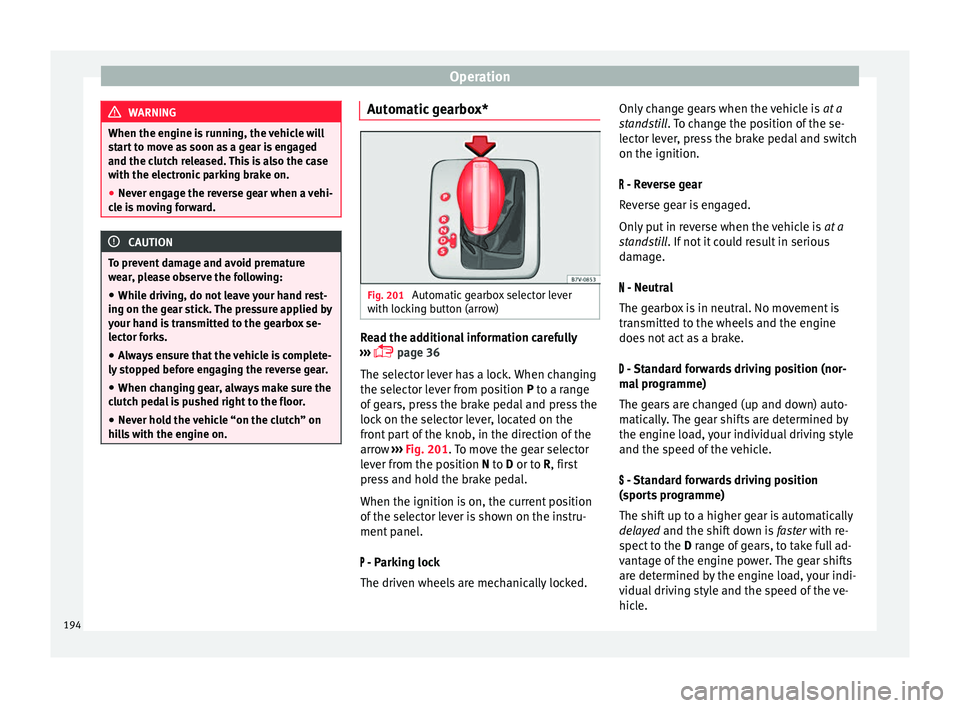
Fig. 201
Automatic gearbox selector lever
w ith loc
k
ing button (arrow) Read the additional information carefully
› ›
›
page 36
The selector lever has a lock. When changing
the selector lever from position P to a range
of gears, press the brake pedal and press the
lock on the selector lever, located on the
front part of the knob, in the direction of the
arrow ››› Fig. 201. To move the gear selector
lever from the position N to D or to R, first
press and hold the brake pedal.
When the ignition is on, the current position
of the selector lever is shown on the instru-
ment panel.
- Parking lock
The driven wheels are mechanically locked. Only change gears when the vehicle is
at a
st
andstill. To change the position of the se-
lector lever, press the brake pedal and switch
on the ignition.
- Reverse gear
Reverse gear is engaged.
Only put in reverse when the vehicle is at a
standstill. If not it could result in serious
damage.
- Neutral
The gearbox is in neutral. No movement is
transmitted to the wheels and the engine
does not act as a brake.
- Standard forwards driving position (nor-
mal programme)
The gears are changed (up and down) auto-
matically. The gear shifts are determined by
the engine load, your individual driving style
and the speed of the vehicle.
- Standard forwards driving position
(sports programme)
The shift up to a higher gear is automatically
delayed and the shift down is faster with re-
spect to the D range of gears, to take full ad-
vantage of the engine power. The gear shifts
are determined by the engine load, your indi-
vidual driving style and the speed of the ve-
hicle.
194
Page 197 of 324
Driving
Selector lever locking
The g e
ar sel
ector lever lock prevents, in P or
N, a gear selection from being inadvertently
engaged and the vehicle moving off acciden-
tally.
To release the gear selector lever lock, press
and hold the brake pedal with the ignition
on. Press simultaneously on the selector lev-
er lock.
The selector lever lock is not engaged if it is
moved quickly through position N (e.g. when
shifting from R to D). This makes it possible,
for instance, to “rock the vehicle backwards
and forwards” if it is stuck in snow or mud.
The selector lever lock engages automatically
if the brake pedal is not pressed and the lev-
er is in position N for more than about one
second at a speed of less than 5 km/h
(3 mph).
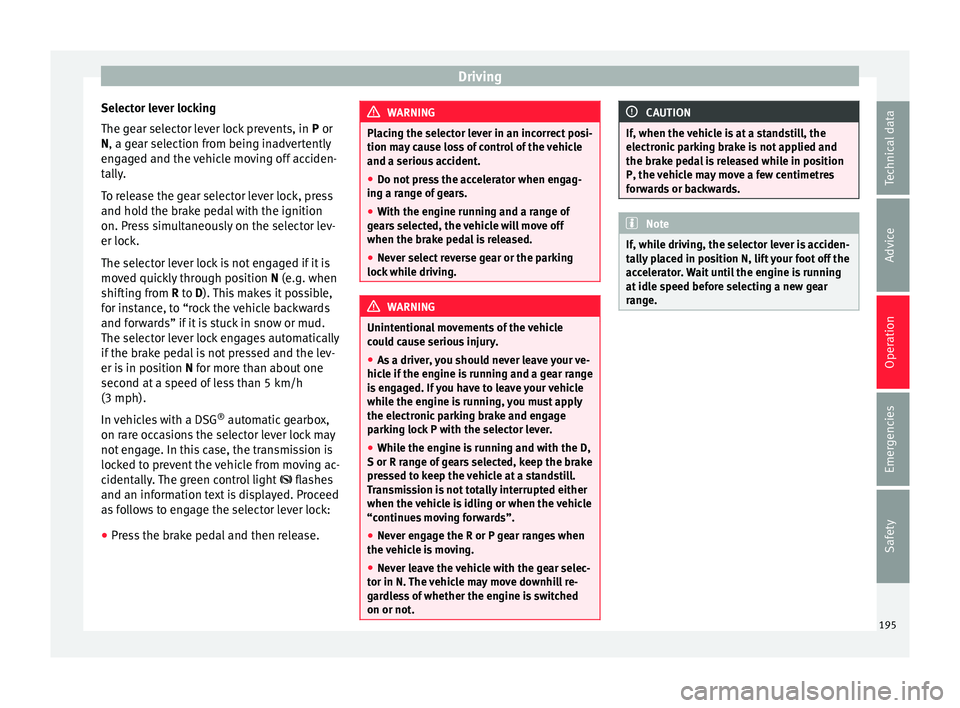
In vehicles with a DSG ®
automatic gearbox,
on rare occasions the selector lever lock may
not engage. In this case, the transmission is
locked to prevent the vehicle from moving ac-
cidentally. The green control light flashes
and an information text is displayed. Proceed
as follows to engage the selector lever lock:
● Press the brake pedal and then release. WARNING
Placing the selector lever in an incorrect posi-
tion ma y
cause loss of control of the vehicle
and a serious accident.
● Do not press the accelerator when engag-
ing a ran
ge of gears.
● With the engine running and a range of
gear
s selected, the vehicle will move off
when the brake pedal is released.
● Never select reverse gear or the parking
lock whi
le driving. WARNING
Unintentional movements of the vehicle
cou l
d cause serious injury.
● As a driver, you should never leave your ve-
hicle if
the engine is running and a gear range
is engaged. If you have to leave your vehicle
while the engine is running, you must apply
the electronic parking brake and engage
parking lock P with the selector lever.
● While the engine is running and with the D,
S or R rang
e of gears selected, keep the brake
pressed to keep the vehicle at a standstill.
Transmission is not totally interrupted either
when the vehicle is idling or when the vehicle
“continues moving forwards”.
● Never engage the R or P gear ranges when
the vehic
le is moving.
● Never leave the vehicle with the gear selec-
tor in N. The
vehicle may move downhill re-
gardless of whether the engine is switched
on or not. CAUTION
If, when the vehicle is at a standstill, the
electr onic
parking brake is not applied and
the brake pedal is released while in position
P, the vehicle may move a few centimetres
forwards or backwards. Note
If, while driving, the selector lever is acciden-
ta l
ly placed in position N, lift your foot off the
accelerator. Wait until the engine is running
at idle speed before selecting a new gear
range. 195
Technical data
Advice
Operation
Emergencies
Safety
Page 198 of 324
Operation
Gear change with Tiptronic* Fig. 202
Selector lever in Tiptronic position
(l ef
t
-hand drive vehicles). The lay-out in right-
hand drive vehicles is symmetrically op-
posed. Fig. 203
Steering wheel with two paddle
shif ts
f
or Tiptronic The Tiptronic system allows you to manually
c
h
an
ge gears in vehicles with an automatic
gearbox. When you change to the Tiptronic
programme, the vehicle remains in the cur- rently selected gear. This is possible as long
as the sy
stem is not changing gear automati-
cally due to a traffic situation.
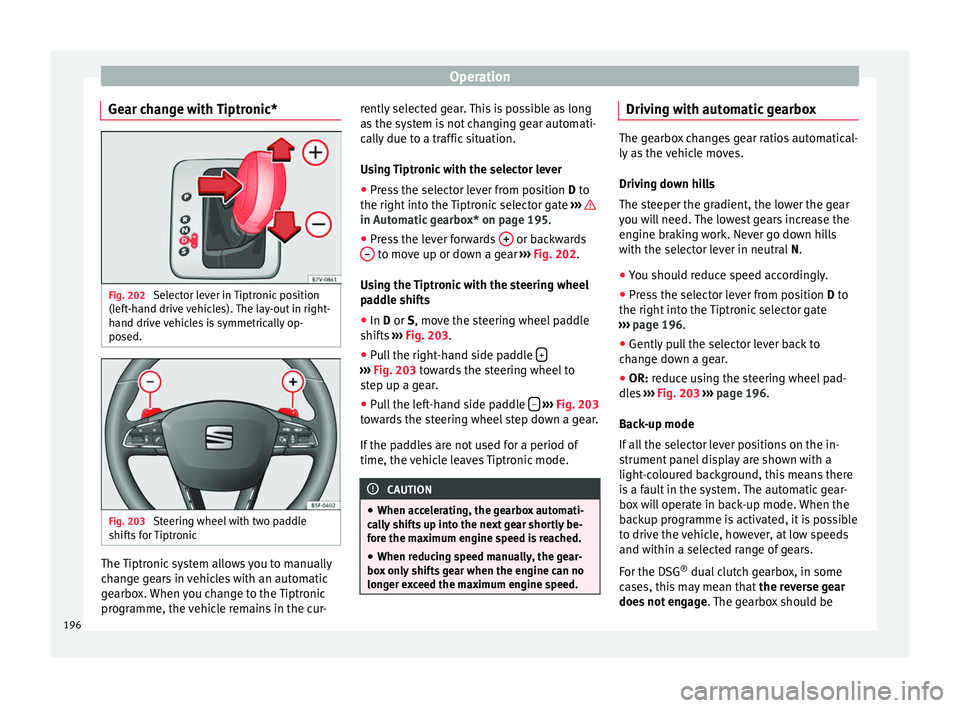
Using Tiptronic with the selector lever
● Press the selector lever from position D to
the right int
o the Tiptronic selector gate ››› in Automatic gearbox* on page 195.
●
Press the lever forwards + or backwards
– to move up or down a gear
››
›
Fig. 202.
Using the Tiptronic with the steering wheel
paddle shifts
● In D or S, move the s
teering wheel paddle
shifts ››› Fig. 203.
● Pull the right-hand side paddle + ›››
Fig. 203 to w
ards the steering wheel to
step up a gear.
● Pull the left-hand side paddle –
› ›
› Fig. 203
t
owards the steering wheel step down a gear.
If the paddles are not used for a period of
time, the vehicle leaves Tiptronic mode. CAUTION
● When acc el
erating, the gearbox automati-
cally shifts up into the next gear shortly be-
fore the maximum engine speed is reached.
● When reducing speed manually, the gear-
box on
ly shifts gear when the engine can no
longer exceed the maximum engine speed. Driving with automatic gearbox
The gearbox changes gear ratios automatical-
ly a
s
the vehicle moves.
Driving down hills
The steeper the gradient, the lower the gear
you will need. The lowest gears increase the
engine braking work. Never go down hills
with the selector lever in neutral N.
● You should reduce speed accordingly.
● Press the selector lever from position D to
the right int
o the Tiptronic selector gate
››› page 196.
● Gently pull the selector lever back to
chan
ge down a gear.
● OR: reduce using the steering wheel pad-
dle
s ›››
Fig. 203 ›››
page 196.
Back-up mode
If all the selector lever positions on the in-
strument panel display are shown with a
light-coloured background, this means there
is a fault in the system. The automatic gear-
box will operate in back-up mode. When the
backup programme is activated, it is possible
to drive the vehicle, however, at low speeds
and within a selected range of gears.
For the DSG ®
dual clutch gearbox, in some
cases, this may mean that the reverse gear
does not engage . The gearbox should be
196
Page 199 of 324
Driving
checked by a specialised workshop as soon
a s
po
ssible.
Protection against overloading the DSG ®
6-
gear automatic gearbox
When the clutch is overloaded, the vehicle
begins to jerk and the selector lever position
indicator begins to flash. To prevent damage
to the clutch, this interrupts the power trans-
mission between the engine and the gear-
box. There is no more traction and it is not
possible to accelerate. If the clutch is opened
automatically due to overloading, press the
brake pedal. Wait a few seconds before start-
ing to move again.
Kick-down
The kick-down system provides maximum ac-
celeration when the gear selector lever is in
the positions D, S or in the Tiptronic position.
When the accelerator pedal is pressed right
down, the automatic gearbox will shift down
to a lower gear, depending on road speed
and engine speed. This takes advantage of
the maximum acceleration of the vehicle
››› .
When the ac c
el
erator is pressed to the floor,
the automatic gearbox shifts to the next gear
only after the engine reaches the specified
maximum engine speed. Launch-Control Programme
The Launch-C
ontrol programme enables max-
imum acceleration while at a standstill.
● Switch off the ASR ›››
page 188.
● Press and hold the brake pedal with your
left
foot.
● Place the selector lever in position S or Tip-
tronic
.
● Press the accelerator with the right foot un-
til the
vehicle reaches an engine speed of ap-
proximately 3200 rpm.
● Lift the left foot off the brake ›››
. The ve-
hic l
e s
tarts with maximum acceleration.
● Turn on the ASR after accelerating! WARNING
Rapid acceleration can cause loss of traction
and skid din
g, especially on slippery ground.
This could cause loss of control of the vehicle
resulting in an accident and considerable
damage.
● Only use kick-down and rapid acceleration
when weather c
onditions, surface conditions
and traffic conditions permit; accelerate and
drive in a manner that does not endanger
other road users.
● Please remember that the driven wheels
can slip and the
vehicle can skid if the ASR is
turned off, especially on slippery ground.
● Turn on the ASR after accelerating! CAUTION
● If y
ou stop on a hill with a gear range en-
gaged, do not try to prevent the vehicle from
rolling back by pressing on the accelerator.
This could cause overheating and damage the
automatic gearbox.
● Never allow the vehicle to move with the
gear sel
ector lever in N, especially with the
engine turned off. The automatic gearbox will
not be lubricated and could be damaged. Recommended gear display
In some vehicles, the recommended gear for
r
educ
in
g fuel consumption is displayed on
the instrument panel:
DisplayMeaning
Optimum gear.
Recommendation to change up a
gear.
Recommendation to change down a
gear.
Information for “cleaning” the diesel partic-
u
l
at
e filter
The exhaust gas system control recognises
when the diesel particulate filter is blocked,
and helps to clean it by recommending a spe-
cific gear for driving. It may therefore be »
197
Technical data
Advice
Operation
Emergencies
Safety
Page 203 of 324
Driving
In addition, “skipping” gears when shifting
up help s
t
o save fuel, weather and traffic
conditions permitting.
Do not wait until the last moment before
changing gear. Only use first gear when you
move off and change to second gear quickly.
Avoid the kick-down function in vehicles with
automatic gearbox.
Vehicles with a gear display help to achieve
an economical driving style as the display in-
dicates the best moment to change gear.
Let the vehicle roll
If you take your foot off the accelerator, the
fuel supply is stopped and consumption is
reduced.
Allow the vehicle to roll without accelerating,
for example when approaching a red traffic
light. However, if the vehicle is rolling too
slowly or the distance is too long, the clutch
pedal should be pressed to declutch. The en-
gine will then operate at idle speed.
If the vehicle is going to be at a standstill for
a period of time, switch off the engine; for ex-
ample, while waiting at a level crossing. In
vehicles which have the Start-Stop function
on, the engine switches off automatically
when the vehicle is not moving. Think ahead and “flow” with the traffic
Frequent ac
celeration and braking considera-
bly increase fuel consumption. If you think
ahead as you drive and keep a safe distance
from the vehicle in front, it is possible to slow
down by simply lifting your foot off the accel-
erator. This eliminates the need for constant
braking and acceleration.
Calm and steady driving
Constancy is more important than speed: The
more you drive at a constant speed, the lower
the fuel consumption.
When driving on the motorway, it is more effi-
cient to drive at a constant and more moder-
ate speed than to be continuously accelerat-
ing and braking. As a general rule, you will
reach your destination just as quickly when
you drive at a constant speed.
The cruise control function helps you to ach-
ieve a constant style of driving.
Moderate use of additional devices
It is important to travel in comfort, but con-
venience systems should be used ecological-
ly.
Some equipment, when connected, increase
fuel consumption considerably, for example:
● Air conditioning cooling system: If the air
conditionin g sy
stem is required to cool to
significantly lower temperatures than the true outside temperature, it will require a large
amount
of
energy from the engine. Therefore,
we recommend that the selected temperature
for the vehicle is not too different to the out-
side temperature. It is a good idea to air the
vehicle before starting your journey and to
drive a short distance with all the windows
open. Only then should you close all the win-
dows and switch on the air conditioning.
Keep windows closed when travelling at high
speeds. Driving with the windows open in-
creases fuel consumption.
● Switch off the seat heating when the seats
have w
armed up.
● Switch off the heated rear window and the
winds
creen heating when the windows have
demisted and are free of ice.
● Do not leave the auxiliary heater switched
on when the vehic
le is moving ››› page 180.
Avoid short journeys
Fuel consumption is much higher when the
engine is cold, immediately after it has been
started. It takes a few kilometres of driving
for the engine to warm up and to normalise
consumption.
The engine and catalytic converter need to
reach their proper working temperature in or-
der to minimise fuel consumption and emis-
sions. The ambient temperature has a deci-
sive influence. »
201
Technical data
Advice
Operation
Emergencies
Safety
Page 206 of 324
Operation
● Do not t
op up w
ith too much engine oil
››› page 274.
● Do not tow-start the vehicle; use the starter
cabl
es ›››
page 52.
In order to reduce blocking of the diesel par-
ticulate filter, some vehicles with an automat-
ic gearbox may increase the engine speed
slightly to start cleaning the filter automati-
cally. The control lamp will not light up in
this case.
Control lamp
If the control lamp lights up you should
help the filter clean itself by driving in the ap-
propriate manner.
To do this, drive about 15 minutes in fourth
or fifth gear (automatic gearbox: S gear
range) at a minimum speed of 60 km/h
(37 mph), with the engine running at approxi-
mately 2,000 rpm. In this way, the soot build
up in the filter is burned. When cleaning is
successful, the control lamp turns off.
If the lamp does not turn off, or the three
lamps turn on (particulate filter , fault in
the emission control system and glow
plugs ), drive the vehicle to a specialised
workshop and have the fault repaired at the
earliest opportunity. WARNING
● Alw a
ys drive according to the road weather
conditions, the terrain and traffic. Driving rec-
ommendations should never lead to illegal
manoeuvres in surrounding traffic. For the sake of the environment
Even when the emission control system is
work in
g perfectly, there may be a smell of
sulphur under certain conditions. This de-
pends on the sulphur content of the fuel be-
ing used. Driving tips
Driv ing abr
oad In some countries, certain safety regulations
and r
equir
ements
are in force relating to ex-
haust gas emissions, which differ from the
technical characteristics of the vehicle. Be-
fore travelling abroad, SEAT recommends you
consult a technical service about the legal re-
quirements and the following points:
● Does the vehicle need technical modifica-
tions f
or driving abroad, for example, adjust-
ment of the headlamps?
● Does the vehicle have all the tools, diag-
nostic
s equipment and spare parts required
for inspections and repairs? ●
Are there an
y SEAT dealers in the destina-
tion country?
● For petrol vehicles: Is unleaded petrol avail-
able at
the right octane rating?
● For diesel engines: Is diesel fuel available
with a low s
ulphur content?
● Are a suitable engine oil ( ›››
page 274) and
other engine fluids complying with SEAT
specifications available in the destination
country?
● Will the navigation system fitted at the fac-
tory
operate correctly in the destination coun-
try with the available navigation data?
● Are special tyres required in the destination
countr
y? CAUTION
SEAT does not accept liability for any damage
to the v
ehicle due to the use of a lower quali-
ty fuel, an inadequate service or the non-
availability of genuine spare parts. Driving along flooded roadways
To prevent damage to the vehicle when driv-
in
g thr
ough w
ater, for example, along a floo-
ded road, please observe the following:
● Check the depth of the water before enter-
ing the flooded z
one. The water should never
come above the lower edge of the bodywork
››› .
204
Page 211 of 324
Driver assistance systems
Permanent Auto Hold connection
The Aut o Ho
l
d function must be switched on
every time the engine is started. However, to
switch the Auto Hold function on permanent-
ly, the mark must be switched on in the Set-
tings menu, “Autohold” submenu
››› page 27.
Auto Hold works automatically under the fol-
lowing conditions:
All points must be fulfilled simultaneously
››› :
Manual gearboxAutomatic gearbox
1.If the vehicle is kept at a standstill using the brake
pedal on a flat or a slope.
2.The engine must be “running smoothly”.
3.On a slope, the 1st gear
is engaged uphill or the
reverse gear is engaged
for a downhill. The
clutch must be held
down.A gear for driving is se-
lected from R, D or S.
Upon accelerating and
pressing in the clutch
simultaneously, the
brake releases gradual-
ly.Upon accelerating, the
brake releases gradual-
ly. Auto Hold turns off automatically under the
f
o
l
lowing conditions:
Manual gearboxAutomatic gearbox
1.If one of the conditions mentioned in table on
page 209 changes.
2.If the engine is “not running regularly” or if there is a malfunction.
3.When changing to idle
speed.If the selector lever is
placed in neutral (N).
4.If the engine is turned
off or stalls.If the engine is switch-
ed off.
5.If the driver accelerates
while pressing the
clutch in.If the vehicle is acceler-
ated.
6. When one of the wheels
has minimal contact
with the ground (e.g. on
uneven ground). WARNING
The Auto Hold technology is limited by the
la w
s of physics. The improved comfort provi-
ded by Auto Hold should never prompt you to
take risks.
● Never leave the vehicle running and with
the Auto Hol
d function switched on.
● Auto Hold cannot always stop the vehicle
uphill
and downhill (e.g. if the ground is slip-
pery or frozen). CAUTION
Before entering an automatic car wash, al-
wa y
s switch the Auto Hold function off, as it
could be damaged when the electronic park-
ing brake automatically engages. Start-Stop Function*
Fig. 206
Detailed view of the centre console:
St ar
t
-Stop function button With the Start-Stop system enabled, the en-
gine i
s
aut
omatically stopped when the vehi-
cle is at a standstill. The engine restarts auto-
matically when required.
The function is enabled automatically when-
ever the ignition is switched on. The instru-
ment panel displays information on the cur-
rent status. »
209
Technical data
Advice
Operation
Emergencies
Safety