check engine light Seat Altea 2015 User Guide
[x] Cancel search | Manufacturer: SEAT, Model Year: 2015, Model line: Altea, Model: Seat Altea 2015Pages: 236, PDF Size: 4.23 MB
Page 48 of 236
Operation
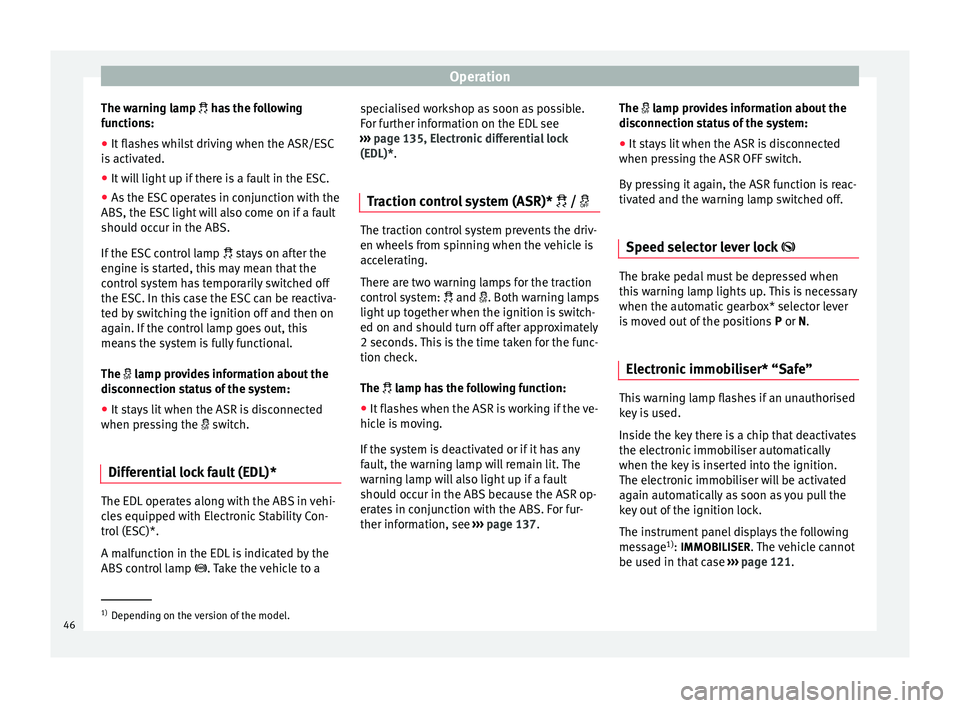
The warning lamp
has the following
f
unctions:
● It flashes whilst driving when the ASR/ESC
is activated.
● It will light up if there is a fault in the ESC.
● As the ESC operates in conjunction with the
ABS, the ESC light will also come on if a fault
should occur in the ABS.
If the ESC control lamp
stays on after the
engine is started, this may mean that the
control system has temporarily switched off
the ESC. In this case the ESC can be reactiva-
ted by switching the ignition off and then on
again. If the control lamp goes out, this
means the system is fully functional.
The lamp provides information about the
disconnection status of the system:
● It stays lit when the ASR is disconnected
when pressing the switch.
Differential lock fault (EDL)* The EDL operates along with the ABS in vehi-
cles equipped with Electronic Stability Con-
trol (ESC)*.
A malfunction in the EDL is indicated by the
ABS control lamp
. Take the vehicle to a specialised workshop as soon as possible.
For further information on the EDL see
››› page 135, Electronic differential lock
(EDL)* .
T r
action control system (ASR)* / The traction control system prevents the driv-
en wheels from spinning when the vehicle is
accelerating.
There are two warning lamps for the traction
control system:
and . Both warning lamps
light up together when the ignition is switch-
ed on and should turn off after approximately
2 seconds. This is the time taken for the func-
tion check.
The lamp has the following function:
● It flashes when the ASR is working if the ve-
hicle is moving.
If the system is deactivated or if it has any
fault, the warning lamp will remain lit. The
warning lamp will also light up if a fault
should occur in the ABS because the ASR op-
erates in conjunction with the ABS. For fur-
ther information, see ›››
page 137. The
lamp provides information about the
di
sconnection status of the system:
● It stays lit when the ASR is disconnected
when pressing the ASR OFF switch.
By pressing it again, the ASR function is reac-
tivated and the warning lamp switched off.
Speed selector lever lock The brake pedal must be depressed when
this warning lamp lights up. This is necessary
when the automatic gearbox* selector lever
is moved out of the positions
P
or N
.
Electronic immobiliser* “Safe” This warning lamp flashes if an unauthorised
key is used.
Inside the key there is a chip that deactivates
the electronic immobiliser automatically
when the key is inserted into the ignition.
The electronic immobiliser will be activated
again automatically as soon as you pull the
key out of the ignition lock.
The instrument panel displays the following
message
1)
: IMMOBILISER
. The vehicle cannot
be used in that case ›››
page 121. 1)
Depending on the version of the model.
46
Page 51 of 236
Dash panel
●
In LongLife Service vehicles, if the battery
is disconnected for a long period, the days re-
maining until the next service cannot be cal-
culated. Therefore, the service message dis-
plays on the instrument panel may be incor-
rect. Take into account the maximum author-
ised service intervals. Warning or information message in
the display
The system runs a check on certain compo-
nents and functions when the ignition is
switched on and while the vehicle is moving.
Functional faults are indicated by symbols
with warning or information messages in the
display. An audible warning is given in cer-
tain cases.
Warning symbols
There are red warning symbols (priority 1)
and yellow warning symbols (priority 2).
Information text
In addition to warning messages given on a
fault, you will receive information in the dis-
play on procedures or will be asked to carry
out certain tasks. Note
In the case of screens without warning or in-
formation messages, faults are indicated ex-
clusively by the control lamps. Warning messages, Priority 1 (red)
If one of these faults occurs, the warning
lamp will light up or flash and will be accom-
panied by
three audible warnings. This is a
danger warning. Stop the vehicle and switch
off the en
gine. Check the fault and correct it.
Obtain professional assistance if necessary.
If several priority 1 faults are detected at the
same time, the symbols will be displayed one
after the other for about 2 seconds at a time
and will continue until the fault is corrected.
No menus will be shown in the display for the
duration of a priority 1 warning message.
Examples of priority 1 warning messages
(red)
● Brake system symbol with the warning
message STOP BRAKE FLUID INSTRUCTION
MANUAL or STOP BRAKE FAULT INSTRUCTION
MANUAL . ●
Coolant symbol with the warning mes-
s ag
e STOP SEE COOLANT INSTRUCTION MAN-
UAL.
● Engine oil pressure symbol with the
warnin
g message STOP ENGINE OIL PRESSURE
LOW! INSTRUCTION MANUAL.
Warning messages, Priority 2 (yellow) If one of these faults occurs, the correspond-
ing warning lamp lights up and is accompa-
nied by
an audible warning. The function
should be checked as soon as possible.
If several priority 2 warning messages are de-
tected at the same time, the symbols are dis-
played one after the other for about 2 sec-
onds at a time. After a set time, the informa-
tion text will disappear and the symbol will
be shown as a reminder at the side of the
display.
Priority 2 warning messages will not be
shown until all Priority 1 warning messages
have been dealt with!
Examples of priority 2 warning messages
(yellow): 1)
● Fuel warning light with the information text
PLEASE REFUEL .
»1)
Depending on the version of the model.
49
Technical specifications
Advice
Operation
Safety
Page 120 of 236
Operation
tempt you into taking any risks when driving.
Failure to follow this instruction could result
in an accident.
●
The braking capability of your vehicle is
limited by the tyres' grip. Vehicle behaviour
is no different from a vehicle without four-
wheel drive. So do not be tempted to drive
too fast on icy or slippery roads just because
the vehicle still has good acceleration in
these conditions. Failure to do so could result
in an accident.
● On wet roads bear in mind that the front
wheels may lose contact with the road and
start to float (aquaplaning) if the vehicle is
driven too fast. If this should happen, there
will be no sudden increase in engine speed
when aquaplaning begins to warn the driver,
as with a front-wheel drive vehicle. For this
reason and for that mentioned above, always
choose a driving speed suitable for the road
conditions. Failure to follow this instruction
could result in an accident. Driving with LPG*
3 Applies to the model: ALTEA / ALTEA XL
Fig. 121
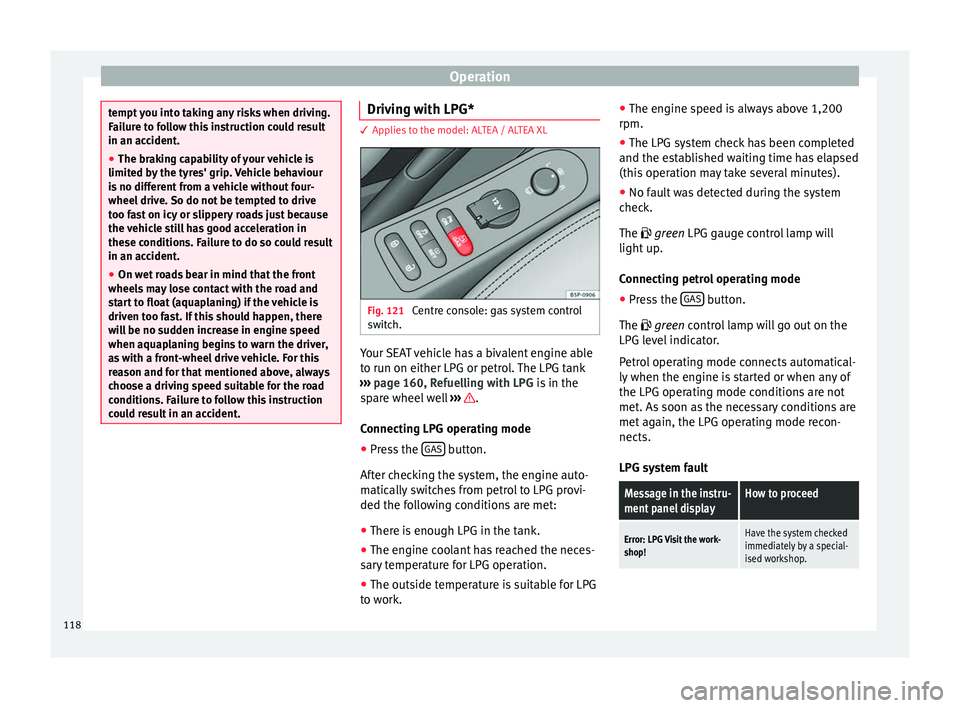
Centre console: gas system control
switch. Your SEAT vehicle has a bivalent engine able
to run on either LPG or petrol. The LPG tank
››› page 160, Refuelling with LPG is in the
spare wheel well ››› .
Connecting LPG operating mode
● Press the GAS button.
After checking the system, the engine auto-
matically switches from petrol to LPG provi-
ded the following conditions are met:
● There is enough LPG in the tank.
● The engine coolant has reached the neces-
sary temperature for LPG operation.
● The outside temperature is suitable for LPG
to work. ●
The engine speed is always above 1,200
rpm.
● The LPG system check has been completed
and the established waiting time has elapsed
(this operation may take several minutes).
● No fault was detected during the system
check.
The
green LPG gauge control lamp will
light up.
Connecting petrol operating mode
● Press the GAS button.
The green
control lamp will go out on the
LPG l
evel indicator.
Petrol operating mode connects automatical-
ly when the engine is started or when any of
the LPG operating mode conditions are not
met. As soon as the necessary conditions are
met again, the LPG operating mode recon-
nects.
LPG system fault
Message in the instru-
ment panel displayHow to proceed
Error: LPG Visit the work-
shop!Have the system checked
immediately by a special-
ised workshop. 118
Page 123 of 236
Driving
WARNING
● The ignition key must NOT be removed from
the lock until the vehicle comes to a stand-
still. Otherwise, the steering could be imme-
diately blocked- Risk of accident!
● Always remove the key from the ignition
when leaving the vehicle, even if only for a
short period. This is especially important if
children or disabled people are left alone in
the vehicle. They could accidentally start the
engine or work electrical equipment such as
the electric windows, resulting in an acci-
dent.
● Unsupervised use of the key could start the
engine or any electrical system, such as the
electric windows. This could result in serious
injury. CAUTION
The starter motor will only work when the en-
gine is stopped (ignition key position 2 ).
Electronic immobiliser
The electronic immobiliser prevents unau-
thorised persons from driving the vehicle.
Inside the key there is a chip that deactivates
the electronic immobiliser automatically
when the key is inserted into the ignition. The electronic immobiliser will be activated
again automatically as soon as you pull the
key out of the ignition lock.
The engine can only be started using a genu-
ine SEAT key with its correct code.
Note
A perfect operation of the vehicle is ensured
if genuine SEAT keys are used. Starting petrol engines
The engine can only be started using a genu-
ine SEAT key with its correct code.
– Move the gearbox lever to the neutral posi-
tion and depress the clutch pedal thor-
oughly and hold it in this position for the
starter to turn the engine on.
– Turn the ignition key to the starting posi-
tion ›››
page 120 .
– Let
go of the ignition key as soon as the en-
gine starts; the starter motor must not run
on with the engine.
After starting a very hot engine, you may
need to slightly press down the accelerator.
When starting a cold engine, it may be a little
noisy for the first few seconds until oil pres-
sure has built up in the hydraulic valve com-
pensators. This is quite normal, and no cause
for concern. If the engine does not start immediately,
switch the starter off after 10 seconds and try
again after half a minute. If the engine still
does not start, the fuel pump fuse should be
checked
››› page 196, Fuses. WARNING
● Never start or run the engine in unventila-
ted or closed rooms. The exhaust gases con-
tain carbon monoxide, an odourless and col-
ourless poisonous gas. Risk of fatal acci-
dents. Carbon monoxide can cause loss of
consciousness and result in death.
● Never leave the vehicle unattended if the
engine is running.
● Never use “cold start sprays”, they could
explode or cause the engine to run at high
revs. Risk of injury. CAUTION
● When the engine is cold, you should avoid
high engine speeds, driving at full throttle
and over-loading the engine. Risk of engine
damage.
● The vehicle should not be pushed or towed
more than 50 metres to start the engine. Un-
burnt fuel could enter the catalytic converter
and damage it.
● Before attempting to push-start or tow a ve-
hicle in order to start it, you should first try to
start it using the battery of another vehicle.
Note and follow the instructions in
››› page 189, Jump-starting.
» 121
Technical specifications
Advice
Operation
Safety
Page 135 of 236
Driving
Some tips on how to help you reduce pollu-
tion while saving money are listed below.
Drive anticipating the traffic situation
A vehicle uses most fuel when accelerating.
When you anticipate situations, you have to
brake less often and, thus, accelerate less. If
it is possible, let the vehicle roll with a gear
engaged , for example, if you see a red light
ahe a
d. The braking effect achieved in this
way helps to reduce the wear of brakes and
tyres; emissions and fuel consumption are
reduced to zero (disconnection due to iner-
tia).
Change gear early to save energy
An effective way of saving fuel is to change
up
quickly through the gears. Running the
engine at high rpm in the lower gears uses
an unnecessary amount of fuel.
Manual gearbox: shift up from first to second
gear as soon as possible. We recommend
that, whenever possible, you change to a
higher gear upon reaching 2000 rpm. Follow
the “recommended gear” indication that ap-
pears on the instrument panel ››› page 47.
Avoid driving at high speed
We advise you not to drive at the top speed
permitted by the vehicle. Fuel consumption,
exhaust emissions and noise levels all in- crease very rapidly at higher speeds. Driving
at moderate speeds will help to save fuel.
Avoid idling
It is worthwhile switching off the engine
when waiting in a traffic jam, at level cross-
ings or at traffic lights with a long red phase.
The fuel saved after only 30 - 40 seconds is
greater than the amount of fuel needed to re-
start the engine.
The engine takes a long time to warm up
when it is idling. Mechanical wear and pollu-
tant emissions are also especially high dur-
ing this initial warm-up phase. It is therefore
best to drive off immediately after starting
the engine. Avoid running the engine at high
speed.
Periodic maintenance
Periodic maintenance work guarantees that,
before beginning a journey, you will not con-
sume more than the required amount of fuel.
A well-serviced engine gives you the benefit
of
improved fuel efficiency as well as maxi-
mum reliability and an enhanced resale val-
ue.
A badly serviced engine can consume up to
10% more fuel than necessary.
Avoid short journeys
To reduce the consumption and emission of
polluting exhaust gases, the engine and the exhaust gas filtration systems should reach
the optimum operating temperature.
With the en
gine cold, fuel consumption is
proportionally higher. The engine does not
warm up and fuel consumption does not nor-
malise until having driven approximately four
kilometres. This is why we recommend avoid-
ing short trips whenever possible.
Maintain the correct tyre pressures
Bear in mind that keeping the tyres at an ad-
equate pressure saves fuel. If the tyre pres-
sure is just one bar (14.5 psi / 100 kPa) too
low, fuel consumption can increase by as
much as 5%. Due to the greater rolling resist-
ance, under-inflation also increases tyre wear
and impairs handling.
The tyre pressures should always be checked
when the tyres are cold.
Do not u
se winter tyres
all year round as they
increase fuel consumption by up to 10%.
Avoid unnecessary weight
Given that every kilo of extra weight
will in-
crease the fuel consumption, it is advisable
to always check the luggage compartment to
make sure that no unnecessary loads are be-
ing transported.
A roof rack is often left in place for the sake
of convenience, even when it is no longer
needed. At a speed of 100 km/h (62 mph) »
133
Technical specifications
Advice
Operation
Safety
Page 147 of 236
Towing bracket device
Tyre pressure
Set tyre pressure to the maximum permissi-
ble pressure shown on the sticker on the in-
side of the fuel tank flap. Set the tyre pres-
sure of the trailer tyres in accordance with the
trailer manufacturer's recommendations.
Exterior mirrors
Check whether you can see enough of the
road behind the trailer with the standard rear
vision mirrors. If this is not the case, you
should have additional exterior mirrors fitted.
Both exterior mirrors should be mounted on
hinged extension brackets. Adjust the mirrors
to give sufficient vision to the rear. WARNING
Never transport people in a trailer. This could
result in fatal accidents. Note
● Towing a trailer places additional demands
on the vehicle. We recommend additional
services between the normal inspection inter-
vals if the vehicle is used frequently for tow-
ing a trailer.
● Find out whether special regulations apply
to towing a trailer in your country. Ball coupling of towing bracket*
Depending on the model version, the spheri-
cal head on the trailer hook may be stored in
the tool box.
The ball coupling is provided with instruc-
tions on fitting and removing the ball cou-
pling of the towing bracket.
WARNING
The towing bracket ball coupling must be
stored securely in the luggage compartment
to prevent them being flung through the vehi-
cle and causing injury. Note
● By law, the ball coupling must be removed
if a trailer is not being towed if it obscures
the number plate. Driving tips
Driving with a trailer always requires extra
care.
Weight distribution
The weight distribution of a loaded trailer
with an unladen vehicle is very unfavourable.
However, if this cannot be avoided, drive ex-
tra slowly to allow for the unbalanced weight
distribution.Speed
The stability of the vehicle and trailer is re-
duced with increasing speed. For this reason,
it is advisable not to drive at the maximum
permissible speed in an unfavourable road,
weather or wind conditions. This applies es-
pecially when driving downhill.
You should always reduce speed immediately
if the trailer shows the slightest sign of
snak-
ing . Never try to stop the “snaking” by in-
c r
easing speed.
Always brake in due course. If the trailer has
an
overrun brake, apply the brakes gently at
first and then, firmly. This will prevent the
jerking that can be caused by locking of trail-
er wheels. Select a low gear in due course
before going down a steep downhill. This en-
ables you to use the engine braking to slow
down the vehicle.
Reheating
At very high temperatures and during pro-
longed slopes, driving in a low gear and high
engine speed, always monitor the coolant
temperature gauge ››› page 31.
Electronic Stability Control*
The ESC* system helps to stabilise the trailer
in case of skidding or rocking.
145
Technical specifications
Advice
Operation
Safety
Page 156 of 236
Advice
using them in the wrong way, may cause acci-
dents, serious injury, burns or intoxication.
●
Keep your car-care products in their origi-
nal containers.
● Read the instructions.
● Never keep car-care products in empty food
containers, bottles or other similar contain-
ers. Other people may confuse them.
● Keep all car-care products out of the reach
of children.
● Some products may give off harmful va-
pours during use. Therefore, they should be
used outdoors in well-ventilated places.
● Never use fuel, turpentine, engine oil, nail-
varnish remover or any other volatile product
for washing, maintenance or cleaning. These
are toxic and highly flammable. WARNING
Unsuitable maintenance and cleaning of vehi-
cle components may impair proper operation
of safety equipment and cause serious injury.
● Maintain and clean vehicle components ac-
cording to the manufacturer's instructions.
● Only use approved or recommended clean-
ing products. CAUTION
● Cleaning products which contain solvents
have a corrosive effect and may damage the
material irreparably. ●
Stains and dirt containing aggressive sub-
stances or solvents attack the material and
may damage it irreparably, even when they
are cleaned quickly.
● Dirt and stains should not be allowed to dry
and should be cleaned as quickly as possible.
● In the case of stubborn stains, take the ve-
hicle to a specialised workshop to avoid dam-
age. Treating your upholstery
To treat and maintain your seat upholstery,
keep the following in mind
››› :
Before entering the vehicle, close any Velcro
fasteners that might snag on the upholstery
or trim fabric. Any open Velcro fasteners may
damage the trim or upholstery fabrics.
To prevent damage, avoid direct contact be-
tween sharp decorative objects and the up-
holstery and trim fabrics. Decorative objects
include zips, rivets and rhinestones on cloth-
ing and belts.
From time to time, clean the dust that gath-
ers in the perforations, folds and seams so
that the surfaces of the seats are not dam-
aged by its abrasive effect.
Make sure clothes are colour-fast to avoid
them running and staining the upholstery.
This is especially important if the upholstery
is light in colour. CAUTION
If you ignore this checklist, which is impor-
tant for maintaining your seat upholstery, the
fabric may be damaged or stained.
● Consult the checklist and carry out the op-
erations it describes. Note
SEAT recommends you take the vehicle to a
specialised workshop to treat any stains on
the upholstery caused by the discolouration
of clothing. How to clean the upholstery, trim
fabrics and Alcantara
® Cleaning the fabric on heated seats and
electrically adjustable seats or seats with
airbag components
There may be important airbag components
and electrical connections inside the driver
seat, passenger seat and possibly the outer
rear seats. If these seats and seat backrests
are damaged, or are cleaned and are treated
incorrectly, or if they get wet, the vehicle
electric system may be destroyed and the air-
bag system damaged
››› .
Electric and heated seats contain compo-
nents and electrical connections that may be
damaged if the seats are cleaned or incor-
rectly treated ››› . Similarly, damage may be
154
Page 167 of 236
Checking and refilling levels
For the sake of the environment
Service fluids leaks are harmful to the envi-
ronment. For this reason you should make
regular checks on the ground underneath
your vehicle. If you find spots of oil or other
fluids, have your vehicle inspected in a speci-
alised workshop. Opening the bonnet
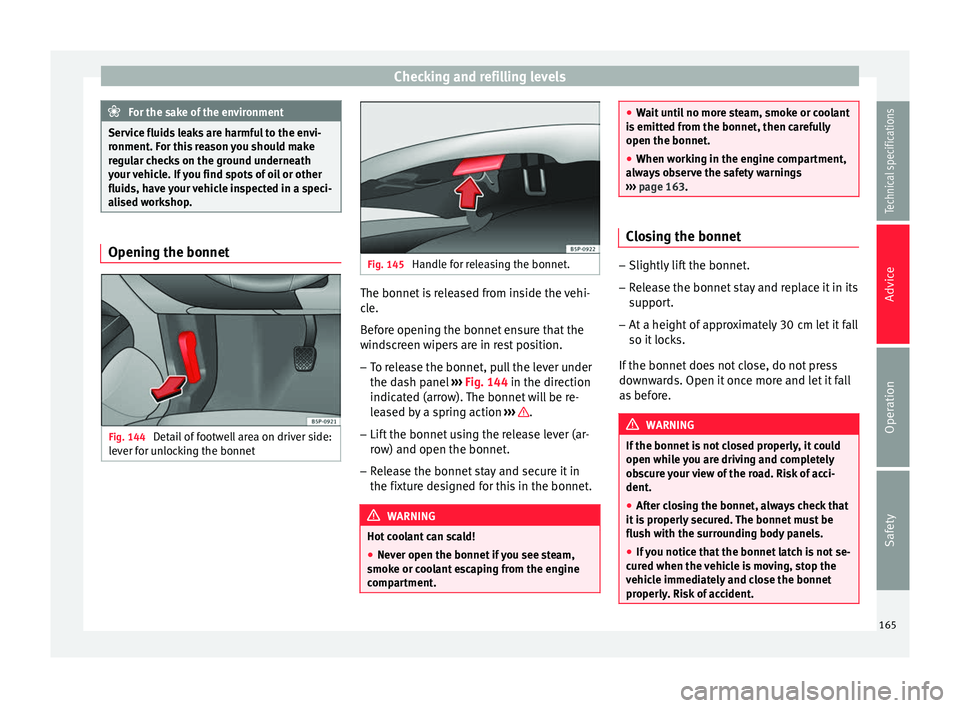
Fig. 144
Detail of footwell area on driver side:
lever for unlocking the bonnet Fig. 145
Handle for releasing the bonnet. The bonnet is released from inside the vehi-
cle.
Before opening the bonnet ensure that the
windscreen wipers are in rest position.
– To release the bonnet, pull the lever under
the dash panel ››› Fig. 144 in the direction
indic at
ed (arrow). The bonnet will be re-
leased by a spring action ››› .
– Lift the bonnet using the release lever (ar-
row) and open the bonnet.
– Release the bonnet stay and secure it in
the fixture designed for this in the bonnet. WARNING
Hot coolant can scald!
● Never open the bonnet if you see steam,
smoke or coolant escaping from the engine
compartment. ●
Wait until no more steam, smoke or coolant
is emitted from the bonnet, then carefully
open the bonnet.
● When working in the engine compartment,
always observe the safety warnings
››› page 163. Closing the bonnet
–
Slightly lift the bonnet.
– Release the bonnet stay and replace it in its
support.
– At a height of approximately 30 cm let it fall
so it locks.
If the bonnet does not close, do not press
downwards. Open it once more and let it fall
as before. WARNING
If the bonnet is not closed properly, it could
open while you are driving and completely
obscure your view of the road. Risk of acci-
dent.
● After closing the bonnet, always check that
it is properly secured. The bonnet must be
flush with the surrounding body panels.
● If you notice that the bonnet latch is not se-
cured when the vehicle is moving, stop the
vehicle immediately and close the bonnet
properly. Risk of accident. 165
Technical specifications
Advice
Operation
Safety
Page 171 of 236
Checking and refilling levels
Changing engine oil The engine oil must be changed at the inter-
vals given in the service schedule.
We recommend that you have the engine oil
changed by a Technical Service.
The oil change intervals are shown in the
Maintenance Programme.
WARNING
Only change the engine oil yourself if you
have the specialist knowledge required!
● Before opening the bonnet, read and ob-
serve the warnings ››› page 163, Safety in-
structions on working in the engine compart-
ment.
● Wait
for the engine to cool down. Hot oil
may cause burn injuries.
● Wear eye protection to avoid injuries, such
as acid burns, caused by splashes of oil.
● When removing the oil drain plug with your
fingers, keep your arm horizontal to help pre-
vent oil from running down your arm.
● Wash your skin thoroughly if it comes into
contact with engine oil.
● Engine oil is poisonous! Used oil must be
stored in a safe place out of the reach of chil-
dren. CAUTION
No additives should be used with engine oil.
This could result in engine damage. Any dam-
age caused by the use of such additives
would not be covered by the factory warranty. For the sake of the environment
● Because of disposal problems and the spe-
cial tools and specialist knowledge required,
we recommend that you have the engine oil
and filter changed by a Technical Service.
● Never pour oil down drains or into the
ground.
● Use a suitable container when draining the
used oil. It must be large enough to hold all
the engine oil. Cooling system
Engine coolant specifications The engine cooling system is supplied from
the factory with a specially treated mixture of
water and, at least, 40 % of the additive
G 13
(TLVW 774 J). The engine coolant additive is
recognisable by its purple colour. This mix-
ture of water and additive gives the necessa-
ry frost protection down to -25°C (-13 F) and
protects the light alloy parts of the cooling
system against corrosion. It also prevents scaling and considerably raises the boiling
point of the coolant.
To protect the engine cooling system, the
percentage of additive must
always be at
l e
ast 40 %, even in warm climates where an-
ti-freeze protection is not required.
If greater frost protection is required in very
cold climates, the proportion of additive can
be increased. However, the percentage of ad-
ditive should not exceed 60%, as this would
reduce frost protection and, in turn, decrease
cooling capacity.
When the coolant is topped up, use a mixture
of distilled water and, at least, 40 % of the G
13 or G 12 plu
s-plus (TL-VW 774 G) additive
(both are purple) to obtain an optimum anti-
corrosion protection ››› . The mixture of G
13 with G 12 plus (TL-VW 774 F), G 12 (red) or
G 11 (green-blue) engine coolants will signifi-
cantly reduce the anticorrosion protection
and should, therefore be avoided ››› .
WARNING
If there is not enough anti-freeze in the cool-
ant system, the engine may fail leading to se-
rious damage.
● Please make sure that the percentage of
additive is correct with respect to the lowest
expected ambient temperature in the zone
where the vehicle is to be used.
● When the outside temperature is very low,
the coolant could freeze and the vehicle » 169
Technical specifications
Advice
Operation
Safety
Page 173 of 236
Checking and refilling levels
WARNING
Any work carried out in the engine compart-
ment or on the engine must be carried out
cautiously.
● When working in the engine compartment,
always observe the safety warnings
››› page 163.
● When the engine is warm or hot, the cool-
ing system is pressurised! Do not unscrew
the cap on the coolant expansion tank when
the engine is hot. This is a burn injury risk. CAUTION
● When mixed with other additives the colour
of G12 will change to brown. If this occurs
you should have the coolant changed imme-
diately. Failure to do so will result in engine
damage!
● If a lot of coolant fluid has been lost, wait
for the engine to cool. This avoids damaging
the en gine. Lar
ge coolant losses are an indi-
cation of leaks in the cooling system. See a
specialised workshop immediately and have
the cooling system checked. Otherwise, there
is a risk of engine damage. Windscreen washer reservoir
Topping up washer fluid Fig. 150
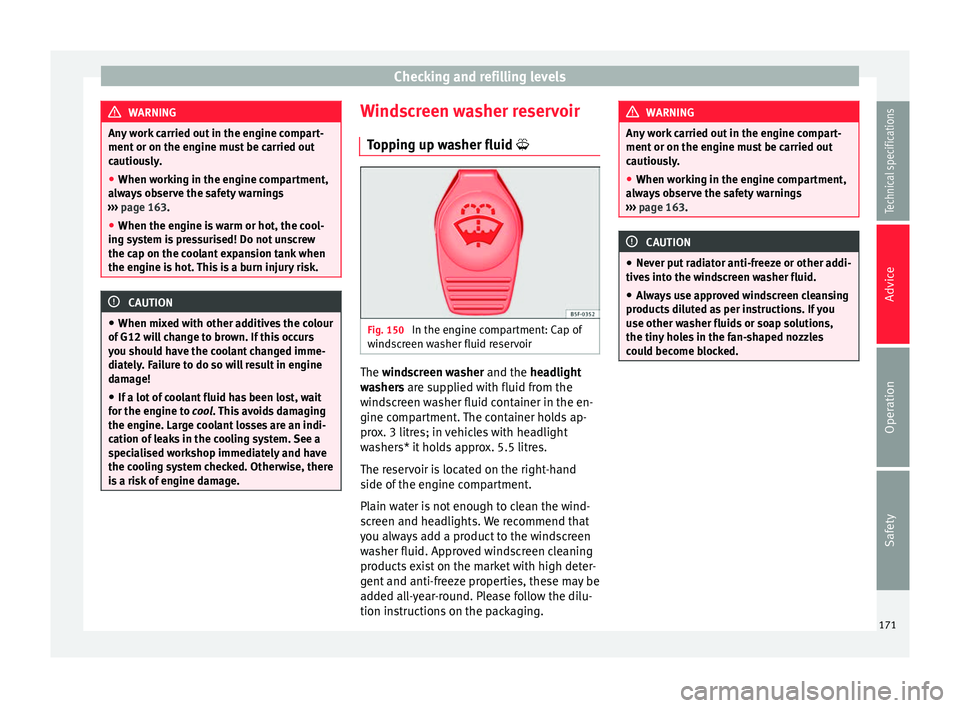
In the engine compartment: Cap of
windscreen washer fluid reservoir The
windscreen washer
and the
headlight
washers are supplied with fluid from the
windscreen washer fluid container in the en-
gine compartment. The container holds ap-
prox. 3 litres; in vehicles with headlight
washers* it holds approx. 5.5 litres.
The reservoir is located on the right-hand
side of the engine compartment.
Plain water is not enough to clean the wind-
screen and headlights. We recommend that
you always add a product to the windscreen
washer fluid. Approved windscreen cleaning
products exist on the market with high deter-
gent and anti-freeze properties, these may be
added all-year-round. Please follow the dilu-
tion instructions on the packaging. WARNING
Any work carried out in the engine compart-
ment or on the engine must be carried out
cautiously.
● When working in the engine compartment,
always observe the safety warnings
››› page 163. CAUTION
● Never put radiator anti-freeze or other addi-
tives into the windscreen washer fluid.
● Always use approved windscreen cleansing
products diluted as per instructions. If you
use other washer fluids or soap solutions,
the tiny holes in the fan-shaped nozzles
could become blocked. 171
Technical specifications
Advice
Operation
Safety