steering wheel Seat Altea Freetrack 2010 Owner's Guide
[x] Cancel search | Manufacturer: SEAT, Model Year: 2010, Model line: Altea Freetrack, Model: Seat Altea Freetrack 2010Pages: 294, PDF Size: 7.71 MB
Page 87 of 294
Steering wheel controls85
Safety First
Controls and equipment
Practical tips
Technical Data
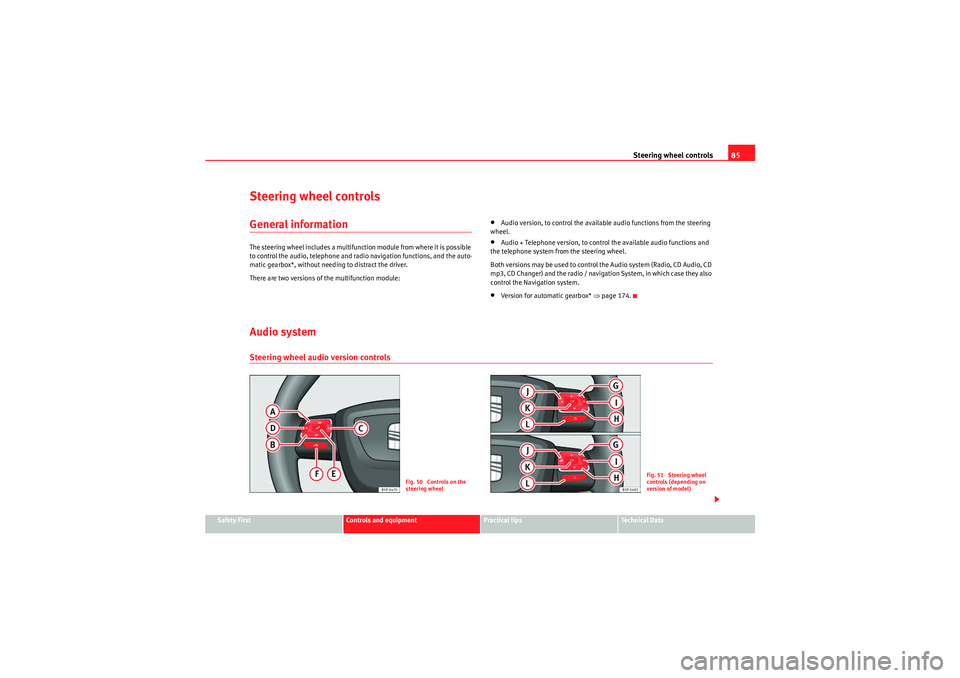
Steering wheel controlsGeneral informationThe steering wheel includes a multifunction module from where it is possible
to control the audio, telephone and radio navigation functions, and the auto-
matic gearbox*, without needing to distract the driver.
There are two versions of the multifunction module:
•Audio version, to control the available audio functions from the steering
wheel.•Audio + Telephone version, to control the available audio functions and
the telephone system from the steering wheel.
Both versions may be used to control the Audio system (Radio, CD Audio, CD
m p3, CD Changer) and the radio / navigation System, in which case they also
control the Navigation system.•Version for automatic gearbox* ⇒page 174.
Audio systemSteering wheel audio version controls
Fig. 50 Controls on the
steering wheel
Fig. 51 Steering wheel
controls (depending on
version of model)
Freetrack_EN.book Seite 85 Donnerstag, 10. September 2009 10:33 10
Page 88 of 294

Steering wheel controls
86Button
Radio
CD/MP3/USB*/iPod*
AUX
a)
a)Only if the panel is in Audio menu.
Vol um e u p
Volum e u p
Vol um e up
Vol u m e d own
Volu m e d own
Vol u m e d own
Search for next station
Next track
Hold down: Fast forward
No specified function
Search for last station
Previous track
Hold down: Rewind
No function specified
No function specified
No function specified
No function specified
Silence
Pause
Silence
b)
b)Depending on the model version
Operates on Instrument panel display
Operates on Instrument panel display
Operates on Instrument panel display
Next preset
a)
Next track
a)
No function specified
a)
b)
Operates on Instrument panel display
Operates on Instrument panel display
Operates on Instrument panel display
Previous preset
a)
Previous track
a)
No function specified
a)
b)
Next preset
Change folder
No function specified
Change menu on instrument panel
Change menu on instrument panel
Change menu on instrument panel
b)
Previous preset
Change folder
No function specified
Change menu on instrument panel
Change menu on instrument panel
Change menu on instrument panel
Operates on instrument panel
Operates on instrument panel
Operates on instrument panel
b)
Change source
Change source
Change source
Operates on instrument panel
Operates on instrument panel
Operates on instrument panel
AAABACADAEAFAGAHAIAJAKAL
Freetrack_EN.book Seite 86 Donnerstag, 10. September 2009 10:33 10
Page 89 of 294

Steering wheel controls87
Safety First
Controls and equipment
Practical tips
Technical Data
Steering wheel Audio + Telephone version controls
Fig. 52 Controls on the
steering wheel
Fig. 53 Steering wheel
controls (depending on
version of model)
Button
Radio
CD/MP3/USB*/iPod*
AUX
TELEPHONE
Volume up
Vol um e up
Volu m e up
Vol um e u p
Volu m e dow n
Volu m e d own
Vol um e d own
Volu m e d own
Search for next station
Next track
Hold down: Fast forward
No function specified
No function specified
Search for last station
Last track
Hold down:Rewind
No function specified
No function specified
Access telephone menu on instrument panel
Access telephone menu on instrument panel
Access telephone menu on instrument panel
Make call
Accept incoming call End call
Hold down: reject incoming call
Enable voice recognition
Enable voice recognition
Enable voice recognition
Enable voice recognition
AAABACADAEAF
Freetrack_EN.book Seite 87 Donnerstag, 10. September 2009 10:33 10
Page 90 of 294
Steering wheel controls
88
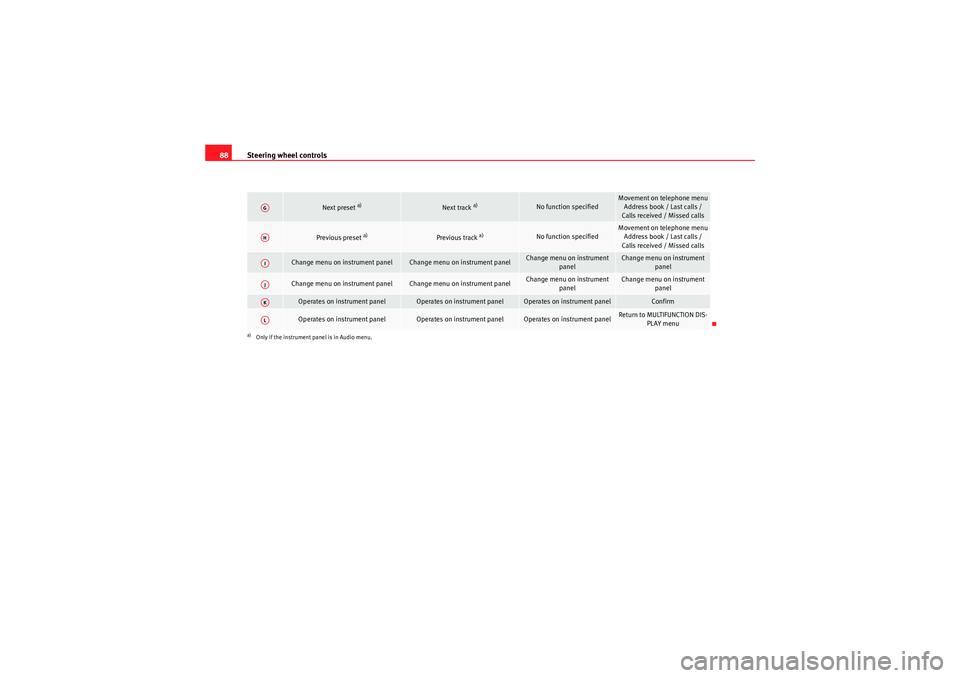
Next preset
a)
Next track
a)
No function specified
Movement on telephone menu
Address book / Last calls /
Calls received / Missed calls
Previous preset
a)
Previous track
a)
No function specified
Movement on telephone menu Address book / Last calls /
Calls received / Missed calls
Change menu on instrument panel
Change menu on instrument panel
Change menu on instrument panel
Change menu on instrument panel
Change menu on instrument panel
Change menu on instrument panel
Change menu on instrument
panel
Change menu on instrument panel
Operates on instrument panel
Operates on instrument panel
Operates on instrument panel
Confirm
Operates on instrument panel
Operates on instrument panel
Operates on instrument panel
Return to MULTIFUNCTION DIS-PLAY menu
a)Only if the instrument panel is in Audio menu.AGAHAIAJAKAL
Freetrack_EN.book Seite 88 Donnerstag, 10. September 2009 10:33 10
Page 91 of 294

Steering wheel controls89
Safety First
Controls and equipment
Practical tips
Technical Data
Radio navigation systemSteering wheel audio version controls
Fig. 54 Controls on the
steering wheel
Fig. 55 Steering wheel
controls (depending on
version of model)
Button
Radio
CD/MP3/USB*/iPod*
AUX
NAVIGATOR
Volume up
Vol um e up
Volu m e up
Vol um e u p
Volu m e dow n
Volu m e d own
Vol um e d own
Volu m e d own
Search for next station
Next track
Hold down: Fast forward
No function specified
No function specified
Search for last station
Last track
Hold down:Rewind
No function specified
No function specified
Access telephone menu on instrument panel
Access telephone menu on instrument panel
Access telephone menu on instrument panel
No function specified
Enable voice recognition
Enable voice recognition
Enable voice recognition
Enable voice recognition
AAABACADAEAF
Freetrack_EN.book Seite 89 Donnerstag, 10. September 2009 10:33 10
Page 92 of 294
Steering wheel controls
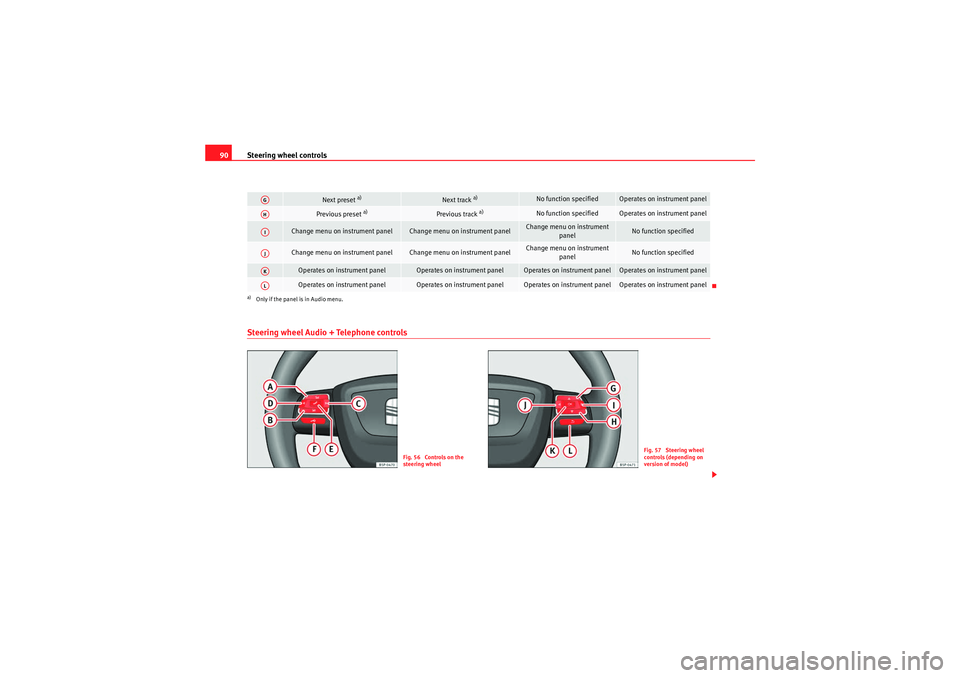
90Steering wheel Audio + Telephone controls
Next preset
a)
Next track
a)
No function specified
Operates on instrument panel
Previous preset
a)
Previous track
a)
No function specified
Operates on instrument panel
Change menu on instrument panel
Change menu on instrument panel
Change menu on instrument
panel
No function specified
Change menu on instrument panel
Change menu on instrument panel
Change menu on instrument panel
No function specified
Operates on instrument panel
Operates on instrument panel
Operates on instrument panel
Operates on instrument panel
Operates on instrument panel
Operates on instrument panel
Operates on instrument panel
Operates on instrument panel
a)Only if the panel is in Audio menu.AGAHAIAJAKAL
Fig. 56 Controls on the
steering wheel
Fig. 57 Steering wheel
controls (depending on
version of model)
Freetrack_EN.book Seite 90 Donnerstag, 10. September 2009 10:33 10
Page 93 of 294

Steering wheel controls91
Safety First
Controls and equipment
Practical tips
Technical Data
Button
Radio
CD/MP3/USB*/iPod*
AUX
NAVIGATOR
TELEPHONE
Vol um e up
Vol um e up
Vol um e up
Volume up
Volu m e up
Volume down
Volume down
Volume down
Vol um e d own
Volu m e d own
Search for next station
Next track
Hold down: Fast forward
No function specified
No function specified
No function specified
Search for last station
Last track
Hold down:Rewind
No function specified
No function specified
No function specified
Access telephone menu on instrument panel
Access telephone menu on instrument panel
Access telephone menu on instrument panel
No function specified
Make call
Accept incoming call End call
Hold down: reject incoming call
Enable voice recognition
Enable voice recognition
Enable voice recognition
Enable voice recogni-tion
Enable voice recognition
Next preset
a)
Next track
a)
No function specified
Operates on instru-ment panel
Movement on telephone menu
Address book / Last calls /
Calls received / Missed calls
Previous preset
a)
Previous track
a)
No function specified
Operates on instru- ment panel
Movement on telephone menu
Address book / Last calls /
Calls received / Missed calls
Change menu on instrument panel
Change menu on instrument panel
Change menu on instru-ment panel
No function specified
Change menu on instru-ment panel
AAABACADAEAFAGAHAI
Freetrack_EN.book Seite 91 Donnerstag, 10. September 2009 10:33 10
Page 94 of 294

Steering wheel controls
92
Change menu on instrument
panel
Change menu on instrument panel
Change menu on instru-ment panel
No function specified
Change menu on instru-ment panel
Operates on instrument panel
Operates on instrument panel
Operates on instrument panel
Operates on instru-ment panel
Confirm
Operates on instrument panel
Operates on instrument panel
Operates on instrument
panel
Operates on instru-ment panel
Return to MULTIFUNCTION DISPLAY menu
a)Only if the panel is in Audio menu.AJAKAL
Freetrack_EN.book Seite 92 Donnerstag, 10. September 2009 10:33 10
Page 120 of 294

Lights and visibility
118
Switching main beam on and off
– Turn the light switch to position
.
–Press the lever forward ⇒page 117, fig. 77 to switch on the
main beams.
– Pull the lever back towards you to switch the main beam head- lights off again.
Headlight flashers
– Pull the lever towards the steering wheel to operate the flasher.
Switching on parking lights
– Switch the ignition off and remove the key from the lock.
– Move the lever up or down to turn the right or left-hand parking lights on, respectively.
WARNING
The main beam can dazzle other drivers. Risk of accident! Never use the
main beam headlights or the headlight flasher if they could dazzle other
drivers.
Note
• The turn signals only work when the ignition is switched on. The corre-
sponding warning lamp
or flashes on the dash panel. The warning lamp
flashes when the turn signals are operated, provided a trailer is correctly
attached and connected to the vehicle. If a turn signal bulb is defective, the
warning lamp flashes at double speed. If the trailer turn signal bulbs are
damaged, warning lamp
does not light up. Change the bulb.
•The main beam headlights can only be switched on if the dipped beam
headlights are already on. The warning lamp
then lights up on the dash
panel.
•The headlight flasher comes on for as long as you pull the lever – even if
no other lights are switched on. The warning lamp
then lights up on the
dash panel.
•When the parking lights are switched on, the headlight and the rear light
on the corresponding side of the vehicle light up. The parking lights will only
work if the key is removed from the ignition. If the lights are switched on, a
buzzer gives an audible warning while the driver door is open.•If the turn signal lever is left on after the key has been taken out of the
ignition lock, an acoustic signal sounds when the driver door is opened. This
is a reminder to switch off the turn signal, unless of course you wish to leave
the parking light on.
A3
A4
Freetrack_EN.book Seite 118 Donnerstag, 10. September 2009 10:33 10
Page 125 of 294

Lights and visibility123
Safety First
Controls and equipment
Practical tips
Technical Data
– Move the control to the left or right to set the length of the
intervals. Control to the left: long intervals; control to the right:
short intervals. Four wiper interval stages can be set using switch .
Slow wipe
– Move the lever up to position .
Continuous wipe
– Move the lever up to position .
Brief wipe
– Move the lever down to position to give the windscreen a brief
wipe. The wiper will start to move faster if you keep the lever
pressed down for longer than 2 seconds.
Wash and wipe automatic system
– Pull the lever towards the steering wheel - Position . The wash function will start immediately and the wipers will start with a
slight delay. The wash and wipe r systems will function at the
same time at speeds of over 120 km/h.
– Release the lever. The wipers will keep running for approximately four seconds.Optional heated windscreen in the wiper blade* area (page
In some countries and with some versions, there is the possibility of heating
the windscreen in the area of the windscreen wiper blades in order to aid de-
icing in the zone. The function is switched on by pressing the rear heating
window key
.
WARNING
•Worn and dirty wiper blades obstruct visibility and reduce safety levels.•In cold conditions, you should not use the wash / wipe system unless
you have warmed the windscreen with the heating and ventilation system.
The washer fluid could otherwise freeze on the windscreen and obscure
your view of the road.•Always note the corresponding warnings on ⇒page 223, “Changing
windscreen wiper blades”.Caution
In icy conditions, always check that the wiper blades are not frozen to the
glass before using the wipers for the first time. If you switch on the wipers
when the wiper blades are frozen to the windscreen, you could damage both
the wiper blades and the wiper motor.
Note
•The windscreen wipers will only work when the ignition is switched on.•In certain versions of vehicles with alarms, the windscreen wiper will only
work when the ignition is on and the bonnet closed.•When in use, the wipers do not go as far as the rest position. When the
lever is moved to position 0, they are totally hidden.•T h e n e x t s p e e d d o w n w i ll a u t o m a t i ca ll y b e s e l e c t e d i f s p e e d ⇒page 122,
fig. 85 or is selected when the vehicle stops. The set speed will be
resumed when the vehicle starts again•The windscreen will be wiped again after approximately five seconds once
the “automatic wipe/wash system” has been operated, provided the vehicle
is in transit (drip function). If you activate the wipers less than three seconds
after the drip function, a new wash sequence will begin without the last wipe.
For the “drip” function to work again, you have to turn the ignition off and
then on again.
AA
AA
A2A3A4
A5
A2
A3
Freetrack_EN.book Seite 123 Donnerstag, 10. September 2009 10:33 10