trailer Seat Arona 2017 User Guide
[x] Cancel search | Manufacturer: SEAT, Model Year: 2017, Model line: Arona, Model: Seat Arona 2017Pages: 308, PDF Size: 6.66 MB
Page 192 of 308
Operation
Gearbox malfunctions Gearbox: Fault! Stop the ve-
hicle and place the lever in the
position P.
Ther e is
a fault in the gearbox. Stop the vehi-
cle in a safe place and do not continue driv-
ing. Seek specialist assistance.
Gearbox: System fault! You
may continue driving.
Have the fault corrected by a specialised
workshop without delay. Gearbox: System fault! You
can continue driving with re-
strictions. Reverse gear disa‐
bled
Take the vehicle to a specialised workshop
and have the fault repaired without delay. Gearbox: System fault! You
can continue driving in D until
switching off the engine
Stop the vehicle in a safe place well away
from moving traffic. Seek specialist assis-
tance. Gearbox: too hot. Adapt your
driving accordingly
Continue driving at moderate speeds. When
the warning lamp switches off, you can con-
tinue driving in a normal manner. Gearbox: press the brake and
engage a gear again.
If the fau
lt was caused by a gearbox with a
high temperature, this driver message will be
displayed when the gearbox has cooled
again.
Gear-change indicator Selecting the optim
al gear While driving, and depending on vehicle
equipment, the in
s
trument
panel display may
show a recommendation with the gear num-
ber that would be advisable to save fuel.
In vehicles with an automatic gearbox, the
selector lever must be in the Tiptronic posi-
tion ››› page 185.
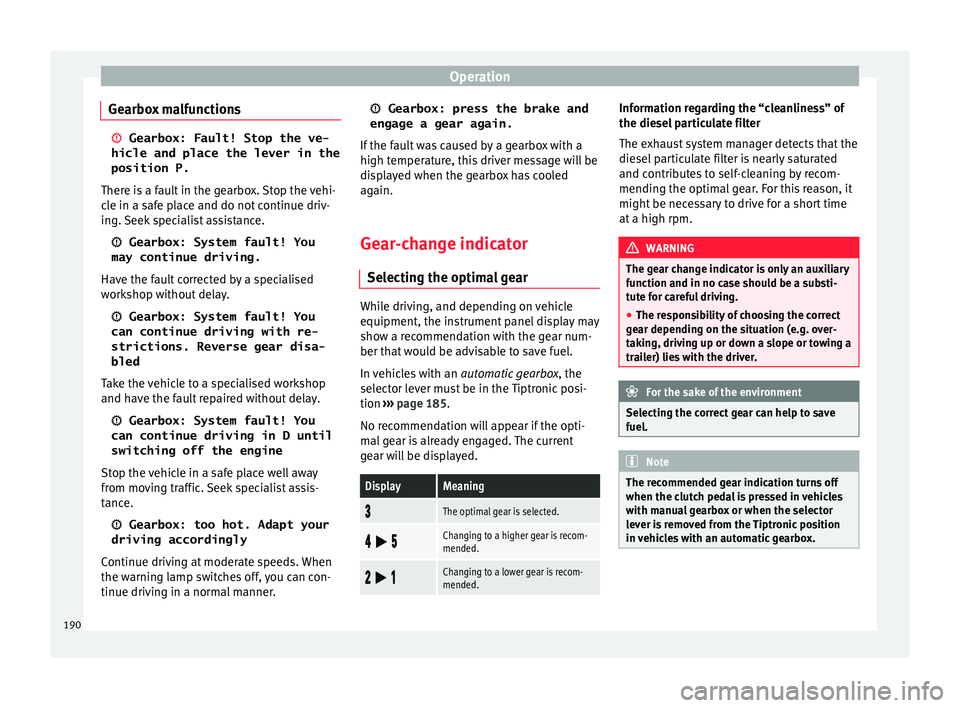
No recommendation will appear if the opti-
mal gear is already engaged. The current
gear will be displayed.
DisplayMeaning
The optimal gear is selected.
Changing to a higher gear is recom-
mended.
Changing to a lower gear is recom-
mended. Information regarding the “cleanliness” of
the die
sel
p
articulate filter
The exhaust system manager detects that the
diesel particulate filter is nearly saturated
and contributes to self-cleaning by recom-
mending the optimal gear. For this reason, it
might be necessary to drive for a short time
at a high rpm. WARNING
The gear change indicator is only an auxiliary
fu nction and in no c
ase should be a substi-
tute for careful driving.
● The responsibility of choosing the correct
gear dependin
g on the situation (e.g. over-
taking, driving up or down a slope or towing a
trailer) lies with the driver. For the sake of the environment
Selecting the correct gear can help to save
fuel . Note
The recommended gear indication turns off
when the clut c
h pedal is pressed in vehicles
with manual gearbox or when the selector
lever is removed from the Tiptronic position
in vehicles with an automatic gearbox. 190
Page 193 of 308
Driving
Run-in and economical driving R u
nnin
g in a new engine The engine needs to be run-in over the first
1500 km (900 mil
e
s).
For the first 1,000 kilometres (600 miles)
– Do not drive at speeds of more than 2/3
the maximum s
peed.
– Do not accelerate hard.
– Avoid high engine revolutions.
– Do not tow a trailer.
From 1,000 k i
lometres (600 miles) to 1,500
kilometres (900 miles)
– Speeds can be gradual
ly increased to the
maximum road speed or maximum permis-
sible engine speed (rpm).
During its first few hours of running, the in-
ternal friction in the engine is greater than
later on, when all the moving parts have bed-
ded in. For the sake of the environment
If the engine is run in gently, its life will be in-
cr e
ased and its oil consumption reduced. Tyre and brake pad run-in
New tyres should be run in carefully for the
firs
t
500 km (300 miles) and new brake pads
should be run in carefully for the first 200 km
(125 miles).
During the first 200 km (125 miles) you have
to compensate for the reduced braking effect
by applying more pressure to the brake ped-
al. In case of a sharp braking, the braking
distance will be longer with new brake pads
than with brake pads which have been run-
in. WARNING
● At fir s
t, new tyres do not give maximum
grip, and require running-in. This may cause
an accident. Drive particularly carefully in the
first 500 km (300 miles).
● New brake pads must be “run in” and do
not hav
e the correct friction properties during
the first 200 km (125 miles). However, the re-
duced braking capacity may be compensated
by pressing on the brake pedal a little harder. Environmental compatibility
Environmental protection is a top priority in
the de
s
ign, c
hoice of materials and manufac-
ture of your new SEAT. Constructive measures to encourage recy-
cling
● Joints
and connections designed for easy
dismantlin
g.
● Modular construction to facilitate disman-
tling.
● Incr
eased use of single-grade materials.
● Plastic parts and elastomers are marked in
accor
dance with ISO 1043, ISO 11469 and
ISO 1629.
Choice of materials
● Use of recycled materials.
● Use of compatible plastics in the same part
if its c
omponents are not easily separated.
● Use of recycled materials and/or materials
originating fr
om renewable sources.
● Reduction of volatile components, includ-
ing odour, in p
lastic materials.
● Use of CFC-free coolants.
Ban on heavy
metals, with the exceptions
dictated by law (Annex II of ELV Directive
2000/53/EC): cadmium, lead, mercury, hexa-
valent chromium.
Manufacturing methods
● Reduction of the quantity of thinner in the
protectiv
e wax for cavities.
● Use of plastic film as protection during ve-
hicle tr
ansport. »
191
Technical data
Advice
Operation
Emergencies
Safety
Page 209 of 308
Driver assistance systems
Switching the Front Assist off tempo-
r ari
ly
in the following situations In the following situations the Front Assist
Monitorin
g
System should be deactivated
due to the system's limitations ››› :
● When the vehicle is to be towed.
● If the vehicle is on a test bed.
● When the radar sensor is damaged.
● If the radar sensor takes a heavy knock, for
ex amp
le in a rear collision.
● If it intervenes several times unnecessarily.
● If the radar sensor is covered temporarily
with some k ind of
accessory, such as an ad-
ditional headlight or the like.
● When the vehicle is to be loaded on a lorry,
ferry
or train. WARNING
If the Front Assist function is not switched off
in the sit uation
s described, serious accidents
and injuries may occur.
● Switch off the Front Assist function in criti-
cal
situations. System limitations
The Front Assist has certain physical limita-
tion
s inher
ent to the system. Thus, in certain
circumstances some of the system's reac- tions may be inopportune or be delayed from
the driver's s
tandpoint. So pay attention in
order to intervene if necessary.
The following conditions may cause the Front
Assist not to react or to do so too late:
● On taking tight bends.
● Pressing the accelerator all the way down.
● If the Front Assist is switched off or dam-
aged.
● If the ASR h
as been disconnected or the
ESC activ
ated in Sport mode manually
››› page 179.
● If the ESC is controlling.
● If several brake lights of the vehicle or elec-
trically
connected trailer are damaged.
● If the radar sensor is dirty or covered.
● If there are metal objects, e.g. rails on the
roa
d or sheets used in road works.
● If the vehicle is reversing.
● If the vehicle over-accelerates.
● In case of snow or heavy rain.
● In case of narrow vehicles, such as motor-
bike
s.
● Misaligned vehicles.
● Vehicles crossing the other's path.
● Vehicles approaching in the opposite direc-
tion. ●
Speci
al loads and accessories of other ve-
hicles that jut out over the sides, backwards
or over the top.
City Emergency braking function Fig. 190
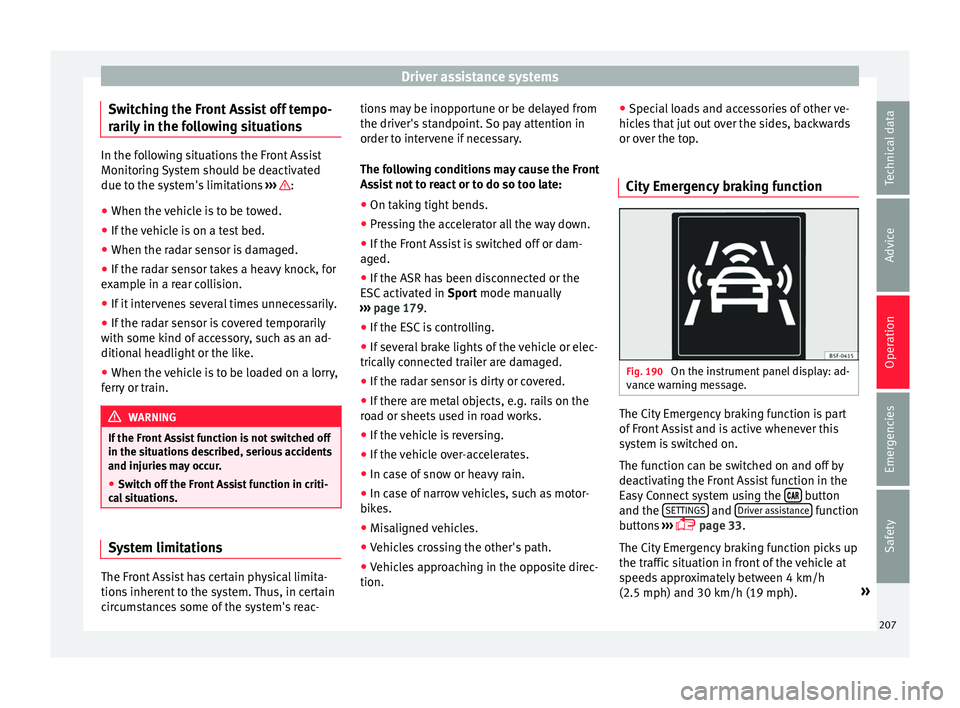
On the instrument panel display: ad-
v anc
e w
arning message. The City Emergency braking function is part
of
Fr
ont
Assist and is active whenever this
system is switched on.
The function can be switched on and off by
deactivating the Front Assist function in the
Easy Connect system using the button
and the S
ET
TINGS and
Driv
er a
s
sistance function
b utt
on
s ›››
page 33.
The City Emergency braking function picks up
the traffic situation in front of the vehicle at
speeds approximately between 4 km/h
(2.5 mph) and 30 km/h (19 mph). »
207
Technical data
Advice
Operation
Emergencies
Safety
Page 216 of 308
Operation
Connecting and activating the ACC
T o c
onnect
and activate the ACC, the position
of the gearbox selector lever, the vehicle
speed and the position of the third level of
the ACC must all be taken into account.
● With a manual gearbox, the gearbox selec-
tor lev
er must be in any gear except first, and
speed must be greater than approximately 30
km/h. With an automatic gearbox, the gear-
box selector lever must be in position D or S.
● To activate the ACC, press the button or
mo
ve the third lever of the ACC to position 2›››
Fig. 196. At thi s
point, the image of the
ACC on the instrument panel display will
switch from Inactive (Standby) to Active mode
››› Fig. 194.
When the ACC function is active, the vehicle
travels at a set speed and distance from the
vehicle ahead. Both speed and distance can
be changed at any time.
Disconnecting and deactivating the ACC
To disconnect the ACC move the lever to the 0 position
››
› Fig. 196
(engaged). An ACC
deactivated message appears and the
function is totally deactivated.
If you do not wish to disconnect the ACC, just
to switch it temporarily to inactive mode
(Standby), move the third lever to position 3›››
Fig. 196 or pre s
s the brake pedal. It will also switch to inactive mode (Standby)
if the
v
ehicle is stopped and the driver door
is opened.
Adjusting the default distance level at the
start of your journey.
In wet road conditions, you should always set
a larger distance with regard to the vehicle in
front than when driving in dry conditions.
The following distances can be preselected:
● Very short
● Short
● Media
● Long
● Very long
In the Easy
Connect system you can adjust
the distance level that will be applied when
the ACC is connected using the button
and the S
ET
TINGS and
Driv
er a
s
sistance function
b utt
on
s ›››
page 33.
Changing the driving profile
In vehicles with SEAT Drive Profile , the driving
profile selected can have an influence on the
ACC’s acceleration and braking behaviour
››› page 225.
In vehicles without SEAT Drive Profile , the be-
haviour of the ACC can also be affected by se-
lecting any of the following drive profiles in
the Easy Connect system: ●
Normal
● Spor
t
● Eco
● Convenience
In this c
ase, you should access the ACC set-
tings using the button and the
S
ET
TINGS >
Driv er a
s
sistance >
A
C
C function buttons
› ›
›
page 33.
The following conditions may lead the ACC
not to react:
● If the accelerator is pressed.
● If there is no gear engaged.
● If the ESC is controlling.
● If the driver is not wearing his/her seat
belt.
● If sev
eral brake lights of the vehicle or elec-
trically
connected trailer are damaged.
● If the vehicle is reversing.
● Driving faster than 210 km/h (150 mph). WARNING
There is a danger of rear collision when the
minimum dis t
ance to the vehicle in front is
exceeded and the speed difference between
both vehicles is so great that a speed reduc-
tion by the ACC will not suffice. In this case
the brake pedal should be applied immedi-
ately. 214
Page 220 of 308
Operation
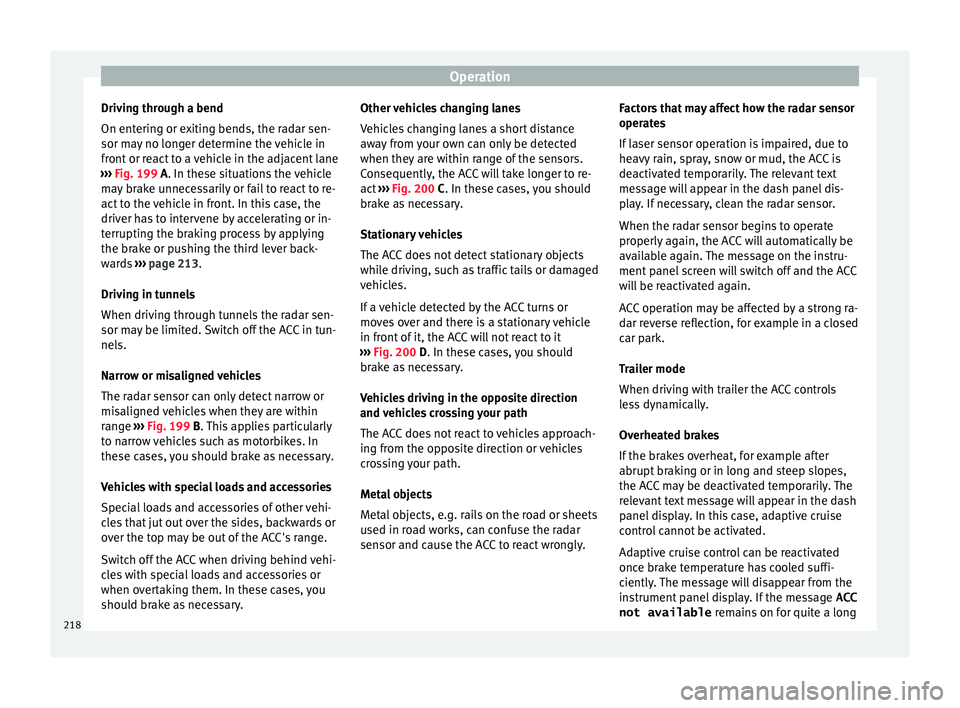
Driving through a bend
On ent erin
g or e
xiting bends, the radar sen-
sor may no longer determine the vehicle in
front or react to a vehicle in the adjacent lane
››› Fig. 199 A. In these situations the vehicle
may brake unnecessarily or fail to react to re-
act to the vehicle in front. In this case, the
driver has to intervene by accelerating or in-
terrupting the braking process by applying
the brake or pushing the third lever back-
wards ››› page 213.
Driving in tunnels
When driving through tunnels the radar sen-
sor may be limited. Switch off the ACC in tun-
nels.
Narrow or misaligned vehicles
The radar sensor can only detect narrow or
misaligned vehicles when they are within
range ››› Fig. 199 B. This applies particularly
to narrow vehicles such as motorbikes. In
these cases, you should brake as necessary.
Vehicles with special loads and accessories
Special loads and accessories of other vehi-
cles that jut out over the sides, backwards or
over the top may be out of the ACC's range.
Switch off the ACC when driving behind vehi-
cles with special loads and accessories or
when overtaking them. In these cases, you
should brake as necessary. Other vehicles changing lanes
Vehicl
es changing lanes a short distance
away from your own can only be detected
when they are within range of the sensors.
Consequently, the ACC will take longer to re-
act ››› Fig. 200 C. In these cases, you should
brake as necessary.
Stationary vehicles
The ACC does not detect stationary objects
while driving, such as traffic tails or damaged
vehicles.
If a vehicle detected by the ACC turns or
moves over and there is a stationary vehicle
in front of it, the ACC will not react to it
››› Fig. 200 D. In these cases, you should
brake as necessary.
Vehicles driving in the opposite direction
and vehicles crossing your path
The ACC does not react to vehicles approach-
ing from the opposite direction or vehicles
crossing your path.
Metal objects
Metal objects, e.g. rails on the road or sheets
used in road works, can confuse the radar
sensor and cause the ACC to react wrongly. Factors that may affect how the radar sensor
operate
s
If laser sensor operation is impaired, due to
heavy rain, spray, snow or mud, the ACC is
deactivated temporarily. The relevant text
message will appear in the dash panel dis-
play. If necessary, clean the radar sensor.
When the radar sensor begins to operate
properly again, the ACC will automatically be
available again. The message on the instru-
ment panel screen will switch off and the ACC
will be reactivated again.
ACC operation may be affected by a strong ra-
dar reverse reflection, for example in a closed
car park.
Trailer mode
When driving with trailer the ACC controls
less dynamically.
Overheated brakes
If the brakes overheat, for example after
abrupt braking or in long and steep slopes,
the ACC may be deactivated temporarily. The
relevant text message will appear in the dash
panel display. In this case, adaptive cruise
control cannot be activated.
Adaptive cruise control can be reactivated
once brake temperature has cooled suffi-
ciently. The message will disappear from the
instrument panel display. If the message ACC
not available remains on for quite a long
218
Page 227 of 308
Driver assistance systems
Open the Assistants menu.
● Blind s pot
● Ex
it Assist
If the
verification box on the control panel is
checked , the functionality will be automat-
ically activated at ignition.
When the blind spot detector is ready to op-
erate, the indications in the external mirrors
will turn on briefly as confirmation.
When the vehicle is restarted, the last adjust-
ment in the system will remain active.
If the blind spot detector was automatically
deactivated, it will only be possible to restart
the system after turning the vehicle off and
restarting it.
Automatic deactivation of the blind spot de-
tector (BSD)
The radar sensors of the blind spot detector
with rear cross traffic alert will be automati-
cally deactivated when, among other rea-
sons, one of the sensors is detected to be
permanently covered. This may be the case if,
for example, there is a layer of snow or ice in
front of one of the sensors.
The relevant text message will appear in the
dash panel display. Trailer mode
The Blind spot det
ector and the rear cross
traffic alert will be automatically deactivated
and it will be impossible to activate them if
the tow hitch is electrically connected to a
trailer or other similar object.
As soon as the driver starts to drive with a
trailer connected electrically to the vehicle, a
message will appear on the instrument panel
display indicating that the blind spot detec-
tor and the rear cross traffic alert are deacti-
vated. Once the trailer has been unhitched
from the vehicle, if you want to use the blind
spot detector and the rear cross traffic alert,
you will have to reactivate them in the corre-
sponding menu.
If the towing hitch is not factory equipped,
then the blind spot detector and the rear
cross traffic alert will have to be deactivated
manually when driving with a trailer.
SEAT Drive Profile*
Introduction SEAT Drive Profile enables the driver to
c
hoo
se betw
een four profiles or modes, Nor-
mal , Sport , Eco and Individual , that
modify the behaviour of various vehicle func-
tions, providing different driving experiences. The Individual
profil
e can be configured
according to personal preferences. The other
profiles are fixed.
Description Depending on the equipment fitted in the ve-
hicl
e,
SEAT Drive Profile can operate on the
following functions:
Engine
Depending on the profile selected, the en-
gine responds more spontaneously or more
in harmony with the movements of the accel-
erator. Additionally, when Eco mode is selec-
ted, the Start-stop function is automatically
activated.
In vehicles with automatic transmission, the
gear change points are modified to position
them in lower or higher engine speed ranges.
Additionally, the Eco mode activates the In-
ertia function, enabling consumption to be
further reduced.
In manual gearbox vehicles, Eco mode cau-
ses the gear change recommendation indica-
tions that appear on the instrument panel to
vary, facilitating more efficient driving.
“Dual Ride” suspension
The “Dual Ride” suspension features a com-
fortable suspension in the Eco and Normal»
225
Technical data
Advice
Operation
Emergencies
Safety
Page 229 of 308
Driver assistance systems
●
Your s peed and driv
ing style must always
be adjusted to visibility, weather, and traffic
conditions.
● The eco mode is not
available when towing
a trailer. Kick-down
The kick-down feature allows maximum ac-
cel
er
ation to be reached.
If the eco* ››› page 226 mode has been se-
lected in SEAT Drive Profile*, and the acceler-
ator is pressed beyond a hard point, the en-
gine power is automatically controlled to give
your vehicle maximum acceleration. WARNING
Please note that if the road surface is slip-
pery or w
et, the kick-down feature could
cause the driving wheels to spin, which could
result in skidding. Fatigue detection (break rec-
ommend
ation)*
R el
ated video Fig. 207
Safety Introduction
The Fatigue detection informs the driver
when their driv
in
g beh
aviour shows signs of
fatigue. WARNING
Do not let the comfort afforded by the Fatigue
detection sy s
tem tempt you into taking any
risks when driving. Take regular breaks, suffi-
cient in length when making long journeys.
● The driver always assumes the responsibil-
ity of driv
ing to their full capacity.
● Never drive if you are tired.
● The system does not detect the tiredness of
the driver in al
l circumstances. Consult the in-
formation in the section ››› page 228, System
limitations. ●
In some sit uation
s, the system may incor-
rectly interpret an intended driving manoeu-
vre as driver tiredness.
● No warning is given in the event of the ef-
fect c
alled microsleep!
● Please observe the indications on the in-
strument p
anel and act as is necessary. Note
● Fatigue det ection h
as been developed for
driving on motorways and well paved roads
only.
● If there is a fault in the system, have it
check
ed by a specialised workshop. Function and operation
Fig. 208
On the instrument panel display: fa-
tigue det ection symbo
l
. Fatigue detection determines the driving be-
h
av
iour of
the driver when starting a journey, »
227
Technical data
Advice
Operation
Emergencies
Safety
Page 231 of 308

Driver assistance systems
may compromise safety. The system is not a
rep
l
acement for driver awareness.
● Any accidental movement of the vehicle
coul
d result in serious injury.
● Adapt your speed and driving style at all
times t
o suit visibility, weather, road and traf-
fic conditions.
● Certain surfaces of objects and garments
do not refl
ect the ultrasound sensors' sig-
nals. The system cannot detect, at least cor-
rectly, these objects or people wearing such
clothes.
● Ultrasound sensor signals may be affected
by e
xternal sound sources. In certain circum-
stances this may prevent them from detect-
ing people or objects.
● The ultrasound sensors have blind spots in
which ob
stacles and people are not regis-
tered.
● Monitor the area around the vehicle at all
times, sinc
e the ultrasound sensors do not
detect small children, animals or certain ob-
jects in all situations. WARNING
Quick turns of the steering wheel when park-
ing or e x
iting a parking space with Park As-
sist can cause serious injury.
● Do not hold the steering wheel during ma-
noeuvre
s to park or exit a parking space until
the system requests it. Doing so disables the
system during the manoeuvre, resulting in
the parking being cancelled. CAUTION
● In cer t
ain circumstances, the ultrasonic
sensors do not detect objects such as trailer
tongues, bars, fences, posts or thin trees, or
an open (or opening) rear lid, which could
damage the vehicle.
● Retrofitting of certain accessories to the ve-
hicle, s
uch as a bicycle rack, may interfere
with the operation of the Park Assist system
and cause damage.
● The Park Assist system uses as a reference
parked
vehicles, curbs and other objects.
Make sure that the tyres and wheels are not
damaged while parking. If necessary, oppor-
tunely interrupt the parking manoeuvre to
avoid damaging the vehicle.
● The ultrasound sensors on the bumper may
be damag
ed or shifted in the event of a colli-
sion, for example, when entering or exiting a
parking space.
● If you use high-pressure or vapour equip-
ment to c
lean the ultrasound sensors, do not
apply it directly unless very briefly and al-
ways from a distance of more than 10 cm.
● A registration plate or plate holder on the
front w
ith larger than the space for the regis-
tration plate, or a registration plate that is
curved or warped can cause:
–false detections,
– loss of sensor visibility.
– cancellation of the parking manoeuvre or
defective parking. ●
If one of the u
ltrasonic sensors is damaged,
the area corresponding to that group of sen-
sors (front or rear) is deactivated and cannot
be activated until the fault is corrected. How-
ever, you can still use the sensors of the oth-
er bumper as per usual. If there is a fault in
the system, consult a specialist workshop.
SEAT recommends visiting a SEAT dealership
for this. Note
● In or der t o guar
antee good system opera-
tion, keep the ultrasound sensors of the
bumper clean, free of snow or ice, and do not
cover them with adhesives or other objects.
● Certain sources of noise, such as rough as-
phalt
or paving stones and the noise of other
vehicles can induce the Park Assist system or
ParkPilot to give erroneous warnings.
● In order to become familiar with the system
and its f
unctions, SEAT recommends that you
practice operating the Park Assist system in
an area where there is not too much traffic or
in a car park. 229
Technical data
Advice
Operation
Emergencies
Safety
Page 232 of 308
Operation
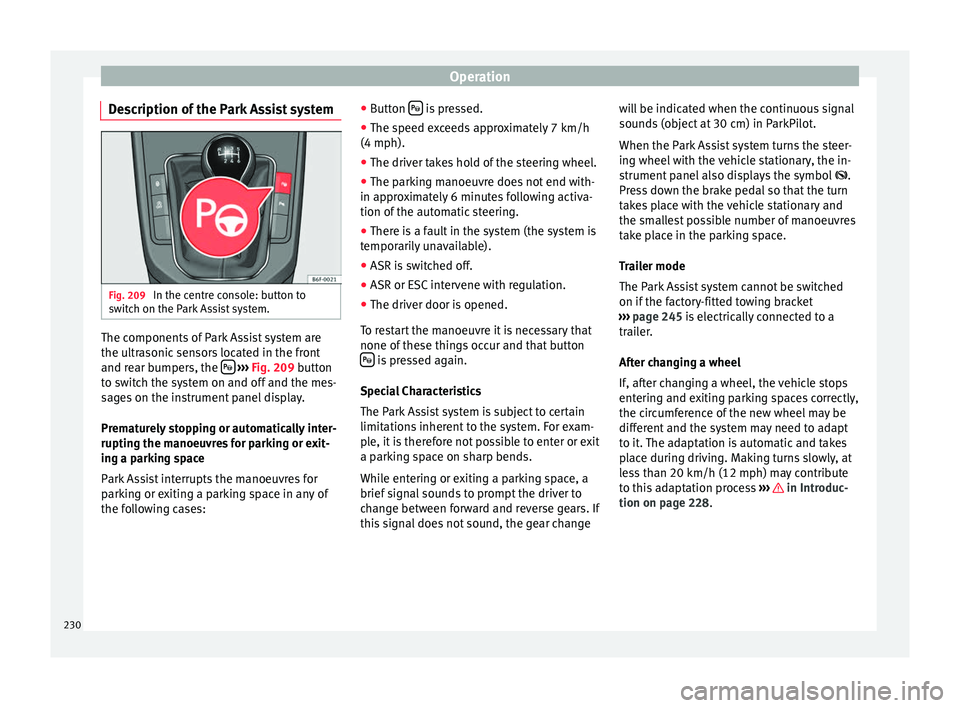
Description of the Park Assist system Fig. 209
In the centre console: button to
sw it
c
h on the Park Assist system. The components of Park Assist system are
the u
ltr
a
sonic sensors located in the front
and rear bumpers, the
› ›
› Fig. 209
button
to switch the system on and off and the mes-
sages on the instrument panel display.
Prematurely stopping or automatically inter-
rupting the manoeuvres for parking or exit-
ing a parking space
Park Assist interrupts the manoeuvres for
parking or exiting a parking space in any of
the following cases: ●
Button is pressed.
● The speed exceeds approximately 7 km/h
(4 mph).
● The driver takes hold of the steering wheel.
● The parking manoeuvre does not end with-
in ap pr
o
ximately 6 minutes following activa-
tion of the automatic steering.
● There is a fault in the system (the system is
temporari
ly unavailable).
● ASR is switched off.
● ASR or ESC intervene with regulation.
● The driver door is opened.
To re
start the manoeuvre it is necessary that
none of these things occur and that button is pressed again.
S pec
i
al Characteristics
The Park Assist system is subject to certain
limitations inherent to the system. For exam-
ple, it is therefore not possible to enter or exit
a parking space on sharp bends.
While entering or exiting a parking space, a
brief signal sounds to prompt the driver to
change between forward and reverse gears. If
this signal does not sound, the gear change will be indicated when the continuous signal
sounds
(object at 30 cm) in ParkPilot.
When the Park Assist system turns the steer-
ing wheel with the vehicle stationary, the in-
strument panel also displays the symbol .
Press down the brake pedal so that the turn
takes place with the vehicle stationary and
the smallest possible number of manoeuvres
take place in the parking space.
Trailer mode
The Park Assist system cannot be switched
on if the factory-fitted towing bracket
››› page 245 is electrically connected to a
trailer.
After changing a wheel
If, after changing a wheel, the vehicle stops
entering and exiting parking spaces correctly,
the circumference of the new wheel may be
different and the system may need to adapt
to it. The adaptation is automatic and takes
place during driving. Making turns slowly, at
less than 20 km/h (12 mph) may contribute
to this adaptation process ››› in Introduc-
tion on p ag
e 228
.
230
Page 238 of 308

Operation
Automatic braking intervention by
P ark
As
sist Park Assist helps the driver by automatically
brak
in
g in certain situations.
The driver is always responsible for braking
in time ››› .
Autom atic
braking intervention to avoid ex-
ceeding the speed limit
To avoid exceeding the speed limit of approx-
imately 7 km/h (4 mph) when entering or
leaving a parking space, the brakes may acti-
vate automatically. After automatically acti-
vating the brakes, the manoeuvres to enter or
exit a parking space may continue.
The brakes are only automatically activated
once for each attempt to enter or exit a park-
ing space. If the speed of approximately
7 km/h (4 mph) is exceeded again, the corre-
sponding operation is halted.
Automatic braking to reduce damages
Depending on certain conditions, the Park
Assist system can automatically brake the ve-
hicle when faced with an obstacle, briefly ac-
tioning and holding down the brake ped-
al ››› . Following this the driver must press
the br ak
e ped
al.
Automatic braking intervention to reduce
damage leads to the parking manoeuvre fin-
ishing. WARNING
The automatic braking intervention by Park
Ass i
st should never tempt you to take any
risk that may compromise safety. The system
is not a replacement for driver awareness.
● The Park Assist system is subject to certain
limitations
inherent to the system. In certain
situations, the automatic braking interven-
tion may only work in a limited way or not
work at all.
● Always be ready to use the brakes yourself!
● The automatic braking intervention will end
after ap
proximately 1.5 seconds. Following
this, brake the vehicle yourself. Parking aid
Gener a
l
information Assorted assistance systems – which vary
dependin
g on the equipment
fitt
ed in the car
– will help you when parking or manoeu-
vring.
The rear parking aid is an audible assistant
that warns about obstacles located behind
the vehicle ›››
page 237.
During parking, Parking System Plus assists
the driver by visually and audibly warning
them about obstacles detected in front and
behind the vehicle ›››
page 238. WARNING
● Alw a
ys pay attention, also when looking
straight ahead, to traffic and the vehicle sur-
roundings. The assistance systems are not a
replacement for driver awareness. When in-
serting or removing the vehicle from a park-
ing space, or when performing similar ma-
noeuvres the driver always assumes the re-
sponsibility.
● Adapt your speed and driving style at all
times t
o suit visibility, weather, road and traf-
fic conditions.
● The ultrasound sensors have blind spots in
which ob
stacles and people are not regis-
tered. Pay special attention to children and
animals.
● Always keep visual control of the vehicle
surrou
ndings: use the mirrors for additional
help. CAUTION
Parking Aid functions may be negatively af-
fect ed b
y different factors that may lead to
damage to the vehicle or its immediate sur-
rounds:
● Under certain circumstances, the system
does not
detect or display certain objects:
– Objects such as chains, trailer draw bars,
fences, posts and thin trees.
– Objects that are located above the sen-
sors, such as protrusions in a wall. 236