oil Seat Arona 2017 Owner's Manual
[x] Cancel search | Manufacturer: SEAT, Model Year: 2017, Model line: Arona, Model: Seat Arona 2017Pages: 308, PDF Size: 6.66 MB
Page 1 of 308
OWNER’S
MANUAL
Arona
6F9012720BA
Inglés
6F9012720BA (07.17)
Arona
Inglés (07.17)
SEAT recommends
SEAT GENUINE OIL
SEAT recommends
Castrol EDGE Professional
Page 8 of 308
Table of Contents
Manual gearbox . . . . . . . . . . . . . . . . . . . . . . . . . 183
Automatic gearbox/DSG automatic gear-
bo x*
. . . . . . . . . . . . . . . . . . . . . . . . . . . . . . . . . . . 183
Ge
ar-change indicator . . . . . . . . . . . . . . . . . . . . 190
Run-in and economical driving . . . . . . . . . . . . . 191
Engine management and exhaust gas purifica-
tion syst
em . . . . . . . . . . . . . . . . . . . . . . . . . . . . . 193
Driving tips . . . . . . . . . . . . . . . . . . . . . . . . . . . . . 195
Driver assistance systems . . . . . . . . . . . . . . . . . 196
Start-Stop System* . . . . . . . . . . . . . . . . . . . . . . . 196
Cruise control system (CCS)* . . . . . . . . . . . . . . . 198
Speed limiter . . . . . . . . . . . . . . . . . . . . . . . . . . . 200
Area monitoring system (Front Assist) includ-
ing City
emergency braking and pedestrian
monitoring* . . . . . . . . . . . . . . . . . . . . . . . . . . . . 203
Adaptive Cruise Control ACC* . . . . . . . . . . . . . . 209
Blind spot detector (BSD) with parking assis-
tance (RCT
A)* . . . . . . . . . . . . . . . . . . . . . . . . . . . 220
SEAT Drive Profile* . . . . . . . . . . . . . . . . . . . . . . . 225
Fatigue detection (break recommendation)* . . 227
Park Assist* . . . . . . . . . . . . . . . . . . . . . . . . . . . . 228
Parking aid . . . . . . . . . . . . . . . . . . . . . . . . . . . . . 236
Rear Assist “Rear View Camera”* . . . . . . . . . . . 242
Towing bracket device . . . . . . . . . . . . . . . . . . . . 245
Towing bracket device* . . . . . . . . . . . . . . . . . . . 245
Trailer towing . . . . . . . . . . . . . . . . . . . . . . . . . . . 250
Advice . . . . . . . . . . . . . . . . . . . . . . . . . . . . . . . . 255
Care and maintenance . . . . . . . . . . . . . . . . . . . . 255
Accessories and modifications to the vehi-
cle
. . . . . . . . . . . . . . . . . . . . . . . . . . . . . . . . . . . . 255
Care and cleaning . . . . . . . . . . . . . . . . . . . . . . . 256
Care of the vehicle exterior . . . . . . . . . . . . . . . . 257
Caring for the vehicle interior . . . . . . . . . . . . . . 262
Checking and refilling levels . . . . . . . . . . . . . . . 265
Refuelling . . . . . . . . . . . . . . . . . . . . . . . . . . . . . . 265
Fuel . . . . . . . . . . . . . . . . . . . . . . . . . . . . . . . . . . . 265
Working in the engine compartment . . . . . . . . 267 Engine oil . . . . . . . . . . . . . . . . . . . . . . . . . . . . . . 270
Cooling system . . . . . . . . . . . . . . . . . . . . . . . . . . 273
Brake fluid . . . . . . . . . . . . . . . . . . . . . . . . . . . . . 275
Windscreen washer reservoir . . . . . . . . . . . . . . 276
Vehicle battery . . . . . . . . . . . . . . . . . . . . . . . . . . 276
Wheels
. . . . . . . . . . . . . . . . . . . . . . . . . . . . . . . . 278
Wheels and tyres . . . . . . . . . . . . . . . . . . . . . . . . 278
Spare wheel (temporary spare wheel)* . . . . . . 283
Winter service . . . . . . . . . . . . . . . . . . . . . . . . . . . 284
Technical data . . . . . . . . . . . . . . . . . . . . . . . . 285
Technical specifications . . . . . . . . . . . . . . . . . . 285
Important information . . . . . . . . . . . . . . . . . . . . 285
Information on fuel consumption . . . . . . . . . . . 286
Trailer mode . . . . . . . . . . . . . . . . . . . . . . . . . . . . 286
Wheels . . . . . . . . . . . . . . . . . . . . . . . . . . . . . . . . 287
Engine data . . . . . . . . . . . . . . . . . . . . . . . . . . . . . 288
Dimensions . . . . . . . . . . . . . . . . . . . . . . . . . . . . . 290
Index . . . . . . . . . . . . . . . . . . . . . . . . . . . . . . . . . 293
6
Page 36 of 308
The essentialsMenuSubmenuPossible settingDescription
TyresTyre pressure monitoringTyre pressure storing (Calibration)›››
page 282
Winter tyresActivation and deactivation of the speed warning. Setting the speed warning value››› page 284
Driver assistance
Front Assist system (front
monitoring system)Activation/deactivation: Front Assist, advance warning, distance warning display››› page 203
ACC (adaptive cruise control)Activation/deactivation: default distance level, driving profiles.››› page 209
Fatigue detectionActivation/deactivation››› page 227
Parking and manoeu-
vringParkPilotAutomatically activate, front volume, front sound settings, rear volume, rear sound set-
tings, adjust volume››› page 236
Vehicle lights
Vehicle interior lightingInstrument and switch lighting, footrest lighting››› page 142
Coming home/Leaving home func‐
tionStart time for “Coming home” function, start time for “Leaving home” function››› page 140
Windscreen wipersWindscreen wipersAutomatic windscreen wipers, wipe when reversing››› page 32
Opening and closing
Radio-operated remote controlConvenience open function››› page 136
Central locking systemUnlocking doors, automatic locking/unlocking, audible confirmation of switching off
the alarm››› page 126
Multifunction display–
Current consumption, average consumption, volume to fill up, convenience consum-
ers, ECOAdvice, travelling time, distance travelled, digital speed display, average
speed, speeding warning, oil temperature, coolant temperature, restore data “from
start”, restore data “total calculation”
››› page 35
Date and time–Time source, set the time, automatic summer time (DST) setting, select time zone,
time format, set the date, date format–
Measurement units–Distance, speed, temperature, volume, consumption–
Service–Chassis number, date of next SEAT service inspection, date of next oil change service››› page 41
Factory settings–All settings can be reset: driver assistance, parking and manoeuvring, lights, rear view
mirrors, opening and closing, multi-function display– 34
Page 40 of 308
The essentialsMenuFunction
Digital dis-
play of speedCurrent speed displayed in digital
format.
Speed warning
at --- km/h or
Speed warning
at --- mphIf the stored speed is exceeded
(between 30 - 250 km/h, or 19 -
155 mph), an audible warning is
given together with a visual warn-
ing.
Oil tempera-
tureUpdated engine oil temperature
digital display
Coolant tem-
perature gaugeDigital display of the current tem-
perature of the liquid coolant. Storing a speed with the speed warning
● Select the display Speed warning at
--- km/h (---
mph)
● Press the button
on the windscreen
w iper l
ev
er or the button on the multifunc-
tion s t
eerin
g wheel to store the current speed
and activate the warning.
● To switch system on: adjust to the desired
speed within 5 sec
onds using the rocker
switch on the windscreen wiper lever or
b y
t
urning the thumbwheel on the multifunc-
tion steering wheel. Next, press the button or
again or wait several seconds.
The s peed i
s
stored and the warning activa-
ted.
● To switch system off: press the but-
ton or
. The stored speed is de-
l et
ed. Assist systems menu
MenuFunction
ACCDisplay of Adaptive Cruise Control
(ACC)
››› page 209.
Front AssistSwitching the monitoring system
on and off ››› page 203.
Fatigue detec-
tion *Switching the fatigue detection
on or off (pause recommenda-
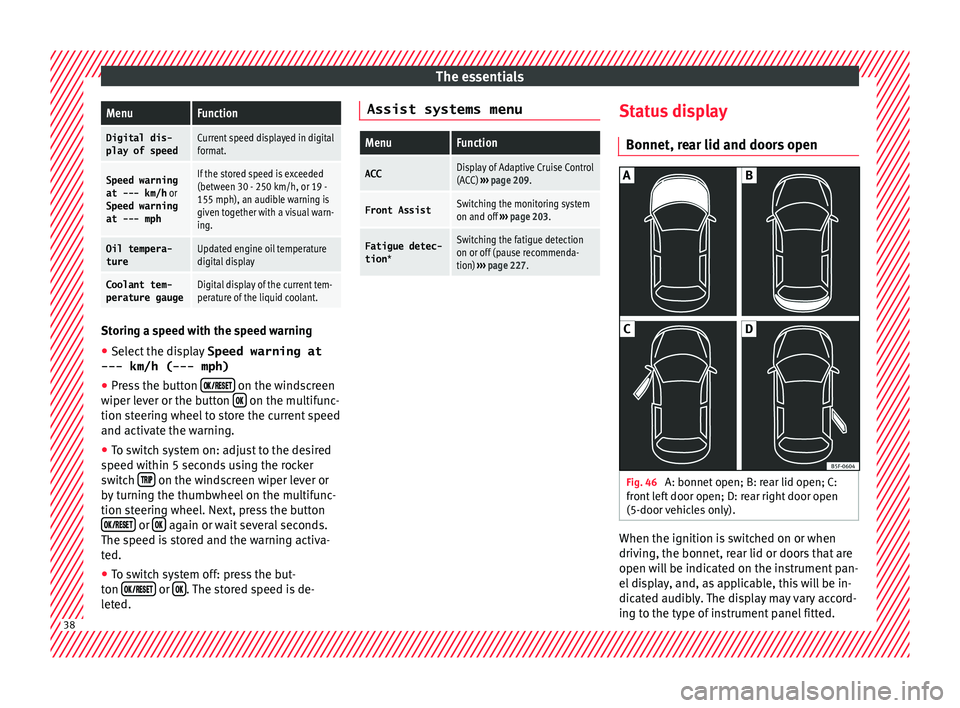
tion) ››› page 227. Status display
Bonnet, r e
ar lid and door
s open Fig. 46
A: bonnet open; B: rear lid open; C:
fr ont
l
eft door open; D: rear right door open
(5-door vehicles only). When the ignition is switched on or when
driv
in
g, the bonnet, r
ear lid or doors that are
open will be indicated on the instrument pan-
el display, and, as applicable, this will be in-
dicated audibly. The display may vary accord-
ing to the type of instrument panel fitted. 38
Page 42 of 308
The essentials
outside temperature as a result of the heat
pr oduc
ed b
y the engine.
The temperatures measured range from
-40°C to +50°C (-40°F to +122°F).
Engine oil temperature display The engine reaches its operating temperature
when in normal
driv
ing conditions the oil
temperature is between 80°C (178°F) and
120°C (248°F). If the engine is required to
work hard and the outside temperature is
high, the engine oil temperature can in-
crease. This does not present any problem as
long as the warning lamps ››› table on
page 46 or ››› table on page 46 do not
appear on the display.
Vehicles without multifunction steering
wheel
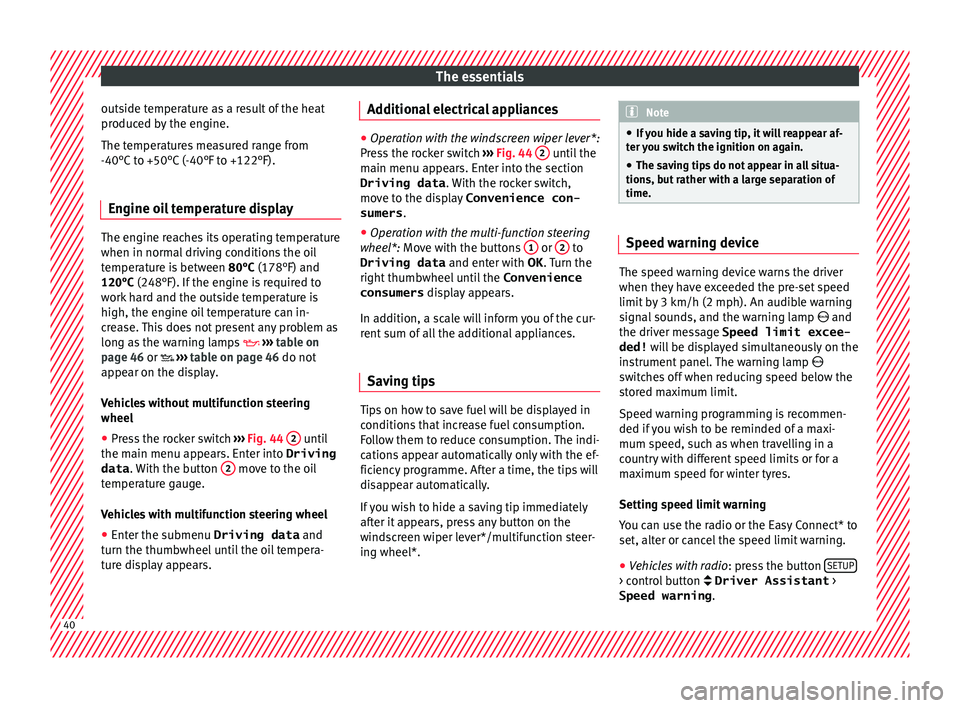
● Press the rocker switch ››
›
Fig. 44 2 until
the m ain menu ap
pe
ars. Enter into Driving
data . With the button 2 move to the oil
t emper
at
ure gauge.
Vehicles with multifunction steering wheel
● Enter the submenu Driving data and
turn the thumbwheel
until the oil tempera-
ture display appears. Additional electrical appliances ●
Operation with the windscreen wiper lever*:
Pre s
s the rocker switch ››› Fig. 44 2 until the
main menu ap pe
ars. Enter into the section
Driving data . With the rocker switch,
move to the display Convenience con-
sumers .
● Operation with the multi-function steering
wheel*:
Move with the buttons 1 or
2 to
Driving data and enter with
OK . Turn the
right thumbwheel until the Convenience
consumers display appears.
In addition, a scale will inform you of the cur-
rent sum of all the additional appliances.
Saving tips Tips on how to save fuel will be displayed in
c
ondition
s
that increase fuel consumption.
Follow them to reduce consumption. The indi-
cations appear automatically only with the ef-
ficiency programme. After a time, the tips will
disappear automatically.
If you wish to hide a saving tip immediately
after it appears, press any button on the
windscreen wiper lever*/multifunction steer-
ing wheel*. Note
● If y
ou hide a saving tip, it will reappear af-
ter you switch the ignition on again.
● The saving tips do not appear in all situa-
tions, but
rather with a large separation of
time. Speed warning device
The speed warning device warns the driver
when they h
av
e exceeded the pre-set speed
limit by 3 km/h (2 mph). An audible warning
signal sounds, and the warning lamp and
the driver message Speed limit excee-
ded! will be displayed simultaneously on the
instrument panel. The warning lamp
switches off when reducing speed below the
stored maximum limit.
Speed warning programming is recommen-
ded if you wish to be reminded of a maxi-
mum speed, such as when travelling in a
country with different speed limits or for a
maximum speed for winter tyres.
Setting speed limit warning
You can use the radio or the Easy Connect* to
set, alter or cancel the speed limit warning.
● Vehicles with radio : pres
s the button SETUP > control button Driver Assistant
>
Speed warning .40
Page 43 of 308
The essentials
● Vehicle
s
with Easy Connect : press the but-
ton Systems or else Vehicle systems >
Driver assistant > Speed warning.
The warning limit can be set from 30 to
240 km/h (20 to 149 mph). The adjustment
is made at 10 km/h (5 mph) intervals. Note
● Ple a
se bear in mind that, even with the
speed warning function, it is still important
to keep an eye on the vehicle speed with the
speedometer and to observe the legal speed
limits.
● The speed limit warning function in the ver-
sion for some c
ountries warns you at a speed
of 120 km/h (75 mph). This is a factory-set
speed limit. Service intervals
Fig. 48
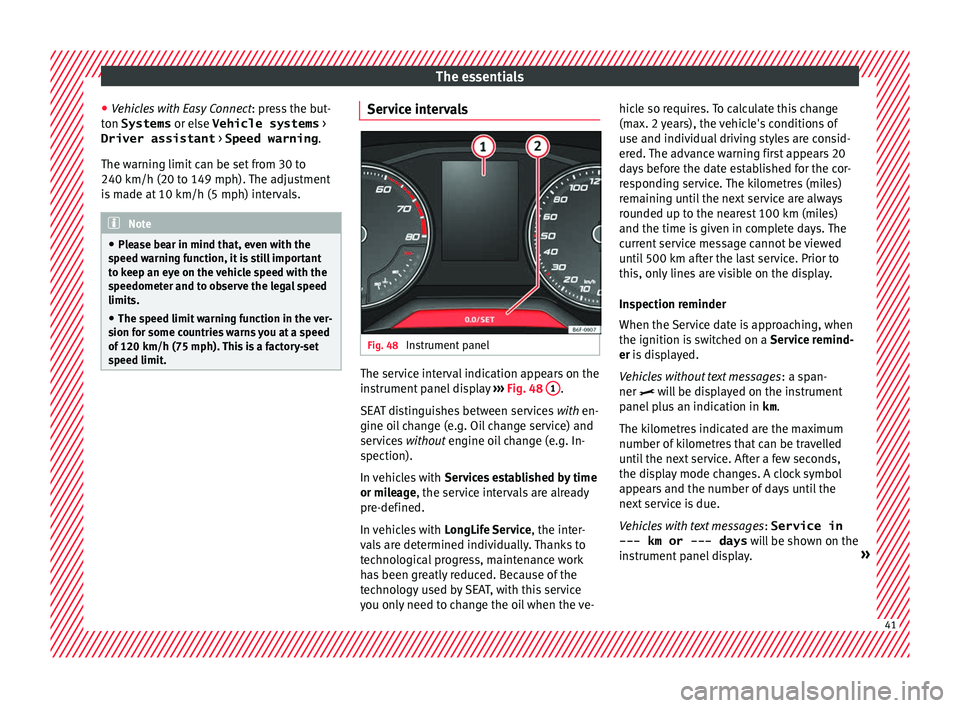
Instrument panel The service interval indication appears on the
in
s
trument
panel display ››› Fig. 48 1 .
S EA
T di
stinguishes between services with en-
gine oil change (e.g. Oil change service) and
services without engine oil change (e.g. In-
spection).
In vehicles with Services established by time
or mileage, the service intervals are already
pre-defined.
In vehicles with LongLife Service , the inter-
vals are determined individually. Thanks to
technological progress, maintenance work
has been greatly reduced. Because of the
technology used by SEAT, with this service
you only need to change the oil when the ve- hicle so requires. To calculate this change
(max. 2 y
ears), the vehicle's conditions of
use and individual driving styles are consid-
ered. The advance warning first appears 20
days before the date established for the cor-
responding service. The kilometres (miles)
remaining until the next service are always
rounded up to the nearest 100 km (miles)
and the time is given in complete days. The
current service message cannot be viewed
until 500 km after the last service. Prior to
this, only lines are visible on the display.
Inspection reminder
When the Service date is approaching, when
the ignition is switched on a Service remind-
er is displayed.
Vehicles without text messages : a span-
ner will be displayed on the instrument
panel plus an indication in km.
The kilometres indicated are the maximum
number of kilometres that can be travelled
until the next service. After a few seconds,
the display mode changes. A clock symbol
appears and the number of days until the
next service is due.
Vehicles with text messages : Service in
--- km or --- days will be shown on the
instrument panel display. » 41
Page 48 of 308
The essentials
Fuel tank almost empty.›››
page
117
Fault in airbag system and seat
belt tensioners.›››
page
82 Other warning lamps
Left or right turn signal.›››
page
31
Hazard warning lights on.››› page
141
Trailer turn signals›››
page
245
it lights up green:
Press the brake
pedal!
It blinks in green: the selector lever
locking button has not engaged.››› page
183
it lights up green:
cruise control ac-
tivated or speed limiter switched
on and active.
››› page
42
››› page
200
it blinks in green: the speed set by
the speed limiter has been excee-
ded.
Main beam on or flasher on.›››
page
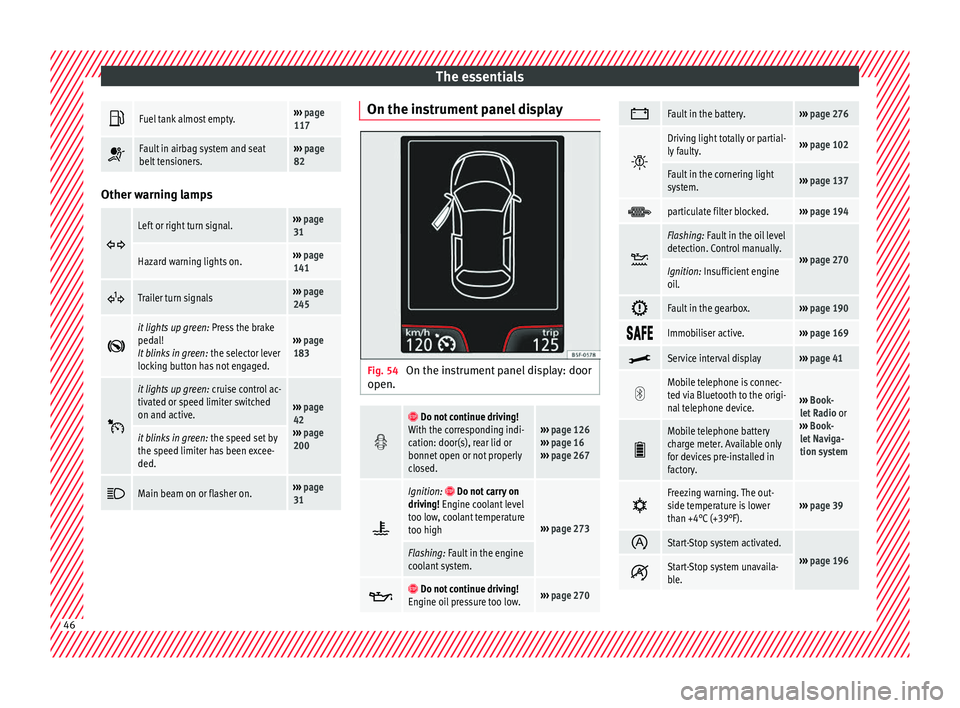
31 On the instrument panel display
Fig. 54
On the instrument panel display: door
open.
Do not continue driving!
With the corresponding indi-
cation: door(s), rear lid or
bonnet open or not properly
closed.››› page 126
››› page 16
››› page 267
Ignition: Do not carry on
driving! Engine coolant level
too low, coolant temperature
too high
››› page 273
Flashing: Fault in the engine
coolant system.
Do not continue driving!
Engine oil pressure too low.››› page 270
Fault in the battery.›››
page 276
Driving light totally or partial-
ly faulty.›››
page 102
Fault in the cornering light
system.››› page 137
particulate filter blocked.›››
page 194
Flashing: Fault in the oil level
detection. Control manually.
›››
page 270Ignition: Insufficient engine
oil.
Fault in the gearbox.›››
page 190
Immobiliser active.›››
page 169
Service interval display›››
page 41
Mobile telephone is connec-
ted via Bluetooth to the origi-
nal telephone device.
›››
Book-
let Radio or
››› Book-
let Naviga-
tion system
Mobile telephone battery
charge meter. Available only
for devices pre-installed in
factory.
Freezing warning. The out-
side temperature is lower
than +4°C (+39°F).›››
page 39
Start-Stop system activated.
›››
page 196 Start-Stop system unavaila-
ble.
46
Page 57 of 308
The essentials
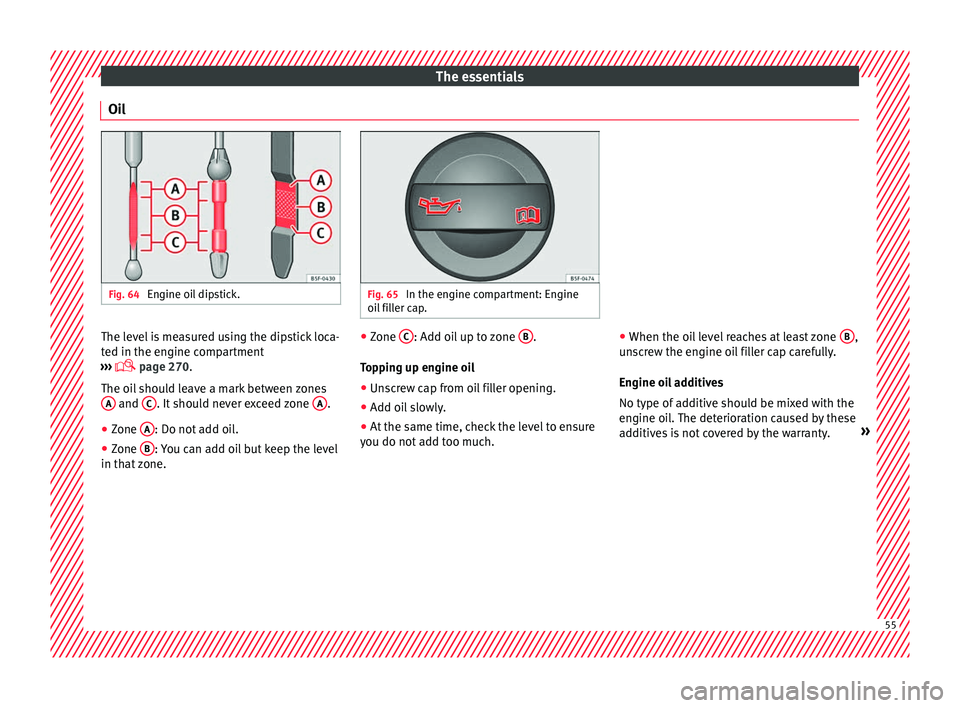
Oil Fig. 64
Engine oil dipstick. Fig. 65
In the engine compartment: Engine
oil fi
ller cap. The level is measured using the dipstick loca-
t
ed in the en
gine c
ompartment
››› page 270.
The oil should leave a mark between zones A and
C . It should never exceed zone
A .
● Zone A : Do not add oil.
● Zone B : You can add oil but keep the level
in th at
zone. ●
Zone C : Add oil up to zone
B .
T op
pin
g up engine oil
● Unscrew cap from oil filler opening.
● Add oil slowly.
● At the same time, check the level to ensure
you do not a
dd too much. ●
When the oil l
evel reaches at least zone B ,
u n
s
crew the engine oil filler cap carefully.
Engine oil additives
No type of additive should be mixed with the
engine oil. The deterioration caused by these
additives is not covered by the warranty. » 55
Page 58 of 308
The essentials
Engine oil specificationsEngine typeFlexible service (LongLife)Set Service (dependent on time/distance travel- led)
Petrol enginesVW 508 00
VW 504 00 a)VW 504 00
VW 502 00 b)
Engines with Particulate filter (DPF) c)VW 507 00VW 507 00
a)
Use of engine oil compliant with the VW 504 00 specification instead of VW 508 00 may have a slight negative effect on the vehicle’s exhaust gas values.
b) If the quality of the fuel available in the country does not fulfil the EN 228 (for petrol) and EN 590 (for diesel) standards.
c) Only use recommended oils, otherwise you may damage the engine.
››› in Changing engine oil on page 273
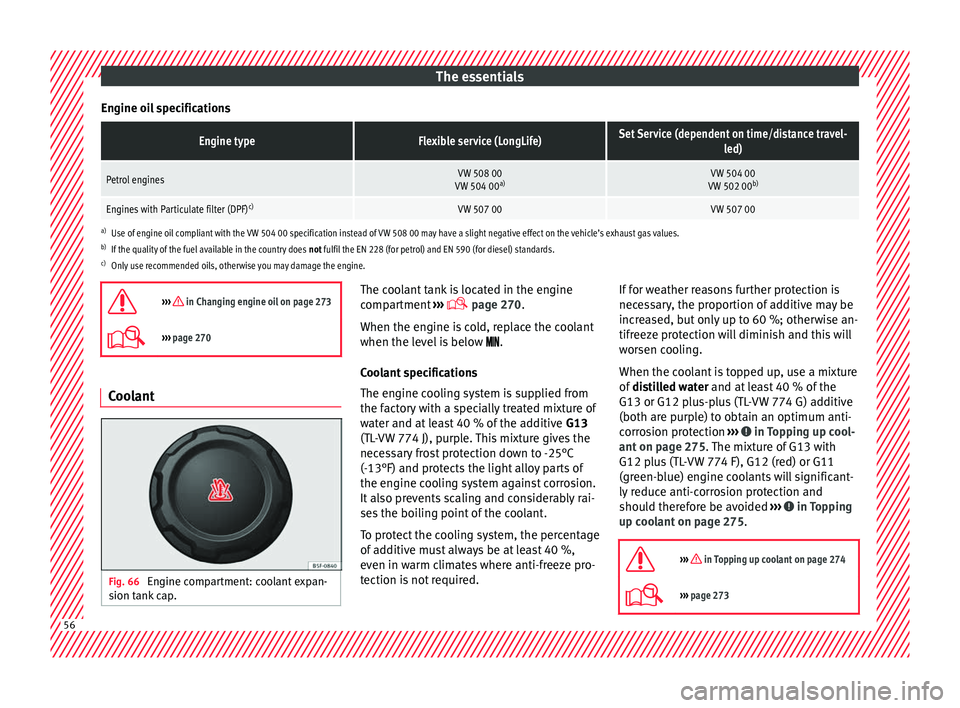
››› page 270 Coolant
Fig. 66
Engine compartment: coolant expan-
s ion t
ank
cap. The coolant tank is located in the engine
c
omp
ar
tment ›››
page 270.
When the engine is cold, replace the coolant
when the level is below .
Coolant specifications
The engine cooling system is supplied from
the factory with a specially treated mixture of
water and at least 40 % of the additive G13
(TL-VW 774 J), purple. This mixture gives the
necessary frost protection down to -25°C
(-13°F) and protects the light alloy parts of
the engine cooling system against corrosion.
It also prevents scaling and considerably rai-
ses the boiling point of the coolant.
To protect the cooling system, the percentage
of additive must always be at least 40 %,
even in warm climates where anti-freeze pro-
tection is not required. If for weather reasons further protection is
neces
sary, the proportion of additive may be
increased, but only up to 60 %; otherwise an-
tifreeze protection will diminish and this will
worsen cooling.
When the coolant is topped up, use a mixture
of distilled water and at least 40 % of the
G13 or G12 plus-plus (TL-VW 774 G) additive
(both are purple) to obtain an optimum anti-
corrosion protection ››› in Topping up cool-
ant on p ag
e 275
. The mixture of G13 with
G12 plus (TL-VW 774 F), G12 (red) or G11
(green-blue) engine coolants will significant-
ly reduce anti-corrosion protection and
should therefore be avoided ››› in Topping
up c oo
l
ant on page 275.
››› in Topping up coolant on page 274
››› page 273 56
Page 67 of 308
The essentials
the wheel condition and hub mounting surfa-
c e
s.
These surfaces must be clean before fit-
ting the wheel.
Wheel bolt tightening torque
The prescribed tightening torque for wheel
bolts for steel and alloy wheels is 140 Nm.
After changing a wheel, have the tightening
torque checked immediately with a torque
wrench that is working perfectly.
Before checking tightening torque, have any
rusty wheel bolts that are difficult to screw re-
placed and clean the wheel hub threads.
Never apply grease or oil to wheel bolts or to
the wheel hub threads. Even if the bolts have
been tightened to the prescribed torque, they
could come loose while driving. WARNING
If the wheel bolts are not properly tightened,
they c ou
ld come loose while driving and
cause an accident, serious injury and loss of
vehicle control.
● Use only wheel bolts which correspond to
the rim in question.
● Nev
er use different wheel bolts.
● Wheel bolts and threads should be clean,
free of oi
l and grease, and it should be possi-
ble to screw them easily.
● To loosen and tighten wheel bolts, only use
the wheel wrenc
h that came with the car from
the factory. ●
Loo sen the wheel
bolts only about one turn
before raising the vehicle with the jack.
● Never apply grease or oil to wheel bolts or
to the wheel hub thr
eads. Even if the bolts
have been tightened to the prescribed tor-
que, they could come loose while driving.
● Never loosen the screwed joints of wheel
rims with bo
lted ring trims.
● If wheel bolts are tightened below the pre-
scribed t
orque, the bolts and rims could come
loose while driving. If tightening torque is too
high, the wheel bolts or threads can be dam-
aged. CAUTION
When removing/fitting the wheel, the rim
ma y
hit and damage the brake disc. For this
reason, please take care and get a second
person to assist you. Tyres with compulsory rotation direc-
tion
A directional tread pattern can be identified
b
y
the arr
ows on the sidewall that point in
the direction of rotation. Always observe the
direction of rotation indicated when fitting
the wheel to guarantee optimum properties
of this type of tyres with regard to grip,
noises, wear and aquaplaning.
If it is absolutely necessary to fit the spare
tyre* against the direction of rotation, drive with care as this means the tyre does not of-
fer optimum drivin
g properties. This is of par-
ticular importance when the road surface is
wet.
To return to directional tread tires, replace
the punctured tyre as soon as possible and
restore the obligatory direction of rotation of
all tyres.
Subsequent work ●
Alloy wheels: rep
l
ace the wheel bolt caps.
● Plate wheels: repl
ace the wheel hubcap.
● Return all tools to their proper storing loca-
tion.
● If the replaced wheel does not fit in the
spar
e wheel housing, store it safely in the
luggage compartment ›››
page 152.
● Check the tyre pressure of the newly moun-
ted tyr
e as soon as possible.
● In vehicles fitted with a tyre pressure indi-
cator
, adjust the pressure and store it in
memory ›››
page 282.
● Have the tightening torque of the wheel
bolts c
hecked as soon as possible with a tor-
que wrench (it should be 120 Nm). Mean-
while, drive carefully.
● Have the flat tyre replaced as quickly as
pos s
ible. 65