warning Seat Arona 2018 User Guide
[x] Cancel search | Manufacturer: SEAT, Model Year: 2018, Model line: Arona, Model: Seat Arona 2018Pages: 316, PDF Size: 6.77 MB
Page 42 of 316
The essentialsMenuFunction
Convenience
consumersInformation about the vehicle’s
main convenience consumers. It
is displayed by means of a con-
sumption indicator bar.
Eco tipsTips on how to save fuel.
Reset data “when setting
off”Reset journey data when setting
off.
Reset data for“total calcu-
lation”Reset travel journey to zero. Storing a speed with the speed warning
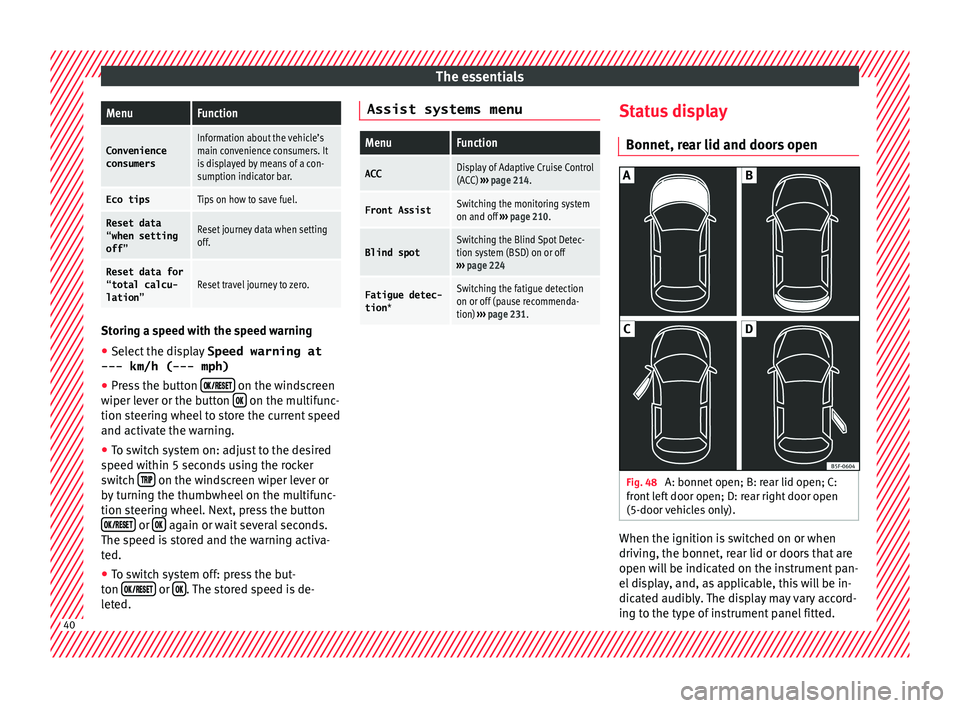
● Select the display Speed warning at
--- km/h (---
mph)
● Press the button
on the windscreen
w iper l
ev
er or the button on the multifunc-
tion s t
eerin
g wheel to store the current speed
and activate the warning.
● To switch system on: adjust to the desired
speed within 5 sec
onds using the rocker
switch on the windscreen wiper lever or
b y
t
urning the thumbwheel on the multifunc-
tion steering wheel. Next, press the button or
again or wait several seconds.
The s peed i
s
stored and the warning activa-
ted.
● To switch system off: press the but-
ton or
. The stored speed is de-
l et
ed. Assist systems menu
MenuFunction
ACCDisplay of Adaptive Cruise Control
(ACC)
››› page 214.
Front AssistSwitching the monitoring system
on and off ››› page 210.
Blind spotSwitching the Blind Spot Detec-
tion system (BSD) on or off
››› page 224
Fatigue detec-
tion *Switching the fatigue detection
on or off (pause recommenda-
tion) ››› page 231. Status display
Bonnet, r e
ar lid and door
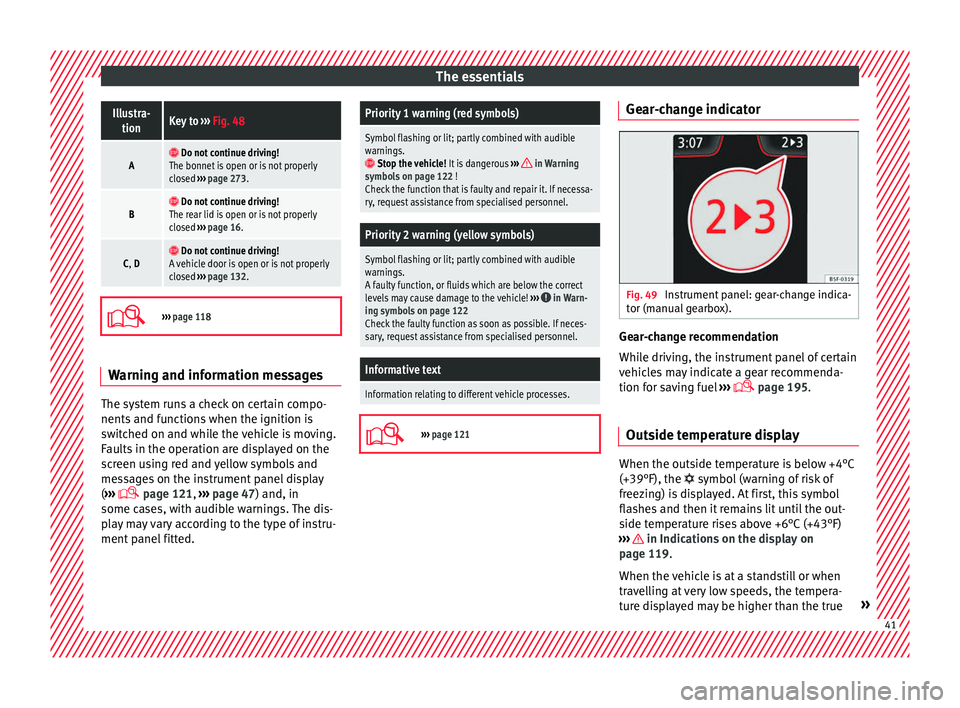
s open Fig. 48
A: bonnet open; B: rear lid open; C:
fr ont
l
eft door open; D: rear right door open
(5-door vehicles only). When the ignition is switched on or when
driv
in
g, the bonnet, r
ear lid or doors that are
open will be indicated on the instrument pan-
el display, and, as applicable, this will be in-
dicated audibly. The display may vary accord-
ing to the type of instrument panel fitted. 40
Page 43 of 316
The essentialsIllustra-
tionKey to ››› Fig. 48
A Do not continue driving!
The bonnet is open or is not properly
closed ››› page 273.
B Do not continue driving!
The rear lid is open or is not properly
closed ››› page 16.
C, D Do not continue driving!
A vehicle door is open or is not properly
closed ››› page 132.
›››
page 118 Warning and information messages
The system runs a check on certain compo-
nents
and f
u
nctions when the ignition is
switched on and while the vehicle is moving.
Faults in the operation are displayed on the
screen using red and yellow symbols and
messages on the instrument panel display
( ›››
page 121,
››› page 47) and, in
some cases, with audible warnings. The dis-
play may vary according to the type of instru-
ment panel fitted.
Priority 1 warning (red symbols)
Symbol flashing or lit; partly combined with audible
warnings.
Stop the vehicle! It is dangerous ››› in Warning
symbols on page 122 !
Check the function that is faulty and repair it. If necessa-
ry, request assistance from specialised personnel.
Priority 2 warning (yellow symbols)
Symbol flashing or lit; partly combined with audible
warnings.
A faulty function, or fluids which are below the correct
levels may cause damage to the vehicle! ›››
in Warn-
ing symbols on page 122
Check the faulty function as soon as possible. If neces-
sary, request assistance from specialised personnel.
Informative text
Information relating to different vehicle processes.
›››
page 121 Gear-change indicator
Fig. 49
Instrument panel: gear-change indica-
t or (m
anual
gearbox). Gear-change recommendation
Whi
l
e driv
ing, the instrument panel of certain
vehicles may indicate a gear recommenda-
tion for saving fuel ›››
page 195.
Outside temperature display When the outside temperature is below +4°C
(+39°F), the
symbol
(w
arning of risk of
freezing) is displayed. At first, this symbol
flashes and then it remains lit until the out-
side temperature rises above +6°C (+43°F)
››› in Indications on the display on
p ag
e 119
.
When the vehicle is at a standstill or when
travelling at very low speeds, the tempera-
ture displayed may be higher than the true » 41
Page 44 of 316
The essentials
outside temperature as a result of the heat
pr oduc
ed b
y the engine.
The temperatures measured range from
-40°C to +50°C (-40°F to +122°F).
Engine oil temperature display The engine reaches its operating temperature
when in normal
driv
ing conditions the oil
temperature is between 80°C (178°F) and
120°C (248°F). If the engine is required to
work hard and the outside temperature is
high, the engine oil temperature can in-
crease. This does not present any problem as
long as the warning lamps ››› table on
page 48 or ››› table on page 48 do not
appear on the display.
Vehicles without multifunction steering
wheel
● Press the rocker switch ››
›
Fig. 46 2 until
the m ain menu ap
pe
ars. Enter into Driving
data . With the button 2 move to the oil
t emper
at
ure gauge.
Vehicles with multifunction steering wheel
● Enter the submenu Driving data and
turn the thumbwheel
until the oil tempera-
ture display appears. Additional consumers ●
Operation with the windscreen wiper lever*:
Pre s
s the rocker switch ››› Fig. 46 2 until the
main menu ap pe
ars. Enter into the section
Driving data . With the rocker switch,
move to the display Convenience con-
sumers .
● Operation with the multi-function steering
wheel*:
move with the buttons
or
to Driving data
and enter with
OK. Turn
the right thumbwheel until the Conven-
ience consumers display appears.
In addition, a scale will inform you of the cur-
rent sum of all the additional appliances.
Saving tips Tips on how to save fuel will be displayed in
c
ondition
s
that increase fuel consumption.
Follow them to reduce consumption. The indi-
cations appear automatically only with the ef-
ficiency programme. After a time, the tips will
disappear automatically.
If you wish to hide a saving tip immediately
after it appears, press any button on the
windscreen wiper lever*/multifunction steer-
ing wheel*. Note
● If y
ou hide a saving tip, it will reappear af-
ter you switch the ignition on again.
● The saving tips do not appear in all situa-
tions, but
rather with a large separation of
time. Speed warning device
The speed warning device warns the driver
when they h
av
e exceeded the pre-set speed
limit by 3 km/h (2 mph). An audible warning
signal sounds, and the warning lamp and
the driver message Speed limit excee-
ded! will be displayed simultaneously on the
instrument panel. The warning lamp
switches off when reducing speed below the
stored maximum limit.
Speed warning programming is recommen-
ded if you wish to be reminded of a maxi-
mum speed, such as when travelling in a
country with different speed limits or for a
maximum speed for winter tyres.
Setting speed limit warning
You can use the radio or the Easy Connect* to
set, alter or cancel the speed limit warning.
● Vehicles with radio : pres
s the SETUP button
> c ontr
o
l button Driver Assistant >
Speed warning .42
Page 45 of 316
The essentials
● Vehicle
s
with Easy Connect : Press the button and the function button SETTINGS >
Driver assistance > ACC > Dis-
tance .
The w arnin
g limit
can be set from 30 to
210 km/h (18 to 150 mph) ›››
page 207.
The adjustment is made at 10 km/h (6 mph)
intervals. Note
● Ple a
se bear in mind that, even with the
speed warning function, it is still important
to keep an eye on the vehicle speed with the
speedometer and to observe the legal speed
limits.
● The speed limit warning function in the ver-
sion for some c
ountries warns you at a speed
of 120 km/h (75 mph). This is a factory-set
speed limit. Service intervals
Fig. 50
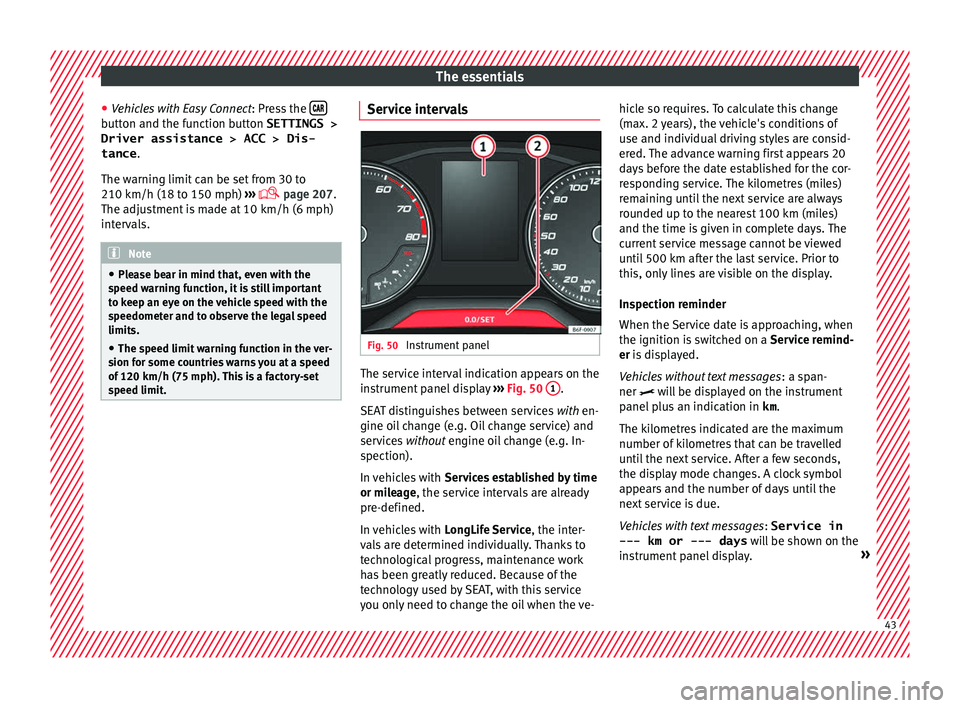
Instrument panel The service interval indication appears on the
in
s
trument
panel display ››› Fig. 50 1 .
S EA
T di
stinguishes between services with en-
gine oil change (e.g. Oil change service) and
services without engine oil change (e.g. In-
spection).
In vehicles with Services established by time
or mileage, the service intervals are already
pre-defined.
In vehicles with LongLife Service , the inter-
vals are determined individually. Thanks to
technological progress, maintenance work
has been greatly reduced. Because of the
technology used by SEAT, with this service
you only need to change the oil when the ve- hicle so requires. To calculate this change
(max. 2 y
ears), the vehicle's conditions of
use and individual driving styles are consid-
ered. The advance warning first appears 20
days before the date established for the cor-
responding service. The kilometres (miles)
remaining until the next service are always
rounded up to the nearest 100 km (miles)
and the time is given in complete days. The
current service message cannot be viewed
until 500 km after the last service. Prior to
this, only lines are visible on the display.
Inspection reminder
When the Service date is approaching, when
the ignition is switched on a Service remind-
er is displayed.
Vehicles without text messages : a span-
ner will be displayed on the instrument
panel plus an indication in km.
The kilometres indicated are the maximum
number of kilometres that can be travelled
until the next service. After a few seconds,
the display mode changes. A clock symbol
appears and the number of days until the
next service is due.
Vehicles with text messages : Service in
--- km or --- days will be shown on the
instrument panel display. » 43
Page 46 of 316
The essentials
Service due
When the ser v
ic
e date is due, an audible
warning is given when the ignition is switch-
ed on and the spanner displayed on the
screen flashes for a few seconds .
Vehicles with text messages : Service now
will be shown on the instrument panel dis-
play.
Reading a service notification
With the ignition switched on, the engine off
and the vehicle at a standstill, the current
service notification can be read:
Press and hold the button 2 for more than 5
sec ond
s
to consult the service message.
When the service date has passed , a minus
sign is displayed in front of the number of kil-
ometres or days. Vehicles with text messages
: the fol
lowing
message is displayed: Service --- km
(miles) or --- days ago .
Resetting service interval display
If the service was not carried out by a SEAT
dealership, the display can be reset as fol-
lows: ● Switch off the ignition, press and hold but-
ton 2 .
● Switch ignition back on.
● Release the 2 button and press it again
f or the ne
xt
20 seconds. Note
● The serv ic
e message disappears after a few
seconds, when the engine is started or when OK/RESET is pressed on the windscreen wiper
lev er
, or OK on the multifunction steering
wheel.
● In v
ehicles with the LongLife system in
which the batt
ery has been disconnected for
a long period of time, it is not possible to cal-
culate the date of the next service. Therefore the service interval display may not be cor-
rect
. In thi
s case, bear in mind the maximum
service intervals permitted in the ››› Booklet
Maintenance Programme.
● If you reset the display manually, the next
servic
e interval will be indicated as in vehi-
cles with fixed service intervals. For this rea-
son we recommend that the service interval
display be reset by a SEAT authorised Dealer. 44
Page 49 of 316
The essentials
Warning lamps On the in s
trument
panel Fig. 53
Related video:
Dash panel Fig. 54
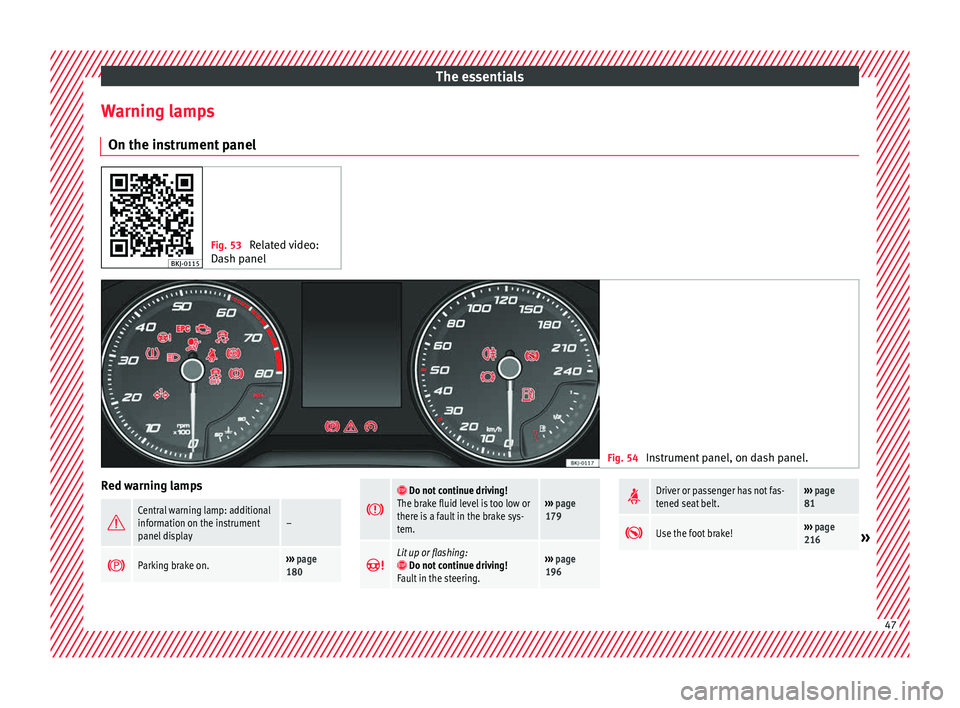
Instrument panel, on dash panel. Red warning lamps
Central warning lamp: additional
information on the instrument
panel display–
Parking brake on.›››
page
180
Do not continue driving!
The brake fluid level is too low or
there is a fault in the brake sys-
tem.››› page
179
Lit up or flashing: Do not continue driving!
Fault in the steering.››› page
196
Driver or passenger has not fas-
tened seat belt.›››
page
81
Use the foot brake!›››
page
216» 47
Page 50 of 316
The essentials
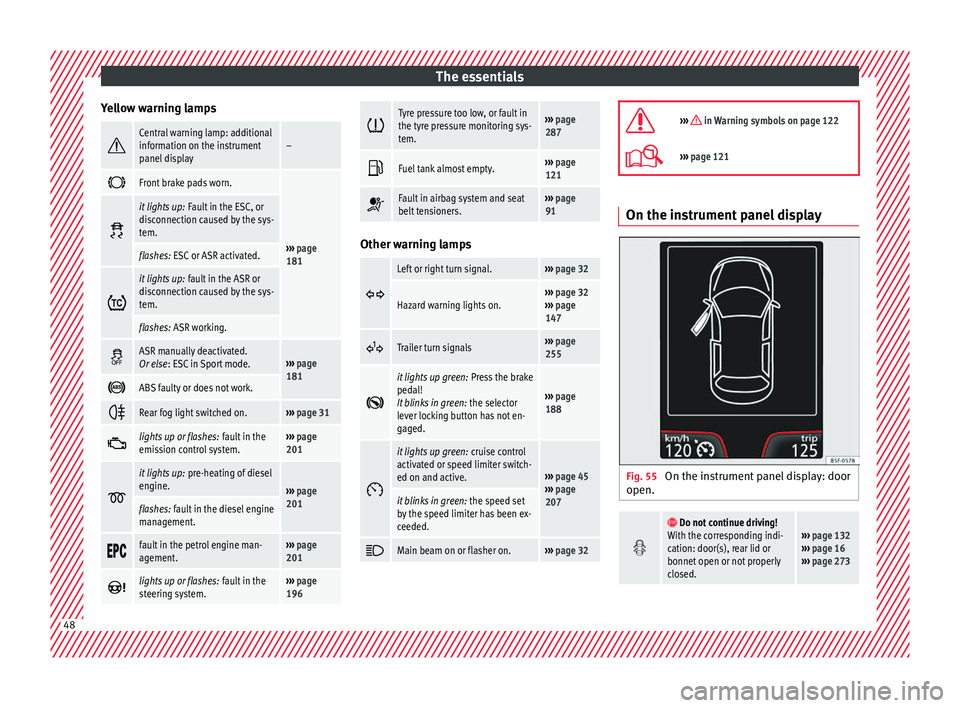
Yellow warning lamps Central warning lamp: additional
information on the instrument
panel display–
Front brake pads worn.
›››
page
181
it lights up:
Fault in the ESC, or
disconnection caused by the sys-
tem.
flashes: ESC or ASR activated.
it lights up:
fault in the ASR or
disconnection caused by the sys-
tem.
flashes: ASR working.
ASR manually deactivated.
Or else
: ESC in Sport mode.››› page
181
ABS faulty or does not work.
Rear fog light switched on.›››
page 31
lights up or flashes:
fault in the
emission control system.››› page
201
it lights up:
pre-heating of diesel
engine.
››› page
201
flashes: fault in the diesel engine
management.
fault in the petrol engine man-
agement.›››
page
201
lights up or flashes:
fault in the
steering system.››› page
196
Tyre pressure too low, or fault in
the tyre pressure monitoring sys-
tem.›››
page
287
Fuel tank almost empty.›››
page
121
Fault in airbag system and seat
belt tensioners.›››
page
91 Other warning lamps
Left or right turn signal.›››
page 32
Hazard warning lights on.››› page 32
››› page
147
Trailer turn signals›››
page
255
it lights up green:
Press the brake
pedal!
It blinks in green: the selector
lever locking button has not en-
gaged.
››› page
188
it lights up green:
cruise control
activated or speed limiter switch-
ed on and active.
››› page 45
››› page
207
it blinks in green: the speed set
by the speed limiter has been ex-
ceeded.
Main beam on or flasher on.›››
page 32
››› in Warning symbols on page 122
›››
page 121 On the instrument panel display
Fig. 55
On the instrument panel display: door
open.
Do not continue driving!
With the corresponding indi-
cation: door(s), rear lid or
bonnet open or not properly
closed.››› page 132
››› page 16
››› page 273 48
Page 51 of 316
The essentials
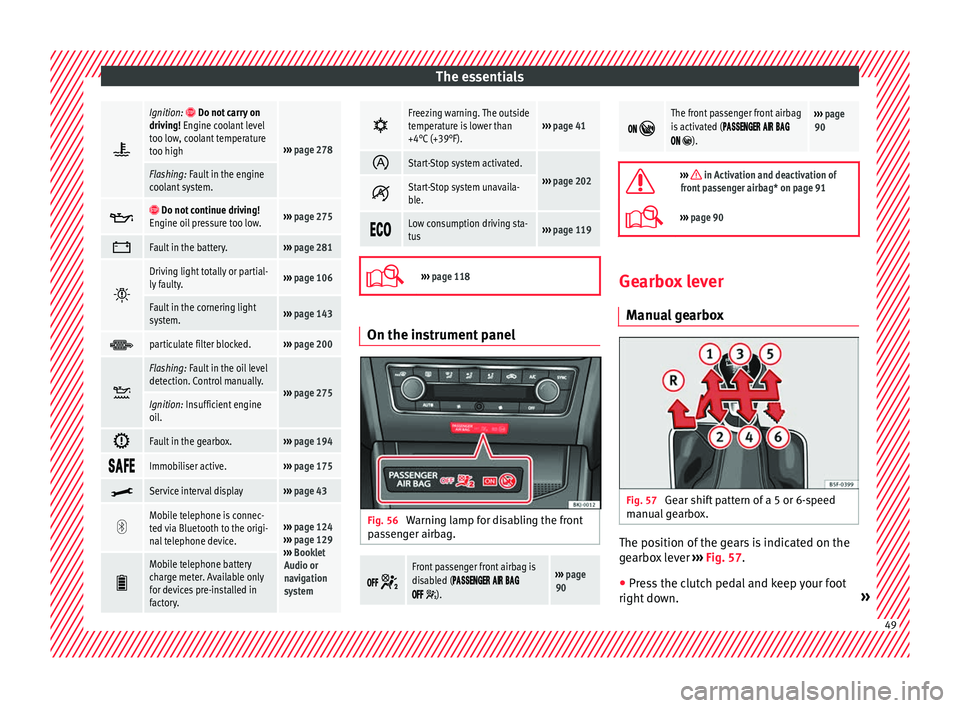
Ignition: Do not carry on
driving! Engine coolant level
too low, coolant temperature
too high
››› page 278
Flashing: Fault in the engine
coolant system.
Do not continue driving!
Engine oil pressure too low.››› page 275
Fault in the battery.›››
page 281
Driving light totally or partial-
ly faulty.›››
page 106
Fault in the cornering light
system.››› page 143
particulate filter blocked.›››
page 200
Flashing: Fault in the oil level
detection. Control manually.
›››
page 275Ignition: Insufficient engine
oil.
Fault in the gearbox.›››
page 194
Immobiliser active.›››
page 175
Service interval display›››
page 43
Mobile telephone is connec-
ted via Bluetooth to the origi-
nal telephone device.›››
page 124
››› page 129
››› Booklet
Audio or
navigation
system
Mobile telephone battery
charge meter. Available only
for devices pre-installed in
factory.
Freezing warning. The outside
temperature is lower than
+4°C (+39°F).›››
page 41
Start-Stop system activated.
›››
page 202 Start-Stop system unavaila-
ble.
Low consumption driving sta-
tus›››
page 119
›››
page 118 On the instrument panel
Fig. 56
Warning lamp for disabling the front
p as
senger airbag.
Front passenger front airbag is
disabled (
).
››› page
90
The front passenger front airbag
is activated (
).
››› page
90
››› in Activation and deactivation of
front passenger airbag* on page 91
››› page 90 Gearbox lever
Manual
gearbox Fig. 57
Gear shift pattern of a 5 or 6-speed
m anual
g
earbox. The position of the gears is indicated on the
g
e
arbo
x lever ›››
Fig. 57.
● Press the clutch pedal and keep your foot
right do wn. » 49
Page 53 of 316
The essentials
Releasing the selector lever
● Using a screwdriver, press and hold the yel-
lo w u
n
locking tab sideways ››› Fig. 59.
● Press the interlock button on the selector
lever and mo
ve the selector lever to posi-
tion N.
● After carrying out the manual release, at-
tach the sel
ector lever boot on the gearbox
console again.
If the power supply should ever fail (e.g. dis-
charged battery) and the vehicle has to be pushed or towed, the selector lever must first
be moved t
o position N, after operating the
manual release mechanism. WARNING
The selector lever may be moved out of posi-
tion P only when the h
andbrake is firmly ap-
plied. If this does not work, secure the vehi-
cle with the brake pedal. On a slope the vehi-
cle could otherwise start to move inadver-
tently after shifting the selector lever out of
position P - accident risk! Air conditioning
R el
at
ed video Fig. 60
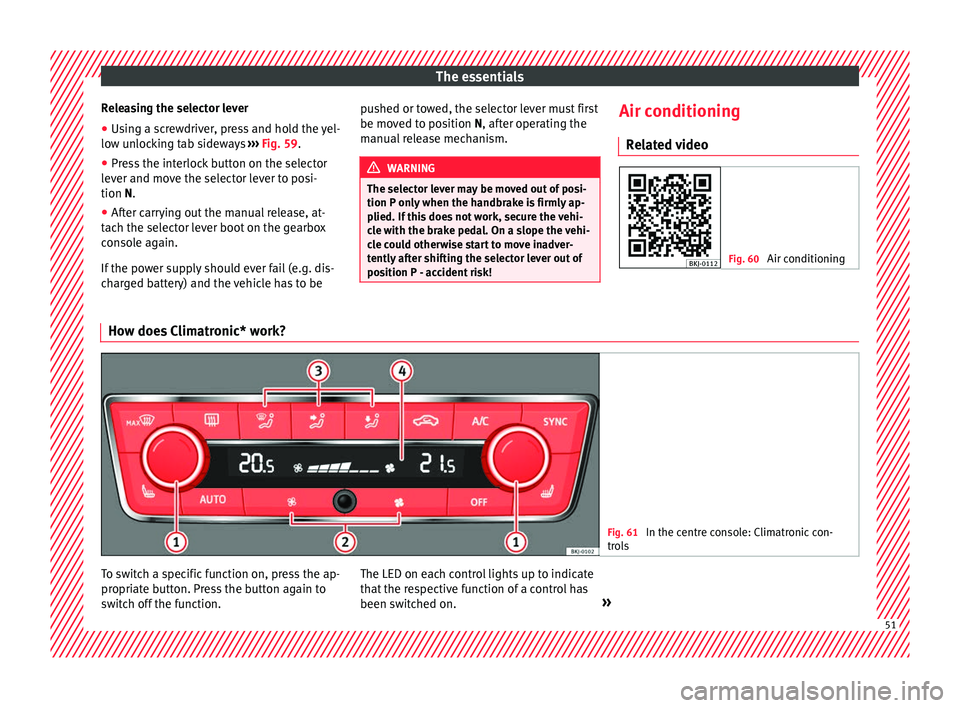
Air conditioning How does Climatronic* work?
Fig. 61
In the centre console: Climatronic con-
tro l
s To switch a specific function on, press the ap-
pr
opri
at
e button. Press the button again to
switch off the function. The LED on each control lights up to indicate
that the r
espective function of a control has
been switched on. » 51
Page 63 of 316
The essentials
maintenance. It is checked as part of the In-
s pection
Ser
vice.
››› in Symbols and warnings on han-
dling the battery on page 281
››› page 281 61