steering Seat Ateca 2017 Workshop Manual
[x] Cancel search | Manufacturer: SEAT, Model Year: 2017, Model line: Ateca, Model: Seat Ateca 2017Pages: 328, PDF Size: 6.36 MB
Page 234 of 328
Operation
● When c ornerin
g
● On roads in poor condition
● In unfavourable weather conditions
● When a sporty driving style is employed
● In the event of a serious distraction to the
driver
F
atigue detection will be restored when the
vehicle is stopped for more than 15 minutes,
when the ignition is switched off or when the
driver has unbuckled their seat belt and
opened the door.
In the event of slow driving during a long pe-
riod of time (below 65 km/h, 40 mph) the
system automatically re-establishes the tired-
ness calculation. When driving at a faster
speed the driving behaviour will be recalcula-
ted.
Park Assist*
Introduction
› ›
›
table on page 2
The Park Assist system is an additional func-
tion of ParkPilot ›››
page 239 and helps the
driver to:
● find a suitable parking space,
● select a parking mode, ●
park
driving in reverse in suitable perpen-
dicular and parallel spaces,
● park driving forwards in suitable perpen-
dicu
lar spaces,
● exit a parking space driving forwards from
a par
allel space.
In vehicles with a Park Assist system and fac-
tory radio the front, rear and side areas are
represented, and the position of obstacles is
shown relative to the vehicle.
The Park Assist system is subject to certain
limitations inherent to the system and its use
requires special attention by the driver ››› .
WARNING
The smart technology incorporated into the
P ark
Assist system cannot overcome the lim-
its imposed by the laws of physics; it only
works within the limits of the system. The
greater convenience provided by Park Assist
should never tempt you to take any risk that
may compromise safety. The system is not a
replacement for driver awareness.
● Any accidental movement of the vehicle
cou
ld result in serious injury.
● Adapt your speed and driving style at all
times
to suit visibility, weather, road and traf-
fic conditions.
● Certain surfaces of objects and garments
do not r
eflect the ultrasound sensors' sig-
nals. The system cannot detect, at least cor- rectly, these objects or people wearing such
c
lothe
s.
● Ultrasound sensor signals may be affected
by
external sound sources. In certain circum-
stances this may prevent them from detect-
ing people or objects.
● The ultrasound sensors have blind spots in
which o
bstacles and people are not regis-
tered.
● Monitor the area around the vehicle at all
times, s
ince the ultrasound sensors do not
detect small children, animals or certain ob-
jects in all situations. WARNING
Quick turns of the steering wheel when park-
in g or e
xiting a parking space with Park As-
sist can cause serious injury.
● Do not hold the steering wheel during ma-
noeuvr
es to park or exit a parking space until
the system requests it. Doing so disables the
system during the manoeuvre, resulting in
the parking being cancelled. CAUTION
● In c er
tain circumstances, the ultrasonic
sensors do not detect objects such as trailer
tongues, bars, fences, posts or thin trees, or
an open (or opening) rear lid, which could
damage the vehicle.
● Retrofitting of certain accessories to the ve-
hicl
e, such as a bicycle rack, may interfere 232
Page 235 of 328
Driver assistance systems
with the operation of the Park Assist system
and c
au
se damage.
● The Park Assist system uses as a reference
park
ed vehicles, curbs and other objects.
Make sure that the tyres and wheels are not
damaged while parking. If necessary, oppor-
tunely interrupt the parking manoeuvre to
avoid damaging the vehicle.
● The ultrasound sensors on the bumper may
be dam
aged or shifted in the event of a colli-
sion, for example, when entering or exiting a
parking space.
● If you use high-pressure or vapour equip-
ment t
o clean the ultrasound sensors, do not
apply it directly unless very briefly and al-
ways from a distance of more than 10 cm.
● A registration plate or plate holder on the
front
with larger than the space for the regis-
tration plate, or a registration plate that is
curved or warped can cause:
– false detections,
– loss of sensor visibility,
– cancellation of the parking manoeuvre or
defective parking.
● If one of the ultrasonic sensors is damaged,
the are
a corresponding to that group of sen-
sors (front or rear) is deactivated and cannot
be activated until the fault is corrected. How-
ever, you can still use the sensors of the oth-
er bumper as per usual. If there is a fault in
the system, consult a specialist workshop.
SEAT recommends visiting a SEAT dealership
for this. Note
● In or der t
o guarantee good system opera-
tion, keep the ultrasound sensors of the
bumper clean, free of snow or ice, and do not
cover them with adhesives or other objects.
● Certain sources of noise, such as rough as-
pha
lt or paving stones and the noise of other
vehicles can induce the Park Assist system or
ParkPilot to give erroneous warnings.
● In order to become familiar with the system
and its
functions, SEAT recommends that you
practice operating the Park Assist system in
an area where there is not too much traffic or
in a car park. Description of the Park Assist system
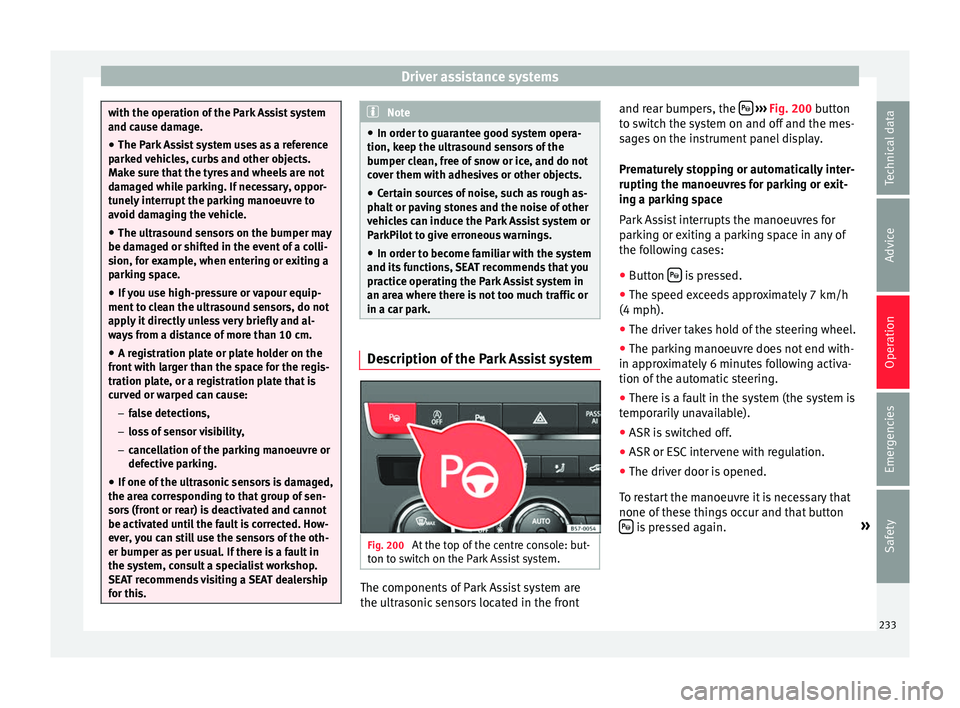
Fig. 200
At the top of the centre console: but-
t on t
o switch on the Park Assist system. The components of Park Assist system are
the u
ltr
asonic sensors located in the front and rear bumpers, the
› ››
Fig. 200
button
to switch the system on and off and the mes-
sages on the instrument panel display.
Prematurely stopping or automatically inter-
rupting the manoeuvres for parking or exit-
ing a parking space
Park Assist interrupts the manoeuvres for
parking or exiting a parking space in any of
the following cases:
● Button is pressed.
● The speed exceeds approximately 7 km/h
(4 mph).
● The driver takes hold of the steering wheel.
● The parking manoeuvre does not end with-
in ap pr
oximately 6 minutes following activa-
tion of the automatic steering.
● There is a fault in the system (the system is
tempor
arily unavailable).
● ASR is switched off.
● ASR or ESC intervene with regulation.
● The driver door is opened.
To r
estart the manoeuvre it is necessary that
none of these things occur and that button is pressed again.
»
233
Technical data
Advice
Operation
Emergencies
Safety
Page 237 of 328
Driver assistance systems
Fig. 202
On the instrument panel display:
di s
playing the Park Assist system with re-
duced display. Selecting a parking mode with Park Assist
w
ith prior s
tep in front of the space
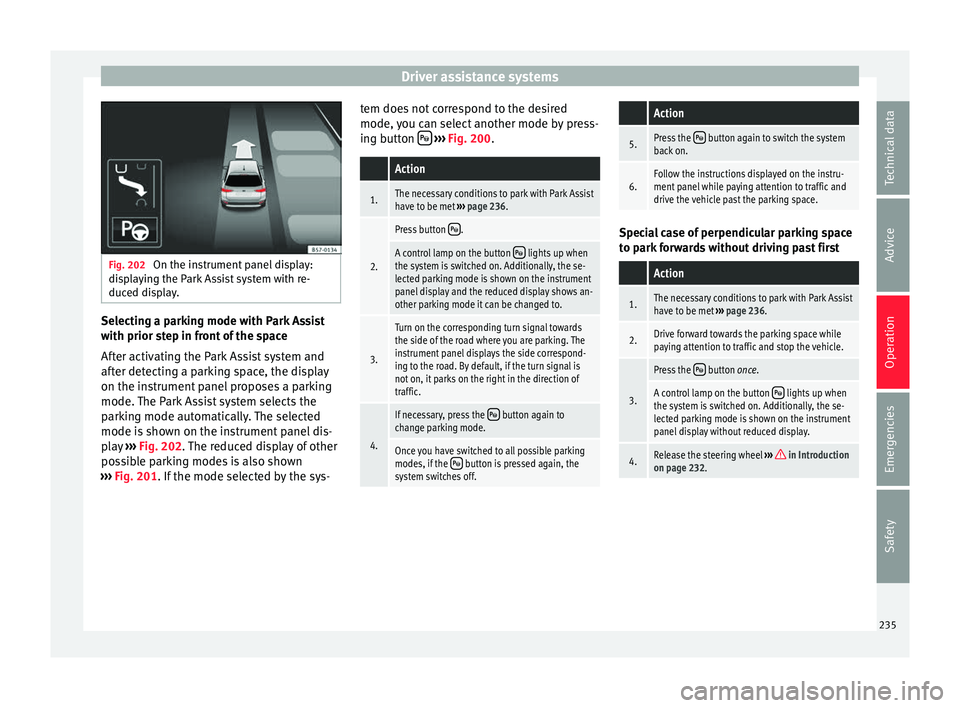
After activating the Park Assist system and
after detecting a parking space, the display
on the instrument panel proposes a parking
mode. The Park Assist system selects the
parking mode automatically. The selected
mode is shown on the instrument panel dis-
play ››› Fig. 202. The reduced display of other
possible parking modes is also shown
››› Fig. 201. If the mode selected by the sys- tem does not correspond to the desired
mode, y
ou can select another mode by press-
ing button
› ››
Fig. 200
.
Action
1.The necessary conditions to park with Park Assist
have to be met ››› page 236.
2.
Press button .
A control lamp on the button lights up when
the system is switched on. Additionally, the se-
lected parking mode is shown on the instrument
panel display and the reduced display shows an-
other parking mode it can be changed to.
3.
Turn on the corresponding turn signal towards
the side of the road where you are parking. The
instrument panel displays the side correspond-
ing to the road. By default, if the turn signal is
not on, it parks on the right in the direction of
traffic.
4.
If necessary, press the button again to
change parking mode.
Once you have switched to all possible parking
modes, if the button is pressed again, the
system switches off.
Action
5.Press the button again to switch the system
back on.
6.Follow the instructions displayed on the instru-
ment panel while paying attention to traffic and
drive the vehicle past the parking space. Special case of perpendicular parking space
t
o p
ark forwards without driving past first
Action
1.The necessary conditions to park with Park Assist
have to be met ››› page 236.
2.Drive forward towards the parking space while
paying attention to traffic and stop the vehicle.
3.
Press the button once.
A control lamp on the button lights up when
the system is switched on. Additionally, the se-
lected parking mode is shown on the instrument
panel display without reduced display.
4.Release the steering wheel ››› in Introduction
on page 232. 235
Technical data
Advice
Operation
Emergencies
Safety
Page 239 of 328
Driver assistance systemsFor parallel parking
spacesFor perpendicularparking spaces
Do not exceed approxi-
mately 40 km/h (25 mph)
when driving past the parking space.Do not exceed approxi-
mately 20 km/h (12 mph)
when driving past the parking space.
Keep a distance between 0.5 and 2.0 metres when driv- ing past the parking space.
Length of the space:
length of the vehicle + 0.8 metresWidth of the space: width
of the vehicle + 0.8 me- tres
Do not exceed approximately 7 km/h (4 mph) when
parking. Parking
Do the following:
1.The necessary conditions have to be met to park
with Park Assist
››› page 236 and the parking
mode must be selected ››› page 234.
2.
Look at the display on the instrument panel to
see if the space has been detected as “appropri-
ate” and if the correct position for parking has
been reached ››› Fig. 203
or ››› Fig. 204 .
The space is considered “appropriate” if the dis-
play on the instrument panel shows the message
to park 5
.
3.Stop the vehicle and, after a brief pause, engage
the reverse gear.
4.Release the steering wheel
››› in Introduction
on page 232.
Do the following:
5.
Please note the following message: Active au-
tomatic steering. Watch out around
you.
While you keep watch around you, carefully start
accelerating up to no more than 7 km/h (4 mph).
During the parking manoeuvre, the system only
takes charge of the steering. You, as the driver,
have to accelerate, engage the clutch if necessa-
ry, change gears and brake.
6.
Reverse until the ParkPilot continuous signal is
heard.
OR: reverse until the instrument panel displays
the message to go forwards ››› Fig. 203 1or
››› Fig. 204 1.
OR: reverse until the instrument panel displays
the message Park Assist finished
.
The progress bar 7 indicates the distance to
cover ››› page 236.
7.
Press down the brake pedal until the Park Assist
system has finished turning the steering wheel.
OR: until the symbol on the instrument panel
display switches off.
8.Select first gear.
Do the following:
9.
Go forward until the ParkPilot continuous signal
is heard.
OR: go forward until the instrument panel display
shows the message to reverse.
The Park Assist system steers the vehicle forward
and back until it centres it in the space ››› Fig. 203
or ››› Fig. 204 .
10.
For best results, wait at the end of each manoeu-
vre until the Park Assist system has finished turn-
ing the steering wheel.
The parking manoeuvre ends when a correspond-
ing message is displayed on the instrument panel
and, in some cases, an acoustic signal sounds. Note
If the manoeuvre is terminated prematurely
durin g p
arking, the result may not be the
best. 237
Technical data
Advice
Operation
Emergencies
Safety
Page 240 of 328
Operation
Exiting a parking space with Park As-
s i
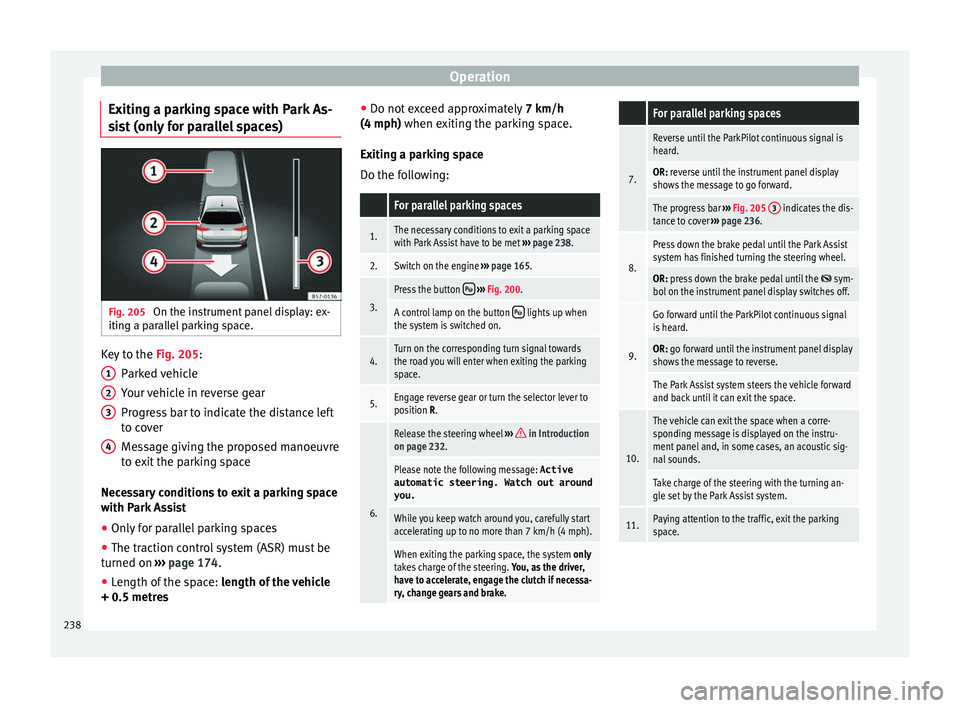
st (only for parallel spaces) Fig. 205
On the instrument panel display: ex-
itin g a p
arallel parking space. Key to the
Fig. 205:
P ark
ed vehicle
Your vehicle in reverse gear
Progress bar to indicate the distance left
to cover
Message giving the proposed manoeuvre
to exit the parking space
Necessary conditions to exit a parking space
with Park Assist
● Only for parallel parking spaces
● The traction control system (ASR) must be
turned on ›
›› page 174.
● Length of the space: len
gth of the vehicle
+ 0.5 metres 1 2
3
4 ●
Do not e
xceed approximately 7 km/h
(4 mph) when exiting the parking space.
Exiting a parking space
Do the following:
For parallel parking spaces
1.The necessary conditions to exit a parking space
with Park Assist have to be met ››› page 238.
2.Switch on the engine ››› page 165.
3.
Press the button ››› Fig. 200.
A control lamp on the button lights up when
the system is switched on.
4.Turn on the corresponding turn signal towards
the road you will enter when exiting the parking
space.
5.Engage reverse gear or turn the selector lever to
position R.
6.
Release the steering wheel ››› in Introduction
on page 232.
Please note the following message: Active
automatic steering. Watch out around
you.
While you keep watch around you, carefully start
accelerating up to no more than 7 km/h (4 mph).
When exiting the parking space, the system only
takes charge of the steering. You, as the driver,
have to accelerate, engage the clutch if necessa-
ry, change gears and brake.
For parallel parking spaces
7.
Reverse until the ParkPilot continuous signal is
heard.
OR: reverse until the instrument panel display
shows the message to go forward.
The progress bar ››› Fig. 205 3 indicates the dis-
tance to cover ››› page 236.
8.
Press down the brake pedal until the Park Assist
system has finished turning the steering wheel.
OR: press down the brake pedal until the sym-
bol on the instrument panel display switches off.
9.
Go forward until the ParkPilot continuous signal
is heard.
OR: go forward until the instrument panel display
shows the message to reverse.
The Park Assist system steers the vehicle forward
and back until it can exit the space.
10.
The vehicle can exit the space when a corre-
sponding message is displayed on the instru-
ment panel and, in some cases, an acoustic sig-
nal sounds.
Take charge of the steering with the turning an-
gle set by the Park Assist system.
11.Paying attention to the traffic, exit the parking
space. 238
Page 245 of 328
Driver assistance systems
Moreover, with the SEAT Media System
Plu s/Nav
i System radios, a yellow trail indi-
cates the vehicle's expected trajectory based
on the steering wheel angle.
Whenever the obstacle is located in the vehi-
cle’s direction of travel, the corresponding
audible warning will sound.
As the vehicle approaches an obstacle, the
segments are displayed closer to the vehicle.
When the penultimate segment is displayed,
this means that the vehicle has reached the
collision zone. In the collision zone, the ob-
stacles are represented in red, including
those out of the path. Do not continue to
move forward (or backward) ››› in Descrip-
tion on p ag
e 240, ››› in Description on
p ag
e 240 !
In the event the car is equipped with the Area
View system, visual indication of Park Assist
will appear depending on the selected view
in the Area View system.
Adjusting the display and audible
warnin
gs The settings for the display and audible
w
arnin
gs are controlled via the Easy Con-
nect*. Automatic activation
on – activat
es the Automatic activa-
tion option ››› page 242.
off – deactivates the Automatic ac-
tivation option ››› page 242.
Front volume*
Volume in the front and rear area.
Front sound settings/sharpness*
Frequency (tone) of the sound in the front
area.
Rear volume*
Volume in the rear area.
Rear sound settings/sharpness*
Frequency (tone) of the sound in the rear
area.
Adjust volume
With the parking aid switched on, the active
audio/video source volume will be reduced
to the intensity of the selected setting.
Error messages When the Parking Aid is activated or when it
i
s
switched on, if a message reporting a Park- ing aid error is displayed on the instrument
panel, ther
e is a fault in the system.
If the fault doesn't disappear before discon-
necting the ignition, next time that parking
aid is engaged in reverse, it will not be indi-
cated.
If there is a fault in the parking aid system a
message will appear on the instrument panel
indicating the error. In addition the key
LED will blink.
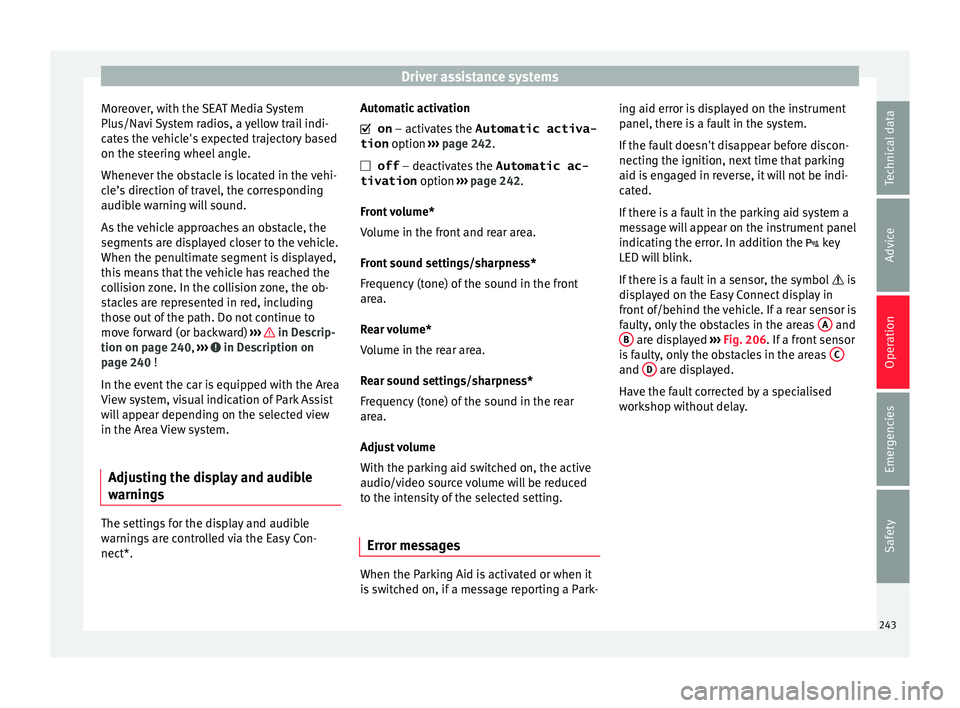
If there is a fault in a sensor, the symbol is
displayed on the Easy Connect display in
front of/behind the vehicle. If a rear sensor is
faulty, only the obstacles in the areas A and
B are displayed
››
› Fig. 206. If a front sensor
is faulty, only the obstacles in the areas C and
D are displayed.
Hav e the f
ault corrected by a specialised
workshop without delay.
243
Technical data
Advice
Operation
Emergencies
Safety
Page 253 of 328
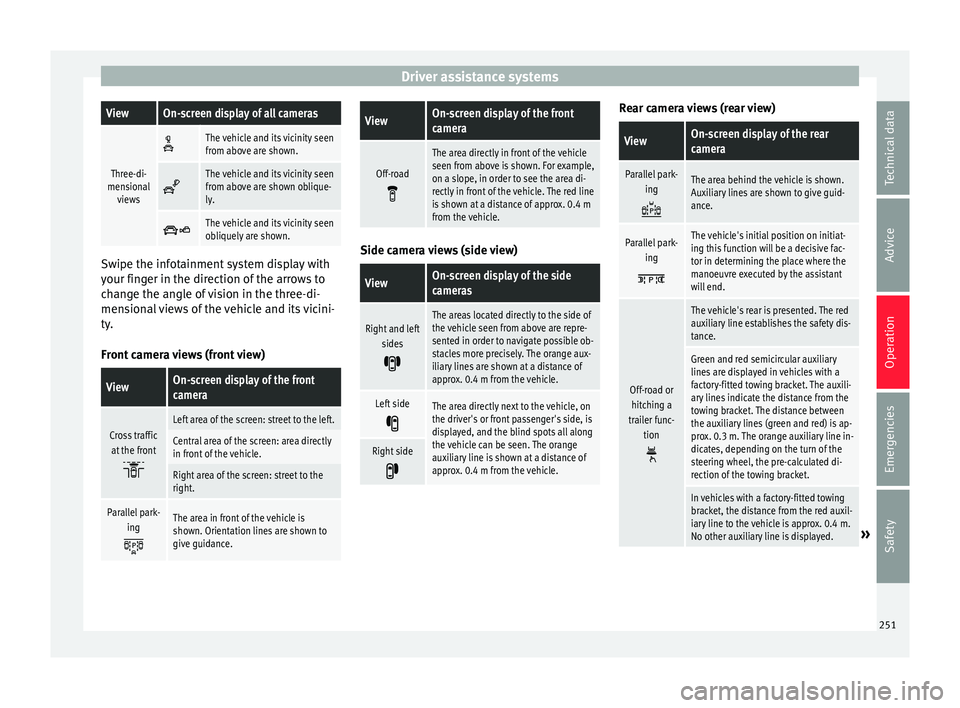
Driver assistance systemsViewOn-screen display of all cameras
Three-di-
mensional views
The vehicle and its vicinity seen
from above are shown.
The vehicle and its vicinity seen
from above are shown oblique-
ly.
The vehicle and its vicinity seen
obliquely are shown.
Swipe the infotainment system display with
y
our fin
ger in the direction of the arrows to
change the angle of vision in the three-di-
mensional views of the vehicle and its vicini-
ty.
Front camera views (front view)
ViewOn-screen display of the front
camera
Cross traffic at the front
Left area of the screen: street to the left.
Central area of the screen: area directly
in front of the vehicle.
Right area of the screen: street to the
right.
Parallel park- ing
The area in front of the vehicle is
shown. Orientation lines are shown to
give guidance.
ViewOn-screen display of the front
camera
Off-road
The area directly in front of the vehicle
seen from above is shown. For example,
on a slope, in order to see the area di-
rectly in front of the vehicle. The red line
is shown at a distance of approx. 0.4 m
from the vehicle. Side camera views (side view)
ViewOn-screen display of the side
cameras
Right and left
sides
The areas located directly to the side of
the vehicle seen from above are repre-
sented in order to navigate possible ob-
stacles more precisely. The orange aux-
iliary lines are shown at a distance of
approx. 0.4 m from the vehicle.
Left side
The area directly next to the vehicle, on
the driver's or front passenger's side, is
displayed, and the blind spots all along
the vehicle can be seen. The orange
auxiliary line is shown at a distance of
approx. 0.4 m from the vehicle.
Right side
Rear camera views (rear view)
ViewOn-screen display of the rear
camera
Parallel park-
ing
The area behind the vehicle is shown.
Auxiliary lines are shown to give guid-
ance.
Parallel park-ing
The vehicle's initial position on initiat-
ing this function will be a decisive fac-
tor in determining the place where the
manoeuvre executed by the assistant
will end.
Off-road orhitching a
trailer func- tion
The vehicle's rear is presented. The red
auxiliary line establishes the safety dis-
tance.
Green and red semicircular auxiliary
lines are displayed in vehicles with a
factory-fitted towing bracket. The auxili-
ary lines indicate the distance from the
towing bracket. The distance between
the auxiliary lines (green and red) is ap-
prox. 0.3 m. The orange auxiliary line in-
dicates, depending on the turn of the
steering wheel, the pre-calculated di-
rection of the towing bracket.
In vehicles with a factory-fitted towing
bracket, the distance from the red auxil-
iary line to the vehicle is approx. 0.4 m.
No other auxiliary line is displayed.
» 251
Technical data
Advice
Operation
Emergencies
Safety
Page 256 of 328
Operation
Parking and manoeuvring with the
r e
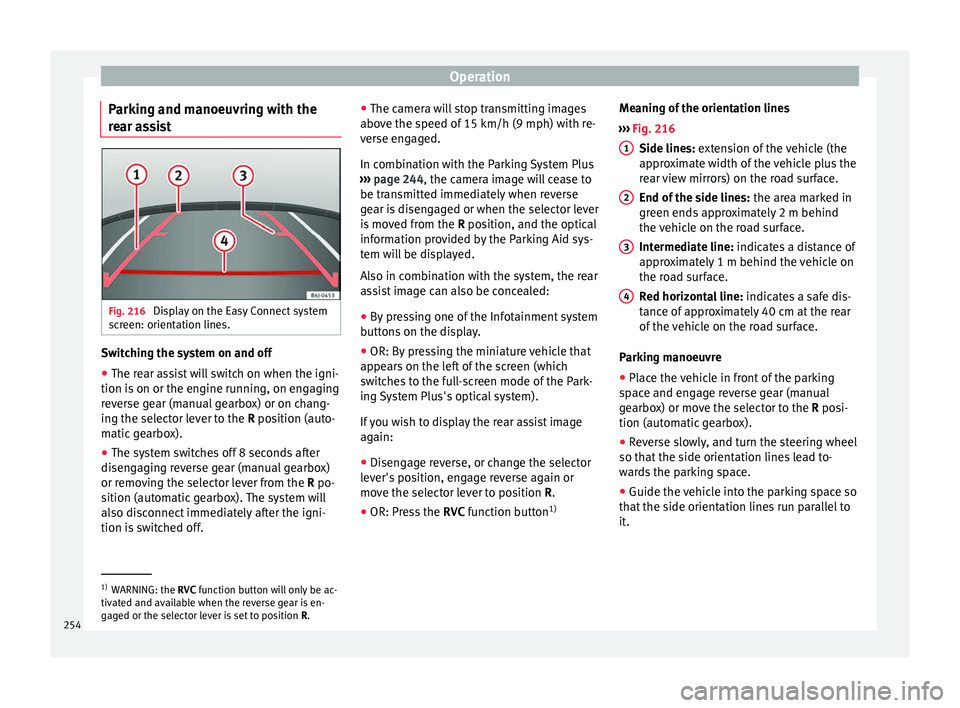
ar assist Fig. 216
Display on the Easy Connect system
s c
reen: orientation lines. Switching the system on and off
●
The rear assist will switch on when the igni-
tion i s
on or the engine running, on engaging
reverse gear (manual gearbox) or on chang-
ing the selector lever to the R position (auto-
matic gearbox).
● The system switches off 8 seconds after
disen
gaging reverse gear (manual gearbox)
or removing the selector lever from the R po-
sition (automatic gearbox). The system will
also disconnect immediately after the igni-
tion is switched off. ●
The camer
a will stop transmitting images
above the speed of 15 km/h (9 mph) with re-
verse engaged.
In combination with the Parking System Plus
››› page 244, the camera image will cease to
be transmitted immediately when reverse
gear is disengaged or when the selector lever
is moved from the R position, and the optical
information provided by the Parking Aid sys-
tem will be displayed.
Also in combination with the system, the rear
assist image can also be concealed:
● By pressing one of the Infotainment system
butt
ons on the display.
● OR: By pressing the miniature vehicle that
appe
ars on the left of the screen (which
switches to the full-screen mode of the Park-
ing System Plus's optical system).
If you wish to display the rear assist image
again:
● Disengage reverse, or change the selector
lev
er's position, engage reverse again or
move the selector lever to position R.
● OR: Press the RVC fu
nction button1)Meaning of the orientation lines
››
› Fig. 216
Side lines: extension of the vehicle (the
approximate width of the vehicle plus the
rear view mirrors) on the road surface.
End of the side lines: the area marked in
green ends approximately 2 m behind
the vehicle on the road surface.
Intermediate line: indicates a distance of
approximately 1 m behind the vehicle on
the road surface.
Red horizontal line: indicates a safe dis-
tance of approximately 40 cm at the rear
of the vehicle on the road surface.
Parking manoeuvre
● Place the vehicle in front of the parking
sp
ace and engage reverse gear (manual
gearbox) or move the selector to the R posi-
tion (automatic gearbox).
● Reverse slowly, and turn the steering wheel
so that
the side orientation lines lead to-
wards the parking space.
● Guide the vehicle into the parking space so
that
the side orientation lines run parallel to
it. 1
2
3
4
1)
WARNING: the RVC fu
nction button will only be ac-
tivated and available when the reverse gear is en-
gaged or the selector lever is set to position R.
254
Page 265 of 328
Towing bracket device*
If the system detects that the trailer is sway-
in g, it
intervenes automatically with the driv-
er steering recommendation to reduce the
swaying of the trailer.
Requirements for the stabilisation of the
towing vehicle and trailer
● The vehicle is factory-equipped with a tow-
ing br
acket or has been retro-fitted with a
compatible towing bracket.
● The ESC and ASR are active. The control
lamp
or is not lit up on the instrument
panel.
● The trailer is electrically connected to the
to
wing vehicle through the trailer power
socket.
● The vehicle is travelling at over 60 km/h
(appr
ox. 37 mph).
● The maximum vertical load technically per-
mis
sible is being utilised on the coupling de-
vice.
● The trailer has a rigid draw bar.
● If the trailer has brakes, it must be equip-
ped with a mec
hanical overrun brake. WARNING
The enhanced security provided by the elec-
tric s
tability control of the towing vehicle and
trailer should not lead you to take any risks
that could compromise your safety. ●
Ad apt
your speed and driving style at all
times to suit visibility, weather, road and traf-
fic conditions.
● Accelerate with caution when the road is
slip
pery.
● When adjusting any settings, stop acceler-
ating. WARNING
The electric stability control for the towing
v ehic
le and trailer may not correctly detect all
driving conditions.
● When the ESC is switched off, the stabilisa-
tion of the t
owing vehicle and trailer is also
switched off.
● The stability system does not always detect
light and u
nstable trailers, so it may not sta-
bilise these correctly.
● When driving on slippery surfaces with
poor grip, the tr
ailer can even interfere with
the stability system.
● Trailers with a high centre of gravity can tip
even w
ithout having previously swayed.
● If a trailer is not attached, but the trailer
pow
er socket is connected (e.g. installation
of a bicycle rack with lights), repeated auto-
matic braking may occur in extreme driving
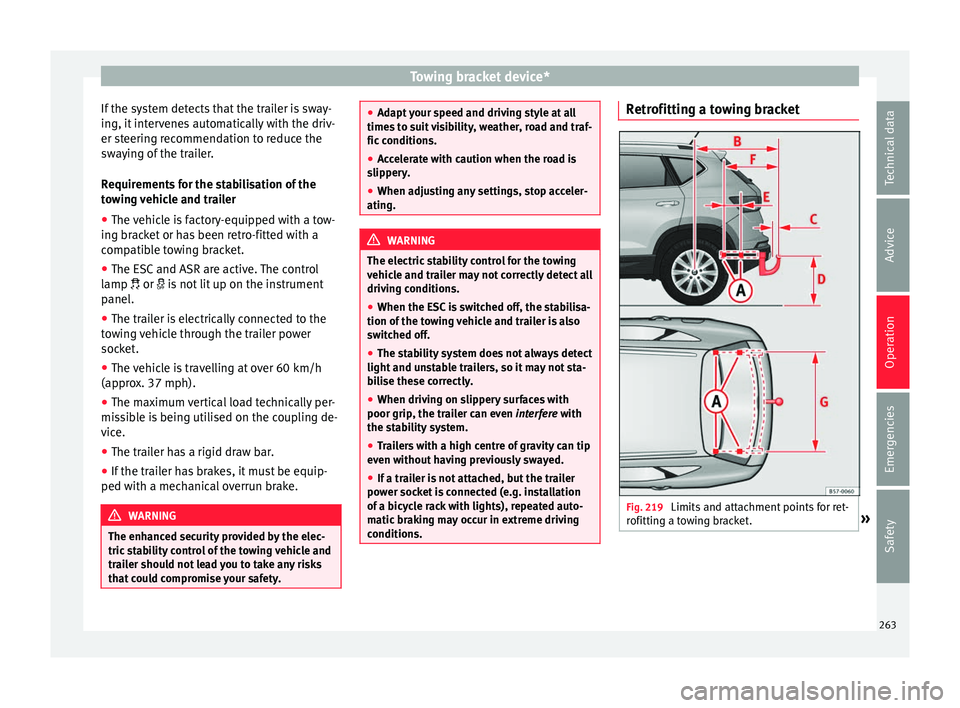
conditions. Retrofitting a towing bracket
Fig. 219
Limits and attachment points for ret-
r ofittin
g a towing bracket. » 263
Technical data
Advice
Operation
Emergencies
Safety
Page 275 of 328
Intelligent technology
The retract function may not operate properly
in v
ery dirty belts. Make sure that the inertia
reel seat belts are completely dry before al-
lowing them to retract. CAUTION
● Do not r
emove the seat belts from the vehi-
cle to clean them.
● Do not use chemical cleaning agents on the
seat
belts, as this can damage the webbing.
Ensure that the seat belts do not come into
contact with corrosive fluids.
● If you find any damage to the belt webbing,
belt fittin
gs, the belt retractor or the buckle,
the belt in question must be replaced by a
specialised workshop. Intelligent technology
El ectr
omechanical steering Electro-mechanical power steering assists
the driv
er when s
teering.
Electro-mechanical power steering adapts
electronically to the speed of the car, torque
and turning angle.
If the power steering should fail at any time
or the engine is switched off (for instance
when being towed), the car can still be
steered. However, more effort than normal
will be required to turn the steering wheel.
Driver warning lamps and messages (in red) Faulty steering! To
park the vehicle
If the warning lamp remains on and the driver
indication appears, the power steering could
be faulty.
Do not continue driving. Seek specialist as-
sistance. (in yellow) Steering: System
fault! You may continue driving.
If the warning lamp comes on, the steering
could react with more difficultly or more sen-
sitivity than normal. In addition, when driving
in a straight line the steering wheel may be
off-centre. Drive slowly to a specialised workshop and
h
av
e the fault repaired.
(in yellow) Steering lock:
fault! Go to an Official Service
The electronic steering lock is malfunction-
ing.
Go to a specialised workshop as soon as
possible and have the fault repaired. WARNING
Take it immediately to a specialised work-
shop and h av
e the fault repaired: risk of acci-
dent! Note
If the lamp (in red) or el
se (in yellow)
lights up briefly, you may continue driving. Four-wheel drive
3
V
alid for vehicles: with four-wheel drive
On four-wheel drive models, the engine pow-
er is distributed to all four wheels
General notes
On four-wheel drive vehicles, the engine
power is distributed to all four wheels. The
distribution of power is controlled automati-
cally according to your driving style and the
road conditions. Also see ›››
page 173. »
273
Technical data
Advice
Operation
Emergencies
Safety