warning lights Seat Ateca 2017 Workshop Manual
[x] Cancel search | Manufacturer: SEAT, Model Year: 2017, Model line: Ateca, Model: Seat Ateca 2017Pages: 328, PDF Size: 6.36 MB
Page 211 of 328
Driver assistance systems
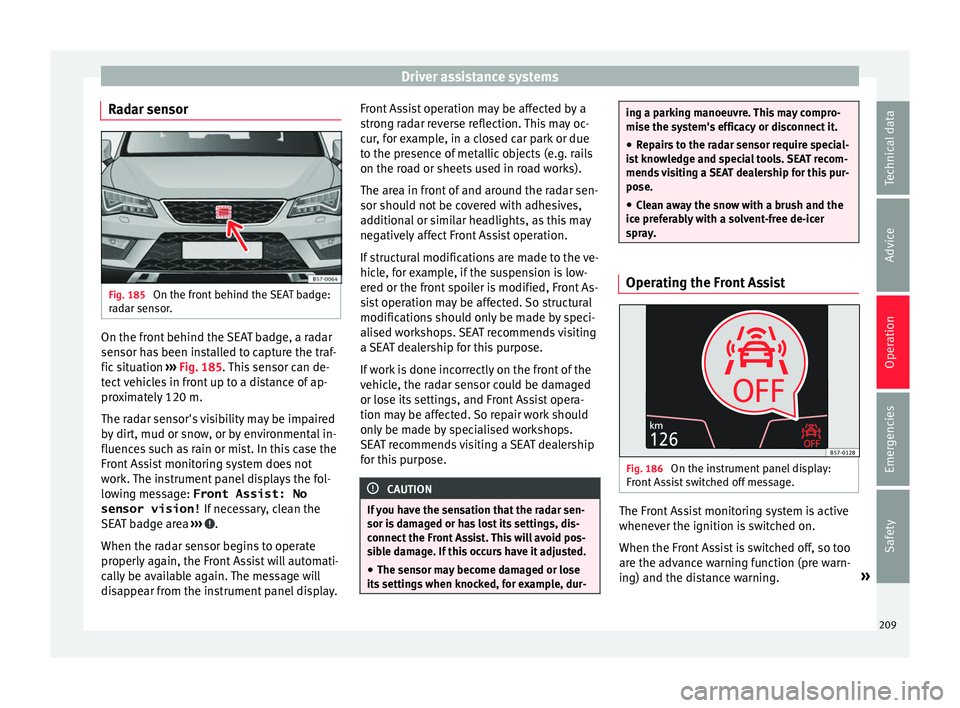
Radar sensor Fig. 185
On the front behind the SEAT badge:
r a
dar sensor. On the front behind the SEAT badge, a radar
sen
sor h
as been installed to capture the traf-
fic situation ››› Fig. 185. This sensor can de-
tect vehicles in front up to a distance of ap-
proximately 120 m.
The radar sensor's visibility may be impaired
by dirt, mud or snow, or by environmental in-
fluences such as rain or mist. In this case the
Front Assist monitoring system does not
work. The instrument panel displays the fol-
lowing message: Front Assist: No sensor vision! If necessary, clean the
SEAT badge area ››› .
When the r a
dar sensor begins to operate
properly again, the Front Assist will automati-
cally be available again. The message will
disappear from the instrument panel display. Front Assist operation may be affected by a
str
ong radar reverse reflection. This may oc-
cur, for example, in a closed car park or due
to the presence of metallic objects (e.g. rails
on the road or sheets used in road works).
The area in front of and around the radar sen-
sor should not be covered with adhesives,
additional or similar headlights, as this may
negatively affect Front Assist operation.
If structural modifications are made to the ve-
hicle, for example, if the suspension is low-
ered or the front spoiler is modified, Front As-
sist operation may be affected. So structural
modifications should only be made by speci-
alised workshops. SEAT recommends visiting
a SEAT dealership for this purpose.
If work is done incorrectly on the front of the
vehicle, the radar sensor could be damaged
or lose its settings, and Front Assist opera-
tion may be affected. So repair work should
only be made by specialised workshops.
SEAT recommends visiting a SEAT dealership
for this purpose. CAUTION
If you have the sensation that the radar sen-
sor i s
damaged or has lost its settings, dis-
connect the Front Assist. This will avoid pos-
sible damage. If this occurs have it adjusted.
● The sensor may become damaged or lose
its
settings when knocked, for example, dur- ing a parking manoeuvre. This may compro-
mi
se the sy
stem's efficacy or disconnect it.
● Repairs to the radar sensor require special-
is
t knowledge and special tools. SEAT recom-
mends visiting a SEAT dealership for this pur-
pose.
● Clean away the snow with a brush and the
ice pr
eferably with a solvent-free de-icer
spray. Operating the Front Assist
Fig. 186
On the instrument panel display:
Fr ont
Assist switched off message. The Front Assist monitoring system is active
whenev
er the ignition i
s switched on.
When the Front Assist is switched off, so too
are the advance warning function (pre warn-
ing) and the distance warning. »
209
Technical data
Advice
Operation
Emergencies
Safety
Page 213 of 328
Driver assistance systems
the system's reactions may be inopportune
or be del a
yed from the driver's standpoint.
So pay attention in order to intervene if nec-
essary.
The following conditions may cause the Front
Assist Monitoring System not to react or do
so too late:
● On taking tight bends.
● Pressing the accelerator all the way down.
● If the Front Assist is switched off or dam-
aged.
● If
the ASR has been manually disconnec-
ted.
● If
the ESC is controlling.
● If several brake lights of the vehicle or elec-
trical
ly connected trailer are damaged.
● If the radar sensor is dirty or covered.
● If there are metal objects, e.g. rails on the
ro
ad or sheets used in road works.
● If the vehicle is reversing.
● If the vehicle over-accelerates.
● In case of snow or heavy rain.
● In case of narrow vehicles, such as motor-
bik
es.
● Misaligned vehicles.
● Vehicles crossing the other's path. ●
Vehic
les approaching in the opposite direc-
tion.
● Special loads and accessories of other ve-
hicl
es that jut out over the sides, backwards
or over the top.
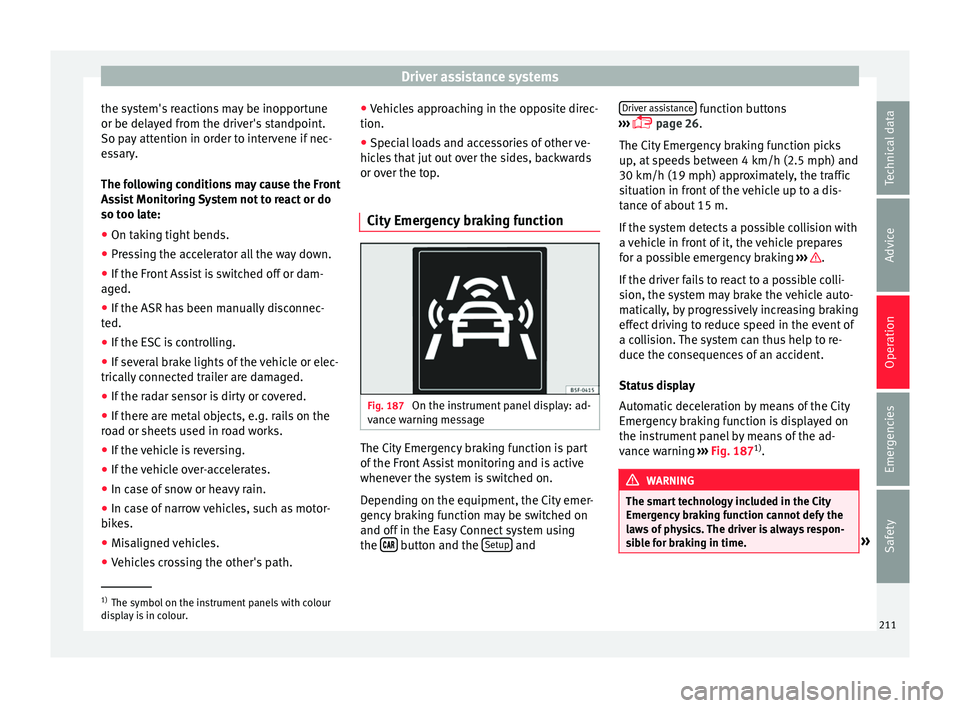
City Emergency braking function Fig. 187
On the instrument panel display: ad-
v anc
e warning message The City Emergency braking function is part
of
the Fr
ont Assist monitoring and is active
whenever the system is switched on.
Depending on the equipment, the City emer-
gency braking function may be switched on
and off in the Easy Connect system using
the button and the
Set
up andDriver assistance function buttons
› ›
› page 26.
The City Emergency braking function picks
up, at speeds between 4 km/h (2.5 mph) and
30 km/h (19 mph) approximately, the traffic
situation in front of the vehicle up to a dis-
tance of about 15 m.
If the system detects a possible collision with
a vehicle in front of it, the vehicle prepares
for a possible emergency braking ››› .
If the driv
er fails to react to a possible colli-
sion, the system may brake the vehicle auto-
matically, by progressively increasing braking
effect driving to reduce speed in the event of
a collision. The system can thus help to re-
duce the consequences of an accident.
Status display
Automatic deceleration by means of the City
Emergency braking function is displayed on
the instrument panel by means of the ad-
vance warning ››› Fig. 187 1)
. WARNING
The smart technology included in the City
Emer g
ency braking function cannot defy the
laws of physics. The driver is always respon-
sible for braking in time. »1)
The symbol on the instrument panels with colour
di s
play is in colour. 211
Technical data
Advice
Operation
Emergencies
Safety
Page 217 of 328
Driver assistance systems
The system is operational, the highligh-
t ed line A indicates that there was a
ri sk
of involuntarily crossing the lane
line and that the steering is being adjus-
ted to correct the angle ››› Fig. 190 C.
The two lines A light up simultaneously
when both l ane line
s are recognised and
the Lane Assist function is active
››› Fig. 190 D.
Control lamps
Blinks or lights up yellow: Lane Assist
active but not available.
The system can not accurately recognise the lane.
Please see page 216, the Lane Assist system is not
available (the control lamp is lit up yellow).
Blinks or lights up green:
Lane Assist system active and available.
WARNING
Observe the safety warnings ››
› in Warning
and c ontr
ol lamps on page 107. –
–
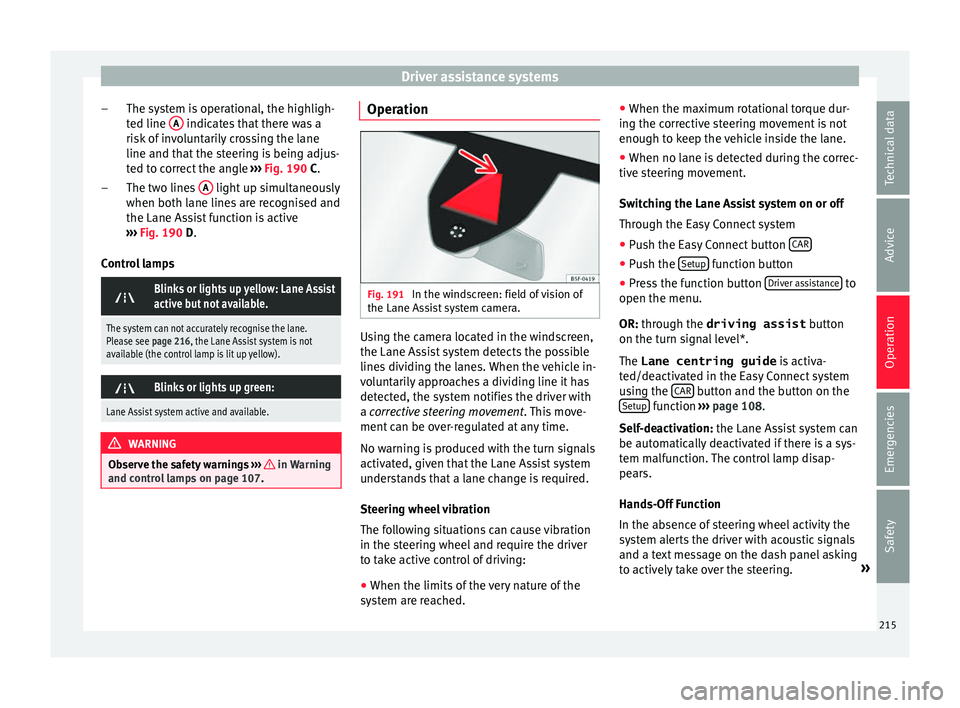
Operation Fig. 191
In the windscreen: field of vision of
the Lane As s
ist system camera. Using the camera located in the windscreen,
the Lane As
s
ist system detects the possible
lines dividing the lanes. When the vehicle in-
voluntarily approaches a dividing line it has
detected, the system notifies the driver with
a corrective steering movement . This move-
ment can be over-regulated at any time.
No warning is produced with the turn signals
activated, given that the Lane Assist system
understands that a lane change is required.
Steering wheel vibration
The following situations can cause vibration
in the steering wheel and require the driver
to take active control of driving:
● When the limits of the very nature of the
sys
tem are reached. ●
When the max
imum rotational torque dur-
ing the corrective steering movement is not
enough to keep the vehicle inside the lane.
● When no lane is detected during the correc-
tive s
teering movement.
Switching the Lane Assist system on or off
Through the Easy Connect system
● Push the Easy Connect button CAR ●
Push the Set
up function button
● Press the function button Driv
er a
ssistance to
open the menu.
OR: thr ough the driving assist
b
utton
on the turn signal level*.
The Lane centring guide is activa-
ted/deactivated in the Easy Connect system
using the CAR button and the button on the
Set up function
››
›
page 108.
Self-deactivation: the Lane Assist system can
be automatically deactivated if there is a sys-
tem malfunction. The control lamp disap-
pears.
Hands-Off Function
In the absence of steering wheel activity the
system alerts the driver with acoustic signals
and a text message on the dash panel asking
to actively take over the steering. »
215
Technical data
Advice
Operation
Emergencies
Safety
Page 220 of 328
Operation
time. The driver is always responsible for
k
eepin
g the vehicle in its own lane.
● Always be prepared to take charge of driv-
ing (ac
celerating or braking) yourself. Note
● If
Traffic Jam Assist does not work as de-
scribed in this chapter, stop using it and con-
tact a specialised workshop.
● If the system is faulty, take it to a special-
ised w
orkshop and have it checked. Emergency Assist
D e
scription and operation Emergency Assist detects whether there is in-
activ
ity
by the driver and can automatically
keep the car within the lane and stop it alto-
gether if necessary. This way the system can
actively help avoid an accident.
Emergency Assist is an additional function of
Lane Assist ››› page 213 and combines Lane
Assist functions with Adaptive Cruise Control
(ACC) ››› page 197. Therefore, it is essential
that you read these two chapters carefully
and note the limitations of the systems and
the information about them. Operation of Emergency Assist
Emerg
ency Assist detects when the driver
ceases to perform any activity and repeatedly
requests that he/she regain active control of
the vehicle, through the use of optical and
acoustic warnings and by applying the
brakes.
If the driver continues to do nothing, the sys-
tem automatically takes over the accelerator,
brakes and steering in order to brake the ve-
hicle and keep it in its lane ››› . If the re-
m ainin
g braking distance is sufficient, if nec-
essary the system slows down the vehicle un-
til it stops completely and automatically
switches on the electronic parking brake
››› page 170.
When the Emergency Assist is actively adjust-
ing, the hazard warning lights come on
››› page 135 and the vehicle makes slight zig-
zag movements in the lane in order to warn
other drivers.
Switching the Emergency Assist on and off
The Emergency Assist is switched on auto-
matically when the Lane Assist is switched on
››› page 213.
Technical requirements for using the Emer-
gency Assist ● The adaptive cruise control (ACC) must be
swit
ched on ››› page 197. ●
The Lane Ass
ist must be switched on
››› page 213.
● The selector lever must be at the D/S pos
i-
tion or in the Tiptronic selection track.
● The system must have detected a lane sep-
aration line on both s
ides of the vehicle
››› Fig. 190.
The following conditions may cause the
Emergency Assist not to react or to switch off
automatically:
● If the driver accelerates, brakes or moves
the st
eering wheel.
● If any of the conditions mentioned in
››
› page 218, Technical requirements for us-
ing the Emergency Assist are not fulfilled.
● If any of the conditions required for opera-
tion of the Lane As
sist are not met
››› page 213.
● If any of the conditions necessary for the
ad
aptive cruise control (ACC) to work are no
longer fulfilled ››› page 197. WARNING
The smart technology incorporated into the
Emer g
ency Assist cannot overcome the limits
imposed by the laws of physics; it only works
within the limits of the system. The driver is
responsible for driving the vehicle.
● Adapt your speed and safe distance to the
vehic
le in front of you at all times to suit the218
Page 221 of 328
Driver assistance systems
visibility, weather, road and traffic
c
ondition
s.
● Keep your hands on the wheel at all times
to be r
eady to intervene in the steering at any
time.
● The Emergency Assist alone cannot always
avoid ac
cidents or serious injuries.
● If the operation of the Emergency Assist is
impair
ed, for example if the radar sensor of
the adaptive cruise control (ACC) or the Lane
Assist camera are covered or have lost their
settings, the system may intervene inoppor-
tunely in braking or in steering.
● The Emergency Assist does not react to
peopl
e or animal or vehicles crossing your
path or which approach you head-on in the
same lane. WARNING
If the Emergency Assist Intervenes inoppor-
t u
nely, serious accidents and injuries may oc-
cur.
● If the Emergency Assist does not operate
properly
, switch off the Lane Assist
››› page 213. Doing so will also switch off the
Emergency Assist.
● Have the system checked by a specialised
work
shop. SEAT recommends visiting a SEAT
dealership for this. Note
● Aut om
atic interventions by the Emergency
Assist on the brakes may be interrupted by
pressing the accelerator or brake or by mov-
ing the wheel.
● Hazard warning lights that come on auto-
matic
ally can be switched off by pressing the
accelerator or the break, moving the steering
wheel or pressing the hazard warning light
switch.
● If this occurs, the Emergency Assist may
decel
erate the vehicle until it comes to a com-
plete stop.
● When the Emergency Assist is activated, it
is
only available again after the ignition has
been switched off and back on again. 219
Technical data
Advice
Operation
Emergencies
Safety
Page 222 of 328
Operation
Blind spot detector (BSD) with
p ark
ing assistance (RCTA)*
Introduction
› ›
›
table on page 2
The blind spot detector (BSD) helps to detect
the traffic situation behind the vehicle.
The integrated parking assistant (RTA) helps
the driver when backing out of a parallel
parking spot and in manoeuvring.
The blind spot detector has been developed
for driving on paved roads. WARNING
The smart technology incorporated into the
b lind s
pot detector (BSD) with parking assis-
tance (RCTA) included cannot overcome the
limits imposed by the laws of physics; it only
works within the limits of the system. Acci-
dents and severe injury may occur if the blind
spot detection system or the rear cross traffic
alert are used negligently or involuntarily.
The system is not a replacement for driver
awareness.
● Adapt your speed and safe distance to the
vehic
le in front of you at all times to suit visi-
bility, weather, road and traffic conditions.
● Keep your hands on the wheel at all times
to be r
eady to intervene in the steering at any
time. ●
Pa
y attention to the control lamps that may
come on in the external rear view mirrors and
on the instrument panel, and follow any in-
structions they may give.
● The blind spot assistant could react to any
spec
ial constructions that might be present
on the sides of the vehicle: e.g. high or irreg-
ular dividers. This may cause erroneous warn-
ings.
● Never use the blind spot detector with rear
cr
oss traffic alert on unpaved roads. The blind
spot detector with rear cross traffic alert has
been designed for use on paved roads.
● Always pay attention to the vehicle's sur-
rou
ndings.
● Never use the blind spot detector or the
park
ing assistant if the radar sensors are
dirty.
● The external rear view mirror control lamps
ma
y have limited functionality due to solar
radiation. CAUTION
● The r a
dar sensors on the rear bumper may
be damaged or shifted in the event of a colli-
sion, for example, when entering or exiting a
parking space. This may result in the system
disconnecting itself, or at least possibly hav-
ing its functionality diminished.
● In order to ensure that the radar sensors
work
properly, keep the rear bumper free of
snow and ice and do not cover it. ●
The r e
ar bumper should only be painted
with paint authorised by SEAT. The blind spot
detector's functions may be limited or work
incorrectly if other paints are used. Note
If the blind spot detector with parking assis-
t ant
does not work as described in this chap-
ter, do not use it and contact a specialised
workshop. Control lamps
Control lamp in external rear view mirrors:
Lights up
Lights up once briefly: the blind spot detector is activa-
ted and ready to operate.
Lights up: blind spot detector has detected a vehicle in
the blind spot.
Flashes
The blind spot detector has detected a vehicle in the
blind spot and the turn signal has been turned on in the
direction of the detected vehicle
›››
.
For vehicles that are also equipped with Lane Assist
››› page 213, a warning to switch lanes will also appear
even though the turn signal has not been engaged
(blind spot detector “Plus”). 220
Page 259 of 328
Towing bracket device*
Trailer brakes
If the tr
ailer has its own brake system, please
take the relevant legal requirements into ac-
count. Never connect the trailer's brake sys-
tem to the vehicle's brake system.
Tow rope
Always use a cable between the vehicle and
the trailer ››› page 259.
Trailer rear lights
The trailer's rear lights should comply with
the statutory safety regulations ››› page 259.
Never connect the trailer's rear lights directly
to the vehicle's electric system. If you are not
sure that the trailer's electrical connection is
correct, have it checked by a specialised
workshop. SEAT recommends visiting a SEAT
dealership for this.
Exterior mirrors
If you cannot see the area behind the trailer
with the exterior mirrors of the towing vehi-
cle, additional mirrors will have to be instal-
led in accordance with the regulations of the
country in question. The exterior mirrors
should be adjusted before you start driving
and must provide a sufficient field of vision
at the rear. Trailer maximum electricity consumption
ConsumersEurope, Asia,
Africa, South America and
Central AmericaAustralia
Brake lights (total)84 Watts108 Watts
Turn signal (on each
side)42 Watts54 Watts
Side lights (on each
side)50 Watts100 Watts
Reverse lights (on
each side)42 Watts54 Watts
Rear fog light42 Watts54 Watts
Never exceed the values indicated! WARNING
If the towing bracket is wrongly fitted or is
not the right
one, the trailer could become
detached from the vehicle and cause serious
injury. CAUTION
● If the r
ear lights of the trailer are not cor-
rectly connected, the vehicle's electronic sys-
tem may be damaged.
● If the trailer absorbs excessive electric cur-
rent, the
vehicle's electronic system may be
damaged. ●
Nev er c
onnect the trailer's electric system
directly to the electrical connections of the
tail lights or any other power sources. Only
use the connections intended for providing
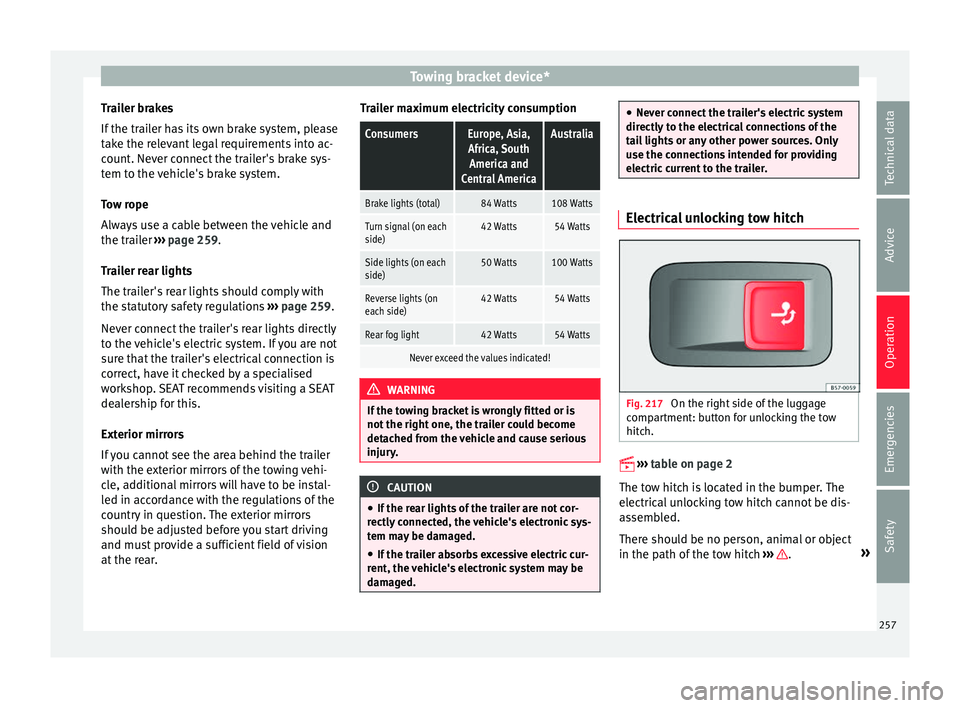
electric current to the trailer. Electrical unlocking tow hitch
Fig. 217
On the right side of the luggage
c omp
artment: button for unlocking the tow
hitch.
› ›
›
table on page 2
The tow hitch is located in the bumper. The
electrical unlocking tow hitch cannot be dis-
assembled.
There should be no person, animal or object
in the path of the tow hitch ››› .
»
257
Technical data
Advice
Operation
Emergencies
Safety
Page 261 of 328
Towing bracket device*
WARNING
The incorrect use of the tow hitch with a bicy-
c l
e rack mounted on the tow hitch can cause
accidents and injury.
● Never exceed the maximum weight or the
limits
indicated above.
● The bicycle rack may not be mounted to the
neck
of the hitch below the ball because, due
to the shape of the neck and depending on
the rack model, the rack could be incorrectly
mounted on the vehicle.
● Always read and take the manufacturer as-
sembly
instructions into account. CAUTION
If the maximum weight and limits indicated
abo v
e are exceeded, the vehicle may suffer
considerable damage.
● Never exceed the values indicated! Note
SEAT recommends removing, as far as possi-
b l
e, all removable parts of the bicycles before
setting off. These parts include, for example,
baskets and saddlebags, child seats or bat-
teries. This improves aerodynamics and the
centre of gravity of the rack system. Hooking up and connecting a trailer
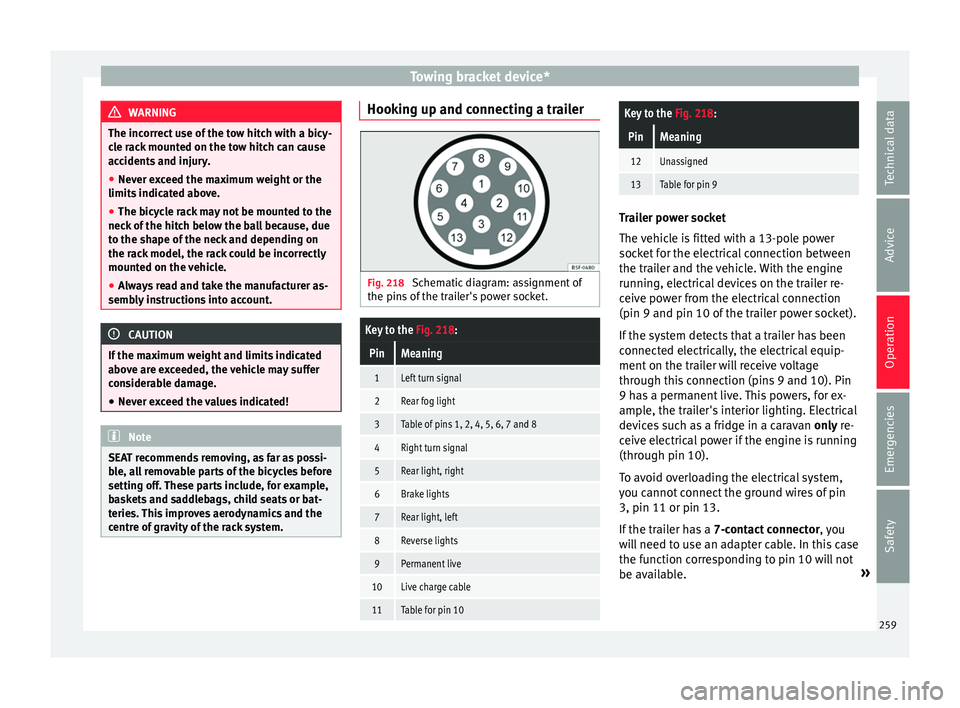
Fig. 218
Schematic diagram: assignment of
the pins
of the trailer's power socket.
Key to the Fig. 218:
PinMeaning
1Left turn signal
2Rear fog light
3Table of pins 1, 2, 4, 5, 6, 7 and 8
4Right turn signal
5Rear light, right
6Brake lights
7Rear light, left
8Reverse lights
9Permanent live
10Live charge cable
11Table for pin 10
Key to the Fig. 218:
PinMeaning
12Unassigned
13Table for pin 9 Trailer power socket
The
v
ehicle is fitted with a 13-pole power
socket for the electrical connection between
the trailer and the vehicle. With the engine
running, electrical devices on the trailer re-
ceive power from the electrical connection
(pin 9 and pin 10 of the trailer power socket).
If the system detects that a trailer has been
connected electrically, the electrical equip-
ment on the trailer will receive voltage
through this connection (pins 9 and 10). Pin
9 has a permanent live. This powers, for ex-
ample, the trailer's interior lighting. Electrical
devices such as a fridge in a caravan only re-
ceive electrical power if the engine is running
(through pin 10).
To avoid overloading the electrical system,
you cannot connect the ground wires of pin
3, pin 11 or pin 13.
If the trailer has a 7-contact connector , you
will need to use an adapter cable. In this case
the function corresponding to pin 10 will not
be available. »
259
Technical data
Advice
Operation
Emergencies
Safety
Page 262 of 328
Operation
Tow rope
The t o
w rope must always be securely fixed
to the towing vehicle and loose enough so
that the vehicle can handle turns smoothly.
However, make sure that the cable does not
rub on the ground while driving.
Trailer rear lights
Always check the trailer's rear lights to en-
sure they are working correctly and that they
comply with the relevant safety regulations.
Make sure that the maximum permissible
power that can be absorbed by the trailer is
not exceeded ››› page 257.
Connection to the anti-theft system
The trailer is included in the anti-theft system
if the following conditions are met: ● If the vehicle is factory-equipped with an
anti-theft
alarm and towing bracket.
● If the trailer is electrically connected to the
to
wing vehicle through the trailer power
socket.
● If the electrical systems of the vehicle and
trai
ler are in perfect condition and have no
faults or damage.
● If the vehicle is locked with the key and the
anti-theft
alarm is activated.
When the vehicle is locked, the alarm is trig-
gered if the electrical connection with the
trailer is cut off. Before hitching or unhitching a trailer, always
turn off
the anti-theft alarm. Otherwise, the
tilt sensor could cause the alarm to go off.
Trailers with LED rear lights
For technical reasons, trailers fitted with LED
rear lights cannot be connected to the anti-
theft alarm system.
When the vehicle is locked, the alarm does
not go off when the electrical connection with
the trailer is cut if it has rear lights with light-
emitting diodes.
If the Eco driving profile was selected when
hitching the trailer, this will automatically
switch to the Normal profile. If the system
cannot detect the attached trailer or if the
towing bracket has been retrofitted by an au-
to repair shop other than SEAT, you must
manually select the Normal profile before you
start driving with a trailer attached. To recon-
nect the Eco profile once the trailer has been
unhitched, switch the ignition off and back
on once. WARNING
If the cables are improperly or incorrectly
c onnect
ed, it may lead to an excessive
amount of current supplied to the trailer,
which can cause abnormalities in the entire
vehicle electronic system, as well as acci-
dents and serious injuries. ●
En s
ure that any repairs that need to be car-
ried out on the electrical system are carried
out by a specialised workshop.
● Never connect the trailer's electric system
directly
to the electrical connections of the
tail lights or any other power sources. WARNING
Contact between the pins of the trailer power
soc k
et can cause short circuits, overloading
of the electrical system or failure of the light-
ing system, and consequently can cause acci-
dents and serious injuries.
● Never connect the pins of the trailer power
sock
et to each other.
● Make sure any work on bent pins is carried
out b
y a specialised workshop. CAUTION
Do not leave the trailer connected to the vehi-
c l
e when parked; place it on its support
wheel or its supports. If the vehicle rises or
falls due, for example, to a variation of the
load or a burst tyre, increased pressure will
be placed on the towing bracket and the trail-
er, and both the vehicle and the trailer can be
damaged. Note
● In c a
se of malfunctioning of the electrical
systems of the vehicle or trailer, as well as of 260
Page 264 of 328
Operation
Driving with a trailer Adjusting the headlights
When t
o
wing a trailer, the front part of the ve-
hicle could lift up, and if the dipped beams
are on, this could dazzle other drivers. Use
the headlight range control to lower the cone
of light. If you do not have headlight range
control, have the headlights adjusted by a
specialised workshop.
Special characteristics of driving with a trail-
er
● If your trailer has an ov
errun brake, brake
gently at first and then rapidly. This will pre-
vent the jerking that can be caused by the
locking of trailer wheels.
● Due to the gross combination weight of the
to
wing vehicle and trailer, the braking dis-
tance increases.
● When going down a slope, go into lower
ge
ar (if using a manual gearbox or the Tip-
tronic automatic gearbox) to take advantage
of the braking power provided by the engine.
Otherwise, the braking system could over-
heat and even fail.
● The trailer weight, as well as the gross com-
bin
ation weight of the towing vehicle and
trailer, change the centre of gravity and the
properties of the vehicle.
● If the towing vehicle is empty and the trail-
er is
loaded, then the load distribution is in- correct. Under these conditions, drive slowly
and with e
xtra caution.
Hill starts with a trailer
Depending on the slope of the hill and the
combination weight of the towing vehicle
and trailer, the vehicle might start rolling
backwards slightly when you first start up.
For hill-starting with a trailer, do the follow-
ing:
● Press and hold the brake pedal.
● Press the butt
on to disconnect the elec-
tronic parking brake ››› page 170.
● If the vehicle is equipped with a manual
ge
arbox, push the clutch pedal all the way
down.
● Put the vehicle into first gear or turn the se-
lect
or lever to position D/S ››› page 176.
● Pull out the butt
on and hold it in that
position to stop the towing vehicle and trailer
with the electronic parking brake.
● Release the brake pedal.
● Start driving slowly. To do this, in the case
of a m
anual gearbox, slowly release the
clutch pedal.
● Do not release the butt
on until the en-
gine has sufficient force to start driving. WARNING
If a trailer is pulled incorrectly, this may lead
t o lo
ss of control of the vehicle and serious
injury.
● Driving with a trailer and transporting
heavy
or large objects will change the vehicle
handling and braking distances.
● Always drive cautiously and carefully.
Brak
e earlier than usual.
● Adapt your speed and driving style at all
times
to suit visibility, weather, road and traf-
fic conditions. Slow down, especially when
driving down hills or slopes.
● Accelerate with particular care and caution.
Av
oid sudden braking and manoeuvres.
● Take great care when overtaking. Reduce
speed immedi
ately if you notice that the trail-
er is swaying, however slightly.
● Never attempt to “straighten” the towing
vehic
le and trailer while accelerating.
● Take into account the speed limit for vehi-
cl
es with a trailer, as it could be lower than
for vehicles without a trailer. Stabilisation of the towing vehicle
and tr
ai
ler The stabilisation of the towing vehicle and
tr
ai
ler together is an additional function of
the electronic stability control (ESC).
262