lights Seat Ateca 2017 Repair Manual
[x] Cancel search | Manufacturer: SEAT, Model Year: 2017, Model line: Ateca, Model: Seat Ateca 2017Pages: 328, PDF Size: 6.36 MB
Page 193 of 328
Driver assistance systems
● The s lope of
the descent is at least 10%
when driving forward and 9% when driving in
reverse.
● The brake and the accelerator are not
pre
ssed.
Hill Descent Control is deactivated on press-
ing the brake and the accelerator or if the
slope is below 5%. The function may be dis-
connected manually in the Easy Connect sys-
tem by pressing the button and the
HDCfunction button
››
›
Fig. 41.
Control lamps
››› in Warning and control lamps on
p ag
e 107.
It lights up white
Hill Descent Control is active.
It lights up grey
Hill Descent Control is not active. The system is switched
on, but is not adjusting.
Some warning and control lamps will light up
briefly
when the ignition i
s switched on to
check certain functions. They will switch off
after a few seconds. WARNING
Observe the safety warnings ››
› in Warning
and c ontr
ol lamps on page 107. WARNING
Always be ready to brake. Otherwise, an acci-
dent c
ould occur and cause injury.
● Hill Descent Control is only an auxiliary
sys
tem that in some situations may not suffi-
ciently brake the vehicle when going down a
slope.
● The speed of the vehicle may increase de-
spit
e the intervention of Hill Descent Control. Auto Hold Function
D e
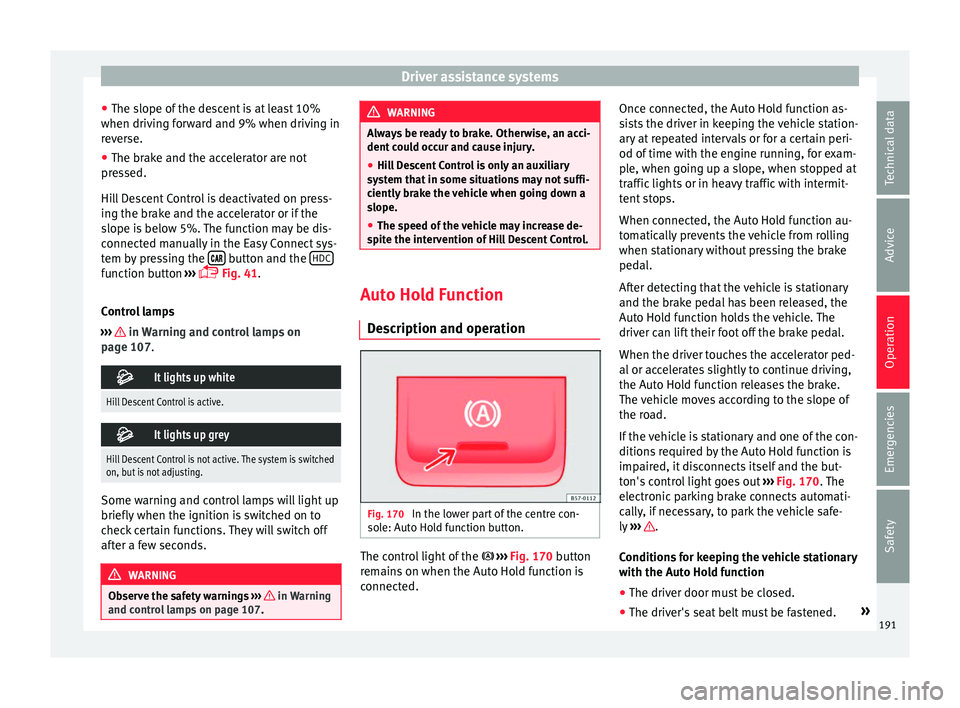
scription and operation Fig. 170
In the lower part of the centre con-
so l
e: Auto Hold function button. The control light of the
› ›
›
Fig. 170 button
remains on when the Auto Hold function is
connected. Once connected, the Auto Hold function as-
si
sts the driver in keeping the vehicle station-
ary at repeated intervals or for a certain peri-
od of time with the engine running, for exam-
ple, when going up a slope, when stopped at
traffic lights or in heavy traffic with intermit-
tent stops.
When connected, the Auto Hold function au-
tomatically prevents the vehicle from rolling
when stationary without pressing the brake
pedal.
After detecting that the vehicle is stationary
and the brake pedal has been released, the
Auto Hold function holds the vehicle. The
driver can lift their foot off the brake pedal.
When the driver touches the accelerator ped-
al or accelerates slightly to continue driving,
the Auto Hold function releases the brake.
The vehicle moves according to the slope of
the road.
If the vehicle is stationary and one of the con-
ditions required by the Auto Hold function is
impaired, it disconnects itself and the but-
ton's control light goes out ››› Fig. 170. The
electronic parking brake connects automati-
cally, if necessary, to park the vehicle safe-
ly ››› .
C ondition
s for keeping the vehicle stationary
with the Auto Hold function
● The driver door must be closed.
● The driver's seat belt must be fastened. »
191
Technical data
Advice
Operation
Emergencies
Safety
Page 196 of 328
Operation
Changing gear in CCS mode
The C C
S decelerates as soon as the clutch
pedal is pressed, intervening again automati-
cally after a gear is engaged.
Travelling down hills with the CCS
When travelling down hills the CCS cannot
maintain a constant speed. Slow the vehicle
down using the brake pedal and reduce
gears if required.
Automatic off
The cruise control system (CCS) is switched
off automatically or temporarily:
● If the system detects a fault that could af-
fect
the working order of the CCS.
● If you press and maintain the accelerator
pedal
for a certain time, driving faster than
the stored speed.
● If the dynamic driving control systems in-
ter
vene (e.g. ASR or ESC).
● If the airbag is triggered. Speed limiter
Dis
play messages and warning and
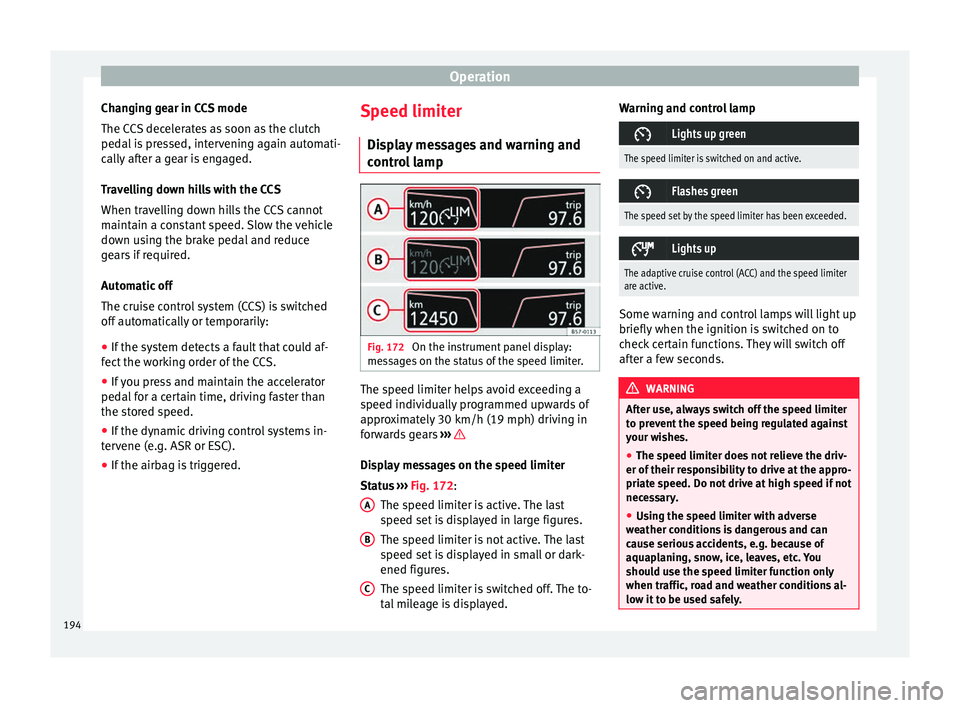
control lamp Fig. 172
On the instrument panel display:
me s
sages on the status of the speed limiter. The speed limiter helps avoid exceeding a
s peed indiv
idually programmed upwards of
approximately 30 km/h (19 mph) driving in
forwards gears ››› Display messages on the speed limiter
St
at
us ››› Fig. 172:
The speed limiter is active. The last
speed set is displayed in large figures.
The speed limiter is not active. The last
speed set is displayed in small or dark-
ened figures.
The speed limiter is switched off. The to-
tal mileage is displayed.
A B
C Warning and control lamp
Lights up green
The speed limiter is switched on and active.
Flashes green
The speed set by the speed limiter has been exceeded.
Lights up
The adaptive cruise control (ACC) and the speed limiter
are active.
Some warning and control lamps will light up
briefly
when the ignition i
s switched on to
check certain functions. They will switch off
after a few seconds. WARNING
After use, always switch off the speed limiter
t o pr
event the speed being regulated against
your wishes.
● The speed limiter does not relieve the driv-
er of their r
esponsibility to drive at the appro-
priate speed. Do not drive at high speed if not
necessary.
● Using the speed limiter with adverse
we
ather conditions is dangerous and can
cause serious accidents, e.g. because of
aquaplaning, snow, ice, leaves, etc. You
should use the speed limiter function only
when traffic, road and weather conditions al-
low it to be used safely. 194
Page 200 of 328
Operation
km/h (18 and 150 mph), as well as the tem-
por ar
y distance required with regard to the
vehicle in front. The ACC function will adapt
the vehicle's cruise speed at all times, main-
taining a safe distance with the vehicle in
front.
The ACC function is based on a radar sensor
that can measure the distance to the vehicles
in front.
If the vehicle is equipped with automatic
gearbox, the ACC can brake the vehicle until
it stops completely if a vehicle in front of it
stops.
Driver intervention prompt
During driving, the ACC is subject to certain
limitations inherent in the system. In other
words, in certain circumstances the driver will
have to adjust speed him or herself, as well
as the distance from other vehicles.
In this case, the instrument panel screen will
warn you to intervene by applying the brake
and a warning tone will be heard
››› page 199. WARNING
The intelligent technology in the ACC cannot
o v
ercome the system's inherent limitations
or change the laws of physics. If used negli-
gently or involuntarily, it may cause serious
accidents and injuries. The system is not a re-
placement for driver awareness. ●
Ad apt
your speed and safe distance to the
vehicle in front of you at all times to suit visi-
bility, weather, road and traffic conditions.
● Do not use the ACC when visibility is bad,
on st
eep roads, with several bends or in slip-
pery circumstances such as snow, ice, rain or
loose gravel, or on flooded roads.
● Never use the ACC when driving off-road or
on unp
aved roads. The ACC has been de-
signed for use on paved roads only.
● The ACC does not react on approaching a
fix
ed obstacle, such as the tail of a traffic
jam, a damaged vehicle or a vehicle stopped
at the traffic lights.
● The ACC only reacts to people if a pedes-
trian monit
oring system is available. In addi-
tion, the system does not react to animals or
vehicles crossing your path or approaching
head-on down the same lane.
● If the ACC does not reduce speed sufficient-
ly, br
ake the vehicle immediately by applying
the pedal.
● If you are driving using the spare wheel,
the AC
C system could automatically switch
off during the journey. Switch off the system
when starting off.
● If the vehicle continues to move involuntar-
ily
after a driver intervention prompt, brake
the vehicle by applying the pedal.
● If the dash panel displays a dri
ver interven-
tion prompt, adjust the distance yourself.
● The driver should be ready to accelerate or
brak
e by him/herself at all times. CAUTION
If you have the sensation that the radar sen-
sor i s
damaged, disconnect the ACC. This will
avoid possible damage. If this occurs have it
adjusted.
● Repairs to the radar sensor require special-
is
t knowledge and special tools. SEAT recom-
mends visiting a SEAT dealership for this pur-
pose. Note
● If the A
CC system does not work as descri-
bed in this chapter, do not use it until it has
been checked by a specialised workshop.
SEAT recommends visiting a SEAT dealership
for this purpose.
● Maximum speed with the ACC activated is
limited t
o 210 km/h (150 mph).
● When the ACC is switched on, strange
noise
s may be heard during automatic brak-
ing cause by the braking system. 198
Page 201 of 328
Driver assistance systems
Indications on the display, warning
and c ontr
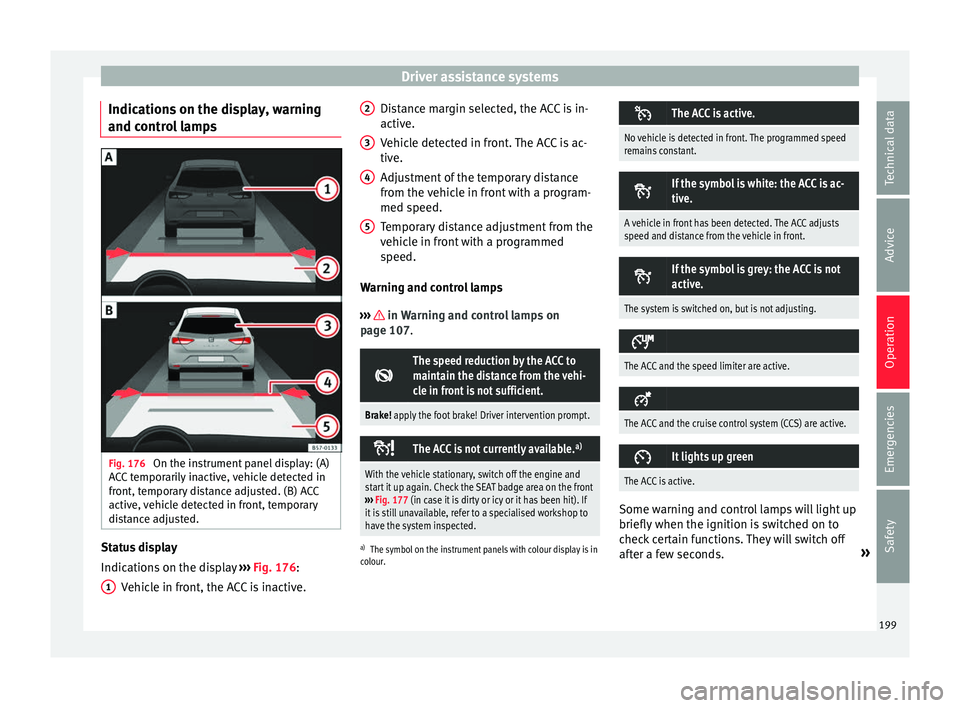
ol lamps Fig. 176
On the instrument panel display: (A)
A C
C temporarily inactive, vehicle detected in
front, temporary distance adjusted. (B) ACC
active, vehicle detected in front, temporary
distance adjusted. Status display
Indic
ation
s on the display ››› Fig. 176:
Vehicle in front, the ACC is inactive.
1 Distance margin selected, the ACC is in-
activ
e.
V
ehicle detected in front. The ACC is ac-
tive.
Adjustment of the temporary distance
from the vehicle in front with a program-
med speed.
Temporary distance adjustment from the
vehicle in front with a programmed
speed.
Warning and control lamps
››› in Warning and control lamps on
p ag
e 107.
The speed reduction by the ACC to
maintain the distance from the vehi-
cle in front is not sufficient.
Brake! apply the foot brake! Driver intervention prompt.
The ACC is not currently available.
a)
With the vehicle stationary, switch off the engine and
start it up again. Check the SEAT badge area on the front
››› Fig. 177 (in case it is dirty or icy or it has been hit). If
it is still unavailable, refer to a specialised workshop to
have the system inspected.
a) The symbol on the instrument panels with colour display is in
colour.
2 3
4
5 The ACC is active.
No vehicle is detected in front. The programmed speed
remains constant.
If the symbol is white: the ACC is ac-
tive.
A vehicle in front has been detected. The ACC adjusts
speed and distance from the vehicle in front.
If the symbol is grey: the ACC is not
active.
The system is switched on, but is not adjusting.
The ACC and the speed limiter are active.
The ACC and the cruise control system (CCS) are active.
It lights up green
The ACC is active.
Some warning and control lamps will light up
briefly
when the ignition i
s switched on to
check certain functions. They will switch off
after a few seconds. »
199
Technical data
Advice
Operation
Emergencies
Safety
Page 202 of 328
Operation
WARNING
Observe the safety warnings ›› › in Warning
and c ontr
ol lamps on page 107. Note
When the ACC is connected, the indications
on the in s
trument panel screen may be con-
cealed by warnings from other functions,
such as an incoming call. Radar sensor
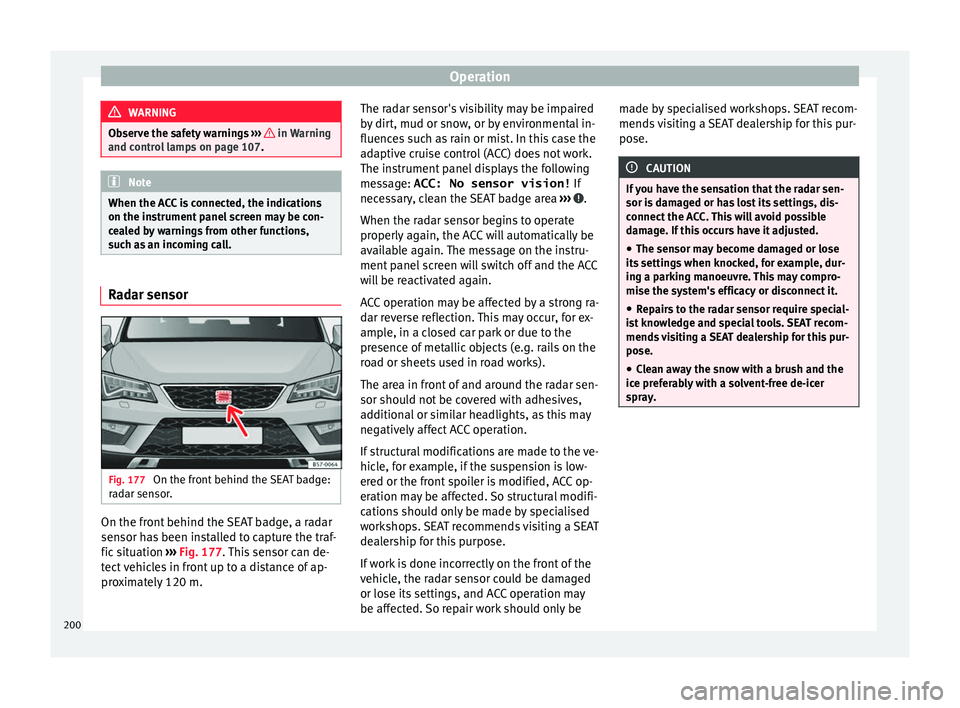
Fig. 177
On the front behind the SEAT badge:
r a
dar sensor. On the front behind the SEAT badge, a radar
sen
sor h
as been installed to capture the traf-
fic situation ›››
Fig. 177. This sensor can de-
tect vehicles in front up to a distance of ap-
proximately 120 m. The radar sensor's visibility may be impaired
by
dirt, mud or snow, or by environmental in-
fluences such as rain or mist. In this case the
adaptive cruise control (ACC) does not work.
The instrument panel displays the following
message: ACC: No sensor vision! If
necessary, clean the SEAT badge area ››› .
When the r a
dar sensor begins to operate
properly again, the ACC will automatically be
available again. The message on the instru-
ment panel screen will switch off and the ACC
will be reactivated again.
ACC operation may be affected by a strong ra-
dar reverse reflection. This may occur, for ex-
ample, in a closed car park or due to the
presence of metallic objects (e.g. rails on the
road or sheets used in road works).
The area in front of and around the radar sen-
sor should not be covered with adhesives,
additional or similar headlights, as this may
negatively affect ACC operation.
If structural modifications are made to the ve-
hicle, for example, if the suspension is low-
ered or the front spoiler is modified, ACC op-
eration may be affected. So structural modifi-
cations should only be made by specialised
workshops. SEAT recommends visiting a SEAT
dealership for this purpose.
If work is done incorrectly on the front of the
vehicle, the radar sensor could be damaged
or lose its settings, and ACC operation may
be affected. So repair work should only be made by specialised workshops. SEAT recom-
mends
visiting a SEAT dealership for this pur-
pose. CAUTION
If you have the sensation that the radar sen-
sor i s
damaged or has lost its settings, dis-
connect the ACC. This will avoid possible
damage. If this occurs have it adjusted.
● The sensor may become damaged or lose
its
settings when knocked, for example, dur-
ing a parking manoeuvre. This may compro-
mise the system's efficacy or disconnect it.
● Repairs to the radar sensor require special-
is
t knowledge and special tools. SEAT recom-
mends visiting a SEAT dealership for this pur-
pose.
● Clean away the snow with a brush and the
ice pr
eferably with a solvent-free de-icer
spray. 200
Page 204 of 328
Operation
Any modification to the programmed speed
i s
shown on the bottom left part of the instru-
ment panel display.
Adjusting distance level
The distance according to speed with regard
to the vehicle in front can be controlled on
the Easy Connect system on 5 levels
››› page 26.
In wet road conditions, you should always set
a larger distance with regard to the vehicle in
front than when driving in dry conditions.
The following distances can be preselected:
● Very short
● Short
● Media
● Long
● Very long
In the Ea
sy Connect system the distance that
must be set when connecting the ACC may be
adjusted using the button and the
Set
up and
Driv
er a
ssistance function buttons
› ›
› page 26.
Adjusting the driving programme
In vehicles with driving profile selection
(SEAT Drive Profile), the profile selected can
influence acceleration behaviour
››› page 225. The following driving programmes items can
be select
ed:
● Normal
● Sport
● Eco
● Convenience
In v
ehicles without the driving profile selec-
tion function, acceleration behaviour can be
influenced by selecting a driving programme
on the Easy Connect system using the button and the
Set
up and
Driv
er a
ssistance function buttons
››
›
page 26.
The following conditions may lead the ACC
not to react:
● If the accelerator is pressed.
● If there is no gear engaged.
● If the ESC is controlling.
● If the driver is not wearing his/her seat
belt.
● If
several brake lights of the vehicle or elec-
trical
ly connected trailer are damaged.
● If the vehicle is reversing.
● Driving faster than 210 km/h (150 mph). WARNING
There is a danger of rear collision when the
minimum di s
tance to the vehicle in front is
exceeded and the speed difference between both vehicles is so great that a speed reduc-
tion b
y
the ACC will not suffice. In this case
the brake pedal should be applied immedi-
ately.
● The ACC may not be able to detect all situa-
tions
properly.
● “Stepping” on the accelerator may cause
the AC
C not to intervene in braking. Driver
braking will have priority over intervention by
the speed control or adaptive cruise control.
● Always be ready to use the brakes!
● Observe country-specific provisions gov-
erning o
bligatory minimum distances be-
tween vehicles. Note
● The pr ogr
ammed speed is erased once the
ignition or the ACC are switched off.
● When the traction control system (ASR) is
deactiv
ated during acceleration or else the
ESC is activated in Sport* Mode
( ››› page 108), the ACC switches off automati-
cally.
● In vehicles with the Start-Stop system, the
engine sw
itches off automatically during the
ACC stopping phase and restarts automatical-
ly to begin driving. Vehicles with an automatic gearbox
If the vehicle is equipped with automatic
g
e
arbox, the ACC can brake the vehicle until
202
Page 208 of 328
Operation
Overtaking
When the t urn s
ignal lights up before the ve-
hicle begins an overtaking manoeuvre, the
ACC accelerates the vehicle automatically
and thus reduces the distance from the vehi-
cle in front.
When the vehicle enters the overtaking lane,
if the ACC does not detect another vehicle in
front, it accelerates until it reaches the pro-
grammed speed and maintains it.
System acceleration can be interrupted at
any time by pressing the brake or moving the
third lever backwards ››› page 201.
Driving through a bend
On entering or exiting bends, the radar sen-
sor may no longer determine the vehicle in
front or react to a vehicle in the adjacent lane
››› Fig. 182 A. In these situations the vehicle
may brake unnecessarily or fail to react to re-
act to the vehicle in front. In this case, the
driver has to intervene by accelerating or in-
terrupting the braking process by applying
the brake or pushing the third lever back-
wards ››› page 201.
Driving in tunnels
When driving through tunnels the radar sen-
sor may be limited. Switch off the ACC in tun-
nels. Narrow or misaligned vehicles
The ra
dar sensor can only detect narrow or
misaligned vehicles when they are within
range ››› Fig. 182 B. This applies particularly
to narrow vehicles such as motorbikes. In
these cases, you should brake as necessary.
Vehicles with special loads and accessories
Special loads and accessories of other vehi-
cles that jut out over the sides, backwards or
over the top may be out of the ACC's range.
Switch off the ACC when driving behind vehi-
cles with special loads and accessories or
when overtaking them. In these cases, you
should brake as necessary.
Other vehicles changing lanes
Vehicles changing lanes a short distance
away from your own can only be detected
when they are within range of the sensors.
Consequently, the ACC will take longer to re-
act ››› Fig. 183 C. In these cases, you should
brake as necessary.
Stationary vehicles
The ACC does not detect stationary objects
while driving, such as traffic tails or damaged
vehicles.
If a vehicle detected by the ACC turns or
moves over and there is a stationary vehicle
in front of it, the ACC will not react to it ›››
Fig. 183 D. In these c ases, you should
brake as necessary.
Vehicles driving in the opposite direction
and vehicles crossing your path
The ACC does not react to vehicles approach-
ing from the opposite direction or vehicles
crossing your path.
Metal objects
Metal objects, e.g. rails on the road or sheets
used in road works, can confuse the radar
sensor and cause the ACC to react wrongly.
Factors that may affect how the radar sensor
operates
If laser sensor operation is impaired, due to
heavy rain, spray, snow or mud, the ACC is
deactivated temporarily. The relevant text
message will appear in the dash panel dis-
play. If necessary clean the SEAT
badge ››› Fig. 177.
When the radar sensor begins to operate
properly again, the ACC will automatically be
available again. The message on the instru-
ment panel screen will switch off and the ACC
will be reactivated again.
ACC operation may be affected by a strong ra-
dar reverse reflection, for example in a closed
car park.
206
Page 211 of 328
Driver assistance systems
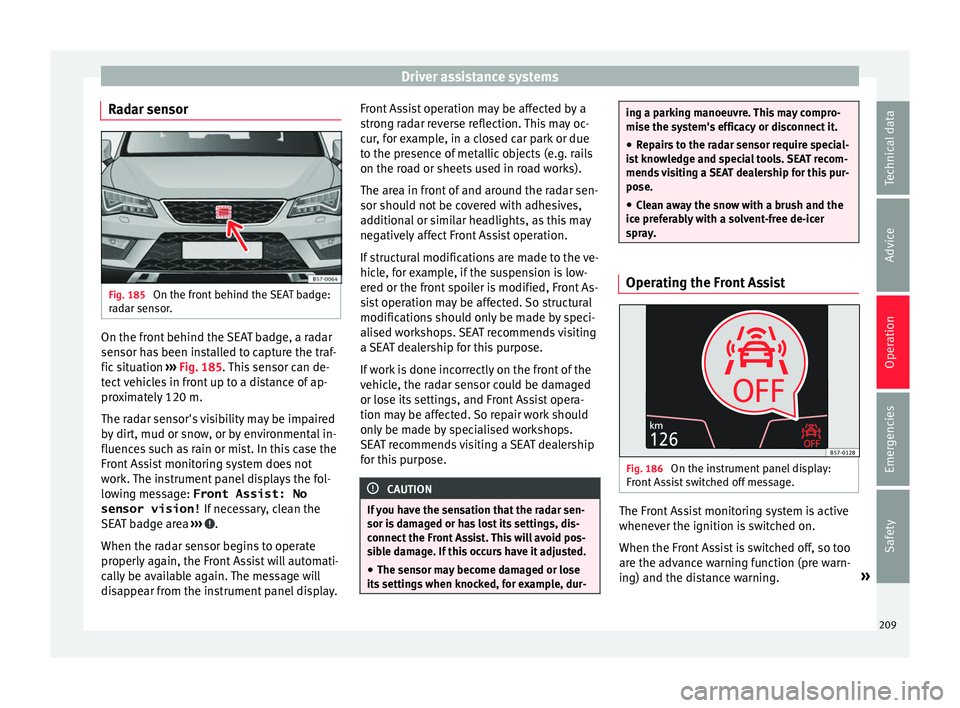
Radar sensor Fig. 185
On the front behind the SEAT badge:
r a
dar sensor. On the front behind the SEAT badge, a radar
sen
sor h
as been installed to capture the traf-
fic situation ››› Fig. 185. This sensor can de-
tect vehicles in front up to a distance of ap-
proximately 120 m.
The radar sensor's visibility may be impaired
by dirt, mud or snow, or by environmental in-
fluences such as rain or mist. In this case the
Front Assist monitoring system does not
work. The instrument panel displays the fol-
lowing message: Front Assist: No sensor vision! If necessary, clean the
SEAT badge area ››› .
When the r a
dar sensor begins to operate
properly again, the Front Assist will automati-
cally be available again. The message will
disappear from the instrument panel display. Front Assist operation may be affected by a
str
ong radar reverse reflection. This may oc-
cur, for example, in a closed car park or due
to the presence of metallic objects (e.g. rails
on the road or sheets used in road works).
The area in front of and around the radar sen-
sor should not be covered with adhesives,
additional or similar headlights, as this may
negatively affect Front Assist operation.
If structural modifications are made to the ve-
hicle, for example, if the suspension is low-
ered or the front spoiler is modified, Front As-
sist operation may be affected. So structural
modifications should only be made by speci-
alised workshops. SEAT recommends visiting
a SEAT dealership for this purpose.
If work is done incorrectly on the front of the
vehicle, the radar sensor could be damaged
or lose its settings, and Front Assist opera-
tion may be affected. So repair work should
only be made by specialised workshops.
SEAT recommends visiting a SEAT dealership
for this purpose. CAUTION
If you have the sensation that the radar sen-
sor i s
damaged or has lost its settings, dis-
connect the Front Assist. This will avoid pos-
sible damage. If this occurs have it adjusted.
● The sensor may become damaged or lose
its
settings when knocked, for example, dur- ing a parking manoeuvre. This may compro-
mi
se the sy
stem's efficacy or disconnect it.
● Repairs to the radar sensor require special-
is
t knowledge and special tools. SEAT recom-
mends visiting a SEAT dealership for this pur-
pose.
● Clean away the snow with a brush and the
ice pr
eferably with a solvent-free de-icer
spray. Operating the Front Assist
Fig. 186
On the instrument panel display:
Fr ont
Assist switched off message. The Front Assist monitoring system is active
whenev
er the ignition i
s switched on.
When the Front Assist is switched off, so too
are the advance warning function (pre warn-
ing) and the distance warning. »
209
Technical data
Advice
Operation
Emergencies
Safety
Page 213 of 328
Driver assistance systems
the system's reactions may be inopportune
or be del a
yed from the driver's standpoint.
So pay attention in order to intervene if nec-
essary.
The following conditions may cause the Front
Assist Monitoring System not to react or do
so too late:
● On taking tight bends.
● Pressing the accelerator all the way down.
● If the Front Assist is switched off or dam-
aged.
● If
the ASR has been manually disconnec-
ted.
● If
the ESC is controlling.
● If several brake lights of the vehicle or elec-
trical
ly connected trailer are damaged.
● If the radar sensor is dirty or covered.
● If there are metal objects, e.g. rails on the
ro
ad or sheets used in road works.
● If the vehicle is reversing.
● If the vehicle over-accelerates.
● In case of snow or heavy rain.
● In case of narrow vehicles, such as motor-
bik
es.
● Misaligned vehicles.
● Vehicles crossing the other's path. ●
Vehic
les approaching in the opposite direc-
tion.
● Special loads and accessories of other ve-
hicl
es that jut out over the sides, backwards
or over the top.
City Emergency braking function Fig. 187
On the instrument panel display: ad-
v anc
e warning message The City Emergency braking function is part
of
the Fr
ont Assist monitoring and is active
whenever the system is switched on.
Depending on the equipment, the City emer-
gency braking function may be switched on
and off in the Easy Connect system using
the button and the
Set
up andDriver assistance function buttons
› ›
› page 26.
The City Emergency braking function picks
up, at speeds between 4 km/h (2.5 mph) and
30 km/h (19 mph) approximately, the traffic
situation in front of the vehicle up to a dis-
tance of about 15 m.
If the system detects a possible collision with
a vehicle in front of it, the vehicle prepares
for a possible emergency braking ››› .
If the driv
er fails to react to a possible colli-
sion, the system may brake the vehicle auto-
matically, by progressively increasing braking
effect driving to reduce speed in the event of
a collision. The system can thus help to re-
duce the consequences of an accident.
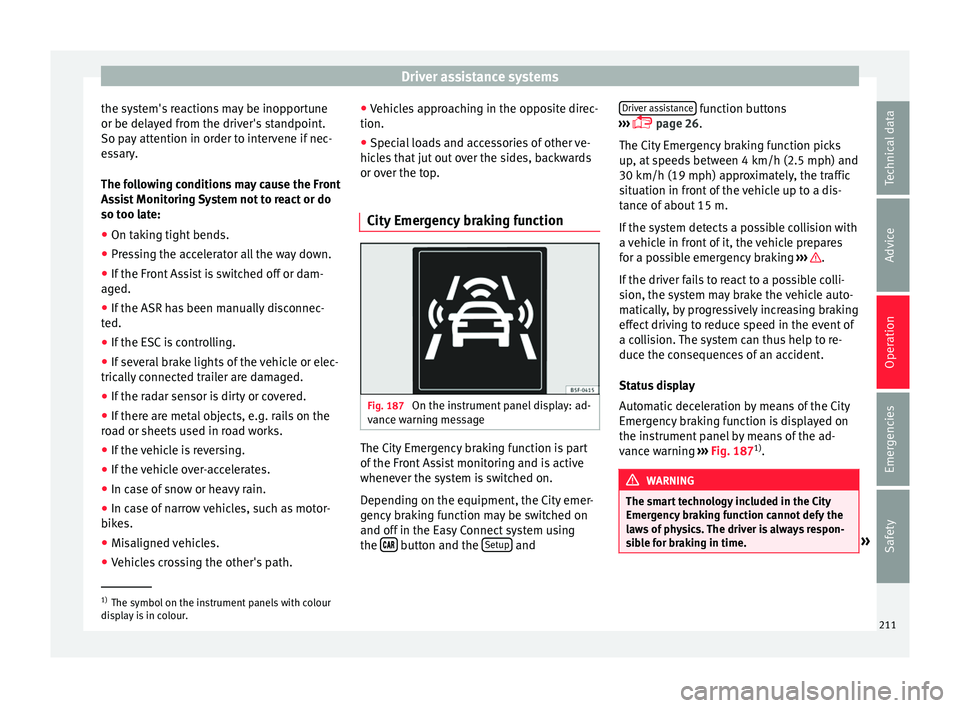
Status display
Automatic deceleration by means of the City
Emergency braking function is displayed on
the instrument panel by means of the ad-
vance warning ››› Fig. 187 1)
. WARNING
The smart technology included in the City
Emer g
ency braking function cannot defy the
laws of physics. The driver is always respon-
sible for braking in time. »1)
The symbol on the instrument panels with colour
di s
play is in colour. 211
Technical data
Advice
Operation
Emergencies
Safety
Page 217 of 328
Driver assistance systems
The system is operational, the highligh-
t ed line A indicates that there was a
ri sk
of involuntarily crossing the lane
line and that the steering is being adjus-
ted to correct the angle ››› Fig. 190 C.
The two lines A light up simultaneously
when both l ane line
s are recognised and
the Lane Assist function is active
››› Fig. 190 D.
Control lamps
Blinks or lights up yellow: Lane Assist
active but not available.
The system can not accurately recognise the lane.
Please see page 216, the Lane Assist system is not
available (the control lamp is lit up yellow).
Blinks or lights up green:
Lane Assist system active and available.
WARNING
Observe the safety warnings ››
› in Warning
and c ontr
ol lamps on page 107. –
–
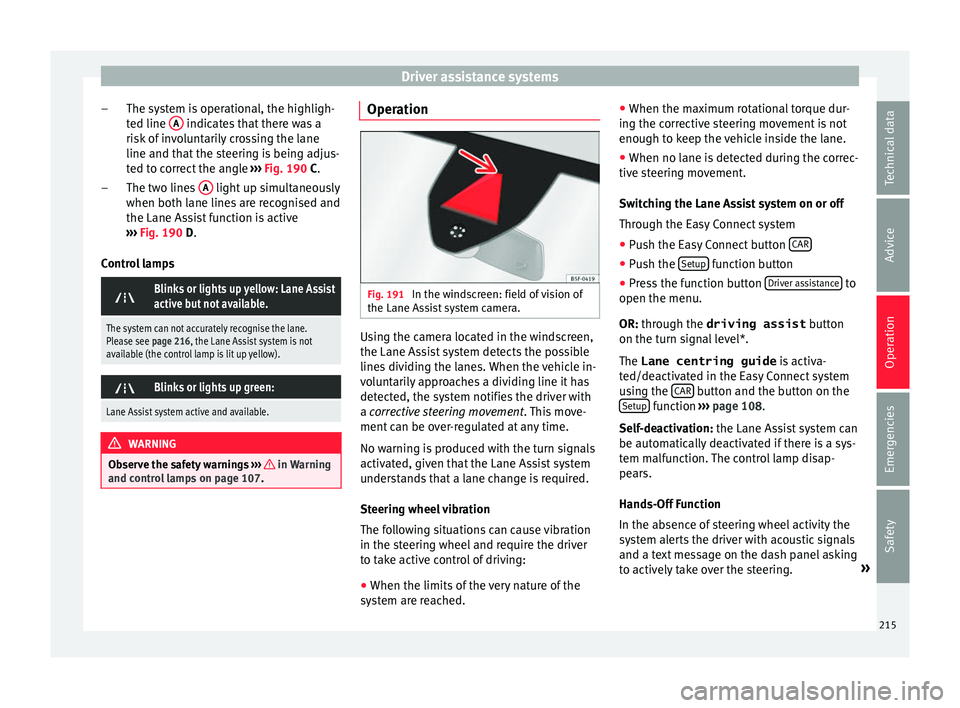
Operation Fig. 191
In the windscreen: field of vision of
the Lane As s
ist system camera. Using the camera located in the windscreen,
the Lane As
s
ist system detects the possible
lines dividing the lanes. When the vehicle in-
voluntarily approaches a dividing line it has
detected, the system notifies the driver with
a corrective steering movement . This move-
ment can be over-regulated at any time.
No warning is produced with the turn signals
activated, given that the Lane Assist system
understands that a lane change is required.
Steering wheel vibration
The following situations can cause vibration
in the steering wheel and require the driver
to take active control of driving:
● When the limits of the very nature of the
sys
tem are reached. ●
When the max
imum rotational torque dur-
ing the corrective steering movement is not
enough to keep the vehicle inside the lane.
● When no lane is detected during the correc-
tive s
teering movement.
Switching the Lane Assist system on or off
Through the Easy Connect system
● Push the Easy Connect button CAR ●
Push the Set
up function button
● Press the function button Driv
er a
ssistance to
open the menu.
OR: thr ough the driving assist
b
utton
on the turn signal level*.
The Lane centring guide is activa-
ted/deactivated in the Easy Connect system
using the CAR button and the button on the
Set up function
››
›
page 108.
Self-deactivation: the Lane Assist system can
be automatically deactivated if there is a sys-
tem malfunction. The control lamp disap-
pears.
Hands-Off Function
In the absence of steering wheel activity the
system alerts the driver with acoustic signals
and a text message on the dash panel asking
to actively take over the steering. »
215
Technical data
Advice
Operation
Emergencies
Safety