ignition Seat Ateca 2018 Owners Manual
[x] Cancel search | Manufacturer: SEAT, Model Year: 2018, Model line: Ateca, Model: Seat Ateca 2018Pages: 348, PDF Size: 7.32 MB
Page 263 of 348
Driver assistance systems
obstacles that are less than
30 c m a
w
ay from the vehicle are dis-
played in red.
Moreover, with the SEAT Media System
Plus/Navi System/Navi System Plus radios, a
yellow trail indicates the vehicle's expected
trajectory based on the steering angle.
Whenever the obstacle is located in the vehi-
cle’s direction of travel, the corresponding
audible warning will sound.
As the vehicle approaches an obstacle, the
segments are displayed closer to the vehicle.
When the penultimate segment is displayed,
this means that the vehicle has reached the
collision zone. In the collision zone, the ob-
stacles are represented in red, including
those out of the path. Do not continue to
move forward (or backward) ››› in Descrip-
tion on p ag
e 258
, ››› in Description on
p ag
e 258
!
In the event the car is equipped with the Top
View Camera system, Park Assist visual guid-
ance will appear in accordance with the view
selected in the Top View Camera system.
Adjusting the display and audible
warning
s The settings for the display and audible
w
arnin g
s are controlled via the Easy Con-
nect*. Red segments: Automatic activation
on – activate
s the Automatic activa-
tion option ››› page 260.
off – deactivates the Automatic ac-
tivation option ››› page 260.
Front volume*
Volume in the front and rear area.
Front sound settings/sharpness*
Frequency (tone) of the sound in the front
area.
Rear volume*
Volume in the rear area.
Rear sound settings/sharpness*
Frequency (tone) of the sound in the rear
area.
Adjust volume
With the parking aid switched on, the active
audio/video source volume will be reduced
to the intensity of the selected setting.
Error messages When the Parking Aid is activated or when it
i
s
sw
itched on, if a message reporting a Park- ing aid error is displayed on the instrument
panel, there i
s a fault in the system.
If the fault does not disappear before discon-
necting the ignition, the next time that the
parking aid is engaged in reverse, no audible
signal of the existence of a fault will be is-
sued.
If there is a fault in the parking aid system a
message will appear on the instrument panel
indicating the error. In addition the key
LED will blink.
If there is a fault in a sensor, the symbol is
displayed on the Easy Connect display in
front of/behind the vehicle. If a rear sensor is
faulty, only the obstacles in area A are dis-
p l
a
yed ››› Fig. 223. If a front sensor is faulty,
only the obstacles in area B are displayed.
Hav e the f
au
lt corrected by a specialised
workshop without delay.
261
Technical data
Advice
Operation
Emergencies
Safety
Page 267 of 348
Driver assistance systems
they are displayed if the
o b
s
tacle is not in the vehicle's direction
of travel, even when the electronic park-
ing brake is activated.
obstacles located in the
vehicle's trajectory and which are more
than 30 cm away from the vehicle are
displayed in yellow.
obstacles that are less than
30 cm away from the vehicle are dis-
played in red.
Whenever the obstacle is located in the vehi-
cle’s direction of travel, the corresponding
audible warning will sound.
As the vehicle approaches an obstacle, the
segments are displayed closer to the vehicle.
When the penultimate segment is displayed,
this means that the vehicle has reached the
collision zone. In the collision zone, the ob-
stacles are represented in red, including
those out of the path. Do not continue to re-
verse ››› in Description on page 263,
››
›
in Description on page 263 !
If
y
ou are equipped with the Top View
Camera*
Segments are not displayed when the vehicle
is equipped with Top View Camera*.
The PDC system will issue an audible warning
for objects that are near the rear of the vehi-
cle, and the Top View Camera* image will be White segments:
Yellow segments:
Red segments: available on the screen, giving a real image
of the ob
jects around the car.
Adjusting the display and audible
warning
s The settings for the display and audible
warnin
g
s are controlled via the Easy Con-
nect*.
Rear volume*
Volume in the rear area.
Rear sound settings/sharpness*
Frequency (tone) of the sound in the rear
area.
Adjust volume
With the parking aid switched on, the active
audio/video source volume will be reduced
to the intensity of the selected setting.
Error messages When the Parking Aid is activated or when it
i
s
sw
itched on, if a message reporting a Park-
ing aid error is displayed on the instrument
panel, there is a fault in the system.
If the fault disappears before disconnecting
the ignition, the next time that the parking aid is engaged in reverse, no audible signal
of the ex
istence of a fault will be issued.
If there is a fault in a sensor, the symbol is
displayed on the Easy Connect display.
Have the fault corrected by a specialised
workshop without delay.
Towing bracket In vehicles equipped with a towing bracket
devic
e fr
om the factory, when the trailer is
connected electrically, the Parking Aid rear
sensors will not be activated when reverse
gear is engaged (manual gears) nor when the
selector lever is turned to position R (auto-
matic gears).
Top View Camera* Rel at
ed video Fig. 229
Smart solutions 265
Technical data
Advice
Operation
Emergencies
Safety
Page 270 of 348
Operation
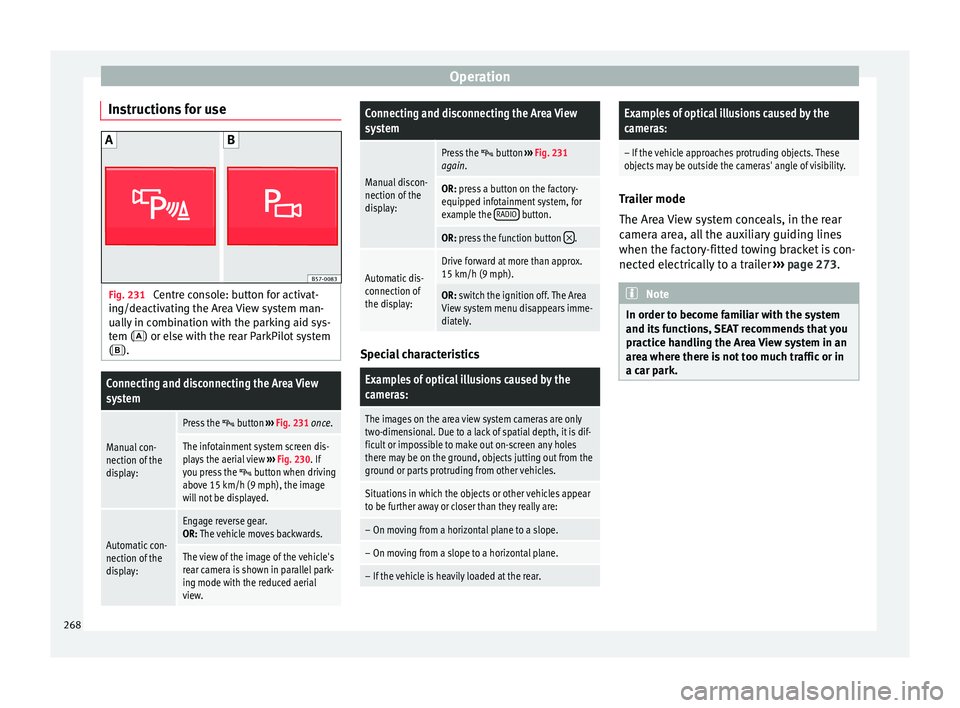
Instructions for use Fig. 231
Centre console: button for activat-
in g/de
activ
ating the Area View system man-
ually in combination with the parking aid sys-
tem () or else with the rear ParkPilot system ().
Connecting and disconnecting the Area View
system
Manual con-
nection of the
display:
Press the button ››› Fig. 231 once.
The infotainment system screen dis-
plays the aerial view ››› Fig. 230. If
you press the
button when driving
above 15 km/h (9 mph), the image
will not be displayed.
Automatic con-
nection of the
display:
Engage reverse gear.
OR: The vehicle moves backwards.
The view of the image of the vehicle's
rear camera is shown in parallel park-
ing mode with the reduced aerial
view.
Connecting and disconnecting the Area View
system
Manual discon-
nection of the
display:
Press the button ››› Fig. 231
again.
OR: press a button on the factory-
equipped infotainment system, for
example the RADIO
button.
OR: press the function button .
Automatic dis-
connection of
the display:Drive forward at more than approx.
15 km/h (9 mph).
OR: switch the ignition off. The Area
View system menu disappears imme-
diately. Special characteristics
Examples of optical illusions caused by the
cameras:
The images on the area view system cameras are only
two-dimensional. Due to a lack of spatial depth, it is dif-
ficult or impossible to make out on-screen any holes
there may be on the ground, objects jutting out from the
ground or parts protruding from other vehicles.
Situations in which the objects or other vehicles appear
to be further away or closer than they really are:
– On moving from a horizontal plane to a slope.
– On moving from a slope to a horizontal plane.
– If the vehicle is heavily loaded at the rear.
Examples of optical illusions caused by the
cameras:
– If the vehicle approaches protruding objects. These
objects may be outside the cameras' angle of visibility. Trailer mode
The Are
a
View system conceals, in the rear
camera area, all the auxiliary guiding lines
when the factory-fitted towing bracket is con-
nected electrically to a trailer ››› page 273. Note
In order to become familiar with the system
and its f
unctions, SEAT recommends that you
practice handling the Area View system in an
area where there is not too much traffic or in
a car park. 268
Page 273 of 348
Driver assistance systems
●
The sys t
em is not a replacement for driver
awareness. Supervise the parking operation
at all times, as well as the vehicle's surround-
ing area. Adapt your speed and driving style
at all times to suit visibility, weather, road
and traffic conditions.
● Do not be distracted from the traffic by
looking at
the screen.
● The images on the rear assist screen are
only tw
o-dimensional. Due to a lack of spatial
depth, protruding parts or holes in the road,
for example, are more difficult to detect or
may not be seen at all.
● Vehicle load modifies the representation of
the orientation lines
displayed. The width
represented by the lines diminishes with ve-
hicle load. Pay special attention to the vehi-
cle's surroundings when the inside of the ve-
hicle of the luggage compartment is carrying
a heavy load.
● In the following situations, the objects or
other vehic
les shown in the navigation sys-
tem display appear to be further away or
closer than they really are: Pay special atten-
tion:
– On moving from a horizontal plane to a
slope.
– On moving from a slope to a horizontal
plane.
– If the vehicle is heavily loaded at the
rear.
– When the vehicle approaches objects
that are not on the ground surface or are
jutting out from it. These objects may al- so be outside the camera's angle of vi-
sion when r
ev
ersing. Note
● It is
important to take great care and pay
special attention if you are not yet familiar
with the system.
● Rear assist will not be available if the vehi-
cle's
rear lid is open. Instructions for use
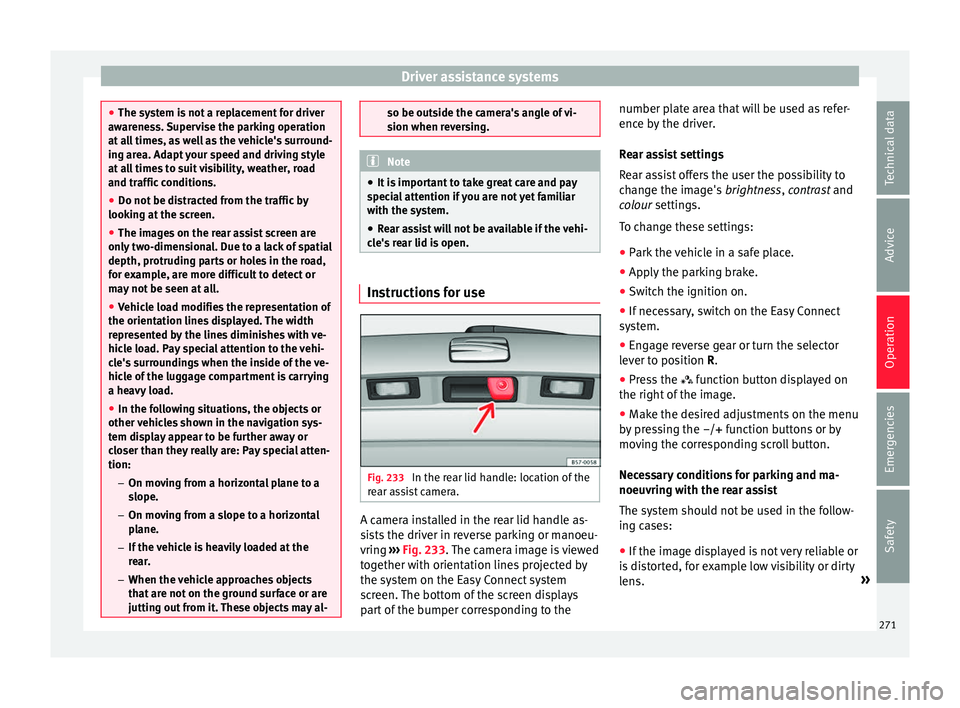
Fig. 233
In the rear lid handle: location of the
r e
ar a
ssist camera. A camera installed in the rear lid handle as-
s
i
s
ts the driver in reverse parking or manoeu-
vring ››› Fig. 233. The camera image is viewed
together with orientation lines projected by
the system on the Easy Connect system
screen. The bottom of the screen displays
part of the bumper corresponding to the number plate area that will be used as refer-
ence by
the driver.
Rear assist settings
Rear assist offers the user the possibility to
change the image's brightness, contrast and
colour settings.
To change these settings:
● Park the vehicle in a safe place.
● Apply the parking brake.
● Switch the ignition on.
● If necessary, switch on the Easy Connect
syst
em.
● Engage reverse gear or turn the selector
lever t
o position R.
● Press the function b
utton displayed on
the right of the image.
● Make the desired adjustments on the menu
by pr
essing the –/+ function buttons or by
moving the corresponding scroll button.
Necessary conditions for parking and ma-
noeuvring with the rear assist
The system should not be used in the follow-
ing cases:
● If the image displayed is not very reliable or
is di
storted, for example low visibility or dirty
lens. »
271
Technical data
Advice
Operation
Emergencies
Safety
Page 277 of 348

Towing bracket device*
not going to be used. In the event of a rear-
end co
l
lision, the damage to the vehicle
could be greater if the bracket is fitted.
● Some retrofitted towing brackets cover the
rear t
owing eye. In these cases, the towing
eye should not be used for tow-starting or for
towing other vehicles. For this reason, if the
vehicle has been retrofitted with a towing
bracket, always keep the tow hitch in the ve-
hicle when you disassemble it. Control lamp
Lamp on button lights up
The tow hitch is not securely locked in position.
Check that the towing bracket is locked
››› page 276. Some warning and control lamps will light up
briefly
when the ignition i
s
switched on to
check certain functions. They will switch off
after a few seconds. WARNING
If the warning lamps and the corresponding
mes s
ages are ignored when they light up, the
vehicle may stall in traffic and cause acci-
dents and severe injuries.
● Never ignore the warning lamps or messag-
es.
● Stop the
vehicle at the next opportunity
and in a safe p
lace. CAUTION
Failure to heed the control lamps and corre-
spondin g t
ext messages when they light up
may result in damage to the vehicle. Technical requirements
Vehicles that are
factor
y-equipped with a
towing bracket fulfil all the technical and le-
gal requirements for driving with a trailer.
If the vehicle is retrofitted with a towing
bracket, only a bracket that is authorised for
the maximum authorised load of the trailer
that is to be towed may be fitted. The towing
bracket must be suitable for the vehicle and
the trailer and must be properly secured to
the vehicle's chassis. Only use a towing
bracket that has been authorised by SEAT for
this vehicle. Always check and take into ac-
count the towing bracket manufacturer's in-
structions. Never fit a towing bracket “with
weight distribution” or “load compensation”.
Towing bracket fitted on the bumper
Never fit a towing bracket to the bumper or to
the area where the bumper is mounted. The
towing bracket should not impair the bum-
per's function. Do not make modifications or
repairs to the exhaust system or the brake
system. Make regular checks to ensure that
the towing bracket is secure. Engine cooling system
Drivin
g w
ith a trailer increases the load on
the engine and cooling system. The cooling
system should have sufficient coolant and be
prepared for the additional effort involved in
driving with a trailer.
Trailer brakes
If the trailer has its own brake system, please
take the relevant legal requirements into ac-
count. Never connect the trailer's brake sys-
tem to the vehicle's brake system.
Tow rope
Always use a cable between the vehicle and
the trailer ››› page 278.
Trailer rear lights
The trailer's rear lights should comply with
the statutory safety regulations ››› page 278.
Never connect the trailer's rear lights directly
to the vehicle's electric system. If you are not
sure that the trailer's electrical connection is
correct, have it checked by a specialised
workshop. SEAT recommends visiting a SEAT
dealership for this.
Exterior mirrors
If you cannot see the area behind the trailer
with the exterior mirrors of the towing vehi-
cle, additional mirrors will have to be instal-
led in accordance with the regulations of the »
275
Technical data
Advice
Operation
Emergencies
Safety
Page 281 of 348
Towing bracket device*
Before hitching or unhitching a trailer, always
t urn off
the anti-thef
t alarm. Otherwise, the
tilt sensor could cause the alarm to go off.
Trailers with LED rear lights
For technical reasons, trailers fitted with LED
rear lights cannot be connected to the anti-
theft alarm system.
When the vehicle is locked, the alarm does
not go off when the electrical connection with
the trailer is cut if it has rear lights with light-
emitting diodes.
If the Eco driving profile was selected when
hitching the trailer, this will automatically
switch to the Normal profile. If the system
cannot detect the attached trailer or if the
towing bracket has been retrofitted by an au-
to repair shop other than SEAT, you must
manually select the Normal profile before you
start driving with a trailer attached. To recon-
nect the Eco profile once the trailer has been
unhitched, switch the ignition off and back
on once. WARNING
If the cables are improperly or incorrectly
connect ed, it
may lead to an excessive
amount of current supplied to the trailer,
which can cause abnormalities in the entire
vehicle electronic system, as well as acci-
dents and serious injuries. ●
Ens ur
e that any repairs that need to be car-
ried out on the electrical system are carried
out by a specialised workshop.
● Never connect the trailer's electric system
directly t
o the electrical connections of the
tail lights or any other power sources. WARNING
Contact between the pins of the trailer power
soc ket
can cause short circuits, overloading
of the electrical system or failure of the light-
ing system, and consequently can cause acci-
dents and serious injuries.
● Never connect the pins of the trailer power
socket
to each other.
● Make sure any work on bent pins is carried
out by
a specialised workshop. CAUTION
Do not leave the trailer connected to the vehi-
cl e when p
arked; place it on its support
wheel or its supports. If the vehicle rises or
falls due, for example, to a variation of the
load or a burst tyre, increased pressure will
be placed on the towing bracket and the trail-
er, and both the vehicle and the trailer can be
damaged. Note
● In ca se of
malfunctioning of the electrical
systems of the vehicle or trailer, as well as of the anti-theft system, have these checked out
by
a s
pecialised workshop.
● If the trailer accessories consume energy
through the pow
er socket to the trailer and
the engine is turned off, the battery will dis-
charge.
● If the vehicle battery is running low, the
electrica
l connection with the trailer will be
automatically cut. Loading a trailer
Technically permissible maximum trailer
w
eight
and
vertical load on the coupling de-
vice
The technically permissible maximum trailer
weight is the weight that the vehicle can tow
››› . The vertical load on the coupling load
i s
e
xerted vertically from above on the tow
hitch of the towing bracket ››› page 319.
The information on the maximum trailer
weight and vertical load on the coupling de-
vice contained in the type plate of the towing
bracket are experimental values only. The
correct figures for your specific model, which
may be lower than these figures, are given in
the vehicle documentation. The information
in the vehicle documentation takes prece-
dence at all times. »
279
Technical data
Advice
Operation
Emergencies
Safety
Page 288 of 348
Advice
Automatic car washes
B ef
or
e going through a car wash, be sure to
take the usual precautions such as closing
the windows and roof. If the vehicle has spe-
cial accessories such as spoilers or a roof
rack, it is advisable to consult the car wash
tunnel operator.
It is best to use a car wash without revolving
bristles if possible.
Washing the vehicle with a high pressure
cleaner
When washing the vehicle with a high-pres-
sure cleaner, always follow the operating in-
structions for the equipment. This applies
particularly to the operating pressure and the
spraying distance. Do not hold the nozzle too
close to soft materials such as rubber hoses
or seals. The same applies for the parking aid
sensors*, which are located in the rear
and/or front bumper.
Do not use a nozzle that sprays the water out
in a direct stream or one that has a rotating
jet for forcing off dirt.
Factory-fitted adhesive sheets
The following indications should be taken in-
to account to avoid damaging adhesive
sheets:
● Do not use high pressure cleaners. ●
Do not use s crapers to remove ice or snow
from the sheets.
● Do not polish the adhesive sheets.
● Do not use dirty cloths or sponges.
● It is preferable to wash them with a soft
spong
e and gentle neutral soap.
Washing the car by hand
When washing the car by hand, use plenty of
water to soften the dirt first, and rinse off as
well as possible.
Then clean the vehicle with a soft sponge,
glove or brush using only slight pressure.
You should start on the roof and work down.
Special car soap should only be used for very
persistent dirt.
Rinse the sponge or glove thoroughly and of-
ten.
Wheels, sills and similar should be cleaned
last. Use a second sponge for this. WARNING
● The v ehic
le should only be washed with the
ignition switched off. Failure to follow this in-
struction could result in an accident.
● Do not clean the underside of chassis, the
inside of
wheel arches or wheel trims without
protecting your hands and arms. You may cut
yourself on sharp-edged metal parts. Other-
wise, there is a risk of sustaining cuts. ●
When wa shin
g the car during the winter
season: water and ice in the brake system
can reduce braking effectiveness: risk of acci-
dent! CAUTION
● Do not wa
sh the vehicle in direct sunlight –
otherwise the paint can be damaged.
● Do not use sponges, abrasive household
spong
es or similar to clean insect remains.
This could damage the surface.
● Clean off stubborn dirt (insects, etc.) from
the headlight
s at regular intervals, for in-
stance when filling the fuel tank. The head-
lights should only be washed with water, do
not wipe them with a dry cloth or sponge. It
is best to use soapy water.
● Never wash tyres with a jet that sprays the
water out
in a direct stream. This could dam-
age the tyres even if the spray is kept at a
distance and only used for a very short time.
● Before washing the vehicle in an automatic
car wa
sh, please make sure to retract the ex-
terior mirrors to prevent them from being
damaged. Electrically retractable exterior
mirrors must not be folded in or out by hand,
always use the electrical power control. CAUTION
● Bef or
e washing the vehicle in an automatic
car wash, please proceed as follows to lock
the wiper arms so that they are not moved to-
wards the top of the windscreen: 286
Page 289 of 348
Care and maintenance
–
the bonnet mu s
t be closed.
– switch the ignition on and off.
– press the windscreen wiper lever forward
briefly (windscreen washer function).
This will lock the wiper arms. For the sake of the environment
The car should only be washed in special
w ash b
ays. These areas are prepared to pre-
vent oily water from getting into the public
drains. In some places, washing vehicles out-
side the areas intended for this purpose is
prohibited. Camera sensors and lenses
●
Use a small brush to remove snow and a
de-ic er s
pr
ay to remove ice.
● Clean the sensors with a solvent-free prod-
uct and a soft, dr
y cloth.
● Moisten the camera lens using a standard
alcohol-b
ased glass cleaning agent and
clean the lens with a dry cloth. In the active
lane assist*, the area in front of the lens is
normally cleaned with the windscreen wash-
er. CAUTION
● When y ou c
lean the vehicle with a pressure
washer: –
Sta y
a suitable distance from the sensors
on the front and rear bumpers.
– Do not clean the camera lenses or sur-
rounding area with the pressure washer.
● Never use warm or hot water to remove
snow and ic
e from the reverse camera lens,
as it could crack the lens.
● Never use abrasive cleaning agents on the
lens. Waxing and polishing
Care
W
ax
in
g protects the paintwork. It is time to
apply a coat of good wax when water no lon-
ger forms droplets and rolls off the clean
paintwork.
Even if a wax solution is used regularly in the
vehicle washing tunnel, it is advisable to pro-
tect the paint with a hard wax coating at least
twice a year.
In the summer, you will find it is much easier
to remove dead insects (which accumulate
on the bumper and the front of the bonnet) if
the car has been treated with care products
recently.
Polishing
Polishing is only necessary if the paint has
lost its shine, and the gloss cannot be
brought back by putting on wax. If the polish does not contain wax, a wax
product shou
ld be applied after polishing. CAUTION
● Do not u se po
lishes and hard wax on pain-
ted parts with a matt finish or on plastic
parts.
● Do not apply paint polishes to the side trim
that ru
ns around the panoramic roof and ends
on the windscreen. However, it can be treated
with hard wax. Trims
In respect for the environment, the silver-
p
l
at
ed trims on the body are made of pure
aluminium (they do not contain chrome).
Dirt or marks on the trim mouldings should
be removed with a cleaning product with a
neutral PH (do not use a chrome cleaner).
Body polish is also unsuitable for use on trim
mouldings. The intensive cleaning fluids of-
ten used before the car goes into a car wash
may contain alkaline substances, which can
cause dull or milky patches when they dry
out.
SEAT Official Services carry stocks of cleaning
products which have been tested for use on
your vehicle and are not harmful to the envi-
ronment.
287
Technical data
Advice
Operation
Emergencies
Safety
Page 294 of 348
Advice
CAUTION
● Do not u se so
lvents, wax polish, shoe
cream, stain removers, leather cleaning prod-
ucts or any similar products on Alcantara.
● To avoid damage, stubborn stains should
be remov
ed by a specialised workshop.
● On no account use brushes, hard sponges
or simil
ar utensils. Seat belts
–
Keep the seat belts clean.
– For cleaning, use a mild solution of soap
and w at
er
.
– Check the condition of the seat belts at reg-
ular int
ervals.
The retract function may not operate properly
in very dirty belts. Make sure that the inertia
reel seat belts are completely dry before al-
lowing them to retract. CAUTION
● Do not r emo
ve the seat belts from the vehi-
cle to clean them.
● Do not use chemical cleaning agents on the
seat belt
s, as this can damage the webbing.
Ensure that the seat belts do not come into
contact with corrosive fluids.
● If you find any damage to the belt webbing,
belt fitting
s, the belt retractor or the buckle, the belt in question must be replaced by a
spec
i
alised workshop. Checking and refilling levels
Fi l
lin
g the tank
Refuelling Read the additional information carefully
›› ›
page 56
If the automatic filler nozzle is operated cor-
rectly, it will switch itself off as soon as the
fuel tank is “full”. Do not try to put in more
fuel after the nozzle cuts out, as this will fill
the expansion chamber in the fuel tank.
The correct fuel grade for your vehicle is giv-
en on a sticker on the inside of the fuel tank
flap. Further notes on fuel can be found at
››› page 293.
The capacity of your vehicle's fuel tank is giv-
en in ›››
page 56. WARNING
Fuel is highly flammable and can cause seri-
ous b
urns and other injuries.
● When refuelling, turn off the engine, the
auxili
ary heater ››› page 177 and turn off the
ignition for safety reasons.
● Do not smoke when filling the fuel tank or a
canis
ter. Naked flames are forbidden in the
vicinity due to the risk of explosion. 292
Page 295 of 348
Checking and refilling levels
●
Ob ser
ve legislation governing the use,
storage and carrying of a spare fuel canister
in the vehicle.
● For safety reasons we do not recommend
carry
ing a spare fuel canister in the vehicle.
In an accident the canister could be damaged
and could leak.
● If, in exceptional circumstances, you have
to carr
y a spare fuel canister, please observe
the following points:
– Never fill fuel into the spare fuel canister
if it is inside or on top of the vehicle. An
electrostatic charge could build up during
filling, causing the fuel vapour to ignite.
Danger of explosion. Always place the
canister on the ground to fill it.
– Insert the filling nozzle as far as possible
into the spare fuel canister.
– If the spare fuel canister is made of met-
al, the filling nozzle must be in contact
with the canister during filling. This
helps prevent an electrostatic charge
building up.
– Never spill fuel in the vehicle or in the
luggage compartment. Fuel vapour is ex-
plosive. Risk of fatal accident! CAUTION
● If an y
fuel is spilt onto the vehicle, it
should be removed immediately. It could oth-
erwise damage the paintwork.
● Never run the tank completely dry. An irreg-
ular f
uel supply could cause misfiring. As a
result, unburnt fuel could enter the exhaust
system and damage the catalytic converter.
● When filling the fuel tank after having run it
compl
etely dry on a vehicle with a diesel en-
gine, the ignition must be switched on for at
least 30 seconds before starting the engine.
When you then start the engine it may take
longer than normal (up to one minute) to
start firing. This is because air needs to be
bled from the fuel system while starting. For the sake of the environment
Do not overfill the fuel tank, it may cause the
fuel t
o overflow if it becomes warm. Note
There is no emergency mechanism for the
manua l
release of the fuel tank flap. If neces-
sary, request assistance from specialised per-
sonnel. Note
Diesel vehicles are fitted with a protective de-
vic e th
at prevents the insertion of the wrong
fuel hose 1)
. It is only possible to refuel with
Diesel nozzles.
● If the pump nozzle is worn, damaged, or if
it is
very small, it is possible that it will not
be able to open the protective device. Before
trying to insert the pump nozzle by turning it,
try a different pump or request specialist
help.
● If you fill the tank from a reserve fuel canis-
ter, the pr
otective device will not open. One
way to resolve this is to pour the fuel in very
slowly. Fuel
Ty
pe
s of petrol The correct grade of petrol is listed inside the
f
uel
t
ank flap.
The vehicle is equipped with a catalytic con-
verter and must only be run on unleaded pet-
rol. The petrol must comply with European
Standard EN 228 or German standard DIN
51626-1 and must be unleaded. You can re-
fuel with a maximum ethanol proportion of »1)
Depending on country
293
Technical data
Advice
Operation
Emergencies
Safety