AUX Seat Ateca 2018 User Guide
[x] Cancel search | Manufacturer: SEAT, Model Year: 2018, Model line: Ateca, Model: Seat Ateca 2018Pages: 348, PDF Size: 7.32 MB
Page 182 of 348
Operation
WARNING
Never programme the auxiliary heater so that
it sw it
ches itself on and is running in an en-
closed space or an area with no ventilation.
The auxiliary heater exhaust fumes contain
carbon monoxide, an odourless and colour-
less toxic gas. Carbon monoxide can cause
people to lose consciousness. It can also
cause death. Operating instructions
The auxiliary heater exhaust system located
belo
w the
v
ehicle must be kept clear of snow,
mud and other objects. The exhaust fumes
must be able to exit freely. The emissions
generated by the auxiliary heater are re-
moved via an exhaust pipe fitted underneath
the vehicle.
On heating the vehicle interior, depending on
the outside temperature, the warm air is first
directed at the windscreen and then to the
rest of the vehicle interior through the air
vents. Directing the diffusers – towards the
windows for example – can affect air distribu-
tion.
When will the auxiliary heater not be activa-
ted?
● The auxiliary heater requires about as
much po w
er as the dipped beam headlights.
If the 12-volt battery charge is too low, the auxiliary heater switches off automatically
and cannot
be sw
itched on. This avoids prob-
lems when starting the engine.
● The heating must be activated every time
you want
to set off. Similarly, the departure
time must reactivate each time.
● The control lamp (fuel l
evel indicator)
lights up. Note
● Noise s
will be heard while the auxiliary
heater is running.
● When the air humidity is high and the in-
side temper
ature low, condensation from the
heating and ventilating system may evapo-
rate when the auxiliary heater is switched on.
In this case, steam may be released from un-
derneath the vehicle. This does not mean
that there is a vehicle malfunction.
● If the vehicle is tilted, e.g. if parked on a
slope, the operation of
the auxiliary heater
may be restricted if the fuel tank level is low
(just above the reserve level).
● If the auxiliary heater is used a number of
times f
or a long period of time, the 12-volt
battery will lose its charge. To recharge the
battery, the vehicle must be driven for a num-
ber of kilometres from time to time. As a
guideline: The journey should last approxi-
mately as long as the heater was connected.
● At temperatures below +5°C (+41°F), the
auxili
ary heater may switch itself on automat-
ically when the engine is switched on. The auxiliary heater is switched off again after a
cer
t
ain time.180
Page 187 of 348
Driving
●
Never u se s
prays to cold start the engine. CAUTION
● The s tar
ter motor or the engine may be
damaged if you try to start the engine while
driving or if you restart it immediately after
switching it off.
● If the engine is cold, avoid high engine
speeds, p
ushing the engine too hard and rap-
id acceleration.
● Do not start the engine by pushing the ve-
hicle or t
owing it. Unburnt fuel could enter
the catalytic converter and damage it. Note
● Do not w ait
until the engine warms up with
the vehicle stationary; if you have good visi-
bility through the windows, start driving im-
mediately. This helps the engine reach oper-
ating temperature faster and reduces emis-
sions.
● Electrical components with a high power
cons
umption are switched off temporarily
when the engine starts.
● When starting with a cold engine, noise
level
s may briefly increase. This is quite nor-
mal, and no cause for concern.
● When the outside temperature is below
+5°C (+41°F), if the en
gine is diesel, some
smoke may appear under the vehicle when
the fuel-operated auxiliary heater is on. Stopping the engine
3 Valid for vehicles: with Keyless Access
StepSwitch off the engine with the starter
button
››› page 183.
1.Stop the vehicle completely ››› .
2.Press and hold the brake pedal until the step
4 is performed.
3.If you are driving an automatic vehicle, place
the selector lever in position P.
4.Connect the electronic parking brake
››› page 186.
5.
Briefly press the start-up button ››› Fig. 178.
The START ENGINE STOP button blinks again. If
the engine fails to switch off, perform an
emergency disconnect ››› page 183.
6.If the vehicle is equipped with a manual
gearbox, put it into 1st or reverse. WARNING
Never switch off the engine while the vehicle
is mo
ving. This could cause loss of control of
the vehicle, accidents and serious injury.
● The airbags and belt tensioners do not
work when the ignition i
s switched off.
● The brake servo does not work with the en-
gine off. Ther
efore, you need to press the
break pedal harder to brake the vehicle. ●
Po w
er steering does not work when the en-
gine is not running. You need more strength
to steer when the engine is switched off.
● If the ignition is switched off, the steering
column c
ould be locked, making it impossible
to control the vehicle. CAUTION
If the engine is made to work hard for a long
time, it ma
y overheat after being switched
off. To prevent damage to the engine before
switching it off, leave it idle for approx. 2 mi-
nutes in neutral. Note
After switching off the engine, the cooling fan
ma y
continue to operate in the engine com-
partment for a few more minutes, even with
the ignition off. The radiator fan is automati-
cally switched off. “My Beat” Function
For vehicles with a convenience key there is
the “M
y
B
eat” function. This feature provides
an additional indication of the vehicle igni-
tion system.
When accessing the vehicle, e.g. by opening
the doors with the remote control, the START ENGINE STOP button flashes, calling at-
t ention t
o the r
elevant starter system button. »
185
Technical data
Advice
Operation
Emergencies
Safety
Page 213 of 348
Driver assistance systems
disconnected manually in the Easy Connect
sy s
t
em by pressing the button and the
HDC function button
››
›
Fig. 42.
Control lamps
››› in Warning and control lamps on
p ag
e 119
.
It lights up white
Hill Descent Control is active.
It lights up grey
Hill Descent Control is not active. The system is switched
on, but is not adjusting.
Some warning and control lamps will light up
briefly
when the ignition i
s
switched on to
check certain functions. They will switch off
after a few seconds. WARNING
Observe the safety warnings ›››
in Warning
and contr o
l lamps on page 119. WARNING
Always be ready to brake. Otherwise, an acci-
dent c ou
ld occur and cause injury.
● Hill Descent Control is only an auxiliary
syst
em that in some situations may not suffi-
ciently brake the vehicle when going down a
slope. ●
The speed of the
vehicle may increase de-
spite the intervention of Hill Descent Control. Auto Hold Function
De s
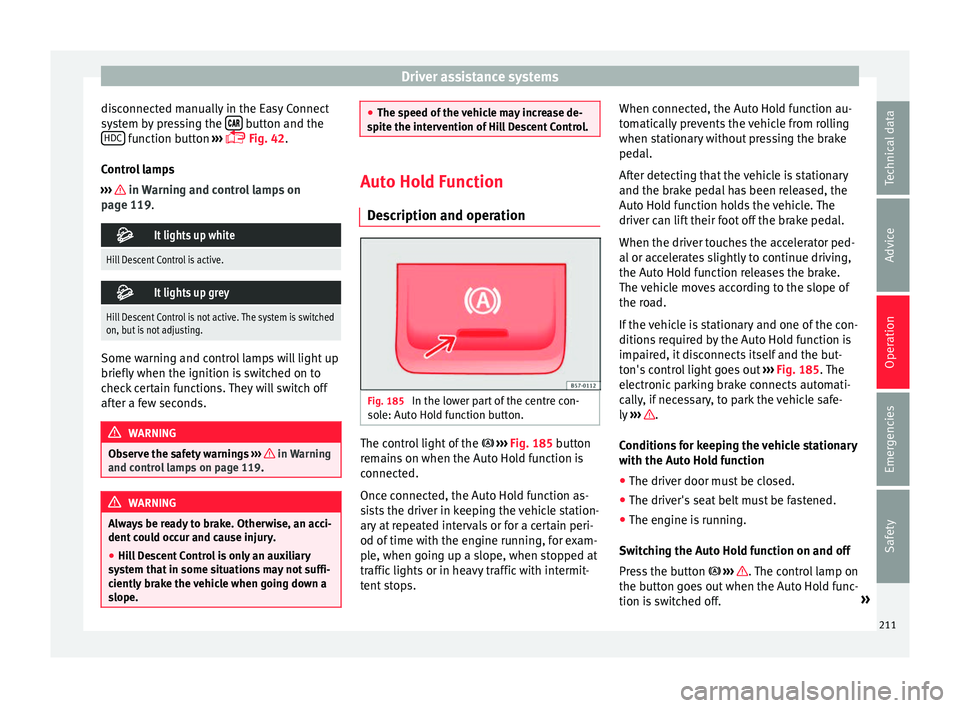
cription and operation Fig. 185
In the lower part of the centre con-
so l
e: Aut
o Hold function button. The control light of the
› ›
›
Fig. 185 button
remains on when the Auto Hold function is
connected.
Once connected, the Auto Hold function as-
sists the driver in keeping the vehicle station-
ary at repeated intervals or for a certain peri-
od of time with the engine running, for exam-
ple, when going up a slope, when stopped at
traffic lights or in heavy traffic with intermit-
tent stops. When connected, the Auto Hold function au-
tomatic
ally prevents the vehicle from rolling
when stationary without pressing the brake
pedal.
After detecting that the vehicle is stationary
and the brake pedal has been released, the
Auto Hold function holds the vehicle. The
driver can lift their foot off the brake pedal.
When the driver touches the accelerator ped-
al or accelerates slightly to continue driving,
the Auto Hold function releases the brake.
The vehicle moves according to the slope of
the road.
If the vehicle is stationary and one of the con-
ditions required by the Auto Hold function is
impaired, it disconnects itself and the but-
ton's control light goes out ››› Fig. 185. The
electronic parking brake connects automati-
cally, if necessary, to park the vehicle safe-
ly ››› .
C ondition
s
for keeping the vehicle stationary
with the Auto Hold function
● The driver door must be closed.
● The driver's seat belt must be fastened.
● The engine is running.
Switc
hing the Auto Hold function on and off
Press the button ››› . The control lamp on
the b utt
on g
oes out when the Auto Hold func-
tion is switched off. »
211
Technical data
Advice
Operation
Emergencies
Safety
Page 268 of 348
Operation
Introduction Using 4 cameras, the system generates a rep-
re
sent
ation that is shown on the infotain-
ment system display. The cameras are loca-
ted on the radiator grille, the exterior mirrors
and the rear lid.
The functions and representations of the
Area View system may vary depending on
whether or not the vehicle has ParkPilot. WARNING
The image from the cameras does not make it
pos s
ible to calculate the distance to the ob-
stacles (people, vehicles, etc.) precisely, so
using them could cause serious accidents
and injury.
● The camera lenses augment and distort the
vis
ual field and the objects on the screen are
seen differently and imprecisely.
● Certain objects may not be shown or may
not be shown
very clearly, for example, posts
or thin rails, due to the screen resolution or if
light conditions are insufficient.
● The cameras have blind spots in which ob-
stac
les and people are not registered.
● The camera lens must be kept free, without
snow or ic
e, and should not be covered. WARNING
The smart technology incorporated into the
Top V
iew Camera* system cannot overcome the limits imposed by the laws of physics and
it on
ly
works within the limits of the system.
The greater convenience provided by the Area
View system should never tempt you to take
any risk that may compromise safety. If used
negligently or involuntarily, it may cause se-
rious accidents and injuries. The system is
not a replacement for driver awareness.
● Adapt your speed and driving style to suit
vis
ibility, weather, road and traffic condi-
tions.
● Do not be distracted from the traffic by
looking at
the screen.
● Monitor the area around the vehicle at all
times, sinc
e the cameras do not capture small
children, animals and certain objects in all
situations.
● The use of a number plate may interfere in
the view
s shown on the screen, since the
cameras' field of vision may be reduced.
● The system will probably be unable to rep-
resent
all areas clearly. CAUTION
● The camer a im
ages are only two-dimen-
sional. Due to a lack of spatial depth, objects
that jut out or holes on the road, for example,
are more difficult to detect or may not be
seen at all.
● In certain circumstances, the camera does
not capt
ure objects such as beams, fences,
posts or thin trees, which could damage the vehicle. ●
The sys t
em displays the auxiliary lines and
boxes regardless of the vehicle's environ-
ment, no objects are detected. The driver is
responsible for determining that the vehicle
will fit in the parking space. CAUTION
In order to guarantee good system operation,
k eep the c amer
as clean, free of snow or ice,
and do not cover them with adhesives or oth-
er objects.
● Never use abrasive cleaning products to
cle
an the camera lenses.
● Do not use hot or warm water to remove ice
or snow fr
om the camera lenses. Doing so
could damage the lenses. Area View system
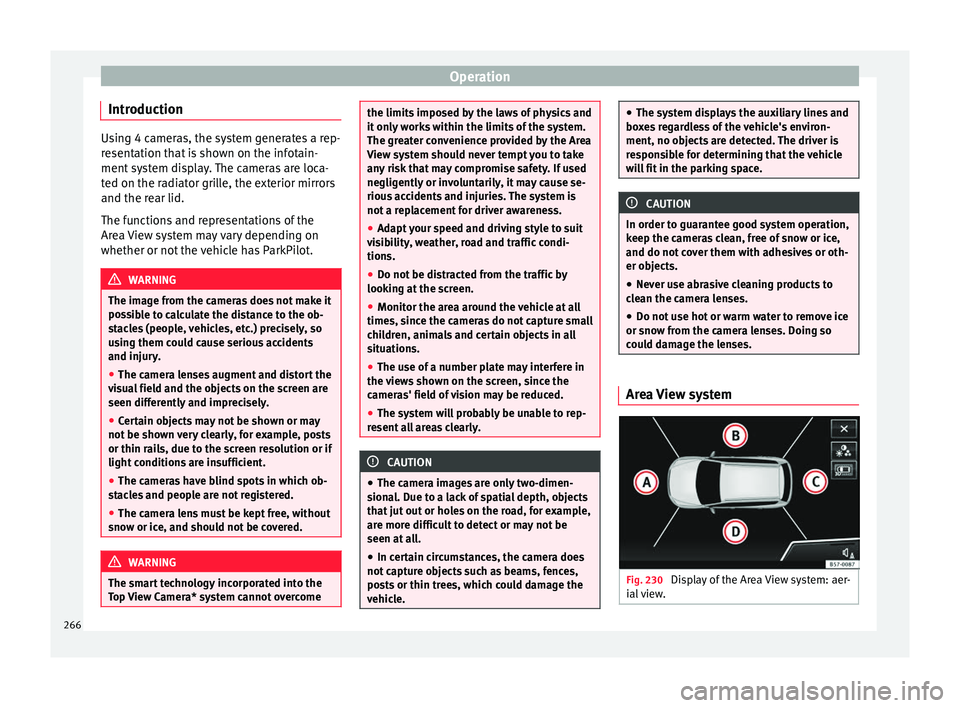
Fig. 230
Display of the Area View system: aer-
i al
view. 266
Page 270 of 348
Operation
Instructions for use Fig. 231
Centre console: button for activat-
in g/de
activ
ating the Area View system man-
ually in combination with the parking aid sys-
tem () or else with the rear ParkPilot system ().
Connecting and disconnecting the Area View
system
Manual con-
nection of the
display:
Press the button ››› Fig. 231 once.
The infotainment system screen dis-
plays the aerial view ››› Fig. 230. If
you press the
button when driving
above 15 km/h (9 mph), the image
will not be displayed.
Automatic con-
nection of the
display:
Engage reverse gear.
OR: The vehicle moves backwards.
The view of the image of the vehicle's
rear camera is shown in parallel park-
ing mode with the reduced aerial
view.
Connecting and disconnecting the Area View
system
Manual discon-
nection of the
display:
Press the button ››› Fig. 231
again.
OR: press a button on the factory-
equipped infotainment system, for
example the RADIO
button.
OR: press the function button .
Automatic dis-
connection of
the display:Drive forward at more than approx.
15 km/h (9 mph).
OR: switch the ignition off. The Area
View system menu disappears imme-
diately. Special characteristics
Examples of optical illusions caused by the
cameras:
The images on the area view system cameras are only
two-dimensional. Due to a lack of spatial depth, it is dif-
ficult or impossible to make out on-screen any holes
there may be on the ground, objects jutting out from the
ground or parts protruding from other vehicles.
Situations in which the objects or other vehicles appear
to be further away or closer than they really are:
– On moving from a horizontal plane to a slope.
– On moving from a slope to a horizontal plane.
– If the vehicle is heavily loaded at the rear.
Examples of optical illusions caused by the
cameras:
– If the vehicle approaches protruding objects. These
objects may be outside the cameras' angle of visibility. Trailer mode
The Are
a
View system conceals, in the rear
camera area, all the auxiliary guiding lines
when the factory-fitted towing bracket is con-
nected electrically to a trailer ››› page 273. Note
In order to become familiar with the system
and its f
unctions, SEAT recommends that you
practice handling the Area View system in an
area where there is not too much traffic or in
a car park. 268
Page 272 of 348
Operation
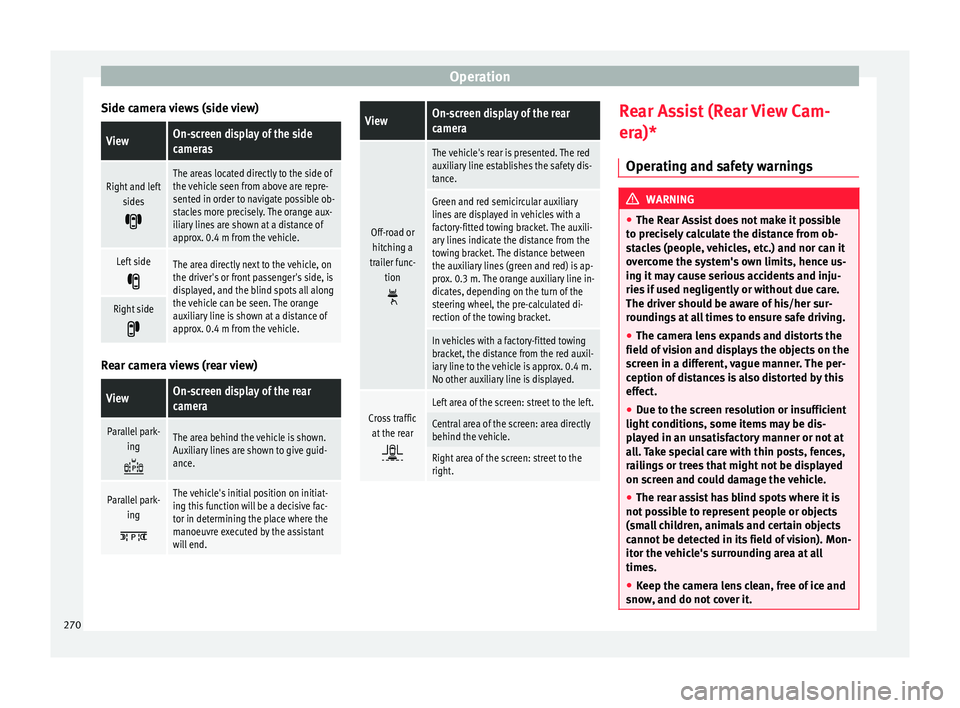
Side camera views (side view)ViewOn-screen display of the side
cameras
Right and left sides
The areas located directly to the side of
the vehicle seen from above are repre-
sented in order to navigate possible ob-
stacles more precisely. The orange aux-
iliary lines are shown at a distance of
approx. 0.4 m from the vehicle.
Left side
The area directly next to the vehicle, on
the driver's or front passenger's side, is
displayed, and the blind spots all along
the vehicle can be seen. The orange
auxiliary line is shown at a distance of
approx. 0.4 m from the vehicle.
Right side
Rear camera views (rear view)
ViewOn-screen display of the rear
camera
Parallel park-
ing
The area behind the vehicle is shown.
Auxiliary lines are shown to give guid-
ance.
Parallel park-ing
The vehicle's initial position on initiat-
ing this function will be a decisive fac-
tor in determining the place where the
manoeuvre executed by the assistant
will end.
ViewOn-screen display of the rear
camera
Off-road orhitching a
trailer func- tion
The vehicle's rear is presented. The red
auxiliary line establishes the safety dis-
tance.
Green and red semicircular auxiliary
lines are displayed in vehicles with a
factory-fitted towing bracket. The auxili-
ary lines indicate the distance from the
towing bracket. The distance between
the auxiliary lines (green and red) is ap-
prox. 0.3 m. The orange auxiliary line in-
dicates, depending on the turn of the
steering wheel, the pre-calculated di-
rection of the towing bracket.
In vehicles with a factory-fitted towing
bracket, the distance from the red auxil-
iary line to the vehicle is approx. 0.4 m.
No other auxiliary line is displayed.
Cross trafficat the rear
Left area of the screen: street to the left.
Central area of the screen: area directly
behind the vehicle.
Right area of the screen: street to the
right. Rear Assist (Rear View Cam-
er
a)*
Oper atin
g and safety warnings WARNING
● The Re ar As
sist does not make it possible
to precisely calculate the distance from ob-
stacles (people, vehicles, etc.) and nor can it
overcome the system's own limits, hence us-
ing it may cause serious accidents and inju-
ries if used negligently or without due care.
The driver should be aware of his/her sur-
roundings at all times to ensure safe driving.
● The camera lens expands and distorts the
field of
vision and displays the objects on the
screen in a different, vague manner. The per-
ception of distances is also distorted by this
effect.
● Due to the screen resolution or insufficient
light condition
s, some items may be dis-
played in an unsatisfactory manner or not at
all. Take special care with thin posts, fences,
railings or trees that might not be displayed
on screen and could damage the vehicle.
● The rear assist has blind spots where it is
not pos
sible to represent people or objects
(small children, animals and certain objects
cannot be detected in its field of vision). Mon-
itor the vehicle's surrounding area at all
times.
● Keep the camera lens clean, free of ice and
snow
, and do not cover it.270
Page 294 of 348
Advice
CAUTION
● Do not u se so
lvents, wax polish, shoe
cream, stain removers, leather cleaning prod-
ucts or any similar products on Alcantara.
● To avoid damage, stubborn stains should
be remov
ed by a specialised workshop.
● On no account use brushes, hard sponges
or simil
ar utensils. Seat belts
–
Keep the seat belts clean.
– For cleaning, use a mild solution of soap
and w at
er
.
– Check the condition of the seat belts at reg-
ular int
ervals.
The retract function may not operate properly
in very dirty belts. Make sure that the inertia
reel seat belts are completely dry before al-
lowing them to retract. CAUTION
● Do not r emo
ve the seat belts from the vehi-
cle to clean them.
● Do not use chemical cleaning agents on the
seat belt
s, as this can damage the webbing.
Ensure that the seat belts do not come into
contact with corrosive fluids.
● If you find any damage to the belt webbing,
belt fitting
s, the belt retractor or the buckle, the belt in question must be replaced by a
spec
i
alised workshop. Checking and refilling levels
Fi l
lin
g the tank
Refuelling Read the additional information carefully
›› ›
page 56
If the automatic filler nozzle is operated cor-
rectly, it will switch itself off as soon as the
fuel tank is “full”. Do not try to put in more
fuel after the nozzle cuts out, as this will fill
the expansion chamber in the fuel tank.
The correct fuel grade for your vehicle is giv-
en on a sticker on the inside of the fuel tank
flap. Further notes on fuel can be found at
››› page 293.
The capacity of your vehicle's fuel tank is giv-
en in ›››
page 56. WARNING
Fuel is highly flammable and can cause seri-
ous b
urns and other injuries.
● When refuelling, turn off the engine, the
auxili
ary heater ››› page 177 and turn off the
ignition for safety reasons.
● Do not smoke when filling the fuel tank or a
canis
ter. Naked flames are forbidden in the
vicinity due to the risk of explosion. 292
Page 331 of 348
Index
Index
A
ABS se
e
Anti-lock brake system . . . . . . . . . . . . . . . 189
ACC . . . . . . . . . . . . . . . . . . . . . . . . . . . . . . . . . . . . 221 radar sensor . . . . . . . . . . . . . . . . . . . . . . . . . . . 223
Accessories . . . . . . . . . . . . . . . . . . . . . . . . . 162, 284
Adaptive cruise control . . . . . . . . . . . . . . . . . . . . 221 function for preventing overtaking in an insidelane . . . . . . . . . . . . . . . . . . . . . . . . . . . . . . . . 227
indications on the display . . . . . . . . . . . . . . . . 222
malfunction . . . . . . . . . . . . . . . . . . . . . . . . . . . . 222
radar sensor . . . . . . . . . . . . . . . . . . . . . . . . . . . 223
special driving situations . . . . . . . . . . . . . . . . . 228
warning and control lamp . . . . . . . . . . . . . . . . 222
Adaptive Cruise Control deactivating temporarily . . . . . . . . . . . . . . . . . 227
operating . . . . . . . . . . . . . . . . . . . . . . . . . . . . . . 224
AdBlue information . . . . . . . . . . . . . . . . . . . . . . . . . . . . 295
maximum filling capacity . . . . . . . . . . . . . . . . . 295
refilling . . . . . . . . . . . . . . . . . . . . . . . . . . . . . . . 295
specification . . . . . . . . . . . . . . . . . . . . . . . . . . . 295
tank capacity . . . . . . . . . . . . . . . . . . . . . . . . . . . 295
Additional consumers (efficiency program) . . . . . 42
Adjusting front head restraints . . . . . . . . . . . . . . . . . . . . . . 77
front seats . . . . . . . . . . . . . . . . . . . . . . . . . . . . . 156
lights . . . . . . . . . . . . . . . . . . . . . . . . . . . . . . . . . 151
rear head restraints . . . . . . . . . . . . . . . . . . . . . 157
seats . . . . . . . . . . . . . . . . . . . . . . . . . . . . . . . . . . 74
Adjusting the head restraints front head restraints . . . . . . . . . . . . . . . . . . . . . 157 Adjustment
CAR menu . . . . . . . . . . . . . . . . . . . . . . . . . . . . . 120
fr
ont head restraints . . . . . . . . . . . . . . . . . . . . . 157
rear head restraints . . . . . . . . . . . . . . . . . . . . . . 77
Airbag covers . . . . . . . . . . . . . . . . . . . . . . . . . . . . . 21
Airbags . . . . . . . . . . . . . . . . . . . . . . . . . . . . . . . . . . 84 description . . . . . . . . . . . . . . . . . . . . . . . . . . . . . 85
Airbag system . . . . . . . . . . . . . . . . . . . . . . . . . . 21, 84 activation . . . . . . . . . . . . . . . . . . . . . . . . . . . . . . 85
control lamp . . . . . . . . . . . . . . . . . . . . . . . . . . . . 89
deactivation of front airbag . . . . . . . . . . . . . . . . 88
description . . . . . . . . . . . . . . . . . . . . . . . . . . . . . 85
front airbags . . . . . . . . . . . . . . . . . . . . . . . . . 21, 86
functioning . . . . . . . . . . . . . . . . . . . . . . . . . . . . . 85
head-protection airbags . . . . . . . . . . . . . . . . . . 24
knee airbags . . . . . . . . . . . . . . . . . . . . . . . . . . . . 23
side airbags . . . . . . . . . . . . . . . . . . . . . . . . . . . . 23
Air conditioning auxiliary heater . . . . . . . . . . . . . . . . . . . . . . . . . 177
Climatronic . . . . . . . . . . . . . . . . . . . . . . . . 51, 170
heated windscreen . . . . . . . . . . . . . . . . . . . . . . 175
heating and fresh air . . . . . . . . . . . . . . . . . . . . . 54
manual air conditioning . . . . . . . . . . . . . . . . . . . 53
user instructions . . . . . . . . . . . . . . . . . . . . . . . . 173
Air outlets . . . . . . . . . . . . . . . . . . . . . . . . . . . . . . . 174
Air recirculation . . . . . . . . . . . . . . . . . . . . . . . . . . 174
Alcantara: cleaning . . . . . . . . . . . . . . . . . . . . . . . 291
Ambient lighting . . . . . . . . . . . . . . . . . . . . . . . . . 152
Anti-freeze . . . . . . . . . . . . . . . . . . . . . . . . . . . . . . . 58
Anti-lock brake system . . . . . . . . . . . . . . . . . . . . . 189
Anti-puncture . . . . . . . . . . . . . . . . . . . . . . . . . . 63, 95
Anti-puncture kit . . . . . . . . . . . . . . . . . . . . . . . . 63, 95 check after 10 minutes . . . . . . . . . . . . . . . . . . . . 97
Anti-puncture set . . . . . . . . . . . . . . . . . . . . . . . . . . 95
Anti-slip regulation . . . . . . . . . . . . . . . . . . . . . . . 189 Anti-theft alarm . . . . . . . . . . . . . . . . . . . . . 125, 134
trail er . . . . . . . . . . . . . . . . . . . . . . . . . . . . . . . . . 279
vehicle interior monitoring and anti-tow pro- tection . . . . . . . . . . . . . . . . . . . . . . . . . . . . . . 136
Anti-theft security system . . . . . . . . . . 15, 125, 133
Anti-theft system trailer . . . . . . . . . . . . . . . . . . . . . . . . . . . . . . . . . 278
Anti-tow protection . . . . . . . . . . . . . . . . . . . . . . . 136
Anti-trap function sun blind (sunroof) . . . . . . . . . . . . . . . . . . . . . . 143
sunroof . . . . . . . . . . . . . . . . . . . . . . . . . . . . . . . 143
Area view system (Top View Camera) special characteristics . . . . . . . . . . . . . . . . . . . 268
Aspects to note before setting off . . . . . . . . . . . . . 73
Assistance systems ACC . . . . . . . . . . . . . . . . . . . . . . . . . . . . . . . . . . 221
adaptive cruise control . . . . . . . . . . . . . . . . . . . 221
Auto Hold function . . . . . . . . . . . . . . . . . . . . . . 211
blind spot detector (BSD) with parking assis-tance (RCTA) . . . . . . . . . . . . . . . . . . . . . . . . . 237
cruise control system . . . . . . . . . . . . . . . . . . . . 212
Emergency Assist . . . . . . . . . . . . . . . . . . . . . . . 234
emergency brake assist (Front Assist) . . . . . . . 217
fatigue detection . . . . . . . . . . . . . . . . . . . . . . . 248
Hill Descent Control . . . . . . . . . . . . . . . . . . . . . 210
Park Assist . . . . . . . . . . . . . . . . . . . . . . . . . . . . 249
parking assistance (RCTA) . . . . . . . . . . . . . . . . 237
parking system Plus . . . . . . . . . . . . . . . . . . . . . 257
Rear parking aid . . . . . . . . . . . . . . . . . . . . . . . . 262
speed limiter . . . . . . . . . . . . . . . . . . . . . . . . . . . 214
Top View Camera . . . . . . . . . . . . . . . . . . . . . . . 265
traffic jam assist . . . . . . . . . . . . . . . . . . . . . . . . 233
traffic sign detection system . . . . . . . . . . . . . . 245
tyre monitoring . . . . . . . . . . . . . . . . . . . . . . . . . 312
tyre monitoring indicator . . . . . . . . . . . . . . . . . 313
tyre monitoring systems . . . . . . . . . . . . . . . . . 311
Assisted starting . . . . . . . . . . . . . . . . . . . . . . . . . . 69
329
Page 332 of 348
Index
Audible warning signal lights . . . . . . . . . . . . . . . . . . . . . . . . . . . . . . . . .
144
se at
belt not fastened . . . . . . . . . . . . . . . . . . . . 79
warning and control lamps . . . . . . . . . . . . . . . 119
Auto Hold . . . . . . . . . . . . . . . . . . . . . . . . . . . . . . . 211
Auto Hold function . . . . . . . . . . . . . . . . . . . . . . . . 211
Auto Lock (central locking) . . . . . . . . . . . . . . . . . 125
Automatic car washes switching the Auto Hold function off . . . . . . . . 212
Automatic dipped beam control . . . . . . . . . . . . . 146
Automatic gearbox . . . . . . . . . . . . . . . . . . . . . . . . 193 downhill speed control . . . . . . . . . . . . . . . . . . 198
driving tips . . . . . . . . . . . . . . . . . . . . . . . . . . . . 196
emergency program . . . . . . . . . . . . . . . . . . . . . 199
kick-down feature . . . . . . . . . . . . . . . . . . . . . . . 197
launch control program . . . . . . . . . . . . . . . . . . 197
manual release of the selector lever . . . . . . . . . 49
safety interlock for ignition key . . . . . . . . . . . . 181
selector lever lock . . . . . . . . . . . . . . . . . . . . . . . 194
selector lever positions . . . . . . . . . . . . . . . . . . 193
steering wheel with gear shift paddles . . . . . . 195
tiptronic . . . . . . . . . . . . . . . . . . . . . . . . . . 193, 195
towing . . . . . . . . . . . . . . . . . . . . . . . . . . . . . . . . . 99
AUX-IN . . . . . . . . . . . . . . . . . . . . . . . . . . . . . . . . . . 123
Auxiliary heater . . . . . . . . . . . . . . . . . . . . . . . . . . 177 activating . . . . . . . . . . . . . . . . . . . . . . . . . . . . . 179
electric consumers . . . . . . . . . . . . . . . . . . . . . . 180
operating instructions . . . . . . . . . . . . . . . . . . . 180
programming . . . . . . . . . . . . . . . . . . . . . . . . . . 179
remote control . . . . . . . . . . . . . . . . . . . . . . . . . 178
remote control range . . . . . . . . . . . . . . . . . . . . 179
special features . . . . . . . . . . . . . . . . . . . . . . . . 178
switching off . . . . . . . . . . . . . . . . . . . . . . . . . . . 177
switching on . . . . . . . . . . . . . . . . . . . . . . . . . . . 177
things to note . . . . . . . . . . . . . . . . . . . . . . . . . . 180 B
Batter
y . . . . . . . . . . . . . . . . . . . . . . . . . . . . . . . . . . 133
replacement in the remote control (auxiliary heater) . . . . . . . . . . . . . . . . . . . . . . . . . . . . . . 178
Before setting off . . . . . . . . . . . . . . . . . . . . . . . . . . 73
Belt tensioners control lamp . . . . . . . . . . . . . . . . . . . . . . . . . . . . 89
Belt tightening . . . . . . . . . . . . . . . . . . . . . . . . . . . . 83
Bench seat . . . . . . . . . . . . . . . . . . . . . . . . . . . . . . 159
Bicycle rack fitting on the retractable tow hitch . . . . . . . . . 277
maximum load . . . . . . . . . . . . . . . . . . . . . . . . . 277
Biodiesel . . . . . . . . . . . . . . . . . . . . . . . . . . . . . . . . 294
Blind spot detector (BSD) . . . . . . . . . . . . . . . . . . 237 control lamps . . . . . . . . . . . . . . . . . . . . . . . . . . 237
driving situations . . . . . . . . . . . . . . . . . . . . . . . 240
indication in the external rear view mirror . . . 238
malfunction . . . . . . . . . . . . . . . . . . . . . . . . . . . . 237
operating . . . . . . . . . . . . . . . . . . . . . . . . . . . . . . 238
towing . . . . . . . . . . . . . . . . . . . . . . . . . . . . . . . . 242
Bonnet . . . . . . . . . . . . . . . . . . . . . . . . . . . . . 17, 298 opening the bonnet . . . . . . . . . . . . . . . . . . . . . 299
Brake fluid . . . . . . . . . . . . . . . . . . . . . . . . . . . . . . . 59
Brakes . . . . . . . . . . . . . . . . . . . . . . . . . . . . . . . . . . 188 brake fluid . . . . . . . . . . . . . . . . . . . . . . . . . . . . . 303
brake servo . . . . . . . . . . . . . . . . . . . . . . . . . . . . 188
electronic parking brake . . . . . . . . . . . . . . . . . 186
emergency braking function . . . . . . . . . . . . . . 187
new brake pads . . . . . . . . . . . . . . . . . . . . . . . . 188
Braking front assist . . . . . . . . . . . . . . . . . . . . . . . . . . . . 189
BSD see Blind spot detector (BSD) . . . . . . . . . . . . . 237
BSD Plus . . . . . . . . . . . . . . . . . . . . . . . . . . . . . . . . 232 C
Camera
c
leaning . . . . . . . . . . . . . . . . . . . . . . . . . . . . . . 287
cleanliness . . . . . . . . . . . . . . . . . . . . . . . . . . . . 245
Lane Assist . . . . . . . . . . . . . . . . . . . . . . . . . . . . 230
Capacities . . . . . . . . . . . . . . . . . . . . . . . . . . . . . . . . 56 AdBlue tank . . . . . . . . . . . . . . . . . . . . . . . . . . . 295
fuel tank . . . . . . . . . . . . . . . . . . . . . . . . . . . . . . 118
windscreen washer water . . . . . . . . . . . . . . . . 304
Car-care products . . . . . . . . . . . . . . . . . . . . . . . . . 285
Catalytic converter . . . . . . . . . . . . . . . . . . . . . . . . 204 malfunction . . . . . . . . . . . . . . . . . . . . . . . . . . . . 204
CCS . . . . . . . . . . . . . . . . . . . . . . . . . . . . . . . . . . . . . 44
CD-ROM player (navigation) . . . . . . . . . . . . . . . . 161
Central locking . . . . . . . . . . . . . . . . . . . . . . . . . . . 125 adjusting . . . . . . . . . . . . . . . . . . . . . . . . . . . . . . 128
anti-theft alarm . . . . . . . . . . . . . . . . . . . . . . . . . 134
central locking switch . . . . . . . . . . . . . . . . . . . . 128
electric windows . . . . . . . . . . . . . . . . . . . . . . . . 140
emergency locking . . . . . . . . . . . . . . . . . . . . . . . 16
Keyless Access . . . . . . . . . . . . . . . . . . . . . . . . . 129
Panoramic sliding/tilting sunroof . . . . . . . . . . 140
remote control key . . . . . . . . . . . . . . . . . . . . . . 127
selective unlocking system . . . . . . . . . . . . . . . 127
Central wheel trim . . . . . . . . . . . . . . . . . . . . . . . . . 64
Centre console . . . . . . . . . . . . . . . . . . . . . . . . . . . . 11
Cetane number (diesel fuel) . . . . . . . . . . . . . . . . 294
Changing a bulb . . . . . . . . . . . . . . . . . . . . . . . . . . 106 dipped beam . . . . . . . . . . . . . . . . . . . . . . . . . . 107
fog light . . . . . . . . . . . . . . . . . . . . . . . . . . . . . . . 108
main beam . . . . . . . . . . . . . . . . . . . . . . . . . . . . 107
number plate light . . . . . . . . . . . . . . . . . . . . . . 110
rear bulb in the side panel . . . . . . . . . . . . . . . . 109
rear light in the rear lid . . . . . . . . . . . . . . . . . . . 110
turn signal . . . . . . . . . . . . . . . . . . . . . . . . . . . . . 107
Changing a wheel . . . . . . . . . . . . . . . . . . . . . . . . . 64 subsequent work . . . . . . . . . . . . . . . . . . . . . . . . 67
330
Page 333 of 348
Index
Changing gear en g
agin
g gears (manual gearbox) . . . . . . . . . 192
Changing settings CAR menu . . . . . . . . . . . . . . . . . . . . . . . . . . . . . . 33
Changing the blades . . . . . . . . . . . . . . . . . . . . . . . 97
Changing the wiper blades . . . . . . . . . . . . . . . . . . 71
Charging the battery . . . . . . . . . . . . . . . . . . . . . . 306
Checking levels engine compartment . . . . . . . . . . . . . . . . . . . . 298
Childproof locks electric windows . . . . . . . . . . . . . . . . . . . . . . . . 139
Child seats . . . . . . . . . . . . . . . . . . . . . . . . . . . . 24, 91 categorisation into groups . . . . . . . . . . . . . . . . . 92
ISOFIX system . . . . . . . . . . . . . . . . . . . . . . . . . . . 26
safety instructions . . . . . . . . . . . . . . . . . . . . 24, 90
securing with seat belt . . . . . . . . . . . . . . . . . . . . 25
Top Tether system . . . . . . . . . . . . . . . . . . . . . 26, 29
Cleaning . . . . . . . . . . . . . . . . . . . . . . . . . . . . . . . . 285 alcantara . . . . . . . . . . . . . . . . . . . . . . . . . . . . . . 291
carbon parts . . . . . . . . . . . . . . . . . . . . . . . . . . . 288
Easy Connect control panel . . . . . . . . . . . . . . . 289
exhaust pipe . . . . . . . . . . . . . . . . . . . . . . . . . . . 289
fabrics . . . . . . . . . . . . . . . . . . . . . . . . . . . . . . . . 289
leather . . . . . . . . . . . . . . . . . . . . . . . . . . . . . . . . 290
natural leather . . . . . . . . . . . . . . . . . . . . . . . . . 291
plastic parts . . . . . . . . . . . . . . . . . . . . . . 288, 289
radio screen . . . . . . . . . . . . . . . . . . . . . . . . . . . 289
rims . . . . . . . . . . . . . . . . . . . . . . . . . . . . . . . . . . 288
seat belts . . . . . . . . . . . . . . . . . . . . . . . . . . . . . 292
trims . . . . . . . . . . . . . . . . . . . . . . . . . . . . . . . . . 287
washing the vehicle . . . . . . . . . . . . . . . . . . . . . 285
windows . . . . . . . . . . . . . . . . . . . . . . . . . . . . . . 288
Climatronic . . . . . . . . . . . . . . . . . . . . . . . . . . . . . . . 51
Close sunroof . . . . . . . . . . . . . . . . . . . . . . . . . . . . . . . 142
windows . . . . . . . . . . . . . . . . . . . . . . . . . . . . . . 139 Closing . . . . . . . . . . . . . . . . . . . . . . . . . . . . . . . . . 125
bonnet . . . . . . . . . . . . . . . . . . . . . . . . . . . . . . . . 299
re
ar lid . . . . . . . . . . . . . . . . . . . . . . . . . . . . . . . . 137
sun blind (sunroof) . . . . . . . . . . . . . . . . . . . . . . 143
sunroof . . . . . . . . . . . . . . . . . . . . . . . . . . . . . . . 142
windows . . . . . . . . . . . . . . . . . . . . . . . . . . . . . . 139
Clutch (warning lamp) . . . . . . . . . . . . . . . . . . . . . 199
Coming Home . . . . . . . . . . . . . . . . . . . . . . . . . . . . 148
Coming Home function . . . . . . . . . . . . . . . . . . . . 148
Connectivity Box . . . . . . . . . . . . . . . . . . . . . . . . . . 123
Control and warning lamps . . . . . . . . . . . . . 46, 119 adaptive cruise control . . . . . . . . . . . . . . . . . . . 222
airbags . . . . . . . . . . . . . . . . . . . . . . . . . . . . . . . . 88
airbag system . . . . . . . . . . . . . . . . . . . . . . . . . . . 89
applying the brake . . . . . . . . . . . . . . . . . . . . . . 222
ASR . . . . . . . . . . . . . . . . . . . . . . . . . . . . . . . . . . 191
audible warning signal . . . . . . . . . . . . . . . . . . 119
blind spot detector (BSD) . . . . . . . . . . . . . . . . 237
cruise control system (CCS) . . . . . . . . . . . . . . . 212
depress the brake . . . . . . . . . . . . . . . . . . . . . . . 217
diesel particulate filter . . . . . . . . . . . . . . . . . . . 204
electromechanical steering . . . . . . . . . . . . . . . 200
emission control . . . . . . . . . . . . . . . . . . . . . . . . 205
engine management . . . . . . . . . . . . . . . . . . . . 205
engine pre-heating/fault system . . . . . . . . . . . 205
ESC . . . . . . . . . . . . . . . . . . . . . . . . . . . . . . . . . . 191
gear change . . . . . . . . . . . . . . . . . . . . . . . . . . . 200
Hill Descent Control . . . . . . . . . . . . . . . . . . . . . 210
instrument panel . . . . . . . . . . . . . . . . . . . . . 46, 48
instrument panel display . . . . . . . . . . . . . . . . . . 47
Lane Assist . . . . . . . . . . . . . . . . . . . . . . . . . . . . 230
lights . . . . . . . . . . . . . . . . . . . . . . . . . . . . . . . . . 144
parking assistant (RCTA) . . . . . . . . . . . . . . . . . 237
refuelling . . . . . . . . . . . . . . . . . . . . . . . . . . . . . . 292
remote control (auxiliary heater) . . . . . . . . . . . 178
seat belt . . . . . . . . . . . . . . . . . . . . . . . . . . . . . . . 79
speed limiter . . . . . . . . . . . . . . . . . . . . . . . . . . . 214 Start-Stop . . . . . . . . . . . . . . . . . . . . . . . . . . . . . 208
tow hit
ch . . . . . . . . . . . . . . . . . . . . . . . . . . . . . . 277
towing bracket . . . . . . . . . . . . . . . . . . . . . . . . . 275
tyre monitoring system . . . . . . . . . . . . . . . . . . 312
Controls and displays general instrument panel . . . . . . . . . . . . . . . . . 113
Controls for the windows . . . . . . . . . . . . . . . 18, 139
Controls on the steering wheel operating the audio, telephone and naviga-tion system . . . . . . . . . . . . . . . . . . . . . . . . . . 121
Coolant checking level . . . . . . . . . . . . . . . . . . . . . . . . . . 302
Cooling coolant temperature gauge . . . . . . . . . . . . . . . 117
Cooling system checking coolant . . . . . . . . . . . . . . . . . . . . . . . 302
topping up coolant . . . . . . . . . . . . . . . . . . . . . . 302
Cornering lights . . . . . . . . . . . . . . . . . . . . . . . . . . . . . . . . . 148
Correct position . . . . . . . . . . . . . . . . . . . . . . . . . . . 74 driver . . . . . . . . . . . . . . . . . . . . . . . . . . . . . . . . . . 74
front passenger . . . . . . . . . . . . . . . . . . . . . . . . . 75
Correct sitting position rear seat passengers . . . . . . . . . . . . . . . . . . . . . 76
Cruise control . . . . . . . . . . . . . . . . . . . . . . . . 44, 212 operation . . . . . . . . . . . . . . . . . . . . . . . . . . . . . . 213
Cruise control system . . . . . . . . . . . . . . . . . . . . . . 212 warning and indication lamp . . . . . . . . . . . . . . 212
D Dangers in not using the seat belt . . . . . . . . . . . . 81
Dash panel . . . . . . . . . . . . . . . . . . . . . . . . . . . . . . . 46
Data sticker . . . . . . . . . . . . . . . . . . . . . . . . . . . . . . 317
Deactivating the front passenger front airbag . . . 22
Deactivation of front airbag . . . . . . . . . . . . . . . . . . 88
Defective bulbs changing a bulb . . . . . . . . . . . . . . . . . . . . . . . . 106
331