radio Seat Ateca 2018 Owner's Guide
[x] Cancel search | Manufacturer: SEAT, Model Year: 2018, Model line: Ateca, Model: Seat Ateca 2018Pages: 348, PDF Size: 7.32 MB
Page 263 of 348
Driver assistance systems
obstacles that are less than
30 c m a
w
ay from the vehicle are dis-
played in red.
Moreover, with the SEAT Media System
Plus/Navi System/Navi System Plus radios, a
yellow trail indicates the vehicle's expected
trajectory based on the steering angle.
Whenever the obstacle is located in the vehi-
cle’s direction of travel, the corresponding
audible warning will sound.
As the vehicle approaches an obstacle, the
segments are displayed closer to the vehicle.
When the penultimate segment is displayed,
this means that the vehicle has reached the
collision zone. In the collision zone, the ob-
stacles are represented in red, including
those out of the path. Do not continue to
move forward (or backward) ››› in Descrip-
tion on p ag
e 258
, ››› in Description on
p ag
e 258
!
In the event the car is equipped with the Top
View Camera system, Park Assist visual guid-
ance will appear in accordance with the view
selected in the Top View Camera system.
Adjusting the display and audible
warning
s The settings for the display and audible
w
arnin g
s are controlled via the Easy Con-
nect*. Red segments: Automatic activation
on – activate
s the Automatic activa-
tion option ››› page 260.
off – deactivates the Automatic ac-
tivation option ››› page 260.
Front volume*
Volume in the front and rear area.
Front sound settings/sharpness*
Frequency (tone) of the sound in the front
area.
Rear volume*
Volume in the rear area.
Rear sound settings/sharpness*
Frequency (tone) of the sound in the rear
area.
Adjust volume
With the parking aid switched on, the active
audio/video source volume will be reduced
to the intensity of the selected setting.
Error messages When the Parking Aid is activated or when it
i
s
sw
itched on, if a message reporting a Park- ing aid error is displayed on the instrument
panel, there i
s a fault in the system.
If the fault does not disappear before discon-
necting the ignition, the next time that the
parking aid is engaged in reverse, no audible
signal of the existence of a fault will be is-
sued.
If there is a fault in the parking aid system a
message will appear on the instrument panel
indicating the error. In addition the key
LED will blink.
If there is a fault in a sensor, the symbol is
displayed on the Easy Connect display in
front of/behind the vehicle. If a rear sensor is
faulty, only the obstacles in area A are dis-
p l
a
yed ››› Fig. 223. If a front sensor is faulty,
only the obstacles in area B are displayed.
Hav e the f
au
lt corrected by a specialised
workshop without delay.
261
Technical data
Advice
Operation
Emergencies
Safety
Page 270 of 348
Operation
Instructions for use Fig. 231
Centre console: button for activat-
in g/de
activ
ating the Area View system man-
ually in combination with the parking aid sys-
tem () or else with the rear ParkPilot system ().
Connecting and disconnecting the Area View
system
Manual con-
nection of the
display:
Press the button ››› Fig. 231 once.
The infotainment system screen dis-
plays the aerial view ››› Fig. 230. If
you press the
button when driving
above 15 km/h (9 mph), the image
will not be displayed.
Automatic con-
nection of the
display:
Engage reverse gear.
OR: The vehicle moves backwards.
The view of the image of the vehicle's
rear camera is shown in parallel park-
ing mode with the reduced aerial
view.
Connecting and disconnecting the Area View
system
Manual discon-
nection of the
display:
Press the button ››› Fig. 231
again.
OR: press a button on the factory-
equipped infotainment system, for
example the RADIO
button.
OR: press the function button .
Automatic dis-
connection of
the display:Drive forward at more than approx.
15 km/h (9 mph).
OR: switch the ignition off. The Area
View system menu disappears imme-
diately. Special characteristics
Examples of optical illusions caused by the
cameras:
The images on the area view system cameras are only
two-dimensional. Due to a lack of spatial depth, it is dif-
ficult or impossible to make out on-screen any holes
there may be on the ground, objects jutting out from the
ground or parts protruding from other vehicles.
Situations in which the objects or other vehicles appear
to be further away or closer than they really are:
– On moving from a horizontal plane to a slope.
– On moving from a slope to a horizontal plane.
– If the vehicle is heavily loaded at the rear.
Examples of optical illusions caused by the
cameras:
– If the vehicle approaches protruding objects. These
objects may be outside the cameras' angle of visibility. Trailer mode
The Are
a
View system conceals, in the rear
camera area, all the auxiliary guiding lines
when the factory-fitted towing bracket is con-
nected electrically to a trailer ››› page 273. Note
In order to become familiar with the system
and its f
unctions, SEAT recommends that you
practice handling the Area View system in an
area where there is not too much traffic or in
a car park. 268
Page 286 of 348
Advice
Advice
C ar
e and m
aintenance
Accessories and modifications to the vehicle
Accessories, replacement parts and
repair work Always ask your dealer or specialist retailer
f
or a
dv
ice before purchasing accessories and
replacement parts.
Your vehicle is designed to offer a high
standard of active and passive safety. For this
reason, we recommend that you ask a SEAT
Official Service for advice before fitting ac-
cessories or replacement parts. Your SEAT Of-
ficial Service has the latest information from
the manufacturer and can recommend acces-
sories and replacement parts which are suita-
ble for your requirements. They can also an-
swer any questions you might have regarding
official regulations.
We recommend you to use only SEAT acces-
sories and Genuine SEAT parts ®
. SEAT has
tested these parts and accessories for suita-
bility, reliability and safety. SEAT Official
Services have the necessary experience and
facilities to ensure that the parts are installed
correctly and professionally. Any
retro-fitted equipment which has a direct
effect
on the vehicle and/or the way it is driv-
en, such as a cruise control system or elec-
tronically-controlled suspension, must be
approved for use in your vehicle and bear the
e mark (the European Union's authorisation
symbol).
If any additional electrical devices are fitted
which do not serve to control the vehicle it-
self (for instance a refrigerator box, laptop or
ventilator fan, etc.), they must bear the
sign (manufacturer conformity declaration in
the European Union). WARNING
Accessories, for example telephone holders
or cup ho l
ders, should never be fitted on the
covers, or within the working range of the air-
bags. Otherwise, there is a danger of injury if
the airbag is triggered in an accident. Technical modifications
Modifications must always be carried out ac-
c
or
din
g to our specifications.
Unauthorised modifications to the electronic
components, software, wiring or data transfer
in the vehicle may cause malfunctioning. Due
to the way the electronic components are
linked together in networks, other indirect
systems may be affected by the faults. This
can seriously impair safety, lead to excessive wear of components, and also invalidate your
vehicl
e registration documents.
You will appreciate that your SEAT dealership
cannot be held liable for any damage caused
by modifications and/or work performed in-
correctly.
We therefore recommend that all work should
be performed by a SEAT Official Service using
genuine SEAT parts ®
. WARNING
Incorrectly performed modifications or other
work on
your vehicle can lead to malfunctions
and cause accidents. Radio transmitters and office equip-
ment
Radio transmitters (fixed installation)
An
y
r
etrofit installations of radio transmitters
in the vehicle require prior approval. SEAT
generally authorises in-vehicle installations
of approved types of radio transmitters provi-
ded that:
● The aerial is installed correctly.
● The aerial is installed on the exterior of the
vehicl
e (and shielded cables are used togeth-
er with non-reflective aerial trimming).
● The effective transmitting power does not
exc
eed 10 Watts at the aerial base.
284
Page 287 of 348
Care and maintenance
A SEAT Official Service and specialised work-
shop w i
l
l be able to inform you about options
for installing and operating radio transmitters
with a higher transmitting power.
Mobile radio transmitters
Commercial mobile telephones or radio
equipment might interfere with the electron-
ics of your vehicle and cause malfunctions.
This may be due to:
● No external aerial.
● External aerial incorrectly installed.
● Transmitting power more than 10 W.
You mus
t, therefore, do not operate portable
mobile telephones or radio equipment inside
the vehicle without a properly installed exter-
nal aerial ››› .
Pl e
a
se note also that the maximum range of
the equipment can only be achieved with an
external aerial.
Business equipment
Retrofit installation of business or private
equipment in the vehicle is permitted, provi-
ded the equipment cannot interfere with the
driver's immediate control of the vehicle and
that any such equipment carries the mark.
Any retrofit equipment that could influence
the driver's control of the vehicle must have a
type approval for your vehicle and must carry
the e mark. WARNING
Mobile telephones or radio equipment which
is oper
ated inside the vehicle without a prop-
erly installed external aerial can create exces-
sive magnetic fields that could cause a health
hazard. Note
● The pos t
erior fitting of electric and elec-
tronic equipment in this vehicle affects its li-
cence and could lead to the withdrawal of the
vehicle registration document under certain
circumstances.
● Please use the mobile telephone/radio op-
erating in
structions. Care and cleaning
Gener a
l
information Regular and careful care helps to
maint
ain
the
value of the vehicle. This may also be one
of the requirements for upholding any war-
ranty claims in the event of corrosion or paint
defects.
SEAT Official Services and specialist retailers
carry stocks of suitable car care materials.
Please follow the instructions for use on the
packaging. WARNING
● Cle
aning products and other materials used
for car care can be damaging to your health if
misused.
● Always keep care products in a safe place,
out of the r
each of children. Failure to comply
could result in poisoning. For the sake of the environment
● If po s
sible, use environmentally friendly
products.
● The remains of car care products should not
be dispo
sed of with ordinary household
waste. Vehicle exterior care
W a
shin
g the vehicle The longer substances such as insects, bird
dr
op
pin
gs, resinous tree sap, road dirt, in-
dustrial deposits, tar, soot or road salt and
other aggressive materials remain on the ve-
hicle, the more damage they do to the paint-
work. High temperatures (for instance due to
strong sunlight) further intensify the corro-
sive effect.
After the period when salt is put on the roads
it is important to have the underside of the
vehicle washed thoroughly. »
285
Technical data
Advice
Operation
Emergencies
Safety
Page 291 of 348
Care and maintenance
WARNING
Please note when cleaning the wheels that
wat er
, ice and road salt can impair the effec-
tiveness of the brakes; this can cause an acci-
dent. Exhaust pipe
It is important to remove road salt and brake
dus
t
by washing the wheels at regular inter-
vals, otherwise the exhaust tail pipe material
could be damaged. To remove impurities, do
not use rim, paint or chrome cleaners or oth-
er abrasive products. Clean the exhaust tail
pipes with cleaning products that are suita-
ble for stainless steel.
SEAT Official Services carry stocks of cleaning
products that have been tested and ap-
proved for use on your vehicle.
Caring for the vehicle interior Scr een f
or the radio/Easy Connect*
and control panel* The display can be cleaned with a soft cloth
and a pr
of
e
ssionally available “LCD cleaner”.
Moisten the cloth with a small amount of the
cleaning fluid. The Easy Connect control panel* should first
be cle
aned with a brush so that no dirt goes
into the device or between the keys and
housing. Next, we recommend cleaning the
Easy Connect control panel* using a cloth
dampened with water and washing-up liquid. CAUTION
● To av oid s
cratching the screen, do not wipe
the display with a dry cloth.
● To avoid damage, ensure that no liquid
goes
into the Easy Connect control panel*. Plastic and leatherette parts
Plastic parts and leatherette can be cleaned
w
ith a d
amp c
loth. If this is not sufficient,
plastic parts and leatherette should only be
treated with a special solvent-free plastic
cleaner.
Textile covers and trim parts Textile covers and trim parts (e.g. seats, door
trim) shou
l
d be c
leaned regularly with a vac-
uum cleaner. This will remove surface dirt
which could otherwise be rubbed into the
textile material during use. Do not use steam
cleaners, as the steam could carry the dirt
deeper into the textile material. Normal cleaning
We rec
ommend that you use a soft sponge or
a commercially available lint-free, micro-fibre
cloth for normal cleaning. Only use brushes
on floor coverings and mats, as other textile
surfaces could become damaged.
In the case of normal surface dirt you can use
a foam cleaner. Use a sponge to spread the
foam on the textile surface and to work it into
the material lightly. However, make sure that
the textile material does not become soaking
wet. Then dab off the foam with a dry and ab-
sorbent cloth (e.g. a micro-fibre cloth) and
vacuum off any residue once the surface is
completely dry.
Cleaning stains
Treat drink stains (such as coffee or fruit
juice, etc.) with a cleaning solution for deli-
cate fabrics. This solution should be applied
with a sponge. If the stains are difficult to re-
move, a washing paste can be applied direct-
ly onto the stain and worked into the fabric.
The surface will then have to be wiped with
clear water to remove any residue left by the
paste. To do so, use a damp cloth or sponge
and then dab the stain with an absorbent
cloth.
Remove chocolate or make-up stains with a
cleaning paste (for e.g., soft soap). Then re-
move the soap with water (wet sponge). »
289
Technical data
Advice
Operation
Emergencies
Safety
Page 315 of 348
Wheels
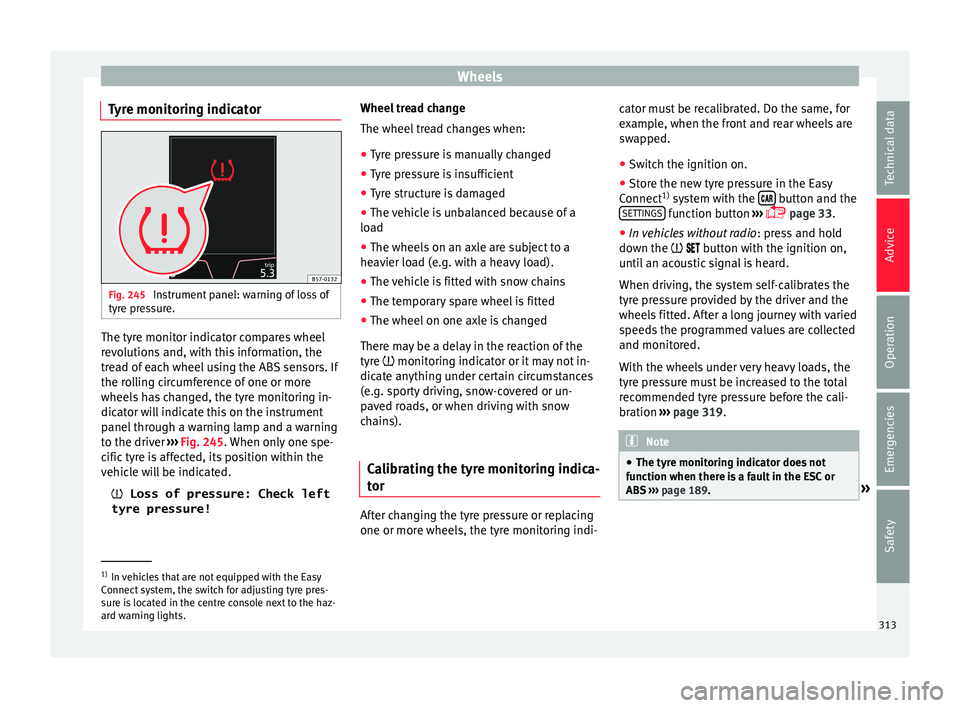
Tyre monitoring indicator Fig. 245
Instrument panel: warning of loss of
ty r
e pr
essure. The tyre monitor indicator compares wheel
r
ev
o
lutions and, with this information, the
tread of each wheel using the ABS sensors. If
the rolling circumference of one or more
wheels has changed, the tyre monitoring in-
dicator will indicate this on the instrument
panel through a warning lamp and a warning
to the driver ››› Fig. 245. When only one spe-
cific tyre is affected, its position within the
vehicle will be indicated.
Loss of pressure: Check left
tyre pressure! Wheel tread change
The wheel tre
ad changes when:
● Tyre pressure is manually changed
● Tyre pressure is insufficient
● Tyre structure is damaged
● The vehicle is unbalanced because of a
load
● The wheel
s on an axle are subject to a
heavier lo
ad (e.g. with a heavy load).
● The vehicle is fitted with snow chains
● The temporary spare wheel is fitted
● The wheel on one axle is changed
There ma
y be a delay in the reaction of the
tyre monitoring indicator or it may not in-
dicate anything under certain circumstances
(e.g. sporty driving, snow-covered or un-
paved roads, or when driving with snow
chains).
Calibrating the tyre monitoring indica-
tor After changing the tyre pressure or replacing
one or mor
e wheel
s, the ty
re monitoring indi-cator must be recalibrated. Do the same, for
examp
le, when the front and rear wheels are
swapped.
● Switch the ignition on.
● Store the new tyre pressure in the Easy
Connect 1)
sys
tem with the button and the
S ET
TINGS function button
››
›
page 33.
● In vehicles without radio : pres
s and hold
down the button with the ignition on,
until an acoustic signal is heard.
When driving, the system self-calibrates the
tyre pressure provided by the driver and the
wheels fitted. After a long journey with varied
speeds the programmed values are collected
and monitored.
With the wheels under very heavy loads, the
tyre pressure must be increased to the total
recommended tyre pressure before the cali-
bration ››› page 319. Note
● The tyr e monit
oring indicator does not
function when there is a fault in the ESC or
ABS ››› page 189. »1)
In vehicles that are not equipped with the Easy
Connect sy
stem, the switch for adjusting tyre pres-
sure is located in the centre console next to the haz-
ard warning lights. 313
Technical data
Advice
Operation
Emergencies
Safety
Page 333 of 348
Index
Changing gear en g
agin
g gears (manual gearbox) . . . . . . . . . 192
Changing settings CAR menu . . . . . . . . . . . . . . . . . . . . . . . . . . . . . . 33
Changing the blades . . . . . . . . . . . . . . . . . . . . . . . 97
Changing the wiper blades . . . . . . . . . . . . . . . . . . 71
Charging the battery . . . . . . . . . . . . . . . . . . . . . . 306
Checking levels engine compartment . . . . . . . . . . . . . . . . . . . . 298
Childproof locks electric windows . . . . . . . . . . . . . . . . . . . . . . . . 139
Child seats . . . . . . . . . . . . . . . . . . . . . . . . . . . . 24, 91 categorisation into groups . . . . . . . . . . . . . . . . . 92
ISOFIX system . . . . . . . . . . . . . . . . . . . . . . . . . . . 26
safety instructions . . . . . . . . . . . . . . . . . . . . 24, 90
securing with seat belt . . . . . . . . . . . . . . . . . . . . 25
Top Tether system . . . . . . . . . . . . . . . . . . . . . 26, 29
Cleaning . . . . . . . . . . . . . . . . . . . . . . . . . . . . . . . . 285 alcantara . . . . . . . . . . . . . . . . . . . . . . . . . . . . . . 291
carbon parts . . . . . . . . . . . . . . . . . . . . . . . . . . . 288
Easy Connect control panel . . . . . . . . . . . . . . . 289
exhaust pipe . . . . . . . . . . . . . . . . . . . . . . . . . . . 289
fabrics . . . . . . . . . . . . . . . . . . . . . . . . . . . . . . . . 289
leather . . . . . . . . . . . . . . . . . . . . . . . . . . . . . . . . 290
natural leather . . . . . . . . . . . . . . . . . . . . . . . . . 291
plastic parts . . . . . . . . . . . . . . . . . . . . . . 288, 289
radio screen . . . . . . . . . . . . . . . . . . . . . . . . . . . 289
rims . . . . . . . . . . . . . . . . . . . . . . . . . . . . . . . . . . 288
seat belts . . . . . . . . . . . . . . . . . . . . . . . . . . . . . 292
trims . . . . . . . . . . . . . . . . . . . . . . . . . . . . . . . . . 287
washing the vehicle . . . . . . . . . . . . . . . . . . . . . 285
windows . . . . . . . . . . . . . . . . . . . . . . . . . . . . . . 288
Climatronic . . . . . . . . . . . . . . . . . . . . . . . . . . . . . . . 51
Close sunroof . . . . . . . . . . . . . . . . . . . . . . . . . . . . . . . 142
windows . . . . . . . . . . . . . . . . . . . . . . . . . . . . . . 139 Closing . . . . . . . . . . . . . . . . . . . . . . . . . . . . . . . . . 125
bonnet . . . . . . . . . . . . . . . . . . . . . . . . . . . . . . . . 299
re
ar lid . . . . . . . . . . . . . . . . . . . . . . . . . . . . . . . . 137
sun blind (sunroof) . . . . . . . . . . . . . . . . . . . . . . 143
sunroof . . . . . . . . . . . . . . . . . . . . . . . . . . . . . . . 142
windows . . . . . . . . . . . . . . . . . . . . . . . . . . . . . . 139
Clutch (warning lamp) . . . . . . . . . . . . . . . . . . . . . 199
Coming Home . . . . . . . . . . . . . . . . . . . . . . . . . . . . 148
Coming Home function . . . . . . . . . . . . . . . . . . . . 148
Connectivity Box . . . . . . . . . . . . . . . . . . . . . . . . . . 123
Control and warning lamps . . . . . . . . . . . . . 46, 119 adaptive cruise control . . . . . . . . . . . . . . . . . . . 222
airbags . . . . . . . . . . . . . . . . . . . . . . . . . . . . . . . . 88
airbag system . . . . . . . . . . . . . . . . . . . . . . . . . . . 89
applying the brake . . . . . . . . . . . . . . . . . . . . . . 222
ASR . . . . . . . . . . . . . . . . . . . . . . . . . . . . . . . . . . 191
audible warning signal . . . . . . . . . . . . . . . . . . 119
blind spot detector (BSD) . . . . . . . . . . . . . . . . 237
cruise control system (CCS) . . . . . . . . . . . . . . . 212
depress the brake . . . . . . . . . . . . . . . . . . . . . . . 217
diesel particulate filter . . . . . . . . . . . . . . . . . . . 204
electromechanical steering . . . . . . . . . . . . . . . 200
emission control . . . . . . . . . . . . . . . . . . . . . . . . 205
engine management . . . . . . . . . . . . . . . . . . . . 205
engine pre-heating/fault system . . . . . . . . . . . 205
ESC . . . . . . . . . . . . . . . . . . . . . . . . . . . . . . . . . . 191
gear change . . . . . . . . . . . . . . . . . . . . . . . . . . . 200
Hill Descent Control . . . . . . . . . . . . . . . . . . . . . 210
instrument panel . . . . . . . . . . . . . . . . . . . . . 46, 48
instrument panel display . . . . . . . . . . . . . . . . . . 47
Lane Assist . . . . . . . . . . . . . . . . . . . . . . . . . . . . 230
lights . . . . . . . . . . . . . . . . . . . . . . . . . . . . . . . . . 144
parking assistant (RCTA) . . . . . . . . . . . . . . . . . 237
refuelling . . . . . . . . . . . . . . . . . . . . . . . . . . . . . . 292
remote control (auxiliary heater) . . . . . . . . . . . 178
seat belt . . . . . . . . . . . . . . . . . . . . . . . . . . . . . . . 79
speed limiter . . . . . . . . . . . . . . . . . . . . . . . . . . . 214 Start-Stop . . . . . . . . . . . . . . . . . . . . . . . . . . . . . 208
tow hit
ch . . . . . . . . . . . . . . . . . . . . . . . . . . . . . . 277
towing bracket . . . . . . . . . . . . . . . . . . . . . . . . . 275
tyre monitoring system . . . . . . . . . . . . . . . . . . 312
Controls and displays general instrument panel . . . . . . . . . . . . . . . . . 113
Controls for the windows . . . . . . . . . . . . . . . 18, 139
Controls on the steering wheel operating the audio, telephone and naviga-tion system . . . . . . . . . . . . . . . . . . . . . . . . . . 121
Coolant checking level . . . . . . . . . . . . . . . . . . . . . . . . . . 302
Cooling coolant temperature gauge . . . . . . . . . . . . . . . 117
Cooling system checking coolant . . . . . . . . . . . . . . . . . . . . . . . 302
topping up coolant . . . . . . . . . . . . . . . . . . . . . . 302
Cornering lights . . . . . . . . . . . . . . . . . . . . . . . . . . . . . . . . . 148
Correct position . . . . . . . . . . . . . . . . . . . . . . . . . . . 74 driver . . . . . . . . . . . . . . . . . . . . . . . . . . . . . . . . . . 74
front passenger . . . . . . . . . . . . . . . . . . . . . . . . . 75
Correct sitting position rear seat passengers . . . . . . . . . . . . . . . . . . . . . 76
Cruise control . . . . . . . . . . . . . . . . . . . . . . . . 44, 212 operation . . . . . . . . . . . . . . . . . . . . . . . . . . . . . . 213
Cruise control system . . . . . . . . . . . . . . . . . . . . . . 212 warning and indication lamp . . . . . . . . . . . . . . 212
D Dangers in not using the seat belt . . . . . . . . . . . . 81
Dash panel . . . . . . . . . . . . . . . . . . . . . . . . . . . . . . . 46
Data sticker . . . . . . . . . . . . . . . . . . . . . . . . . . . . . . 317
Deactivating the front passenger front airbag . . . 22
Deactivation of front airbag . . . . . . . . . . . . . . . . . . 88
Defective bulbs changing a bulb . . . . . . . . . . . . . . . . . . . . . . . . 106
331
Page 339 of 348
Index
automatic activation . . . . . . . . . . . . . . . . . . . . 260
driv in
g w
ith a trailer . . . . . . . . . . . . . . . . . . . . . 262
malfunction . . . . . . . . . . . . . . . . . . . . . . . 261, 265
rear parking aid . . . . . . . . . . . . . . . . . . . . . . . . 262
sensors and camera: cleaning . . . . . . . . . . . . . 287
towing bracket . . . . . . . . . . . . . . . . . . . . . . . . . 265
visual indication . . . . . . . . . . . . . . . . . . . 260, 264
Parking aid system see Parking aid . . . . . . . . . . . . . . . . . . . . 257, 262
Parking assistance parking system plus . . . . . . . . . . . . . . . . . . . . . 257
see Park Assist . . . . . . . . . . . . . . . . . . . . . . . . . 249
surroundings warning . . . . . . . . . . . . . . . . . . . 257
Parking assistance (RCTA) . . . . . . . . . . . . . . . . . . 237 control lamp . . . . . . . . . . . . . . . . . . . . . . . . . . . 237
Parking assistant . . . . . . . . . . . . . . . . . . . . . . . . . 241
Parking assistant (RCTA) . . . . . . . . . . . . . . . . . . . 241
Parking brake . . . . . . . . . . . . . . . . . . . . . . . . . . . . 186 activate . . . . . . . . . . . . . . . . . . . . . . . . . . . . . . . 186
automatic activation . . . . . . . . . . . . . . . . . . . . 187
automatic release . . . . . . . . . . . . . . . . . . . . . . . 186
emergency braking function . . . . . . . . . . . . . . 187
release . . . . . . . . . . . . . . . . . . . . . . . . . . . . . . . . 186
Parking distance warning system see Parking aid . . . . . . . . . . . . . . . . . . . . 257, 262
Parking (automatic gearbox) . . . . . . . . . . . . . . . . 196
ParkPilot see Parking aid . . . . . . . . . . . . . . . . . . . . 257, 262
Particulate filter (diesel) . . . . . . . . . . . . . . . . . . . 204
Parts . . . . . . . . . . . . . . . . . . . . . . . . . . . . . . . . . . . 284
Passenger see Correct sitting position . . . . . . . . . 74, 75, 76
Passenger-side instrument panel left-hand drive . . . . . . . . . . . . . . . . . . . . . . . . . . 12
right-hand drive . . . . . . . . . . . . . . . . . . . . . . . . . 13
Pedals . . . . . . . . . . . . . . . . . . . . . . . . . . . . . . . . . . . 78 Petrol
additiv es . . . . . . . . . . . . . . . . . . . . . . . . . . . . . . 293
refuelling . . . . . . . . . . . . . . . . . . . . . . . . . . . . . . 293
Plastic parts: cleaning . . . . . . . . . . . . . . . . 288, 289
Polishing . . . . . . . . . . . . . . . . . . . . . . . . . . . . . . . . 287
Positioning seat belts during pregnancy . . . . . . . . . . . . . . . . . . . . . . . . 83
seat belts . . . . . . . . . . . . . . . . . . . . . . . . . . . . . . 83
Power . . . . . . . . . . . . . . . . . . . . . . . . . . . . . . . . . . 162
Power management . . . . . . . . . . . . . . . . . . . . . . . 203
Power socket . . . . . . . . . . . . . . . . . . . . . . . . . . . . 162 trailer . . . . . . . . . . . . . . . . . . . . . . . . . . . . . . . . . 278
Power steering see Electromechanical steering . . . . . . . . . . . . 200
Pre-heating system control lamp . . . . . . . . . . . . . . . . . . . . . . . . . . . 205
Preheating . . . . . . . . . . . . . . . . . . . . . . . . . . . . . . 181
Preheating the engine . . . . . . . . . . . . . . . . . . . . . 184
Press & Drive starter button . . . . . . . . . . . . . . . . . . . . . . . . . . 183
starting the engine . . . . . . . . . . . . . . . . . . . . . . 184
Puncture action . . . . . . . . . . . . . . . . . . . . . . . . . . . . . . . . . 62
R Racks . . . . . . . . . . . . . . . . . . . . . . . . . . . . . . . . . . . 161
Radar sensor . . . . . . . . . . . . . . . . . . . . . . . . 219, 223
Radio-operated remote control see Keys . . . . . . . . . . . . . . . . . . . . . . . . . . . . . . 126
Radio screen: cleaning . . . . . . . . . . . . . . . . . . . . 289
Radio transmitters . . . . . . . . . . . . . . . . . . . . . . . . 284
Rain sensor . . . . . . . . . . . . . . . . . . . . . . . . . . . . . . 154 control of the function . . . . . . . . . . . . . . . . . . . 154
Raising the vehicle . . . . . . . . . . . . . . . . . . . . . . . . . 66
RCTA . . . . . . . . . . . . . . . . . . . . . . . . . . . . . . . . . . . 241 see Parking assistance (RCTA) . . . . . . . . . . . . . 237 Rear
headr ests . . . . . . . . . . . . . . . . . . . . . . . . . . . . . . 77
Rear-view mirror anti-dazzle . . . . . . . . . . . . . . . . . . . . . . . . . . . . 155
interior anti-dazzle . . . . . . . . . . . . . . . . . . . . . . 155
Rear Assist . . . . . . . . . . . . . . . . . . . . . . . . . . . . . . 270 instructions for use . . . . . . . . . . . . . . . . . . . . . 271
parking . . . . . . . . . . . . . . . . . . . . . . . . . . . . . . . 272
screen . . . . . . . . . . . . . . . . . . . . . . . . . . . . . . . . 271
special characteristics . . . . . . . . . . . . . . . . . . . 271
Rear Assist system . . . . . . . . . . . . . . . . . . . . . . . . 270
Rear bulbs in the side panel disassemble the rear light . . . . . . . . . . . . . . . . 109
Rear lid . . . . . . . . . . . . . . . . . . . . . . . . . . . . . . . 16, 17 see also Luggage compartment . . . . . . . . . . . 137
Rear lights in the rear lid disassemble the bulb holder . . . . . . . . . . . . . . 110
Rear parking aid . . . . . . . . . . . . . . . . . . . . . . . . . . 262
Rear seat backrest folding down . . . . . . . . . . . . . . . . . . . . . . . . . . . 159
folding down and lifting the backrest . . . . . . . 159
lifting . . . . . . . . . . . . . . . . . . . . . . . . . . . . . . . . . 159
Rear seat passengers see Correct sitting position . . . . . . . . . 74, 75, 76
Rear shelf storing . . . . . . . . . . . . . . . . . . . . . . . . . . . . . . . . 164
Rear View Camera . . . . . . . . . . . . . . . . . . . . . . . . . 270
Refuelling fuel gauge . . . . . . . . . . . . . . . . . . . . . . . . . . . . . 118
opening fuel tank flap . . . . . . . . . . . . . . . . . . . 292
Remote control key unlocking and locking . . . . . . . . . . . . . . . . . . . 127
Remote control (auxiliary heater) . . . . . . . . . . . . 178 replacing the battery . . . . . . . . . . . . . . . . . . . . 178
Removing and attaching head restraints . . . . . . 157
Repair work . . . . . . . . . . . . . . . . . . . . . . . . . . . . . . 284
337