ignition Seat Exeo 2009 Owner's Guide
[x] Cancel search | Manufacturer: SEAT, Model Year: 2009, Model line: Exeo, Model: Seat Exeo 2009Pages: 310, PDF Size: 8.54 MB
Page 76 of 310
Cockpit
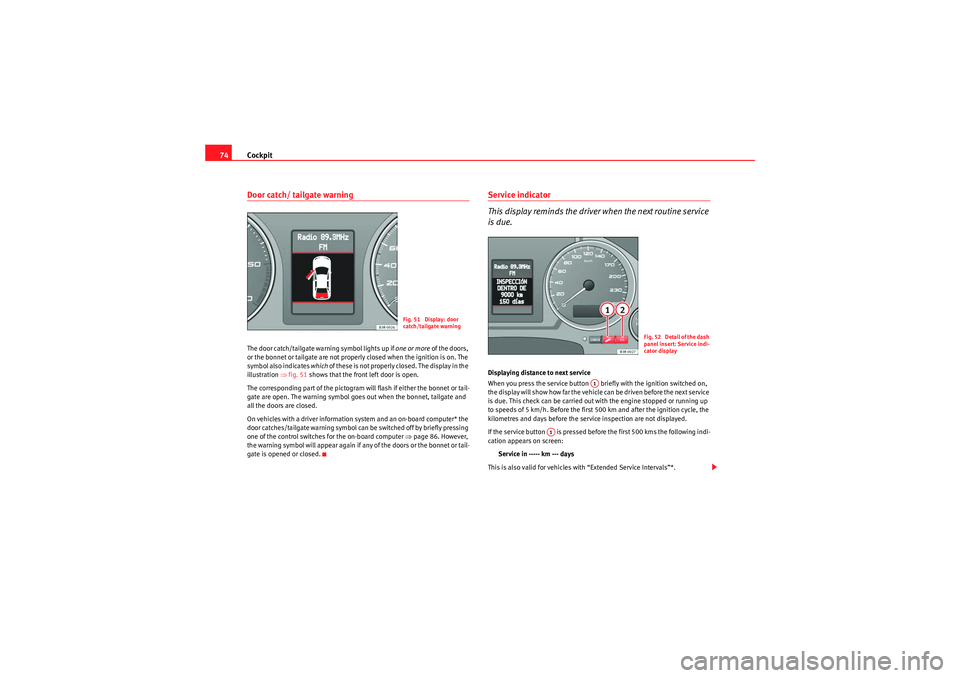
74Door catch/ tailgate warningThe door catch/tailgate warning symbol lights up if one or more of the doors,
or the bonnet or tailgate are not properly closed when the ignition is on. The
symbol also indicates which of these is not properly closed. The display in the
illustration ⇒fig. 51 shows that the front left door is open.
The corresponding part of the pictogram will flash if either the bonnet or tail-
gate are open. The warning symbol goes out when the bonnet, tailgate and
all the doors are closed.
On vehicles with a driver information system and an on-board computer* the
door catches/tailgate warning symbol can be switched off by briefly pressing
one of the control switches for the on-board computer ⇒page 86. However,
the warning symbol will appear again if any of the doors or the bonnet or tail-
gate is opened or closed.
Service indicator
This display reminds the driver when the next routine service
is due.Displaying distance to next service
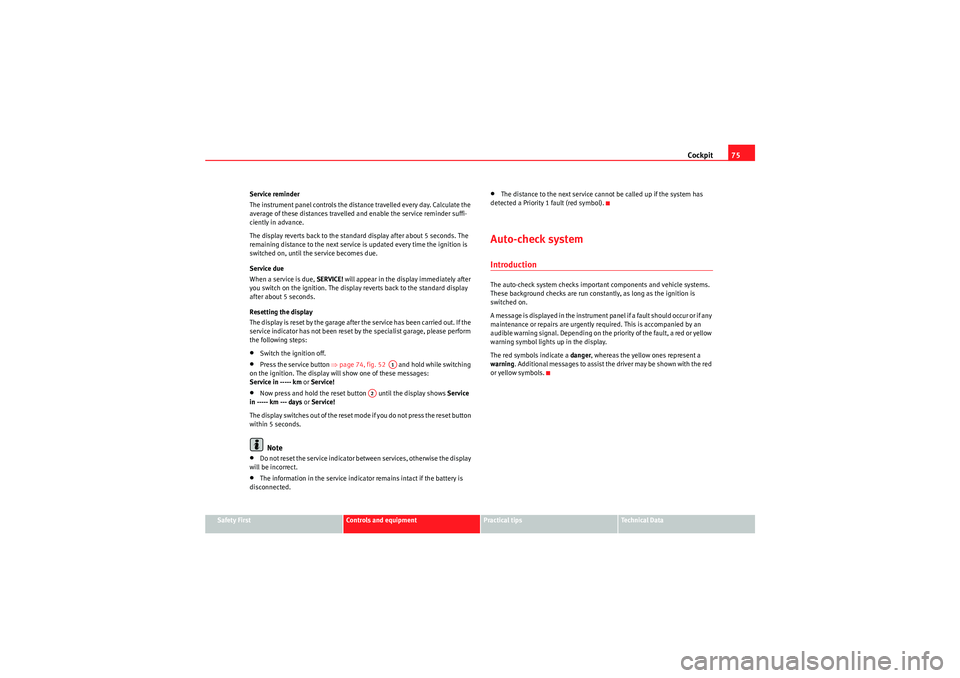
When you press the service button briefly with the ignition switched on,
the display will show how far the vehicle can be driven before the next service
is due. This check can be carried out with the engine stopped or running up
to speeds of 5 km/h. Before the first 500 km and after the ignition cycle, the
kilometres and days before the service inspection are not displayed.
If the service button is pressed before the first 500 kms the following indi-
cation appears on screen:
Service in ----- km --- days
This is also valid for vehicles with “Extended Service Intervals”*.
Fig. 51 Display: door
catch/tailgate warning
F ig. 52 Detail of th e dash
panel insert: Service indi-
cator display
A1
A1
Exeo_EN.book Seite 74 Freitag, 28. August 2009 10:14 10
Page 77 of 310
Cockpit75
Safety First
Controls and equipment
Practical tips
Technical Data
Service reminder
The instrument panel controls the distance travelled every day. Calculate the
average of these distances travelled and enable the service reminder suffi-
ciently in advance.
The display reverts back to the standard display after about 5 seconds. The
remaining distance to the next service is updated every time the ignition is
switched on, until the service becomes due.
Service due
When a service is due,
SERVICE! will appear in the display immediately after
you switch on the ignition. The display reverts back to the standard display
after about 5 seconds.
Resetting the display
The display is reset by the garage after the service has been carried out. If the
service indicator has not been reset by the specialist garage, please perform
the following steps:
•Switch the ignition off.•Press the service button ⇒page 74, fig. 52 and hold while switching
on the ignition. The display will show one of these messages:
Service in ----- km or Service!•Now press and hold the reset button until the display shows Service
in ----- km --- days or Service!
The display switches out of the reset mode if you do not press the reset button
within 5 seconds.Note
•Do not reset the service indicator between services, otherwise the display
will be incorrect.•The information in the service indicator remains intact if the battery is
disconnected.
•The distance to the next service cannot be called up if the system has
detected a Priority 1 fault (red symbol).Auto-check systemIntroductionThe auto-check system checks important components and vehicle systems.
These background checks are run constantly, as long as the ignition is
switched on.
A m e ssa ge is d i s p la y e d i n t h e i n s t r u m e n t p a n e l i f a f a u l t s h o u ld o cc u r o r i f a n y
maintenance or repairs are urgently required. This is accompanied by an
audible warning signal. Depending on the priority of the fault, a red or yellow
warning symbol lights up in the display.
The red symbols indicate a danger, whereas the yellow ones represent a
warning . Additional messages to assist the driver may be shown with the red
or yellow symbols.
A1
A2
Exeo_EN.book Seite 75 Freitag, 28. August 2009 10:14 10
Page 84 of 310
Cockpit
82turn signal is not working, the display in the instrument panel will show the
following message:
Left rear turn signal
The message disappears after 5 seconds. Press the CHECK button briefly if
you wish to call up the message again.
If the display indicates that one of the lights is not working, this can have a
number of causes:•Bulb failure ⇒page 257.•A “blown” fuse ⇒ page 255, “Changing fuses”.•Faulty electrical wiring.
Have the components replaced or the wiring repaired as necessary by a
specialist garage.WARNING
•Bulbs are highly sensitive to pressure. The glass can break when you
touch the bulb, causing injury.•The high voltage element of gas discharge lamps* (xenon light) must
be handled correctly. Otherwise, there is a risk of death.
Speed warning
Introduction
The speed warning function can help prevent you exceeding
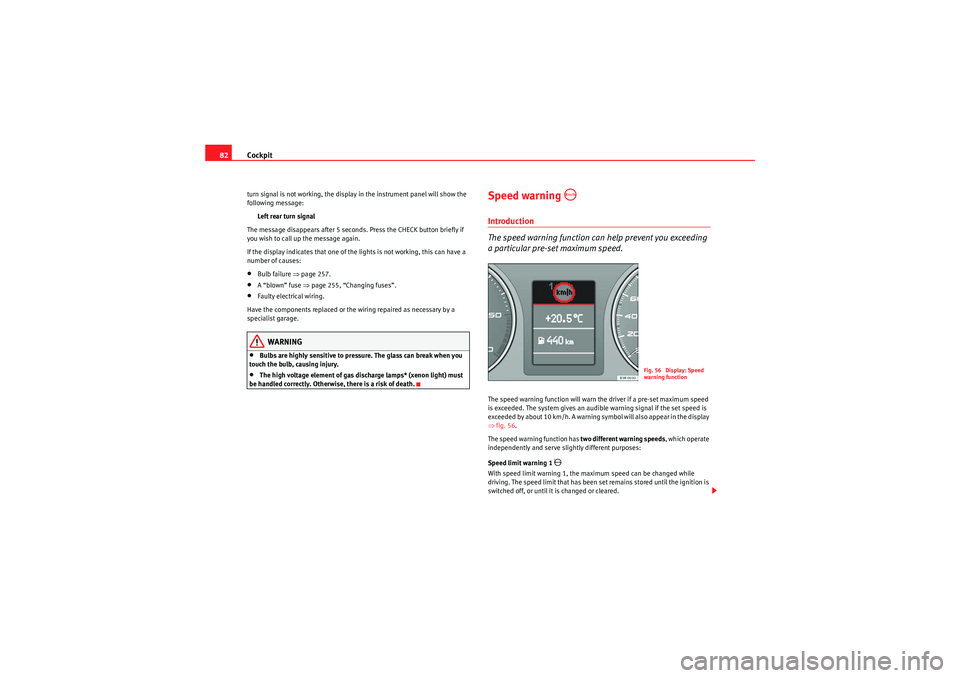
a particular pre-set maximum speed.The speed warning function will warn the driver if a pre-set maximum speed
is exceeded. The system gives an audible warning signal if the set speed is
exceeded by about 10 km/h. A warning symbol will also appear in the display
⇒ fig. 56.
The speed warning function has two different warning speeds, which operate
independently and serve slig htly different purposes:
Speed limit warning 1
With speed limit warning 1, the maximum speed can be changed while
driving. The speed limit that has been set remains stored until the ignition is
switched off, or until it is changed or cleared.
Fig. 56 Display: Speed
warning function
Exeo_EN.book Seite 82 Freitag, 28. August 2009 10:14 10
Page 85 of 310
Cockpit83
Safety First
Controls and equipment
Practical tips
Technical Data
The speed limit warning symbol
for speed warning 1
⇒page 82, fig. 56
will appear in the display if you exceed the pre-set speed. It goes out again if
the speed is reduced below the set speed limit.
The symbol also goes out if the speed is increased to more than about 40
km/h above the set speed for at least 10 seconds. However, this does not
cancel the speed limit that was originally set.
Setting speed limit warning 1 ⇒page 83.
Speed limit warning 2
With speed limit warning 2, the speed limit can only be changed or cleared
when the ignition is switched off. You are recommended to store this speed
limit warning if you always wish to be reminded of a particular speed limit.
This could be when driving in countries with general speed limits, or if a
particular speed should not be exceeded when winter tyres are fitted etc.
The speed limit warning symbol
for speed warning 2 will appear in the
display if you exceed the pre-set speed. Unlike speed limit warning 1, the
warning symbol only goes out once the road speed has dropped below the
set value again.
Setting speed limit warning 2 ⇒page 84.
Note
Please bear in mind that, even with the speed warning function, it is still
important to keep a eye on the car's speed with the speedometer and to
observe the legal speed limits.
Setting speed limit warning 1
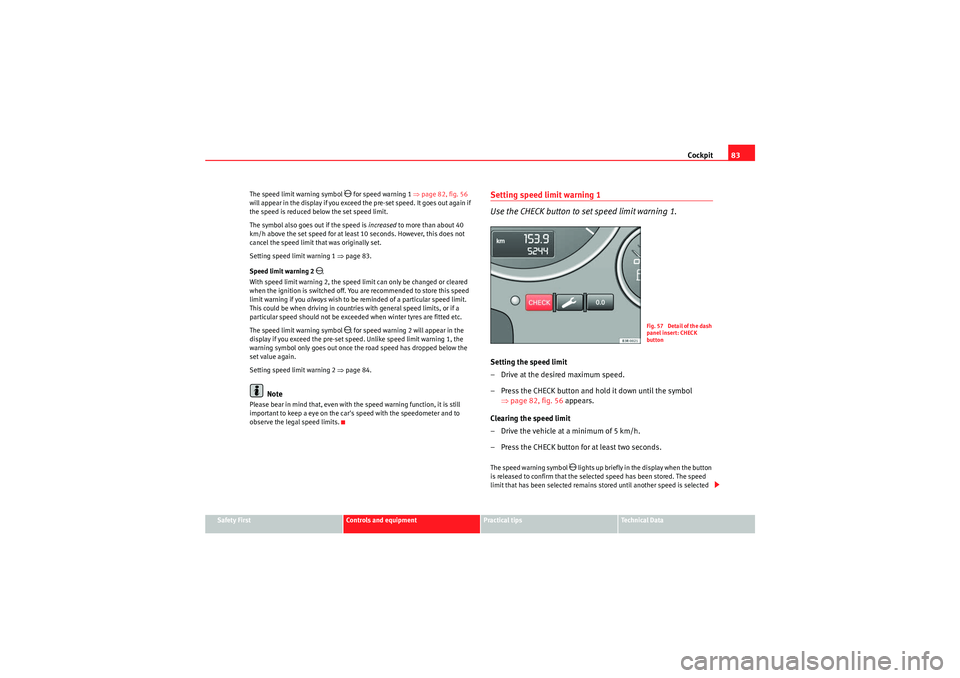
Use the CHECK button to set speed limit warning 1.Setting the speed limit
– Drive at the desired maximum speed.
– Press the CHECK button and hold it down until the symbol
⇒page 82, fig. 56 appears.
Clearing the speed limit
– Drive the vehicle at a minimum of 5 km/h.
– Press the CHECK button for at least two seconds.The speed warning symbol
lights up briefly in the display when the button
is released to confirm that the selected speed has been stored. The speed
limit that has been selected remains stored until another speed is selected
F ig. 57 Detail of th e dash
panel insert: CHECK
button
Exeo_EN.book Seite 83 Freitag, 28. August 2009 10:14 10
Page 86 of 310
Cockpit
84with a brief push of the button, or until the memory is cleared with a long
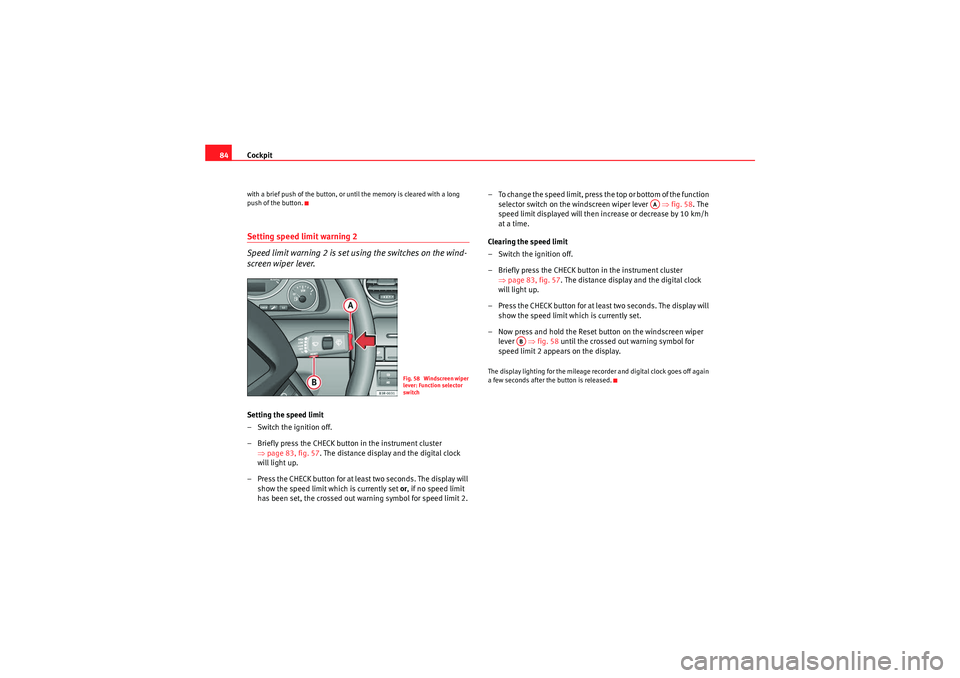
push of the button.Setting speed limit warning 2
Speed limit warning 2 is set using the switches on the wind-
screen wiper lever.Setting the speed limit
– Switch the ignition off.
– Briefly press the CHECK button in the instrument cluster
⇒page 83, fig. 57 . The distance display and the digital clock
will light up.
– Press the CHECK button for at least two seconds. The display will show the speed limit which is currently set or , if no speed limit
has been set, the cr ossed out warning symbol for speed limit 2. – To change the speed limit, press the top or bottom of the function
selector switch on the windscreen wiper lever ⇒fig. 58 . The
speed limit displayed will then in crease or decrease by 10 km/h
at a time.
Clearing the speed limit
– Switch the ignition off.
– Briefly press the CHECK button in the instrument cluster ⇒page 83, fig. 57. The distance display and the digital clock
will light up.
– Press the CHECK button for at least two seconds. The display will show the speed limit which is currently set.
– Now press and hold the Reset button on the windscreen wiper lever ⇒fig. 58 until the crossed out warning symbol for
speed limit 2 appears on the display.
The display lighting for the mileage recorder and digital clock goes off again
a few seconds after the button is released.
Fig. 58 Windscreen wiper
lever: Function selector
switch
AA
AB
Exeo_EN.book Seite 84 Freitag, 28. August 2009 10:14 10
Page 87 of 310
Cockpit85
Safety First
Controls and equipment
Practical tips
Technical Data
On-board computerIntroduction
The on-board computer provides you with useful information
during a journey, including average and current fuel
consumption, average speed, fuel range, driving time and
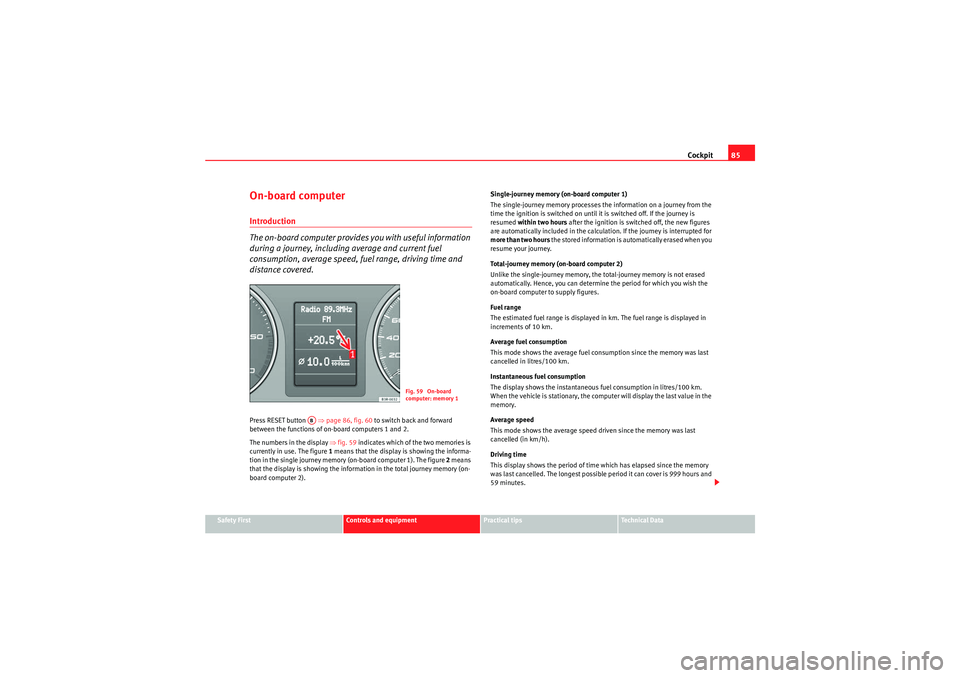
distance covered.Press RESET button ⇒page 86, fig. 60 to switch back and forward
between the functions of on-board computers 1 and 2.
The numbers in the display ⇒fig. 59 indicates which of the two memories is
currently in use. The figure 1 means that the display is showing the informa-
tion in the single journey memory (on-board computer 1). The figure 2 means
that the display is showing the information in the total journey memory (on-
board computer 2). Single-journey memory (on-board computer 1)
The single-journey memory processes the information on a journey from the
time the ignition is switched on until it is switched off. If the journey is
resumed
within two hours after the ignition is switched off, the new figures
are automatically included in the calculation. If the journey is interrupted for
more than two hours t h e s t o r e d i n f o r m a t i o n i s a u t o m a t i ca l l y e r a s e d w h e n y o u
resume your journey.
Total-journey memory (on-board computer 2)
Unlike the single-journey memory, the total-journey memory is not erased
automatically. Hence, you can determine the period for which you wish the
on-board computer to supply figures.
Fuel range
The estimated fuel range is displayed in km. The fuel range is displayed in
increments of 10 km.
Average fuel consumption
This mode shows the average fuel consumption since the memory was last
cancelled in litres/100 km.
Instantaneous fuel consumption
The display shows the instantaneous fuel consumption in litres/100 km.
When the vehicle is stationary, the computer will display the last value in the
memory.
Average speed
This mode shows the average speed driven since the memory was last
cancelled (in km/h).
Driving time
This display shows the period of time which has elapsed since the memory
was last cancelled. The longest possible period it can cover is 999 hours and
59 minutes.
Fig. 59 On-board
computer: memory 1
AB
Exeo_EN.book Seite 85 Freitag, 28. August 2009 10:14 10
Page 89 of 310
Cockpit87
Safety First
Controls and equipment
Practical tips
Technical Data
•Journey duration•Distance covered•Average fuel consumption•Average speed
The on-board computer can only be operated when the ignition is switched
on. When the ignition is switched on, the display shows the function that was
last selected.
As well as the figures from the on-board computer (computer 1 or 2), the
display can also show information from the navigation system*. Press the
Reset button briefly to switch back and forward between these displays.Note
•If you keep the Reset button pressed for longer than two seconds, it will
reset the currently displayed figure to zero (for instance average fuel
consumption).•Faults detected by the auto-check control will be displayed even if the
display is off.•The information in the memory is lost if the battery is disconnected.
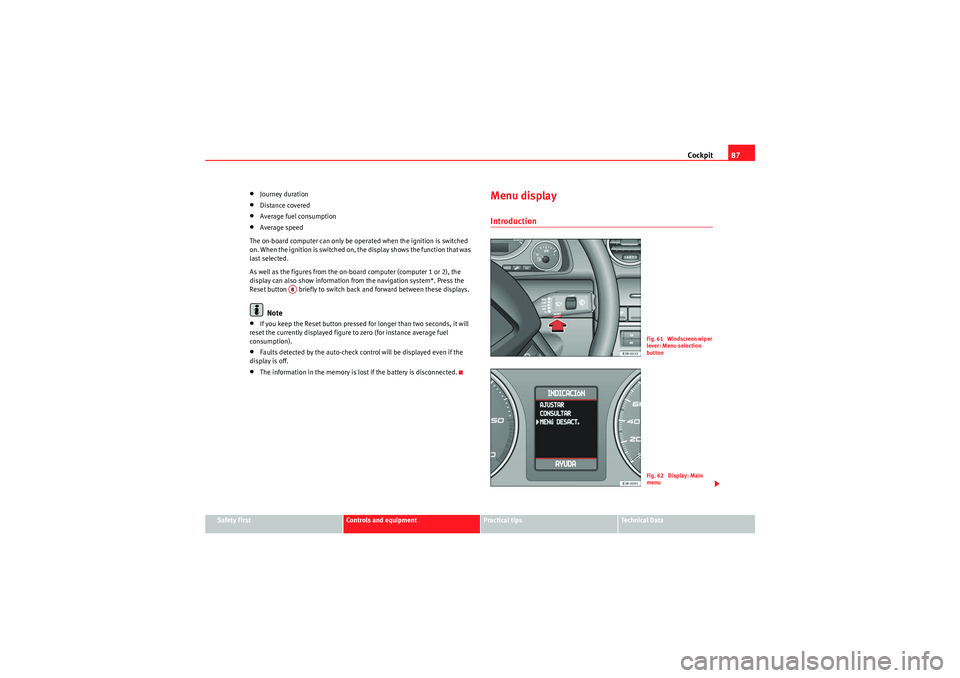
Menu displayIntroduction
AB
Fig. 61 Windscreen wiper
lever: Menu selection
buttonFig. 62 Display: Main
menu
Exeo_EN.book Seite 87 Freitag, 28. August 2009 10:14 10
Page 90 of 310
Cockpit
88Some of your vehicle's functions can be adjusted, activated and controlled by
menus . With the aid of the menus you can then also select the information
you wish to see displayed on the DIS display. This is only possible when the
ignition is on. The menu is enabled using the button on the wind-
screen wiper lever ⇒ page 87, fig. 61.
The main menu lists the different display types (or basic commands):
Programming
Check
Menu off
Help
The main menu options have the following submenus:
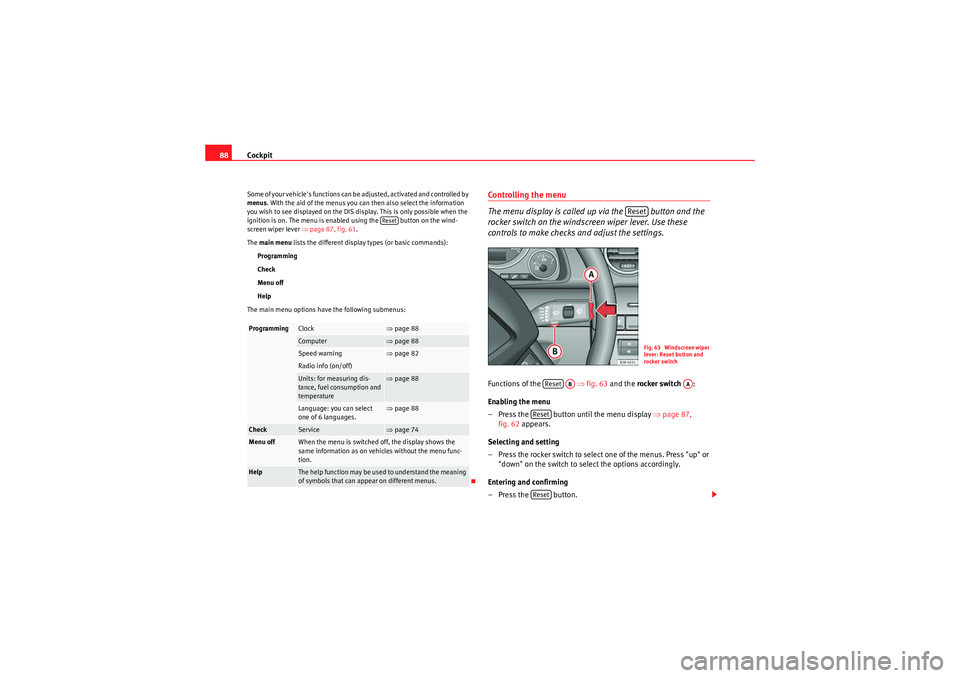
Controlling the menu
The menu display is called up via the button and the
rocker switch on the windscreen wiper lever. Use these
controls to make checks and adjust the settings.Functions of the ⇒fig. 63 and the rocker switch :
Enabling the menu
– Press the button until the menu display ⇒page 87,
fig. 62 appears.
Selecting and setting
– Press the rocker switch to select one of the menus. Press "up" or "down" on the switch to select the options accordingly.
Entering and confirming
–Press the button.
Programming
Clock
⇒ page 88
Computer
⇒page 88
Speed warning
⇒page 82
Radio info (on/off)Units: for measuring dis-
tance, fuel consumption and
temperature
⇒page 88
Language: you can select
one of 6 languages.
⇒page 88
Check
Service
⇒page 74
Menu off
When the menu is switched off, the display shows the
same information as on vehicles without the menu func-
tion.
Help
The help function may be used to understand the meaning
of symbols that can appear on different menus.
Reset
Reset
Fig. 63 Windscreen wiper
lever: Reset button and
rocker switch
Reset
AB
AA
ResetReset
Exeo_EN.book Seite 88 Freitag, 28. August 2009 10:14 10
Page 99 of 310
Unlocking and locking97
Safety First
Controls and equipment
Practical tips
Technical Data
WARNING
•Always take the key with you when leaving the vehicle, even if you only
intend to be gone for a short time. This is particularly important if there are
children in the car, as they might otherwise be able to start the engine or
use power-operated equipment (e.g. the electric windows), which could
lead to injuries.•Wait for the vehicle to come to a standstill before removing the ignition
key from the lock! Otherwise, the steering lock could engage suddenly,
causing an accident.
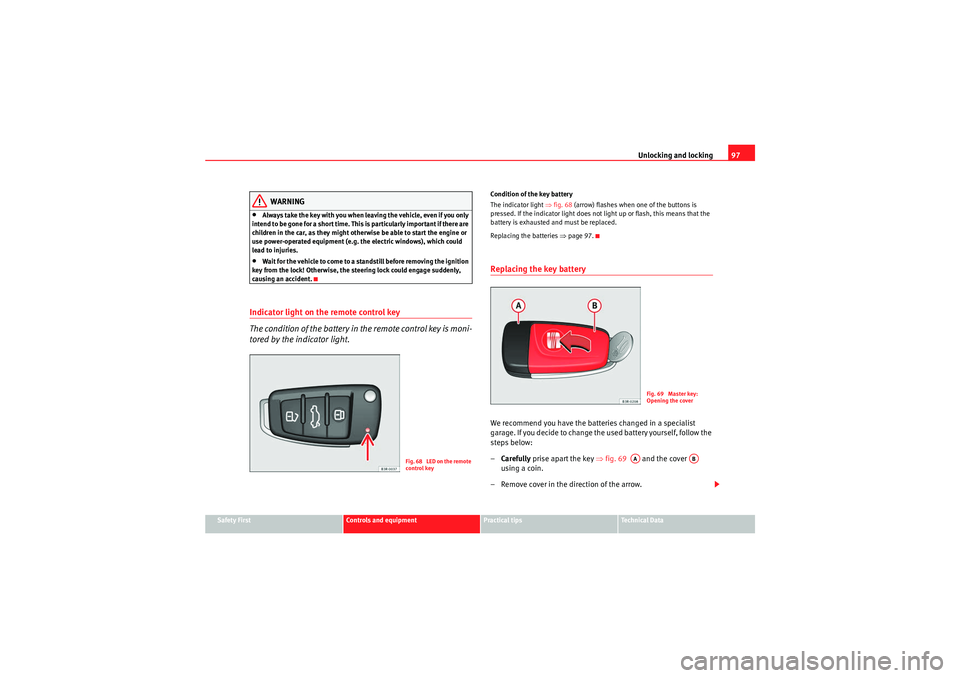
Indicator light on the remote control key
The condition of the battery in the remote control key is moni-
tored by the indicator light.
Condition of the key battery
The indicator light ⇒fig. 68 (arrow) flashes when one of the buttons is
pressed. If the indicator light does not light up or flash, this means that the
battery is exhausted and must be replaced.
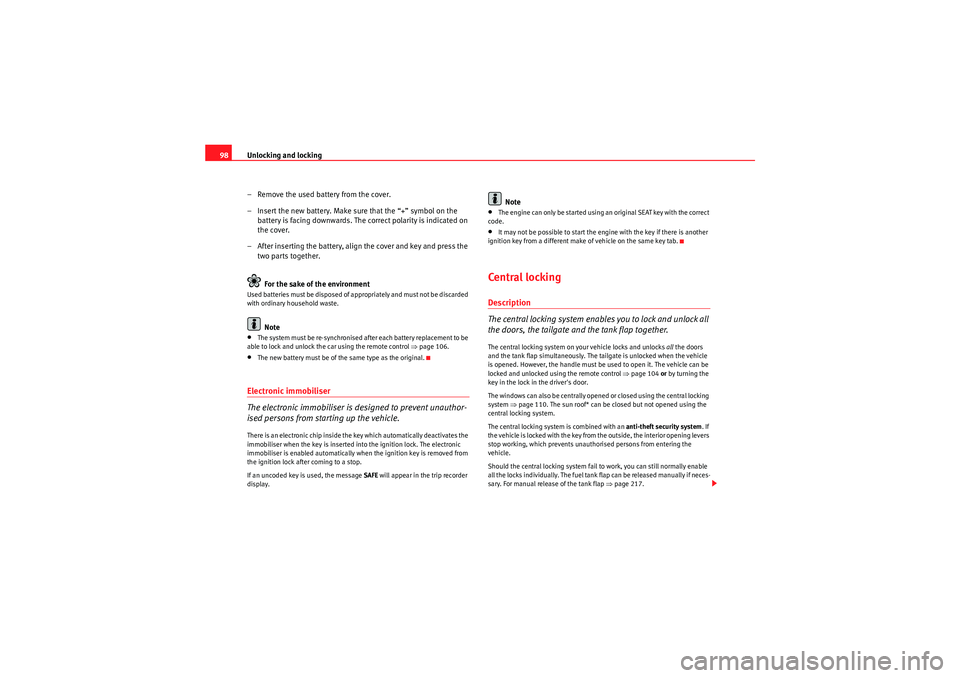
Replacing the batteries ⇒page 97.Replacing the key batteryWe recommend you have the batteries changed in a specialist
garage. If you decide to change the used battery yourself, follow the
steps below:
– Carefully prise apart the key ⇒fig. 69 and the cover
using a coin.
– Remove cover in the direction of the arrow.
Fig. 68 LED on the remote
control key
Fig. 69 Master key:
Opening the cover
AA
AB
Exeo_EN.book Seite 97 Freitag, 28. August 2009 10:14 10
Page 100 of 310
Unlocking and locking
98
– Remove the used battery from the cover.
– Insert the new battery. Make sure that the “+” symbol on the battery is facing downwards. The co rrect polarity is indicated on
the cover.
– After inserting the battery, align the cover and key and press the two parts together.
For the sake of the environmentUsed batteries must be disposed of appropriately and must not be discarded
with ordinary household waste.
Note
•The system must be re-synchronised after each battery replacement to be
able to lock and unlock the car using the remote control ⇒page 106.•The new battery must be of the same type as the original.Electronic immobiliser
The electronic immobiliser is designed to prevent unauthor-
ised persons from starting up the vehicle.There is an electronic chip inside the key which automatically deactivates the
immobiliser when the key is inserted into the ignition lock. The electronic
immobiliser is enabled automatically when the ignition key is removed from
the ignition lock after coming to a stop.
If an uncoded key is used, the message SAFE will appear in the trip recorder
display.
Note
•The engine can only be started using an original SEAT key with the correct
code.•It may not be possible to start the engine with the key if there is another
ignition key from a different make of vehicle on the same key tab.Central lockingDescription
The central locking system enables you to lock and unlock all
the doors, the tailgate and the tank flap together.The central locking system on your vehicle locks and unlocks all the doors
and the tank flap simultaneously. The tailgate is unlocked when the vehicle
is opened. However, the handle must be used to open it. The vehicle can be
locked and unlocked using the remote control ⇒ page 104 or by turning the
key in the lock in the driver's door.
The windows can also be centrally opened or closed using the central locking
system ⇒page 110. The sun roof* can be closed but not opened using the
central locking system.
The central locking system is combined with an anti-theft security system. If
the vehicle is locked with the key from the outside, the interior opening levers
stop working, which prevents unauthorised persons from entering the
vehicle.
Should the central locking system fail to work, you can still normally enable
all the locks individually. The fuel tank flap can be released manually if neces-
sary. For manual release of the tank flap ⇒page 217.
Exeo_EN.book Seite 98 Freitag, 28. August 2009 10:14 10