wheel Seat Leon 5D 2005 User Guide
[x] Cancel search | Manufacturer: SEAT, Model Year: 2005, Model line: Leon 5D, Model: Seat Leon 5D 2005Pages: 280, PDF Size: 8.46 MB
Page 57 of 280
Cockpit55
Safety First
Operating instructions
Tips and Maintenance
Te c h n i c a l D a t a
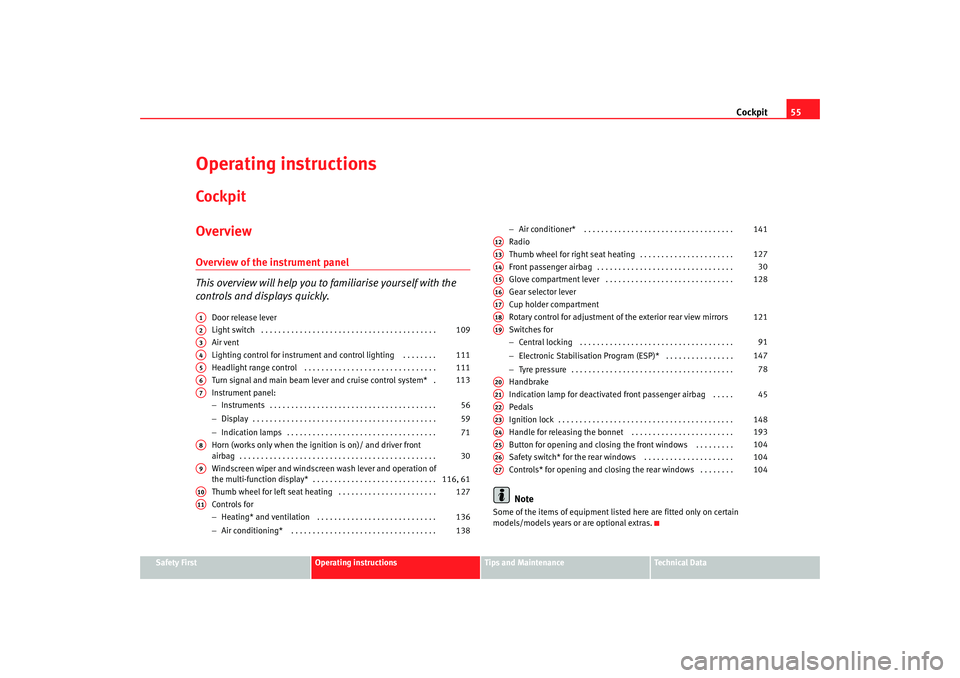
Operating instructionsCockpitOverviewOverview of the instrument panel
This overview will help you to familiarise yourself with the
controls and displays quickly.
Door release lever
Light switch . . . . . . . . . . . . . . . . . . . . . . . . . . . . . . . . . . . . . . . . .
Air vent
Lighting control for instrument and control lighting . . . . . . . .
Headlight range control . . . . . . . . . . . . . . . . . . . . . . . . . . . . . . .
Turn signal and main beam lever and cruise control system* .
Instrument panel:
− Instruments . . . . . . . . . . . . . . . . . . . . . . . . . . . . . . . . . . . . . . .
− Display . . . . . . . . . . . . . . . . . . . . . . . . . . . . . . . . . . . . . . . . . . .
− Indication lamps . . . . . . . . . . . . . . . . . . . . . . . . . . . . . . . . . . .
Horn (works only when the igni tion is on)/ and driver front
airbag . . . . . . . . . . . . . . . . . . . . . . . . . . . . . . . . . . . . . . . . . . . . . .
Windscreen wiper and windscreen wash lever and operation of
the multi-function display* . . . . . . . . . . . . . . . . . . . . . . . . . . . . .
Thumb wheel for left seat heating . . . . . . . . . . . . . . . . . . . . . . .
Controls for
− Heating* and ventilation . . . . . . . . . . . . . . . . . . . . . . . . . . . .
− Air conditioning* . . . . . . . . . . . . . . . . . . . . . . . . . . . . . . . . . . −
Air conditioner* . . . . . . . . . . . . . . . . . . . . . . . . . . . . . . . . . . .
Radio
Thumb wheel for right seat heating . . . . . . . . . . . . . . . . . . . . . .
Front passenger airbag . . . . . . . . . . . . . . . . . . . . . . . . . . . . . . . .
Glove compartment lever . . . . . . . . . . . . . . . . . . . . . . . . . . . . . .
Gear selector lever
Cup holder compartment
Rotary control for adjustment of the exterior rear view mirrors
Switches for
− Central locking . . . . . . . . . . . . . . . . . . . . . . . . . . . . . . . . . . . .
− Electronic Stabilisation Program (ESP)* . . . . . . . . . . . . . . . .
− Tyre pressure . . . . . . . . . . . . . . . . . . . . . . . . . . . . . . . . . . . . . .
Handbrake
Indication lamp for deactivated front passenger airbag . . . . .
Pedals
Ignition lock . . . . . . . . . . . . . . . . . . . . . . . . . . . . . . . . . . . . . . . . .
Handle for releasing the bonnet . . . . . . . . . . . . . . . . . . . . . . . .
Button for opening and closing the front windows . . . . . . . . .
Safety switch* for the rear windows . . . . . . . . . . . . . . . . . . . . .
Controls* for opening and closing the rear windows . . . . . . . .
Note
Some of the items of equipment listed here are fitted only on certain
models/models years or are optional extras.
A1A2
109
A3A4
111
A5
111
A6
113
A7
56
59
71
A8
30
A9
116, 61
A10
127
A11
136
138 141
A12A13
127
A14
30
A15
128
A16A17A18
121
A19
91
147 78
A20A21
45
A22A23
148
A24
193
A25
104
A26
104
A27
104
leon_ingles Seite 55 Donner stag, 20. Oktober 2005 12:14 12
Page 71 of 280
Cockpit69
Safety First
Operating instructions
Tips and Maintenance
Te c h n i c a l D a t a
Vehicle status menu
This menu shows warning or information textsOpen Vehicle Condition menu
– Choose option Vehicle condition from main menu: “Main menu”
and press the button on the windscreen wiper lever.
Priority 2 warning messages and inform ation texts: “Warning and information
texts on the screen” automatically di sappear after a certain time and are
saved in the menu “Vehicle condition”.
The warning and information texts may be viewed in this menu. If there are no
messages, ok appears on the display. If there are several messages, each one
is shown for four seconds.
Configuration menu
This menu is used to make the settings for the vehicle functions.Open Configuration menu
– Choose the Configuration option from main menu “Main menu” and press the button on the windscreen wiper lever.
Example of use of menus: “E xample of use of menus”.
Configuration Function
Time The hours and minutes of the clock and the navigation system can be changed. Both 12- and 24-hour
formats are available and the time may be changed to summer time (an S appears in the upper part of
the screen)
Winter tyres The menu allows the setting of a speed at which an optical and acoustic warning will be given by the
system. You can use this function, for example, if you have fitted winter tyres which are not suited for the
top speed of your vehicle. See chapter “Wheels”in owner's manual
Settings: Language The display texts and the navigation system texts can be seen in seven different languages
Units This option allows you to select the units for displaying temperature, fuel consumption values and dis-
tances.
Lights & visibility From this menu it is it possible to alter the vehicle lighting settings: “Lights and visibility menu”
Display off Only emergency messages appear
Back This returns to the main menu
leon_ingles Seite 69 Donnerstag, 20. Oktober 2005 12:14 12
Page 78 of 280
Cockpit
76Cruise control system*
The warning lamp comes on when the cruise control system
is switched on.The warning lamp
lights up when the cruise control system is switched on.
Further notes on the cruise control system ⇒page 160.
Washer fluid
This warning lamp lights up to indicate that the windscreen
washer level is too low.This serves as a reminder to fill up the reservoir at the earliest opportunity
⇒page 203.
The following information text is displayed in the instrument panel
d isplay
11) : REFILL WINDSCREEN WASHER FLUID.
Brake system* / handbrake
The warning lamp lights up if the handbrake is applied, if the
brake fluid level falls too low or if there is a fault in the brake
system.This warning lamp
lights up if
•
If the handbrake is on If you drive faster than 6 km/h with the handbrake on, the following message
will appear in the instrument panel display
12):
HANDBRAKE ON. Also, an
audible warning is given.
•
If the brake fluid level is too low ⇒page 206
The following information text display ed in the instrument panel display
12):
STOP BRAKE FLUID INSTRUCTION MANUAL .
•
If there is a fault in the brake system
The following information text display ed in the instrument panel display
12):
BRAKE SYSTEM FAULT INSTRUCTIONS MANUAL.
This w a
rning lamp can light up together with the anti-lock brake system
warning lamp.
WARNING
•
Before opening the bonnet, read and observe the warnings on
⇒ page 193, “Working in the engine compartment”.
•
If the brake warning lamp does not go out, or if it lights up when
driving, the brake fluid level ⇒ page 206, “Br
ake fluid” in the reser voir is
too low. Risk of accident. Stop the vehicle and do not drive on. Obtain tech-
nical assistance.
•
If the brake warning lamp
lights up together with the ABS warning
lamp
, the control function of the ABS could be out of action. This could
cause the rear wheels to lock quickly when you brake. This could cause the
rear to break away. Risk of skidding. Drive carefully to the nearest qualified
workshop and have the fault corrected.
10)Depending on the model version11)Depending on the model version
12)Depending on the model version
leon_ingles Seite 76 Donner stag, 20. Oktober 2005 12:14 12
Page 79 of 280

Cockpit77
Safety First
Operating instructions
Tips and Maintenance
Te c h n i c a l D a t a
Engine oil pressure
This warning lamp indicates that the engine oil pressure is
too low.If this warning symbol starts to flash, and is accompanied by three audible
warnings , switch off the engine and check the oil level. If the oil level is too
low, add more engine oil ⇒page 196.
The following information text displa yed in the instrument panel display
13):
STOP ENGINE OIL PRESSURE INSTRUCTIONS MANUAL .
If the symbol flashes although the oil level is correct, do not drive on. The
engine must not even run at idle speed. Obtain technical assistance.
Anti-lock brake system (ABS)
A warning lamp system monitors the ABS.The warning lamp
should light up for a few seconds when the igniti on is
switched on. It goes out again after th e system has run through an automatic
test sequence.
There is a fault in the ABS if:
•
The warning lamp
does not light up when the ignition is switched on.
•
The warning lamp does not go out again after a few seconds.
•
The warning lamp lights up when the vehicle is moving.
The vehicle can still be braked in the normal way (except that the ABS control
function will not function). Please take the vehicle to a qualified workshop as
soon as possible. For further information on the ABS see the ⇒page 165.
If a fault occurs in the ABS, the ESP* warning lamp will also light up. Brake system fault
If the ABS warning lamp
lights up together with the brake warning lamp
, this indicates not only a fault in the
ABS function, but also a possible fault
in the brake system ⇒.
WARNING
•
Before opening the bonnet, read and observe the warnings on
⇒ page 193.
•
If the brake warning lamp
should light up together with the ABS
warning lamp
, stop the vehicle immediately and check the brake fluid
level in the reservoir ⇒page 206, “Brake fluid”. If the fluid level has
dropped below the “MIN” mark you must not drive on. Risk of accident.
Obtain technical assistance.
•
If the brake fluid level is correct, the fault in the brake system may have
been caused by a failure of the ABS system. This could cause the rear
wheels to lock quickly when you brake. This could cause the rear to break
away. Risk of skidding. Drive carefully to the nearest qualified workshop
and have the fault corrected.
Differential lock fault (EDL)*
EDL operates along with the ABS in vehicles equipped with an
Electronic Stabilisation Program (ESP)*A malfunction in the EDL is indicated by the ABS warning lamp
. Please
take the vehicle to a qualified workshop as soon as possible. For further infor-
mation on the EDL ⇒page 168.
13)Depending on the model version
leon_ingles Seite 77 Donner stag, 20. Oktober 2005 12:14 12
Page 80 of 280
Cockpit
78Traction control system (TCS)*
The traction control system prevents the driven wheels from
spinning when the vehicle is acceleratingThe warning lamp lights up when the ignition is switched on and should turn
out after about 2 seconds.
When the TCS is operating while drivi ng, the warning lamp flashes. If the
system is deactivated or if there is any fault in the same, the warning lamp will
remain lit.
It will also come on if a fault should occur in the ABS because the TCS oper-
ates in conjunction with the ABS. For further information see ⇒ page 165.Soot accumulation in the diesel engine particle filter*
if the symbol
lights, soot has built up in the diesel engine particle filter
due to continuous short trips. In this case, drive the vehicle at a constant
speed of at least 60 km/h (with and engine speed of about 1400 rpm) for
about 10 minutes. The increase in temperature generated may burn the accu-
mulated soot in the filter.
If the symbol is not deactivated, bring the vehicle to a specialized work-
shop to repair the fault.
For more information on the diesel particle filter ⇒page 192.
Alternator
This warning lamp signals a fault in the alternator.The warning lamp
lights up when the ignition is switched on. It should go
out when the engine has started running.
If the warning lamp lights up while driving, the alternator is no longer
charging the battery. You should immediately drive to the nearest qualified
workshop.
You should avoid using electrical equipment that is not absolutely necessary
because this will drain the battery.
If the indicator flashes the voltage is insufficient for normal vehicle
operation.
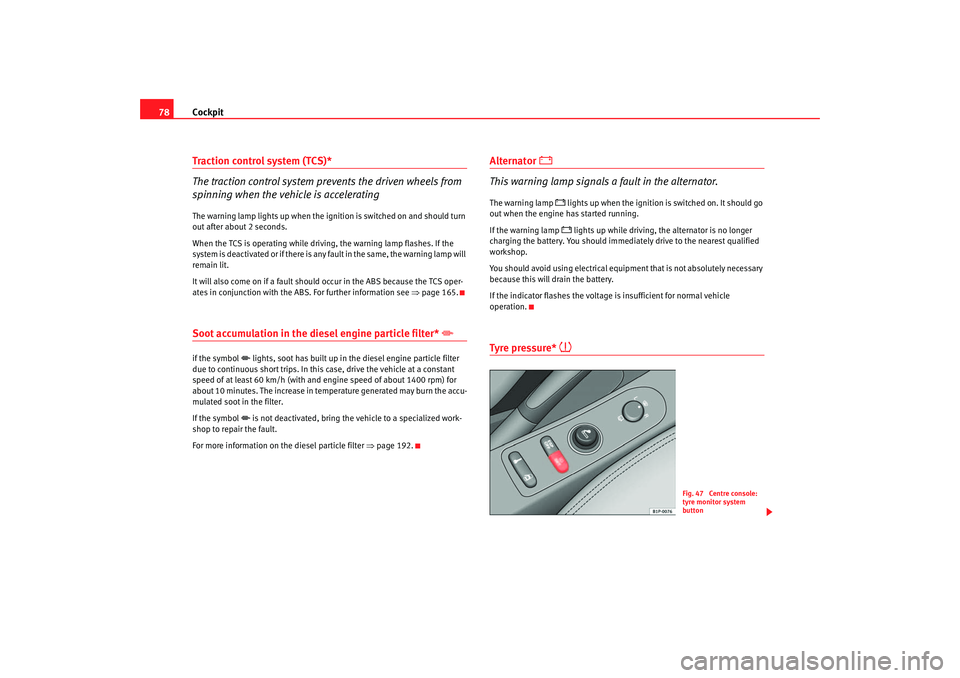
Tyre pressure*
Fig. 47 Centre console:
tyre monitor system
button
leon_ingles Seite 78 Donner stag, 20. Oktober 2005 12:14 12
Page 81 of 280

Cockpit79
Safety First
Operating instructions
Tips and Maintenance
Te c h n i c a l D a t a
The tyre monitor indicator compares wh
eel revolutions and with this informa-
tion, the diameter of each wheel using the ABS sensors. If the diameter of a
wheel changes, the tyre monitor indicator lights
. The wheel diameter
changes when:
•
Tyre pressure is insufficient.
•
The tyre structure is damaged.
•
The vehicle is unbalanced because of a load.
•
The wheels of one axle are under more pressure (for example, driving with
a trailer or on extreme slopes).
•
The vehicle is fitted with snow chains.
•
The emergency wheel is fitted.
•
The wheel on one axle is changed.
Tyre pressure adjustment
Following the modification to tyre pressure or changing one or more wheels,
the button ⇒ page 78, fig. 47 must be kept pressed while the ignition is on
until an acoustic signal is heard.
If the wheels are under excessive load (for example, driving with a trailer or
heavy load), the tire pressure must be increased to the recommended value
for a full load (see the sticker on the inside of the fuel flap). If the tyre monitor
system button is pressed the new tyre pressures are confirmed.
The tyre pressure monitor indicator
lights
If the tyre pressure of one wheel is much lower than the value set by the driver
then the indicator lights ⇒.
The tyre pressure monitor indicator flashes
If the tyre pressure indicator flashes, this indicates a fault. Go to the nearest
specialist workshop.
WARNING
•
When the tyre pressure indicator lights, reduce speed immediately and
avoid any sudden manoeuvre or brakin g. Stop when possible, and check
the tyre pressure and status.
•
The driver is responsible for correct tyre pressure. For this reason, tyre
pressure must be regularly checked.
•
Under certain circumstances (for example, in a sports situation, in
winter conditions or on a dirt track) the tyre monitor indicator may light or
function incorrectly.Note
If the battery is disconnected, the yellow indicator
lights after turning the
ignition on. This should turn off after a brief trip.
Engine management
This warning lamp monitors the engine management system
for petrol engines.The warning lamp
(Electronic Power Control) lights up when the ignition
is switched on to show that the lamp is working properly. It should go out
when the engine ha s started running.
If a fault develops in the electronic engine management system while you are
driving, this warning lamp will light up . Take the vehicle to an Authorised
Service Centre as soon as possible and have the engine checked.
leon_ingles Seite 79 Donner stag, 20. Oktober 2005 12:14 12
Page 84 of 280

Steering wheel controls
82Steering wheel controlsUsing these instructionsThe vehicle includes a multifunction modu le from where it is possible to
control the audio, telephone and ra dio / navigation functions without
needing to distract the driver.
There are two versions of the multifunction module:
•
Audio version, to control the available audio functions from the steering
wheel.
•
Audio + Telephone version, to control the available audio functions and
the telephone system from the steering wheel.
Both versions may be used to control the Audio system (Radio, CD Audio, CD
mp3, CD Changer) and the radio / navigation System, in which case they also
control the Navigation system.
Audio systemSteering wheel audio version controls
Fig. 48 Controls on the
steering wheel
Fig. 49 Controls on the
steering wheel
leon_ingles Seite 82 Donner stag, 20. Oktober 2005 12:14 12
Page 85 of 280

Steering wheel controls83
Safety First
Operating instructions
Tips and Maintenance
Te c h n i c a l D a t a
Button
Short press
Long press
Radio CD Audio CD mp3
a)
a)Only for mp3 compatible radio.*
CDCRadio CD Audio
CD mp3
a)
CDC
Volume up Continue volume up
Volume down Continue volume down
Station search. Higher fre-quency. Following track Station search.
Higher fre-quency. Fast forward
Station search. Lower
frequency Previous track Station search.
Lower
frequency Rewind
Cyclic source control
FM - AM - CD - CDC - FM... No specified function
Silence Pause No specified function
Next preset No function Change folder
(forward) Change CD
(forward) No specified function
Previous preset No function Change folder
(back) Change CD
(Back) No specified function
AAABACADAEAFAGAH
leon_ingles Seite 83 Donner
stag, 20. Oktober 2005 12:14 12
Page 86 of 280

Steering wheel controls
84Steering wheel Audio + Telephone version controls
Fig. 50 Controls on the
steering wheel
Fig. 51 Controls on the
steering wheel
Button Short press
Long press
Radio CD Audio CD mp3
a)
CDCRadio CD Audio
CD mp3
a)
CDC
Volume up Continue volume up
Volume down Continue volume down
Station search. Higher fre-quency. Following track Station search.
Higher fre-quency. Fast forward
Change folder
(forward) Fast forward
Station search. Lower
frequency Previous track Station search.
Lower
frequency Rewind
Change folder
(Back) Rewind
AAABACAD
leon_ingles Seite 84 Donner
stag, 20. Oktober 2005 12:14 12
Page 87 of 280

Steering wheel controls85
Safety First
Operating instructions
Tips and Maintenance
Te c h n i c a l D a t a
Cyclic source control
FM - AM - CD - CDC - FM... No specified function
Voice recognition activation Press to speak No specified function
Make a call or
Direct access to the phone book
or
Accept a call No specified function
Terminate call or
Refuse call or
Quite telephone menu No specified function
a)Only for mp3 compatible radio.*AEAFAGAH
leon_ingles Seite 85 Donner
stag, 20. Oktober 2005 12:14 12