ECO mode Seat Leon 5D 2012 User Guide
[x] Cancel search | Manufacturer: SEAT, Model Year: 2012, Model line: Leon 5D, Model: Seat Leon 5D 2012Pages: 289, PDF Size: 3.81 MB
Page 147 of 289

146Driving
Switching off the engine with the key
Switching off the engine
–Stop the vehicle.
– Turn the ignition key to position 0
.
Engaging the steering wheel lock
Important: selector lever (automatic gearbox*) must be in position
P.
– Remove the key from the ignition in position 1
⇒ Fig. 86 ⇒ .
– Turn the steering wheel until you hear it engage.
Possible vehicle theft is prevented with the steering lock engaged.
WARNING
● Never switch the engine off until the vehicle is stationary. The brake
servo and power steering functions will not be completely covered under
warranty. More force may also be needed to turn the steering wheel or to
brake. As you cannot steer and brake in the normal manner, there is a
greater risk of accidents and serious injury.
● Never remove the key from the ignition if the vehicle is in motion.
Otherwise, the steering could lock making it impossible to steer the vehi-
cle.
● Always take the ignition key with you whenever you leave the vehicle,
even temporarily. This is particularly important if there are children in
the vehicle, as they might otherwise be able to start the engine or use
power-operated equipment (e.g. the electric windows), which could
cause injuries.
CAUTION
If the engine has been running under high load for a long time, there is a
risk of heat building up in the engine compartment after the engine has
been switched off; this could cause engine damage. For this reason, you
should idle the engine for approx. 2 minutes before you switch it off.
Note
● After the engine is switched off the radiator fan may run on for up to 10
minutes, even if the ignition is switched off. It is also possible that the fan
turns itself on once more if the coolant temperature increases due to the
heat accumulated in the engine compartment or due to its prolonged expo-
sure to solar radiation.
● If the vehicle is stopped and the Start-Stop system* switches off the en-
gine, the ignition remains switched on. Make sure that the ignition is
switched off before leaving the vehicle, otherwise the battery could dis-
charge.
Kick-down
The kick-down feature allows maximum acceleration to be
reached. If the eco*
⇒ page 172 mode has been selected in SEAT Drive Mode*, and
the accelerator is pressed beyond a hard point, the engine power is auto-
matically controlled to give your vehicle maximum acceleration.
WARNING
Please note that if the road surface is slippery or wet, the kick-down fea-
ture could cause the driving wheels to spin, which could result in skid-
ding.
Page 150 of 289

149
Driving
Speed warning function
Introduction
The speed warning function can help prevent you exceeding
a particular pre-set maximum speed. The speed warning function will warn the driver if a pre-set maximum speed
is exceeded. The system gives a warning buzzer signal if the set speed is
exceeded by about 3 km/h (2 mph). The warning lamp and the driver
message Speed limit exceeded! will be displayed simultaneously on the in-
strument panel display. The warning lamp switches off when reducing
speed below the stored maximum limit.
You are recommended to store this speed limit warning if you always wish
to be reminded of a particular speed limit. This could be when driving in
countries with general speed limits, or if a particular speed should not be
exceeded when winter tyres are fitted etc.
Note
● Please bear in mind that, even with the speed warning function, it is still
important to keep an eye on the vehicle speed with the speedometer and to
observe the legal speed limits.
● The speed limit warning function in the version for several countries
warns you at a speed of 120 km/h (80 mph). This is a factory-set speed lim-
it. Setting speed limit warning
You can use the radio or the Easy Connect* to set, alter or
cancel the speed limit warning.
Vehicles with radio
– Select: SETUP
button > control button
Driver assistant > Speed
warning.
Vehicles with Easy Connect
– Select: Systems control button or Vehicle systems > Driver assis-
tant > Speed warning.
The warning limit can be set from 30 to 240 km/h (20 to 150 mph). The ad-
justment is done in 10 km/h (mph) intervals.
Start-Stop system*
Description and operation
The Start-Stop system helps save fuel and reduce CO 2 emissions.
In Start-Stop mode, the engine will automatically switch off when the vehi-
cle stops, when stopping at traffic lights for example. The ignition remains
switched on during the stopping phase. The engine automatically switches
back on when required.
As soon as the ignition is switched on, the Start-Stop function is automati-
cally activated.
Safety FirstOperating instructionsPractical TipsTechnical specifications
Page 157 of 289

156Driving
The selector lever lock only works if the vehicle is stationary or driving at
speeds up to 5 km/h (3 mph). At higher speeds the selector lever lock in
the N position is disengaged automatically.
The selector lever lock is not engaged if the selector lever is moved quickly
through position N (e.g. when shifting from R to D). This makes it possible,
for instance, to rock the vehicle backwards and forwards if it is stuck. The
selector lever lock engages automatically if the brake pedal is not de-
pressed and the lever is in position N for more than about two seconds.
Interlock button
The interlock button on the selector lever handle prevents the driver from
inadvertently engaging certain gears. Press the button in to disengage the
selector lever lock. The selector lever positions in which the interlock button
has to be pressed are shown in the illustration, highlighted in colour
⇒ Fig. 90.
Safety interlock for ignition key
Once the ignition has been turned off, the key may be removed only if the
gear selector is in position P. While the key is not in the ignition, the selec-
tor lever is locked in position P.
Note
● If the selector lever lock does not engage, there is a fault. The transmis-
sion is interrupted to prevent the vehicle from accidentally moving. Follow
the procedure below in order for the selector lever lock to engage again:
● >With a 6-speed gearbox: press the brake pedal and release it again.
● >With a 7-speed gearbox: press the brake pedal. Move the selector lever
to position P or N and subsequently engage a gear.
● Despite a gear being engaged, the vehicle does not move forwards or
back. Proceed to the next mode: ●
When the vehicle does not move in the required direction, the system
may not have the gear range correctly engaged. Press the brake pedal and
engage the gear range again.
● If the vehicle still does not move in the required direction, there is a sys-
tem malfunction. Seek specialist assistance and have the system checked.
Driving tips
The gearbox changes gear ratios automatically as the vehi-
cle moves.
The engine can only start with the selector lever in the position P or
N. At low temperatures, below -10 °C (50 °F), the engine can only
start with the selector lever in the position P.
Starting the vehicle
– Press and hold the brake pedal.
– Press and hold the interlock button (the button in the selector
lever handle), move the selector lever to the desired position,
for instance D ⇒ page 154, and release the interlock button.
– Wait for the gearbox to engage the gear (a slight movement can
be felt).
– Release the brake and press the accelerator ⇒
.
Stopping briefly
– Apply the foot brake to hold the vehicle when stationary (for in-
stance at traffic lights). Do not press the accelerator.
Page 161 of 289

160Driving
Kick-down feature
The kick-down feature allows maximum acceleration to be
reached.
When the accelerator pedal is pressed right down past the point of resist-
ance at full throttle, the gearbox will shift down to a lower gear, depending
on road speed and engine speed. The upshift to the next higher gear is de-
layed until the engine reaches maximum rpm.
WARNING
Please note that if the road surface is slippery or wet, the kick-down fea-
ture could cause the driving wheels to spin, which could result in skid-
ding.
Launch Control Programme 1)
The Launch control programme enables maximum accelera-
tion.
Important: the engine must have reached operating temperature
and the steering wheel must not be turned.
The engine speed for Launch control is different on petrol and die-
sel engines. Before you can use the Launch control, you must first switch off the traction control system (ASR), either using the Easy
Connect system
⇒ page 79, or with the switch
OFF
; the warning
lamp will stay on or will flash slowly depending on whether the
vehicle has a driver information system* 2)
.
– When the engine is running, switch off the traction control
(ASR) 2)
3)
.
– Move the selector lever to position “S” or tiptronic, or select the
driving mode Sport from the SEAT Drive Mode* ⇒ page 171.
– Press the brake pedal firmly with your left foot and hold it down
for at least one second.
– With your right foot, press the accelerator down to the full throt-
tle or kick-down position. The engine speed will stabilise at ap-
prox. 3200 rpm (petrol engine) or approx. 2000 rpm (diesel en-
gine).
– Take your left foot off the brake pedal.
1)
Valid for vehicles: with Launch Control/6-Speed DSG with diesel engines superior to 125
kW and petrol engines superior to 140 kW.
2) On vehicles with the driver information system, the ESP lamp lights up permanently and
the corresponding text message Stability control deactivated (temporary) appears on the in-
strument panel to indicate the deactivation status.
3) Vehicles without driver information system: the warning lamp flashes slowly/Vehicles with
driver information system: the warning lamp stays on.
Page 162 of 289

161
Driving
WARNING
● Always adapt your driving style to the traffic conditions.
● Only use the Launch control programme when road and traffic condi-
tions permit, and make sure your manner of driving and accelerating the
vehicle does not inconvenience or endanger other road users.
● Make sure that the ESC remains switched on. Please note that when
the ASR and ESC are deactivated, the wheels may start to spin, causing
the vehicle to lose grip. Risk of accident!
● After engaging gear, the Sport mode of the ESC should be deactivated
again by briefly pressing the
OFF
button.
Note
● After using the Launch control programme, the temperature in the gear-
box may have increased considerably. In this case, the programme could be
disabled for several minutes. The programme can be used again after the
cooling phase.
● Accelerating with the Launch control programme places a heavy load on
all parts of the vehicle. This can result in increased wear and tear.
Inertia mode
The inertia mode enables the kinetic energy of the vehicle to be
harnessed enabling certain stretches to be driven without using
the accelerator. This enables fuel to be saved. Use the inertia mode
to let the vehicle roll in advance of, for example, arriving in a town.
Switching on inertia mode
Important: selector lever must be in position D, gradients below
12 %. –
Select Eco mode ⇒ page 171 once in SEAT Drive Mode*.
– Take your foot off the accelerator.
The driver message Inertia will be displayed. At speeds higher
than 20 km/h (12 mph), the gearbox will automatically disengage
and the vehicle will roll freely, without the effect of the engine
brake. While the vehicle rolls, the engine runs at idling speed.
Stopping inertia mode
– Press the brake or the accelerator pedal.
To make use of the braking force and switch off the engine again,
simply press the brake pedal briefly.
Applying both the inertia mode (= prolonged section with less energy) and
the switching off using inertia (= shorter section without the need for fuel)
facilitates improved fuel consumption and emission balance.
WARNING
● If the inertia mode has been switched on, take into account, when ap-
proaching an obstacle and releasing the accelerator pedal, that the vehi-
cle will not decelerate in the usual manner: risk of accident!
● When using inertia mode while travelling down hills, the vehicle can
increase speed: risk of accident!
● If other users drive your vehicle, warn them about inertia mode.
Safety FirstOperating instructionsPractical TipsTechnical specifications
Page 163 of 289

162Driving
Note
● Inertia mode is only available in eco driving mode (SEAT Drive Mode*).
● The driver message Inertia is only displayed with the current consump-
tion. In inertia mode the gear will no longer be displayed (for example: E will
appear in place of E7).
● On downhill sections with gradients above 15 %, the inertia mode will
automatically be switched off temporarily.
Backup programme
A backup programme is in place if a fault should occur in the
control system.
If all the positions of the selector lever are shown over a light background
on the instrument panel display, there is a system fault and the automatic
gearbox will operate in with the backup programme. When the backup pro-
gramme is activated, it is possible to drive the vehicle, however, at low
speeds and within a selected range of gears. In some cases driving in re-
verse gear may not be possible .
CAUTION
If the gearbox operates with the backup programme, take the vehicle to a
specialised workshop and have the fault repaired without delay.
Clutch
Clutch overheated! Stop the vehicle!
The clutch has overheated and could be damaged. In order to prevent the
temperature from increasing again and so that the clutch is cooled, stop the
vehicle and wait for the gearbox to cool down with the selector lever in posi- tion P and the engine running at idling speed. If the warning does not
switch off, do not continue driving. Seek specialist assistance. Failure to do
so could cause considerable damage to the gearbox. When the warning
switches off, the fault should be corrected by a specialised workshop with-
out delay.
Faults in the gearbox
Gearbox: Fault! Stop the vehicle and place the lever in the position P.
There is a fault in the gearbox. Stop the vehicle in a safe place and do not
continue driving. Seek specialist assistance. Overheated clutch! Stop the vehicle!
The clutch has overheated and could be damaged. Stop the vehicle and
wait for the gearbox to cool with the engine at idling speed and the selector
lever in position P. When the warning lamp and the driver message switch
off, have the fault corrected by a specialised workshop without delay. If the
warning lamp and the driver message do not switch off, do not continue
driving. Seek specialist assistance. Gearbox: System fault! You may continue driving.
Have the fault corrected by a specialised workshop without delay. Gearbox: System fault! You can continue driving with restrictions. Re-
verse gear disabled.
Take the vehicle to a specialised workshop and have the fault repaired with-
out delay. Gearbox: System fault! You can continue driving in D until switching off
the engine
Stop the vehicle in a safe place well away from moving traffic. Seek special-
ist assistance.
Page 171 of 289
170Driver assistance systems
Control lamps
flashes or
lights upPossible causeSolution
(yellow)Lane Assist active but
not available.The system can not accurately recog-
nise the lane. Please see page 170,
The Lane Assist system is not availa-
ble (the control lamp is lit up yellow).
(green)Lane Assist system ac-
tive and available._
Several warning and control lamps light up for a few seconds when the igni-
tion is switched on while the function is verified. They will switch off after a
few seconds.
WARNING
If the warning lamps and messages are ignored, the vehicle may stall in
traffic, or may cause accidents and severe injuries.
● Never ignore the warning lamps or text messages.
● Stop the vehicle safely as soon as possible.
Note
Failure to heed the control lamps and text messages when they appear may
result in faults in the vehicle. Operating mode
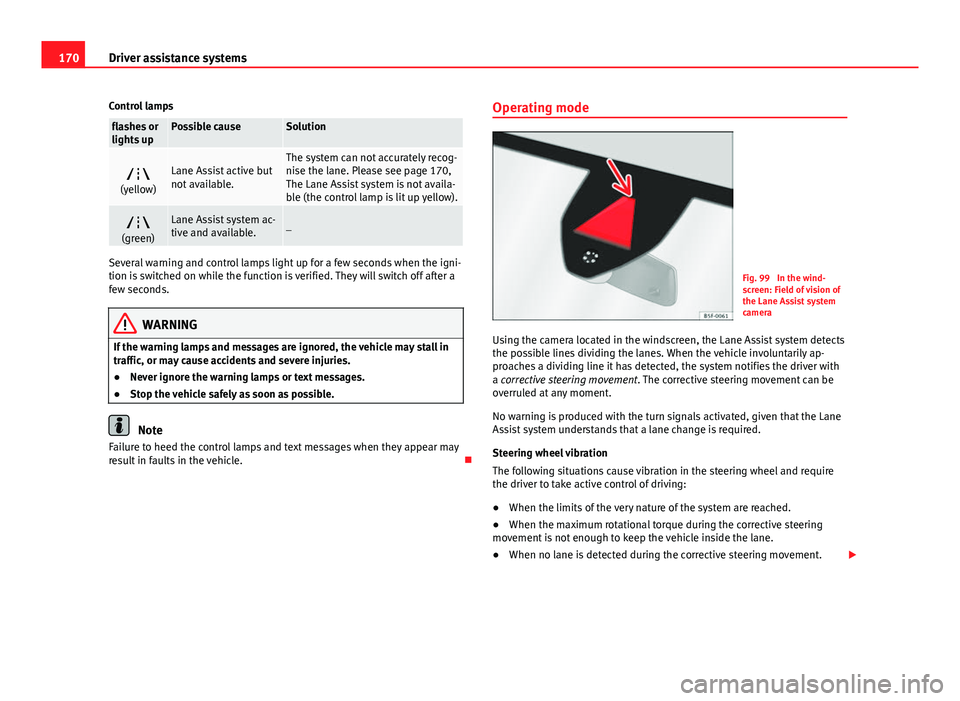
Fig. 99 In the wind-
screen: Field of vision of
the Lane Assist system
camera
Using the camera located in the windscreen, the Lane Assist system detects
the possible lines dividing the lanes. When the vehicle involuntarily ap-
proaches a dividing line it has detected, the system notifies the driver with
a corrective steering movement . The corrective steering movement can be
overruled at any moment.
No warning is produced with the turn signals activated, given that the Lane
Assist system understands that a lane change is required.
Steering wheel vibration
The following situations cause vibration in the steering wheel and require
the driver to take active control of driving:
● When the limits of the very nature of the system are reached.
● When the maximum rotational torque during the corrective steering
movement is not enough to keep the vehicle inside the lane.
● When no lane is detected during the corrective steering movement.
Page 172 of 289

171
Driver assistance systems
Switching the Lane Assist system on or off
● The Assistants menu ⇒ page 77 drops down in the instrument panel by
pressing the Assistants button on the turn signal lever or by operating the
menu in the multifunction steering wheel.
● OR: by pressing the OK
button on the steering wheel the
⇒ page 77
function is activated/deactivated.
● The Lane centring guide is activated/deactivated in the Easy Connect
system using the CAR
button and the button on the Setup function
⇒ page 79.
Self-deactivation: The Lane Assist system can be automatically deactivated
if there is a system malfunction. The control lamp disappears.
Hands-Off Function
● If the driver does not exert any physical action on the steering wheel for
about 10 to 12 sec. the function deactivates.
● Visual and audible warnings on the instrument panel.
● The function switches off 2 seconds after the warning.
The Lane Assist system is active but it is not available (the control lamp is
lit up yellow)
● When driving at speeds below 65 km/h (38 mph).
● When the Lane Assist system does not detect the dividing lines of the
road. For example, in the event warnings indicating road works, and snow,
dirt, moisture or reflections.
● When the radius of a curve is too small.
● When no road markings can be seen.
● When the distance to the next marking to too great.
● When the system does not detect any clear and active steering move-
ment during a long period of time.
● Temporarily, in the event of very dynamic driving styles.
● If a turn signal is activated.
● With the stability control system ESC in Sport mode.
Note
● Before starting a journey, verify that the field of vision of the camera is
not covered ⇒ Fig. 99.
● Always keep the field of vision of the camera clean.
Switching off the Lane Assist system in the following
situations
Due to the limits of the Lane Assist system, switch it off in the following sit-
uations:
● When more attention is required of the driver
● When driving in a sporty style
● In unfavourable weather conditions
● On roads in poor condition
● In areas of road works
Note
The Lane Assist system deactivates when driving below 60 km/h (40 mph).
SEAT Drive Modes* Introduction
SEAT Drive Mode enables the driver to choose between four profiles or
modes, normal, sport, eco and individual , that modify the behaviour of vari-
ous vehicle functions, providing different driving experiences.
Safety FirstOperating instructionsPractical TipsTechnical specifications
Page 173 of 289

172Driver assistance systems
The profiles, normal, sport and eco are fixed. Individual can be configured
according to personal preferences.
Description
Depending on the equipment fitted in the vehicle, SEAT Drive Mode can op-
erate on the following functions:
Engine
Depending on the profile selected, the engine responds more spontaneous-
ly or more in harmony with the movements of the accelerator. Additionally,
when eco mode is selected, the Start-stop function is automatically activa-
ted.
In vehicles with DQ transmission, the gear change points are modified to
position them in lower engine speed ranges ( eco) or higher (sport). Addi-
tionally, eco mode activates the Inertia function, enabling the consumption
to be further reduced.
In manual vehicles, eco mode causes the gear recommendation indications
that appear on the instrument panel to vary, facilitating more efficient driv-
ing.
Steering
Power steering becomes more robust in sport mode to enable a more sporty
driving style.
Air conditioning
In vehicles with Climatronic, this can operate in eco mode, especially re-
stricting fuel consumption.
Ambient lighting
The ambient lighting guides located in the interior front door panels of the
Leon FR change colour from white to red when sport mode is activated. Setting driving mode
You can select from Normal, Sport, Eco and Individual.
Fig. 100 Centre console:
MODE button
The required mode can be selected on the touch screen, in the menu that
opens when the MODE button is pressed.
An icon on the Easy Connect system display informs about the active mode.
The MODE button light remains lit up yellow when the active mode is differ- ent to normal.
Driving pro-
fileCharacteristics
NormalOffers a balanced driving experience, suitable for everyday
use.
SportProvides a complete dynamic performance in the vehicle, en-
abling the user a more sporty driving style.
Page 174 of 289

173
Driver assistance systems
Driving pro-
fileCharacteristics
EcoPlaces the vehicle in a particularly low state of consumption,
facilitating a fuel-saving driving style that is respectful to the
environment.
IndividualEnables some configurations to be modified by pressing the
Profile settings button. The functions that can be adjusted
depend on the equipment fitted in the vehicle.
WARNING
When operating SEAT Drive Mode, pay attention to all traffic. Doing oth-
erwise could cause an accident.
Note
● The vehicle will start in the mode that was selected at the moment it was
switched off.
● Changing modes can alter vehicle handling. The SEAT Drive Mode func-
tion does not allow configurations that compromise safety under any cir-
cumstances.
● Your speed and driving style must always be adjusted to visibility,
weather, and traffic conditions.
● The eco mode is not available when towing a trailer. Tiredness detection (break
recommendation)*
Introduction
The Tiredness detection informs the driver when their driving behaviour
shows signs of fatigue.
Additional information and warnings:
● Easy Connect system ⇒ page 79
● Accessories, change a part, repairs and adjustments (information stored
in the control units) ⇒ page 230
WARNING
Do not let the comfort afforded by the Tiredness detection system tempt
you into taking any risks when driving. Take regular breaks, sufficient in
length when making long journeys.
● The driver always assumes the responsibility of driving to their full
capacity.
● Never drive if you are tired.
● The system does not detect the tiredness of the driver in all circum-
stances. Consult the information in the section ⇒ page 174, System limi-
tations.
● In some situations the system may incorrectly interpret an intended
driving manoeuvre as driver tiredness.
● No warning is given in the event of the effect called microsleep!
● Please observe the indications on the instrument panel and act as is
necessary.
Safety FirstOperating instructionsPractical TipsTechnical specifications