warning light Seat Leon 5D 2012 Workshop Manual
[x] Cancel search | Manufacturer: SEAT, Model Year: 2012, Model line: Leon 5D, Model: Seat Leon 5D 2012Pages: 289, PDF Size: 3.81 MB
Page 161 of 289

160Driving
Kick-down feature
The kick-down feature allows maximum acceleration to be
reached.
When the accelerator pedal is pressed right down past the point of resist-
ance at full throttle, the gearbox will shift down to a lower gear, depending
on road speed and engine speed. The upshift to the next higher gear is de-
layed until the engine reaches maximum rpm.
WARNING
Please note that if the road surface is slippery or wet, the kick-down fea-
ture could cause the driving wheels to spin, which could result in skid-
ding.
Launch Control Programme 1)
The Launch control programme enables maximum accelera-
tion.
Important: the engine must have reached operating temperature
and the steering wheel must not be turned.
The engine speed for Launch control is different on petrol and die-
sel engines. Before you can use the Launch control, you must first switch off the traction control system (ASR), either using the Easy
Connect system
⇒ page 79, or with the switch
OFF
; the warning
lamp will stay on or will flash slowly depending on whether the
vehicle has a driver information system* 2)
.
– When the engine is running, switch off the traction control
(ASR) 2)
3)
.
– Move the selector lever to position “S” or tiptronic, or select the
driving mode Sport from the SEAT Drive Mode* ⇒ page 171.
– Press the brake pedal firmly with your left foot and hold it down
for at least one second.
– With your right foot, press the accelerator down to the full throt-
tle or kick-down position. The engine speed will stabilise at ap-
prox. 3200 rpm (petrol engine) or approx. 2000 rpm (diesel en-
gine).
– Take your left foot off the brake pedal.
1)
Valid for vehicles: with Launch Control/6-Speed DSG with diesel engines superior to 125
kW and petrol engines superior to 140 kW.
2) On vehicles with the driver information system, the ESP lamp lights up permanently and
the corresponding text message Stability control deactivated (temporary) appears on the in-
strument panel to indicate the deactivation status.
3) Vehicles without driver information system: the warning lamp flashes slowly/Vehicles with
driver information system: the warning lamp stays on.
Page 163 of 289

162Driving
Note
● Inertia mode is only available in eco driving mode (SEAT Drive Mode*).
● The driver message Inertia is only displayed with the current consump-
tion. In inertia mode the gear will no longer be displayed (for example: E will
appear in place of E7).
● On downhill sections with gradients above 15 %, the inertia mode will
automatically be switched off temporarily.
Backup programme
A backup programme is in place if a fault should occur in the
control system.
If all the positions of the selector lever are shown over a light background
on the instrument panel display, there is a system fault and the automatic
gearbox will operate in with the backup programme. When the backup pro-
gramme is activated, it is possible to drive the vehicle, however, at low
speeds and within a selected range of gears. In some cases driving in re-
verse gear may not be possible .
CAUTION
If the gearbox operates with the backup programme, take the vehicle to a
specialised workshop and have the fault repaired without delay.
Clutch
Clutch overheated! Stop the vehicle!
The clutch has overheated and could be damaged. In order to prevent the
temperature from increasing again and so that the clutch is cooled, stop the
vehicle and wait for the gearbox to cool down with the selector lever in posi- tion P and the engine running at idling speed. If the warning does not
switch off, do not continue driving. Seek specialist assistance. Failure to do
so could cause considerable damage to the gearbox. When the warning
switches off, the fault should be corrected by a specialised workshop with-
out delay.
Faults in the gearbox
Gearbox: Fault! Stop the vehicle and place the lever in the position P.
There is a fault in the gearbox. Stop the vehicle in a safe place and do not
continue driving. Seek specialist assistance. Overheated clutch! Stop the vehicle!
The clutch has overheated and could be damaged. Stop the vehicle and
wait for the gearbox to cool with the engine at idling speed and the selector
lever in position P. When the warning lamp and the driver message switch
off, have the fault corrected by a specialised workshop without delay. If the
warning lamp and the driver message do not switch off, do not continue
driving. Seek specialist assistance. Gearbox: System fault! You may continue driving.
Have the fault corrected by a specialised workshop without delay. Gearbox: System fault! You can continue driving with restrictions. Re-
verse gear disabled.
Take the vehicle to a specialised workshop and have the fault repaired with-
out delay. Gearbox: System fault! You can continue driving in D until switching off
the engine
Stop the vehicle in a safe place well away from moving traffic. Seek special-
ist assistance.
Page 166 of 289

165
Driver assistance systems
Control lamp
lights upPossible cause
Cruise control is active
Several warning and control lamps should light up for a few seconds when
the ignition is switched on, signalling that the function is being verified.
They will switch off after a few seconds.
Displayed on the CCS screen
Status Fig. 94: CCS temporarily switched off. The set speed is displayed in small fig-
ures.
System error. Contact a specialised workshop.
CCS switched on. The speed memory is empty.
The CCS is switched on. The set speed is displayed in large figures.
WARNING
If the warning lamps and messages are ignored, the vehicle may stall in
traffic, or may cause accidents and severe injuries.
● Never ignore the warning lamps or text messages.
CAUTION
Failure to heed the control lamps and text messages when they appear may
result in faults in the vehicle.
A
BCD
Safety FirstOperating instructionsPractical TipsTechnical specifications
Page 170 of 289

169
Driver assistance systems
Note
● The Lane Assist system has been exclusively developed for driving on
paved roads only.
● If the Lane Assist system does not work as described in this chapter, do
not use it and contact a specialised workshop.
● If there is a fault in the system, have it checked by a specialised work-
shop.
Indication on the display and warning lamps
Fig. 97 On the instrument panel display: Indication on the Lane Assist system display
(example 1)
Fig. 98 On the instrument panel display: Indication on the Lane Assist system display
(example 2) Indications on the display The system is active, but not available, either because the minimum
speed has not been reached or because the lane lines are not recog-
nised ⇒ Fig. 97 .
The system is active and available, both lane lines are recognised. The
steering angle is not being corrected at this moment ⇒ Fig. 97 .
The system is operational, a yellow line A
indicates that there was a
risk of involuntarily crossing the lane line and that the steering is being
adjusted to correct the angle ⇒ Fig. 98 .
Two yellow lines A
light up simultaneously when both lane lines are
recognised and the Lane Assist function is active ⇒ Fig. 98 .
–
–
–
–
Safety FirstOperating instructionsPractical TipsTechnical specifications
Page 171 of 289
170Driver assistance systems
Control lamps
flashes or
lights upPossible causeSolution
(yellow)Lane Assist active but
not available.The system can not accurately recog-
nise the lane. Please see page 170,
The Lane Assist system is not availa-
ble (the control lamp is lit up yellow).
(green)Lane Assist system ac-
tive and available._
Several warning and control lamps light up for a few seconds when the igni-
tion is switched on while the function is verified. They will switch off after a
few seconds.
WARNING
If the warning lamps and messages are ignored, the vehicle may stall in
traffic, or may cause accidents and severe injuries.
● Never ignore the warning lamps or text messages.
● Stop the vehicle safely as soon as possible.
Note
Failure to heed the control lamps and text messages when they appear may
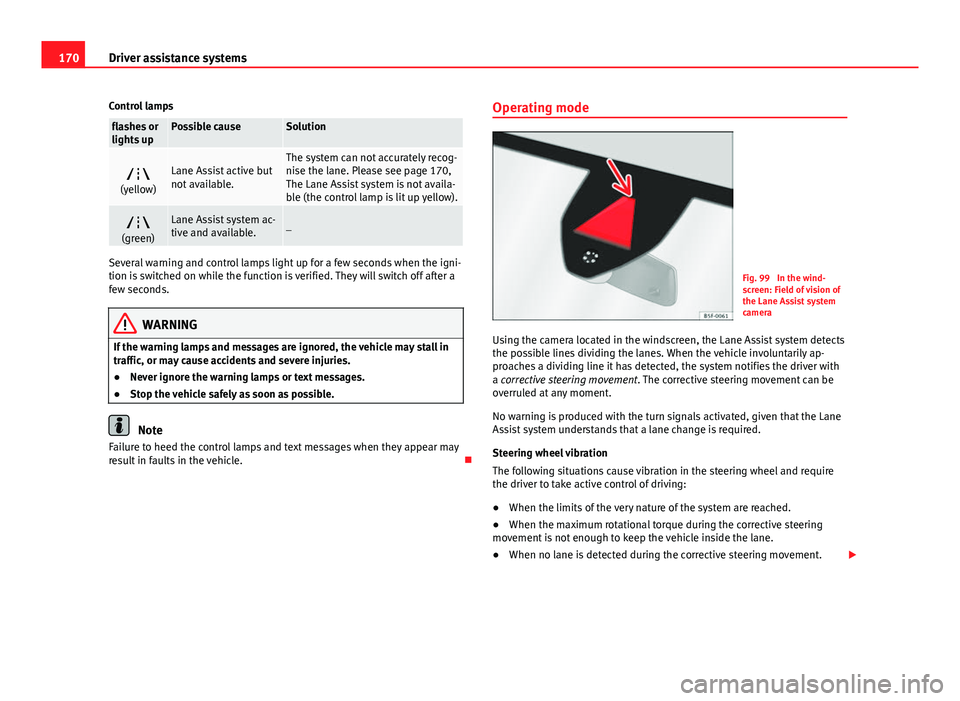
result in faults in the vehicle. Operating mode
Fig. 99 In the wind-
screen: Field of vision of
the Lane Assist system
camera
Using the camera located in the windscreen, the Lane Assist system detects
the possible lines dividing the lanes. When the vehicle involuntarily ap-
proaches a dividing line it has detected, the system notifies the driver with
a corrective steering movement . The corrective steering movement can be
overruled at any moment.
No warning is produced with the turn signals activated, given that the Lane
Assist system understands that a lane change is required.
Steering wheel vibration
The following situations cause vibration in the steering wheel and require
the driver to take active control of driving:
● When the limits of the very nature of the system are reached.
● When the maximum rotational torque during the corrective steering
movement is not enough to keep the vehicle inside the lane.
● When no lane is detected during the corrective steering movement.
Page 176 of 289

175
Driver assistance systems
Tyre monitoring systems Introduction
Additional information and warnings:
● SEAT information system ⇒ page 73
● Caring for and cleaning the vehicle exterior ⇒ page 198
● Wheels and tyres ⇒ page 223
● Accessories, parts replacement, repairs and modifications ⇒ page 230
WARNING
Unsuitable handling of the wheels and tyres may lead to sudden tyre
pressure losses, to tread separation or even to a blow-out.
● Check tyre pressures regularly and ensure they are maintained at the
pressures indicated. Tyre pressure that is too low could cause overheat-
ing, resulting in tread detachment or even burst tyres.
● Tyre pressure should be that indicated on the label when the tyres are
cold at all times ⇒ page 266.
● Regularly check the cold inflation pressure of the tyres. If necessary,
change the tyre pressure of the vehicle tyres while they are cold.
● Regularly check your tyres for damage and wear.
● Never exceed the maximum permitted speed or loads specified for the
type of tyre fitted on your vehicle.
For the sake of the environment
Under-inflated tyres lead to increased fuel consumption and tyre wear.
Note
● Driving for the first time with new tyres at a high speed can cause them
to slightly expand, which could then produce an air pressure warning.
● Only replace used tyres with those authorised by SEAT for the corre-
sponding type vehicle.
● Do not only rely on the tyre monitoring system. Regularly check your
tyres to ensure that the tyre pressure is correct and that the tyres are not
damaged due to puncture, cuts, tears and impacts/dents. Remove objects
from the tyres only when they have not pierced the tyres.
Tyre monitor indicator warning lamp
lights upPossible causeSolution
The pressure in one or more
tyres has clearly reduced in
comparison to the tyre pres-
sure set by the driver or the
tyre has structural damage.
Additionally, an audible
warning can be heard and a
text message can be seen on
the instrument panel display. Stop the vehicle! Reduce
speed immediately! Stop the
vehicle safely as soon as
possible. Avoid sudden ma-
noeuvres and braking! Check
all tyres and pressures. Re-
place any damaged tyres.
flashesPossible causeSolution
System malfunction. The
control lamp flashes for
about one minute and then
lights up permanently.
If the tyre pressure is correct,
switch the ignition off and on
again. If the control lamp re-
mains lit up, the tyre monitor-
ing indicator can be calibra-
ted. Have the system re-
viewed by a specialised
workshop.
Safety FirstOperating instructionsPractical TipsTechnical specifications
Page 177 of 289

176Driver assistance systems
Several warning and control lamps light up for a few seconds when the igni-
tion is switched on while the function is verified. They will switch off after a
few seconds.
WARNING
When the tyres are inflated at different pressures or at a pressure that is
too low then a tyre may the damaged resulting in a loss of control of the
vehicle and a serious or fatal accident.
● If the warning lamp lights up, stop immediately and check the
tyres.
● If the tyres are inflated at different pressures or if a tyre pressure is
too low, this will increase tyre wear, negatively affecting vehicle stability
and increasing braking distances.
● If tyres are inflated at different pressures or a tyre pressure is too low,
a tyre may be damaged and burst resulting in a loss of control of the ve-
hicle.
● The driver is responsible for ensuring that all of the vehicle tyres are
correctly inflated to the right pressure. The recommended tyre pressure
is indicated on the label ⇒ page 266.
● The tyre monitoring system can only operate correctly if all of the
tyres are inflated to the correct pressure when cold.
● Driving with tyres at the wrong pressure can cause them damage and
result in an accident. Ensure that the tyre pressures of all the tyres corre-
spond to the vehicle load.
● Before starting a journey, always inflate tyres to the correct pressure.
● Tyres with insufficient pressure are subjected to more flexing. Due to
this, the tyre could become excessively hot, causing tread separation
and also tyre blow-out.
● With an overloaded vehicle at high speed, the tyres can overheat and
burst resulting in a loss of vehicle control.
WARNING (Continued)
● Tyre pressures which are too high or too low reduce the useful life of
the tyre, affecting vehicle performance.
● If a tyre has not been punctured then it does not have to be changed
immediately; drive to the nearest specialised workshop at a moderate
speed and have the tyre checked and inflated to the correct pressure.
WARNING
If the warning lamps and messages are ignored, the vehicle may stall in
traffic, or may cause accidents and severe injuries.
● Never ignore the warning lamps or text messages.
● Stop the vehicle safely as soon as possible.
CAUTION
Failure to heed the control lamps and text messages when they appear may
result in faults in the vehicle.
Note
● If excessively low tyre pressure is detected with the ignition on, an audi-
ble warning will sound. In the event that there is a fault in the system, an
audible warning will sound.
● Driving on dirt tracks for a long period of time or driving in a sporty style
can temporarily deactivate the TPMS. The control lamp shows a fault, but
disappears when road conditions or the driving style change.
Page 179 of 289
178Driver assistance systems
Parking aid
General information
Various systems are available to help you when parking or manoeuvring in
tight spaces, depending on the equipment fitted on your vehicle.
The rear parking aid is an audible assistant that warns about obstacles lo-
cated behind the vehicle ⇒ page 179.
During parking, the plus parking aid assists you visually and audibly about
obstacles detected in front and behind the vehicle ⇒ page 179.
WARNING
● Always pay attention (also when looking straight ahead) to traffic and
the vehicle surroundings. The assistance systems are not a replacement
for driver awareness. When inserting or removing the vehicle from a park-
ing space, or when performing similar manoeuvres the driver always as-
sumes the responsibility.
● Take into account that the system is not always in conditions to rec-
ognise or represent certain surfaces, such as dress fabric: Risk of causing
an accident!
● The sensors and cameras have blind spots, making the detection of
people and objects impossible. Pay special attention to children and ani-
mals: Risk of causing an accident!
● Always keep visual control of the vehicle surroundings: use the rear
vision mirrors for additional help.
CAUTION
● Under certain circumstances, the system does not detect or display cer-
tain objects:
–Objects such as snow chains, trailer draw bars, bars or fences
– Objects that are located above the sensors, such as protrusions in a
wall.
– Objects with certain surfaces or structures, such as wire mesh fences
or powder snow.
● When the vehicle approaches a low obstacle, it could disappear from
the angle of measurement. In this case, take into account that the system
will no longer warn about this obstacle.
● The knocks or damage on the radiator grille, bumper, wheel arch and ve-
hicle underbody can adjust the orientation of the sensors. This can affect
the parking aid function. Have the function checked by a specialised work-
shop.
Note
● In certain situations, the system can give a warning even though there is
no obstacle in the detected area, e.g:
–for roads with certain surfaces, or with long grass
– for external ultrasound sources, such as cleaning vehicles
– In downpours, intense snow or dense exhaust gases
● In order to familiarise yourself with the system, it is advised that you
practice parking in an area or car park that is free from traffic. There must be
good weather and light conditions.
● The volume and tone of the warnings can be modified, in addition to the
indications ⇒ page 181.
● In vehicles without a driver information system, these parameters can be
modified in a SEAT Official Service or in a specialised workshop.
● Please observe information on towing a trailer ⇒ page 182.
Page 180 of 289

179
Driver assistance systems
● The display on the Easy Connect screen shows a slight time delay.
● To ensure that the parking aid works properly, the sensors must be kept
clean and free of ice and snow.
Rear parking aid*
The rear parking aid is an audible assistant. Description
There are sensors integrated in the rear bumper. When the sensors detect
an obstacle, you are alerted by audible warnings.
Make sure that the sensors are not covered by adhesives, residues and the
like, given that this could affect the system operation. Cleaning instructions
⇒ page 199.
The approximate measurement range of the sensors is:
rearside0.90 mcentre1.60 m
As you approach the obstacle, the time interval between the audible warn-
ings will be reduced. When you reach around 0.30 m the warning will be
constant: Do not continue to move forward (or backward) ⇒
in General
information on page 178, ⇒ in General information on page 178 !
If you maintain separation from the obstacle, the volume of the warning be-
gins to reduce after four seconds (does not affect the tone of the constant
warning).
Activate
When engaging reverse gear, the parking aid is automatically switched on.
This is confirmed with a short warning. Plus parking aid*
Plus parking aid assists you audibly and visually when park-
ing.
Fig. 103 Represented
area
There are sensors integrated in the front and rear bumpers. When the sen-
sors detect an obstacle, audible and visual warnings are given.
Make sure that the sensors are not covered by adhesives, residues and the
like, given that this could affect the system operation. Cleaning instructions
⇒ page 199.
The approximate measurement range of the sensors is:
A1.20 mB0.90 mC1.60 mD0.90 m
As you approach the obstacle, the time interval between the audible warn-
ings will be reduced.
If you maintain separation from the obstacle, the volume of the warning be-
gins to reduce after four seconds (does not affect the tone of the constant
warning).
Safety FirstOperating instructionsPractical TipsTechnical specifications
Page 185 of 289
184Intelligent technology
Multi-collision brake
In an accident, the multi-collision brake can help the driver by braking to
avoid the risk of skidding during the accident, which could lead to further
collisions.
The multi-collision brake works for front, side or rear accidents, when the
airbag control unit records its activation level and the accident takes place
at a speed of over 10 km/h (6 mph). The EI ESC automatically brakes the
vehicle, as long as the accident has not damaged the ESC, the brake hy-
draulics or the on-board network.
The following actions control automatic braking during the accident:
● When the driver presses the accelerator. The automatic braking does not
take place.
● When the braking pressure through pressing the brake pedal is greater
than the system’s braking pressure. The vehicle will brake manually.
● Multi-collision braking will not be available if ESC is malfunctioning.
WARNING
● Nor can the ESC, ABS, ASR, EDL, electronic self-locking differential or
selective torque control systems exceed the limits imposed by the laws
of physics. Always bear this in mind, especially on wet or slippery roads.
If you notice the systems cutting in, you should reduce your speed imme-
diately to suit the road and traffic conditions. Do not be encouraged to
take risks by the presence of more safety systems. If you do, an accident
may occur.
● Please remember that the accident risk always increases if you drive
fast, especially in corners or on a slippery road, or if you follow too close
behind the vehicle in front of you. The ESC, ABS, brake assist, EDL, elec-
tronic self-locking and selective torque control systems cannot prevent
accidents: risk of accidents!
● Accelerate with caution on slippery surfaces (for example, icy or
snow-covered). Despite the control systems, the driven wheels could
spin, affecting the stability of the vehicle: risk of accident!
Note
● The ABS and ASR will only operate correctly if the four wheels have iden-
tical tyres. Any differences in the rolling radius of the tyres can cause the
system to reduce engine power when this is not desired.
● The regulating processes of the systems can make noises when they in-
tervene.
● If the warning lamp lights up, or alternatively, there could be a
fault ⇒ page 69.
Switching on/off the ESC and ASR
The ESC is switched on automatically when the engine is
started. The ESC cannot be deactivated. ESC in "Sport" mode
Sport mode is activated through the Easy Connect system ⇒ page 79 menu.
The ability of the ESC to stabilise the vehicle is limited; the traction control
system (ASR) becomes disabled ⇒
.
The control lamp will light up. For vehicles with a driver information sys-
tem*, the driver will be shown the electronic stability control (ESC) option:
sport. Warning! Limited stability .
In the following exceptional circumstances enabling the ESC Sport mode to
improve the traction of the wheels is tenable:
● when rocking the vehicle backwards and forwards to free it.
● Driving in deep snow or on loose surfaces.
Disable ESC Sport mode
Through the Easy Connect system ⇒ page 79. The warning lamp will
switch off. For vehicles with a driver information system*, the driver will be
shown the electronic stability control (ESC) option: on .