change time Seat Leon 5D 2012 Owner's manual
[x] Cancel search | Manufacturer: SEAT, Model Year: 2012, Model line: Leon 5D, Model: Seat Leon 5D 2012Pages: 289, PDF Size: 3.81 MB
Page 60 of 289
59
Controls and displays
Operating instructions Controls and displays
Overview
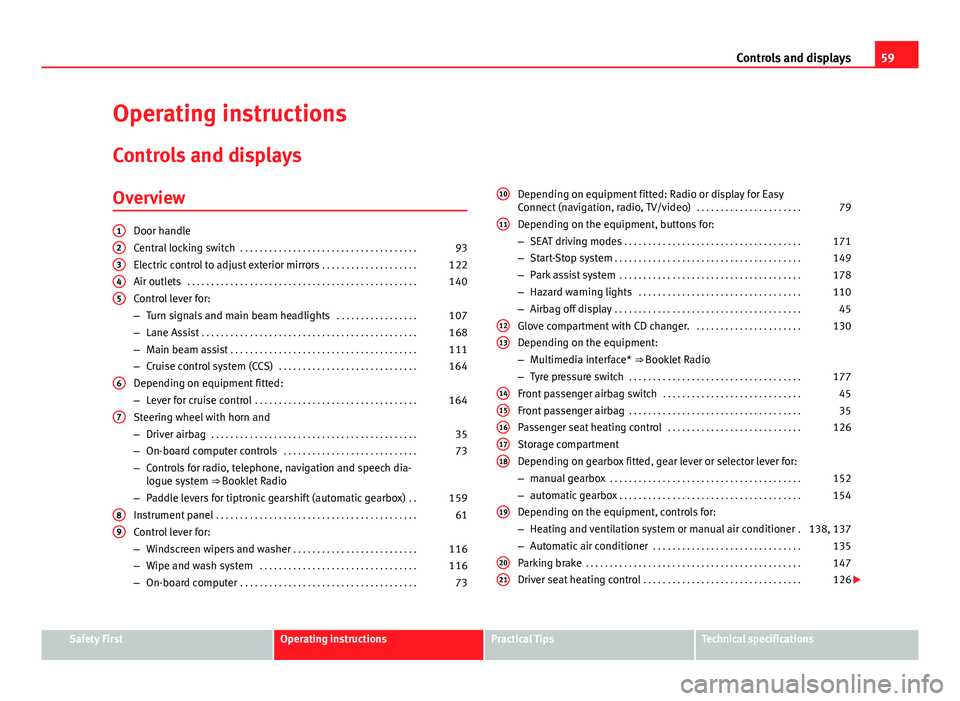
Door handle
Central locking switch . . . . . . . . . . . . . . . . . . . . . . . . . . . . . . . . . . . . . 93
Electric control to adjust exterior mirrors . . . . . . . . . . . . . . . . . . . .122
Air outlets . . . . . . . . . . . . . . . . . . . . . . . . . . . . . . . . . . . . . . . . . . . . . . . . 140
Control lever for:
– Turn signals and main beam headlights . . . . . . . . . . . . . . . . .107
– Lane Assist . . . . . . . . . . . . . . . . . . . . . . . . . . . . . . . . . . . . . . . . . . . . . 168
– Main beam assist . . . . . . . . . . . . . . . . . . . . . . . . . . . . . . . . . . . . . . . 111
– Cruise control system (CCS) . . . . . . . . . . . . . . . . . . . . . . . . . . . . . 164
Depending on equipment fitted:
– Lever for cruise control . . . . . . . . . . . . . . . . . . . . . . . . . . . . . . . . . . 164
Steering wheel with horn and
– Driver airbag . . . . . . . . . . . . . . . . . . . . . . . . . . . . . . . . . . . . . . . . . . . 35
– On-board computer controls . . . . . . . . . . . . . . . . . . . . . . . . . . . . 73
– Controls for radio, telephone, navigation and speech dia-
logue system ⇒ Booklet Radio
– Paddle levers for tiptronic gearshift (automatic gearbox) . .159
Instrument panel . . . . . . . . . . . . . . . . . . . . . . . . . . . . . . . . . . . . . . . . . . 61
Control lever for:
– Windscreen wipers and washer . . . . . . . . . . . . . . . . . . . . . . . . . . 116
– Wipe and wash system . . . . . . . . . . . . . . . . . . . . . . . . . . . . . . . . . 116
– On-board computer . . . . . . . . . . . . . . . . . . . . . . . . . . . . . . . . . . . . . 73
12345
6
7
89
Depending on equipment fitted: Radio or display for Easy
Connect (navigation, radio, TV/video)
. . . . . . . . . . . . . . . . . . . . . .79
Depending on the equipment, buttons for:
– SEAT driving modes . . . . . . . . . . . . . . . . . . . . . . . . . . . . . . . . . . . . . 171
– Start-Stop system . . . . . . . . . . . . . . . . . . . . . . . . . . . . . . . . . . . . . . . 149
– Park assist system . . . . . . . . . . . . . . . . . . . . . . . . . . . . . . . . . . . . . . 178
– Hazard warning lights . . . . . . . . . . . . . . . . . . . . . . . . . . . . . . . . . . 110
– Airbag off display . . . . . . . . . . . . . . . . . . . . . . . . . . . . . . . . . . . . . . . 45
Glove compartment with CD changer. . . . . . . . . . . . . . . . . . . . . . .130
Depending on the equipment:
– Multimedia interface* ⇒ Booklet Radio
– Tyre pressure switch . . . . . . . . . . . . . . . . . . . . . . . . . . . . . . . . . . . . 177
Front passenger airbag switch . . . . . . . . . . . . . . . . . . . . . . . . . . . . . 45
Front passenger airbag . . . . . . . . . . . . . . . . . . . . . . . . . . . . . . . . . . . . 35
Passenger seat heating control . . . . . . . . . . . . . . . . . . . . . . . . . . . . 126
Storage compartment
Depending on gearbox fitted, gear lever or selector lever for:
– manual gearbox . . . . . . . . . . . . . . . . . . . . . . . . . . . . . . . . . . . . . . . . 152
– automatic gearbox . . . . . . . . . . . . . . . . . . . . . . . . . . . . . . . . . . . . . . 154
Depending on the equipment, controls for:
– Heating and ventilation system or manual air conditioner .138, 137
– Automatic air conditioner . . . . . . . . . . . . . . . . . . . . . . . . . . . . . . . 135
Parking brake . . . . . . . . . . . . . . . . . . . . . . . . . . . . . . . . . . . . . . . . . . . . . 147
Driver seat heating control . . . . . . . . . . . . . . . . . . . . . . . . . . . . . . . . . 126
10
11
1213
1415161718
19
2021
Safety FirstOperating instructionsPractical TipsTechnical specifications
Page 66 of 289
65
Instruments and warning/control lamps
WARNING
Although the outside temperature is above freezing, some roads and
bridges may be frozen.
● At an outside temperature of above +4 °C (+39 °F), even when the
“ice crystal” is not visible, there may still be ice on the road.
● Never rely on the outside temperature indicator!
CAUTION
Failure to heed the control lamps and text messages when they appear may
result in faults in the vehicle.
Note
● Different versions of the instrument panel are available and therefore
the versions and instructions on the display may vary. In the case of dis-
plays without warning or information texts, faults are indicated exclusively
by the warning lamps.
● Depending on the equipment, some settings and instructions can also
be carried out in the Easy Connect system.
● When several warnings are active at the same time, the symbols are
shown successively for a few seconds. The symbols will stay on until the
fault is rectified.
Service interval display
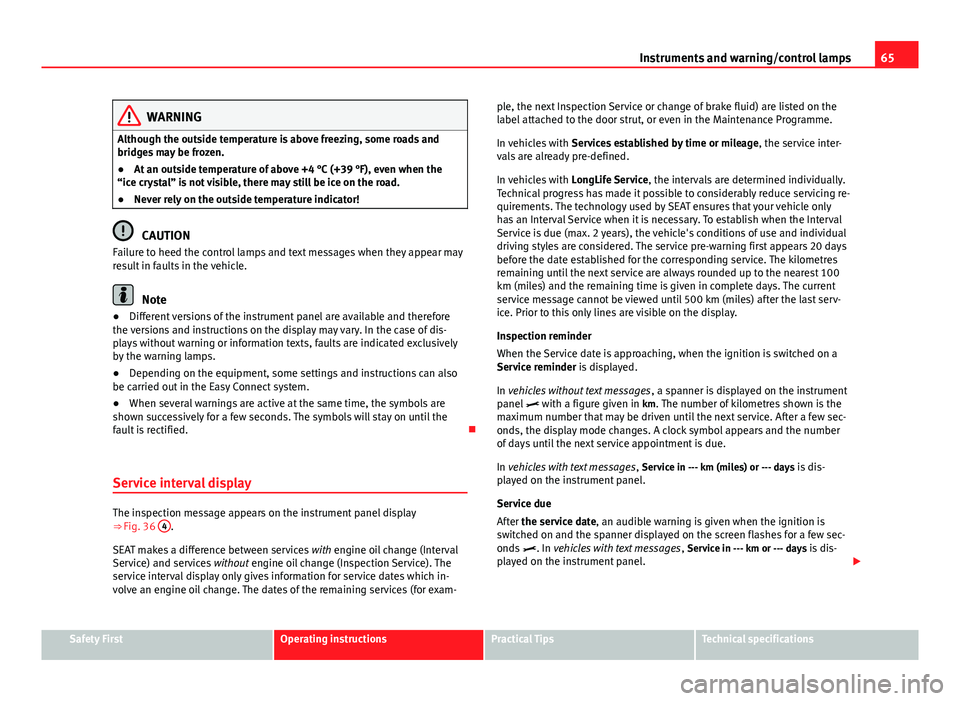
The inspection message appears on the instrument panel display
⇒ Fig. 36 4.
SEAT makes a difference between services with engine oil change (Interval
Service) and services without engine oil change (Inspection Service). The
service interval display only gives information for service dates which in-
volve an engine oil change. The dates of the remaining services (for exam- ple, the next Inspection Service or change of brake fluid) are listed on the
label attached to the door strut, or even in the Maintenance Programme.
In vehicles with
Services established by time or mileage , the service inter-
vals are already pre-defined.
In vehicles with LongLife Service , the intervals are determined individually.
Technical progress has made it possible to considerably reduce servicing re-
quirements. The technology used by SEAT ensures that your vehicle only
has an Interval Service when it is necessary. To establish when the Interval
Service is due (max. 2 years), the vehicle's conditions of use and individual
driving styles are considered. The service pre-warning first appears 20 days
before the date established for the corresponding service. The kilometres
remaining until the next service are always rounded up to the nearest 100
km (miles) and the remaining time is given in complete days. The current
service message cannot be viewed until 500 km (miles) after the last serv-
ice. Prior to this only lines are visible on the display.
Inspection reminder
When the Service date is approaching, when the ignition is switched on a
Service reminder is displayed.
In vehicles without text messages , a spanner is displayed on the instrument
panel with a figure given in km. The number of kilometres shown is the
maximum number that may be driven until the next service. After a few sec-
onds, the display mode changes. A clock symbol appears and the number
of days until the next service appointment is due.
In vehicles with text messages , Service in --- km (miles) or --- days is dis-
played on the instrument panel.
Service due
After the service date, an audible warning is given when the ignition is
switched on and the spanner displayed on the screen flashes for a few sec-
onds . In vehicles with text messages , Service in --- km or --- days is dis-
played on the instrument panel.
Safety FirstOperating instructionsPractical TipsTechnical specifications
Page 67 of 289

66Instruments and warning/control lamps
Reading a service notification
With the ignition switched on, the engine off and the vehicle at a standstill,
the current service notification can be read:
Press and hold the button ⇒ Fig. 36 4
for more than 5 seconds to consult
the service message.
When the service date has past , a minus sign is displayed in front of the
number of kilometres or days. In vehicles with text messages the following
is displayed: Service --- km (miles) or --- days ago .
The time can also be set via the
key and Setup function button in the
Easy Connect system ⇒ page 79.
The service interval display is reset
If the service was not carried out by a SEAT dealership, the display can be
reset as follows:
● To reset the service interval display, turn the ignition off and press and
hold the button ⇒ Fig. 36 4
.
● Switch the ignition back on.
● Release the button 4
and press the button 4 again for the next 20
seconds.
Note
● The service message disappears after a few seconds, when the engine is
started or when OK/RESET
is pressed on the windscreen wiper lever, or OKon the multifunction steering wheel.
●
In vehicles with the LongLife system in which the battery has been dis-
connected for a long period of time, it is not possible to calculate the date
of the next service. Therefore the service interval display may not be correct.
In this case, please check the maximum permitted service intervals ⇒ Book-
let Maintenance Programme. Rev counter
The rev counter indicates the number of engine revolutions
per minute.
Together with the gear-change indicator, the rev counter offers you the pos-
sibility of using the engine of your vehicle at a suitable speed.
The start of the red zone on the dial indicates the maximum engine speed
which may be used briefly when the engine is warm and after it has been
run in properly. Before reaching this range, you should change to a higher
gear for vehicles with a manual gearbox or for automatic gearboxes put the
selector lever in “D” or take your foot off the accelerator pedal.
We recommend that you avoid high revs and that you follow the recommen-
dations on the gear-change indicator. Consult the additional information in
⇒ page 68, Gear-change indicator.
CAUTION
Never allow the rev counter needle 1 ⇒ Fig. 36 to go into the red zone on
the scale for more than a very brief period, otherwise, there is a risk of en-
gine damage.
For the sake of the environment
Changing up a gear early will help you to save fuel and minimise engine
noise.
Page 70 of 289
69
Instruments and warning/control lamps
Vehicles with an automatic gearbox*
The display is only visible in tiptronic mode ⇒ page 159
The following display symbols mean:
● Shifting up a gear
● Shifting down a gear
CAUTION
The gear-change indicator is intended to help save fuel. It is not intended to
recommend the right gear for all driving situations. In certain situations, on-
ly the driver can choose the correct gear (for instance when overtaking, driv-
ing up a steep gradient or towing a trailer).
Note
The display disappears from the instrument panel when you press the
clutch pedal.
Control lamps Control and warning lamps
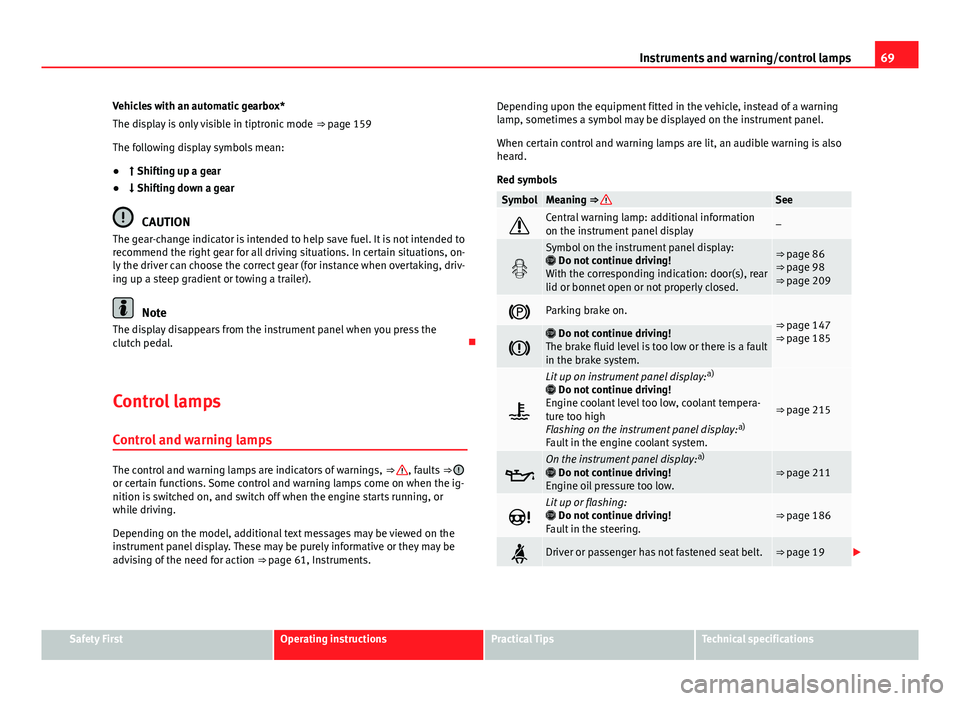
The control and warning lamps are indicators of warnings, ⇒ , faults ⇒ or certain functions. Some control and warning lamps come on when the ig-
nition is switched on, and switch off when the engine starts running, or
while driving.
Depending on the model, additional text messages may be viewed on the
instrument panel display. These may be purely informative or they may be
advising of the need for action ⇒ page 61, Instruments. Depending upon the equipment fitted in the vehicle, instead of a warning
lamp, sometimes a symbol may be displayed on the instrument panel.
When certain control and warning lamps are lit, an audible warning is also
heard.
Red symbols
SymbolMeaning ⇒ See
Central warning lamp: additional information
on the instrument panel display–
Symbol on the instrument panel display:
Do not continue driving!
With the corresponding indication: door(s), rear
lid or bonnet open or not properly closed.⇒ page 86
⇒ page 98
⇒ page 209
Parking brake on.⇒ page 147
⇒ page 185
Do not continue driving!
The brake fluid level is too low or there is a fault
in the brake system.
Lit up on instrument panel display: a)
Do not continue driving!
Engine coolant level too low, coolant tempera-
ture too high
Flashing on the instrument panel display: a)
Fault in the engine coolant system.
⇒ page 215
On the instrument panel display: a)
Do not continue driving!
Engine oil pressure too low.⇒ page 211
Lit up or flashing:
Do not continue driving!
Fault in the steering.⇒ page 186
Driver or passenger has not fastened seat belt.⇒ page 19
Safety FirstOperating instructionsPractical TipsTechnical specifications
Page 75 of 289
74Driver information system
Operating the instrument panel menus
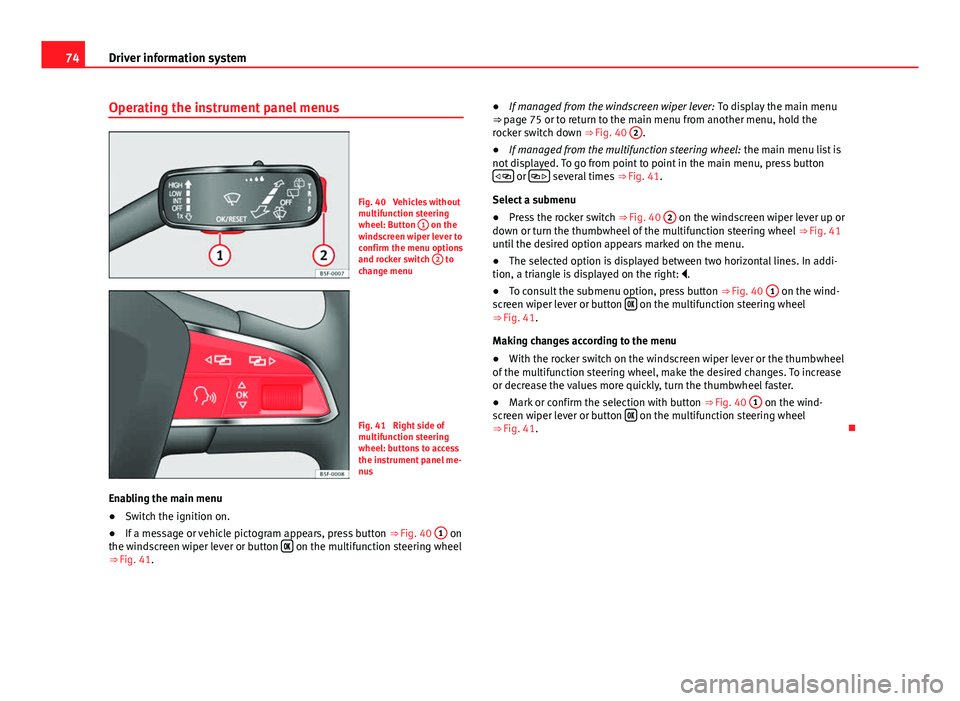
Fig. 40 Vehicles without
multifunction steering
wheel: Button 1
on the
windscreen wiper lever to
confirm the menu options
and rocker switch 2
to
change menu
Fig. 41 Right side of
multifunction steering
wheel: buttons to access
the instrument panel me-
nus
Enabling the main menu
● Switch the ignition on.
● If a message or vehicle pictogram appears, press button ⇒ Fig. 40 1
on
the windscreen wiper lever or button on the multifunction steering wheel
⇒ Fig. 41. ●
If managed from the windscreen wiper lever: To display the main menu
⇒ page 75 or to return to the main menu from another menu, hold the
rocker switch down ⇒ Fig. 40 2
.
● If managed from the multifunction steering wheel: the main menu list is
not displayed. To go from point to point in the main menu, press button
or several times
⇒ Fig. 41.
Select a submenu
● Press the rocker switch ⇒ Fig. 40 2
on the windscreen wiper lever up or
down or turn the thumbwheel of the multifunction steering wheel ⇒ Fig. 41
until the desired option appears marked on the menu.
● The selected option is displayed between two horizontal lines. In addi-
tion, a triangle is displayed on the right: .
● To consult the submenu option, press button ⇒ Fig. 40 1
on the wind-
screen wiper lever or button on the multifunction steering wheel
⇒ Fig. 41.
Making changes according to the menu
● With the rocker switch on the windscreen wiper lever or the thumbwheel
of the multifunction steering wheel, make the desired changes. To increase
or decrease the values more quickly, turn the thumbwheel faster.
● Mark or confirm the selection with button ⇒ Fig. 40 1
on the wind-
screen wiper lever or button on the multifunction steering wheel
⇒ Fig. 41.
Page 80 of 289
79
Introduction to the Easy Connect system*
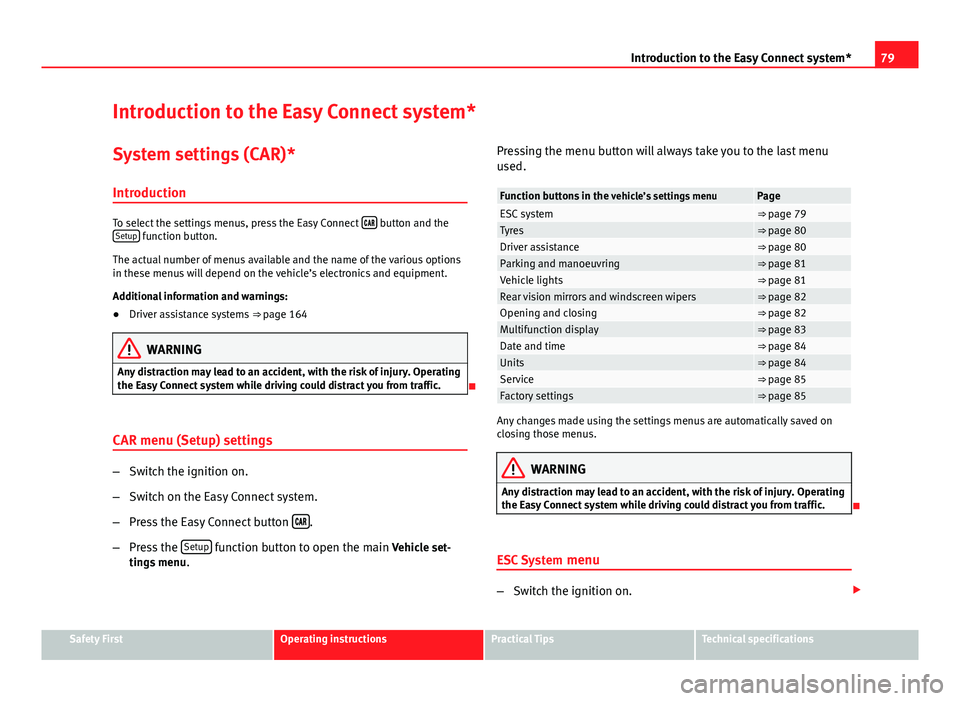
Introduction to the Easy Connect system* System settings (CAR)*Introduction
To select the settings menus, press the Easy Connect button and the
Setup function button.
The actual number of menus available and the name of the various options
in these menus will depend on the vehicle’s electronics and equipment.
Additional information and warnings:
● Driver assistance systems ⇒ page 164
WARNING
Any distraction may lead to an accident, with the risk of injury. Operating
the Easy Connect system while driving could distract you from traffic.
CAR menu (Setup) settings
– Switch the ignition on.
– Switch on the Easy Connect system.
– Press the Easy Connect button
.
– Press the Setup
function button to open the main Vehicle set-
tings menu . Pressing the menu button will always take you to the last menu
used.
Function buttons in the
vehicle’s settings menuPageESC system⇒ page 79Tyres⇒ page 80Driver assistance⇒ page 80Parking and manoeuvring⇒ page 81Vehicle lights⇒ page 81Rear vision mirrors and windscreen wipers⇒ page 82Opening and closing⇒ page 82Multifunction display⇒ page 83Date and time⇒ page 84Units⇒ page 84Service⇒ page 85Factory settings⇒ page 85
Any changes made using the settings menus are automatically saved on
closing those menus.
WARNING
Any distraction may lead to an accident, with the risk of injury. Operating
the Easy Connect system while driving could distract you from traffic.
ESC System menu
–Switch the ignition on.
Safety FirstOperating instructionsPractical TipsTechnical specifications
Page 83 of 289
82Introduction to the Easy Connect system*
Pressing the menu button
will always take you to the last menu used.
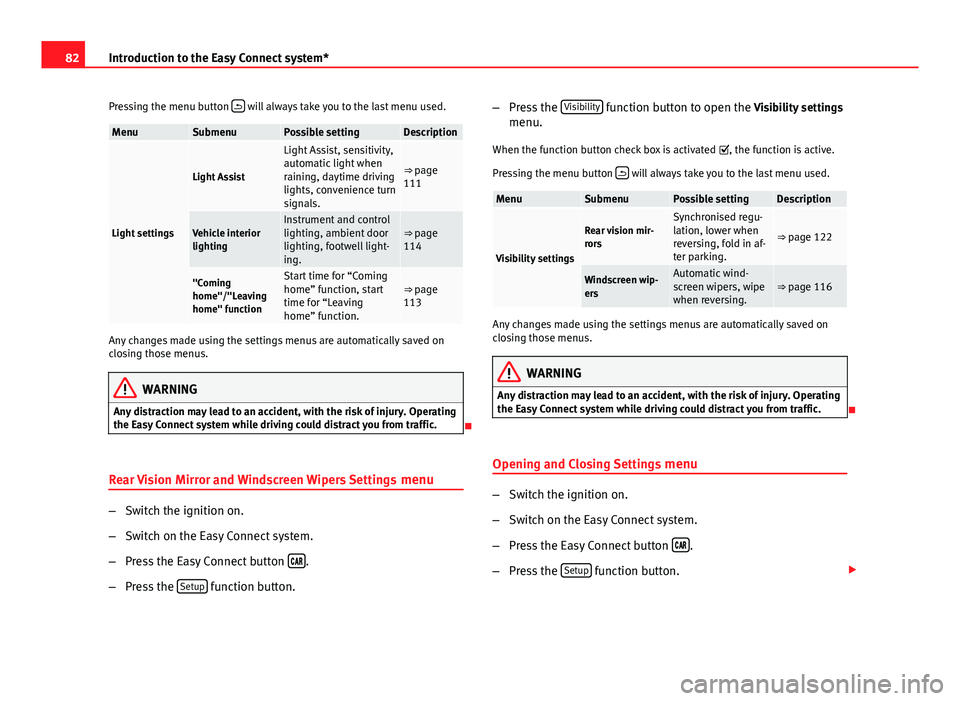
MenuSubmenuPossible settingDescription
Light settings
Light Assist
Light Assist, sensitivity,
automatic light when
raining, daytime driving
lights, convenience turn
signals.
⇒ page
111
Vehicle interior
lightingInstrument and control
lighting, ambient door
lighting, footwell light-
ing.⇒ page
114
"Coming
home"/"Leaving
home" functionStart time for “Coming
home” function, start
time for “Leaving
home” function.⇒ page
113
Any changes made using the settings menus are automatically saved on
closing those menus.
WARNING
Any distraction may lead to an accident, with the risk of injury. Operating
the Easy Connect system while driving could distract you from traffic.
Rear Vision Mirror and Windscreen Wipers Settings menu
–Switch the ignition on.
– Switch on the Easy Connect system.
– Press the Easy Connect button
.
– Press the Setup
function button. –
Press the Visibility
function button to open the Visibility settings
menu.
When the function button check box is activated , the function is active.
Pressing the menu button
will always take you to the last menu used.
MenuSubmenuPossible settingDescription
Visibility settings
Rear vision mir-
rorsSynchronised regu-
lation, lower when
reversing, fold in af-
ter parking.
⇒ page 122
Windscreen wip-
ersAutomatic wind-
screen wipers, wipe
when reversing.⇒ page 116
Any changes made using the settings menus are automatically saved on
closing those menus.
WARNING
Any distraction may lead to an accident, with the risk of injury. Operating
the Easy Connect system while driving could distract you from traffic.
Opening and Closing Settings menu
–Switch the ignition on.
– Switch on the Easy Connect system.
– Press the Easy Connect button
.
– Press the Setup
function button.
Page 85 of 289
84Introduction to the Easy Connect system*
Date and Time settings menu
The menu options will vary depending on the sound system
fitted in the vehicle.
– Switch the ignition on.
– Switch on the Easy Connect system.
– Press the Easy Connect button
.
– Press the Setup
function button.
– Press the Date and time
function button to open the Date and
time settings menu.
When the function button check box is activated , the function is active.
Pressing the menu button
will always take you to the last menu used.
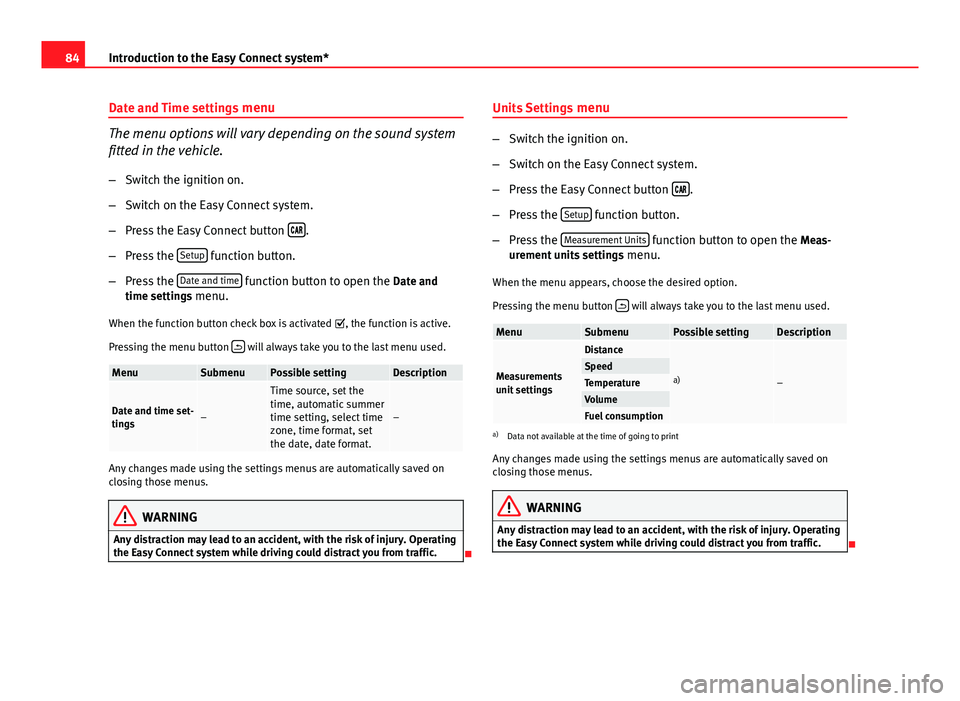
MenuSubmenuPossible settingDescription
Date and time set-
tings–
Time source, set the
time, automatic summer
time setting, select time
zone, time format, set
the date, date format.
–
Any changes made using the settings menus are automatically saved on
closing those menus.
WARNING
Any distraction may lead to an accident, with the risk of injury. Operating
the Easy Connect system while driving could distract you from traffic.
Units Settings
menu
–Switch the ignition on.
– Switch on the Easy Connect system.
– Press the Easy Connect button
.
– Press the Setup
function button.
– Press the Measurement Units
function button to open the Meas-
urement units settings menu.
When the menu appears, choose the desired option.
Pressing the menu button
will always take you to the last menu used.
MenuSubmenuPossible settingDescription
Measurements
unit settings
Distance
a)–SpeedTemperatureVolumeFuel consumptiona)
Data not available at the time of going to print
Any changes made using the settings menus are automatically saved on
closing those menus.
WARNING
Any distraction may lead to an accident, with the risk of injury. Operating
the Easy Connect system while driving could distract you from traffic.
Page 89 of 289

88Opening and closing
Vehicle key
Fig. 43 Vehicle key
Fig. 44 Vehicle key with
alarm button
Vehicle key
With the vehicle key the vehicle may be locked or unlocked remotely
⇒ page 86.
The vehicle key includes an emitter and battery. The receiver is in the interi-
or of the vehicle. The range of the vehicle key with remote control and new
battery is several metres around the vehicle. If it is not possible to open or close the vehicle using the remote control key,
this should be re-synchronised
⇒ page 90 or the battery changed
⇒ page 90.
Different keys belonging to the vehicle may be used.
Unfolding and folding the key shaft
Press button 1
⇒ Fig. 43 or ⇒
Fig. 44 to unlock and unfold the key shaft.
To fold the shaft away, press button 1
and fold the key shaft in until it
locks in place.
Alarm button 1)
Only press alarm button 2
in the event of an emergency! When the alarm
button is pressed, the vehicle horn is heard and the turn signals are switch-
ed on for a short time. When the alarm button is pressed again, the alarm is
switched off.
Replacing a key
To obtain a spare key and other vehicle keys, the vehicle chassis number is
required.
Each new key contains a microchip which must be coded with the data from
the vehicle electronic immobiliser. A vehicle key will not work if it does not
contain microchip or the microchip has not been encoded. This is also true
for keys which are specially cut for the vehicle.
The vehicle keys or new spare keys can be obtained from a SEAT Official
Service, a specialised workshop or an approved key service qualified to cre-
ate this kind of key.
New keys or spare keys must be synchronised before use ⇒ page 90.
1)
This system is only available in some markets
Page 96 of 289
95
Opening and closing
The vehicle interior monitoring and anti-tow sensor (tilt sensor) are auto-
matically switched on when the anti-theft alarm is switched on. In order to
activate it, all the doors and the rear lid must be closed.
If you wish to switch off the vehicle interior monitoring and the anti-tow sys-
tem, it must be done each time that the vehicle is locked; if not, they will be
automatically switched on.
The vehicle interior monitoring and the anti-tow system should be switched
off if animals are left inside the locked vehicle (otherwise, their movements
will trigger the alarm) or when, for example, the vehicle is transported or
has to be towed with only one axle on the ground.
False alarms
The interior monitoring only operates correctly if the vehicle is completely
closed. Please observe legal requirements when doing so.
The following cases may cause a false alarm:
● opened windows (partially or fully)
● panoramic/tilting sunroof open (partially or completely).
● movement of objects inside the vehicle, such as loose papers, items
hanging from the rear vision mirror (air fresheners), etc.
Note
● If the vehicle is relocked and the alarm is activated without the volumet-
ric sensor function, relocking will activate the alarm with all its functions,
except the volumetric sensor. This function is reactivated when the alarm is
switched on again, unless it is deliberately switched off.
● If the alarm has been triggered by the volumetric sensor, this will be in-
dicated by a flashing of the warning lamp on the driver door when the vehi-
cle is opened. The flash is different to the flash indicating the alarm is acti-
vated. ●
The vibration of a mobile phone left inside the vehicle may cause the ve-
hicle interior monitoring alarm to trigger, as both sensors react to move-
ments and shakes inside the vehicle.
● If on activating the alarm, any door or the rear lid is open, only the alarm
will be activated. The vehicle interior monitoring and the anti-tow system
will only be activated once all the doors are closed (including the rear lid).
Deactivating the vehicle interior monitoring and tow-away
protection 1)
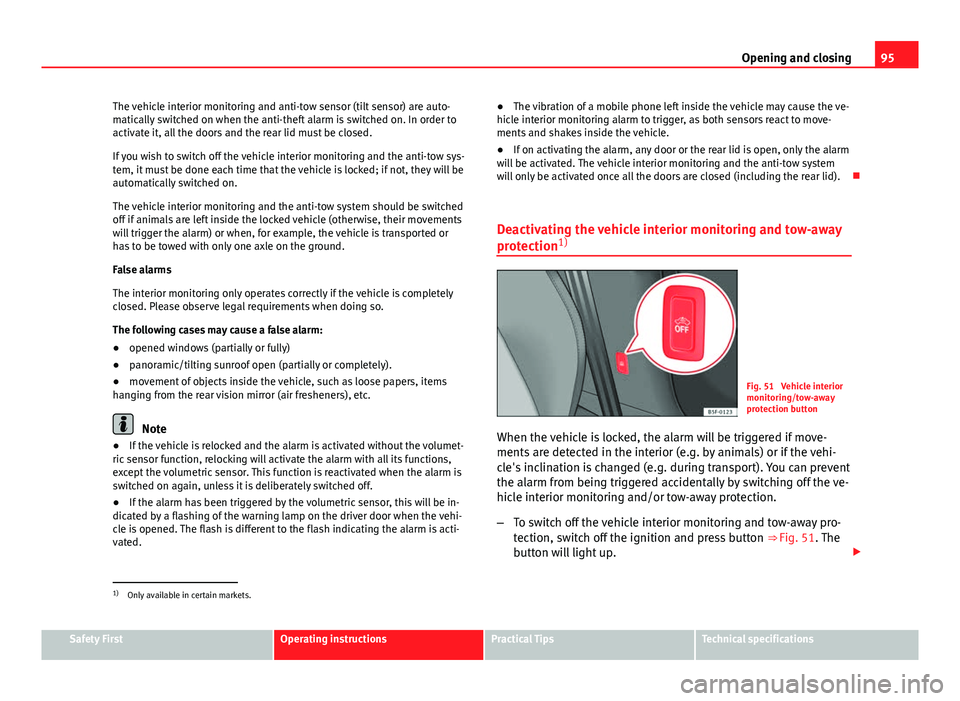
Fig. 51 Vehicle interior
monitoring/tow-away
protection button
When the vehicle is locked, the alarm will be triggered if move-
ments are detected in the interior (e.g. by animals) or if the vehi-
cle's inclination is changed (e.g. during transport). You can prevent
the alarm from being triggered accidentally by switching off the ve-
hicle interior monitoring and/or tow-away protection.
– To switch off the vehicle interior monitoring and tow-away pro-
tection, switch off the ignition and press button ⇒ Fig. 51. The
button will light up.
1)
Only available in certain markets.
Safety FirstOperating instructionsPractical TipsTechnical specifications