service Seat Leon 5D 2014 User Guide
[x] Cancel search | Manufacturer: SEAT, Model Year: 2014, Model line: Leon 5D, Model: Seat Leon 5D 2014Pages: 284, PDF Size: 5.85 MB
Page 63 of 284

Transporting children safety
“ISOFIX” child seat mounting system Fig. 78
ISOFIX securing rings. When removing or fitting the child seat,
please be sure to follow the manufacturer's
instructions.
– Remove the protective caps of the “ISOFIX”
rings by placing a finger in the hole and
pulling up ››› Fig. 78 .
– Pr e
ss the child seat onto the “ISOFIX” re-
taining rings until the child seat can be
heard to engage securely. If the child seat
is equipped with Top Tether* anchor points,
secure it to the correspondent ring
››› Fig. 79
. Observe the manufacturer's in-
structions.
– Do a test by pulling both sides of the child
seat to ensure that it is properly anchored.
Child seats with the “ISOFIX” and Top Tether*
attachment system are available from Techni-
cal Services. Top Tether* retainer straps
Fig. 79
Position of the Top Tether rings on the
back of the rear seat. Child seats with the Top Tether system come
with a strap for securing the seat to the vehi-
cle anchor point, located at the back of the
rear seat backrest and provide greater re-
straint.
The objective of this strap is to reduce for-
ward movements of the child seat in a crash,
to reduce the risk of injuries to the head from
hitting the inside of the vehicle.
Using the Top Tether in rear-facing mounted
seats
Currently, there are very few rear-facing child
safety seats that have Top Tether. Please
carefully read and follow the seat manufac-
turer instructions to learn the proper way to
install the Top Tether strap. Fitting the Top Tether child restraint to
the anchoring point
Fig. 80
Retainer strap: correct adjustment
and fitting. Securing the Top Tether child restraint to the
anchor point situated on the rear of the
backrest
– Pull out the fastening belt of the child re-
straint seat according to the manufacturer's
instructions.
– Guide the Top Tether fastening belt under
the rear seat head restraint ››› Fig. 80 (lift
the he a
d restraint where necessary).
– Slide the belt so that the Top Tether belt of
the child restraint seat is correctly secured
to the anchor on the back of the rear seat
››› Fig. 79.
– Firmly
tighten the Top Tether belt following
the child restraint seat manufacturer's in-
structions. »
61
Technical specifications
Advice
Operation
Safety
The essentials
Page 70 of 284

Operation
● Time.
● Navigation instructions.
● Outside temperature.
● Compass.
● Shift lever position ››› page 133.
● Recommended gear (manual gearbox)
››› page 74 .
● Mu
ltifunction display (MFD) and menus
with different setting options ››› page 72.
● Service interval display ››› page 80 .
● Second speed display ››› page 72.
● Speed warning function ››› page 79.
● Start-Stop system status display
››› page 148.
● Lo
w consumption driving status (ECO)
››› page 69
● Identifying letters on engine (MKB).
● Active cylinder management display
(ACT ®
)* ››› page 142
Mileage
The odometer registers the total distance
tr
avelled by the car.
The
odometer (trip) shows the distance trav-
elled since the last odometer reset. The last
digit of the trip recorder indicates distances
of 100 metres or one tenths of a mile.
● Briefly press the button ››› Fig. 82 4 to re-
set the trip recorder to 0. ●
Keep the button 4 pressed for about 3
seconds and the previous value will be dis-
played.
Time
● To set the time, keep the button ››› Fig. 82
4 pressed for more than 3 seconds to select
the hour or minute display.
● To continue setting the time, press the up-
per or lower part of the button 4 . Hold but-
ton down to scroll through the numbers
quickly.
● Press the button 4 again in order to finish
setting the time.
The time can also be set via the key and
Setup function button in the Easy Connect
system ››› page 81 .
C omp
ass
With the ignition on and the navigation sys-
tem on, the cardinal point corresponding to
the direction of travel of the vehicle is dis-
played on the instrument panel.
Selector lever position
The selected gear is displayed on the side of
the selector lever and on the instrument pan-
el display. In positions D and S
, and with the
Tiptronic, the corresponding gear is also dis-
played. Recommended gear (manual gearbox)
The recommended gear in order to save fuel
is displayed on the instrument panel while
you are driving
››› page 74.
Second speed display (mph or km/h)
In addition to the speedometer, the speed
can also be displayed in a different unit of
measurement (in miles or in km per hour).
This option cannot be deactivated in models
destined for countries in which the second
speed must always be visible.
The second speed display can be adjusted in
the Easy Connect system via the key and
the Setup function button
››› page 81.
Speed warning
When the speed setting is exceeded, this will
be indicated on the instrument panel display.
This is very useful, for example when using
winter tyres that are not designed for driving
at the maximum speed of the vehicle
››› page 79 .
The s peed w
arning settings can be adjusted
in the Easy Connect system via the key
and the Setup function button
››› page 81.
Start-Stop operating display.
Updated information relating to the status is
displayed on the instrument panel
››› page 148 .
68
Page 74 of 284

Operation
are preheating. When the warning lamp goes
off, the engine should be started straight
away.
Control lamp flashes
If a f
ault develops in the engine management
system while you are driving, the glow plug
system lamp will flash
. Take the vehicle to
a specialised workshop as soon as possible
and have the engine checked. Driver information system
Information system Introduction With the ignition switched on, it is possible
to read the different functions of the display
by scrolling through the menus.
In vehicles with multifunction steering wheel,
the multifunction display can only be operat-
ed with the steering wheel buttons.
The number of menus displayed on the in-
strument panel will vary according to the ve-
hicle electronics and equipment.
A specialised workshop will be able to pro-
gramme or modify additional functions, ac-
cording to the vehicle equipment. SEAT rec-
ommends visiting a SEAT Official Service.
Some menu options can only be read when
the vehicle is at a standstill.
As long as a priority 1 warning is displayed, it
will not be possible to read the menus. Some
warning messages can be confirmed and
made to disappear with the windscreen wiper
lever button or the multifunction steering
wheel button.
The information system also provides the fol-
lowing information and displays (depending
on the vehicle's equipment):Driving data
››› page 76
■ Vehicle status
■ MFD from departure
■ MFD from refuelling
■ MFD total calculation
Assist systems ››› table on page 74
■ Activate/deactivate Lane Assist
■ Reverse (optional)
Navigation › ››
Book
let Navigation system
Audio
››› Booklet Radio or ››› Booklet Naviga-
tion system
Telephone
››› Booklet Radio or ››› Book-
let Navigation system
Vehicle
››› table on page 74 WARNING
Any distraction may lead to an accident, with
the risk of injury.
● Do not operate the instrument panel con-
trols when driving. 72
Page 82 of 284
Operation
Service interval display Service interval display The service interval indication appears on the
instrument panel display
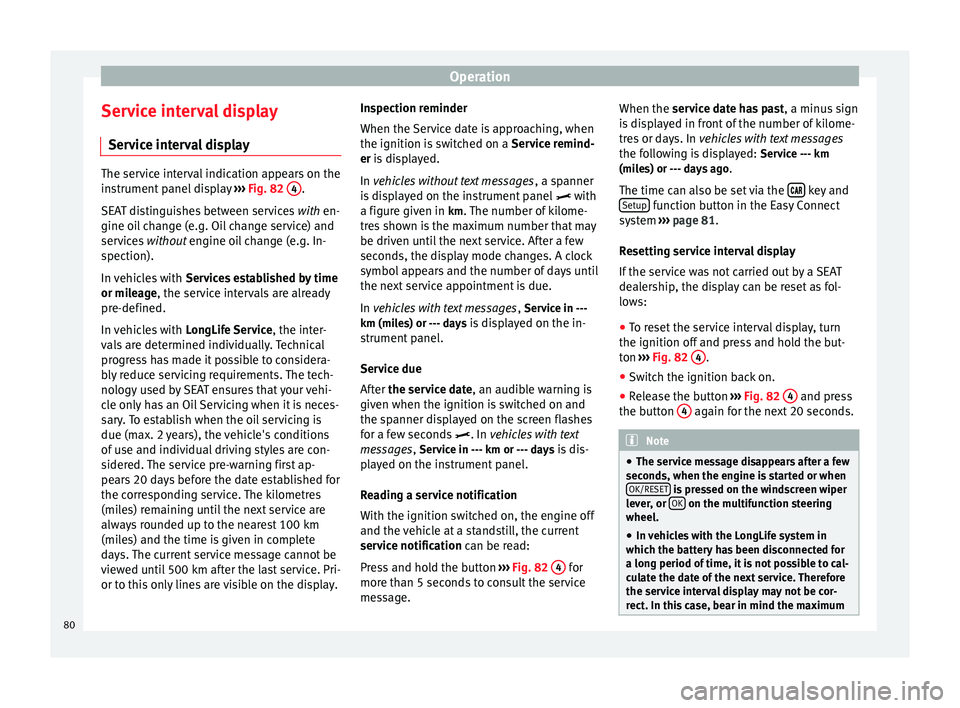
››› Fig. 82 4 .
SEAT distinguishes between services with en-
gine oi l
change (e.g. Oil change service) and
services without
engine oil change (e.g. In-
spection).
In vehicles with Services established by time
or mileage, the service intervals are already
pr e-defined.
In
vehicles with LongLife Service , the inter-
vals are determined individually. Technical
progress has made it possible to considera-
bly reduce servicing requirements. The tech-
nology used by SEAT ensures that your vehi-
cle only has an Oil Servicing when it is neces-
sary. To establish when the oil servicing is
due (max. 2 years), the vehicle's conditions
of use and individual driving styles are con-
sidered. The service pre-warning first ap-
pears 20 days before the date established for
the corresponding service. The kilometres
(miles) remaining until the next service are
always rounded up to the nearest 100 km
(miles) and the time is given in complete
days. The current service message cannot be
viewed until 500 km after the last service. Pri-
or to this only lines are visible on the display. Inspection reminder
When the Service date is approaching, when
the ignition is switched on a
Service remind-
er is displayed.
In vehicles without text messages , a s
panner
is displayed on the instrument panel with
a figure giv
en in km. The number of kilome-
tres shown is the maximum number that may
be driven until the next service. After a few
seconds, the display mode changes. A clock
symbol appears and the number of days until
the next service appointment is due.
In vehicles with text messages , Serv
ice in ---
km (miles) or --- days is displayed on the in- strument panel.
Service due
After the service date, an audible warning is
given when the ignition i
s switched on and
the spanner displayed on the screen flashes
for a few seconds . In
vehicles with text
messages, Service in --- km or --- days is dis-
played on the instrument panel.
Reading a service notification
With the ignition switched on, the engine off
and the vehicle at a standstill, the current
service notification
can be read:
Press and hold the button ››› Fig. 82 4 for
more than 5 seconds to consult the service
message. When the service date has past
, a minus sign
is displayed in front of the number of kilome-
tres or days. In vehicles with text messages
the following is displayed: Service --- km
(miles) or --- days ago .
The time can also be set via the key and
Setup function button in the Easy Connect
system ››› page 81 .
R e
setting service interval display
If the service was not carried out by a SEAT
dealership, the display can be reset as fol-
lows:
● To reset the service interval display, turn
the ignition off and press and hold the but-
ton ››› Fig. 82 4 .
● Switch the ignition back on.
● Release the button ››› Fig. 82 4 and press
the button 4 again for the next 20 seconds.
Note
● The service message disappears after a few
seconds, when the engine is started or when OK/RESET is pressed on the windscreen wiper
lever, or OK on the multifunction steering
wheel.
● In vehicles with the LongLife system in
which the battery has been disconnected for
a long period of time, it is not possible to cal-
culate the date of the next service. Therefore
the service interval display may not be cor- rect. In this case, bear in mind the maximum 80
Page 83 of 284

Introduction to the Easy Connect system*
service intervals permitted in the
››› Book-
let Maintenance Programme. Introduction to the Easy
Connect system*
System Settings (CAR)* Introduction To select the settings menus, press the Easy
Connect
button and the
Setup function
button.
The actual number of menus available and
the name of the various options in these me-
nus will depend on the vehicle’s electronics
and equipment. WARNING
Any distraction may lead to an accident, with
the risk of injury. Operating the Easy Connect
system while driving could distract you from
traffic. CAR menu Setup
Read the additional information carefully
››› page 17
Pressing the menu button will always take
you to the last menu used.
When the function button check box is activa-
ted , the function is active. Pressing the menu button
will always take
you to the last menu used.
Any changes made using the settings menus
are automatically saved on closing those me-
nus.Function buttons in the ve-
hicle’s settings menuPage
ESC system››› page 143
Tyres››› page 212
Driver assistance››› table on page 18
Parking and manoeuvring››› page 173
Vehicle lights››› table on page 18
Rear vision mirrors and wind-
screen wipers››› table on page 18
Opening and closing››› table on page 18
Multifunction display››› page 19
Date and time››› table on page 18
Units››› table on page 18
Service››› page 67
Factory settings››› table on page 18 81
Technical specifications
Advice
Operation
Safety
The essentials
Page 85 of 284

Opening and closing
Note
● Never leave any valuable items in the vehi-
cle unattended. Even a locked vehicle is not a
safe.
● If the diode on the driver door sill lights up
for about 30 seconds when the vehicle is
locked, the central locking system or anti-
theft alarm* is not working properly. You
should have the fault repaired at a SEAT Offi-
cial Service or specialised workshop.
● The vehicle interior monitoring of the anti-
theft alarm* system will only function as in-
tended if the windows and the sunroof* are
closed. Car key
Fig. 91
Vehicle key Fig. 92
Vehicle key with alarm button Vehicle key
With the vehicle key the vehicle may be
locked or unlocked remotely
››› page 82.
The vehicle key includes an emitter and bat-
tery. The receiver is in the interior of the vehi-
cle. The range of the vehicle key with remote
control and new battery is several metres
around the vehicle.
If it is not possible to open or close the vehi-
cle using the remote control key, this should
be re-synchronised ››› page 87 or the bat-
tery changed ››› page 86 .
Diff er
ent keys belonging to the vehicle may
be used.
Control lamp on the vehicle key
When a button on the vehicle key is pressed,
the control lamp flashes ››› Fig. 91 (arrow)
once briefly
, but if the button is held down for a longer period the control lamp flashes sev-
eral times, such as in convenience opening.
If the vehicle key control lamp does not light
up when the button is pressed, replace the
key's battery
››› page 86.
Unfo
lding and folding the key shaft
Press button 1
››› Fig. 91 or
›
›› Fig. 92
to un-
lock and unfold the key shaft.
To fold the shaft away, press button 1 and
fold the key shaft in until it locks in place.
Alarm button*
Only press alarm button 2 in the event of an
emergency! When the alarm button is press-
ed, the vehicle horn is heard and the turn sig-
nals are switched on for a short time. When
the alarm button is pressed again, the alarm
is switched off.
Replacing a key
To obtain a spare key and other vehicle keys,
the vehicle chassis number is required.
Each new key contains a microchip which
must be coded with the data from the vehicle
electronic immobiliser. A vehicle key will not
work if it does not contain a microchip or the
microchip has not been encoded. This is also
true for keys which are specially cut for the
vehicle. »
83
Technical specifications
Advice
Operation
Safety
The essentials
Page 86 of 284

Operation
The vehicle keys or new spare keys can be
obtained from a SEAT Official Service, a spe-
cialised workshop or an approved key service
qualified to create this kind of key.
New keys or spare keys must be synchron-
ised before use ››› page 87. CAUTION
All of the vehicle keys contain electronic com-
ponents. Protect them from damage, impacts
and humidity. Note
● Only use the key button when you require
the corresponding function. Pushing the but-
ton unnecessarily could accidentally unlock
the vehicle or trigger the alarm. It is also pos-
sible even when you are outside the radius of
action.
● Key operation can be greatly influenced by
overlapping radio signals close to the vehicle
working in the same range of frequencies, for
example, radio transmitters or mobile tele-
phones.
● Obstacles between the remote control and
the vehicle, bad weather conditions and dis-
charged batteries can considerably reduce
the range of the remote control.
● If the buttons of the vehicle key are press-
ed ››› Fig. 91 or ››› Fig. 92 or one of the central
locking buttons ››› page 85 is pressed re-
peat
edly in short succession, the central
locking briefly disconnects as protection against overloading. The vehicle is then un-
locked. Lock it if necessary.
Remote unlock/lock
Read the additional information carefully
››› page 9
The vehicle will be locked again automatical-
ly if you do not open one of the doors or the
rear lid within 30 seconds after unlocking the
car. This function prevents the vehicle from
remaining unlocked if the unlocking button is
pressed by mistake. This does not apply if
you press the button for at least one sec-
ond.
In vehicles with a security central locking
feature (selective unlocking of side doors)
› ›
› page 84, when the button is pressed
once, only the driver door and the fuel tank
flap are unlocked. When the button is press-
ed a second time, all the vehicle doors are
unlocked. WARNING
Observe the safety warnings ››› in Descrip-
tion on page 82. Note
● Do not use the remote control key until the
vehicle is visible. ●
Other functions of the remote control key
››› page 91, Convenience opening/closing. Selective unlocking system
The selective unlocking system allows you to
only unlock the driver door and the fuel tank
flap. All other doors and the rear lid remain
locked.
Unlocking the driver door and tank flap
– Press button on the remote control key
once , or turn the key
onc
e
to open.
Unlocking all the doors, the rear lid and the
tank flap simultaneously.
– Within 5 seconds, press button on the
remote control key twice, or turn the key to
open twice
within 5 seconds.
The anti-theft security system* and the anti-
theft alarm* are immediately disabled if you
unlock only the driver door, without unlock-
ing the other doors.
In vehicles with Easy Connect*, you can pro-
gramme the security central locking system
directly ››› page 85.
84
Page 92 of 284

Operation
To change the locking / unlocking status,
press the button or the button
1›››
page 9
on the remote control key.
A w arnin
g appears on the instrument panel
display if the rear lid is open or not properly
closed.* An audible warning is also given if
the rear lid is open when the car is driven
faster than 6 km/h*. WARNING
Observe the safety warnings ››› in Intro-
duction on page 227.
● Alw
ays close the rear lid properly. Risk of
accident or injury.
● The rear lid must not be opened when the
reverse or rear fog lights are lit. This may
damage the tail lights.
● Do not close the rear lid by pushing it down
with your hand on the rear window. The glass
could smash. Risk of injury!
● Ensure the rear lid is locked after closing it.
If not, it may open unexpectedly while driv-
ing.
● Closing the rear lid without observing and
ensuring it is clear could cause serious injury
to you and to third parties. Make sure that no
one is in the path of the rear lid.
● Never drive with the rear lid open or half-
closed, exhaust gases may penetrate into the
interior of the vehicle. Danger of poisoning!
● If you only open the rear lid, do not leave
the key inside. The vehicle cannot be opened
if the key is left inside. Tailgate automatic lock
Where the vehicle has been locked by press-
ing the
button on the remote control with
the rear lid open, the rear lid will lock auto-
matically when closed.
The automatic tailgate locking time extension
function can be activated. Where this func-
tion is activated and once the rear lid has
been unlocked by pressing the button on
the remote control key ››› page 84, the rear lid
can be re-opened for a certain length of time.
Where required, the automatic tailgate lock-
ing time extension function can be activated
or deactivated at an Authorised SEAT Service,
which will provide all the necessary informa-
tion.
Before the vehicle locks automatically, there
is a risk of intruders getting into the vehicle.
Therefore, we recommend you always lock
the vehicle by pressing the button on the
remote control or by using the central locking
button. Electric windows
Opening and closing of the electric
windows* Fig. 97
Detail of the driver door: controls for
the windows (5-door vehicle with front and
rear electric windows). Read the additional information carefully
››› page 10
The front and rear electric windows can be
operated by using the controls on the driver
door. The other doors each have a switch for
their own window.
Always close the windows fully if you park
the vehicle or leave it unattended ››› .
You can use the electric windows for approx.
10 minutes after switching off the ignition if
neither the driver door nor the front passen-
ger door has been opened and the key has
not been removed from the ignition.
90
Page 102 of 284
Operation
Motorway lights* The motorway light is available on vehicles
equipped with full-LED lights.
The function is connected/disconnected via
the corresponding Easy Connect system
menu.
●
Activation: when going above 110 km/h for
mor e th
an 30 seconds, the dipped beam rai-
ses slightly to increase the distance of visibil-
ity of the driver.
● Deactivation: when reducing the speed of
the c ar belo
w 100 km/h, the dipped beam re-
turns to its normal position.
Driving abroad The light beam of the dipped beam lights is
asymmetric: the side of the road on which
you are driving is lit more intensely.
When a car that is manufactured in a country
that drives on the right travels to a country
that drives on the left (or vice versa), it is nor-
mally necessary to cover part of the headlight
bulbs with stickers or to change the adjust-
ment of the headlights to avoid dazzling oth-
er drivers.
In such cases, the regulations specify certain
light values that must be complied with for designated points of the light distribution.
This is known as “Tourist light”.
The light distribution that the halogen and
full-LED headlights of the SEAT Leon range
have allows the specific “tourist light” values
to be met without the need for stickers or
changes in the settings.
Note
“Tourist light” is only allowed temporarily. If
you are planning a long stay in a country that
drives on the other side, you should take the
vehicle to an Authorised Technical Service to
change the headlights. Headlight range control, lighting of
the instrument panel and controls
Fig. 100
Next to the steering wheel: Head-
light range control Lighting of the instrument panel, screens
and controls*
Depending on the model, lighting of the in-
strument panel and controls can be adjusted
in the Easy Connect system, using the button
and the function button
SETUP ›››
page 17
.
He a
dlight range control
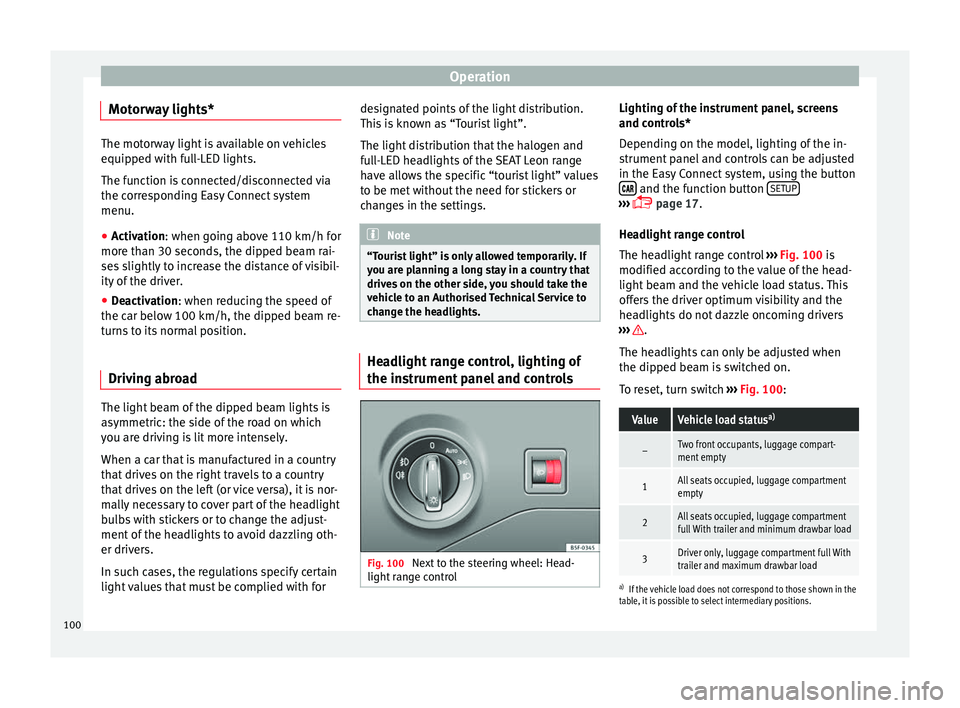
The headlight range control ››› Fig. 100 is
modified acc
ording to the value of the head-
light beam and the vehicle load status. This
offers the driver optimum visibility and the
headlights do not dazzle oncoming drivers
››› .
The headlights can only be adjusted when
the dipped beam is switched on.
To reset, turn switch ››› Fig. 100 :
ValueVehicle load status a)
–Two front occupants, luggage compart-
ment empty
1All seats occupied, luggage compartment
empty
2All seats occupied, luggage compartment
full With trailer and minimum drawbar load
3Driver only, luggage compartment full With
trailer and maximum drawbar load
a)
If the vehicle load does not correspond to those shown in the
table, it is possible to select intermediary positions.
100
Page 104 of 284
Operation
● The sun visor can be pulled out of its
mounting and turned towards the door
››› Fig. 101 1 .
● Swing the sun visor towards the door, lon-
gitudinally backwards.
Vanity mirror light
There may be a vanity mirror, with a cover, on
the rear of the sun visor. When the cover is
opened 2 a light comes on.
The lamp goes out when the vanity mirror
cover is closed or the sun visor is pushed
back up. WARNING
Folded sun blinds can reduce visibility.
● Always store sun blinds and visors in their
housing when not in use. Note
The light above the sun visor automatically
switches off after a few minutes in certain
conditions. This prevents the battery from
discharging. Sun blind*
3 Applies to the model: LEON ST
Fig. 102
Rear window: sun blind. Rear window sun blind*
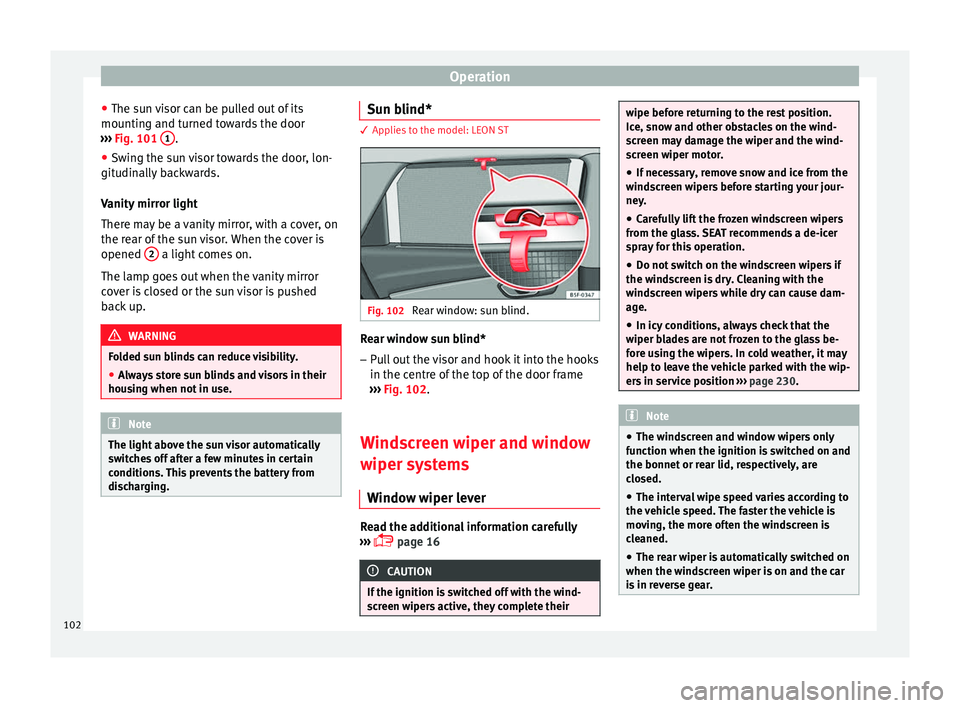
– Pull out the visor and hook it into the hooks
in the centre of the top of the door frame
››› Fig. 102 .
W ind
screen wiper and window
wiper systems
Window wiper lever Read the additional information carefully
››› page 16 CAUTION
If the ignition is switched off with the wind-
screen wipers active, they complete their wipe before returning to the rest position.
Ice, snow and other obstacles on the wind-
screen may damage the wiper and the wind-
screen wiper motor.
● If necessary, remove snow and ice from the
windscreen wipers before starting your jour-
ney.
● Carefully lift the frozen windscreen wipers
from the glass. SEAT recommends a de-icer
spray for this operation.
● Do not switch on the windscreen wipers if
the windscreen is dry. Cleaning with the
windscreen wipers while dry can cause dam-
age.
● In icy conditions, always check that the
wiper blades are not frozen to the glass be-
fore using the wipers. In cold weather, it may
help to leave the vehicle parked with the wip-
ers in service position ››› page 230. Note
● The windscreen and window wipers only
function when the ignition is switched on and
the bonnet or rear lid, respectively, are
closed.
● The interval wipe speed varies according to
the vehicle speed. The faster the vehicle is
moving, the more often the windscreen is
cleaned.
● The rear wiper is automatically switched on
when the windscreen wiper is on and the car
is in reverse gear. 102