ignition Seat Leon 5D 2016 Owner's Guide
[x] Cancel search | Manufacturer: SEAT, Model Year: 2016, Model line: Leon 5D, Model: Seat Leon 5D 2016Pages: 324, PDF Size: 6.93 MB
Page 109 of 324

Instruments and warning/control lamps
Identifying letters on engine (MKB)
Ho l
d the b
utton ››› Fig. 120 4 down for more
th an 15 sec
ond
s to display the identifying
letters of the vehicle engine (MKB). To do
this, the ignition must be switched on and
the engine switched off. WARNING
Observe the safety warnings ›››
in Warning
and contr o
l lamps on page 109. WARNING
Even though outside temperatures are above
freez in
g, some roads and bridges may be icy.
● At outside temperatures above +4°C
(+39°F), even when the “ice c
rystal symbol”
is not visible, there may still be patches of ice
on the road.
● Do not rely on the outside temperature in-
dicator! Note
● Differ ent
versions of the instrument panel
are available and therefore the versions and
instructions on the display may vary. In the
case of displays without warning or informa-
tion texts, faults are indicated exclusively by
the warning lamps.
● Depending on the equipment, some set-
tings
and instructions can also be carried out
in the Easy Connect system. ●
When sever a
l warnings are active at the
same time, the symbols are shown succes-
sively for a few seconds and will stay on until
the fault is rectified. Odometer
Fig. 121
Instrument panel: odometer and re-
set b
utt
on. The distance covered is displayed in “kilome-
tr
e
s” or mi
les “m”. It is possible to change
the measurement units (kilometres
“km”/miles “m”) in the radio/Easy Connect*.
Please refer to the Easy Connect* Instructions
Manual for more details.
Odometer/trip recorder
The odometer shows the total distance cov-
ered by the vehicle.
The trip recorder shows the distance that has
been travelled since it was last reset. It is used to measure short trips. The last digit of
the trip recor
der indicates distances of 100
metres or tenths of a mile.
The trip recorder can be set to zero by press-
ing 0.0/SET
› ››
Fig. 121
.
F
ault display
If there is a fault in the instrument panel, the
letters DEF will appear in the trip recorder
display. Have the fault repaired immediately,
as far as is possible.
Coolant temperature gauge For vehicles with no coolant temperature
g
aug
e, a c
ontrol lamp appears for high
coolant temperatures ››› page 266. Please
note ››› .
The c oo
l
ant temperature gauge 2 ›››
Fig. 120 only w
orks when the ignition is
switched on. In order to avoid engine dam-
age, please read the following notes for the
different temperature ranges.
Engine cold
If only the diodes in the lower part of the
scale light up, this indicates that the engine
has not yet reached operating temperature.
Avoid high revs and heavy acceleration and
do not make the engine work hard. »
107
Technical data
Advice
Operation
Emergencies
Safety
Page 110 of 324
Operation
Normal temperature
If in norm
al
operations, the diodes light up
until the central zone, it means that the en-
gine has reached operating temperature. At
high outside temperatures and when making
the engine work hard, the diodes may contin-
ue lighting up and reach the upper zone. This
is no cause for concern, provided the control
lamp does not light up on the instrument
panel digital display.
Heat range
When the diodes light up in the upper area of
the display and the control lamp appears
on the instrument panel display, the coolant
temperature is excessive ››› page 266. CAUTION
● To en s
ure a long useful life for the engine,
avoid high revs, driving at high speed and
making the engine work hard for approxi-
mately the first 15 minutes when the engine
is cold. The phase until the engine is warm al-
so depends on the outside temperature. If
necessary, use the engine oil temperature*
››› page 35 as a guide.
● Additional lights and other accessories in
front of
the air inlet reduce the cooling effect
of the coolant. At high outside temperatures
and high engine loads, there is a risk of the
engine overheating.
● The front spoiler also ensures proper distri-
bution of the c
ooling air when the vehicle is moving. If the spoiler is damaged this can re-
duce the c
oo
ling effect, which could cause
the engine to overheat. Seek specialist assis-
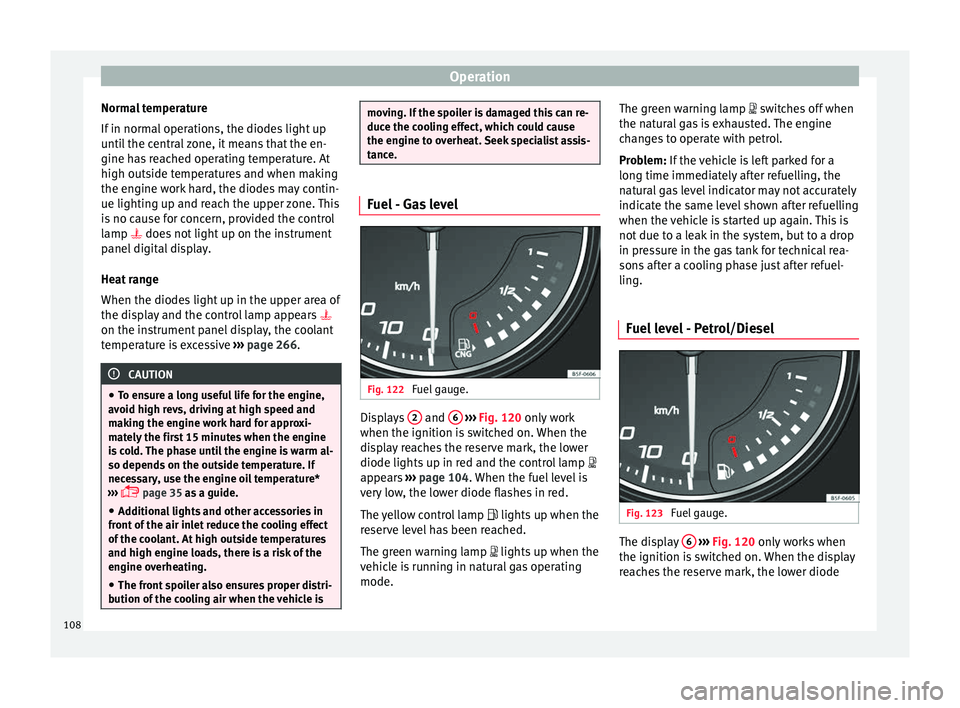
tance. Fuel - Gas level
Fig. 122
Fuel gauge. Displays
2 and
6
› ›
› Fig. 120
only work
when the ignition is switched on. When the
display reaches the reserve mark, the lower
diode lights up in red and the control lamp
appears ››› page 104. When the fuel level is
very low, the lower diode flashes in red.
The yellow control lamp lights up when the
reserve level has been reached.
The green warning lamp lights up when the
vehicle is running in natural gas operating
mode. The green warning lamp switc
hes off when
the natural gas is exhausted. The engine
changes to operate with petrol.
Problem: If the vehicle is left parked for a
long time immediately after refuelling, the
natural gas level indicator may not accurately
indicate the same level shown after refuelling
when the vehicle is started up again. This is
not due to a leak in the system, but to a drop
in pressure in the gas tank for technical rea-
sons after a cooling phase just after refuel-
ling.
Fuel level - Petrol/Diesel Fig. 123
Fuel gauge. The display
6
› ›
› Fig. 120
only works when
the ignition is switched on. When the display
reaches the reserve mark, the lower diode
108
Page 111 of 324

Instruments and warning/control lamps
lights up in red and the control lamp ap-
pe ar
s
››› page 104. When the fuel level is very
low, the lower diode flashes in red.
The distance to empty fuel level is displayed
on the instrument panel 3
› ››
Fig. 120
.
The c
apacity of the fuel tank of your vehicle is
given in the Technical data section
››› page 50. CAUTION
Never run the fuel tank completely dry. An ir-
re gu
lar fuel supply could cause misfiring. In
this way the unburned fuel can reach the ex-
haust system, which could cause the catalytic
converter to overheat resulting in damage. Control lamps
W arnin
g and c
ontrol lampsRead the additional information carefully
› ›
›
page 40.
The control and warning lamps are indicators
of warnings, ››› , faults
››
›
or certain func-
tion s.
Some c
ontrol and warning lamps come
on when the ignition is switched on, and
switch off when the engine starts running, or
while driving.
Depending on the model, additional text
messages may be viewed on the instrument panel display. These may be purely informa-
tive or they m
ay be advising of the need for
action ››› page 104, Instruments.
Depending upon the equipment fitted in the
vehicle, instead of a warning lamp, some-
times a symbol may be displayed on the in-
strument panel.
When certain control and warning lamps are
lit, an audible warning is also heard. WARNING
If the warning lamps and messages are ignor-
ed, the v ehic
le may stall in traffic, or may
cause accidents and severe injuries.
● Never ignore the warning lamps or text
mess
ages.
● Stop the vehicle safely as soon as possible.
● Park the vehicle away from traffic and en-
sure th
at there are no highly flammable ma-
terials under the vehicle that could come into
contact with the exhaust system (e.g. dry
grass, fuel).
● A faulty vehicle represents a risk of acci-
dent for the driv
er and for other road users. If
necessary, switch on the hazard warning
lamps and put out the warning triangle to ad-
vise other drivers.
● Before opening the bonnet, switch off the
engine and al
low it to cool.
● In any vehicle, the engine compartment is a
hazar
dous area and could cause severe inju-
ries ››› page 262. CAUTION
Failure to heed the control lamps and text
mes s
ages when they appear may result in
faults in the vehicle. 109
Technical data
Advice
Operation
Emergencies
Safety
Page 118 of 324

Operation
Opening and closing C entr
a
l locking system
Description Read the additional information carefully
›› ›
page 10
The vehicle can be locked and unlocked via
the central locking system. There are several
methods, depending on the vehicle equip-
ment:
● key with remote control ››
›
page 118 ,
● lock on driver door (emergency opening
›››
page 10) or
● interior central locking switch ›››
page 119.
Unlocking one side of the vehicle only
When you lock the vehicle with the key, the
doors and the rear lid are locked. When you
open the door, you can either unlock only the
driver door, or all the vehicle doors. To select
the required option, use Easy Connect*
››› page 119.
Automatic locking (Auto Lock)*
The Auto Lock function locks the doors and
the rear lid when the vehicle exceeds a speed
of about 15 km/h (9 mph). The vehicle is unlocked again when the igni-
tion key i
s removed. Alternatively, the vehicle
can also be unlocked via the central locking
switch or by pulling one of the inside door
handles. The Auto Lock function can be
switched on and off on the sound system or
on the Easy Connect* system ››› page 119.
In the event of an accident in which the air-
bags inflate, the doors will be automatically
unlocked to facilitate access and assistance.
Anti-theft alarm system*
If the anti-theft alarm system senses interfer-
ence with the vehicle it triggers an audible
and visible alarm.
The anti-theft alarm system is automatically
switched on when locking the vehicle. It
switches off when the vehicle is unlocked
from a distance.
When the driver door is unlocked with the
key, you should switch on the ignition within
15 seconds. Otherwise the alarm will be trig-
gered. On some export versions, the alarm is
triggered immediately when you open a door.
To deactivate the alarm, press the button on the remote control key, or switch on the
ignition. Af
t
er a c
ertain time, the alarm will
automatically switch off.
Switch off the vehicle interior monitoring and
tow-away protection if you wish to prevent the alarm from being triggered accidentally
›››
page 126.
Turn signals
The turn signals will flash twice when the ve-
hicle is unlocked and once when the vehicle
is locked.
If it does not flash, this indicates that one of
the doors, the rear lid or the bonnet is not
closed correctly.
Accidental lock-out
The central locking system prevents you from
being locked out of the vehicle in the follow-
ing situations: ● If the driver door is open, the vehicle can-
not be lock
ed with the central locking switch
››› page 119.
Lock the vehicle with the remote control key,
when all the doors and the rear lid have been
closed. This prevents the accidental locking
of the vehicle. WARNING
Do not leave anyone (especially children) in
the v ehic
le if it is locked from the outside and
the anti-theft security system* is enabled, as
the doors and windows cannot then be
opened from the inside. Locked doors could
delay assistance in an emergency, potentially
putting lives at risk. 116
Page 121 of 324

Opening and closing
Programming the central locking sys-
t em You can use Easy Connect* to select which
doors
ar
e unlocked with the central locking
system. Using the radio or the Easy Connect*
system, you can select whether the vehicle
automatically closes with the “Auto Lock”
programme at speeds of more than 15 km/h
(9 mph).
Programming the unlocking of the doors (ve-
hicles with Easy Connect)
– Select: control button Systems or Vehi-
cle systems > Vehicle settings >
Central locking > Unlocking doors .
Progr ammin
g the Auto Lock (vehicles with
radio)
– Select: SETUP button > control button
Central locking > Locking while
driving .
Pr ogr
ammin
g the Auto Lock (vehicles with
Easy Connect)
– Select: control button Systems or Vehi-
cle systems > Vehicle settings >
Locking while driving .
Unlocking doors You can c
hoose to un-
lock all the doors or only the driver door
when you unlock the vehicle. In all the op-
tions, the fuel tank flap is also unlocked. With the Driver
setting, when y
ou press the
button on the remote control key only the
door on the driv er's
s
ide is unlocked. If that
button is pressed twice, the rest of the doors
and the rear lid will be unlocked.
In vehicles with a conventional key, turn the
key in the door lock, in the direction of open-
ing, twice within 2 seconds.
If the button is pressed, all the vehicle
door s
ar
e locked. At the same time, a confir-
mation signal* is heard.
Auto Lock /Locking while driving . If
you select on, all the vehicle doors are
locked at speeds above 15 km/h (9 mph).
Central locking switch Read the additional information carefully
› ›
›
page 10
Please note the following when using the
central locking switch to lock your vehicle:
● It is not possible to open the doors or the
rear lid fr
om the outside (for safety reasons,
e.g. when stopped at traffic lights).
● The LED in the central locking switch lights
up when all the door
s are closed and locked.
● You can open the doors individually from
the inside b
y pulling the inside door handle. ●
In the event of
an accident in which the air-
bags inflate, doors locked from the inside will
be automatically unlocked to facilitate access
and assistance. WARNING
● The centr a
l locking switch also operates
when the ignition is switched off and auto-
matically locks all the vehicle doors when the
button is pressed.
● The central locking switch does not operate
if the v
ehicle is locked from the outside and
the anti-theft security system is switched on.
● Locked doors could delay assistance in an
emergency
, potentially putting lives at risk.
Do not leave anyone, especially children, in
the vehicle. Note
Your vehicle will lock automatically when it
re ac
hes a speed of about 15 km/h (9 mph)
(Auto Lock) ››› page 116. You can unlock the
vehicle again using button on the central
lock in
g switch. 119
Technical data
Advice
Operation
Emergencies
Safety
Page 122 of 324

Operation
Unlocking and locking the vehicle
w ith K
eyl
ess Access* Fig. 130
Keyless Access locking and ignition
sy s
t
em: In the proximity of the car. Fig. 131
Keyless Access locking and ignition
sy s
t
em: sensor surface A for unlocking in-
s ide the door h
andl
e and sensor surface Bfor locking on the exterior of the handle.
››
›
table on page 2 Depending on the equipment, the vehicle
ma
y
have the Keyless Access system.
Keyless Access is a key-free locking and igni-
tion system to unlock and lock the vehicle
without actively using its key. For this, all that
is required is for a valid vehicle key to be in
an area near the vehicle ››› Fig. 130 and one
of the sensor surfaces on the door handles to
be touched ››› Fig. 131 ››› .
The v
ehic
le can be unlocked and locked via
the front doors only. When doing so, the re-
mote control key must be no further than ap-
prox. 1.5 m from the door handle.
It does not matter where you carry the key, for
instance whether it is in your jacket pocket or
in a briefcase.
Once the doors have been locked, they can-
not be opened again immediately. This will
enable you to check that the doors are prop-
erly closed.
If you wish, when unlocking, you can unlock
only the corresponding door or the entire ve-
hicle. The necessary adjustments can be per-
formed in vehicles with a driver information
system ›››
page 27.
General information
If a valid key is located in the proximity of the
car ››› Fig. 130, the Keyless Access lock and
ignition system gives the key entry as soon
as one of the sensor surfaces on the door handles is touched. The following features
are then avai
lable without having to use the
vehicle key actively:
● Keyless-Entry: unloc
king the vehicle using
the handles of the front doors or the soft-
touch/handle on the rear lid.
● Keyless-Exit: lockin
g the vehicle using the
sensor of the driver or passenger door han-
dle.
● Press & Drive: keyle
ss starting of the en-
gine with the starter button ››› page 167.
The central locking and locking systems oper-
ate in the same way as a normal locking and
unlocking system. Only the controls change.
Unlocking the vehicle is confirmed with a
double flash of the indicator lights; locking
by a single flash.
If the vehicle is locked and then all doors and
the rear lid are closed leaving the last key
used inside the vehicle and none outside,
the vehicle will not lock immediately. All the
vehicle's indicator lights will flash four times.
The vehicle will lock again after a few sec-
onds if you fail to open any door or the rear
lid.
If you unlock the vehicle but fail to open any
door or the rear lid, the vehicle will lock again
after a few seconds.
120
Page 123 of 324

Opening and closing
Unlocking and opening the doors (Keyless-
Entr y)
● Ho l
d one of the front door handles. In do-
ing this, the sen
sor surface ››› Fig. 131 A (ar-
r o
w) i
s touched on the handle and the vehi-
cle unlocks.
● Open the door.
On vehic
les with selective opening or info-
tainment system configuration, pulling the
door handle twice will unlock all doors.
On vehicles without a “Safe” security sys-
tem: shutting and locking doors (Keyless-Ex-
it)
● Switch the ignition off.
● Close the driver's door.
● Touch the locking sensor surface B (arrow)
of the h
andl
e of one of the front doors once.
The door being operated must be closed.
On vehicles with a “Safe” security system:
shutting and locking doors (Keyless-Exit)
● Switch the ignition off.
● Close the driver's door.
● Touch the sensor surface B (arrow) of the
h andl
e of
one of the front doors once. The ve-
hicle locks with the “Safe” security system
››› page 122. The door being operated must
be closed.
● Touch the sensor surface B (arrow) of the
h andl
e of
one of the front doors twice to lockthe vehicle without activating the “Safe” se-
curity sy
stem ››› page 122.
Unlocking and locking the rear lid
When the vehicle is locked, the rear lid auto-
matically unlocks on opening if there is a val-
id vehicle key in the proximity ››› Fig. 130.
Open or close the rear lid normally.
After closing, the rear lid locks automatically.
If the complete vehicle is unlocked, the rear
lid will not lock automatically after closing it.
What happens when locking the vehicle with
a second key
If there is a vehicle key inside the vehicle and
it is locked from the outside with a second
vehicle key, the key inside the vehicle is
blocked for engine ignition ››› page 167. In
order to enable engine ignition, the button
on the key inside the vehicle needs to be
pr e
s
sed.
Automatically disabling sensors
If the vehicle is not locked or unlocked for a
long period of time, the proximity sensors on
the passenger doors are automatically disa-
bled.
If one of the sensor surfaces on the door han-
dles is often activated in a unusual manner
with the vehicle locked (e.g. by the branches
of a bush rubbing against it), all proximity sensors are disabled for a certain period of
time.
Sensors
will again be enabled:
● After a time.
● OR: if the vehicle is unlocked with the but-
ton on the key.
● OR: if the rear lid is open.
● OR: if
the vehicle is unlocked manually with
the key
.
Convenience functions
To close all the electric windows and the
glass roof using the convenience function,
keep a finger for a few seconds on the lock-
ing sensor surface ››› Fig. 131 B (arrow) of
the door h andl
e u
ntil the windows and roof
have closed.
The doors may be opened by touching the
sensor surface of the door handle depending
on the settings that have been activated in
the infotainment system with the button
and the S
ETUP and
Openin
g and c
lo
sing func-
tion b utt
on
s. CAUTION
The sensor surfaces on the door handles
cou l
d engage if hit with a water jet or high
pressure steam if there is a valid vehicle key
in the proximity. If at least one of the win-
dows is open and the sensor surface B on
» 121
Technical data
Advice
Operation
Emergencies
Safety
Page 125 of 324

Opening and closing
The battery is located to the rear of the vehi-
c l
e k
ey, under a cover.
Changing the battery
● Unfold the vehicle key blade ›››
page 117.
● Remove the cover from the back of the ve-
hicle k
ey ››› Fig. 132 in the direction of the ar-
row ››› .
● Extract the battery from the compartment
u s
in
g a suitable thin object ››› Fig. 133.
● Place the new battery in the compartment
as sho
wn ››› Fig. 133, pressing in the oppo-
site direction to that shown by the arrow
››› .
● Fit the cover as shown ››
›
Fig. 132 , pressing
it onto the vehicle key casing in the opposite
direction to that shown by the arrow until it
clicks into place. CAUTION
● If the b att
ery is not changed correctly, the
vehicle key may be damaged.
● Use of unsuitable batteries may damage
the vehic
le key. For this reason, always re-
place the dead battery with another of the
same voltage, size and specifications.
● When fitting the battery, check that the po-
larity i
s correct. For the sake of the environment
Please dispose of your used batteries correct-
ly and w ith r
espect for the environment. Synchronising the vehicle key
If the button
is pressed frequently outside
of the v
ehicle range, it is possible that the ve-
hicle can no longer be locked or unlocked us-
ing the key. In this case, the key must be re-
synchronised as described below:
● Unfold the vehicle key blade ››
›
page 117.
● If necessary, remove the cover from the
driver door lev
er ›››
page 10.
● Press the button on the vehicle key. For
thi s, it
mu
st remain with the vehicle.
● Open the vehicle within one minute using
the key b
lade. The key has been synchron-
ised.
● If necessary, fit the cap. Childproof lock 3
Applies to vehicles with 5 doors: Fig. 134
Childproof lock on the left hand side
door . The childproof lock prevents the rear doors
fr
om bein
g opened fr
om the inside. This sys-
tem prevents minors from opening a door ac-
cidentally while the vehicle is running.
This function is independent of the vehicle
electronic opening and locking systems. It
only affects rear doors. It can only be activa-
ted and deactivated manually, as described
below:
Activating the childproof lock
– Unlock the vehicle and open the door in
which y
ou wish to activate the childproof
lock.
– With the door open, rotate the groove in
the door usin
g the ignition key, clockwise
for the left hand side doors ››› Fig. 134 and »
123
Technical data
Advice
Operation
Emergencies
Safety
Page 126 of 324

Operation
anti-clockwise for the right hand side
door s.
D e
activating the childproof lock
– Unlock the vehicle and open the door
whose chi
ldproof lock you want to deacti-
vate.
– With the door open, rotate the groove in
the door usin
g the ignition key, anti-clock-
wise for the left hand side doors ››› Fig. 134
and clockwise for the right hand side
doors.
Once the childproof lock is activated, the
door can only be opened from the outside.
The childproof lock can be activated or deac-
tivated by inserting the key in the groove
when the door is open, as described above.
Anti-theft alarm system* Des
cription The anti-theft alarm makes it more difficult to
br
e
ak
into the vehicle or steal it.
The anti-theft alarm is automatically turned
on when the vehicle is locked with the key.
● The turn signal light will flash twice on
opening and deactiv
ating the alarm. ●
The turn sign
al light will flash once on clos-
ing and activating the alarm.
When does the system trigger an alarm?
The anti-theft alarm siren will be triggered for
about 30 seconds accompanied by sound
and optical (flashing) warning signals and
will be repeated about ten times when the
vehicle is locked and the following unauthor-
ised actions are attempted:
● Opening a door that is mechanically un-
locked u
sing the vehicle key without switch-
ing on the ignition in the next 15 seconds (in
certain markets, such as the Netherlands,
there is no 15 second waiting time and the
alarm is activated immediately on opening
the door).
● A door is opened.
● The bonnet is opened.
● The rear lid is opened.
● When the ignition is switched on with a
non-authorised k
ey.
● When the vehicle battery is disconnected.
● Movement inside the vehicle (in vehicles
with interior monit
oring ››› page 126).
● When the vehicle is towed (in vehicles with
anti-tow sy
stem ››› page 126).
● When the vehicle is raised (in vehicles with
anti-to w sy
stem ››› page 126). ●
When the v ehic
le is transported on a ferry
or by rail (vehicles with an anti-tow system or
vehicle interior monitoring ››› page 126).
● When a trailer connected to the anti-theft
alarm sys
tem is disconnected.
How to turn OFF the alarm
Unlock the vehicle with the unlocking button
on the key or turn on the ignition with a valid
key. Note
● Aft er 28 d
ays, the indicator light will be
switched off to prevent the battery from ex-
hausting if the vehicle has been left parked
for a long period of time. The alarm system
remains activated.
● If, after the audible warning goes off, an-
other monitored ar
ea is accessed (e.g. the
rear lid is opened after a door has been
opened), the alarm is triggered again.
● The anti-theft alarm is not activated when
the vehic
le is locked from within using the
central locking button .
● If the driver door is unlocked mechanically
with the k ey
, only the driver door is unlocked,
the rest of the doors remain locked. Only
when the ignition has been turned on will the
other doors be available - but not unlocked -
and the central locking button will be activa-
ted. 124
Page 129 of 324

Opening and closing
Electric windows Openin g and c
lo
sing of the electric
windows* Fig. 136
Detail of the driver door: controls for
the w indo
w
s (5-door vehicle with front and
rear electric windows). Read the additional information carefully
› ›
›
page 13
The front and rear electric windows can be
operated by using the controls on the driver
door. The other doors each have a switch for
their own window.
Always close the windows fully if you park
the vehicle or leave it unattended ››› .
Y ou c
an u
se the electric windows for approx.
10 minutes after switching off the ignition if
neither the driver door nor the front passen-
ger door has been opened and the key has
not been removed from the ignition. Safety switch
* (only in 5-door
vehicles)
Safety switch 5 on the driver door can be
u sed t
o di
sable the electric window buttons
in the rear doors.
Safety switch not pressed: buttons on rear
doors are activated.
Safety switch pressed: buttons on rear doors
are deactivated.
The safety control symbol lights up in yel-
low if the buttons on the rear doors are
switched off. WARNING
Observe the safety warnings ›››
in Intro-
duction on pag e 87
.
● Incorrect use of the electric windows can
res
ult in injury.
● Never close the rear lid without observing
and ensurin
g it is clear, to do otherwise could
cause serious injury to you and third parties.
Make sure that no one is in the path of a win-
dow.
● The engine may accidentally be started and
be out of c
ontrol.
● If the ignition is switched on, the electric
equipment cou
ld be activated with risk of in-
jury, for example, in the electric windows.
● The doors can be locked using the remote
contro
l key. This could become an obstacle
for assistance in an emergency situation. ●
Theref or
e always take the key with you
when you leave the vehicle.
● The electric windows will work until the ig-
nition has
been switched off and one of the
front doors has been opened.
● If necessary, use the safety switch to disa-
ble the r
ear electric windows. Make sure that
they have been disabled. Note
If the window is not able to close because it
i s s
tiff or because of an obstruction, the win-
dow will automatically open again
››› page 127. If this happens, check why the
window could not be closed before attempt-
ing to close it again. Roll-back function
The roll-back function reduces the risk of in-
jur
y
when the el
ectric windows close.
● If a window is obstructed when closing au-
tomatic
ally, the window stops at this point
and lowers immediately ››› .
● Next, check why the window does not close
bef or
e att
empting it again.
● If you try within the following 10 seconds
and the window c
loses again with difficulty
or there is an obstruction, the automatic clos-
ing will stop working for 10 seconds. »
127
Technical data
Advice
Operation
Emergencies
Safety