warning lights Seat Mii 2013 Owner's Guide
[x] Cancel search | Manufacturer: SEAT, Model Year: 2013, Model line: Mii, Model: Seat Mii 2013Pages: 306, PDF Size: 4.3 MB
Page 96 of 306
94Lights and visibility
Turn the rotary control ⇒ Fig. 66 to the required position:
Switch on the exterior mirror heating
Adjust the left-hand exterior mirror by turning the knob for-
wards, backwards, to the left or to the right.
Zero position. Exterior mirror heating switched off, it is not
possible to adjust the exterior mirrors.
Adjust the right-hand exterior mirror by turning the knob for-
wards, backwards, to the left or to the right.
Folding in the exterior mirrors and returning them to their original position
is possible through a mechanical system. Carefully fold the exterior rear vi-
sion mirror casing towards the side window or pull it away from the window
until it clicks into place.
WARNING
Fold and unfold the exterior mirror, taking care to avoid injuries.
● Only fold or unfold the exterior mirror when there is no-one in the way
of the mirror.
● When moving the mirror, take care not to trap fingers between the
mirror and the mirror bracket.
WARNING
Failure to correctly estimate the distance of the vehicle behind could lead
to serious accident.
● Rear-view convex or aspheric mirrors increase the field of vision, how-
ever objects appear smaller and further away in the mirrors.
● The use of these mirrors to estimate the distance to the next vehicle
when changing lane is imprecise and could result in serious accident.
● If possible, use the rear vision mirror to estimate distances to vehi-
cles behind you or in other circumstances.
● Make sure that the rear visibility is adequate.
For the sake of the environment
The exterior mirror heating should be switched off when it is no longer nee-
ded. Otherwise, it is an unnecessary fuel waste.
Note
In the event of faults, the electric exterior mirrors can be adjusted manually
by pressing the edge of the mirror surface.
Page 126 of 306
124Starting, changing gears, parking
Changing gear
Introduction
When reverse gear is engaged and the ignition is switched on the following
takes place:
● Reverse lights light up.
● The rear wiper blade performs one movement when the windscreen wip-
er is activated.
● If necessary, connect the parking distance warning system.
Additional information and warnings:
● Detail of the centre console ⇒ page 12
● Instruments ⇒ page 17
● Braking, stopping and parking ⇒ page 134
● Parking sensor system ⇒ page 149
● Electronic power control and exhaust gases purification system
⇒ page 237
● Emergency locking and unlocking ⇒ page 244
WARNING
Rapid acceleration can cause loss of traction and skidding, especially on
slippery ground. This could cause loss of control of the vehicle resulting
in an accident and considerable damage.
● Use rapid acceleration only when visibility, weather, road conditions
and traffic permit.
WARNING
Do not allow the brakes to “rub” for a prolonged period of time, or brake
frequently or for long periods of time. Continuous braking heats up the
brakes. This could significantly reduce braking power, increase braking
distance or even result in the total failure of the brake system.
CAUTION
● Never make the brakes slip by pressing the pedal gently, if it is not really
necessary to brake. This will increase wear.
● Reduce speed or reduce the gear when faced with steep and long
slopes. This allows you to use the engine braking effect and to reduce the
strain on the brake system. Otherwise, the brakes may overheat and fail.
Only use the brakes to reduce speed or to stop.
Page 134 of 306
132Starting, changing gears, parking
Automatic gearbox malfunction
Back-up programme
When automatic gearbox warning and control lamps light up on the instru-
ment panel, there may be a system malfunction ⇒ page 124. In the event of
some faults the automatic gearbox functions using a backup programme.
When the backup programme is activated, it is possible to drive the vehicle,
however, at low speeds and within a selected range of gears.
With the manual gearbox, in some cases it is not possible to drive with all
the gears.
In all cases the automatic gearbox must be checked at a specialised work-
shop.
Automatic gearbox overheating
The automatic gearbox can overheat with a prolonged start up, or when
stopping and starting continuously. This overheating is displayed with a
warning lamp in the instrument panel. Additionally, an audible warning
can be heard. Stop and let the gearbox cool ⇒
.
The vehicle moves forward or back despite having selected a gear range
When the vehicle does not move in the required direction, the system may
not have the gear range correctly engaged. Press the brake pedal and en-
gage the gear range again. If the vehicle still does not move in the required
direction, there is a system malfunction. Seek specialist assistance and
have the system checked.
CAUTION
● When the gearbox is displayed as overheating for the first time, the vehi-
cle must be parked safely or must be driven at a speed of more than 20 km/
h (12 mph).
● When the warning lamp lights up and the audible warning is sounded,
the vehicle must be parked safely and the engine switched off. Let the gear-
box cool down.
● To prevent damage to the gearbox, driving must only be continued when
the warning lamps are no longer lit up. While the gearbox is overheated,
starting up and driving at walking speed should be avoided.
Recommended gear display
In some vehicles, the recommended gear for reducing fuel consumption is
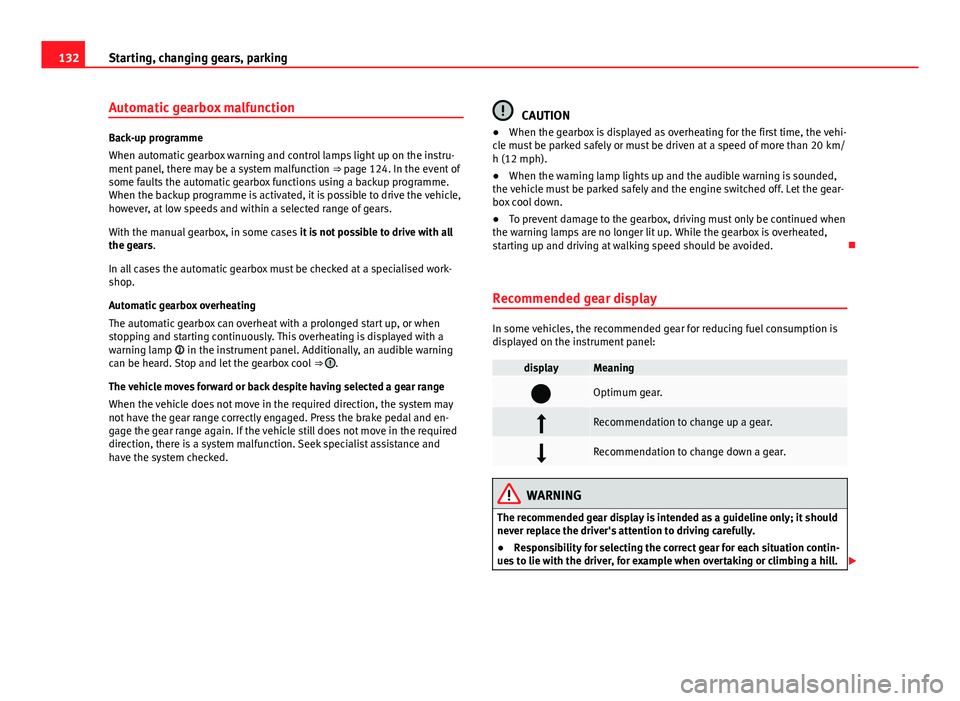
displayed on the instrument panel:
displayMeaning
Optimum gear.
Recommendation to change up a gear.
Recommendation to change down a gear.
WARNING
The recommended gear display is intended as a guideline only; it should
never replace the driver's attention to driving carefully.
● Responsibility for selecting the correct gear for each situation contin-
ues to lie with the driver, for example when overtaking or climbing a hill.
Page 137 of 306
135
Starting, changing gears, parking
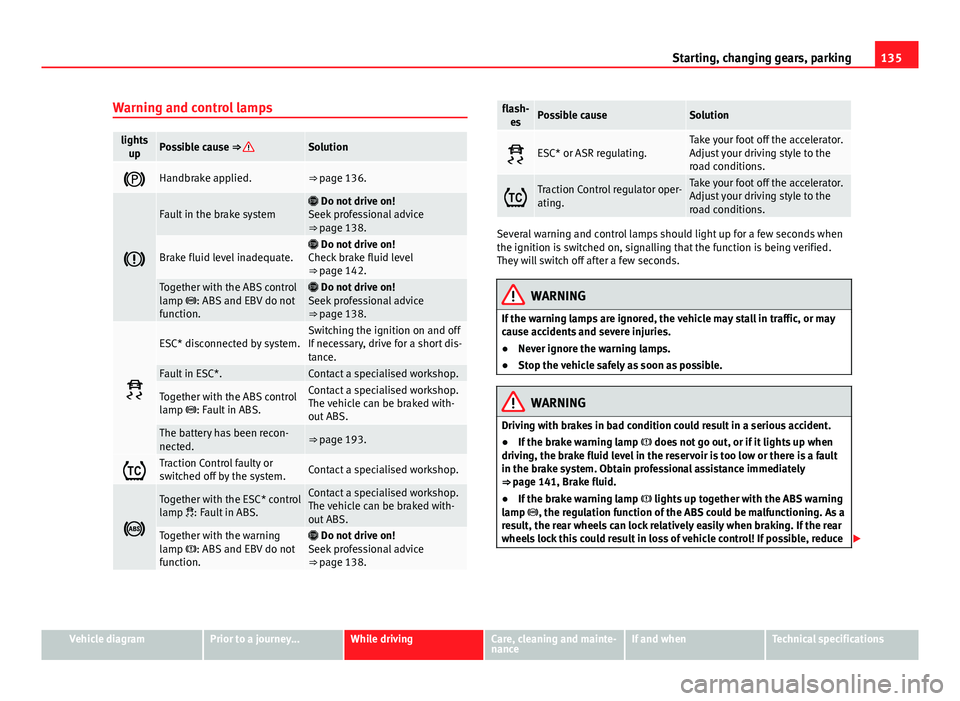
Warning and control lamps
lights upPossible cause ⇒ Solution
Handbrake applied.⇒ page 136.
Fault in the brake system Do not drive on!
Seek professional advice
⇒ page 138.
Brake fluid level inadequate. Do not drive on!
Check brake fluid level
⇒ page 142.
Together with the ABS control
lamp : ABS and EBV do not
function. Do not drive on!
Seek professional advice
⇒ page 138.
ESC* disconnected by system.Switching the ignition on and off
If necessary, drive for a short dis-
tance.
Fault in ESC*.Contact a specialised workshop.
Together with the ABS control
lamp : Fault in ABS.Contact a specialised workshop.
The vehicle can be braked with-
out ABS.
The battery has been recon-
nected.⇒ page 193.
Traction Control faulty or
switched off by the system.Contact a specialised workshop.
Together with the ESC* control
lamp : Fault in ABS.Contact a specialised workshop.
The vehicle can be braked with-
out ABS.
Together with the warning
lamp : ABS and EBV do not
function. Do not drive on!
Seek professional advice
⇒ page 138.
flash- esPossible causeSolution
ESC* or ASR regulating.Take your foot off the accelerator.
Adjust your driving style to the
road conditions.
Traction Control regulator oper-
ating.Take your foot off the accelerator.
Adjust your driving style to the
road conditions.
Several warning and control lamps should light up for a few seconds when
the ignition is switched on, signalling that the function is being verified.
They will switch off after a few seconds.
WARNING
If the warning lamps are ignored, the vehicle may stall in traffic, or may
cause accidents and severe injuries.
● Never ignore the warning lamps.
● Stop the vehicle safely as soon as possible.
WARNING
Driving with brakes in bad condition could result in a serious accident.
● If the brake warning lamp does not go out, or if it lights up when
driving, the brake fluid level in the reservoir is too low or there is a fault
in the brake system. Obtain professional assistance immediately
⇒ page 141, Brake fluid.
● If the brake warning lamp lights up together with the ABS warning
lamp , the regulation function of the ABS could be malfunctioning. As a
result, the rear wheels can lock relatively easily when braking. If the rear
wheels lock this could result in loss of vehicle control! If possible, reduce
Vehicle diagramPrior to a journey...While drivingCare, cleaning and mainte-
nanceIf and whenTechnical specifications
Page 138 of 306
136Starting, changing gears, parking
WARNING (Continued)
your speed and drive carefully to a specialised workshop close by to
check the brake system. During the following journey, avoid sudden brak-
ing and manoeuvres.
● If the ABS warning lamp does not go out or if it lights while driv-
ing, the ABS is malfunctioning. The vehicle can only be stopped using
normal braking without ABS. The protection provided by the ABS is not
available. Visit a specialised workshop as soon as possible.
CAUTION
Failure to heed the warning lamps when they appear may result in faults in
the vehicle.
Handbrake
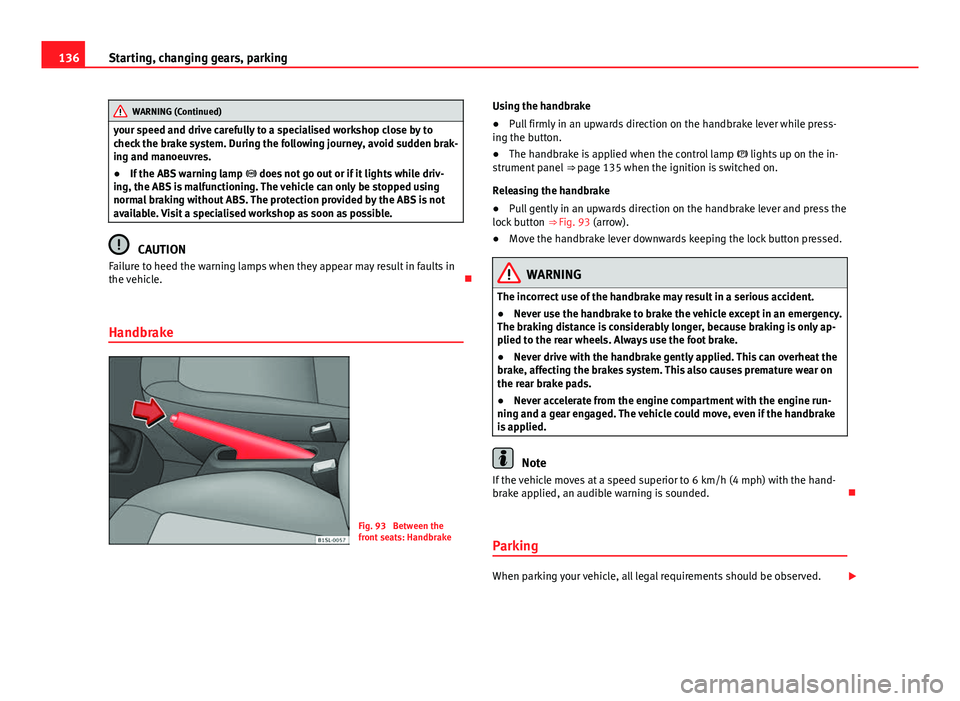
Fig. 93 Between the
front seats: Handbrake Using the handbrake
●
Pull firmly in an upwards direction on the handbrake lever while press-
ing the button.
● The handbrake is applied when the control lamp lights up on the in-
strument panel ⇒ page 135 when the ignition is switched on.
Releasing the handbrake
● Pull gently in an upwards direction on the handbrake lever and press the
lock button ⇒ Fig. 93 (arrow).
● Move the handbrake lever downwards keeping the lock button pressed.
WARNING
The incorrect use of the handbrake may result in a serious accident.
● Never use the handbrake to brake the vehicle except in an emergency.
The braking distance is considerably longer, because braking is only ap-
plied to the rear wheels. Always use the foot brake.
● Never drive with the handbrake gently applied. This can overheat the
brake, affecting the brakes system. This also causes premature wear on
the rear brake pads.
● Never accelerate from the engine compartment with the engine run-
ning and a gear engaged. The vehicle could move, even if the handbrake
is applied.
Note
If the vehicle moves at a speed superior to 6 km/h (4 mph) with the hand-
brake applied, an audible warning is sounded.
Parking
When parking your vehicle, all legal requirements should be observed.
Page 149 of 306
147
Starting, changing gears, parking
Steering Introduction
The power steering* is not hydraulic but electromechanical. The advantage
of this steering system is that it disposes of hydraulic tubes, hydraulic oil,
the pump, filter and other components. The electromechanical system
saves fuel. While a hydraulic system requires oil pressure to be maintained,
electromechanical steering only requires energy when the steering wheel is
turned.
With the power steering system, the assisted steering function automatical-
ly adjusts according to the vehicle speed, the steering torque and the wheel
turning angle. The power steering only works when the engine is running.
Additional information and warnings:
● Start and stop the engine ⇒ page 119
● Vehicle battery ⇒ page 193
● Tow starting and towing away ⇒ page 278
WARNING
If the power steering is not working then the steering wheel is much
more difficult to turn and the vehicle more difficult to control.
● The power steering only works when the engine is running.
● Never allow the vehicle to move when the engine is switched off.
● Never remove the key from the ignition if the vehicle is in motion. The
steering may lock and it will not be possible to turn the steering wheel.
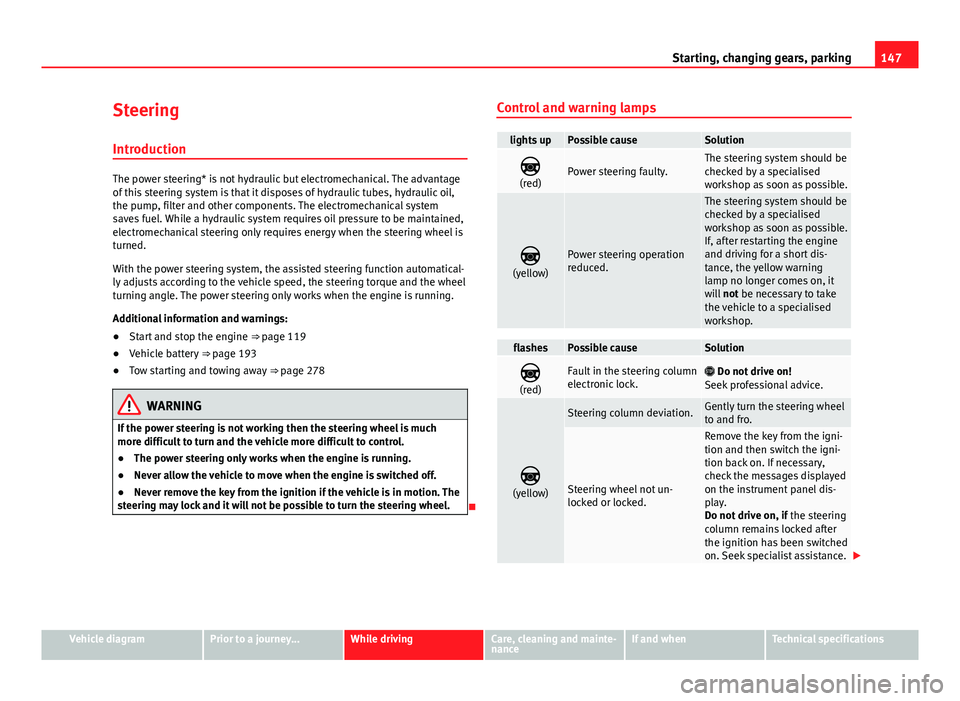
Control and warning lamps
lights upPossible causeSolution
(red)Power steering faulty.The steering system should be
checked by a specialised
workshop as soon as possible.
(yellow)Power steering operation
reduced.
The steering system should be
checked by a specialised
workshop as soon as possible.
If, after restarting the engine
and driving for a short dis-
tance, the yellow warning
lamp no longer comes on, it
will not be necessary to take
the vehicle to a specialised
workshop.
flashesPossible causeSolution
(red)Fault in the steering column
electronic lock. Do not drive on!
Seek professional advice.
(yellow)
Steering column deviation.Gently turn the steering wheel
to and fro.
Steering wheel not un-
locked or locked.
Remove the key from the igni-
tion and then switch the igni-
tion back on. If necessary,
check the messages displayed
on the instrument panel dis-
play.
Do not drive on, if the steering
column remains locked after
the ignition has been switched
on. Seek specialist assistance.
Vehicle diagramPrior to a journey...While drivingCare, cleaning and mainte-
nanceIf and whenTechnical specifications
Page 154 of 306
152Driver assistance systems
Cruise control* (Cruise control system - CCS)
Introduction
The cruise control system (CCS) is able to individually maintain the set
speed when driving forwards from approx. 20 km/h (15 mph).
The CCS only slows down by reducing the accelerator but not by braking
⇒
.
Additional information and warnings:
● Changing gear ⇒ page 124
● Accessories, parts replacement, repairs and modifications ⇒ page 222
WARNING
Use of the cruise control could cause accidents and severe injuries if it is
not possible to drive at a constant speed maintaining the safety distance.
● Do not use the cruise control in heavy traffic, if the distance from the
vehicle in front is insufficient, on steep roads, with several bends or in
slippery circumstances (snow, ice, rain or loose gravel), or on flooded
roads.
● Never use the CCS when driving off-road or on unpaved roads.
● Always adapt your speed and the distance to the vehicles ahead in
line with visibility, weather conditions, the condition of the road and the
traffic situation.
● To avoid unexpected operation of the cruise control system, turn it off
every time you finish using it.
● It is dangerous to use a set speed which is too high for the prevailing
road, traffic or weather conditions.
● When travelling down hills, the CCS cannot maintain a constant
speed. The vehicle tends to accelerate under its own weight. Select a
lower gear or use the foot brake to slow the vehicle.
Control lamp
lights upPossible cause
This cruise control system maintains the set speed of
the vehicle.
Several warning and control lamps should light up for a few seconds when
the ignition is switched on, signalling that the function is being verified.
They will switch off after a few seconds.
WARNING
If the warning lamps are ignored, the vehicle may stall in traffic, or may
cause accidents and severe injuries.
● Never ignore the warning lamps.
CAUTION
Failure to heed the warning lamps when they appear may result in faults in
the vehicle.
Page 158 of 306
156Driver assistance systems
Note
If the City Safety Assist function activates a brake, the brake pedal range is
reduced. This makes the brake pedal seem “harder”.
Note
Automatic brake intervention by the City Safety Assist function can be can-
celled by pressing the clutch pedal, the accelerator pedal or by a corrective
intervention.
Note
During the automatic braking by the City Safety Assist function you may
hear unusual noises. This is normal and is produced in the brakes system.
Warning and control lamps
The City Safety Assist function is switched on every time the ignition is
switched on. No special indication is produced.
If the City Safety Assist function is switched off, functions or there is an error
in the system, this will be shown by a control lamp on the instrument panel
display.
lights upPossible cause ⇒ Solution
The City Safety Assist func-
tion has been switched on
manually using the button
⇒ Fig. 101.
The control lamp turns off after
about 5 seconds.
flashesPossible cause ⇒ Solution
fast: The City Safety Assist
system function brakes auto-
matically or has braked auto-
matically.Control lamp turns off automati-
cally.
slow: City Safety Assist func-
tion is not currently available.
If the vehicle is stopped, switch
off the engine and switch it on
again. If necessary, inspect the
laser sensor (dirt, frozen) ⇒
in Laser sensor on page 157. If
it still does not function, refer to
a Specialised workshop to have
the system inspected.
within the operating area of
5-30– km/h (3-19 mph): The
City Safety Assist function
has been switched off man-
ually using the button
⇒
Fig. 101.
Switch on the City Safety Assist
function manually using the but-
ton
⇒ Fig. 101.
Several warning and control lamps should light up for a few seconds when
the ignition is switched on, signalling that the function is being verified.
They will switch off after a few seconds.
WARNING
If the warning lamps are ignored, the vehicle may stall in traffic, or may
cause accidents and severe injuries.
● Never ignore the warning lamps.
● Stop the vehicle safely as soon as possible.
CAUTION
Failure to heed the warning lamps when they appear may result in faults in
the vehicle.
Page 160 of 306
158Driver assistance systems
Function
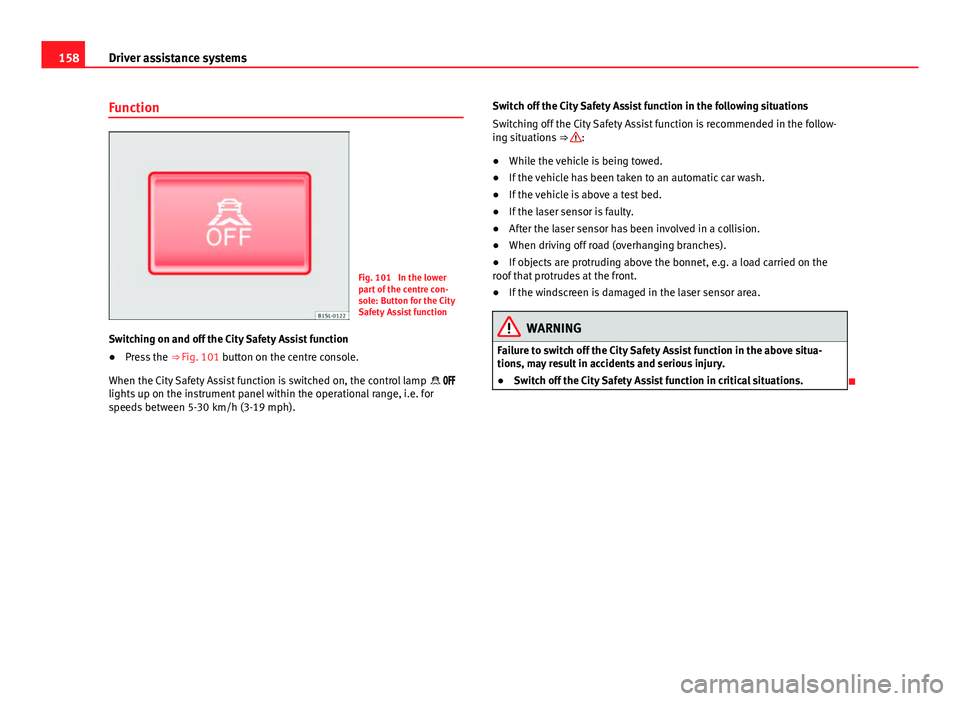
Fig. 101 In the lower
part of the centre con-
sole: Button for the City
Safety Assist function
Switching on and off the City Safety Assist function
● Press the ⇒ Fig. 101 button on the centre console.
When the City Safety Assist function is switched on, the control lamp
lights up on the instrument panel within the operational range, i.e. for
speeds between 5-30 km/h (3-19 mph). Switch off the City Safety Assist function in the following situations
Switching off the City Safety Assist function is recommended in the follow-
ing situations
⇒
:
● While the vehicle is being towed.
● If the vehicle has been taken to an automatic car wash.
● If the vehicle is above a test bed.
● If the laser sensor is faulty.
● After the laser sensor has been involved in a collision.
● When driving off road (overhanging branches).
● If objects are protruding above the bonnet, e.g. a load carried on the
roof that protrudes at the front.
● If the windscreen is damaged in the laser sensor area.
WARNING
Failure to switch off the City Safety Assist function in the above situa-
tions, may result in accidents and serious injury.
● Switch off the City Safety Assist function in critical situations.
Page 162 of 306
160Driver assistance systems
Malfunction in the laser sensor
If the laser sensor operation is impaired, for example due to heavy rain,
spray, snow or dirt, the City Safety Assist system function is temporarily
switched off. On the instrument panel display the control lamp flashes.
When the fault in the laser sensor has been rectified, the City Safety Assist
system function automatically becomes available. The control lamp
switches off.
The following conditions could prevent the City Safety Assist system from
functioning:
● Tight bends.
● Accelerator pressed all the way down to the floor.
● If the City Safety Assist system is switched off or there is a fault
⇒ page 156.
● If the laser sensor is dirty, covered or overheated ⇒ page 157.
● In the event of snow, heavy rain or dense fog.
● If there are vehicles in front.
● Vehicles changing lanes.
● Vehicles moving in the opposite direction in the same lane.
● Very dirty vehicles with a low degree of reflection.
● Presence of thick dust.
Hill hold
Introduction
Additional information and warnings:
● SEAT information system ⇒ page 22
● Braking, stopping and parking ⇒ page 134 ●
Vehicle battery ⇒ page 193
● Wheels and tyres ⇒ page 210
● Accessories, parts replacement, repairs and modifications ⇒ page 222
● Jump starting ⇒ page 275
WARNING
The smart technology included in the hill hold cannot change the laws of
physics. Do not let the extra convenience afforded by the hill hold tempt
you into taking any risks when driving.
● Any accidental movement of the vehicle could result in serious injury.
● The hill hold is not a replacement for driver awareness.
● Adjust your speed and driving style to visibility, weather, road and
traffic conditions.
● The hill hold cannot always keep the vehicle at a standstill on a slope
or brake sufficiently when travelling downhill (e.g. on slippery or frozen
surfaces).
Warning lamps
lights upPossible causeSolution
The Start-Stop system is ena-
bled.
The Start-Stop system is ena-
bled but the engine cannot be
automatically stopped.Contact a specialised
workshop.
The Start-Stop system cannot
start the engine.Start the engine by hand
using the vehicle's key
⇒ page 120.
There is a fault in the alternator.⇒ page 193