warning light Seat Mii 2014 Owner's Guide
[x] Cancel search | Manufacturer: SEAT, Model Year: 2014, Model line: Mii, Model: Seat Mii 2014Pages: 219, PDF Size: 4.19 MB
Page 100 of 219
Operation
required direction, there is a system malfunc-
tion. Seek specialist assistance and have the
system checked. CAUTION
● When the gearbox is displayed as overheat-
ing for the first time, the vehicle must be
parked safely or must be driven at a speed of
more than 20 km/h (12 mph).
● When the warning lamp lights up and the
audible warning is heard, the vehicle must be
parked safely and the engine switched off.
Let the gearbox cool down.
● To prevent damage to the gearbox, driving
must only be continued when the warning
lamps are no longer lit up. While the gearbox
is overheated, starting up and driving, even
at a slow speed should be avoided. Recommended gear display
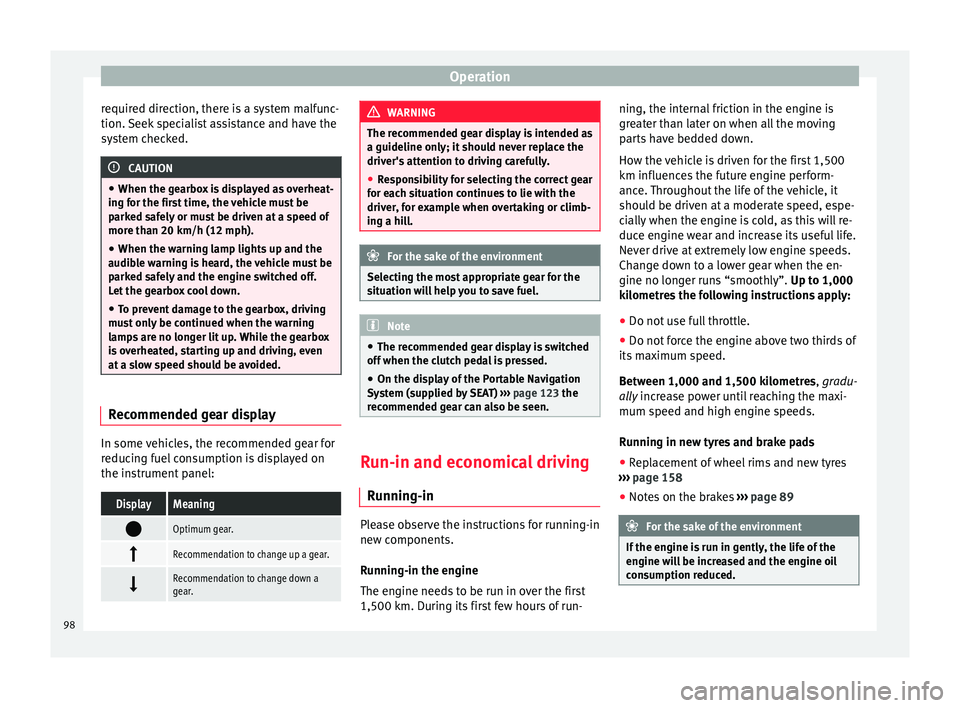
In some vehicles, the recommended gear for
reducing fuel consumption is displayed on
the instrument panel:DisplayMeaning
Optimum gear.
Recommendation to change up a gear.
Recommendation to change down a
gear. WARNING
The recommended gear display is intended as
a guideline only; it should never replace the
driver's attention to driving carefully.
● Responsibility for selecting the correct gear
for each situation continues to lie with the
driver, for example when overtaking or climb-
ing a hill. For the sake of the environment
Selecting the most appropriate gear for the
situation will help you to save fuel. Note
● The recommended gear display is switched
off when the clutch pedal is pressed.
● On the display of the Portable Navigation
System (supplied by SEAT) ››› page 123 the
recommended gear can also be seen. Run-in and economical driving
Running-in Please observe the instructions for running-in
new components.
Running-in the engine
The engine needs to be run in over the first
1,500 km. During its first few hours of run-ning, the internal friction in the engine is
greater than later on when all the moving
parts have bedded down.
How the vehicle is driven for the first 1,500
km influences the future engine perform-
ance. Throughout the life of the vehicle, it
should be driven at a moderate speed, espe-
cially when the engine is cold, as this will re-
duce engine wear and increase its useful life.
Never drive at extremely low engine speeds.
Change down to a lower gear when the en-
gine no longer runs “smoothly”.
Up to 1,000
k i
lometres the following instructions apply:
● Do not use full throttle.
● Do not force the engine above two thirds of
its maximum speed.
Between 1,000 and 1,500 kilometres, gradu-
ally increase power until reaching the maxi-
mum speed and high en
gine speeds.
Running in new tyres and brake pads
● Replacement of wheel rims and new tyres
››› page 158
● Notes on the brakes ››› page 89 For the sake of the environment
If the engine is run in gently, the life of the
engine will be increased and the engine oil
consumption reduced. 98
Page 103 of 219
Driving
The vehicle uses more fuel in winter than in
summer, even when other conditions are the
same.
“Warming” the engine is not only forbidden
in some countries, but in practice it is techni-
cally superfluous as it is a waste of fuel.
Adjusting type pressures.
Having the correct pressure in your tyres
helps to reduce rolling resistance and, as a
result reduces fuel consumption. Increasing
the tyre pressure slightly (+0.2
bar/+3 psi/+200 kPa) can help to save fuel.
When you buy new tyres, make sure they are
optimised for minimum rolling resistance.
Use low friction engine oil
The use of low viscosity totally synthetic oils,
known as low friction engine oil, helps to re-
duce fuel consumption. These oils reduce the
resistance caused by friction in the engine,
they flow around the engine more quickly
and efficiently, particularly in cold starts. The
effect is particularly noticeable in vehicles
frequently used for short journeys.
Always check the engine oil level and ob-
serve service intervals (engine oil change in-
tervals).
When purchasing engine oil, always observe
legal requirements and ensure that the oil is
approved by SEAT. Avoid carrying unnecessary loads
The lighter the vehicle, the more economical
and ecological the driving style. For example,
an additional weight of 100 kg will increase
fuel consumption up to 0.3 l/100 km.
Remove any unnecessary objects or loads
from the vehicle.
Remove optional equipment and
unnecessary accessories
The more aerodynamic the vehicle, the lower
the fuel consumption. Optional equipment
and accessories (such as roof racks or bike
carriers) reduce the aerodynamic benefits of
the vehicle.
Therefore, we recommend you remove all op-
tional and unnecessary equipment and racks,
especially if you intend to drive at high
speeds.
Other factors which increase fuel
consumption (examples):
●
Fault in engine management.
● Driving on hills. WARNING
Always adapt your speed and the distance to
the vehicles ahead in line with visibility,
weather conditions, the condition of the road
and the traffic situation. Engine management and
exhaust gas purification
system
Introduction WARNING
The components of the exhaust system reach
very high temperatures. This could cause a
fire.
● Always park your vehicle so that no part of
the exhaust system can come in contact with
flammable materials (such as dried grass).
● Never apply additional underseal or anti-
corrosion coatings to the exhaust pipes, cata-
lytic converter or the heat shields on the ex-
haust system. Control lampsIt lights
upPossible causeSolution
Fault in engine
management
(Electronic Power
Control).Take the vehicle to a
specialised work-
shop as soon as
possible and have
the engine checked.
»
101
Technical specifications
Advice
Operation
Safety
Page 104 of 219
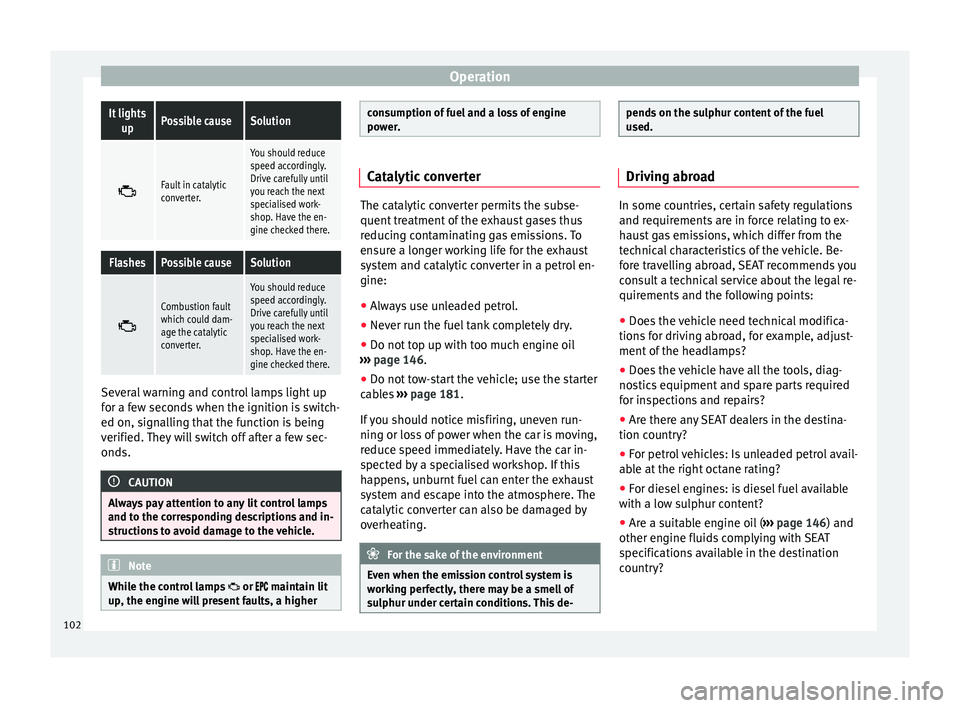
OperationIt lights
upPossible causeSolution
Fault in catalytic
converter.
You should reduce
speed accordingly.
Drive carefully until
you reach the next
specialised work-
shop. Have the en-
gine checked there.
FlashesPossible causeSolution
Combustion fault
which could dam-
age the catalytic
converter.
You should reduce
speed accordingly.
Drive carefully until
you reach the next
specialised work-
shop. Have the en-
gine checked there.
Several warning and control lamps light up
for a few seconds when the ignition is switch-
ed on, signalling that the function is being
verified. They will switch off after a few sec-
onds.
CAUTION
Always pay attention to any lit control lamps
and to the corresponding descriptions and in-
structions to avoid damage to the vehicle. Note
While the control lamps or
maintain lit
up, the engine will present faults, a higher consumption of fuel and a loss of engine
power.
Catalytic converter
The catalytic converter permits the subse-
quent treatment of the exhaust gases thus
reducing contaminating gas emissions. To
ensure a longer working life for the exhaust
system and catalytic converter in a petrol en-
gine:
● Always use unleaded petrol.
● Never run the fuel tank completely dry.
● Do not top up with too much engine oil
››› page 146 .
● Do not t
ow-start the vehicle; use the starter
cables ››› page 181.
If
you should notice misfiring, uneven run-
ning or loss of power when the car is moving,
reduce speed immediately. Have the car in-
spected by a specialised workshop. If this
happens, unburnt fuel can enter the exhaust
system and escape into the atmosphere. The
catalytic converter can also be damaged by
overheating. For the sake of the environment
Even when the emission control system is
working perfectly, there may be a smell of
sulphur under certain conditions. This de- pends on the sulphur content of the fuel
used.
Driving abroad
In some countries, certain safety regulations
and requirements are in force relating to ex-
haust gas emissions, which differ from the
technical characteristics of the vehicle. Be-
fore travelling abroad, SEAT recommends you
consult a technical service about the legal re-
quirements and the following points:
●
Does the vehicle need technical modifica-
tions for driving abroad, for example, adjust-
ment of the headlamps?
● Does the vehicle have all the tools, diag-
nostics equipment and spare parts required
for inspections and repairs?
● Are there any SEAT dealers in the destina-
tion country?
● For petrol vehicles: Is unleaded petrol avail-
able at the right octane rating?
● For diesel engines: is diesel fuel available
with a low sulphur content?
● Are a suitable engine oil ( ››› page 146) and
other engine fluids complying with SEAT
specifications available in the destination
country?
102
Page 110 of 219

Operation
WARNING
Use of the cruise control could cause acci-
dents and severe injuries if it is not possible
to drive at a constant speed maintaining the
safety distance.
● Do not use the cruise control in heavy traf-
fic, if the distance from the vehicle in front is
insufficient, on steep roads, with several
bends or in slippery circumstances (snow,
ice, rain or loose gravel), or on flooded roads.
● Never use the CCS when driving off-road or
on unpaved roads.
● Always adapt your speed and the distance
to the vehicles ahead in line with visibility,
weather conditions, the condition of the road
and the traffic situation.
● To avoid unexpected operation of the cruise
control system, turn it off every time you fin-
ish using it. ●
It is dangerous to use a set speed which is
too high for the prevailing road, traffic or
weather conditions.
● When travelling down hills, the CCS cannot
maintain a constant speed. The vehicle tends
to accelerate under its own weight. Select a
lower gear or use the foot brake to slow the
vehicle. Control lampIt lights
upPossible cause
This cruise control system maintains the
set speed of the vehicle. Several warning and control lamps light up
for a few seconds when the ignition is switch-
ed on, signalling that the function is being
verified. They will switch off after a few sec-
onds.
WARNING
If the warning lamps are ignored, the vehicle
may stall in traffic, or may cause accidents
and severe injuries.
● Never ignore the warning lamps. CAUTION
Failure to heed the warning lamps when they
appear may result in faults in the vehicle. 108
Page 113 of 219

Driver assistance systems
system is not a replacement for driver aware-
ness.
●
Always adapt your speed and the distance
to the vehicles ahead in line with visibility,
weather conditions, the condition of the road
and the traffic situation.
● The City Safety Assist function does not re-
act to people, animals or vehicles that cross
or move in the opposite direction in the same
lane.
● If after switching on the City Safety Assist
function the vehicle begins to move, slow the
vehicle with the foot brake. CAUTION
If you suspect that the City Safety Assist ra-
dar feature is damaged, switch it off. This will
avoid additional damage.
● Any repair of the radar sensor requires spe-
cialist knowledge. SEAT recommends taking
your car in for technical service. Note
● If the City Safety Assist function activates a
brake, the brake pedal range is reduced. This
makes the brake pedal seem “harder”.
● Automatic brake intervention by the City
Safety Assist function can be cancelled by
pressing the clutch pedal, the accelerator
pedal or by a corrective intervention.
● During automatic braking by the City Safety
Assist function you may hear unusual noises. This is normal and is produced in the brake
system.
Warning and control lamps
The City Safety Assist function is switched on
every time the ignition is switched on. No
special indication is produced.
If the City Safety Assist function is switched
off or on, or if there is an error in the system,
it will be shown by a control lamp on the in-
strument panel display.It lights
upPossible cause
››› Solution
The City Safety As-
sist function has
been switched on
manually using
the button
›››
Fig. 90.
The control lamp
turns off after about
5 seconds.
FlashesPossible cause
››› Solution
Fast: The City Safe-
ty Assist system
function brakes
automatically or
has braked auto-
matically.
Control lamp turns
off automatically.
FlashesPossible cause
››› Solution
Slow: City Safety
Assist function is
not currently avail-
able.
If the vehicle is stop-
ped, switch off the
engine and switch it
on again. If necessa-
ry, inspect the radar
sensor (dirt, frost)
›››
in Radar sen-
sor on page 112. If
it still does not func-
tion, refer to a Speci-
alised workshop to
have the system in-
spected.
Within the operat-
ing area of
5-30 km/h
(3-19 mph): The
City Safety Assist
function has been
switched off man-
ually using the
button
››› Fig. 90.
Switch on the City
Safety Assist func-
tion manually using
the button
››› Fig. 90. Several warning and control lamps should
light up for a few seconds when the ignition
is switched on, signalling that the function is
being verified. They will switch off after a few
seconds.
»
111
Technical specifications
Advice
Operation
Safety
Page 115 of 219

Driver assistance systems
Function Fig. 90
In the lower part of the centre con-
sole: Button for the City Safety Assist func-
tion. Switching on and off the City Safety Assist
function
● Press the ››› Fig. 90 button on the centre
c on
sole.
When the City Safety Assist function is
switched on, the control lamp lights up
on the dash panel within the operational
range, i.e. for speeds between 5-30 km/h
(3-19 mph).
Switch off the City Safety Assist function in
the following situations
Switching off the City Safety Assist function is
recommended in the following situations
››› :
● While the vehicle is being towed. ●
If the vehicle has been taken to an auto-
matic car wash.
● If the vehicle is above a test bed.
● If the radar sensor is faulty.
● After the radar sensor has been involved in
a collision.
● When driving off road (overhanging branch-
es).
● If objects are protruding above the bonnet,
e.g. a load carried on the roof that signifi-
cantly protrudes over the front.
● If the windscreen is damaged in the radar
sensor area. WARNING
Failure to switch off the City Safety Assist
function in the above situations may result in
accidents and serious injury.
● Switch off the City Safety Assist function in
critical situations. Special driving situations
Fig. 91
A: Vehicle on a bend. B: Motorcyclist
driving ahead out of range of the radar sen-
sor. Fig. 92
Other vehicles changing lanes
» 113
Technical specifications
Advice
Operation
Safety
Page 117 of 219

Driver assistance systems
WARNING
● If you do not start the vehicle immediately
after taking your foot off the brake pedal, the
vehicle may start to roll back under certain
conditions. Depress the brake pedal or use
the hand brake immediately.
● If the engine stalls, depress the brake ped-
al or use the hand brake immediately.
● When following a line of traffic uphill, if you
want to prevent the vehicle from rolling back
accidentally when starting off, hold the brake
pedal down for a few seconds before starting
off. Note
The Official Service or a specialist workshop
can tell you if your vehicle is equipped with
this system. Start-Stop system
Warning lampsIt
lights upPossible causeSolution
The Start-Stop system
is enabled.
It
lights upPossible causeSolution
The Start-Stop system
is enabled but the en-
gine cannot be auto-
matically stopped.Contact a special-
ised workshop.
The Start-Stop system
cannot start the en-
gine.Start the engine by
hand using the ve-
hicle's key
››› page 86.
There is a fault in the
alternator.››› page 154
Flash-
esPossible causeSolution
The Start-Stop system
is not available.Contact a special-
ised workshop.
Some warning and control lamps will light up
briefly when the ignition is switched on to
check certain functions. They will switch off
after a few seconds.
WARNING
Observe the safety warnings ››› in Control
and warning lamps on page 40. Start-Stop system
Fig. 93
At the top of the centre console: Start-
Stop system button With the Start-Stop system enabled, the en-
gine is automatically stopped when the vehi-
cle is at a standstill. It will start again auto-
matically as required.
This function remains enabled while the igni-
tion is switched on. The instrument panel dis-
play shows information on the current status
››› page 115 .
Di s
connect the Start-Stop system by hand
whenever crossing water.
Vehicles with a manual gearbox
● When the vehicle is stopped, put it into
neutral and release the clutch pedal. The en-
gine will stop.
● To restart, simply engage the clutch. »
115
Technical specifications
Advice
Operation
Safety
Page 118 of 219

Operation
Vehicles with an automatic gearbox
● When the vehicle is at a standstill, depress
the brake or keep it pressed down. The en-
gine switches off.
● The engine will start again as soon as you
release the brake pedal.
● With the selector lever set to position N,
the en gine w
ill not start until a range of gears
is selected or the accelerator pedal is de-
pressed.
Important conditions for the engine to stop
automatically
● The driver's seat belt must be fastened.
● The driver door must be closed.
● The bonnet must be closed.
● The engine must have reached a minimum
temperature.
● The vehicle must have moved since the last
time the engine was stopped.
● The vehicle's battery must be sufficiently
charged.
● The battery temperature must not be too
low or too high.
● The vehicle must not be on a very steep
slope. Conditions for the engine to restart
automatically
The engine can be automatically restarted in
the following cases:
●
If the vehicle starts to moves.
● If the battery voltage drops.
Conditions requiring engine start-up using
the key
The engine has to be manually started in the
following cases:
● If the driver unbuckles his/her seat belt.
● If the driver door is opened.
● If the bonnet is opened.
Switching the Start-Stop system on and off
● Press the button situated in the centre
console ››› Fig. 93
.
● The button will light up when the Start-Stop
system is switched off.
The engine will start immediately if the vehi-
cle is in Stop mode when the system is
switched off by hand. WARNING
The smart technology included in the hill
hold cannot change the laws of physics. Do
not let the extra convenience afforded by the hill hold tempt you into taking any risks
when driving.
●
Any accidental movement of the vehicle
could result in serious injury.
● The hill hold is not a replacement for driver
awareness.
● Adjust your speed and driving style to visi-
bility, weather, road and traffic conditions.
● The hill hold cannot always keep the vehi-
cle at a standstill on a slope or brake suffi-
ciently when travelling downhill (e.g. on slip-
pery or frozen surfaces). WARNING
The brake servo and the electromechanical
steering do not work when the engine is
switched off.
● The vehicle must never be allowed to move
with the engine switched off.
● Disconnect the Start-Stop system before
working in the engine compartment. CAUTION
The vehicle's battery could be damaged if the
vehicle is used for long periods at very high
outside temperatures. Note
In some cases, it may be necessary to start
the engine by hand using the key. Refer to 116
Page 123 of 219

Care and maintenance
Check first with a specialised workshop that
understands the technical possibilities of in-
stallation if you wish to use a two-way radio
with a transmitting power of over 10 watts.
SEAT recommends taking your car in for tech-
nical service.
All legal requirements, together with the in-
structions for the use of two-way radios must
be observed. WARNING
If the two-way radio is not securely fastened
in position, it could be sent flying around the
vehicle in the event of sharp braking, sudden
manoeuvres or accident, causing injury.
● While driving, two-way radios must be se-
curely fastened in position, outside the air-
bags deployment zones, or safely stowed
away. WARNING
When using a two-way radio without a con-
nection to an exterior aerial, the maximum
permitted levels of electromagnetic radiation
may be exceeded. This is also the case if the
aerial has not been correctly installed.
● You should only use a two-way radio inside
the vehicle if it has first been correctly con-
nected to an exterior aerial. Information stored by the control
units
Your vehicle is fitted at the factory with a ser-
ies of electronic control units responsible for
the engine and gearbox management. In ad-
dition, the control units supervise the per-
formance of the exhaust gas system and the
airbag systems.
Therefore, while the vehicle is being driven,
these electronic control units are continuous-
ly analysing the vehicle data. In the event of
faults or deviations from the theoretical val-
ues, only this data is stored. Normally, the
warning lamps on the instrument panel light
up in the event of faults.
This data can only be read and analysed us-
ing special equipment.
The storing of the data allows specialised
workshops to detect and repair faults. Stored
data may include:
● Data relating to the engine or the gearbox
● Speed
● Direction of travel
● Braking force
● Detection of seat belt
The vehicle control units never record conver-
sations held by passengers in the vehicle.
In vehicles equipped with an emergency call
function via the mobile phone or other appli- ances connected in the vehicle, it is possible
to send the vehicle position. If the control
unit records an accident with airbag activa-
tion, the system may automatically send a
signal. This will depend on the network oper-
ator. Normally, transmission is only possible
in areas with good coverage.
Event Data Recorder
The vehicle is
not
fitted with an event data re-
c or
der.
An event data recorder temporarily stores the
vehicle information. Therefore, in the event of
an accident, it is possible to obtain detailed
information about how the accident occur-
red. Vehicles with airbag systems can store
data relating to impact speed, seat belt sta-
tus, seat positions and airbag activation
times may be stored, etc. The volume of data
depends on the manufacturer.
Event data recorders can only be mounted
with authorisation from the vehicle owner
and, in some countries, they are governed by
local legislation.
Reprogramming control units
On the whole, all the data required for the
component management is stored in the con-
trol units. The programming of certain con-
venience functions, such as the turn signals,
individual door opening and instructions on
the display can be modified using special »
121
Technical specifications
Advice
Operation
Safety
Page 126 of 219

Advice
● Select the required chapter and press the
corresponding button.
Removing and fitting the navigator
● Securely support the navigator.
● Press the release button 1 until the device
is released from its holder.
● Take the navigator out and store it safely.
To fit the navigator, place it in the upper sup-
port and push the lower part inside the hold-
er until it engages with a click ››› .
Removing and fitting the navigator holder
● Press the holder release button ››› Fig. 95
(arrow).
● Remove the holder from the dash panel in
an upwards direction.
● If necessary, close the opening with the
corresponding cover.
In order to fit the holder, place it on the open-
ing from above and press in a downwards di-
rection until it engages with a click. ››› .
WARNING
Any distraction may lead to an accident, with
the risk of injury. Operating the navigator
could distract you from the traffic.
● Always stay alert and drive responsibly. ●
Select volume settings that allow you to
easily hear signals from outside the vehicle
at all times (e.g. emergency service sirens).
● Setting the volume too high may cause
damage to your hearing. This also applies if
the device is set to high volumes for a short
period. WARNING
Journey instructions and traffic signals
shown on the navigation system may differ to
the current traffic situation.
● Traffic signals and driving regulations take
precedence over journey instructions and in-
dications from the navigation system.
● Adjust your speed and driving style to visi-
bility, road, traffic and weather conditions. WARNING
If the navigator is not securely fastened in
position, it could be sent flying around the
vehicle in the event of sharp braking, sudden
manoeuvres or accident, causing injury.
● Fit the navigator housing safely on the cor-
responding opening on the dash panel.
● Always place the navigator securely in its
holder or store it in the vehicle. CAUTION
An unsuitable gradient and angle of vision
setting can damage the navigator. ●
When adjusting the navigation device,
move it with care and not beyond its limits. CAUTION
Excessively high or low outside temperatures
can affect the Portable Navigation System op-
eration or damage the device.
● Always take the Portable Navigation Sys-
tem with you when you leave the vehicle to
protect it from excessively high or low tem-
peratures and intense sunlight. CAUTION
Humidity can damage the Portable Naviga-
tion System connections on the dash panel.
● Do not clean the holder for the navigation
device with moist products. Use a dry cloth. Note
SEAT recommends taking the Portable Navi-
gation System with you when you leave the
vehicle to prevent it from being stolen. 124