gearbox Seat Mii 2016 User Guide
[x] Cancel search | Manufacturer: SEAT, Model Year: 2016, Model line: Mii, Model: Seat Mii 2016Pages: 232, PDF Size: 4.9 MB
Page 91 of 232
General instrument panel
bottom buttons of the rocker
sw it
c
h ›››
Fig. 33
B .
– Pr e
s
s the button to change
the hour , so th
at
it is flashing.
– To continue setting the time,
press button 0.0/SET . Hold button
do wn t
o s
croll through the num-
bers quickly.
– Press the button again to
c h
an
ge the minutes, so that it
flashes.
– To continue setting the time,
press button 0.0/SET . Hold button
do wn t
o s
croll through the num-
bers quickly.
– Press button again to end the
c loc
k
setting. CAUTION
● When the engine i s
cold, avoid high revs
and heavy acceleration and do not make the
engine work hard.
● To prevent damage to the engine, the revo-
lution count
er needle should only remain in
the red zone for a short period of time. For the sake of the environment
Changing up a gear in time reduces fuel con-
sumption and noi se. Indications on the display
A variety of information can be viewed on the
ins
trument
panel display ››› Fig. 95 2 , de-
pending on the v
ehicle equipment:
● Warning and information messages.
● Odometer.
● Time.
● Outside temperature.
● Selector lever positions ›››
page 143.
● Recommended gear (manual gearbox)
›› ›
page 143.
● Multifunction display (MFI) ›››
page 22
● Service interval display ›››
page 90 .
● Start-Stop system status display
›››
page 161.
● Fuel gauge ›››
page 182.
● Seat belt status display for rear seats
›››
page 52.
Warning and information messages
The system runs a check on certain compo-
nents and functions when the ignition is
switched on and while the vehicle is moving.
Faults in the operation are displayed on the
screen using red and yellow symbols on the
instrument panel display ( ›››
page 24)
and, in some cases, with audible warnings.
The display may vary according to the type of
instrument panel fitted.
Priority 1 warning (red symbols)
Symbol flashing or lit; partly combined with audible
warnings.
Stop the vehicle! It is dangerous ››› !
Check the function that is faulty and repair it. If necessa-
ry, request assistance from specialised personnel.
Priority 2 warning (yellow symbols)
Symbol flashing or lit; partly combined with audible
warnings.
A faulty function, or fluids which are below the correct
levels may cause damage to the vehicle! ›››
Check the faulty function as soon as possible. If neces-
sary, request assistance from specialised personnel. Odometer
The odomet
er
r
egisters the total distance
travelled by the car.
The odometer (trip ) shows the distance
travelled since the last odometer reset. The
last figure indicates 100 m.
Outside temperature indicator!
When the outside temperature is below +4 °C
(+39 °F), the symbol “ice crystal” (warning of
risk of freezing) is also displayed next to the
temperature. At first this symbol flashes and
then it remains lit until the outside tempera-
ture rises above +6 °C (+43 °F) ››› .
When the v
ehic
le is stationary or travelling at
very low speeds, the temperature displayed
may be slightly higher than the actual »
89
Technical data
Advice
Operation
Emergencies
Safety
Page 92 of 232
Operation
outside temperature as a result of heat com-
in g fr
om the en
gine.
The temperatures measured range from
-40 °C to +50 °C (-40 °F to +122 °F).
Selector lever position
The range of engaged gears of the selector
lever is shown on the side of the lever, and
on the instrument panel display. In positions
D and M, and with the Tiptronic, the corre-
sponding gear is also indicated on the dis-
play.
Recommended gear* (manual gearbox)
The recommended gear to save fuel can be
displayed on the instrument panel display
while you are driving ››› page 143.
Seat belt status display for the rear seats*
The seat belt status display on the instru-
ment panel display informs the driver, when
the ignition is switched on, whether any pas-
sengers in the rear seats have fastened their
seat belts ››› page 52.
Start-Stop system status display
The instrument panel display shows informa-
tion on the current status ››› page 161. WARNING
If the warning lamps are ignored, the vehicle
ma y
stall in traffic, or may cause accidents
and severe injuries.
● Never ignore the warning lamps.
● Stop the vehicle safely as soon as possible.
● A faulty vehicle represents a risk of acci-
dent for the driv
er and for other road users. If
necessary, switch on the hazard warning
lamps and put out the warning triangle to ad-
vise other drivers.
● Park the vehicle away from traffic and en-
sure th
at no highly flammable materials are
under the vehicle that could come into con-
tact with the exhaust system (e.g. dry grass,
fuel). WARNING
Even though outside temperatures are above
freez in
g, some roads and bridges may be icy.
● At outside temperatures above +4°C
(+39°F), even when the “ice c
rystal symbol”
is not visible, there may still be patches of ice
on the road.
● Do not rely on the outside temperature in-
dicator! CAUTION
Failure to heed the warning lamps when they
appe ar m
ay result in faults in the vehicle. Note
● Differ ent
versions of the instrument panel
are available and therefore the versions and
instructions on the display may vary.
● When several warnings are active at the
same time, the symbol
s are shown succes-
sively for a few seconds and will stay on until
the fault is rectified. Service interval display
The inspection message appears on the in-
s
trument
p
anel display ›››
Fig. 95 2 .
S EA
T di
stinguishes between services with en-
gine oil change (Oil change Service) and
services without engine oil change (Inspec-
tion Service). The service interval display only
gives information for service dates which in-
volve an engine oil change. The dates of the
remaining services (e.g. the next Inspection
Service or change of brake fluid) are listed on
the label attached to the door strut, or in the
Maintenance Programme.
The set service intervals have been specified
with the service dependent on time/distance
travelled.
Inspection reminder
If the inspection period is due to expire
shortly, Inspection reminder appears when
starting the ignition abbreviated to
and a
90
Page 108 of 232
Operation
●
The main beam he adligh
ts can only be
switched on if the dipped beam headlights
are already on. Hazard warning lights
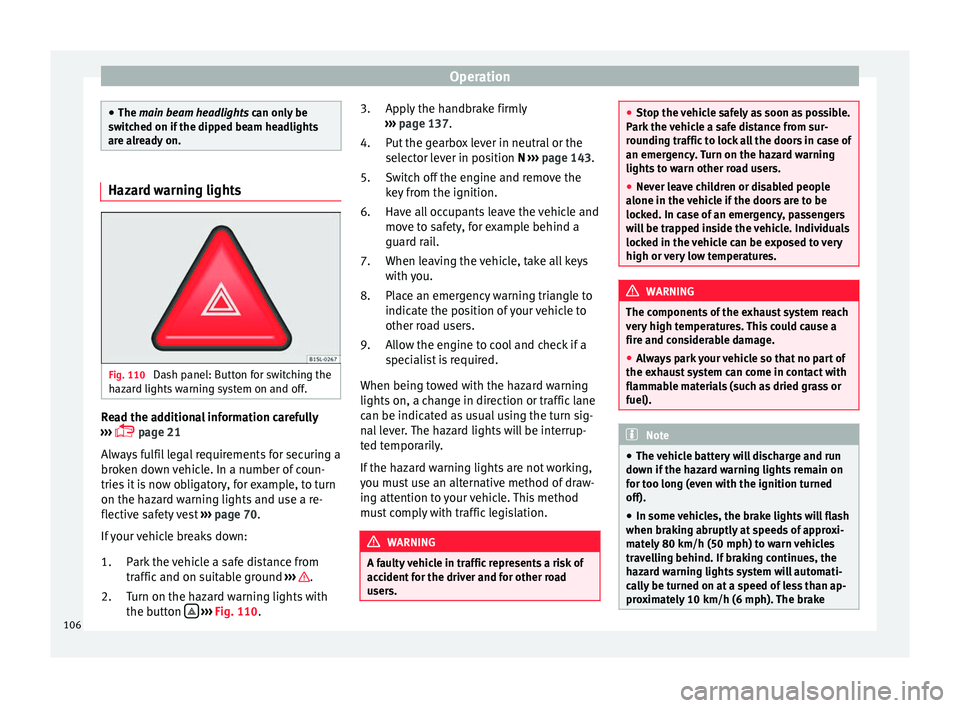
Fig. 110
Dash panel: Button for switching the
h az
ar
d lights warning system on and off. Read the additional information carefully
› ›
›
page 21
Always fulfil legal requirements for securing a
broken down vehicle. In a number of coun-
tries it is now obligatory, for example, to turn
on the hazard warning lights and use a re-
flective safety vest ››› page 70.
If your vehicle breaks down:
Park the vehicle a safe distance from
traffic and on suitable ground ››› .
T urn on the h
az
ard warning lights with
the button
› ›
› Fig. 110
.
1.
2. Apply the handbrake firmly
›››
page 137.
Put the gearbox lever in neutral or the
selector lever in position N ››› page 143.
Switch off the engine and remove the
key from the ignition.
Have all occupants leave the vehicle and
move to safety, for example behind a
guard rail.
When leaving the vehicle, take all keys
with you.
Place an emergency warning triangle to
indicate the position of your vehicle to
other road users.
Allow the engine to cool and check if a
specialist is required.
When being towed with the hazard warning
lights on, a change in direction or traffic lane
can be indicated as usual using the turn sig-
nal lever. The hazard lights will be interrup-
ted temporarily.
If the hazard warning lights are not working,
you must use an alternative method of draw-
ing attention to your vehicle. This method
must comply with traffic legislation. WARNING
A faulty vehicle in traffic represents a risk of
acc ident
for the driver and for other road
users. 3.
4.
5.
6.
7.
8.
9.
●
Stop the v
ehicle safely as soon as possible.
Park the vehicle a safe distance from sur-
rounding traffic to lock all the doors in case of
an emergency. Turn on the hazard warning
lights to warn other road users.
● Never leave children or disabled people
alone in the v
ehicle if the doors are to be
locked. In case of an emergency, passengers
will be trapped inside the vehicle. Individuals
locked in the vehicle can be exposed to very
high or very low temperatures. WARNING
The components of the exhaust system reach
ver y
high temperatures. This could cause a
fire and considerable damage.
● Always park your vehicle so that no part of
the exhau
st system can come in contact with
flammable materials (such as dried grass or
fuel). Note
● The v ehic
le battery will discharge and run
down if the hazard warning lights remain on
for too long (even with the ignition turned
off).
● In some vehicles, the brake lights will flash
when brakin
g abruptly at speeds of approxi-
mately 80 km/h (50 mph) to warn vehicles
travelling behind. If braking continues, the
hazard warning lights system will automati-
cally be turned on at a speed of less than ap-
proximately 10 km/h (6 mph). The brake 106
Page 137 of 232
Driving
Stopping and starting the en-
gine Sw it
c
hing on the ignition and starting
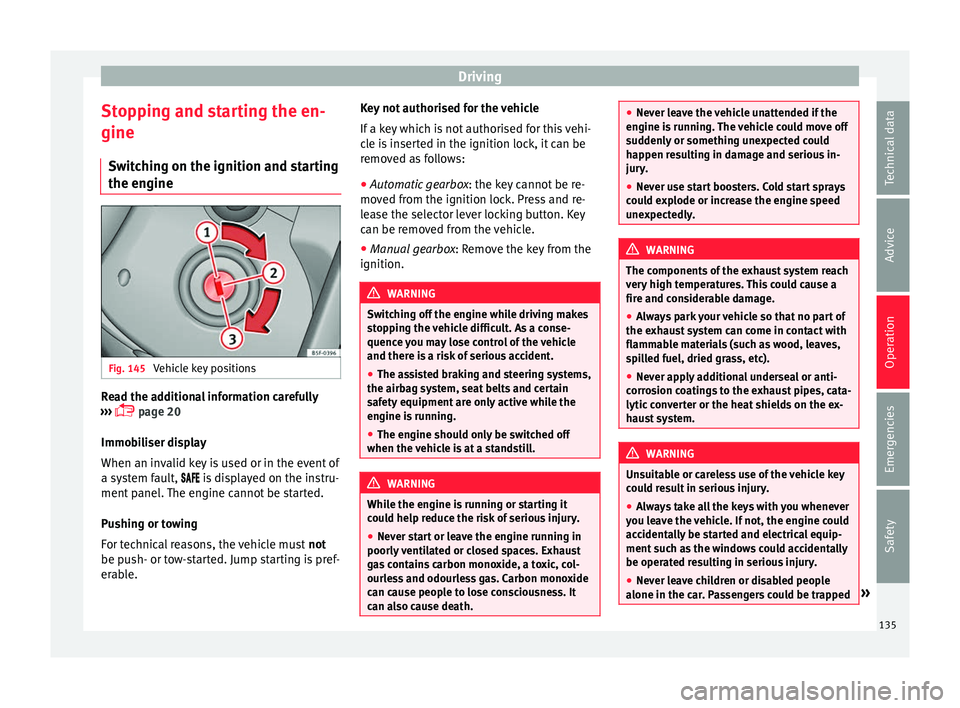
the engine Fig. 145
Vehicle key positions Read the additional information carefully
› ›
›
page 20
Immobiliser display
When an invalid key is used or in the event of
a system fault, is displayed on the instru-
ment panel. The engine cannot be started.
Pushing or towing
For technical reasons, the vehicle must not
be push- or tow-started. Jump starting is pref-
erable. Key not authorised for the vehicle
If a key
which is not authorised for this vehi-
cle is inserted in the ignition lock, it can be
removed as follows:
● Automatic gearbox : the key c
annot be re-
moved from the ignition lock. Press and re-
lease the selector lever locking button. Key
can be removed from the vehicle.
● Manual gearbox: Remov
e the key from the
ignition. WARNING
Switching off the engine while driving makes
st op
ping the vehicle difficult. As a conse-
quence you may lose control of the vehicle
and there is a risk of serious accident.
● The assisted braking and steering systems,
the airbag sys
tem, seat belts and certain
safety equipment are only active while the
engine is running.
● The engine should only be switched off
when the vehic
le is at a standstill. WARNING
While the engine is running or starting it
cou l
d help reduce the risk of serious injury.
● Never start or leave the engine running in
poorly v
entilated or closed spaces. Exhaust
gas contains carbon monoxide, a toxic, col-
ourless and odourless gas. Carbon monoxide
can cause people to lose consciousness. It
can also cause death. ●
Never l e
ave the vehicle unattended if the
engine is running. The vehicle could move off
suddenly or something unexpected could
happen resulting in damage and serious in-
jury.
● Never use start boosters. Cold start sprays
coul
d explode or increase the engine speed
unexpectedly. WARNING
The components of the exhaust system reach
v er y
high temperatures. This could cause a
fire and considerable damage.
● Always park your vehicle so that no part of
the exhau
st system can come in contact with
flammable materials (such as wood, leaves,
spilled fuel, dried grass, etc).
● Never apply additional underseal or anti-
corro
sion coatings to the exhaust pipes, cata-
lytic converter or the heat shields on the ex-
haust system. WARNING
Unsuitable or careless use of the vehicle key
cou l
d result in serious injury.
● Always take all the keys with you whenever
you le
ave the vehicle. If not, the engine could
accidentally be started and electrical equip-
ment such as the windows could accidentally
be operated resulting in serious injury.
● Never leave children or disabled people
alone in the car
. Passengers could be trapped » 135
Technical data
Advice
Operation
Emergencies
Safety
Page 138 of 232
Operation
in the car in an emergency and not be able to
get
themselv
es to safety. For example, de-
pending on the time of the year, tempera-
tures inside a locked and closed vehicle can
be extremely high or extremely low resulting
in serious injuries and illness or even death,
particularly for young children.
● Never remove the key from the ignition if
the vehic
le is in motion. The steering may
lock and it will not be possible to turn the
steering wheel. CAUTION
● An attempt t
o start the engine while driving
or starting the engine immediately after turn-
ing it off can cause damage to the engine or
starter motor.
● When the engine is cold, avoid high revs
and heavy ac
celeration and do not make the
engine work hard.
● Do not push or tow start the engine. Un-
burnt f
uel could damage the catalytic con-
verter. For the sake of the environment
Do not warm the engine at idle speed; start
drivin g immedi
ately if the visibility is OK.
This helps the engine reach operating tem-
perature faster and reduces emissions. Note
● If the k ey
is left in the ignition lock with the
engine off for long periods, the vehicle bat-
tery will run flat.
● For automatic gearbox vehicles, the key can
only be r
emoved from the ignition lock if the
gear selector lever is in position N. In this
case, press and release the selector lever
locking button.
● Electrical devices with a high power con-
sumption are sw
itched off temporarily when
the engine starts.
● When the engine is started cold, there may
be stron
g vibrations for a few moments for
technical reasons. This is quite normal, and
no cause for concern.
● Natural gas engines always start up with
petrol, a
s a certain operating temperature is
required for running with gas. Once the re-
quired operating temperature is reached, the
engine will change to operate with natural
gas. Stopping the engine
Switching off the engine
– Stop the vehicle ››
›
.
– Turn the ignition key to position 1 ›››
Fig. 145. Engaging the steering wheel lock
In
v
ehic
les with automatic gearbox, the igni-
tion key can only be removed when the selec-
tor lever is in position N.
– Remove the key from the ignition in posi-
tion 1
› ››
Fig. 145
›
›› .
– Turn the steering wheel until you hear it en-
gag
e.
P
ossible vehicle theft is prevented with the
steering lock engaged. WARNING
Never switch off the engine while the vehicle
is mo
ving. You may lose control of the vehicle
and there is a risk of serious accident.
● The airbags and belt tensioners do not
work when the ignition i
s switched off.
● The brake servo does not work with the en-
gine off. T
o stop, the brake pedal must be
pressed with more force.
● As the power steering does not work if the
engine is
not running, you will need more
strength to steer than normally.
● If the key is removed from the ignition, the
steerin
g may lock and it will not be possible
to steer the vehicle. 136
Page 143 of 232
Driving
Note
● To en s
ure that the ESC*, ASR and TC work
properly, all four wheels must be fitted with
identical tyres. Any differences in the rolling
radius of the tyres can cause the system to
reduce engine power when this is not de-
sired.
● If a malfunction should occur in the ABS,
the ESC*, ASR, T
C and EDL will also be affec-
ted.
● Noises may be heard while any of the
above sy
stems are operating. Handbrake
Fig. 146
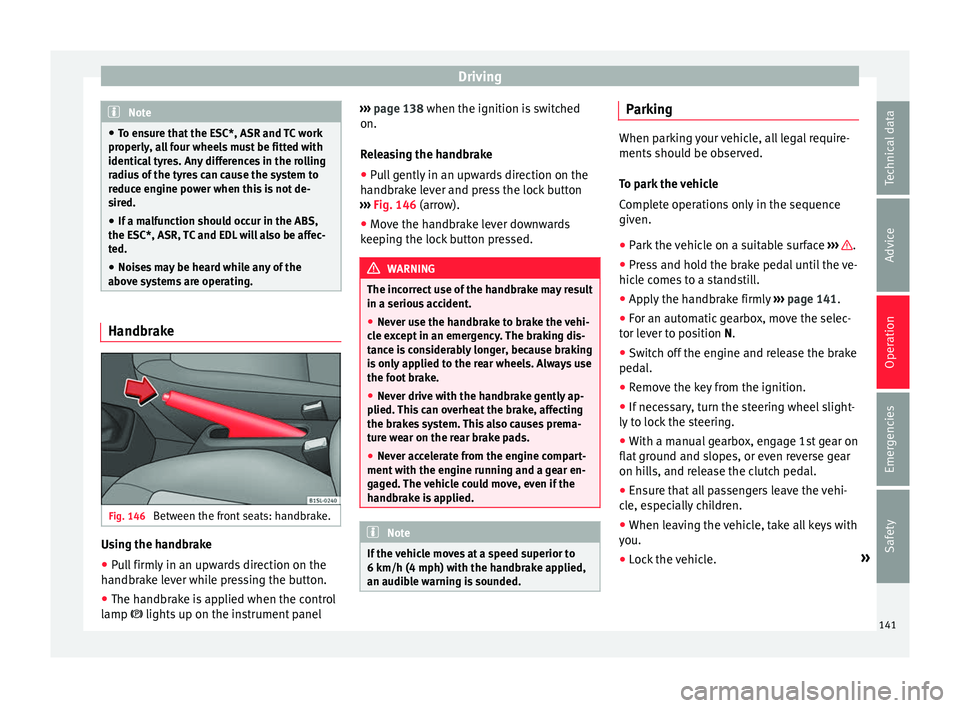
Between the front seats: handbrake. Using the handbrake
●
Pull firmly in an upwards direction on the
h andbr
ak
e lever while pressing the button.
● The handbrake is applied when the control
lamp lights up on the in
strument panel›››
page 138 when the ignition is switched
on.
Rel
easing the handbrake
● Pull gently in an upwards direction on the
handbrak
e lever and press the lock button
››› Fig. 146 (arrow).
● Move the handbrake lever downwards
keeping the loc
k button pressed. WARNING
The incorrect use of the handbrake may result
in a serious ac
cident.
● Never use the handbrake to brake the vehi-
cle e
xcept in an emergency. The braking dis-
tance is considerably longer, because braking
is only applied to the rear wheels. Always use
the foot brake.
● Never drive with the handbrake gently ap-
plied. Thi
s can overheat the brake, affecting
the brakes system. This also causes prema-
ture wear on the rear brake pads.
● Never accelerate from the engine compart-
ment with the en
gine running and a gear en-
gaged. The vehicle could move, even if the
handbrake is applied. Note
If the vehicle moves at a speed superior to
6 km/h (4 mph) with the h andbr
ake applied,
an audible warning is sounded. Parking
When parking your vehicle, all legal require-
ments shou
l
d be observed.
To park the vehicle
Complete operations only in the sequence
given. ● Park the vehicle on a suitable surface ›››
.
● Press and hold the brake pedal until the ve-
hicl e c
omes to a standstill.
● Apply the handbrake firmly ›››
page 141.
● For an automatic gearbox, move the selec-
tor lev
er to position N.
● Switch off the engine and release the brake
pedal.
● R
emove the key from the ignition.
● If necessary, turn the steering wheel slight-
ly to loc
k the steering.
● With a manual gearbox, engage 1st gear on
flat gr
ound and slopes, or even reverse gear
on hills, and release the clutch pedal.
● Ensure that all passengers leave the vehi-
cle, e
specially children.
● When leaving the vehicle, take all keys with
you.
● Loc
k the vehicle. »
141
Technical data
Advice
Operation
Emergencies
Safety
Page 146 of 232
Operation
● If nec
e
ssary, connect the parking distance
warning system. WARNING
Rapid acceleration can cause loss of traction
and skid din
g, especially on slippery ground.
This could cause loss of control of the vehicle
resulting in an accident and considerable
damage.
● Use rapid acceleration only when visibility,
weather
, road conditions and traffic permit. WARNING
Do not allow the brakes to “rub” for a pro-
long ed period of
time, or brake frequently or
for long periods of time. Continuous braking
heats up the brakes. This could significantly
reduce braking power, increase braking dis-
tance or even result in the total failure of the
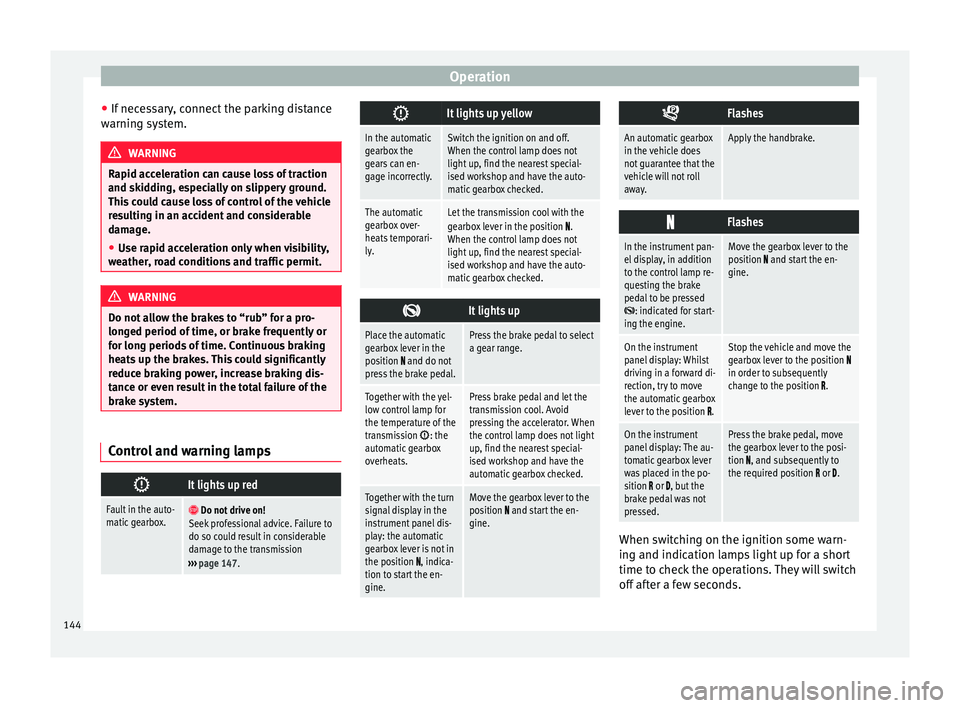
brake system. Control and warning lamps
It lights up red
Fault in the auto-
matic gearbox.
Do not drive on!
Seek professional advice. Failure to
do so could result in considerable
damage to the transmission
››› page 147.
It lights up yellow
In the automatic
gearbox the
gears can en-
gage incorrectly.Switch the ignition on and off.
When the control lamp does not
light up, find the nearest special-
ised workshop and have the auto-
matic gearbox checked.
The automatic
gearbox over-
heats temporari-
ly.Let the transmission cool with the
gearbox lever in the position .
When the control lamp does not
light up, find the nearest special-
ised workshop and have the auto-
matic gearbox checked.
It lights up
Place the automatic
gearbox lever in the
position
and do not
press the brake pedal.
Press the brake pedal to select
a gear range.
Together with the yel-
low control lamp for
the temperature of the
transmission
: the
automatic gearbox
overheats.
Press brake pedal and let the
transmission cool. Avoid
pressing the accelerator. When
the control lamp does not light
up, find the nearest special-
ised workshop and have the
automatic gearbox checked.
Together with the turn
signal display in the
instrument panel dis-
play: the automatic
gearbox lever is not in
the position
, indica-
tion to start the en-
gine.
Move the gearbox lever to the
position and start the en-
gine.
Flashes
An automatic gearbox
in the vehicle does
not guarantee that the
vehicle will not roll
away.Apply the handbrake.
Flashes
In the instrument pan-
el display, in addition
to the control lamp re-
questing the brake
pedal to be pressed
: indicated for start-
ing the engine.
Move the gearbox lever to the
position and start the en-
gine.
On the instrument
panel display: Whilst
driving in a forward di-
rection, try to move
the automatic gearbox
lever to the position
.
Stop the vehicle and move the
gearbox lever to the position in order to subsequently
change to the position .
On the instrument
panel display: The au-
tomatic gearbox lever
was placed in the po-
sition
or , but the
brake pedal was not
pressed.
Press the brake pedal, move
the gearbox lever to the posi-
tion
, and subsequently to
the required position or . When switching on the ignition some warn-
in
g and indic
ation l
amps light up for a short
time to check the operations. They will switch
off after a few seconds.
144
Page 147 of 232
Driving
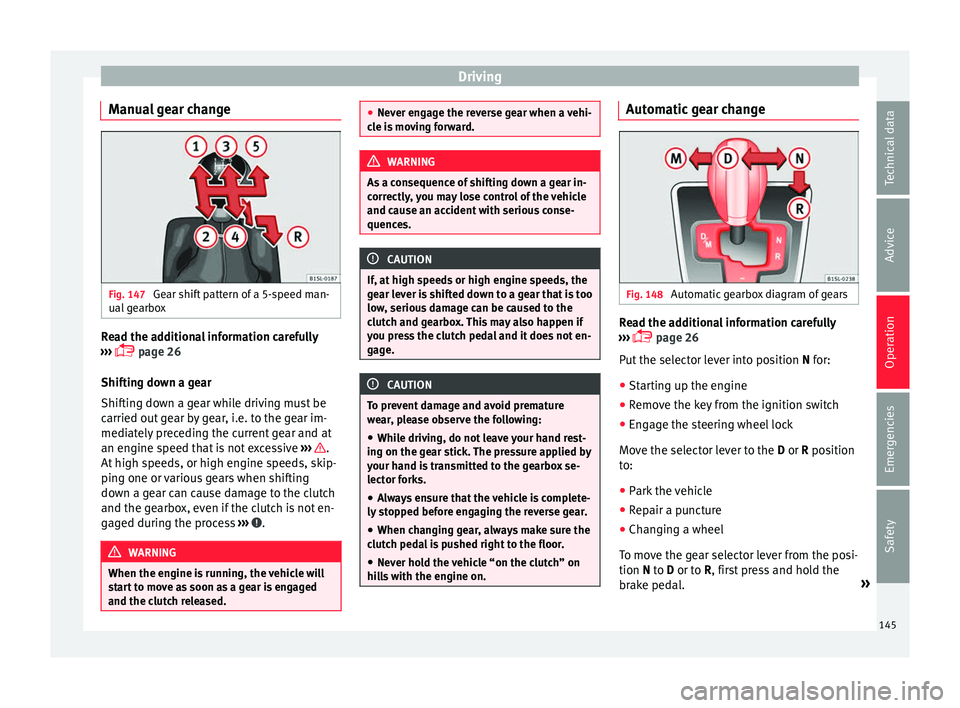
Manual gear change Fig. 147
Gear shift pattern of a 5-speed man-
ual g
e
arbox Read the additional information carefully
› ›
›
page 26
Shifting down a gear
Shifting down a gear while driving must be
carried out gear by gear, i.e. to the gear im-
mediately preceding the current gear and at
an engine speed that is not excessive ››› .
At high s
peed
s, or high engine speeds, skip-
ping one or various gears when shifting
down a gear can cause damage to the clutch
and the gearbox, even if the clutch is not en-
gaged during the process ››› .
WARNING
When the engine is running, the vehicle will
st ar
t to move as soon as a gear is engaged
and the clutch released. ●
Never en g
age the reverse gear when a vehi-
cle is moving forward. WARNING
As a consequence of shifting down a gear in-
c orr ectly
, you may lose control of the vehicle
and cause an accident with serious conse-
quences. CAUTION
If, at high speeds or high engine speeds, the
ge ar l
ever is shifted down to a gear that is too
low, serious damage can be caused to the
clutch and gearbox. This may also happen if
you press the clutch pedal and it does not en-
gage. CAUTION
To prevent damage and avoid premature
we ar
, please observe the following:
● While driving, do not leave your hand rest-
ing on the ge
ar stick. The pressure applied by
your hand is transmitted to the gearbox se-
lector forks.
● Always ensure that the vehicle is complete-
ly st
opped before engaging the reverse gear.
● When changing gear, always make sure the
clutc
h pedal is pushed right to the floor.
● Never hold the vehicle “on the clutch” on
hill
s with the engine on. Automatic gear change
Fig. 148
Automatic gearbox diagram of gears Read the additional information carefully
› ›
›
page 26
Put the selector lever into position N for:
● Starting up the engine
● Remove the key from the ignition switch
● Engage the steering wheel lock
Move the sel
ector lever to the D or R position
to:
● Park the vehicle
● Repair a puncture
● Changing a wheel
To mov
e the gear selector lever from the posi-
tion N to D or to R, first press and hold the
brake pedal. »
145
Technical data
Advice
Operation
Emergencies
Safety
Page 148 of 232
Operation
In the instrument panel display, with the igni-
tion sw it
c
hed on, the selected gear range or
the gear engaged in the gearbox is shown.
- Reverse gear
Reverse gear is selected. Engage only when
the vehicle is stopped.
- Neutral
The gearbox is in neutral. No movement is
transmitted to the wheels and the engine
does not act as a brake.
- Standard driving position
The gears are changed (up and down) auto-
matically. The gear shifts are determined by
the engine load, your individual driving style
and the speed of the vehicle.
- Tiptronic driving position (manual shift
programme)
All gears can be changed (up and down)
manually ››› page 146. This is possible as
long as the system is not changing gear auto-
matically due to a traffic situation. WARNING
Placing the selector lever in an incorrect posi-
tion ma y
cause loss of control of the vehicle
and a serious accident.
● Do not press the accelerator when engag-
ing a ran
ge of gears. ●
With the en gine ru
nning and a gear range
selected, the vehicle will move when the ac-
celerator is pressed.
● Never engage reverse gear while driving.
● Unintentional movements of the vehicle
coul
d cause serious injury.
● As a driver, you should never leave your ve-
hicle if
the engine is running and a gear range
is engaged. If you have to leave your vehicle
while the engine is running, you must always
apply the handbrake and put the selector lev-
er in position N.
● Never engage the R gear range when the
vehicl
e is moving.
● Never leave the vehicle without applying
the handbrak
e. With the engine running the
vehicle moves downhill regardless of the gear
range selected. Note
If, while driving, the selector lever is acciden-
ta l
ly placed in position N, lift your foot off the
accelerator. Wait until the engine is running
at idle speed before selecting a new gear
range. Engaging gear with Tiptronic
Fig. 149
Lever in the Tiptronic position With Tiptronic, the gears can be changed up
or do
wn m
anual
ly with the automatic gear-
box. When you change to the Tiptronic pro-
gramme, the vehicle remains in the currently
selected gear. This is possible as long as the
system is not changing gear automatically
due to a traffic situation.
Using Tiptronic
● Place the lever in the position D to the lef
t
on the Tiptronic shift gate M ››› in Auto-
m atic
g
ear change on page 146.
● Press the lever forwards + or backwards
– to move up or down a gear
››
›
Fig. 149.
● Place the lever back to the position M to
the lef
t on the Tiptronic shift gate, to leave
Tiptronic mode ››› in Automatic gear
c h
an
ge on page 146.
146
Page 149 of 232
Driving
With the lever in the position D, and pr e
s sing
forwards + or backwards
– the Tiptronic
pr ogr
amme c
an be selected M. CAUTION
● When acc el
erating, the gearbox automati-
cally shifts up into the next gear shortly be-
fore the maximum engine speed is reached.
● When reducing speed manually, the gear-
box on
ly shifts gear when the engine can no
longer exceed the maximum engine speed. Driving with automatic gearbox
The gearbox changes gear ratios automatical-
ly
a
s
the vehicle moves.
Driving down hills
The steeper the gradient, the lower the gear
you will need to select. The lowest gears in-
crease the engine braking work. Never go
down hills with the selector lever in neutral
N.
● You should reduce speed accordingly.
● Place the lever in the position D to the lef
t
on the Tiptronic shift gate M ›››
page 146.
● Gently pull the selector lever back – to
c h
an
ge down a gear. Starting when going up a slope
The steeper the gr
adient, the lower the gear
you will need.
When stopping on a slope with a gear range
engaged, the vehicle must be prevented from
rolling backwards by always pressing the
brake pedal or pulling the handbrake lever
up. When starting, release the brake pedal or
the handbrake ››› .
Kic k
-do
wn
The kickdown system provides maximum ac-
celeration when the gear selector lever is in
the position D, or in the Tiptronic position M.
When the accelerator pedal is pressed right
down, the automatic gearbox will shift down
to a lower gear, depending on road speed
and engine speed. This takes advantage of
the maximum acceleration of the vehicle
››› .
When the ac c
el
erator is pressed to the floor,
the automatic gearbox shifts to the next gear
only after the engine reaches the specified
maximum engine speed. WARNING
Rapid acceleration can cause loss of traction
and skid din
g, especially on slippery ground.
This could cause loss of control of the vehicle
resulting in an accident and serious injury. ●
Alw a
ys adapt your driving style to suit the
flow of traffic.
● Only use the kick-down function or rapid
accel
eration if visibility, weather, road and
traffic conditions so permit.
● Never put other road users in danger by ac-
celer
ating or with your driving style. CAUTION
If you stop on a hill with a gear range engag-
ed, do not try
to prevent the vehicle from roll-
ing back by pressing on the accelerator. Oth-
erwise, the automatic gearbox may overheat
causing damage. Automatic gearbox malfunction
Back-up programme
When aut
om
atic
gearbox warning and indica-
tion lamps light up on the instrument panel,
there may be a system malfunction
››› page 143. In the event of some faults the
automatic gearbox functions using a backup
programme. When the programme is activa-
ted, it is possible to drive the vehicle, howev-
er, at low speeds and within a selected range
of gears.
With the manual gearbox, in some cases it is
not possible to drive with all the gears .
In all cases the automatic gearbox must be
checked at a specialised workshop. »
147
Technical data
Advice
Operation
Emergencies
Safety