phone SKODA CITIGO 2013 1.G Owner's Manual
[x] Cancel search | Manufacturer: SKODA, Model Year: 2013, Model line: CITIGO, Model: SKODA CITIGO 2013 1.GPages: 176, PDF Size: 10.54 MB
Page 6 of 176
Table of Contents
Materials defect liability and ŠKODA warranty for
new cars5
Mobility warranty and ŠKODA extended
warranty.
6
Abbreviations
Using the system
Cockpit
9
Overview
8
warning lights and instruments
10
Instrument cluster
10
Multifunction display (MFA)
13
Warning lights
16
Unlocking and locking
22
Unlocking and locking
22
Central locking system
25
Remote control
27
Luggage compartment lid
28
Electrical power windows
30
Power sliding/tilting roof
31
Lights and visibility
33
Lights
33
Indoor Lighting
36
Visibility
37
Windscreen wipers and washers
38
Rear mirror
40
Seats and stowing
42
Front seats
42
Rear seats
45
Luggage compartment
46
Roof rack system
49Useful equipment50Storage compartments53
Heating and air-conditioning
57
Heating, ventilation and cooling
57
Heating
58
Air conditioning system
59
Communication and multimedia
63
Telephone and Move & Fun
63
Driving
Starting-off and Driving
66
Steering
66
Starting and stopping the engine
67
Brakes
68
Manual gear changing and pedals
70
Automated transmission
71
Running in
73
Economical driving and environmental
sustainability
74
Avoiding damage to your vehicle
78
Driving abroad
79
Assist systems
80
Brake assist systems
80
Parking aid
81
Cruise Control System
83
START-STOP
85
City Safe Drive
86
Safety
Passive Safety
90
General information
90
Correct seated position
91
Seat belts
94
Using seat belts
94
Inertia reels and belt tensioners
96Airbag system98Description of the airbag system98
Airbag overview
99
Deactivating airbags
101
Transporting children safely
103
Child seat
103
Fastening systems
105
General Maintenance
Vehicle care
108
Service intervals
108
Modifications, adjustments and technical
alterations
110
Washing your car
113
Taking care of your vehicle exterior
115
Taking care of the interior
118
Inspecting and replenishing
122
Fuel
122
Vehicles with CNG (compressed natural gas)
mode
123
Engine compartment
127
Engine oil
130
Coolant
132
Brake fluid
133
Vehicle battery
134
Wheels
138
Tyres and wheel rims
138
Winter operation
143
Do-it-yourself
Emergency equipment and self-help
144
Emergency equipment
144
Changing a wheel
145
Tyre repair
1483Table of Contents
Page 9 of 176
Mobility warranty and ŠKODA extendedwarranty.
Mobility warranty
Mobility warranty provides a sense of security when travelling in your vehicle.
Should your car break down when you're on the move one day as a result of an
unexpected fault, you will be eligible for services to ensure your continued mobili-
ty as part of the mobility warranty, which includes the following: Breakdown serv- ice at the breakdown location and towing off to the ŠKODA service partner, tech-
nical assistance by phone or on-site operation.
If your vehicle is not repaired on the same day, the ŠKODA service partner may
provide further services as required, such as replacement transportation (bus,
train, etc.), a courtesy vehicle, etc.
You can obtain more information regarding terms and conditions for the provision
of mobility warranty for your vehicle from your ŠKODA partner. Here you will also
be given detailed terms and conditions for the mobility warranty with respect to
your vehicle. In the event that there is no mobility warranty coverage available for
your vehicle, you should check with any ŠKODA service partner about the possibil-
ity of a subsequent agreement.
Note
The mobility guarantee is only available for some countries.
Optional ŠKODA extended warranty
If you received an extended ŠKODA warranty when purchasing your new car, the
two-year ŠKODA warranty for damages to your ŠKODA vehicle will be extended
by the time you chose or until the chosen mileage limit has been reached, which-
ever occurs first.
The previously mentioned paint warranty and the warranty against rust perfora-
tion stay unaffected by the extended warranty.
Detailed conditions for the extended warranty are included in the extended war- ranty terms and conditions, which your ŠKODA partner will have given to you
upon purchasing your new vehicle.
NoteThe mobility guarantee and optional ŠKODA extended warranty are only available
for some countries.
6Mobility warranty and ŠKODA extended warranty.
Page 25 of 176
Unlocking and locking
Unlocking and locking
Introduction
This chapter contains information on the following subjects:
Vehicle key
22
Replacing the battery in the remote control key
23
Child safety lock
23
Opening/closing a door
24
Door opening lever
24
Emergency locking of the doors
25
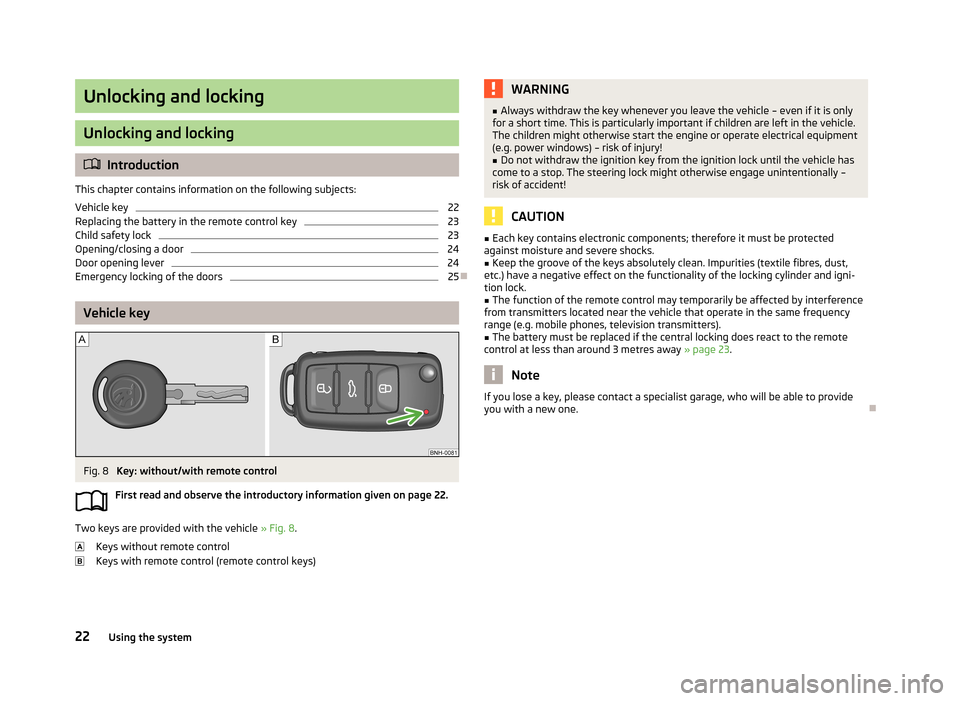
Vehicle key
Fig. 8
Key: without/with remote control
First read and observe the introductory information given on page 22.
Two keys are provided with the vehicle » Fig. 8.
Keys without remote control
Keys with remote control (remote control keys)
WARNING■ Always withdraw the key whenever you leave the vehicle – even if it is only
for a short time. This is particularly important if children are left in the vehicle.
The children might otherwise start the engine or operate electrical equipment
(e.g. power windows) – risk of injury!■
Do not withdraw the ignition key from the ignition lock until the vehicle has
come to a stop. The steering lock might otherwise engage unintentionally –
risk of accident!
CAUTION
■ Each key contains electronic components; therefore it must be protected
against moisture and severe shocks.■
Keep the groove of the keys absolutely clean. Impurities (textile fibres, dust,
etc.) have a negative effect on the functionality of the locking cylinder and igni-
tion lock.
■
The function of the remote control may temporarily be affected by interference
from transmitters located near the vehicle that operate in the same frequency
range (e.g. mobile phones, television transmitters).
■
The battery must be replaced if the central locking does react to the remote
control at less than around 3 metres away » page 23.
Note
If you lose a key, please contact a specialist garage, who will be able to provide
you with a new one.
22Using the system
Page 30 of 176
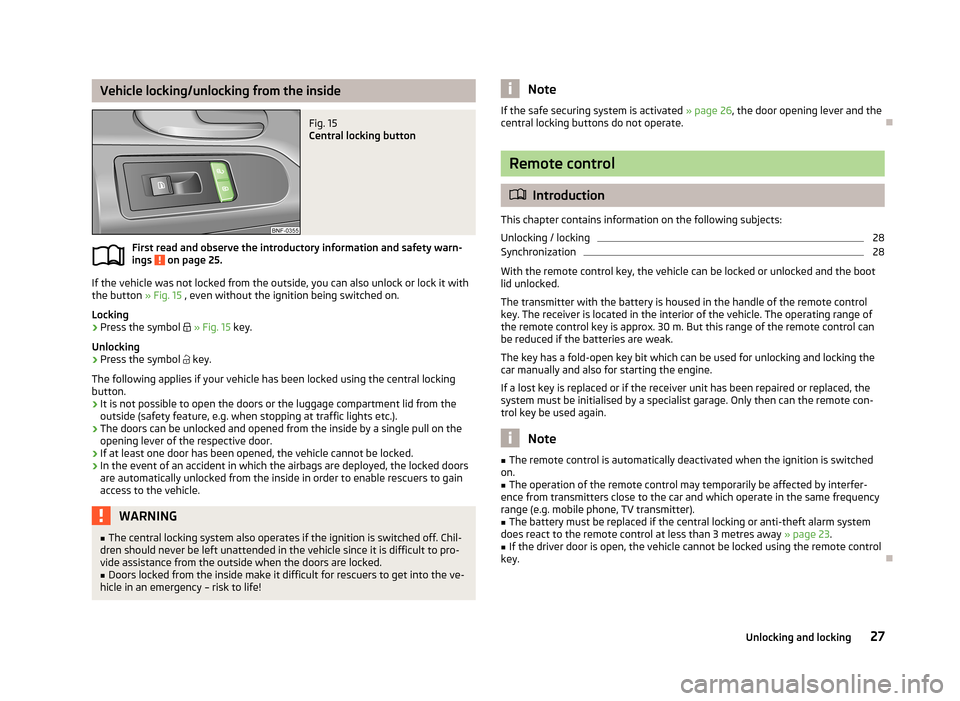
Vehicle locking/unlocking from the insideFig. 15
Central locking button
First read and observe the introductory information and safety warn-ings on page 25.
If the vehicle was not locked from the outside, you can also unlock or lock it with
the button » Fig. 15 , even without the ignition being switched on.
Locking
›
Press the symbol
» Fig. 15 key.
Unlocking
›
Press the symbol
key.
The following applies if your vehicle has been locked using the central locking button.
› It is not possible to open the doors or the luggage compartment lid from the
outside (safety feature, e.g. when stopping at traffic lights etc.).
› The doors can be unlocked and opened from the inside by a single pull on the
opening lever of the respective door.
› If at least one door has been opened, the vehicle cannot be locked.
› In the event of an accident in which the airbags are deployed, the locked doors
are automatically unlocked from the inside in order to enable rescuers to gain
access to the vehicle.
WARNING■ The central locking system also operates if the ignition is switched off. Chil-
dren should never be left unattended in the vehicle since it is difficult to pro-
vide assistance from the outside when the doors are locked.■
Doors locked from the inside make it difficult for rescuers to get into the ve-
hicle in an emergency – risk to life!
NoteIf the safe securing system is activated » page 26, the door opening lever and the
central locking buttons do not operate.
Remote control
Introduction
This chapter contains information on the following subjects:
Unlocking / locking
28
Synchronization
28
With the remote control key, the vehicle can be locked or unlocked and the boot
lid unlocked.
The transmitter with the battery is housed in the handle of the remote control
key. The receiver is located in the interior of the vehicle. The operating range of
the remote control key is approx. 30 m. But this range of the remote control can
be reduced if the batteries are weak.
The key has a fold-open key bit which can be used for unlocking and locking the
car manually and also for starting the engine.
If a lost key is replaced or if the receiver unit has been repaired or replaced, thesystem must be initialised by a specialist garage. Only then can the remote con-
trol key be used again.
Note
■ The remote control is automatically deactivated when the ignition is switched
on.■
The operation of the remote control may temporarily be affected by interfer-
ence from transmitters close to the car and which operate in the same frequency
range (e.g. mobile phone, TV transmitter).
■
The battery must be replaced if the central locking or anti-theft alarm system
does react to the remote control at less than 3 metres away » page 23.
■
If the driver door is open, the vehicle cannot be locked using the remote control
key.
27Unlocking and locking
Page 59 of 176
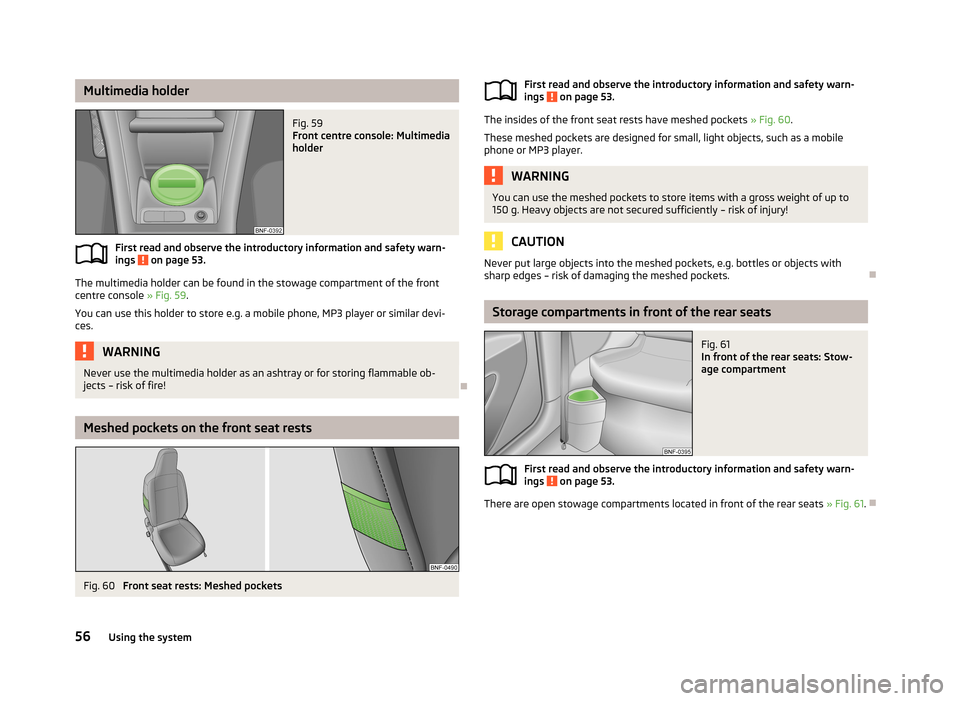
Multimedia holderFig. 59
Front centre console: Multimedia
holder
First read and observe the introductory information and safety warn-
ings on page 53.
The multimedia holder can be found in the stowage compartment of the front
centre console » Fig. 59.
You can use this holder to store e.g. a mobile phone, MP3 player or similar devi-
ces.
WARNINGNever use the multimedia holder as an ashtray or for storing flammable ob-
jects – risk of fire!
Meshed pockets on the front seat rests
Fig. 60
Front seat rests: Meshed pockets
First read and observe the introductory information and safety warn- ings on page 53.
The insides of the front seat rests have meshed pockets » Fig. 60.
These meshed pockets are designed for small, light objects, such as a mobile phone or MP3 player.
WARNINGYou can use the meshed pockets to store items with a gross weight of up to
150 g. Heavy objects are not secured sufficiently – risk of injury!
CAUTION
Never put large objects into the meshed pockets, e.g. bottles or objects with
sharp edges – risk of damaging the meshed pockets.
Storage compartments in front of the rear seats
Fig. 61
In front of the rear seats: Stow-
age compartment
First read and observe the introductory information and safety warn-
ings on page 53.
There are open stowage compartments located in front of the rear seats » Fig. 61.
56Using the system
Page 66 of 176
Communication and multimedia
Telephone and Move & Fun
Introduction
This chapter contains information on the following subjects:
Mobile phones and two-way radio systems
63
Multifunction deviceMove & Fun
64
Mobile phones and two-way radio systems
First read and observe the introductory information given on page 63.
ŠKODA permits the operation of mobile phones and two-way radio systems with
a professionally installed external aerial and a maximum transmission power of
up to 10 watts.
Please consult a ŠKODA Partner for information about the possibility of installing
and operating mobile phones and two-way radio systems with a transmission
power of more than 10 W.
Operating mobile phones or two-way radio systems may interfere with the func-tionality of the electronic systems in your vehicle.
The possible reasons for this are. › no external aerial.
› external aerial incorrectly installed.
› transmission power greater than 10 watts.
WARNING■
Concentrate fully at all times on your driving! As the driver you are fully re-
sponsible for the operation of your vehicle. Use the telephone system only to such an extent that you are in full control of your vehicle at any time.■
The national regulations for using a mobile phone in a vehicle must be ob-
served.
WARNING (Continued)■ If a mobile phone or a two-way radio system is operated in a vehicle without
an external aerial or an external aerial which has been installed incorrectly,
this can increase the strength of the electromagnetic field inside the vehicle.■
Two-way radio systems, mobile phones or mounts must not be installed on
airbag covers or within the immediate deployment range of the airbags.
■
Never leave a mobile phone on a seat, on the dash panel or in another area
from which it can be thrown during a sudden braking manoeuvre, an accident
or a collision — risk of injury.
Note
■ We recommend that the installation of mobile phones and two-way radio sys-
tems in a vehicle be carried out by a specialist garage.■
The range of the Bluetooth ®
connection to the hands-free system is restricted
to the vehicle interior. The range is dependent on local factors, e.g. obstacles be- tween the devices and mutual interferences with other devices. If your mobile phone is in a jacket pocket, for example, this can lead to difficulties when estab-
lishing a connection with the hands-free-system or transferring data.
63Communication and multimedia
Page 67 of 176
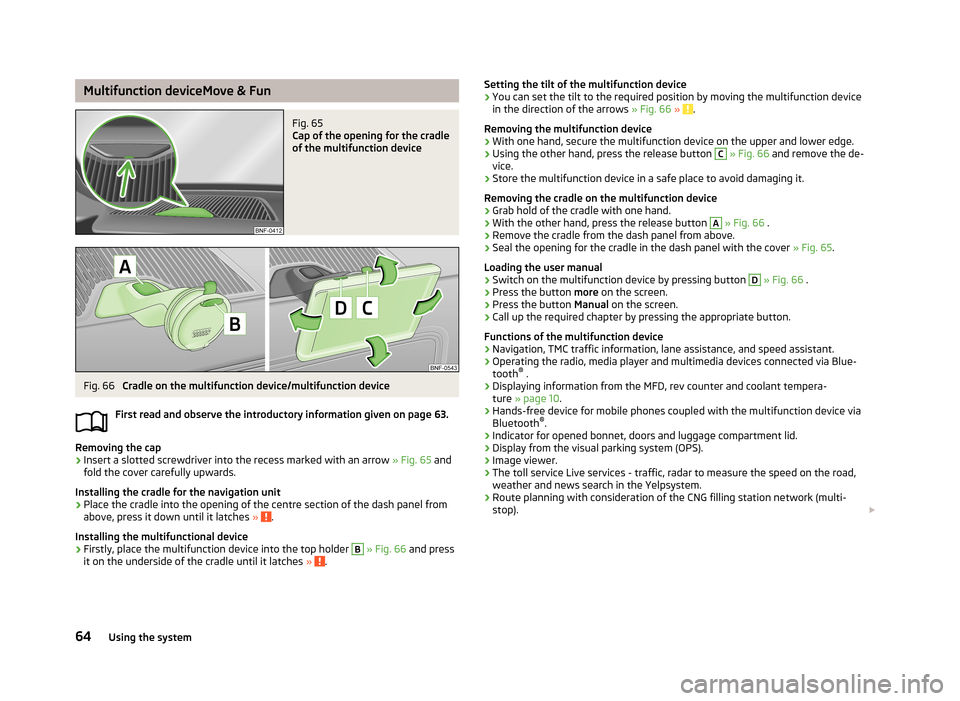
Multifunction deviceMove & FunFig. 65
Cap of the opening for the cradle
of the multifunction device
Fig. 66
Cradle on the multifunction device/multifunction device
First read and observe the introductory information given on page 63.
Removing the cap
›
Insert a slotted screwdriver into the recess marked with an arrow » Fig. 65 and
fold the cover carefully upwards.
Installing the cradle for the navigation unit
›
Place the cradle into the opening of the centre section of the dash panel from above, press it down until it latches » .
Installing the multifunctional device
›
Firstly, place the multifunction device into the top holder
B
» Fig. 66 and press
it on the underside of the cradle until it latches » .
Setting the tilt of the multifunction device›You can set the tilt to the required position by moving the multifunction device
in the direction of the arrows » Fig. 66 » .
Removing the multifunction device
›
With one hand, secure the multifunction device on the upper and lower edge.
›
Using the other hand, press the release button
C
» Fig. 66 and remove the de-
vice.
›
Store the multifunction device in a safe place to avoid damaging it.
Removing the cradle on the multifunction device
›
Grab hold of the cradle with one hand.
›
With the other hand, press the release button
A
» Fig. 66 .
›
Remove the cradle from the dash panel from above.
›
Seal the opening for the cradle in the dash panel with the cover » Fig. 65.
Loading the user manual
›
Switch on the multifunction device by pressing button
D
» Fig. 66 .
›
Press the button more on the screen.
›
Press the button Manual on the screen.
›
Call up the required chapter by pressing the appropriate button.
Functions of the multifunction device
› Navigation, TMC traffic information, lane assistance, and speed assistant.
› Operating the radio, media player and multimedia devices connected via Blue-
tooth ®
.
› Displaying information from the MFD, rev counter and coolant tempera-
ture » page 10 .
› Hands-free device for mobile phones coupled with the multifunction device via
Bluetooth ®
.
› Indicator for opened bonnet, doors and luggage compartment lid.
› Display from the visual parking system (OPS).
› Image viewer.
› The toll service Live services - traffic, radar to measure the speed on the road,
weather and news search in the Yelpsystem.
› Route planning with consideration of the CNG filling station network (multi-
stop).
64Using the system
Page 68 of 176
WARNING■Concentrate fully at all times on your driving! As the driver you are fully re-
sponsible for the operation of your vehicle. Only use the system such that you
are in full control of your vehicle in every traffic situation – risk of accident!■
The multifunction device must always slot securely into the cradle or be
safely stored in the vehicle.
■
Unsecured or incorrectly secured multifunction devices may be thrown
through the interior of the vehicle and cause injuries in a sudden driving or
braking manoeuvre or accident.
■
Adjust the volume to ensure that acoustic signals from outside, e.g. sirens
from vehicles which have the right of way, such as police, ambulance and fire
brigade vehicles, can be heard at all time.
■
High volumes can cause hearing damage.
CAUTION
■ Improper tilt settings can damage both the multifunction device and the cradle.■Always take the multifunction device with you when leaving the vehicle to pro-
tect it from extreme temperatures and strong sunlight. Extreme ambient temper- atures can impair the functioning of the multifunction device and may damage
the device.■
Moisture can damage the electrical contacts in the dash panel for the portable
multifunction device.
■
Never use water when cleaning the navigation unit cradle. Always use a dry
cloth instead.
■
Install/remove the multifunction device cradle without the multifunction device
in it.
■
Do not install/remove the multifunction device until the cradle for the multi-
function device has been installed into the dash panel.
Note
The range of the Bluetooth ®
connection to the hands-free system is restricted to
the vehicle interior. The range is dependent on local factors, e.g. obstacles be-
tween the devices and mutual interferences with other devices. If your mobile phone is e.g. in a jacket pocket, this can lead to difficulties when establishing the
Bluetooth ®
connection with the hands-free system or the data transfer.
65Communication and multimedia
Page 94 of 176
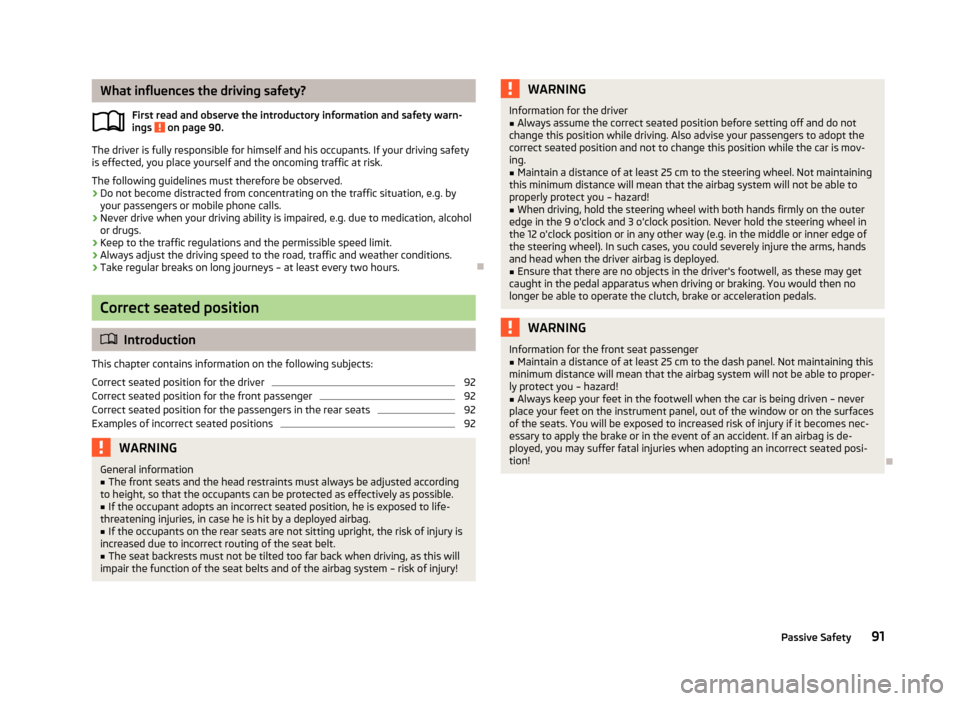
What influences the driving safety?First read and observe the introductory information and safety warn-ings
on page 90.
The driver is fully responsible for himself and his occupants. If your driving safety is effected, you place yourself and the oncoming traffic at risk.
The following guidelines must therefore be observed. › Do not become distracted from concentrating on the traffic situation, e.g. by
your passengers or mobile phone calls.
› Never drive when your driving ability is impaired, e.g. due to medication, alcohol
or drugs.
› Keep to the traffic regulations and the permissible speed limit.
› Always adjust the driving speed to the road, traffic and weather conditions.
› Take regular breaks on long journeys – at least every two hours.
Correct seated position
Introduction
This chapter contains information on the following subjects:
Correct seated position for the driver
92
Correct seated position for the front passenger
92
Correct seated position for the passengers in the rear seats
92
Examples of incorrect seated positions
92WARNINGGeneral information■The front seats and the head restraints must always be adjusted according
to height, so that the occupants can be protected as effectively as possible.■
If the occupant adopts an incorrect seated position, he is exposed to life-
threatening injuries, in case he is hit by a deployed airbag.
■
If the occupants on the rear seats are not sitting upright, the risk of injury is
increased due to incorrect routing of the seat belt.
■
The seat backrests must not be tilted too far back when driving, as this will
impair the function of the seat belts and of the airbag system – risk of injury!
WARNINGInformation for the driver■Always assume the correct seated position before setting off and do not
change this position while driving. Also advise your passengers to adopt the
correct seated position and not to change this position while the car is mov-
ing.■
Maintain a distance of at least 25 cm to the steering wheel. Not maintaining
this minimum distance will mean that the airbag system will not be able to
properly protect you – hazard!
■
When driving, hold the steering wheel with both hands firmly on the outer
edge in the 9 o'clock and 3 o'clock position. Never hold the steering wheel in
the 12 o'clock position or in any other way (e.g. in the middle or inner edge of
the steering wheel). In such cases, you could severely injure the arms, handsand head when the driver airbag is deployed.
■
Ensure that there are no objects in the driver's footwell, as these may get
caught in the pedal apparatus when driving or braking. You would then no
longer be able to operate the clutch, brake or acceleration pedals.
WARNINGInformation for the front seat passenger■Maintain a distance of at least 25 cm to the dash panel. Not maintaining this
minimum distance will mean that the airbag system will not be able to proper-
ly protect you – hazard!■
Always keep your feet in the footwell when the car is being driven – never
place your feet on the instrument panel, out of the window or on the surfaces
of the seats. You will be exposed to increased risk of injury if it becomes nec-
essary to apply the brake or in the event of an accident. If an airbag is de-
ployed, you may suffer fatal injuries when adopting an incorrect seated posi-
tion!
91Passive Safety
Page 103 of 176
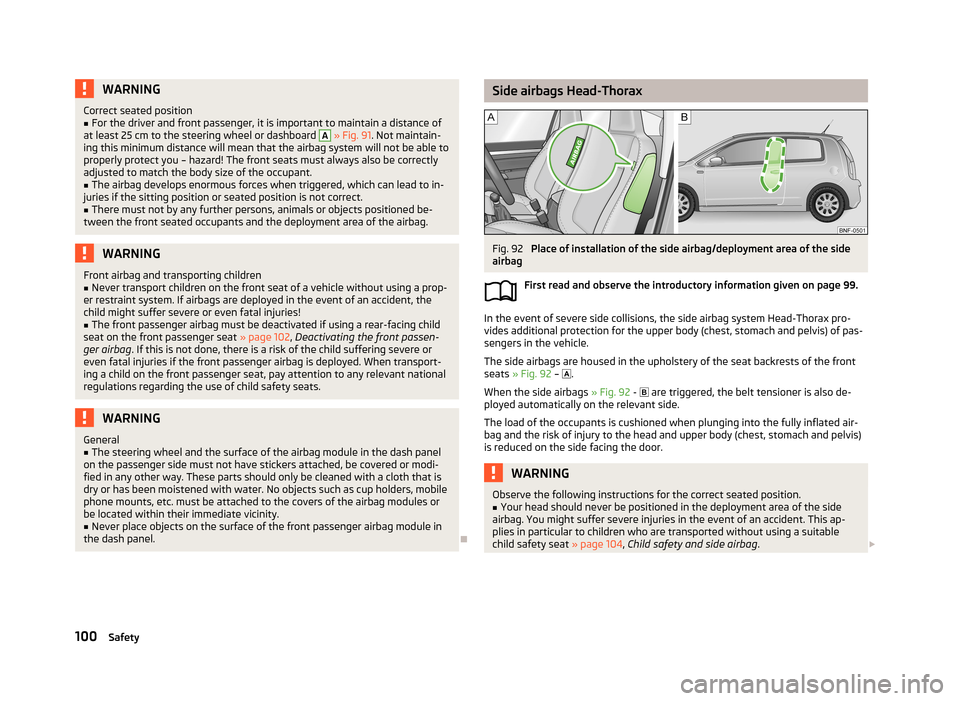
WARNINGCorrect seated position■For the driver and front passenger, it is important to maintain a distance of
at least 25 cm to the steering wheel or dashboard A
» Fig. 91 . Not maintain-
ing this minimum distance will mean that the airbag system will not be able to
properly protect you – hazard! The front seats must always also be correctly
adjusted to match the body size of the occupant.
■
The airbag develops enormous forces when triggered, which can lead to in-
juries if the sitting position or seated position is not correct.
■
There must not by any further persons, animals or objects positioned be-
tween the front seated occupants and the deployment area of the airbag.
WARNINGFront airbag and transporting children■Never transport children on the front seat of a vehicle without using a prop-
er restraint system. If airbags are deployed in the event of an accident, the
child might suffer severe or even fatal injuries!■
The front passenger airbag must be deactivated if using a rear-facing child
seat on the front passenger seat » page 102, Deactivating the front passen-
ger airbag . If this is not done, there is a risk of the child suffering severe or
even fatal injuries if the front passenger airbag is deployed. When transport-
ing a child on the front passenger seat, pay attention to any relevant national regulations regarding the use of child safety seats.
WARNINGGeneral■The steering wheel and the surface of the airbag module in the dash panel
on the passenger side must not have stickers attached, be covered or modi-
fied in any other way. These parts should only be cleaned with a cloth that is
dry or has been moistened with water. No objects such as cup holders, mobile
phone mounts, etc. must be attached to the covers of the airbag modules or
be located within their immediate vicinity.■
Never place objects on the surface of the front passenger airbag module in
the dash panel.
Side airbags Head-ThoraxFig. 92
Place of installation of the side airbag/deployment area of the side
airbag
First read and observe the introductory information given on page 99.
In the event of severe side collisions, the side airbag system Head-Thorax pro-
vides additional protection for the upper body (chest, stomach and pelvis) of pas-
sengers in the vehicle.
The side airbags are housed in the upholstery of the seat backrests of the front seats » Fig. 92 –
.
When the side airbags » Fig. 92 -
are triggered, the belt tensioner is also de-
ployed automatically on the relevant side.
The load of the occupants is cushioned when plunging into the fully inflated air-
bag and the risk of injury to the head and upper body (chest, stomach and pelvis)
is reduced on the side facing the door.
WARNINGObserve the following instructions for the correct seated position.■Your head should never be positioned in the deployment area of the side
airbag. You might suffer severe injuries in the event of an accident. This ap- plies in particular to children who are transported without using a suitable
child safety seat » page 104, Child safety and side airbag .100Safety