Set SKODA CITIGO 2016 1.G Service Manual
[x] Cancel search | Manufacturer: SKODA, Model Year: 2016, Model line: CITIGO, Model: SKODA CITIGO 2016 1.GPages: 172, PDF Size: 24.59 MB
Page 141 of 172
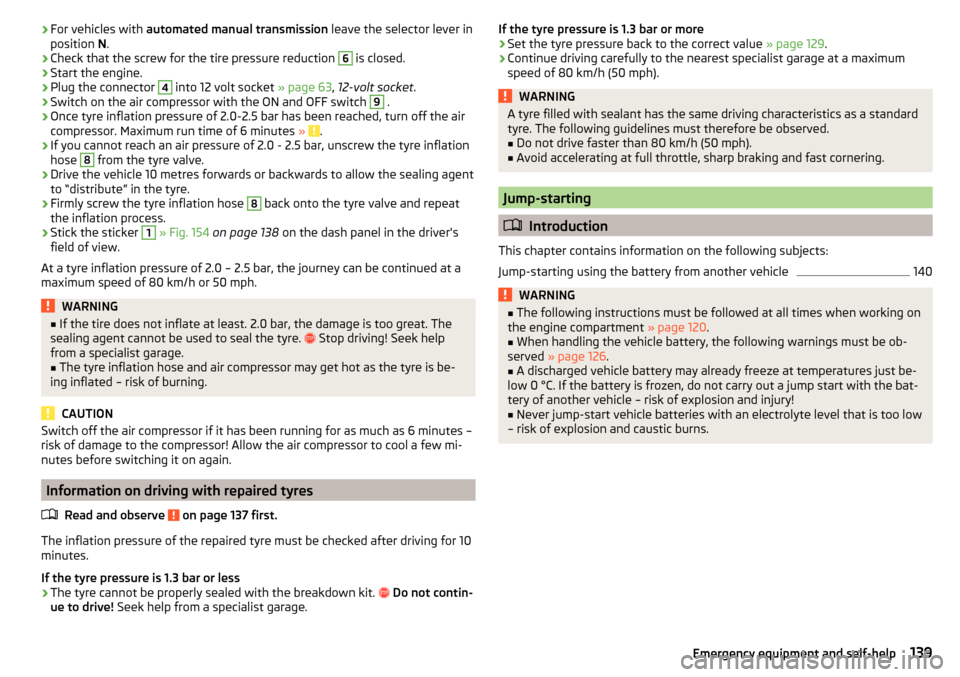
›For vehicles with
automated manual transmission leave the selector lever in
position N.›
Check that the screw for the tire pressure reduction
6
is closed.
›
Start the engine.
›
Plug the connector
4
into 12 volt socket » page 63, 12-volt socket .
›
Switch on the air compressor with the ON and OFF switch
9
.
›
Once tyre inflation pressure of 2.0-2.5 bar has been reached, turn off the air
compressor. Maximum run time of 6 minutes » .
›
If you cannot reach an air pressure of 2.0 - 2.5 bar, unscrew the tyre inflation
hose
8
from the tyre valve.
›
Drive the vehicle 10 metres forwards or backwards to allow the sealing agent
to “distribute” in the tyre.
›
Firmly screw the tyre inflation hose
8
back onto the tyre valve and repeat
the inflation process.
›
Stick the sticker
1
» Fig. 154 on page 138 on the dash panel in the driver's
field of view.
At a tyre inflation pressure of 2.0 – 2.5 bar, the journey can be continued at a maximum speed of 80 km/h or 50 mph.
WARNING■ If the tire does not inflate at least. 2.0 bar, the damage is too great. The
sealing agent cannot be used to seal the tyre. Stop driving! Seek help
from a specialist garage.■
The tyre inflation hose and air compressor may get hot as the tyre is be-
ing inflated – risk of burning.
CAUTION
Switch off the air compressor if it has been running for as much as 6 minutes –
risk of damage to the compressor! Allow the air compressor to cool a few mi-
nutes before switching it on again.
Information on driving with repaired tyres
Read and observe
on page 137 first.
The inflation pressure of the repaired tyre must be checked after driving for 10minutes.
If the tyre pressure is 1.3 bar or less
›
The tyre cannot be properly sealed with the breakdown kit.
Do not contin-
ue to drive! Seek help from a specialist garage.
If the tyre pressure is 1.3 bar or more›Set the tyre pressure back to the correct value » page 129.›
Continue driving carefully to the nearest specialist garage at a maximum
speed of 80 km/h (50 mph).
WARNINGA tyre filled with sealant has the same driving characteristics as a standard
tyre. The following guidelines must therefore be observed.■
Do not drive faster than 80 km/h (50 mph).
■
Avoid accelerating at full throttle, sharp braking and fast cornering.
Jump-starting
Introduction
This chapter contains information on the following subjects:
Jump-starting using the battery from another vehicle
140WARNING■ The following instructions must be followed at all times when working on
the engine compartment » page 120.■
When handling the vehicle battery, the following warnings must be ob-
served » page 126 .
■
A discharged vehicle battery may already freeze at temperatures just be-
low 0 °C. If the battery is frozen, do not carry out a jump start with the bat-
tery of another vehicle – risk of explosion and injury!
■
Never jump-start vehicle batteries with an electrolyte level that is too low
– risk of explosion and caustic burns.
139Emergency equipment and self-help
Page 145 of 172
Replacing windscreen wiper blades
Introduction
This chapter contains information on the following subjects:
Replacing the windscreen wiper blades
143
Replacing the rear window wiper blade
143WARNINGReplace the windscreen wiper blades once or twice a year for safety rea-
sons.
Replacing the windscreen wiper blades
Fig. 161
Setting the service position for
the wiper arms
Fig. 162
Changing the front windscreen wiper blade
Read and observe
on page 143 first.
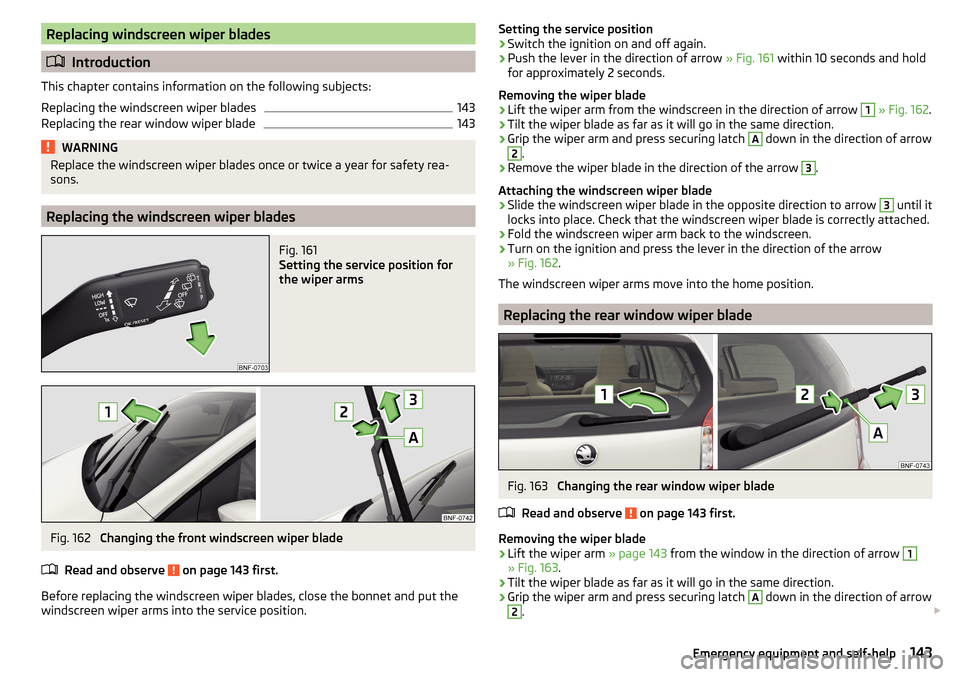
Before replacing the windscreen wiper blades, close the bonnet and put the windscreen wiper arms into the service position.
Setting the service position›Switch the ignition on and off again.›
Push the lever in the direction of arrow » Fig. 161 within 10 seconds and hold
for approximately 2 seconds.
Removing the wiper blade
›
Lift the wiper arm from the windscreen in the direction of arrow
1
» Fig. 162 .
›
Tilt the wiper blade as far as it will go in the same direction.
›
Grip the wiper arm and press securing latch
A
down in the direction of arrow
2
.
›
Remove the wiper blade in the direction of the arrow
3
.
Attaching the windscreen wiper blade
›
Slide the windscreen wiper blade in the opposite direction to arrow
3
until it
locks into place. Check that the windscreen wiper blade is correctly attached.
›
Fold the windscreen wiper arm back to the windscreen.
›
Turn on the ignition and press the lever in the direction of the arrow
» Fig. 162 .
The windscreen wiper arms move into the home position.
Replacing the rear window wiper blade
Fig. 163
Changing the rear window wiper blade
Read and observe
on page 143 first.
Removing the wiper blade
›
Lift the wiper arm » page 143 from the window in the direction of arrow
1
» Fig. 163.
›
Tilt the wiper blade as far as it will go in the same direction.
›
Grip the wiper arm and press securing latch
A
down in the direction of arrow
2
.
143Emergency equipment and self-help
Page 150 of 172
We recommend having bulbs replaced by a specialist garage or seeking other
expert help in the event of any uncertainties.
▶ Switch off the ignition and all of the lights before replacing a bulb.
▶ Faulty bulbs must only be replaced with the same type of bulbs. The designa-
tion is located on the light socket or the glass bulb.
We recommend having the headlight settings checked by a specialist garage after replacing a bulb in the low or high beam unit or the fog lamp.
Visit a specialist garage if an LED diode is faulty.WARNING■ Always read and observe the warnings before completing any work in the
engine compartment » page 120.■
Accidents can be caused if the road in front of the vehicle is not suffi-
ciently illuminated and the vehicle cannot or can only be seen with difficul-
ty by other road users.
■
Bulbs H4, HB4 and H7 are pressurised and may burst when changed –
There is a risk of injury! We therefore recommended wearing gloves and
safety glasses when changing a bulb.
CAUTION
Do not take hold of the glass bulb with naked fingers (even the smallest
amount of dirt reduces the working life of the light bulb). Use a clean cloth,
napkin, or similar.
Note
■ This Owner's Manual only describes the replacement of bulbs where it is pos-
sible to replace the bulbs on your own without any complications arising. Other
bulbs must be replaced by a specialist garage.■
We recommend that a box of replacement bulbs always be carried in the ve-
hicle.
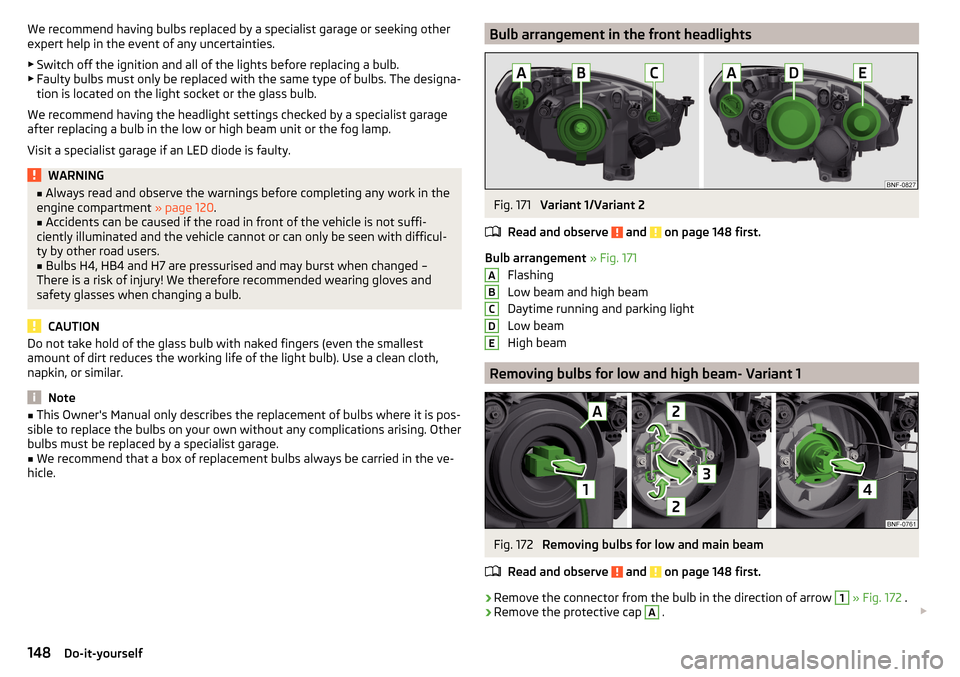
Bulb arrangement in the front headlightsFig. 171
Variant 1/Variant 2
Read and observe
and on page 148 first.
Bulb arrangement » Fig. 171
Flashing
Low beam and high beam
Daytime running and parking light
Low beam
High beam
Removing bulbs for low and high beam- Variant 1
Fig. 172
Removing bulbs for low and main beam
Read and observe
and on page 148 first.
›
Remove the connector from the bulb in the direction of arrow
1
» Fig. 172 .
›
Remove the protective cap
A
.
ABCDE148Do-it-yourself
Page 155 of 172
Operating weight
This value is only a guide value and corresponds to the lowest possible operat-
ing weight without any equipment added that would also increase the weight
(e.g. air conditioning, emergency or spare wheel etc.). It also includes a weight
allowance for the driver (75 kg), the weight of the operating fluids, the tool kit
and a fuel tank filled to 90 % capacity.EngineTransmissionOperating weight (kg)1.0 l/44 kW MPIMT929ASG9321.0 l/44 kW MPI Green tecMG940ASG9311.0 ltr./55 kW MPIMG929ASG9321.0 l/55 kW MPI Green tecMG940ASG9311.0 l/50 kW MPI G-TECMG1031
Note
If required, you can find out the precise weight of your vehicle at a specialist
garage.
Payload
It is possible to calculate the approximate maximum payload from the differ-
ence between the permissible total weight and the operating weight.
The payload consists of the following weights.
▶ The weight of the passengers.
▶ The weight of all items of luggage and other loads.
▶ The weight of the roof, including the roof rack system.
▶ The weight of the equipment that is excluded from the operating weight.
Measurement of fuel consumption and CO
2 emissions according to
ECE Regulations and EU Directives
The data on fuel consumption and CO 2 emissions were not available at the
time of going to press.
The data on fuel consumption and CO 2 emissions are given on the ŠKODA
websites or in the sales and technical vehicle documentation.
The measurement of the intra-urban cycle begins with a cold start of the en-
gine. Afterwards urban driving is simulated.
In the extra-urban driving cycle, the vehicle is accelerated and decelerated in
all gears, corresponding to daily routine driving conditions. The driving speed
varies between 0 and 120 km/h.
The calculation of the combined fuel consumption considers a weighting of
about 37 % for the intra-urban cycle and 63 % for the extra-urban cycle.
Note
■ The emission and fuel consumption figures given on the ŠKODA websites or
in the commercial and technical vehicle documentation have been established
in accordance with rules and under conditions that are set out by statutory or
technical rules for the determination of operational and technical data of mo-
tor vehicles.■
Depending on the extent of the equipment, the driving style, traffic condi-
tions, weather influences and vehicle condition, consumption values can in
practice result in fuel economy figures in the use of the vehicle that differ from
the fuel consumption values listed on the ŠKODA websites or in the commer-
cial and technical vehicle documentation.
153Technical data
Page 159 of 172
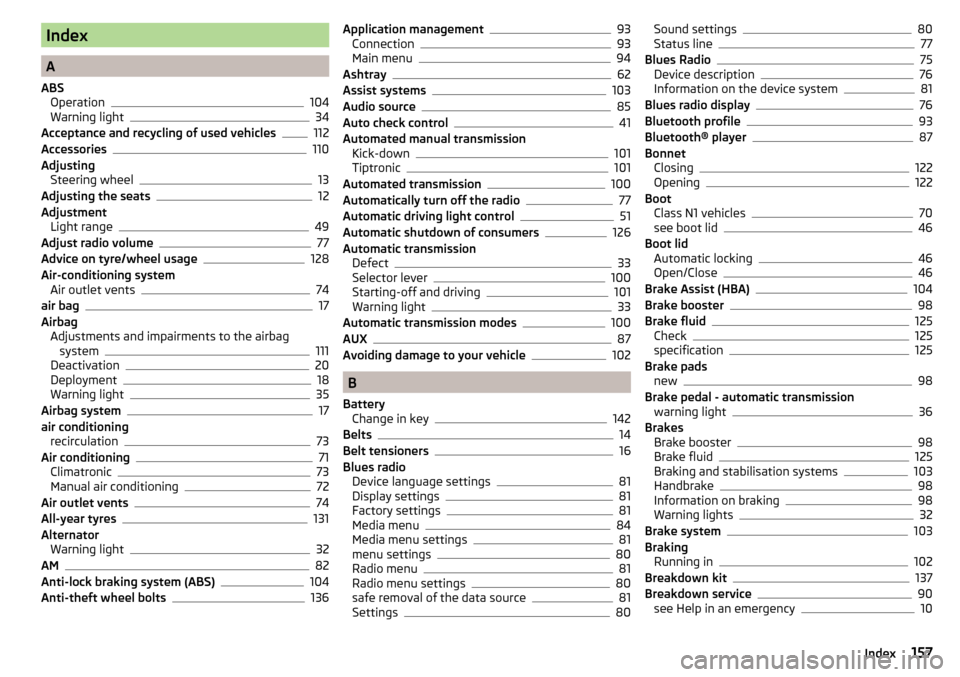
Index
A
ABS Operation
104
Warning light34
Acceptance and recycling of used vehicles
112
Accessories110
Adjusting Steering wheel
13
Adjusting the seats12
Adjustment Light range
49
Adjust radio volume77
Advice on tyre/wheel usage128
Air-conditioning system Air outlet vents
74
air bag17
Airbag Adjustments and impairments to the airbagsystem
111
Deactivation20
Deployment18
Warning light35
Airbag system17
air conditioning recirculation
73
Air conditioning71
Climatronic73
Manual air conditioning72
Air outlet vents74
All-year tyres131
Alternator Warning light
32
AM82
Anti-lock braking system (ABS)104
Anti-theft wheel bolts136
Application management93
Connection93
Main menu94
Ashtray62
Assist systems103
Audio source85
Auto check control41
Automated manual transmission Kick-down
101
Tiptronic101
Automated transmission100
Automatically turn off the radio77
Automatic driving light control51
Automatic shutdown of consumers126
Automatic transmission Defect
33
Selector lever100
Starting-off and driving101
Warning light33
Automatic transmission modes100
AUX87
Avoiding damage to your vehicle102
B
Battery Change in key
142
Belts14
Belt tensioners16
Blues radio Device language settings
81
Display settings81
Factory settings81
Media menu84
Media menu settings81
menu settings80
Radio menu81
Radio menu settings80
safe removal of the data source81
Settings80
Sound settings80
Status line77
Blues Radio75
Device description76
Information on the device system81
Blues radio display76
Bluetooth profile93
Bluetooth® player87
Bonnet Closing
122
Opening122
Boot Class N1 vehicles
70
see boot lid46
Boot lid Automatic locking
46
Open/Close46
Brake Assist (HBA)104
Brake booster98
Brake fluid125
Check125
specification125
Brake pads new
98
Brake pedal - automatic transmission warning light
36
Brakes Brake booster
98
Brake fluid125
Braking and stabilisation systems103
Handbrake98
Information on braking98
Warning lights32
Brake system103
Braking Running in
102
Breakdown kit137
Breakdown service90
see Help in an emergency10
157Index
Page 163 of 172
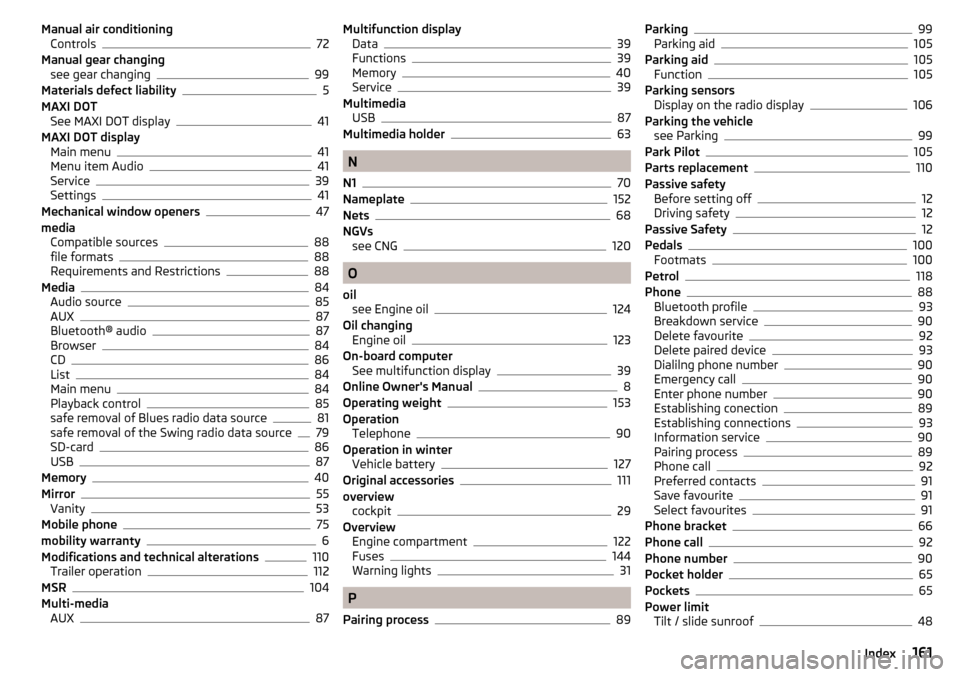
Manual air conditioningControls72
Manual gear changing see gear changing
99
Materials defect liability5
MAXI DOT See MAXI DOT display
41
MAXI DOT display Main menu
41
Menu item Audio41
Service39
Settings41
Mechanical window openers47
media Compatible sources
88
file formats88
Requirements and Restrictions88
Media84
Audio source85
AUX87
Bluetooth® audio87
Browser84
CD86
List84
Main menu84
Playback control85
safe removal of Blues radio data source81
safe removal of the Swing radio data source79
SD-card86
USB87
Memory40
Mirror55
Vanity53
Mobile phone75
mobility warranty6
Modifications and technical alterations110
Trailer operation112
MSR104
Multi-media AUX
87
Multifunction displayData39
Functions39
Memory40
Service39
Multimedia USB
87
Multimedia holder63
N
N1
70
Nameplate152
Nets68
NGVs see CNG
120
O
oil see Engine oil
124
Oil changing Engine oil
123
On-board computer See multifunction display
39
Online Owner's Manual8
Operating weight153
Operation Telephone
90
Operation in winter Vehicle battery
127
Original accessories111
overview cockpit
29
Overview Engine compartment
122
Fuses144
Warning lights31
P
Pairing process
89
Parking99
Parking aid105
Parking aid105
Function105
Parking sensors Display on the radio display
106
Parking the vehicle see Parking
99
Park Pilot105
Parts replacement110
Passive safety Before setting off
12
Driving safety12
Passive Safety12
Pedals100
Footmats100
Petrol118
Phone88
Bluetooth profile93
Breakdown service90
Delete favourite92
Delete paired device93
Dialilng phone number90
Emergency call90
Enter phone number90
Establishing conection89
Establishing connections93
Information service90
Pairing process89
Phone call92
Preferred contacts91
Save favourite91
Select favourites91
Phone bracket66
Phone call92
Phone number90
Pocket holder65
Pockets65
Power limit Tilt / slide sunroof
48
161Index
Page 164 of 172
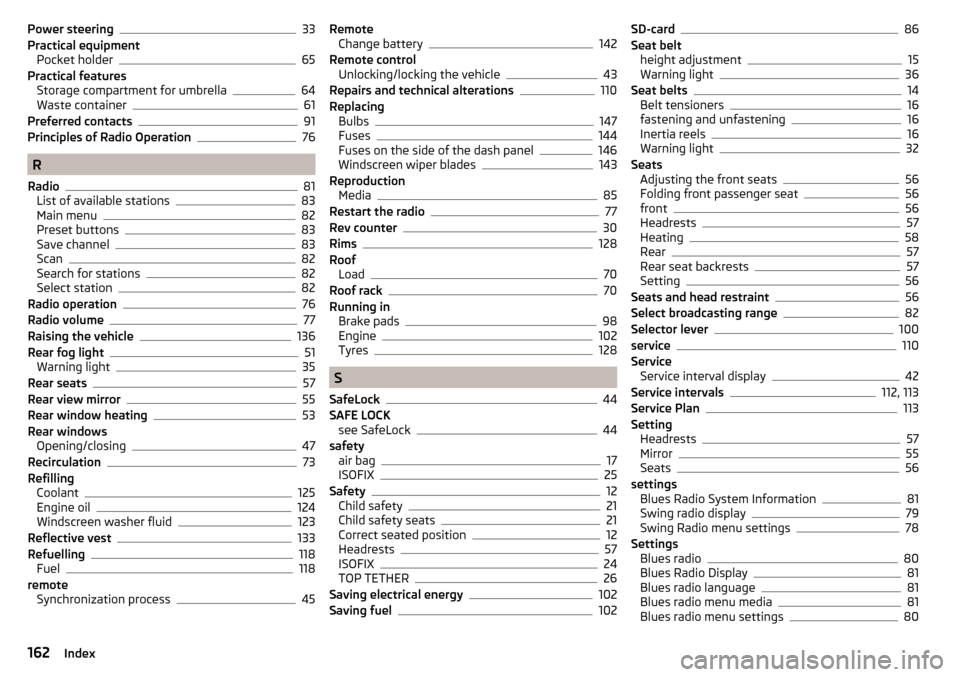
Power steering33
Practical equipment Pocket holder
65
Practical features Storage compartment for umbrella
64
Waste container61
Preferred contacts91
Principles of Radio Operation76
R
Radio
81
List of available stations83
Main menu82
Preset buttons83
Save channel83
Scan82
Search for stations82
Select station82
Radio operation76
Radio volume77
Raising the vehicle136
Rear fog light51
Warning light35
Rear seats57
Rear view mirror55
Rear window heating53
Rear windows Opening/closing
47
Recirculation73
Refilling Coolant
125
Engine oil124
Windscreen washer fluid123
Reflective vest133
Refuelling118
Fuel118
remote Synchronization process
45
RemoteChange battery142
Remote control Unlocking/locking the vehicle
43
Repairs and technical alterations110
Replacing Bulbs
147
Fuses144
Fuses on the side of the dash panel146
Windscreen wiper blades143
Reproduction Media
85
Restart the radio77
Rev counter30
Rims128
Roof Load
70
Roof rack70
Running in Brake pads
98
Engine102
Tyres128
S
SafeLock
44
SAFE LOCK see SafeLock
44
safety air bag
17
ISOFIX25
Safety12
Child safety21
Child safety seats21
Correct seated position12
Headrests57
ISOFIX24
TOP TETHER26
Saving electrical energy102
Saving fuel102
SD-card86
Seat belt height adjustment
15
Warning light36
Seat belts14
Belt tensioners16
fastening and unfastening16
Inertia reels16
Warning light32
Seats Adjusting the front seats
56
Folding front passenger seat56
front56
Headrests57
Heating58
Rear57
Rear seat backrests57
Setting56
Seats and head restraint56
Select broadcasting range82
Selector lever100
service110
Service Service interval display
42
Service intervals112, 113
Service Plan113
Setting Headrests
57
Mirror55
Seats56
settings Blues Radio System Information
81
Swing radio display79
Swing Radio menu settings78
Settings Blues radio
80
Blues Radio Display81
Blues radio language81
Blues radio menu media81
Blues radio menu settings80
162Index
Page 165 of 172
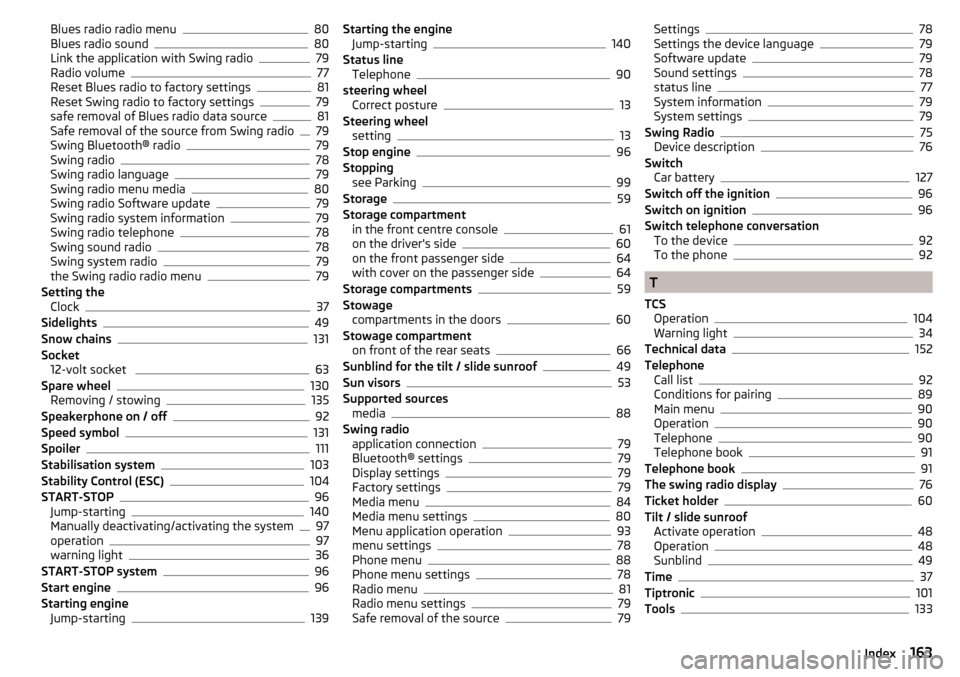
Blues radio radio menu80
Blues radio sound80
Link the application with Swing radio79
Radio volume77
Reset Blues radio to factory settings81
Reset Swing radio to factory settings79
safe removal of Blues radio data source81
Safe removal of the source from Swing radio79
Swing Bluetooth® radio79
Swing radio78
Swing radio language79
Swing radio menu media80
Swing radio Software update79
Swing radio system information79
Swing radio telephone78
Swing sound radio78
Swing system radio79
the Swing radio radio menu79
Setting the Clock
37
Sidelights49
Snow chains131
Socket 12-volt socket
63
Spare wheel130
Removing / stowing135
Speakerphone on / off92
Speed symbol131
Spoiler111
Stabilisation system103
Stability Control (ESC)104
START-STOP96
Jump-starting140
Manually deactivating/activating the system97
operation97
warning light36
START-STOP system96
Start engine96
Starting engine Jump-starting
139
Starting the engineJump-starting140
Status line Telephone
90
steering wheel Correct posture
13
Steering wheel setting
13
Stop engine96
Stopping see Parking
99
Storage59
Storage compartment in the front centre console
61
on the driver's side60
on the front passenger side64
with cover on the passenger side64
Storage compartments59
Stowage compartments in the doors
60
Stowage compartment on front of the rear seats
66
Sunblind for the tilt / slide sunroof49
Sun visors53
Supported sources media
88
Swing radio application connection
79
Bluetooth® settings79
Display settings79
Factory settings79
Media menu84
Media menu settings80
Menu application operation93
menu settings78
Phone menu88
Phone menu settings78
Radio menu81
Radio menu settings79
Safe removal of the source79
Settings78
Settings the device language79
Software update79
Sound settings78
status line77
System information79
System settings79
Swing Radio75
Device description76
Switch Car battery
127
Switch off the ignition96
Switch on ignition96
Switch telephone conversation To the device
92
To the phone92
T
TCS Operation
104
Warning light34
Technical data152
Telephone Call list
92
Conditions for pairing89
Main menu90
Operation90
Telephone90
Telephone book91
Telephone book91
The swing radio display76
Ticket holder60
Tilt / slide sunroof Activate operation
48
Operation48
Sunblind49
Time37
Tiptronic101
Tools133
163Index