engine SKODA FABIA 2014 3.G / NJ Owner's Guide
[x] Cancel search | Manufacturer: SKODA, Model Year: 2014, Model line: FABIA, Model: SKODA FABIA 2014 3.G / NJPages: 216, PDF Size: 30.7 MB
Page 53 of 216
›The interior light switched by the door contact goes off.
› The SafeLock system is switched on.
› The warning light in the driver door begins flashing.
› The anti-theft alarm system is activated.
If the doors or the boot lid remain open after the vehicle doors have been
locked, the turn signal lights do not flash until they have been closed.WARNING■ Never leave the key in the vehicle when you exit the vehicle. Unauthor-
ized persons, such as children, for example, could lock the car, turn on the
ignition or start the engine - danger of injury and accidents!■
When leaving the vehicle, never leave people who are not completely in-
dependent, such as children, unattended in the vehicle. The children might,
for example, release the handbrake or take the vehicle out of gear. The ve-
hicle could then start to move – risk of accident! These individuals would
possibly not be able to leave the vehicle on their own or to help them-
selves. At very high or very low temperatures can be fatal!
CAUTION
■ Each key contains electronic components; therefore it must be protected
against moisture and severe shocks.■
Keep the groove of the keys absolutely clean. Impurities (textile fibres, dust,
etc.) impair the function of the locking cylinder and ignition lock.
■
The battery must be replaced if the central locking or anti-theft alarm system
does react to the remote control at less than approx. 3 metres away
» page 179 .
■
Always check that the vehicle is locked before leaving it.
■
If the driver's door has been opened, the vehicle cannot be locked.
Note
In the event of an accident in which the airbags are deployed, the locked doors
are automatically unlocked in order to enable rescuers to gain access to the
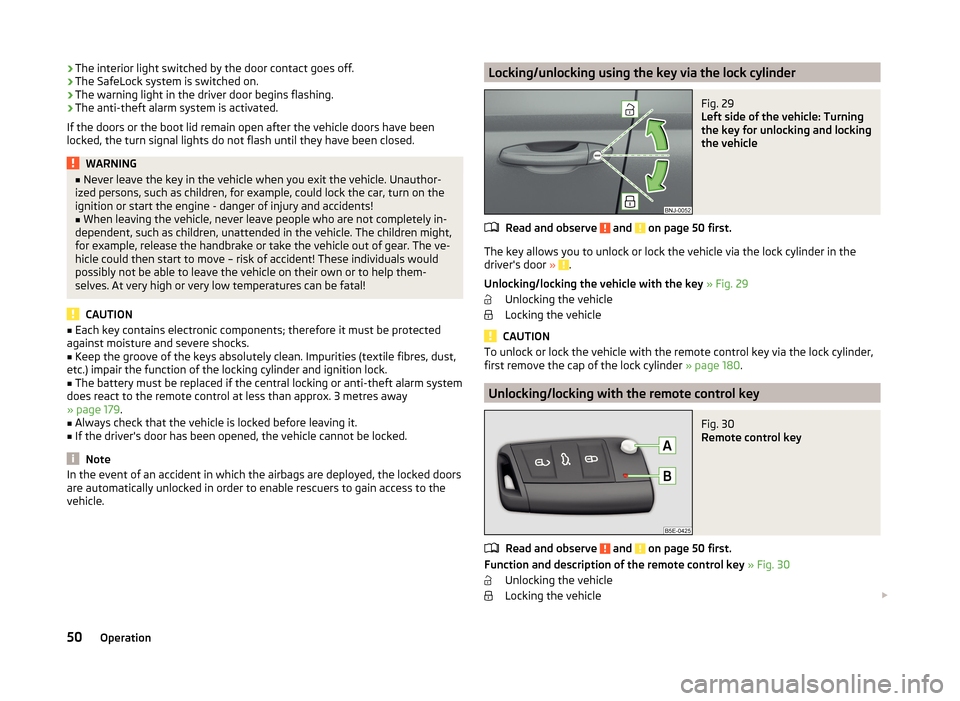
vehicle.Locking/unlocking using the key via the lock cylinderFig. 29
Left side of the vehicle: Turning
the key for unlocking and locking
the vehicle
Read and observe and on page 50 first.
The key allows you to unlock or lock the vehicle via the lock cylinder in the
driver's door » .
Unlocking/locking the vehicle with the key » Fig. 29
Unlocking the vehicle
Locking the vehicle
CAUTION
To unlock or lock the vehicle with the remote control key via the lock cylinder,
first remove the cap of the lock cylinder » page 180.
Unlocking/locking with the remote control key
Fig. 30
Remote control key
Read and observe and on page 50 first.
Function and description of the remote control key » Fig. 30
Unlocking the vehicle
Locking the vehicle
50Operation
Page 66 of 216
The windscreen wipers are on for more than 30 s.
The parking aid is activated.
The light turns off about 4 minutes after turning off the wipers.
The function can be activated/deactivated in the Infotainment » Infotainment
manual , chapter Vehicle settings (CAR button) .
CAUTION
Do not attach any stickers or similar objects in front of the light sensor on the
windscreen. This can impair its function or reliability.
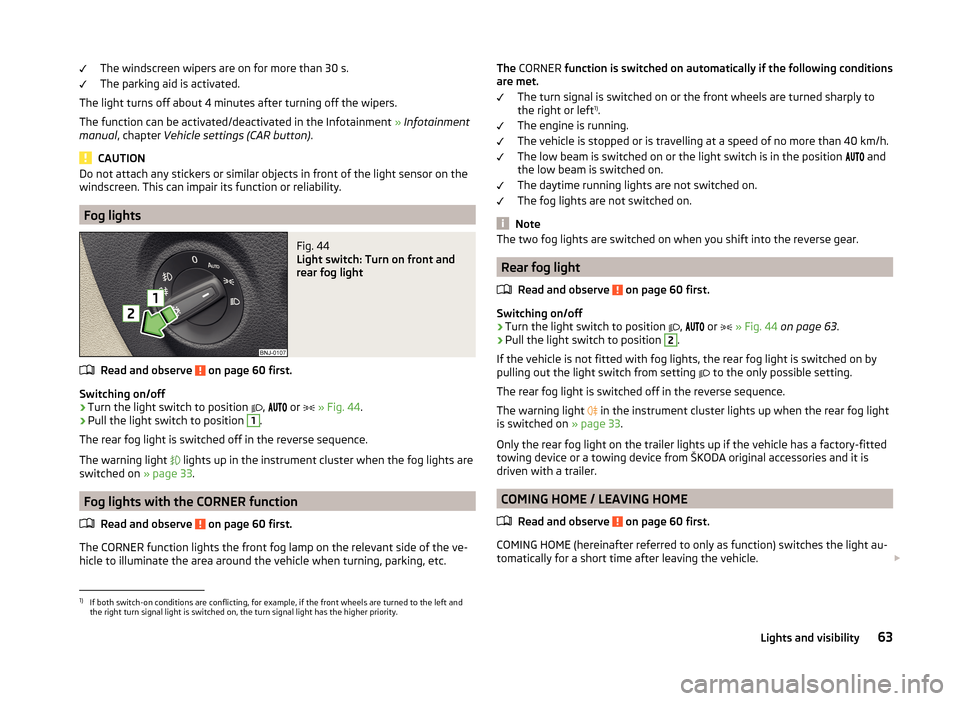
Fog lights
Fig. 44
Light switch: Turn on front and
rear fog light
Read and observe on page 60 first.
Switching on/off
›
Turn the light switch to position
,
or
» Fig. 44 .
›
Pull the light switch to position
1
.
The rear fog light is switched off in the reverse sequence.
The warning light
lights up in the instrument cluster when the fog lights are
switched on » page 33.
Fog lights with the CORNER function
Read and observe
on page 60 first.
The CORNER function lights the front fog lamp on the relevant side of the ve-hicle to illuminate the area around the vehicle when turning, parking, etc.
The
CORNER function is switched on automatically if the following conditions
are met.
The turn signal is switched on or the front wheels are turned sharply to
the right or left 1)
.
The engine is running.
The vehicle is stopped or is travelling at a speed of no more than 40 km/h.
The low beam is switched on or the light switch is in the position
and
the low beam is switched on.
The daytime running lights are not switched on.
The fog lights are not switched on.
Note
The two fog lights are switched on when you shift into the reverse gear.
Rear fog light
Read and observe
on page 60 first.
Switching on/off
›
Turn the light switch to position ,
or
» Fig. 44 on page 63 .
›
Pull the light switch to position
2
.
If the vehicle is not fitted with fog lights, the rear fog light is switched on by
pulling out the light switch from setting to the only possible setting.
The rear fog light is switched off in the reverse sequence.
The warning light in the instrument cluster lights up when the rear fog light
is switched on » page 33.
Only the rear fog light on the trailer lights up if the vehicle has a factory-fitted towing device or a towing device from ŠKODA original accessories and it is
driven with a trailer.
COMING HOME / LEAVING HOME
Read and observe
on page 60 first.
COMING HOME (hereinafter referred to only as function) switches the light au-tomatically for a short time after leaving the vehicle.
1)
If both switch-on conditions are conflicting, for example, if the front wheels are turned to the left and
the right turn signal light is switched on, the turn signal light has the higher priority.
63Lights and visibility
Page 69 of 216
The system is turned off when any of the following is present.
› The vehicle is locked.
› The ignition is switched on.
› About 30 seconds after all the doors have been closed.
Rear interior light
Fig. 47
Interior lights at the rear
Positions of the lens of the rear light
» Fig. 47
Switching on
Operate using the door contact switch (middle position) 1)
Switching off
Visibility
Introduction
This chapter contains information on the following subjects:
Rear window heater
66
Sun visors in the front
67
Sun screen of the panoramic roof
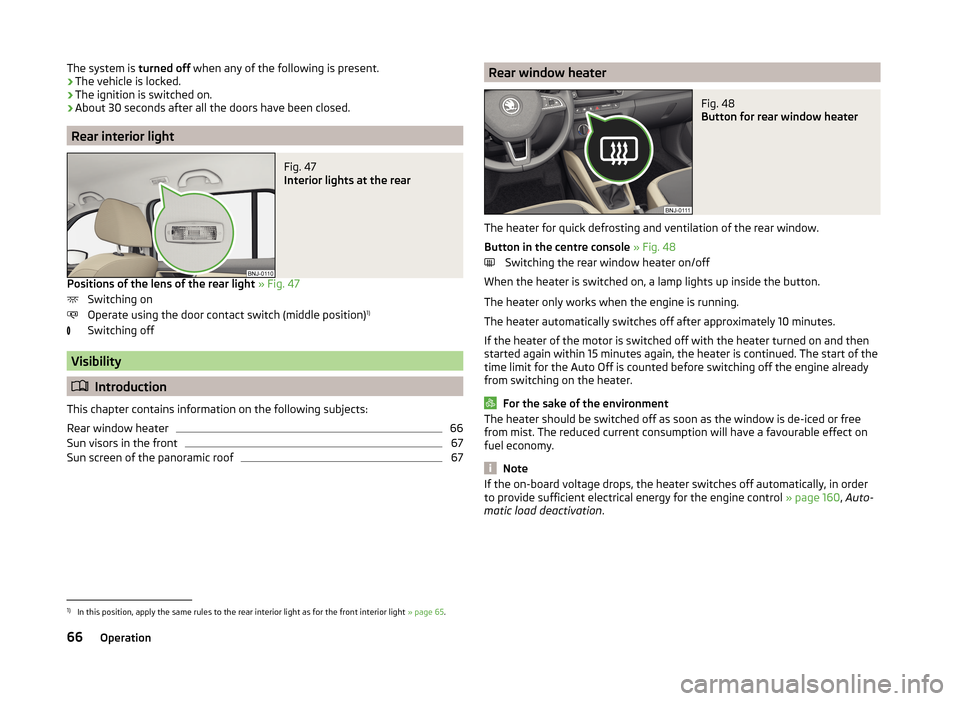
67Rear window heaterFig. 48
Button for rear window heater
The heater for quick defrosting and ventilation of the rear window.
Button in the centre console » Fig. 48
Switching the rear window heater on/off
When the heater is switched on, a lamp lights up inside the button.
The heater only works when the engine is running.
The heater automatically switches off after approximately 10 minutes.
If the heater of the motor is switched off with the heater turned on and then
started again within 15 minutes again, the heater is continued. The start of the
time limit for the Auto Off is counted before switching off the engine already
from switching on the heater.
For the sake of the environment
The heater should be switched off as soon as the window is de-iced or free
from mist. The reduced current consumption will have a favourable effect on
fuel economy.
Note
If the on-board voltage drops, the heater switches off automatically, in order
to provide sufficient electrical energy for the engine control » page 160, Auto-
matic load deactivation .1)
In this position, apply the same rules to the rear interior light as for the front interior light » page 65.
66Operation
Page 73 of 216
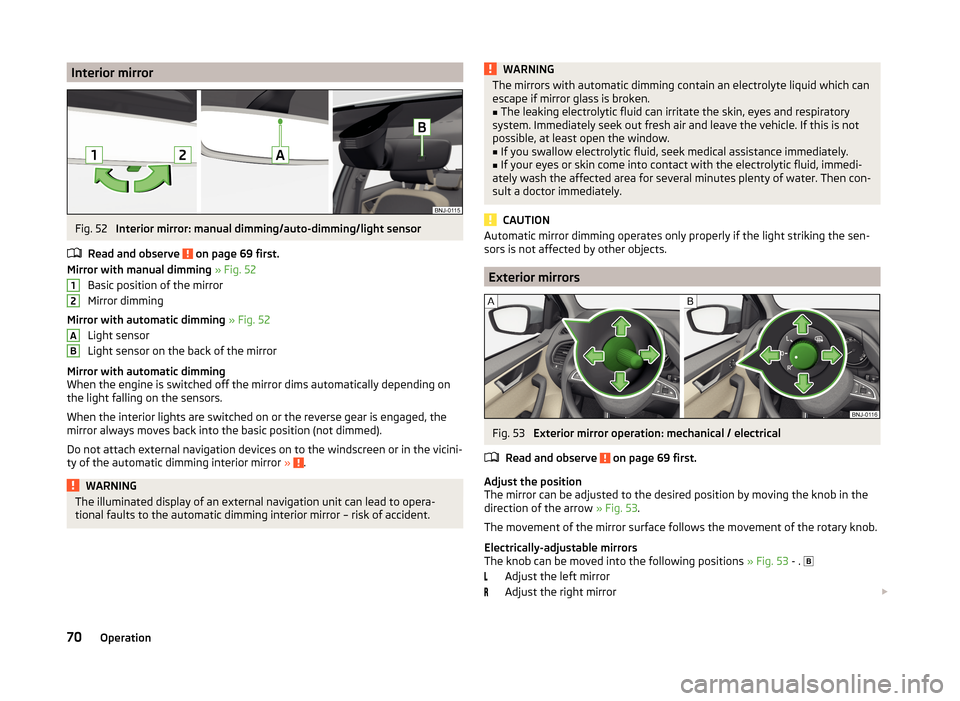
Interior mirrorFig. 52
Interior mirror: manual dimming/auto-dimming/light sensor
Read and observe
on page 69 first.
Mirror with manual dimming » Fig. 52
Basic position of the mirror
Mirror dimming
Mirror with automatic dimming » Fig. 52
Light sensor
Light sensor on the back of the mirror
Mirror with automatic dimming
When the engine is switched off the mirror dims automatically depending on
the light falling on the sensors.
When the interior lights are switched on or the reverse gear is engaged, the
mirror always moves back into the basic position (not dimmed).
Do not attach external navigation devices on to the windscreen or in the vicini-
ty of the automatic dimming interior mirror »
.
WARNINGThe illuminated display of an external navigation unit can lead to opera-
tional faults to the automatic dimming interior mirror – risk of accident.12ABWARNINGThe mirrors with automatic dimming contain an electrolyte liquid which can
escape if mirror glass is broken.■
The leaking electrolytic fluid can irritate the skin, eyes and respiratory
system. Immediately seek out fresh air and leave the vehicle. If this is not
possible, at least open the window.
■
If you swallow electrolytic fluid, seek medical assistance immediately.
■
If your eyes or skin come into contact with the electrolytic fluid, immedi-
ately wash the affected area for several minutes plenty of water. Then con-
sult a doctor immediately.
CAUTION
Automatic mirror dimming operates only properly if the light striking the sen-
sors is not affected by other objects.
Exterior mirrors
Fig. 53
Exterior mirror operation: mechanical / electrical
Read and observe
on page 69 first.
Adjust the position
The mirror can be adjusted to the desired position by moving the knob in the
direction of the arrow » Fig. 53.
The movement of the mirror surface follows the movement of the rotary knob.
Electrically-adjustable mirrors
The knob can be moved into the following positions » Fig. 53 - .
Adjust the left mirror
Adjust the right mirror
70Operation
Page 74 of 216
Switch off mirror control
Mirror heater
Folding in the exterior mirrors
The whole exterior mirror can be manually folded towards the side windows.
To restore it to its original position, fold back from the side window until it au-
dibly clicks into place.WARNINGDo not touch the exterior mirror surfaces if the exterior mirror heater is
switched on - risk of burns.
Note
■ The mirror heater only operates when the engine is running and up to an
outside temperature of +35 ℃.■
If the electrical mirror setting fails at any time, the mirrors can be adjusted by
hand by pressing on the edge of the mirror surface.
Seats and headrests
Seats and headrests
Introduction
This chapter contains information on the following subjects:
Adjusting the front seats
72
Headrests - adjusting height
72
Headrests - removing and installing
73
The driver's seat should be adjusted in such a way that the pedals can be fully
pressed to the floor with slightly bent legs.
The seat backrest on the driver's seat should be adjusted in such a way that the upper point of the steering wheel can be easily reached with slightly bent
arms.
Correct adjustment of the seats is particularly important for the following rea-
sons.
› Reaching the controls safely and quickly.
› A relaxed and fatigue-free body position.
› Achieving the maximum protection offered by the seat belts and the airbag
system.
WARNING■ Only adjust the driver's seat when the vehicle is stationary – risk of acci-
dent.■
Caution when adjusting the seat! You may suffer crushing injuries as a re-
sult of adjusting the seat without paying proper attention.
■
Never carry more people than the number of seats in the vehicle.
■
Do not transport any objects on the front passenger seat other than ob-
jects intended for this purpose (e.g. child safety seat) – risk of accident.
Note
After a certain time, play can develop within the adjustment mechanism for
the backrest angle.71Seats and headrests
Page 76 of 216
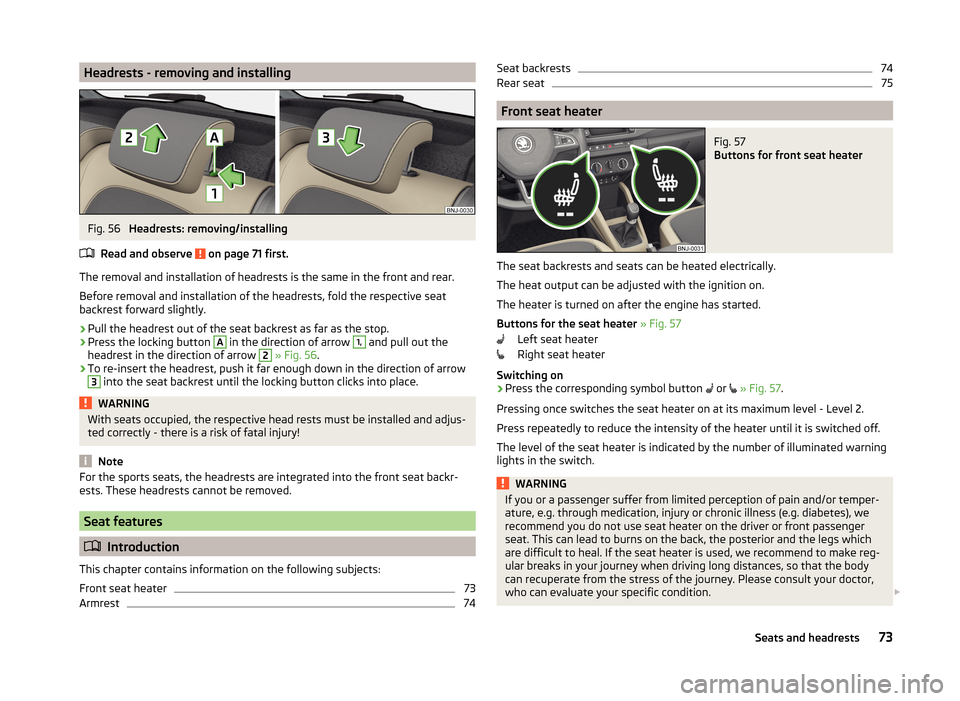
Headrests - removing and installingFig. 56
Headrests: removing/installing
Read and observe
on page 71 first.
The removal and installation of headrests is the same in the front and rear.
Before removal and installation of the headrests, fold the respective seat
backrest forward slightly.
›
Pull the headrest out of the seat backrest as far as the stop.
›
Press the locking button
A
in the direction of arrow
1,
and pull out the
headrest in the direction of arrow
2
» Fig. 56 .
›
To re-insert the headrest, push it far enough down in the direction of arrow
3
into the seat backrest until the locking button clicks into place.
WARNINGWith seats occupied, the respective head rests must be installed and adjus-
ted correctly - there is a risk of fatal injury!
Note
For the sports seats, the headrests are integrated into the front seat backr-
ests. These headrests cannot be removed.
Seat features
Introduction
This chapter contains information on the following subjects:
Front seat heater
73
Armrest
74Seat backrests74Rear seat75
Front seat heater
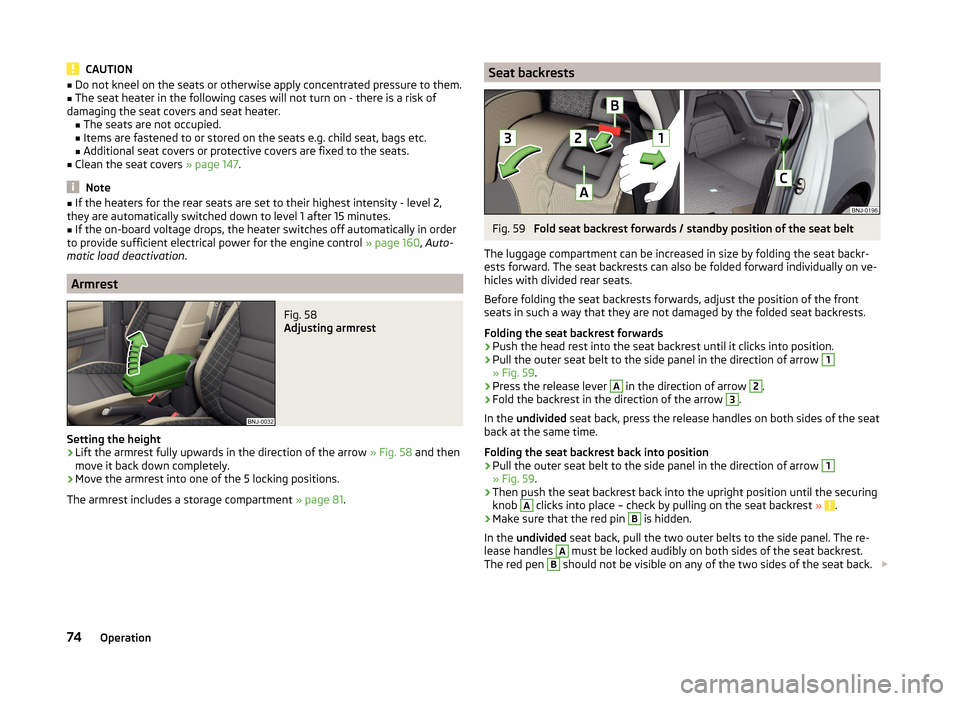
Fig. 57
Buttons for front seat heater
The seat backrests and seats can be heated electrically.
The heat output can be adjusted with the ignition on.
The heater is turned on after the engine has started.
Buttons for the seat heater » Fig. 57
Left seat heater
Right seat heater
Switching on
›
Press the corresponding symbol button or
» Fig. 57 .
Pressing once switches the seat heater on at its maximum level - Level 2.
Press repeatedly to reduce the intensity of the heater until it is switched off.
The level of the seat heater is indicated by the number of illuminated warning
lights in the switch.
WARNINGIf you or a passenger suffer from limited perception of pain and/or temper-
ature, e.g. through medication, injury or chronic illness (e.g. diabetes), we
recommend you do not use seat heater on the driver or front passenger
seat. This can lead to burns on the back, the posterior and the legs which
are difficult to heal. If the seat heater is used, we recommend to make reg-
ular breaks in your journey when driving long distances, so that the body
can recuperate from the stress of the journey. Please consult your doctor,
who can evaluate your specific condition. 73Seats and headrests
Page 77 of 216
CAUTION■Do not kneel on the seats or otherwise apply concentrated pressure to them.■The seat heater in the following cases will not turn on - there is a risk of
damaging the seat covers and seat heater. ■The seats are not occupied.
■ Items are fastened to or stored on the seats e.g. child seat, bags etc.
■ Additional seat covers or protective covers are fixed to the seats.■
Clean the seat covers » page 147.
Note
■
If the heaters for the rear seats are set to their highest intensity - level 2,
they are automatically switched down to level 1 after 15 minutes.■
If the on-board voltage drops, the heater switches off automatically in order
to provide sufficient electrical power for the engine control » page 160, Auto-
matic load deactivation .
Armrest
Fig. 58
Adjusting armrest
Setting the height
›
Lift the armrest fully upwards in the direction of the arrow » Fig. 58 and then
move it back down completely.
›
Move the armrest into one of the 5 locking positions.
The armrest includes a storage compartment » page 81.
Seat backrestsFig. 59
Fold seat backrest forwards / standby position of the seat belt
The luggage compartment can be increased in size by folding the seat backr-
ests forward. The seat backrests can also be folded forward individually on ve-
hicles with divided rear seats.
Before folding the seat backrests forwards, adjust the position of the front
seats in such a way that they are not damaged by the folded seat backrests.
Folding the seat backrest forwards
›
Push the head rest into the seat backrest until it clicks into position.
›
Pull the outer seat belt to the side panel in the direction of arrow
1
» Fig. 59 .
›
Press the release lever
A
in the direction of arrow
2
.
›
Fold the backrest in the direction of the arrow
3
.
In the undivided seat back, press the release handles on both sides of the seat
back at the same time.
Folding the seat backrest back into position
›
Pull the outer seat belt to the side panel in the direction of arrow
1
» Fig. 59 .
›
Then push the seat backrest back into the upright position until the securing
knob
A
clicks into place – check by pulling on the seat backrest » .
›
Make sure that the red pin
B
is hidden.
In the undivided seat back, pull the two outer belts to the side panel. The re-
lease handles
A
must be locked audibly on both sides of the seat backrest.
The red pen
B
should not be visible on any of the two sides of the seat back.
74Operation
Page 82 of 216
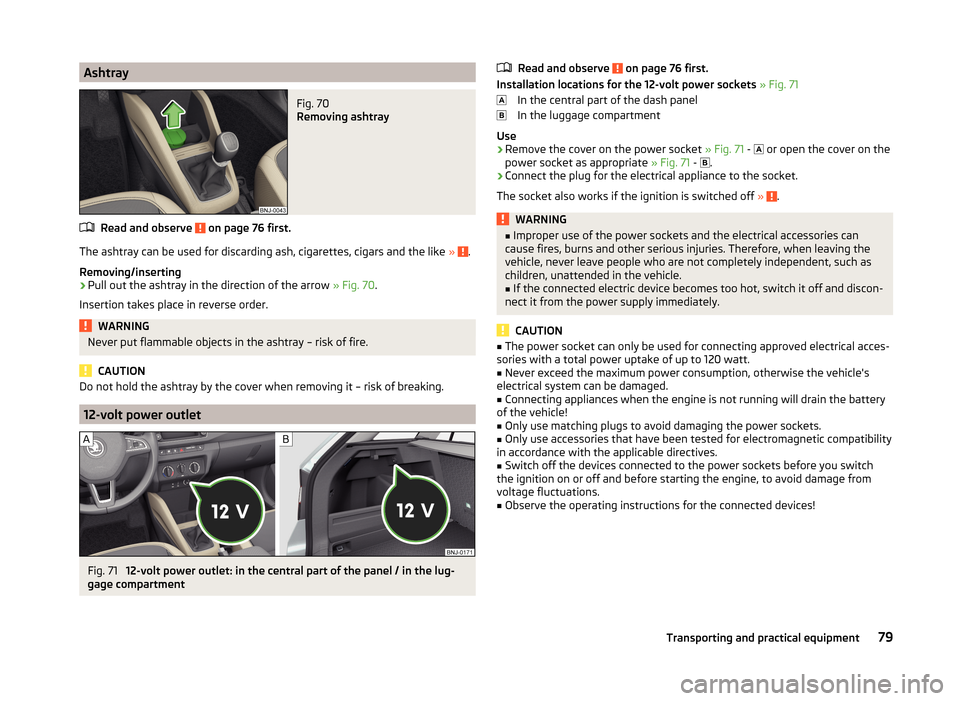
AshtrayFig. 70
Removing ashtray
Read and observe on page 76 first.
The ashtray can be used for discarding ash, cigarettes, cigars and the like » .
Removing/inserting
›
Pull out the ashtray in the direction of the arrow » Fig. 70.
Insertion takes place in reverse order.
WARNINGNever put flammable objects in the ashtray – risk of fire.
CAUTION
Do not hold the ashtray by the cover when removing it – risk of breaking.
12-volt power outlet
Fig. 71
12-volt power outlet: in the central part of the panel / in the lug-
gage compartment
Read and observe on page 76 first.
Installation locations for the 12-volt power sockets » Fig. 71
In the central part of the dash panel
In the luggage compartment
Use
›
Remove the cover on the power socket » Fig. 71 -
or open the cover on the
power socket as appropriate » Fig. 71 -
.
›
Connect the plug for the electrical appliance to the socket.
The socket also works if the ignition is switched off »
.
WARNING■
Improper use of the power sockets and the electrical accessories can
cause fires, burns and other serious injuries. Therefore, when leaving the
vehicle, never leave people who are not completely independent, such as
children, unattended in the vehicle.■
If the connected electric device becomes too hot, switch it off and discon-
nect it from the power supply immediately.
CAUTION
■ The power socket can only be used for connecting approved electrical acces-
sories with a total power uptake of up to 120 watt.■
Never exceed the maximum power consumption, otherwise the vehicle's
electrical system can be damaged.
■
Connecting appliances when the engine is not running will drain the battery
of the vehicle!
■
Only use matching plugs to avoid damaging the power sockets.
■
Only use accessories that have been tested for electromagnetic compatibility
in accordance with the applicable directives.
■
Switch off the devices connected to the power sockets before you switch
the ignition on or off and before starting the engine, to avoid damage from
voltage fluctuations.
■
Observe the operating instructions for the connected devices!
79Transporting and practical equipment
Page 98 of 216
Heating and air conditioning
Heating, ventilation, cooling
Introduction
This chapter contains information on the following subjects:
Air outlet vents
96
Recirculated air mode
96
Heating
97
Air conditioning (manual air conditioning)
98
Climatronic (automatic air conditioning)
98
Efficient handling of the cooling system
99
Malfunctions
100
The heating and air conditioning systems ventilate and heat the vehicle interi-
or. The air conditioning system also cools and dehumidifies the vehicle interior.
The heating effect is dependent upon the coolant temperature, thus full heat
output only occurs when the engine has reached its operating temperature.
The heating and air conditioning systems only operate when the ignition is
switched on.
The cooling system operates only if the following conditions are met. The cooling system is switched on.
The engine is running.
The outside temperature is above approximately +2 °C.
The blower is switched on.
If the cooling system is switched on, the temperature and air humidity drops in
the vehicle. The cooling system prevents the windows from misting up during
winter months.
It is possible to briefly activate re-circulated air mode to enhance the cooling
effect » page 96 .
WARNING■
For your own safety and that of other road users, ensure that all the win-
dows are free of ice, snow and misting.■
The blower should always be on to prevent the windows from misting up.
WARNING (Continued)■ Under certain circumstances, air at a temperature of about 5 °C can flow
out of the vents when the cooling system is switched on.■
To reduce health risks (e.g. common colds), the following instructions for
the use of the cooling system are to be observed. ■The difference between the indoor temperature and the outdoor air
temperature should not be greater than about 5 ° C.
■ The cooling system is to be turned off about 10 minutes before the end
of the journey.
■ Once a year, disinfection of the air conditioner or the Climatronic is to be
carried out by a specialist company.
CAUTION
■ The air inlet in front of the windscreen must be free (e.g. of ice, snow or
leaves) to ensure that the heating and cooling system operates properly.■
After switching on the cooling system condensation from the evaporator of
the air conditioning may drip down and form a puddle below the vehicle. This is
not a leak!
■
If the coolant temperature is too high, the cooling system is switched off to
ensure that the engine cools down.
Note
The used air flows out through the vents in the luggage compartment.95Heating and air conditioning
Page 101 of 216
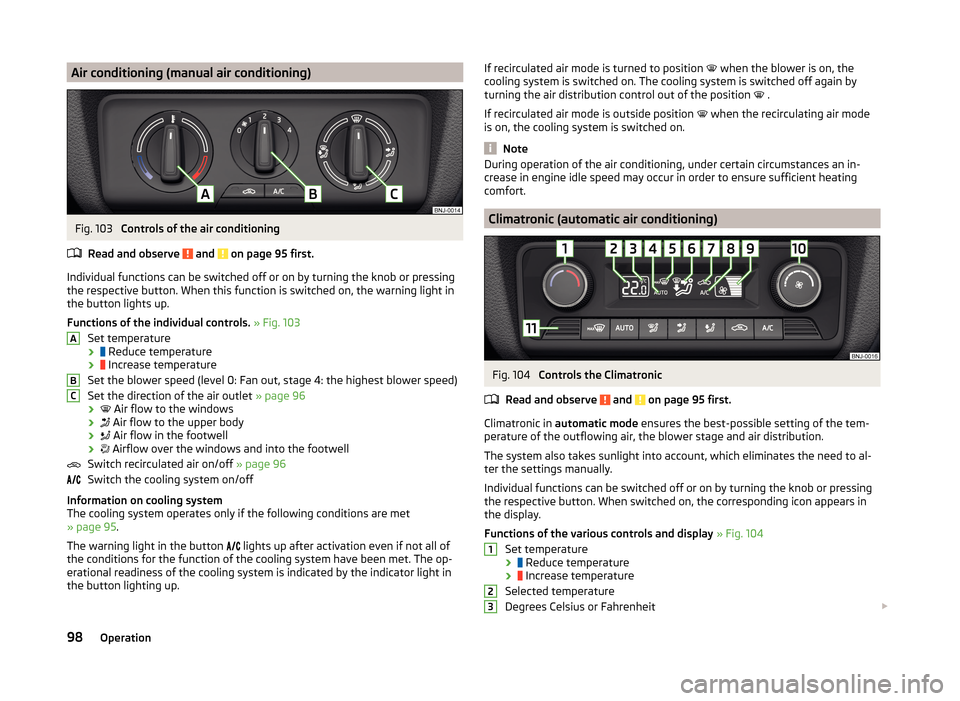
Air conditioning (manual air conditioning)Fig. 103
Controls of the air conditioning
Read and observe
and on page 95 first.
Individual functions can be switched off or on by turning the knob or pressing the respective button. When this function is switched on, the warning light in
the button lights up.
Functions of the individual controls. » Fig. 103
Set temperature ›
Reduce temperature
›
Increase temperature
Set the blower speed (level 0: Fan out, stage 4: the highest blower speed)
Set the direction of the air outlet » page 96
›
Air flow to the windows
›
Air flow to the upper body
›
Air flow in the footwell
›
Airflow over the windows and into the footwell
Switch recirculated air on/off » page 96
Switch the cooling system on/off
Information on cooling system
The cooling system operates only if the following conditions are met
» page 95 .
The warning light in the button lights up after activation even if not all of
the conditions for the function of the cooling system have been met. The op-
erational readiness of the cooling system is indicated by the indicator light in
the button lighting up.
ABCIf recirculated air mode is turned to position when the blower is on, the
cooling system is switched on. The cooling system is switched off again by
turning the air distribution control out of the position
.
If recirculated air mode is outside position
when the recirculating air mode
is on, the cooling system is switched on.
Note
During operation of the air conditioning, under certain circumstances an in-
crease in engine idle speed may occur in order to ensure sufficient heating
comfort.
Climatronic (automatic air conditioning)
Fig. 104
Controls the Climatronic
Read and observe
and on page 95 first.
Climatronic in automatic mode ensures the best-possible setting of the tem-
perature of the outflowing air, the blower stage and air distribution.
The system also takes sunlight into account, which eliminates the need to al-
ter the settings manually.
Individual functions can be switched off or on by turning the knob or pressing
the respective button. When switched on, the corresponding icon appears in
the display.
Functions of the various controls and display » Fig. 104
Set temperature ›
Reduce temperature
›
Increase temperature
Selected temperature
Degrees Celsius or Fahrenheit
12398Operation