automatic transmission SKODA OCTAVIA 2014 3.G / (5E) Owner's Manual
[x] Cancel search | Manufacturer: SKODA, Model Year: 2014, Model line: OCTAVIA, Model: SKODA OCTAVIA 2014 3.G / (5E)Pages: 280, PDF Size: 35.53 MB
Page 37 of 280
Viewing the charge level vehicle batteryRead and observe
on page 30 first.
›
Switch off the ignition.
›
Press and hold the button
6
» Fig. 22 on page 31 until the Battery status or
BATTERY SOC is shown in the display.
›
Release button
6
- the current charge level 1)
of the vehicle battery is dis-
played in %.
›
Wait about 4 seconds or press the
6
key, the system returns to the home
setting.
Warning lights
Introduction
This chapter contains information on the following subjects:
Automatic Transmission
35
Handbrake
35
Brake system
35
Seat belt warning light
36
Adaptive Cruise Control (ACC)
36
Central warning light
36
Power steering/steering lock (KESSY system)
36
Traction Control System (ASR)
37
Traction control system (TCS) deactivated
37
Electronic Stability Control (ESC)
37
Antilock brake system (ABS)
37
Rear fog light
38
Exhaust inspection system
38
Glow plug system (diesel engine)
38
Engine performance check (petrol engine)
38
Security systems
38
Tyre pressure
39
Brake linings
39
Lane following system (Lane Assist)
39
Turn signal system
39
Trailer turn signal lights40 Fog lights40
Cruise control system
40
Brake pedal (automatic transmission)
40
Natural gas operation
40
Main beam
40
The warning lights indicate certain functions or faults.
Some warning lights can be accompanied by acoustic signals and messages in
the display of the instrument cluster.
After switching on the ignition, some warning lights light up briefly as a func-
tion test.
If the tested systems are OK, the corresponding warning lights go out a few
seconds after switching on the ignition or after starting the engine.
The condition of some features and systems is shown by the warning icons on
the display » page 40.
The warning lights are at the following locations in the instrument clus-
ter » Fig. 22 on page 31 .
› Revolutions counter
1
›Speedometer
3
›Bar with warning lights
5WARNING■
Ignoring illuminated warning lights and related messages or instructions
in the display of the instrument cluster may lead to serious personal injury
or damage to the vehicle.■
If you have to stop for technical reasons, then park the vehicle at a safe
distance from the traffic, switch off the engine and activate the hazard
warning light system » page 77. The warning triangle must be set up at
the prescribed distance - observe the national legal provisions when doing
so.
■
The engine compartment of your car is a hazardous area. While working in
the engine compartment, be sure to observe the following warn-
ings » page 192 , Engine compartment .
1)
Applies to vehicles with START-STOP system.
34Using the system
Page 38 of 280
Automatic TransmissionRead and observe on page 34 first.
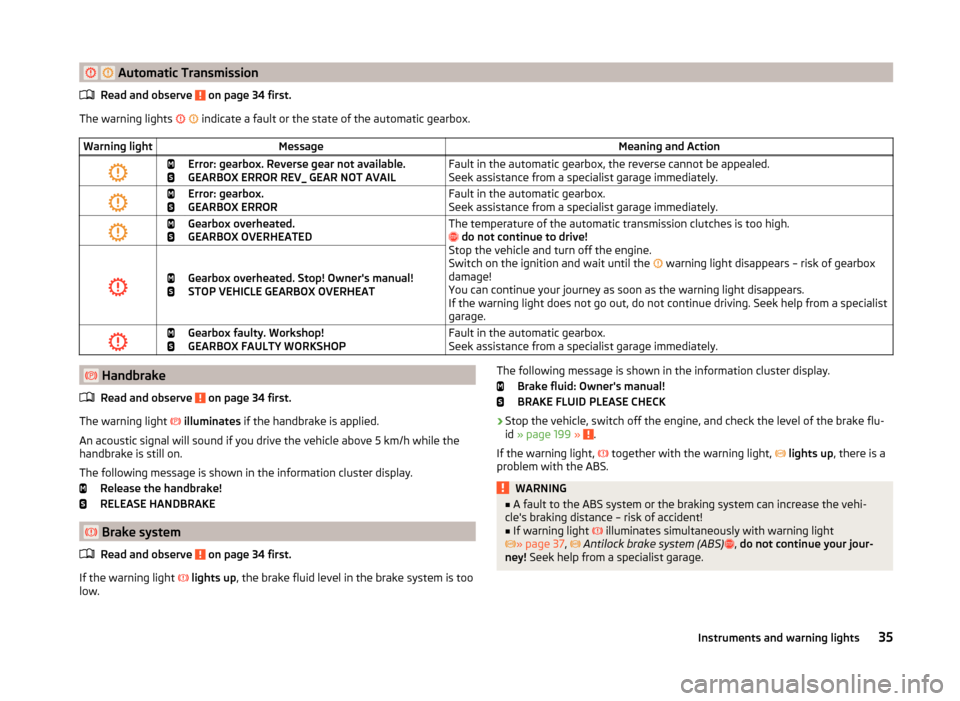
The warning lights
indicate a fault or the state of the automatic gearbox.
Warning lightMessageMeaning and Action
Error: gearbox. Reverse gear not available.
GEARBOX ERROR REV_ GEAR NOT AVAILFault in the automatic gearbox, the reverse cannot be appealed.
Seek assistance from a specialist garage immediately.
Error: gearbox.
GEARBOX ERRORFault in the automatic gearbox.
Seek assistance from a specialist garage immediately.
Gearbox overheated.
GEARBOX OVERHEATEDThe temperature of the automatic transmission clutches is too high.
do not continue to drive!
Stop the vehicle and turn off the engine.
Switch on the ignition and wait until the
warning light disappears – risk of gearbox
damage!
You can continue your journey as soon as the warning light disappears.
If the warning light does not go out, do not continue driving. Seek help from a specialist
garage.
Gearbox overheated. Stop! Owner's manual!
STOP VEHICLE GEARBOX OVERHEAT
Gearbox faulty. Workshop!
GEARBOX FAULTY WORKSHOPFault in the automatic gearbox.
Seek assistance from a specialist garage immediately. Handbrake
Read and observe
on page 34 first.
The warning light
illuminates if the handbrake is applied.
An acoustic signal will sound if you drive the vehicle above 5 km/h while the
handbrake is still on.
The following message is shown in the information cluster display. Release the handbrake!
RELEASE HANDBRAKE
Brake system
Read and observe
on page 34 first.
If the warning light
lights up , the brake fluid level in the brake system is too
low.
The following message is shown in the information cluster display.
Brake fluid: Owner's manual!
BRAKE FLUID PLEASE CHECK›
Stop the vehicle, switch off the engine, and check the level of the brake flu-
id » page 199 » .
If the warning light,
together with the warning light,
lights up , there is a
problem with the ABS.
WARNING■ A fault to the ABS system or the braking system can increase the vehi-
cle's braking distance – risk of accident!■
If warning light
illuminates simultaneously with warning light
» page 37 ,
Antilock brake system (ABS)
, do not continue your jour-
ney! Seek help from a specialist garage.
35Instruments and warning lights
Page 43 of 280
Trailer turn signal lightsRead and observe
on page 34 first.
If the warning light
flashes , the trailer turn signal lights are turned on.
If a trailer is hitched and the warning light
is not flashing , one of the trailer
turn signal lights has failed.
The following message is shown in the information cluster display, for exam-
ple.
Trailer: check left turn signal!
TRAILER TURN SIG_ CHECK LEFT
The trailer must be unhitched properly » page 169, Hitch and trailer .
Fog lights
Read and observe
on page 34 first.
The warning light
illuminates when the fog lights are operating.
Cruise control system
Read and observe
on page 34 first.
The indicator light
is illuminated when the cruise control system and auto-
matic distance control are switched on.
Brake pedal (automatic transmission)
Read and observe
on page 34 first.
If the warning light
illuminates , operate the brake pedal.
Natural gas operation
Read and observe
on page 34 first.
If the warning light
is lit, the vehicle is powered by natural gas.
Main beam
Read and observe
on page 34 first.
The warning light
illuminates when the main beam or the headlight flasher
is operated.
Warning icons in the display
Introduction
This chapter contains information on the following subjects:
Rear seat belt warning
41
Alternator
41
Coolant
41
Engine oil pressure
42
Engine oil level
42
Lamp failure
43
Diesel particulate filter (diesel engine)
43
Windscreen washer fluid level
43
Fuel reserve
43
Headlight assist
44
START-STOP-system
44
Display of a low temperature
44
Water in the fuel filter (diesel engine)
44
Adaptive Cruise Control (ACC)
44
Distance warning (Front Assistant)
44
Advance warning/emergency brake (Front Assistant)
45
The warning icons indicate the status of certain functions or faults.
The warning icons are indicated in the display of the instrument clus-
ter » page 31 .
Depending on the meaning, the symbol or
in the bar lists up simultane-
ously with the corresponding control symbol, with indicator lights
5
» Fig. 22
on page 31 .
SymbolMeaningDangerWarning 40Using the system
Page 50 of 280
For instance, if appears in this display, this means it is recommended that
you shift from 3rd into 4th gear.
The gear recommendation is intended only for vehicles with a manual trans-
mission or for vehicles with an automatic transmission in manual shift mode
(Tiptronic).WARNINGThe driver is always responsible for selecting the correct gear in different
driving situations, such as overtaking.
For the sake of the environment
A suitably selected gear has the following advantages.■It helps to reduce fuel consumption.■
It reduces the operating noise.
■
It protects the environment.
■
It benefits the durability and reliability of the engine.
Door, luggage compartment or bonnet warning
Read and observe
on page 45 first.
If at least one door is open, or the boot or bonnet is open, the display indicates
the relevant open door or boot/bonnet.
An acoustic signal will also sound if you drive the vehicle above 6 km/h when a
door is opne.
Auto-check control
Read and observe
on page 45 first.
Certain functions and conditions of individual vehicle systems are checked
continuously when the ignition is switched on.
Error messages and other information appears on the display.
Some messages are displayed simultaneously with the warning
lights » page 34 or warning icons in the display » page 40.
While the operational faults remain unrectified, the messages are always indi- cated again. After the message is displayed for the first time, the symbols
or
continue to be displayed without any extra messages for the driver.
SymbolMeaningDangerWarning
Driving data (Multifunction display)
Introduction
This chapter contains information on the following subjects:
Memory
48
Information overview
48
Warning at excessive speeds
50
The driving data display is only possible with the ignition switched on.
After the ignition is switched on, the function that was last selected before
switching off the ignition is displayed.
Individual information can be shown or hidden in the infotainment sys-
tem » Infotainment operating instructions , chapter Vehicle settings (CAR but-
ton) .
WARNINGConcentrate fully at all times on your driving! As the driver, you are fully re-
sponsible for the operation of your vehicle.
Note
In some national versions the displays appear in the Imperial system of meas-
urement.47Information system
Page 130 of 280
The vehicle is unlocked.
If the ignition switch can not be turned on, then turn the steering wheel back
and forth slightly and thereby unlock the steering lock.
Turning ignition on/off and starting the engine
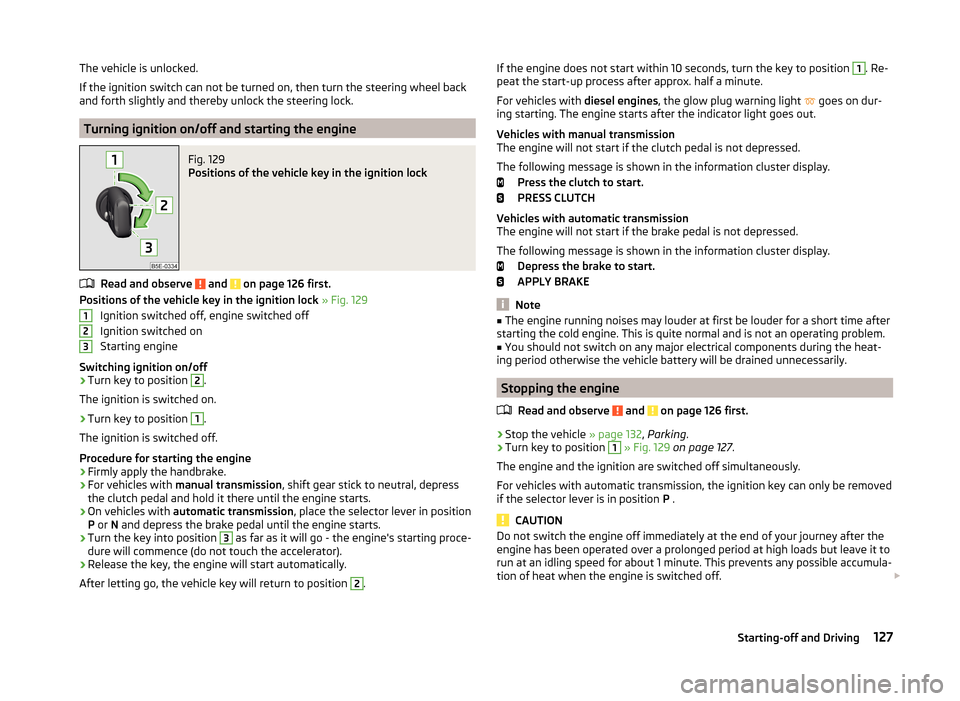
Fig. 129
Positions of the vehicle key in the ignition lock
Read and observe and on page 126 first.
Positions of the vehicle key in the ignition lock » Fig. 129
Ignition switched off, engine switched off
Ignition switched on
Starting engine
Switching ignition on/off
›
Turn key to position
2
.
The ignition is switched on.
›
Turn key to position
1
.
The ignition is switched off.
Procedure for starting the engine
›
Firmly apply the handbrake.
›
For vehicles with manual transmission , shift gear stick to neutral, depress
the clutch pedal and hold it there until the engine starts.
›
On vehicles with automatic transmission , place the selector lever in position
P or N and depress the brake pedal until the engine starts.
›
Turn the key into position
3
as far as it will go - the engine's starting proce-
dure will commence (do not touch the accelerator).
›
Release the key, the engine will start automatically.
After letting go, the vehicle key will return to position
2
.
123If the engine does not start within 10 seconds, turn the key to position 1. Re-
peat the start-up process after approx. half a minute.
For vehicles with diesel engines, the glow plug warning light
goes on dur-
ing starting. The engine starts after the indicator light goes out.
Vehicles with manual transmission
The engine will not start if the clutch pedal is not depressed.
The following message is shown in the information cluster display. Press the clutch to start.
PRESS CLUTCH
Vehicles with automatic transmission
The engine will not start if the brake pedal is not depressed.
The following message is shown in the information cluster display. Depress the brake to start.
APPLY BRAKE
Note
■ The engine running noises may louder at first be louder for a short time after
starting the cold engine. This is quite normal and is not an operating problem.■
You should not switch on any major electrical components during the heat-
ing period otherwise the vehicle battery will be drained unnecessarily.
Stopping the engine
Read and observe
and on page 126 first.
›
Stop the vehicle » page 132, Parking .
›
Turn key to position
1
» Fig. 129 on page 127 .
The engine and the ignition are switched off simultaneously.
For vehicles with automatic transmission, the ignition key can only be removed if the selector lever is in position P .
CAUTION
Do not switch the engine off immediately at the end of your journey after the
engine has been operated over a prolonged period at high loads but leave it to
run at an idling speed for about 1 minute. This prevents any possible accumula-
tion of heat when the engine is switched off. 127Starting-off and Driving
Page 132 of 280
Under certain circumstances (e.g. after switching off the ignition and opening
the driver's door), the steering is enabled only when the ignition is switched on
or the engine is started.WARNINGNever let the vehicle roll with locked steering lock - there is a risk of acci-
dent!
Switching ignition on / off
Read and observe
and on page 128 first.
›
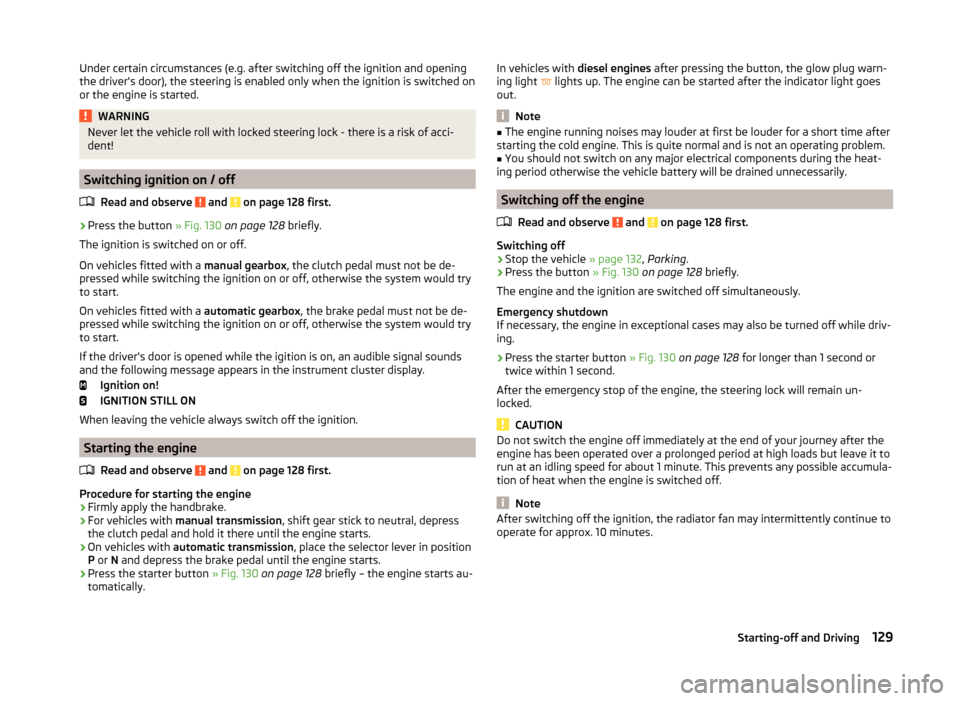
Press the button » Fig. 130 on page 128 briefly.
The ignition is switched on or off.
On vehicles fitted with a manual gearbox, the clutch pedal must not be de-
pressed while switching the ignition on or off, otherwise the system would try
to start.
On vehicles fitted with a automatic gearbox, the brake pedal must not be de-
pressed while switching the ignition on or off, otherwise the system would try
to start.
If the driver's door is opened while the igition is on, an audible signal sounds
and the following message appears in the instrument cluster display.
Ignition on!
IGNITION STILL ON
When leaving the vehicle always switch off the ignition.
Starting the engine
Read and observe
and on page 128 first.
Procedure for starting the engine
›
Firmly apply the handbrake.
›
For vehicles with manual transmission , shift gear stick to neutral, depress
the clutch pedal and hold it there until the engine starts.
›
On vehicles with automatic transmission , place the selector lever in position
P or N and depress the brake pedal until the engine starts.
›
Press the starter button » Fig. 130 on page 128 briefly – the engine starts au-
tomatically.
In vehicles with diesel engines after pressing the button, the glow plug warn-
ing light lights up. The engine can be started after the indicator light goes
out.
Note
■ The engine running noises may louder at first be louder for a short time after
starting the cold engine. This is quite normal and is not an operating problem.■
You should not switch on any major electrical components during the heat-
ing period otherwise the vehicle battery will be drained unnecessarily.
Switching off the engine
Read and observe
and on page 128 first.
Switching off
›
Stop the vehicle » page 132, Parking .
›
Press the button » Fig. 130 on page 128 briefly.
The engine and the ignition are switched off simultaneously.
Emergency shutdown
If necessary, the engine in exceptional cases may also be turned off while driv-
ing.
›
Press the starter button » Fig. 130 on page 128 for longer than 1 second or
twice within 1 second.
After the emergency stop of the engine, the steering lock will remain un-
locked.
CAUTION
Do not switch the engine off immediately at the end of your journey after the
engine has been operated over a prolonged period at high loads but leave it to
run at an idling speed for about 1 minute. This prevents any possible accumula-
tion of heat when the engine is switched off.
Note
After switching off the ignition, the radiator fan may intermittently continue to
operate for approx. 10 minutes.129Starting-off and Driving
Page 135 of 280
The handbrake warning is activated if the vehicle is driven at a speed of more
than around 5 km/h for more than 3 seconds.WARNINGPlease note that the handbrake must be fully released. A handbrake which
is only partially released can result in the rear brakes overheating. This can
have a negative effect on the operation of the brake system – risk of acci-
dent!
Parking
Read and observe
and on page 130 first.
When stopping and parking, look for a place with a suitable surface » .
Only carry out the activities while parking in the specified order.
›
Bring the vehicle to a stop and depress the brake pedal.
›
Firmly apply the handbrake.
›
On vehicles with automatic transmission place the selector lever in the P po-
sition.
›
Switch off the engine.
›
For vehicles with manual transmission , select 1st gear or reverse gear
›
Release the brake pedal.
WARNINGThe parts of the exhaust system can become very hot. Therefore, never
stop the vehicle at places where the underside of your vehicle can come in-
to contact with flammable materials such as dry grass, undergrowth,
leaves, spilled fuel or such like. - Risk of fire and serious injury can occur!
Manual shifting of gears and pedals
Introduction
This chapter contains information on the following subjects:
Manual gear changing
132
Pedals
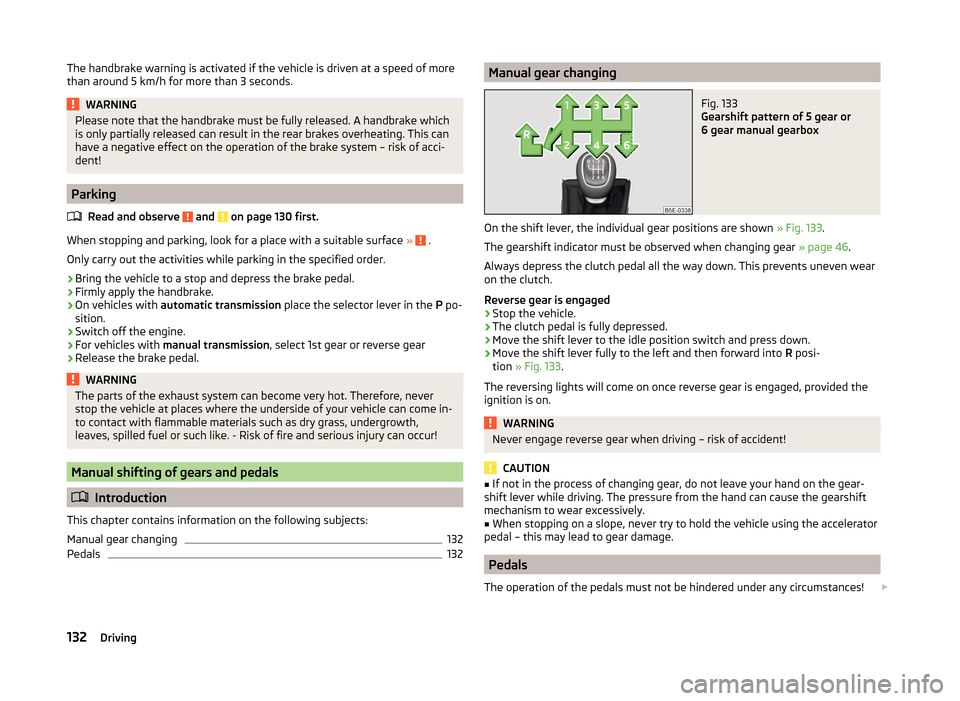
132Manual gear changingFig. 133
Gearshift pattern of 5 gear or
6 gear manual gearbox
On the shift lever, the individual gear positions are shown » Fig. 133.
The gearshift indicator must be observed when changing gear » page 46.
Always depress the clutch pedal all the way down. This prevents uneven wear
on the clutch.
Reverse gear is engaged
›
Stop the vehicle.
›
The clutch pedal is fully depressed.
›
Move the shift lever to the idle position switch and press down.
›
Move the shift lever fully to the left and then forward into R posi-
tion » Fig. 133 .
The reversing lights will come on once reverse gear is engaged, provided the ignition is on.
WARNINGNever engage reverse gear when driving – risk of accident!
CAUTION
■ If not in the process of changing gear, do not leave your hand on the gear-
shift lever while driving. The pressure from the hand can cause the gearshift
mechanism to wear excessively.■
When stopping on a slope, never try to hold the vehicle using the accelerator
pedal – this may lead to gear damage.
Pedals
The operation of the pedals must not be hindered under any circumstances!
132Driving
Page 136 of 280

In the driver's footwell, only a footmat, which is attached to the two corre-
sponding attachment points may be used.
Only use factory-supplied footmats or footmats from the range of ŠKODAOrigi-
nal Accessories, which are fitted to two attachment points.WARNINGNo objects may be placed in the driver's footwell – risk due to obstruction
or limitation of pedal operation.
Automatic gearbox
Introduction
This chapter contains information on the following subjects:
Modes and use of selector lever
133
Selector lever lock
134
Manual shifting of gears (Tiptronic)
134
Starting-off and driving
135
The automatic transmission performs automatic gear changes.
The modes of the automatic transmission can be adjusted by the driver by
means of the selector lever.
WARNING■ No throttle when it is set before starting the mode for moving forward
with the selector lever - there is a risk of accident!■
Never move the selector lever to mode R or P when driving – risk of an
accident!
■
When the vehicle is stationery and the engine is running, you need to
hold the vehicle with the brake pedal in mode D, S or R. Even when the en-
gine is idling, the power transmission is never completely interrupted – the
vehicle creeps.
■
When leaving the vehicle, the selector lever is always to put in the P
mode. Otherwise the vehicle could then start to move and potentially cause
an accident.
CAUTION■ If the selector lever is moved to mode N while driving, the accelerator pedal
must be released and you will need to wait until the engine has reached its
idling speed before moving the selector lever to a forward driving mode again.■
When the outdoor temperature is below -10 ° C, the selector lever when
starting must always be in P mode.
■
When stopping on a slope, never try to hold the vehicle using the accelerator
pedal – this may lead to gear damage.
Note
After the ignition is switched off, the ignition key can only be withdrawn if the
selector lever is in the position P.
Modes and use of selector lever
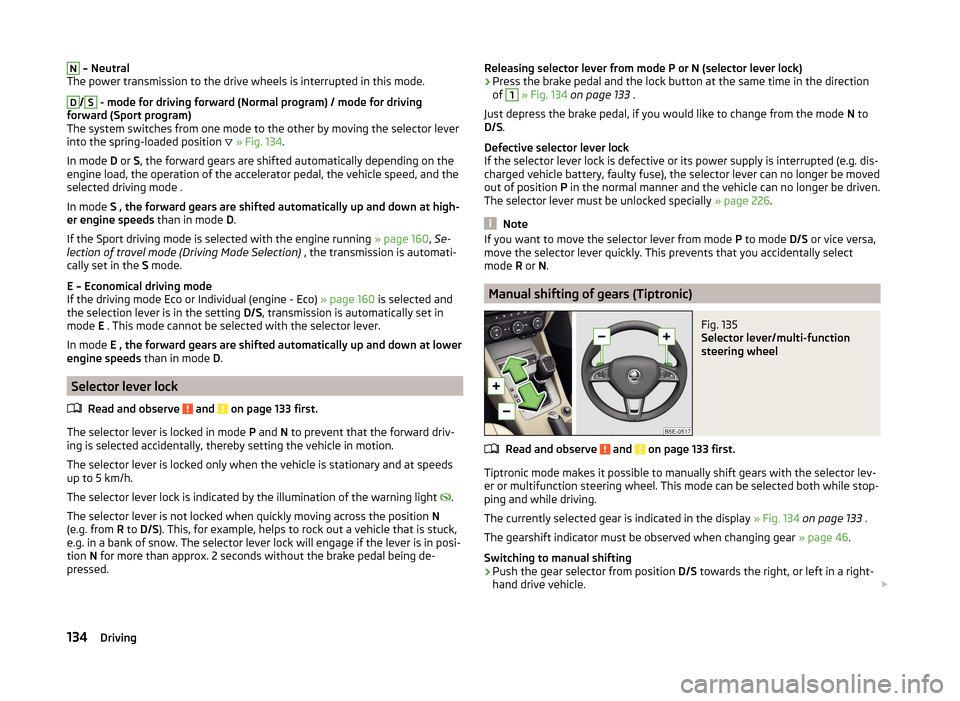
Fig. 134
Selection lever / lock button / display
Read and observe
and on page 133 first.
When the ignition is switched on, the gearbox mode and the currently selected
gear are indicated in the display » Fig. 134.
The following modes can be selected with the selector lever » Fig. 134.
P
– Parking mode
The driven wheels are locked mechanically in this mode.
The parking mode must only be selected when the vehicle is stationary.
R
– Reverse gear
Reverse gear can only be engaged when the vehicle is stationary and the en-
gine is at idling speed.
133Starting-off and Driving
Page 137 of 280
N – Neutral
The power transmission to the drive wheels is interrupted in this mode.D
/
S
- mode for driving forward (Normal program) / mode for driving
forward (Sport program)
The system switches from one mode to the other by moving the selector lever
into the spring-loaded position
» Fig. 134 .
In mode D or S, the forward gears are shifted automatically depending on the
engine load, the operation of the accelerator pedal, the vehicle speed, and the
selected driving mode .
In mode S , the forward gears are shifted automatically up and down at high-
er engine speeds than in mode D.
If the Sport driving mode is selected with the engine running » page 160, Se-
lection of travel mode (Driving Mode Selection) , the transmission is automati-
cally set in the S mode.
E – Economical driving mode
If the driving mode Eco or Individual (engine - Eco) » page 160 is selected and
the selection lever is in the setting D/S, transmission is automatically set in
mode E . This mode cannot be selected with the selector lever.
In mode E , the forward gears are shifted automatically up and down at lower
engine speeds than in mode D.
Selector lever lock
Read and observe
and on page 133 first.
The selector lever is locked in mode P and N to prevent that the forward driv-
ing is selected accidentally, thereby setting the vehicle in motion.
The selector lever is locked only when the vehicle is stationary and at speeds
up to 5 km/h.
The selector lever lock is indicated by the illumination of the warning light .
The selector lever is not locked when quickly moving across the position N
(e.g. from R to D/S ). This, for example, helps to rock out a vehicle that is stuck,
e.g. in a bank of snow. The selector lever lock will engage if the lever is in posi-
tion N for more than approx. 2 seconds without the brake pedal being de-
pressed.
Releasing selector lever from mode P or N (selector lever lock)›Press the brake pedal and the lock button at the same time in the direction
of 1
» Fig. 134 on page 133 .
Just depress the brake pedal, if you would like to change from the mode N to
D/S .
Defective selector lever lock
If the selector lever lock is defective or its power supply is interrupted (e.g. dis-
charged vehicle battery, faulty fuse), the selector lever can no longer be moved
out of position P in the normal manner and the vehicle can no longer be driven.
The selector lever must be unlocked specially » page 226.
Note
If you want to move the selector lever from mode P to mode D/S or vice versa,
move the selector lever quickly. This prevents that you accidentally select
mode R or N.
Manual shifting of gears (Tiptronic)
Fig. 135
Selector lever/multi-function
steering wheel
Read and observe and on page 133 first.
Tiptronic mode makes it possible to manually shift gears with the selector lev-
er or multifunction steering wheel. This mode can be selected both while stop-
ping and while driving.
The currently selected gear is indicated in the display » Fig. 134 on page 133 .
The gearshift indicator must be observed when changing gear » page 46.
Switching to manual shifting
›
Push the gear selector from position D/S towards the right, or left in a right-
hand drive vehicle.
134Driving
Page 151 of 280
The parking procedure was ended because the time limit of 6 minutes was
passed.
Park Assist currently not available.
The system cannot be activated because a fault exists on the vehicle. Seek
help from a specialist garage.
Park Assist stopped. Not available.
The parking procedure was ended because a fault exists on the vehicle. Seek
help from a specialist garage.
Park Assist faulty. Workshop!
The parking procedure is not possible because a fault exists in the system.
Seek help from a specialist garage.
ASR intervention. Take over steering!
The parking procedure is terminated by a TCS intervention. Park Assist: indicate and engage reverse
The prerequisites for manoeuvring out of a parking space using the system
have been met. Switch on the turn signals and shift into reverse.
Aut. parking space exit not possible. Space too small.
The manoeuvring procedure using the system is not possible. The parking gap
is too small.
Braking intervention. Speed too high.
The speed was too high during the parking and was automatically reduced.
Cruise Control System
Introduction
This chapter contains information on the following subjects:
Functioning
148
Operating Description
149
The Cruise Control System (CCS) maintains a set speed without you having to
actuate the accelerator pedal.
The state where the GRA maintains the speed is referred to hereinafter as the
control .
WARNING■
The GRA only serves to support and does not relieve the driver of the re-
sponsibility for the vehicle operation.■
Always adjust the speed and driving style to the current visibility, weath-
er, road and traffic conditions.
■
After pressing the clutch pedal, no interrupted control occurs! For exam-
ple, if a different gear is engaged and the clutch pedal is released, control is
continued.
Functioning
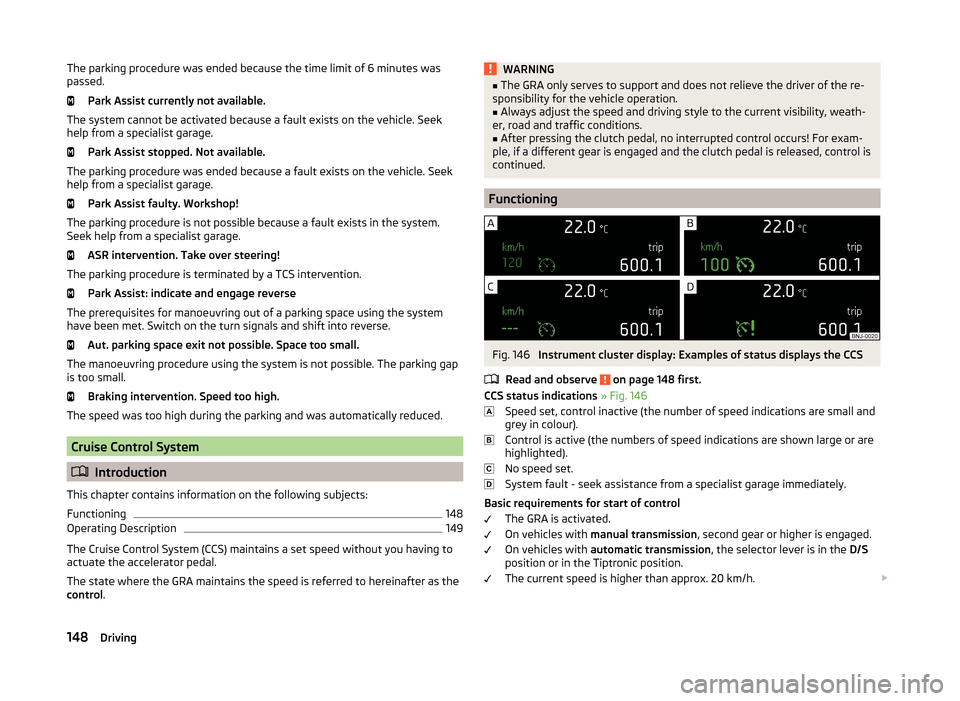
Fig. 146
Instrument cluster display: Examples of status displays the CCS
Read and observe
on page 148 first.
CCS status indications » Fig. 146
Speed set, control inactive (the number of speed indications are small and
grey in colour).
Control is active (the numbers of speed indications are shown large or are
highlighted).
No speed set.
System fault - seek assistance from a specialist garage immediately.
Basic requirements for start of control The GRA is activated.
On vehicles with manual transmission , second gear or higher is engaged.
On vehicles with automatic transmission , the selector lever is in the D/S
position or in the Tiptronic position.
The current speed is higher than approx. 20 km/h.
148Driving