ESP SKODA OCTAVIA 2016 3.G / (5E) Repair Manual
[x] Cancel search | Manufacturer: SKODA, Model Year: 2016, Model line: OCTAVIA, Model: SKODA OCTAVIA 2016 3.G / (5E)Pages: 324, PDF Size: 48.85 MB
Page 221 of 324
Front Assist
Introduction
This chapter contains information on the following subjects:
Settings in Infotainment
219
Operation
219
Distance warning
219
Warning and automatic braking
220
Deactivation/activation
220
Malfunctions
221
The Front Assist (hereinafter referred to as system) warns you of the danger of
a collision with a vehicle or another obstacle in front of the vehicle, and tries to
avoid a collision or mitigate its consequences by automatically applying the
brakes where necessary.
The area in front of the vehicle is monitored by a radar sensor » page 199.
WARNING■
The general information relating to the use of assistance systems must
be observed » page 199, in section Introduction .■
The system does not respond to crossing or oncoming objects.
CAUTION
In case of failure of more than one brake light on the vehicle or on the electri-
cally connected trailer, the system becomes unavailable.
Settings in Infotainment
Read and observe
and on page 219 first.
›
Press the button, then tap on the function surface
→
Driver assistance
.
■ Front Assist (ambient traffic monitor. sys.) - Set the assistant for distance
monitoring to the vehicles ahead ■
Active
- Activate/deactivate the assistant
■
Advance warning
(Version 1) - Activate/deactivate advance warning
■
Advance warning
(Version 2) - Activating/deactivating and setting the distance
level at which a warning occurs
■
Display distance warning
- Activate/deactivate distance warnings
Operation
Read and observe
and on page 219 first.
The system support is provided in the following manner.▶ Alerts you about a dangerous proximity to the vehicle ahead.
▶ Warns you of an impending collision.
▶ Assists with a brake action triggered by the driver.
▶ If the driver fails to respond to a detected danger, automatic braking is per-
formed.
The system can work only if the following basic conditions are met. The system is activated.
TCS is activated » page 201.
The vehicle is travelling forwards at a speed of more than approx. 5 km/h.
Note
The system can be impaired or may not be available, for example when driving
in “sharp ”curves or with an ESC engagement » page 200.
Distance warning
Fig. 260
Display in the instrument cluster: Proximity warning
Read and observe and on page 219 first.
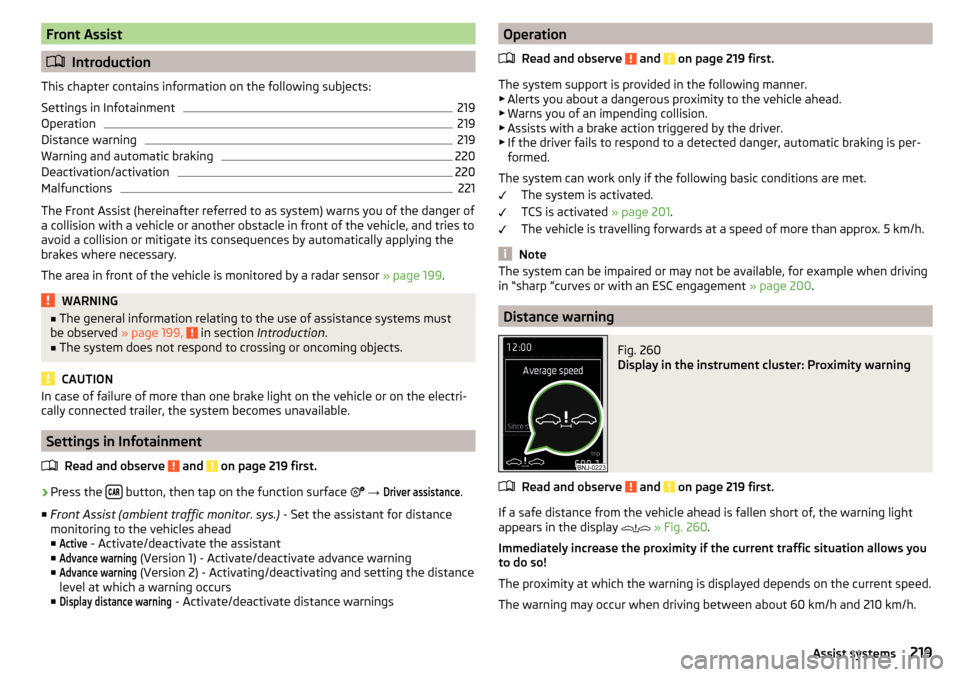
If a safe distance from the vehicle ahead is fallen short of, the warning light
appears in the display
» Fig. 260 .
Immediately increase the proximity if the current traffic situation allows you
to do so!
The proximity at which the warning is displayed depends on the current speed.
The warning may occur when driving between about 60 km/h and 210 km/h.
219Assist systems
Page 222 of 324
Warning and automatic brakingFig. 261
Display in the instrument cluster: Warning or emer-
gency braking at low speed
Read and observe and on page 219 first.
Emergency braking at low speed
If there is a risk of a collision in a vehicle speed range of about 5 km/h to 30
km/h, the system triggers an automatic braking.
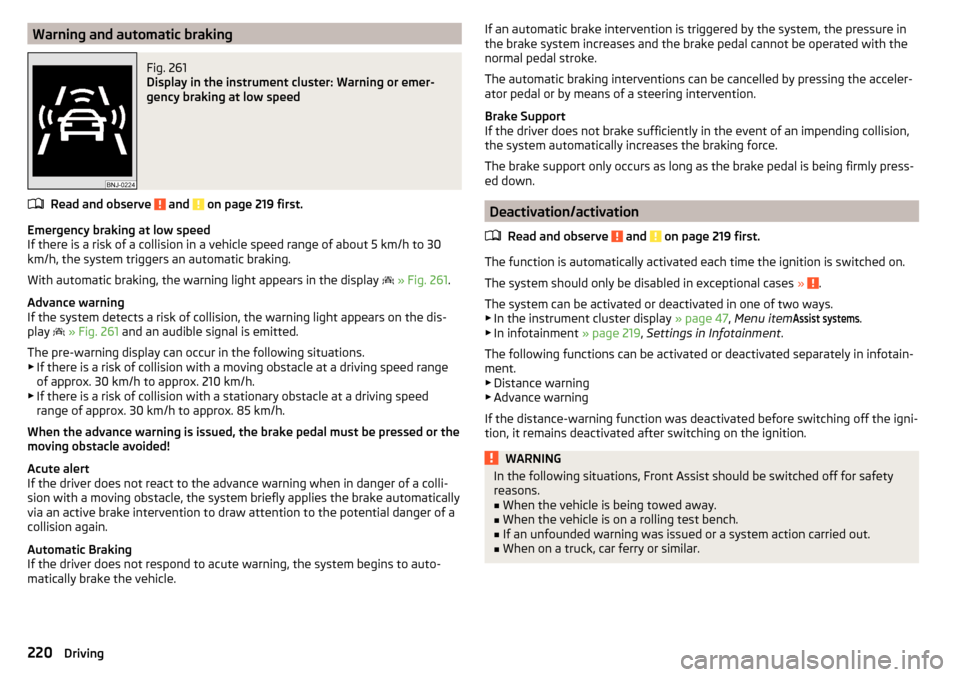
With automatic braking, the warning light appears in the display
» Fig. 261 .
Advance warning
If the system detects a risk of collision, the warning light appears on the dis-
play
» Fig. 261 and an audible signal is emitted.
The pre-warning display can occur in the following situations. ▶ If there is a risk of collision with a moving obstacle at a driving speed range
of approx. 30 km/h to approx. 210 km/h.
▶ If there is a risk of collision with a stationary obstacle at a driving speed
range of approx. 30 km/h to approx. 85 km/h.
When the advance warning is issued, the brake pedal must be pressed or the
moving obstacle avoided!
Acute alert
If the driver does not react to the advance warning when in danger of a colli-
sion with a moving obstacle, the system briefly applies the brake automatically
via an active brake intervention to draw attention to the potential danger of a
collision again.
Automatic Braking
If the driver does not respond to acute warning, the system begins to auto-
matically brake the vehicle.
If an automatic brake intervention is triggered by the system, the pressure in
the brake system increases and the brake pedal cannot be operated with the
normal pedal stroke.
The automatic braking interventions can be cancelled by pressing the acceler-
ator pedal or by means of a steering intervention.
Brake Support
If the driver does not brake sufficiently in the event of an impending collision,
the system automatically increases the braking force.
The brake support only occurs as long as the brake pedal is being firmly press-
ed down.
Deactivation/activation
Read and observe
and on page 219 first.
The function is automatically activated each time the ignition is switched on.
The system should only be disabled in exceptional cases »
.
The system can be activated or deactivated in one of two ways. ▶ In the instrument cluster display » page 47, Menu item
Assist systems
.
▶ In infotainment » page 219, Settings in Infotainment .
The following functions can be activated or deactivated separately in infotain-
ment. ▶ Distance warning
▶ Advance warning
If the distance-warning function was deactivated before switching off the igni-
tion, it remains deactivated after switching on the ignition.
WARNINGIn the following situations, Front Assist should be switched off for safety
reasons.■
When the vehicle is being towed away.
■
When the vehicle is on a rolling test bench.
■
If an unfounded warning was issued or a system action carried out.
■
When on a truck, car ferry or similar.
220Driving
Page 223 of 324
MalfunctionsRead and observe
and on page 219 first.
If, for some unknown reason, the system is not available, an appropriate mes-
sage appears in the display of the instrument cluster.
Sensor covered / dirty
If the sensor is dirty or covered, a message indicating that there is no sensor
view appears. Clean the sensor cover or remove the obstacles » Fig. 240 on
page 199 .
System unavailable
If the system is currently unavailable, a message concerning the unavailability
appears. Stop the vehicle, switch off the engine and then start it again. If the
system still is not available, seek the assistance of a specialist garage.
Select the driving mode (Driving Mode Selection)
Introduction
This chapter contains information on the following subjects:
Adaptive Chassis Control (DCC)
221
Mode
Eco221
Mode
Comfort222
Mode
normal222
Mode
Sports222
mode
individual222
Mode
Offroad222
Mode selection and infotainment display
223
Individual mode
settings223
By selecting the driving mode, the driving behaviour can be adapted to the de-
sired mode of operation.
The following modes
Eco
.
Comfort
.
Normal
.
Sports
.
Individual
and
Offroad
are availa-
ble.
The
Comfort
is only on vehicles with adaptive chassis control (DCC) and the
mode
Offroad
available only on vehicles Octavia Scout.
WARNINGThe general information relating to the use of assistance systems must be
observed » page 199, in section Introduction .
Adaptive Chassis Control (DCC)
Read and observe
on page 221 first.
The adaptive chassis control (following known as DCC) provides the ability to
adjust the shock characteristics for the sporty, normal or comfortable driving
when the corresponding control mode is selected.
The DCC evaluates steering response and road conditions while driving contin-
uously and adjusts the suspension behaviour within the selected driving mode
accordingly.
Mode
Eco
Read and observe on page 221 first.
This mode is suitable for a relaxed style of driving and helps to save fuel.
Selecting this mode primarily affects the function of the following systems.
Drive
Vehicle acceleration is more relaxed than in
Normal
mode.
The recommended gear is controlled such to achieve the lowest possible fuel
consumption » page 42.
If the START-STOP system is deactivated manually » page 191, this will be auto-
matically activated.
The automatic gearbox is set automatically to mode E » page 195 .
Adaptive Cruise Control (ACC)
Acceleration occurs more relaxed than in
Normal
» page 214 mode with distance
control.
Xenon headlight
The system is in economic mode » page 66. The headlamps are in basic setting
and do not adapt to the direction of travel.
221Assist systems
Page 225 of 324
Mode selection and infotainment displayFig. 262
Button for selecting the driving mode: Version 1 / version 2
Fig. 263
Display in Infotainment screen
Read and observe on page 221 first.
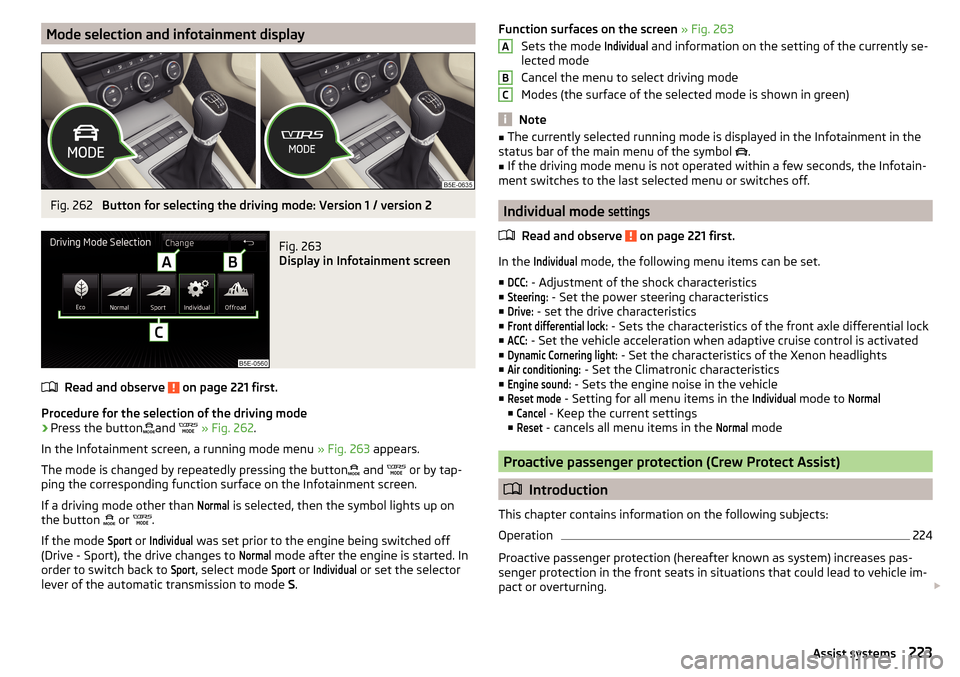
Procedure for the selection of the driving mode
›
Press the buttonand
» Fig. 262 .
In the Infotainment screen, a running mode menu » Fig. 263 appears.
The mode is changed by repeatedly pressing the button and
or by tap-
ping the corresponding function surface on the Infotainment screen.
If a driving mode other than
Normal
is selected, then the symbol lights up on
the button or
.
If the mode
Sport
or
Individual
was set prior to the engine being switched off
(Drive - Sport), the drive changes to
Normal
mode after the engine is started. In
order to switch back to
Sport
, select mode
Sport
or
Individual
or set the selector
lever of the automatic transmission to mode S.
Function surfaces on the screen » Fig. 263
Sets the mode Individual
and information on the setting of the currently se-
lected mode
Cancel the menu to select driving mode
Modes (the surface of the selected mode is shown in green)
Note
■ The currently selected running mode is displayed in the Infotainment in the
status bar of the main menu of the symbol .■
If the driving mode menu is not operated within a few seconds, the Infotain-
ment switches to the last selected menu or switches off.
Individual mode
settings
Read and observe on page 221 first.
In the
Individual
mode, the following menu items can be set.
■
DCC:
- Adjustment of the shock characteristics
■
Steering:
- Set the power steering characteristics
■
Drive:
- set the drive characteristics
■
Front differential lock:
- Sets the characteristics of the front axle differential lock
■
ACC:
- Set the vehicle acceleration when adaptive cruise control is activated
■
Dynamic Cornering light:
- Set the characteristics of the Xenon headlights
■
Air conditioning:
- Set the Climatronic characteristics
■
Engine sound:
- Sets the engine noise in the vehicle
■
Reset mode
- Setting for all menu items in the
Individual
mode to
Normal
■
Cancel
- Keep the current settings
■
Reset
- cancels all menu items in the
Normal
mode
Proactive passenger protection (Crew Protect Assist)
Introduction
This chapter contains information on the following subjects:
Operation
224
Proactive passenger protection (hereafter known as system) increases pas-
senger protection in the front seats in situations that could lead to vehicle im-
pact or overturning.
ABC223Assist systems
Page 226 of 324
WARNINGThe general information relating to the use of assistance systems must be
observed » page 199, in section Introduction .
Note
■
The system component service life is monitored electronically. Further infor-
mation » page 35 , Safety systems .■
If the front passenger front airbag is deactivated, the belt tensioning func-
tion for the front passenger seat is switched off.
Operation
Read and observe
on page 224 first.
In critical driving situations (e.g. during emergency braking or a sudden changein direction), the following steps can be taken separately or combined in order
to reduce the risk of serious injury.
▶ The front passenger's and driver's seatbelts, if worn, are automatically ten-
sioned closely over the body.
▶ Opened door windows in the front doors are closed automatically up to a gap
of about 5 cm from the edge.
▶ The sliding/tilting roof is closed.
Once the critical driving situation has passed, the tension on the seatbelts will
be released again.
The system operates at two levels of protection.
The first level of protection
The system already intervenes in situations that may occur during dynamic
driving. As a result, this primarily helps to keep the driver and the passenger in
the correct seated position.
The first protection level can be deactivated in one of the following ways. ▶ in the menu
Infotainment
→
→
Driver assistance
.
▶ Deactivation of TCS » page 201.
▶ By selecting the driving mode
Sport
» page 223 .
Provided that the driving mode
Sport
is not selected, the system is activated
over the two levels of protection after switching the ignition off and on again.
The second level of protection
The system intervenes only if the situation is evaluated as critical, such as
when panic braking at high speeds.
This level of protection cannot be deactivated.
Lane Departure Warning (Lane Assist)
Introduction
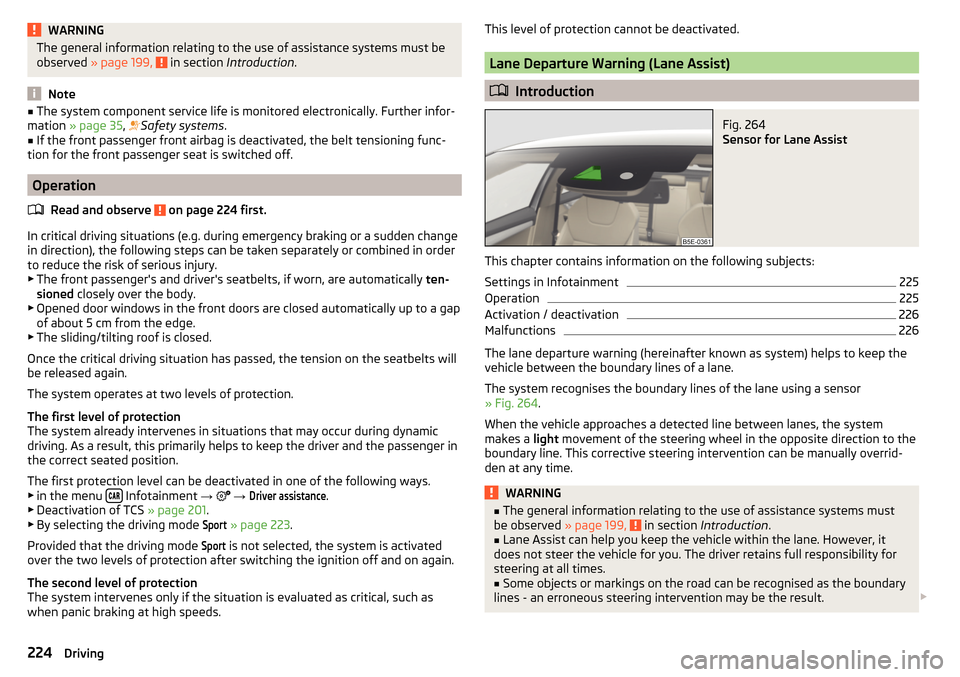
Fig. 264
Sensor for Lane Assist
This chapter contains information on the following subjects:
Settings in Infotainment
225
Operation
225
Activation / deactivation
226
Malfunctions
226
The lane departure warning (hereinafter known as system) helps to keep the
vehicle between the boundary lines of a lane.
The system recognises the boundary lines of the lane using a sensor
» Fig. 264 .
When the vehicle approaches a detected line between lanes, the system
makes a light movement of the steering wheel in the opposite direction to the
boundary line. This corrective steering intervention can be manually overrid-
den at any time.
WARNING■ The general information relating to the use of assistance systems must
be observed » page 199, in section Introduction .■
Lane Assist can help you keep the vehicle within the lane. However, it
does not steer the vehicle for you. The driver retains full responsibility for
steering at all times.
■
Some objects or markings on the road can be recognised as the boundary
lines - an erroneous steering intervention may be the result.
224Driving
Page 229 of 324
WARNING■The general information relating to the use of assistance systems must
be observed » page 199, in section Introduction .■
Vertical traffic signs must always take precedence over the traffic signs
shown in the display. The driver is always responsible for correctly assess-
ing the traffic situation.
■
On the system side, only a traffic sign display is undertaken, neither a
warning when limit is exceeded or driving speed adjustment is undertaken!
■
Speed specifications in the displayed road signs refer to the customary
speed units. For example, the view
in the display can therefore refer to
km / h or mph, specific to the country.
WARNINGThe traffic signs may not be displayed or displayed incorrectly in the system
e.g. in the following situations.■
When visibility is poor, (e.g. fog, heavy rain, thick snowfall).
■
The sensor is blinded by the sun or oncoming traffic.
■
The field of view of the sensor is limited by an obstacle or a preceding ve-
hicle.
■
Travelling at high speed.
■
The traffic signs are covered (e.g. by trees, snow or dirt).
■
The traffic signs are not standard (round with a red border) or are dam-
aged.
■
The traffic signs are attached to flashing neon signs.
■
The traffic signs were changed (the navigation data are out of date).
Note
The system is only available in some countries.
Settings in Infotainment
Read and observe
on page 227 first.
›
Press the button, then tap on the function surface
→
Driver assistance
.
■ Dynamic Road Sign Display - Settings for the Dynamic Road Sign Display
■
Show in instrument cluster
- Activation/deactivation of the additional traffic
signs in the display of the instrument cluster
■
Speed warning::
» page 221 - Setting a warning when exceeding the speed
limit
■ Trailer recognition
■Show road signs relevant to trailers
- Activating / deactivating the display of road
signs relevant to trailers
■
Use for route calculation
- Activation / deactivation taking trailers in account for
route calculation in navigation
Operation
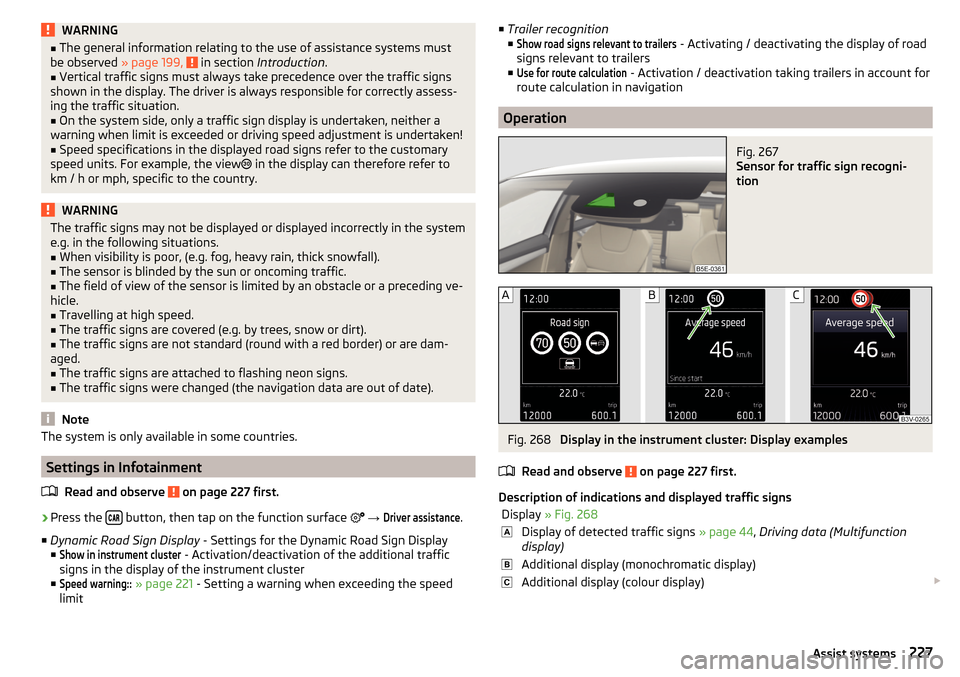
Fig. 267
Sensor for traffic sign recogni-
tion
Fig. 268
Display in the instrument cluster: Display examples
Read and observe
on page 227 first.
Description of indications and displayed traffic signs
Display » Fig. 268Display of detected traffic signs » page 44, Driving data (Multifunction
display)Additional display (monochromatic display)Additional display (colour display) 227Assist systems
Page 231 of 324
WARNING■The general information relating to the use of assistance systems must
be observed » page 199, in section Introduction .■
For the driving ability is always the driver's responsibility. Never drive if
you feel tired.
■
The system may not detect all cases where a break is needed.
■
Therefore, take regular, sufficient breaks during long trips.
■
There will be no system warning during the so-called micro-sleep.
Note
■ In some situations, the system may evaluate the driving incorrectly and thus
mistakenly recommend a break (e.g. sporty driving, adverse weather condi-
tions or poor road conditions).■
The system is designed primarily for use on motorways.
Tyre pressure monitoring
Introduction
This chapter contains information on the following subjects:
Storing the tyre pressure values and Infotainment display
229
The tyre pressure monitoring function (hereinafter referred to as the system)
monitors the tyre pressure while driving.
If the tyre inflation pressure changes, the warning light
lights up in the in-
strument cluster and an audible signal sounds » page 35.
The system can only function properly if the tyres have the prescribed inflation
pressure and these pressure values are stored in the system.
The tyre pressure values are always stored in the system if one of the fol-
lowing events occurs.
▶ Change of tyre inflation pressure.
▶ Change one or more wheels.
▶ Change in position of a wheel on the vehicle.
▶ The warning light
lights up in the instrument cluster.
WARNING■
The general information relating to the use of assistance systems must
be observed » page 199, in section Introduction .■
Having the correct tyre inflation pressure is always the driver's responsi-
bility. Tyre inflation pressure must be checked regularly » page 261.
■
The system cannot warn in case of very rapid tyre inflation pressure loss,
e.g. in case of sudden tyre damage.
■
Before storing the pressure values, the tyres must be inflated to the
specified inflation pressure » page 261. If incorrect pressure values are
saved, the system may also not issue a warning even if the tyre inflation
pressure is too low.
CAUTION
To ensure proper system function, the tire pressure values must be stored ev-
ery 10 000 km or 1x a year.
Storing the tyre pressure values and Infotainment display
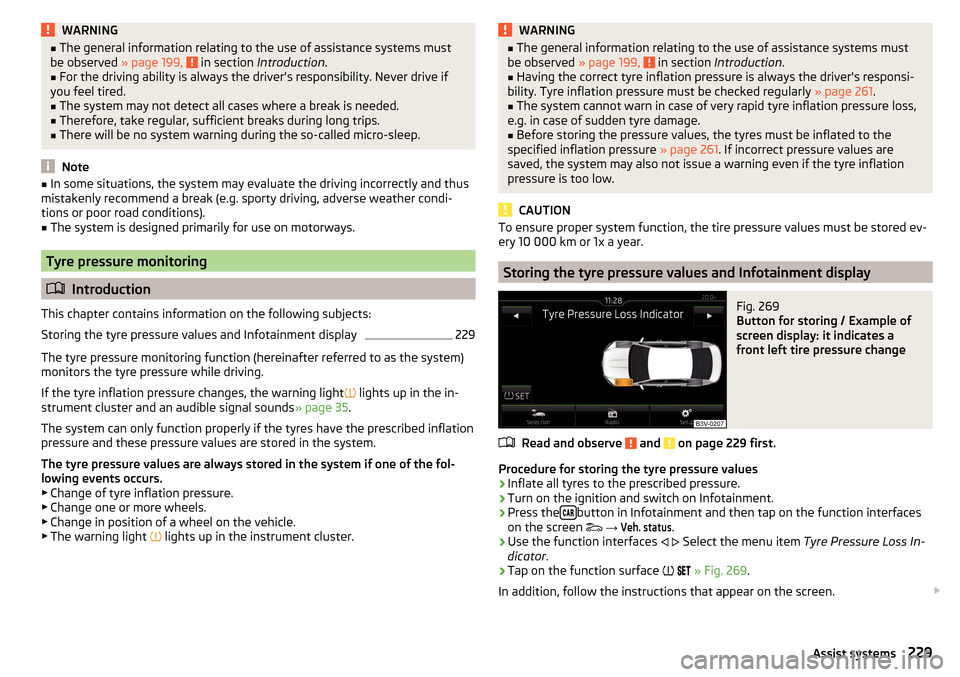
Fig. 269
Button for storing / Example of
screen display: it indicates a
front left tire pressure change
Read and observe and on page 229 first.
Procedure for storing the tyre pressure values
›
Inflate all tyres to the prescribed pressure.
›
Turn on the ignition and switch on Infotainment.
›
Press the button in Infotainment and then tap on the function interfaces
on the screen
→
Veh. status
.
›
Use the function interfaces
Select the menu item
Tyre Pressure Loss In-
dicator .
›
Tap on the function surface
» Fig. 269 .
In addition, follow the instructions that appear on the screen.
229Assist systems
Page 237 of 324
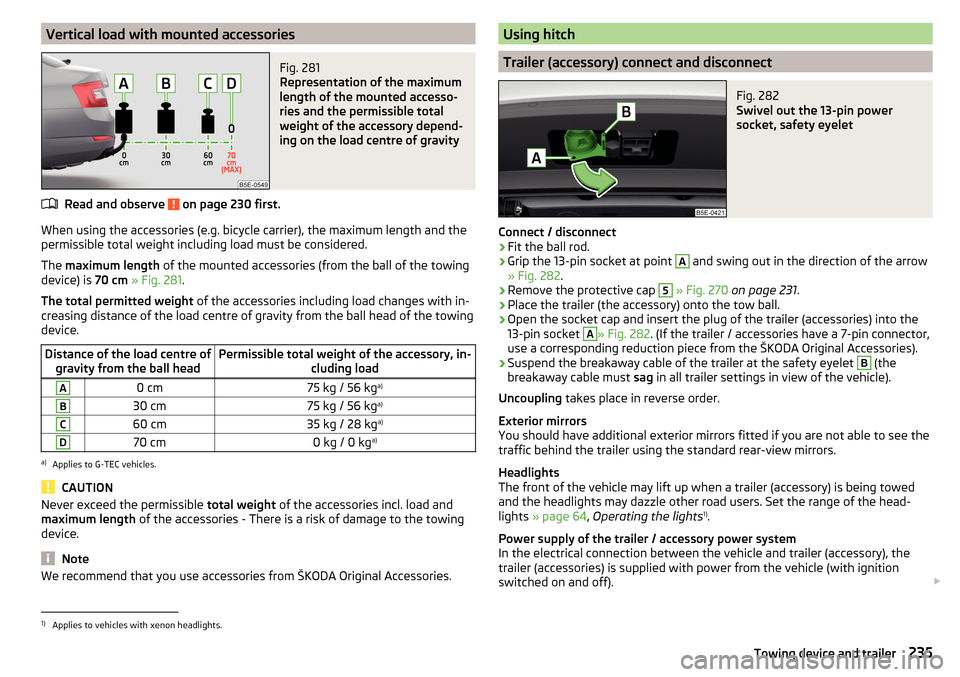
Vertical load with mounted accessoriesFig. 281
Representation of the maximum
length of the mounted accesso-
ries and the permissible total
weight of the accessory depend-
ing on the load centre of gravity
Read and observe on page 230 first.
When using the accessories (e.g. bicycle carrier), the maximum length and the
permissible total weight including load must be considered.
The maximum length of the mounted accessories (from the ball of the towing
device) is 70 cm » Fig. 281 .
The total permitted weight of the accessories including load changes with in-
creasing distance of the load centre of gravity from the ball head of the towing
device.
Distance of the load centre of gravity from the ball headPermissible total weight of the accessory, in- cluding loadA0 cm75 kg / 56 kga)B30 cm75 kg / 56 kg a)C60 cm35 kg / 28 kg a)D70 cm0 kg / 0 kga)a)
Applies to G-TEC vehicles.
CAUTION
Never exceed the permissible
total weight of the accessories incl. load and
maximum length of the accessories - There is a risk of damage to the towing
device.
Note
We recommend that you use accessories from ŠKODA Original Accessories.Using hitch
Trailer (accessory) connect and disconnect
Fig. 282
Swivel out the 13-pin power
socket, safety eyelet
Connect / disconnect
›
Fit the ball rod.
›
Grip the 13-pin socket at point
A
and swing out in the direction of the arrow
» Fig. 282 .
›
Remove the protective cap
5
» Fig. 270 on page 231 .
›
Place the trailer (the accessory) onto the tow ball.
›
Open the socket cap and insert the plug of the trailer (accessories) into the
13-pin socket
A
» Fig. 282 . (If the trailer / accessories have a 7-pin connector,
use a corresponding reduction piece from the ŠKODA Original Accessories).
›
Suspend the breakaway cable of the trailer at the safety eyelet
B
(the
breakaway cable must sag in all trailer settings in view of the vehicle).
Uncoupling takes place in reverse order.
Exterior mirrors
You should have additional exterior mirrors fitted if you are not able to see the
traffic behind the trailer using the standard rear-view mirrors.
Headlights
The front of the vehicle may lift up when a trailer (accessory) is being towed
and the headlights may dazzle other road users. Set the range of the head-
lights » page 64 , Operating the lights 1)
.
Power supply of the trailer / accessory power system
In the electrical connection between the vehicle and trailer (accessory), the
trailer (accessories) is supplied with power from the vehicle (with ignition
switched on and off).
1)
Applies to vehicles with xenon headlights.
235Towing device and trailer
Page 243 of 324
ŠKODA Original partsRead and observe
on page 240 first.
We recommend the use of ŠKODA Genuine Parts for your vehicle, as these
parts are approved by ŠKODA AUTO. These parts comply wholly with ŠKODA
AUTO regulations and are identical to the parts used in series production.
ŠKODA AUTO is able to warrant the safety, suitability, and long life of these
products.
ŠKODA Service Partners are liable for any defects of ŠKODA Genuine Parts for
a period of 2 years after sale in accordance with the materials defect liability,
unless agreed otherwise in the purchase agreement.
ŠKODA Original accessories
Read and observe
on page 240 first.
If you wish to fit accessories to your vehicle, you should remember the follow-
ing:
We recommend that you use ŠKODA Genuine Accessories in your vehicle.
ŠKODA AUTO has selected these accessories to ensure that they are reliable,
safe and suitable for your particular vehicle. Although we constantly monitor
the market, we are not able to assess or vouch the suitability of other products
for your vehicle, despite the fact that some products may have operational ap-
proval or may have been approved by a nationally recognised testing laborato-
ry.
ŠKODA Service Partners are liable for any defects of ŠKODA Genuine Accesso-
ries for a period of 2 years after installation or delivery in accordance with the
materials defect liability, unless agreed otherwise in the purchase agreement
or any other agreements.
Spoiler
Read and observe
on page 240 first.
WARNINGIf your vehicle is equipped with a Genuine Accessories spoiler on the front
bumper in combination with the spoiler on the boot lid, the following in-
structions must be observed - otherwise there is a risk of accidents and se-
rious injuries!■
The vehicle can only be equipped with a spoiler on the front bumper in
combination with the corresponding spoiler on the boot lid.
■
A Genuine Accessories spoiler cannot be fitted to the front bumper either
on its own (without a spoiler on the boot lid) or in combination with an un-
suitable spoiler on the boot lid.
■
We recommend that you consult the ŠKODA Service Partner for any re-
pairs to or replacement, addition or removal of spoilers.
■
Unprofessional work carried out on the spoilers of your vehicle may result
in malfunction.
Component protection
Read and observe
on page 240 first.
Some electronic vehicle components (such as the instrument cluster) are fac-
tory-equipped with component protection. This ensures the functional limita-
tion of these components in a non-legitimate installation in another vehicle
(e.g. after a theft) or operation outside the vehicle.
Airbags
Read and observe
on page 240 first.
WARNING■Modifications, repairs and technical alterations that have been carried out
unprofessionally can cause damage and operational faults, and can also se-
riously impair the effectiveness of the airbag system – risk of accident and
fatal injury!■
A change to the vehicle's wheel suspension, including the use of non-ap-
proved wheels and tire combinations, can impair the functioning of the air-
bag system - There is a risk of accidents and fatal injury!
241Care and maintenance
Page 244 of 324
WARNING■No changes may be made to airbag system components, the front bump-
er and the bodywork.■
Any work on the airbag system including the installation and removal of
system components due to other repair work (e.g. removal of the steering
wheel) must only be carried out by a specialist garage.
■
Do not manipulate individual parts of the airbag system, as this might re-
sult in the airbag being deployed.
■
If the airbag has been deployed, the airbag system must be replaced.
WARNINGThe airbag system operates using pressure sensors located in the front
doors. For this reason, no adjustments may be carried out to the doors or
door panels (e.g. installation of additional loudspeakers). Resulting damage
can impair the functioning of the airbag system -There is a risk of accidents
and fatal injuries! The following guidelines must therefore be observed.■
Any work on the front doors and their door panels must be carried out by
a specialist garage.
■
Never drive the vehicle with the inner door panels removed or with open-
ings in the panelling.
Acceptance and recycling of used vehicles
Read and observe
on page 240 first.
All new ŠKODA vehicles are 95% recyclable.
Service intervals
Introduction
This chapter contains information on the following subjects:
Overview of service intervals
243
Fixed service intervals QI1 - QI4
243
Variable service interval QI6
243
Digital Service Plan
244
The service interval display in the display of the instrument cluster will remind
you to carry out every service stipulated by the manufacturer at the right time
in order to prevent you from forgetting any » page 48.
The completion of services can be verified through the printed verification
from the digital service schedule and the respective receipts.
The specified service intervals are tailored to normal operating conditions.
In the case of aggravated operating conditions, it will be necessary to have
some service work carried out before the date of the next regular service or
between the specified service intervals. This applies mainly to the cleaning or
the replacement of the air filter insert in regions with heavy dust pollution as
well as checking and replacing the toothed belt, but also to vehicles with die-
sel particle filters, which can put greater strain on the engine oil.
The following is taken to mean aggravated operating conditions:
▶ Fuel containing sulphur.
▶ Frequent short trips.
▶ Longer periods of engine idling (e.g. taxis).
▶ Operation in areas with heavy dust pollution.
▶ Frequent trailer operation.
▶ Predominantly stop-and-go traffic as is e.g. often the case in city driving.
▶ Operation predominantly during winter.
You will be told at the specialist garage whether the operating conditions of
your vehicle may make it necessary for service work to be carried out between
the normal service intervals.
Different service charges may apply according to the particular scope of work
required, the vehicle type and specification, and your vehicle’s condition.
Note
■ The customer is responsible for covering the cost of all services including
changing or replenishing the oil, even during the warranty period, unless sta-
ted otherwise in the ŠKODA AUTO warranty terms or other agreements.■
You will be informed about the service checks and actions at each service by
the specialist garage.
242General Maintenance