technical data SKODA ROOMSTER 2006 1.G Owner's Guide
[x] Cancel search | Manufacturer: SKODA, Model Year: 2006, Model line: ROOMSTER, Model: SKODA ROOMSTER 2006 1.GPages: 274, PDF Size: 48.64 MB
Page 46 of 274
Unlocking and locking45
Using the systemSafetyDriving TipsGeneral MaintenanceBreakdown assistanceTechnical Data
Note
The opened driver door cannot be locked. It must be locked separately
after closing it.
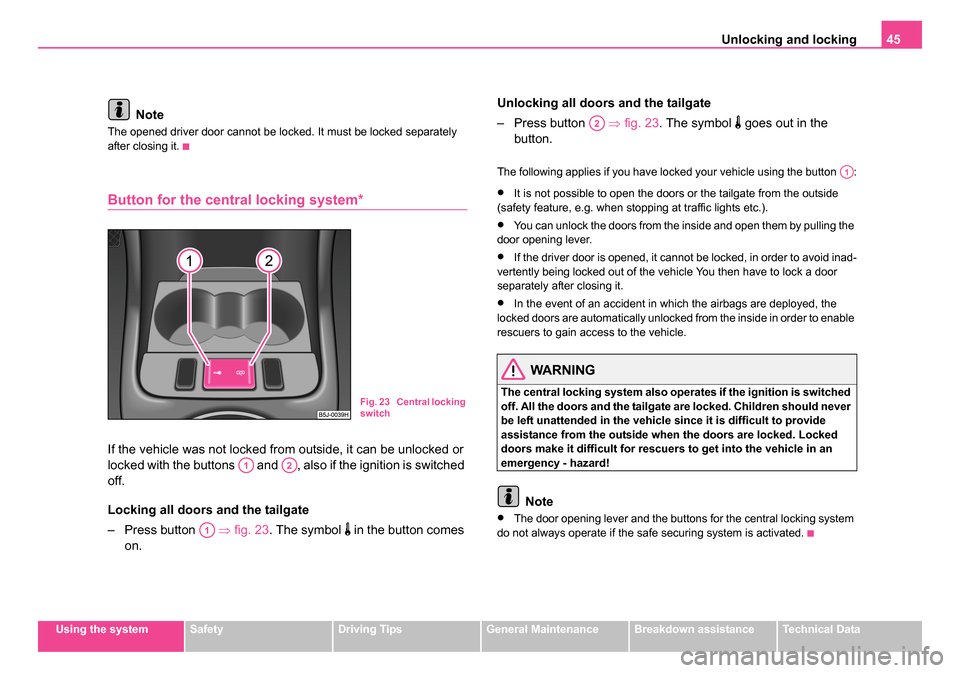
Button for the central locking system*
If the vehicle was not locked from outside, it can be unlocked or
locked with the buttons and , also if the ignition is switched
off.
Locking all doors and the tailgate
– Press button ⇒fig. 23 . The symbol
in the button comes
on. Unlocking all doors and the tailgate
– Press button
⇒fig. 23 . The symbol
goes out in the
button.
The following applies if you have locked your vehicle using the button :
•It is not possible to open the doors or the tailgate from the outside
(safety feature, e.g. when stopping at traffic lights etc.).
•You can unlock the doors from the inside and open them by pulling the
door opening lever.
•If the driver door is opened, it cannot be locked, in order to avoid inad-
vertently being locked out of the vehicle You then have to lock a door
separately after closing it.
•In the event of an accident in which the airbags are deployed, the
locked doors are automatically unlocked from the inside in order to enable
rescuers to gain access to the vehicle.
WARNING
The central locking system also operates if the ignition is switched
off. All the doors and the tailgate are locked. Children should never
be left unattended in the vehicle since it is difficult to provide
assistance from the outside when the doors are locked. Locked
doors make it difficult for rescuers to get into the vehicle in an
emergency - hazard!
Note
•The door opening lever and the buttons for the central locking system
do not always operate if the safe securing system is activated.
Fig. 23 Central locking
switch
A1A2
A1
A2
A1
NKO 20 A05.book Page 45 Wednesday, June 21, 2006 1:42 PM
Page 48 of 274
Unlocking and locking47
Using the systemSafetyDriving TipsGeneral MaintenanceBreakdown assistanceTechnical Data
WARNING
•Ensure that the lock is properly engaged after closing the tail-
gate. Otherwise, the tailgate might open suddenly when driving
even if the tailgate lid lock is closed - risk of accident!
•Never drive with the ta ilgate fully opened or slightly ajar other-
wise exhaust gases may get into the interior of the vehicle - risk of
poisoning!
•Do not press on the rear window when closing the tailgate, it
could crack - risk of injury!
Note
•After closing the tailgate, it is automatically locked within
1 seconds and the anti-theft alarm system* is activated. This applies
only if the vehicle was locked before closing the tailgate.
•The function of the hand grip above the licence plate is deactivated
when starting off or as of a speed of more than 5 km/hour for vehicles with
central locking. The function of the hand grip is activated again when the
vehicle has stopped and a door is opened.
•Hold the tailgate when opening.
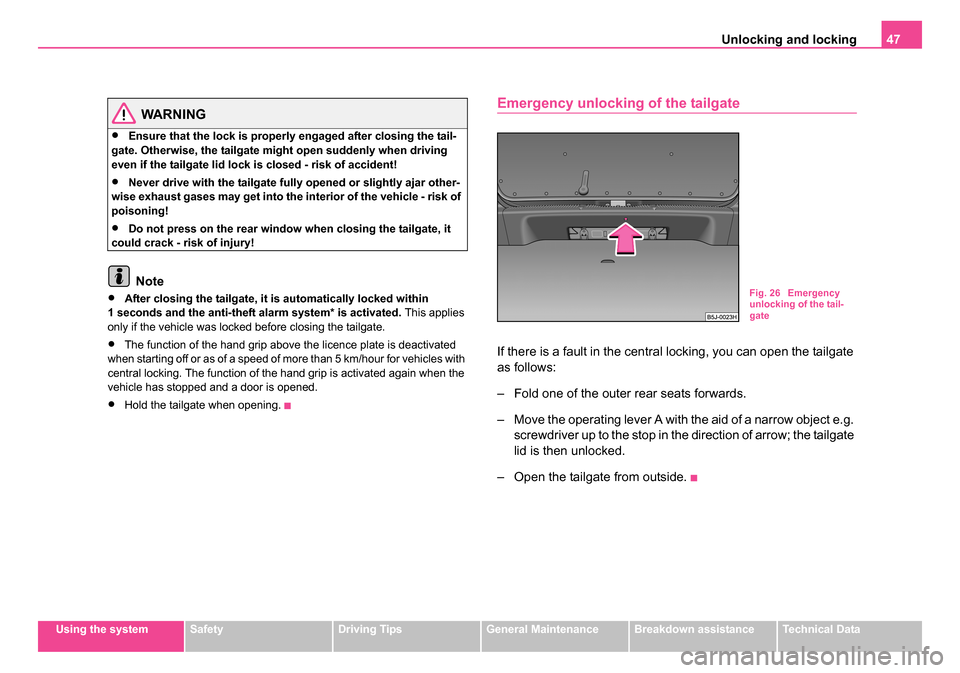
Emergency unlocking of the tailgate
If there is a fault in the central locking, you can open the tailgate
as follows:
– Fold one of the outer rear seats forwards.
– Move the operating lever A with the aid of a narrow object e.g. screwdriver up to the stop in the direction of arrow; the tailgate
lid is then unlocked.
– Open the tailgate from outside.
Fig. 26 Emergency
unlocking of the tail-
gate
NKO 20 A05.book Page 47 Wednesday, June 21, 2006 1:42 PM
Page 50 of 274
Unlocking and locking49
Using the systemSafetyDriving TipsGeneral MaintenanceBreakdown assistanceTechnical Data
Folding out of the key
– Press button .
Folding up of the key
– Press button and collapse the key bit in the housing.
The turn signal lights flash twice as confirmation that the vehicle has been
unlocked. The vehicle will lock again automatically if you unlock the
vehicle using button but do not open a door or the tailgate within the
next 30 seconds. This function is intended to prevent the car being
unlocked unintentionally.
The safe securing system along with the anti-theft alarm system* are,
however, deactivated during these 30 seconds.
When the vehicle is unlocked or locked, the interior lights in the door
contact are automatically switched on or off.
The turn signal lights flash once to confirm that the vehicle has been
correctly locked.
If the turn signal lights do not flash, check the doors, bonnet and tailgate
again to ensure that they are closed. If the doors, the bonnet or the tailgate
remain open when the anti-theft alarm system* is activated, the turn signal
lights do not flash until after they have been closed.
WARNING
If the vehicle is locked from the outside and the safe securing
system is activated, there must not be any person in the vehicle as
it is then not possible to open either a door or a window from the
inside. The locked doors make it more difficult for rescuers to get
into the vehicle in an emergency - hazard!
Note
•Operate the radio remote control only when the doors and tailgate are
closed and you have visual contact with the vehicle.
•Once in the car, you must not press the lock button of the master key
before inserting the key into the ignition lock in order to avoid the car being
inadvertently locked and, in addition, the anti-theft alarm system* being
switched on. Should this happen, press the unlock button
of the master
key.
Synchonisation of the remote control
If the vehicle cannot be unlocked by actuating the remote control system
then it is possible that the code in the key and the control unit in the vehicle
are no longer synchronised. This can occur when the buttons on the radio-
operated key are actuated a number of times outside of the operative
range of the equipment or the battery on the remote control was replaced.
This means it is necessary to synchronise the code as follows:
•Press any button on the remote control.
•pressing of the button means that the door will unlock with the key
within 1 minute.
Anti-theft alarm system*
The anti-theft alarm system increases the level of protection against
people seeking to break into the vehicle. The system triggers audible and
visual warning signals if an attempt is made to break into the vehicle.
A3
A3
A1
NKO 20 A05.book Page 49 Wednesday, June 21, 2006 1:42 PM
Page 52 of 274
Unlocking and locking51
Using the systemSafetyDriving TipsGeneral MaintenanceBreakdown assistanceTechnical Data
The interior monitor and the towing protection are operated with
the button
. You can switch the interior monitor and the towing
protection off if there is a possibility that movements from (e.g.
children or animals) inside the vehicle interior or if the vehicle
must be transported (e.g. by train or ship) or towed, might trigger
the alarm.
Switch off the interior monitor and towing protection
– Switch off the ignition.
– Press the button
on the driver door ⇒page 50, fig. 28 .
– Lock the vehicle within 30 seconds. The interior monitor and the towing protection are switched off.
The interior monitor and the towing protection are switched on again auto-
matically the next time the car is locked.
Note
•You can also switch off the interior monitor and the towing protection,
by deactivating the safe securing system ⇒page 43.
•When the ignition key is removed or a door is opened, the symbol in
the button lights up red.
•Lighting up of the symbol in the button does not confirm that the interior
monitor and the towing protection are switched on.
Power windows*
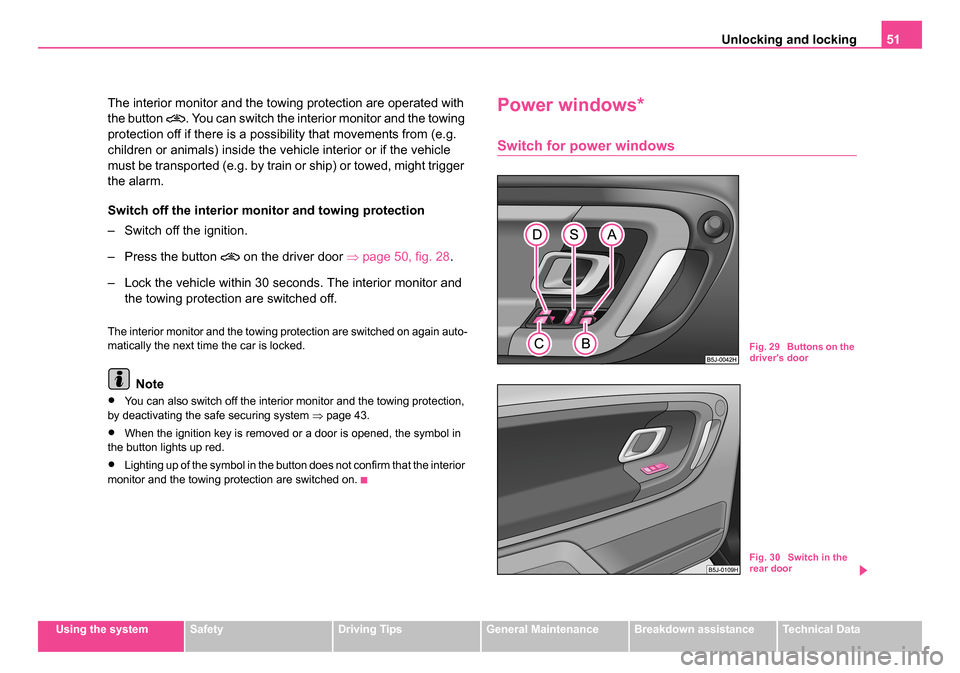
Switch for power windows
Fig. 29 Buttons on the
driver's door
Fig. 30 Switch in the
rear door
NKO 20 A05.book Page 51 Wednesday, June 21, 2006 1:42 PM
Page 54 of 274
Unlocking and locking53
Using the systemSafetyDriving TipsGeneral MaintenanceBreakdown assistanceTechnical Data
opened, dust and other dirt can get into the vehicle. The wind noise is
more at certain speeds.
Force limiter of the power windows
The electrically operated power windows are fitted with a force limiter. It
reduces the risk of bruises or injuries when closing the windows.
If there is an obstacle, the closing process is stopped and the window
goes down by several centimeters.
You must try to close the window again within 10 seconds, even if the
obstacle was not yet removed, the closing process is stopped. During this
time it is not possible to automatically close the window. The force limiter
is still switched on.
The force limiter is only switched off, if you attempt to close the window
within the next 10 seconds -
the window closes now with full strength!
If you wait longer than 10 seconds, the force limiter is switched on again.
WARNING
You should take particular care when closing the windows! You
may otherwise suffer severe injuries as a result of getting an arm,
for example, jammed in the window!
Window convenience operation
You can open and close the window with power windows as
follows when unlocking and locking the vehicle. Opening windows with the key
– Turn the key in the lock of the driver door into the opening
position and hold it until all the windows are open.
Closing windows with the key
– Turn the key in the lock of the driver door into the closing posi- tion and hold it there until all of the windows are closed.
You can interrupt the opening or closing operation of the windows imme-
diately by releasing the key.
WARNING
•Obstruction protection is not active during the convenience
operating feature ⇒ in “Switch for power windows” on page 51.
•You should take particular care when closing the windows! You
may otherwise suffer severe injuries as a result of getting an arm,
for example, jammed in the window!
Operational faults
Electrically operated power windows do not operate
If the battery of the car has been disconnected and then reconnected, the
electrically operated power windows do not operate. The system must be
activated. Proceed as follows in order to re-establish the function:
•turn the key in the lock of the driver door into the closing position and
hold it there until all of the windows are closed,
•release the key,
•once again insert the key and turn it into the closing position for about
3 seconds.
NKO 20 A05.book Page 53 Wednesday, June 21, 2006 1:42 PM
Page 56 of 274
Lights and Visibility55
Using the systemSafetyDriving TipsGeneral MaintenanceBreakdown assistanceTechnical Data
Lights and Visibility
Lights
Switching lights on and off
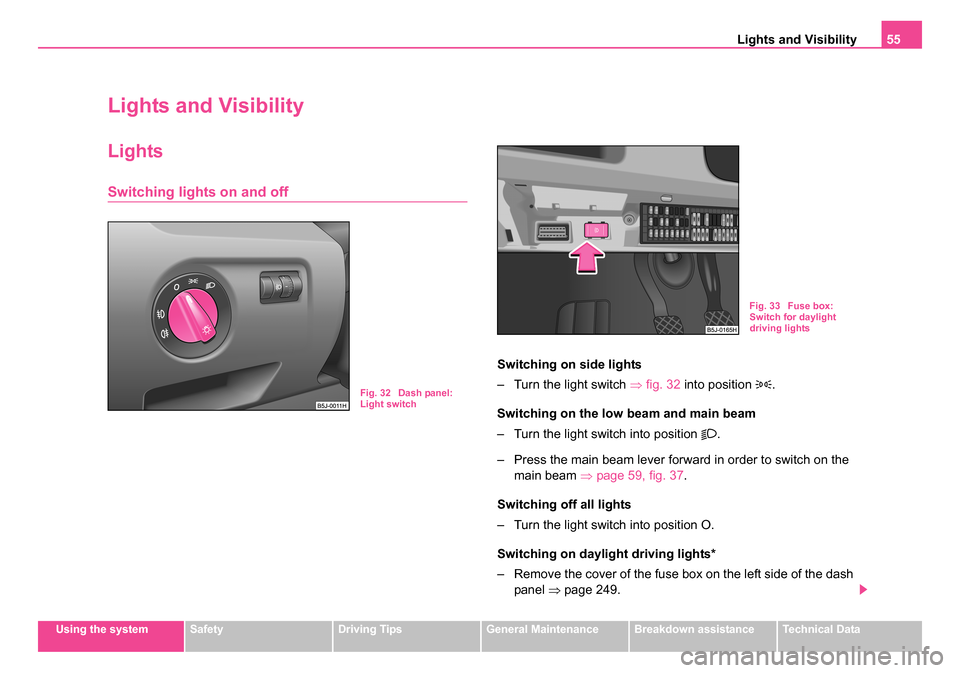
Switching on side lights
– Turn the light switch ⇒fig. 32 into position
.
Switching on the low beam and main beam
– Turn the light switch into position
.
– Press the main beam lever forward in order to switch on the main beam ⇒page 59, fig. 37 .
Switching off all lights
– Turn the light switch into position O.
Switching on daylight driving lights*
– Remove the cover of the fuse box on the left side of the dash panel ⇒page 249.
Fig. 32 Dash panel:
Light switch
Fig. 33 Fuse box:
Switch for daylight
driving lights
NKO 20 A05.book Page 55 Wednesday, June 21, 2006 1:42 PM
Page 58 of 274
Lights and Visibility57
Using the systemSafetyDriving TipsGeneral MaintenanceBreakdown assistanceTechnical Data
WARNING
If there is a fault in the corn ering lights, the warning light flashes
in the instrument cluster. The cornering lights are automatically
lowered to the emergency position, which prevents a possible
dazzling of oncoming traffic. Thus the illuminated length of the
road is shortened. Drive carefully and have the car inspected imme-
diately by a specialist garage.
Fog lights*
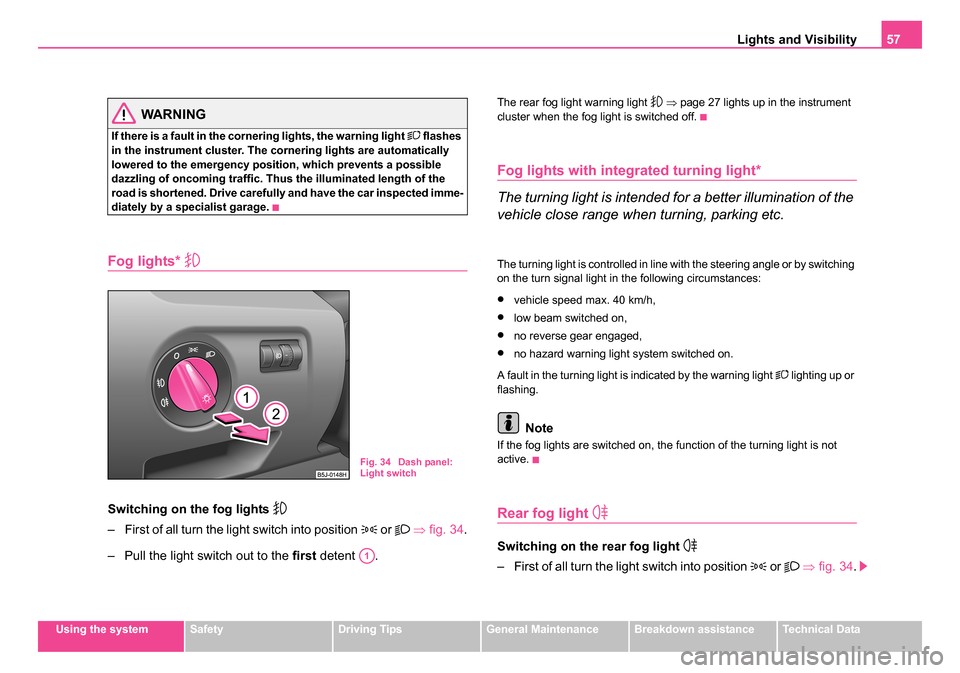
Switching on the fog lights
– First of all turn the light switch into position or ⇒ fig. 34 .
– Pull the light switch out to the first detent .
The rear fog light warning light ⇒ page 27 lights up in the instrument
cluster when the fog light is switched off.
Fog lights with integrated turning light*
The turning light is intended for a better illumination of the
vehicle close range when turning, parking etc.
The turning light is controlled in line with the steering angle or by switching
on the turn signal light in the following circumstances:
•vehicle speed max. 40 km/h,
•low beam switched on,
•no reverse gear engaged,
•no hazard warning light system switched on.
A fault in the turning light is indicated by the warning light
lighting up or
flashing.
Note
If the fog lights are switched on, the function of the turning light is not
active.
Rear fog light
Switching on the rear fog light
– First of all turn the light switch into position or ⇒ fig. 34 .
Fig. 34 Dash panel:
Light switch
A1
NKO 20 A05.book Page 57 Wednesday, June 21, 2006 1:42 PM
Page 60 of 274
Lights and Visibility59
Using the systemSafetyDriving TipsGeneral MaintenanceBreakdown assistanceTechnical Data
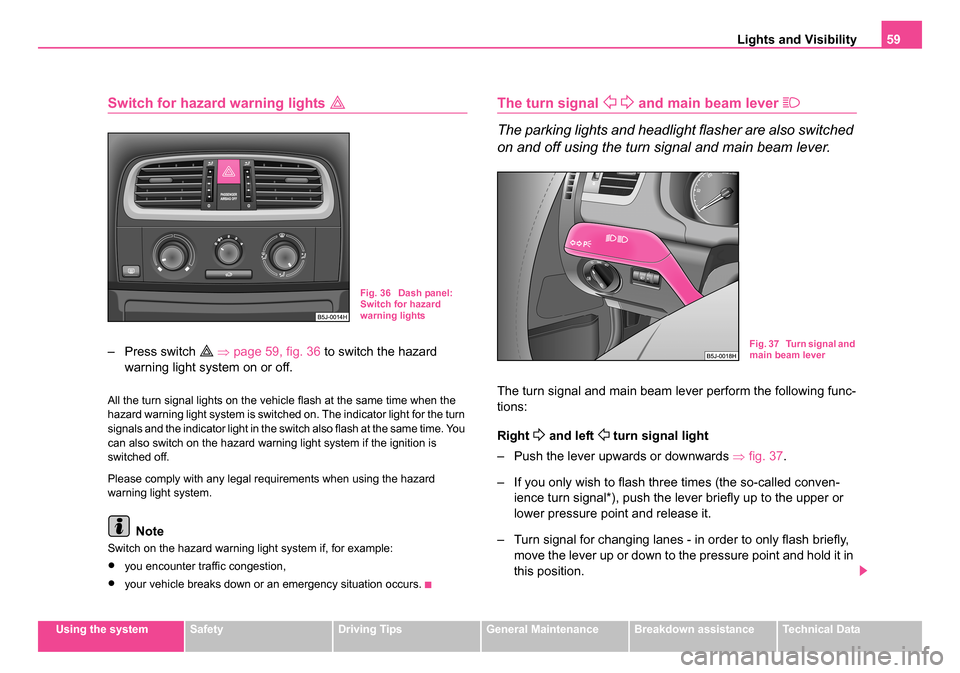
Switch for hazard warning lights
– Press switch ⇒ page 59, fig. 36 to switch the hazard
warning light system on or off.
All the turn signal lights on the vehicle flash at the same time when the
hazard warning light system is switched on. The indicator light for the turn
signals and the indicator light in the switch also flash at the same time. You
can also switch on the hazard warning light system if the ignition is
switched off.
Please comply with any legal requirements when using the hazard
warning light system.
Note
Switch on the hazard warning light system if, for example:
•you encounter traffic congestion,
•your vehicle breaks down or an emergency situation occurs.
The turn signal and main beam lever
The parking lights and headlight flasher are also switched
on and off using the turn signal and main beam lever.
The turn signal and main beam lever perform the following func-
tions:
Right
and left turn signal light
– Push the lever upwards or downwards ⇒fig. 37 .
– If you only wish to flash three times (the so-called conven- ience turn signal*), push the lever briefly up to the upper or
lower pressure point and release it.
– Turn signal for changing lanes - in order to only flash briefly, move the lever up or down to the pressure point and hold it in
this position.
Fig. 36 Dash panel:
Switch for hazard
warning lights
Fig. 37 Turn signal and
main beam lever
NKO 20 A05.book Page 59 Wednesday, June 21, 2006 1:42 PM
Page 62 of 274
Lights and Visibility61
Using the systemSafetyDriving TipsGeneral MaintenanceBreakdown assistanceTechnical Data
Door contact switching mechan ism (on the front and rear*
door)
– Press the switch to the right into position
⇒ page 60,
fig. 38 .
– On the version without reading lights press the switch into the middle position
.
Switching the interior light on
– Press the switch to the left into position
.
Switching the interior light off
– Press the switch into the middle position O.
– On the version without reading lights press the switch to the right, the symbol O appears.
Reading lights
– Press on one of the switches ⇒page 60, fig. 38 in order to
switch the right or left reading light on or off.
Lighting of storage compar tment on the front passenger
side
– When opening the flap of the storage compartment on the front passenger side the lighting in the storage compartment
comes on.
– The light switches on automatically when the parking light is switched on and goes out when the flap is closed.
The interior light is switched on for about 20 seconds when a vehicle with
a central locking system is unlocked, when a door is opened or when the ignition key is removed. The requirement for this is that the switch is in the
door contact position. The inner light goes out out immediately after the
ignition is switched on.
A time delay switch* causes the inner lighting on vehicles without a central
locking system stays on for a few seconds after the doors have been
closed. The inner light goes out out immediately after the ignition is
switched on.
The interior lighting is switched off after about 30 minutes when a door has
been left open in order to avoid discharging the battery of the vehicle.
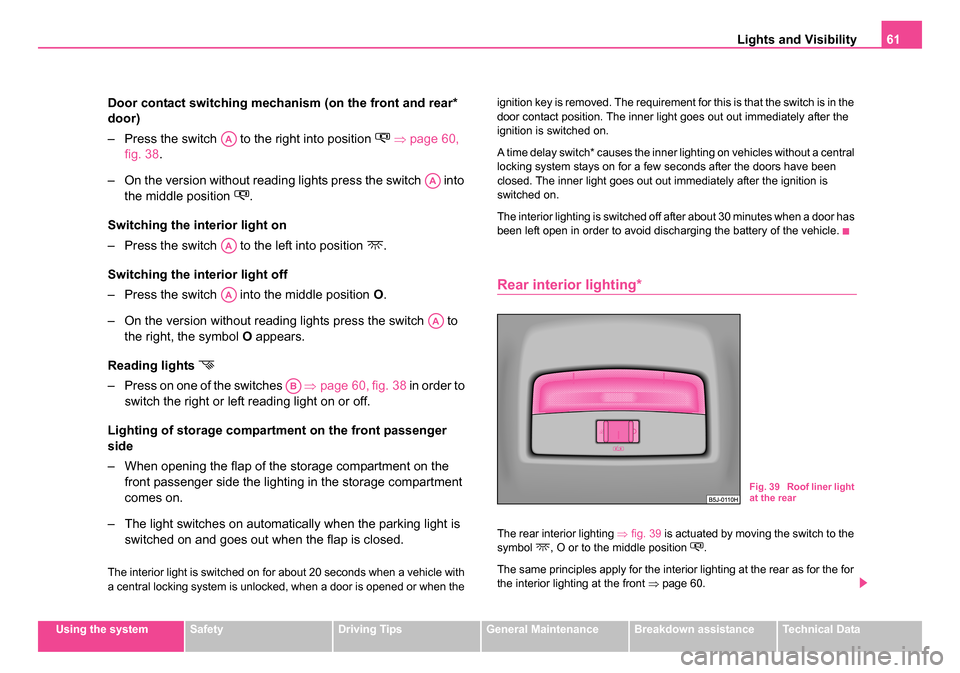
Rear interior lighting*
The rear interior lighting
⇒fig. 39 is actuated by moving the switch to the
symbol , O or to the middle position .
The same principles apply for the interior lighting at the rear as for the for
the interior lighting at the front ⇒page 60.
AA
AA
AA
AA
AA
AB
Fig. 39 Roof liner light
at the rear
NKO 20 A05.book Page 61 Wednesday, June 21, 2006 1:42 PM
Page 64 of 274
Lights and Visibility63
Using the systemSafetyDriving TipsGeneral MaintenanceBreakdown assistanceTechnical Data
You can pull the sun visor for the driver or front passenger out of the fixture
and swivel it toward the door in the direction of the arrow
⇒page 62,
fig. 41 .
A vanity mirror*, which is provided with a cover, is located in the sun visor
on the front passenger side. Push the cover in direction of arrow .
WARNING
The sun visors must not be swivelled to the side windows into the
deployment area of the head airbags if any objects, such as ball-
point pens etc. are attached to them. This might result in injuries to
the occupants if the head airbag is deployed.
Windshield wiper and wash system
Windshield wiper
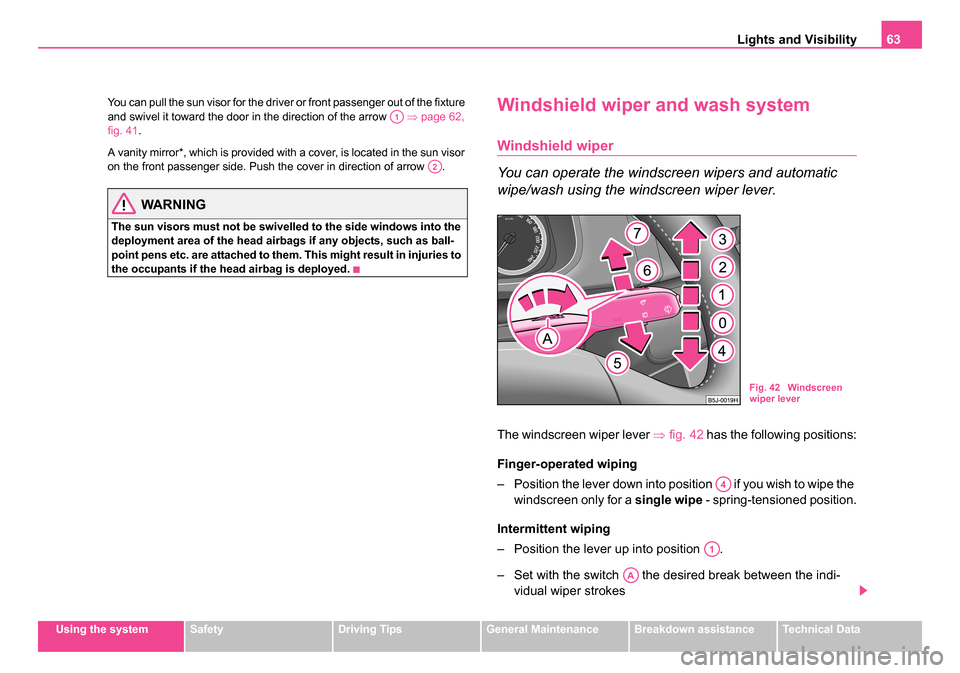
You can operate the windscreen wipers and automatic
wipe/wash using the windscreen wiper lever.
The windscreen wiper lever ⇒fig. 42 has the following positions:
Finger-operated wiping
– Position the lever down into position if you wish to wipe the windscreen only for a single wipe - spring-tensioned position.
Intermittent wiping
– Position the lever up into position .
– Set with the switch the desired break between the indi- vidual wiper strokes
A1
A2
Fig. 42 Windscreen
wiper lever
A4
A1
AA
NKO 20 A05.book Page 63 Wednesday, June 21, 2006 1:42 PM