lights SKODA ROOMSTER 2012 1.G Owner's Guide
[x] Cancel search | Manufacturer: SKODA, Model Year: 2012, Model line: ROOMSTER, Model: SKODA ROOMSTER 2012 1.GPages: 194, PDF Size: 4.8 MB
Page 73 of 194

Note
■ The whole heat output will be needed to defrost the windscreen and side win-
dows. No warm air will be fed to the footwell. This can lead to restriction of the
heating comfort. ■ The warning light AC lights after activation, even if not all of the conditions for
the function of the cooling system have been met » page 70, Introductory infor-
mation . The operational readiness of the cooling system is signalled when the
warning light in the button lights up. Ð 71
Heating and air conditioning system
Page 78 of 194
Starting-off and Driving
Starting and stopping the engine
ä
Introduction
This chapter contains information on the following subjects:
Adjusting the steering wheel position 77
Electrohydraulic power steering 77
Electronic immobiliser 77
Ignition lock 78
Starting engine 78
Switching the engine off 78
WARNING
■ Never adjust the steering wheel when the vehicle is moving only when the
vehicle is stationary!
■ Maintain a distance of 25 cm 1
to the steering wheel
» Fig. 78 on page 77
- . Not maintaining this minimum distance will mean that the airbag system
will not be able to properly protect you - hazard!
■ The lever for adjusting the steering wheel must be locked whilst driving so
that the position of the steering wheel cannot accidently change during the
journey - risk of accident!
■ If the steering wheel is adjusted further towards the head, the protection
provided by the driver airbag in the event of an accident is reduced. Check
that the steering wheel is aligned to the chest. ■ When driving, hold the steering wheel with both hands firmly on the outer
edge in the 9 o'clock and 3 o'clock position. Never hold the steering wheel in
the 12 o'clock position or in any other way (e.g. in the middle or inner edge of
the steering wheel). In such cases, you could injure the arms, hands and head
when the driver airbag is deployed.
■ When driving, the ignition key must always be in the position 2
» Fig. 79 on
page 78 (ignition switched on) without the engine running. This position is
indicated by the warning lights coming on. If this is not the case, it could result
in unexpected locking of the steering wheel - risk of accident! WARNING (Continued)
■ Only pull the ignition key from the ignition lock when the vehicle has come
to a complete stop (by applying the handbrake). Otherwise the steering wheel
could block - risk of accident!
■ When leaving the vehicle, the ignition must always be removed. This is par-
ticularly important if children are left in the vehicle. Otherwise the children
could, for example, start the engine - risk of accident or injury!
■ Never leave the engine running in unventilated or closed rooms. The ex-
haust gases of the engine contain besides the odorless and colourless carbon
monoxide a poisonous gas - hazard! Carbon monoxide can cause unconscious-
ness and death. ■ Never leave the vehicle unattended with the engine running.
■ Never switch off the engine before the vehicle is stationary - risk of acci-
dent! CAUTION
■ You will place great stresses on the power steering system if the steering is
turned to full lock when the vehicle is stationary. Turning the steering to full lock
in such a situation will be accompanied by noises. Never leave the steering wheel
at full lock for more than 15
seconds when the engine is running - risk of damag-
ing the power steering!
■ The starter may only be operated (ignition key position 3
» Fig. 79 on
page 78), if the engine is not running. The starter or engine can be damaged if
the starter is activated when the engine is running. ■ Let go of the ignition key as soon as the engine starts otherwise the starter
could be damaged. ■ Avoid high engine revolutions, full throttle and high engine loads as long as the
engine has not yet reached its operating temperature - risk of damaging the en-
gine!
■ Do not tow start the engine - danger of damaging the engine! On vehicles with
a catalytic converter, unburnt fuel may get into the catalytic converter where it
may ignite. This in turn may damage the catalytic converter. The battery from an-
other vehicle can be used as a jump-start aid » page 163, Jump-starting.
■ Do not switch the engine off immediately at the end of your journey after the
engine has been operated over a prolonged period at high loads but leave it to
run at an idling speed for about 1
minute. This prevents any possible accumulation
of heat when the engine is switched off. £
76 Using the system
Page 79 of 194
For the sake of the environment
Do not warm up the engine while the vehicle is stationary. If possible, start your
journey as soon as the engine has started. Through this the engine reaches its
operating temperature more rapidly and the pollutant emissions are lower. Note
■ The engine can only be started with a genuine ŠKODA key with the matching
code. ■ The engine running noises may louder at first be louder for a short time after
starting the cold engine. This is quite normal and is not an operating problem. ■ After switching off the ignition, the radiator fan can intermittently continue to
operate for approx. 10
minutes.
■ If the engine does not start up after a second attempt, the fuse for the fuel
pump may have a fault. Check the fuse and replace, if necessary » page 166,
Fuses or seek assistance from a
ŠKODA specialist garage.
■ We recommend locking the steering wheel whenever leaving the vehicle. This
acts as a deterrent against the attempted theft of your car. ÐAdjusting the steering wheel position
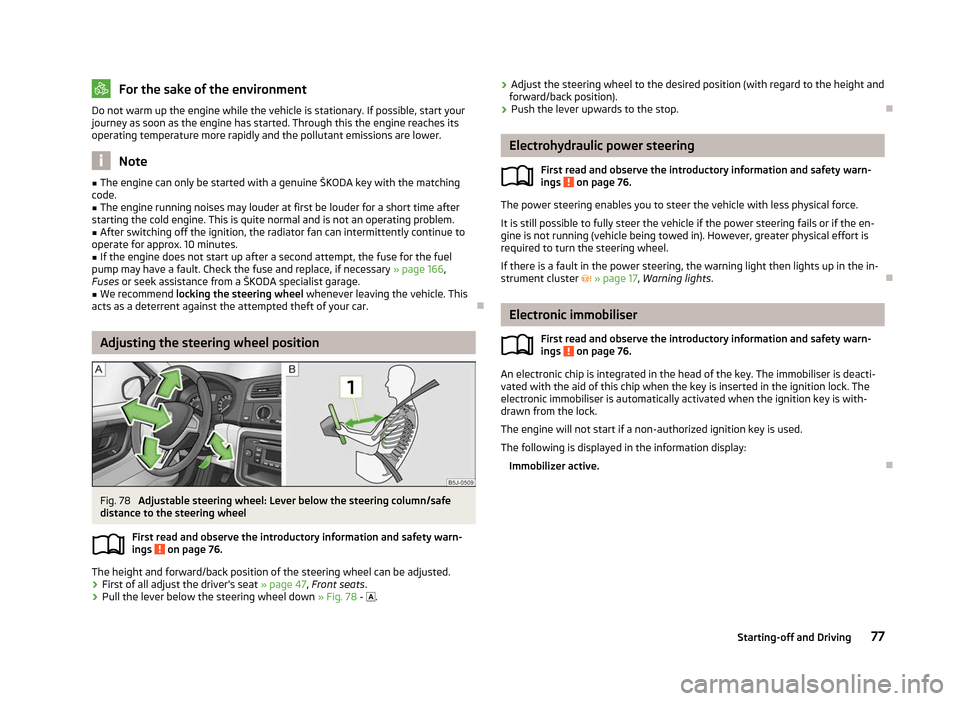
Fig. 78
Adjustable steering wheel: Lever below the steering column/safe
distance to the steering wheel
First read and observe the introductory information and safety warn-
ings on page 76.
The height and forward/back position of the steering wheel can be adjusted.
› First of all adjust the driver's seat
» page 47, Front seats .
› Pull the lever below the steering wheel down
» Fig. 78 - .
ä ›
Adjust the steering wheel to the desired position (with regard to the height and
forward/back position).
› Push the lever upwards to the stop. Ð Electrohydraulic power steering
First read and observe the introductory information and safety warn-
ings on page 76.
The power steering enables you to steer the vehicle with less physical force.
It is still possible to fully steer the vehicle if the power steering fails or if the en-
gine is not running (vehicle being towed in). However, greater physical effort is
required to turn the steering wheel.
If there is a fault in the power steering, the warning light then lights up in the in-
strument cluster » page 17, Warning lights . Ð Electronic immobiliser
First read and observe the introductory information and safety warn-
ings on page 76.
An electronic chip is integrated in the head of the key. The immobiliser is deacti-
vated with the aid of this chip when the key is inserted in the ignition lock. The
electronic immobiliser is automatically activated when the ignition key is with-
drawn from the lock.
The engine will not start if a non-authorized ignition key is used.
The following is displayed in the information display: Immobilizer active. Ð
ä
ä
77
Starting-off and Driving
Page 82 of 194
Faults in the brake surface
If it is found that the braking distance has suddenly become longer and that the
brake pedal can be depressed further, the brake system may be faulty. Visit a
ŠKODA specialist garage immediately and adjust your style of driving appropriate-
ly as you will not know how great the damage is.
Low brake fluid level
An insufficient level of brake fluid may result in problems in the brake system. The
level of the brake fluid is monitored electronically
» page 18, Brake system .
Brake booster
The brake booster increases the pressure generated with the brake pedal. The
brake booster only operates when the engine is running. ÐHandbrake
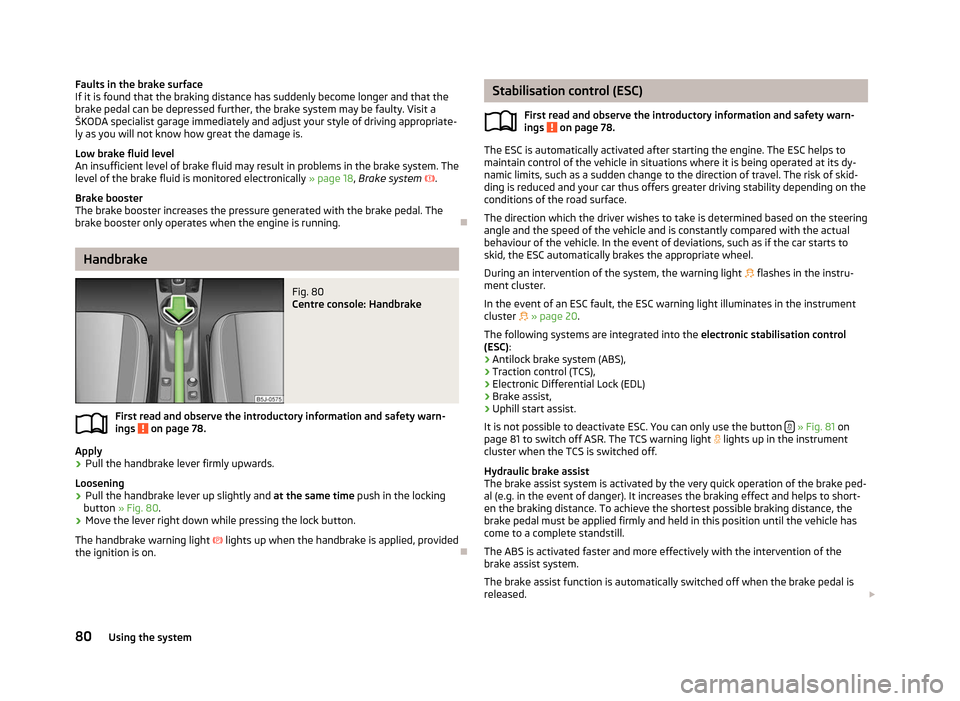
Fig. 80
Centre console: Handbrake
First read and observe the introductory information and safety warn-
ings on page 78.
Apply
› Pull the handbrake lever firmly upwards.
Loosening
› Pull the handbrake lever up slightly and
at the same time push in the locking
button » Fig. 80 .
› Move the lever right down while pressing the lock button.
The handbrake warning light lights up when the handbrake is applied, provided
the ignition is on. Ð
ä Stabilisation control (ESC)
First read and observe the introductory information and safety warn-
ings on page 78.
The ESC is automatically activated after starting the engine. The ESC helps to
maintain control of the vehicle in situations where it is being operated at its dy-
namic limits, such as a sudden change to the direction of travel. The risk of skid-
ding is reduced and your car thus offers greater driving stability depending on the
conditions of the road surface.
The direction which the driver wishes to take is determined based on the steering
angle and the speed of the vehicle and is constantly compared with the actual
behaviour of the vehicle. In the event of deviations, such as if the car starts to
skid, the ESC automatically brakes the appropriate wheel.
During an intervention of the system, the warning light flashes in the instru-
ment cluster.
In the event of an ESC fault, the ESC warning light illuminates in the instrument
cluster » page 20.
The following systems are integrated into the electronic stabilisation control
(ESC):
› Antilock brake system (ABS),
› Traction control (TCS),
› Electronic Differential Lock (EDL)
› Brake assist,
› Uphill start assist.
It is not possible to deactivate ESC. You can only use the button » Fig. 81 on
page 81 to switch off ASR. The TCS warning light lights up in the instrument
cluster when the TCS is switched off.
Hydraulic brake assist
The brake assist system is activated by the very quick operation of the brake ped-
al (e.g. in the event of danger). It increases the braking effect and helps to short-
en the braking distance. To achieve the shortest possible braking distance, the
brake pedal must be applied firmly and held in this position until the vehicle has
come to a complete standstill.
The ABS is activated faster and more effectively with the intervention of the
brake assist system.
The brake assist function is automatically switched off when the brake pedal is
released. £
ä
80 Using the system
Page 83 of 194
Uphill start assist
The uphill start assist makes it easier to start off on steep hills. The system holds
the brake pressure produced by the activation of the brake pedal for approx.
2 seconds after the brake pedal is released. The driver can therefore move his
foot from the brake pedal to the accelerator pedal and start off on the slope,
without having to actuate the handbrake. The brake pressure drops gradually the
more you operate the accelerator pedal. If the vehicle does not start off within 2
seconds, it starts to roll back.
The uphill start assist is active as of a 5 % slope, if the driver door is closed. It is
always active on slopes when in forward or reverse start off. When driving down-
hill, it is inactive. ÐAntilock brake system (ABS)
First read and observe the introductory information and safety warn-
ings on page 78.
ABS prevents the wheels locking when braking. Thus helping the driver to main-
tain control of the vehicle.
The intervention of the ABS is noticeable from the pulsating movements of the
brake pedal which is accompanied by noises.
Do not reduce the pressure on the brake pedal during the intervention of the
ABS. The ABS deactivates if the brake pedal is released. Never interrupt the appli-
cation of the brakes during the intervention of the ABS! ÐTraction control system (TCS)
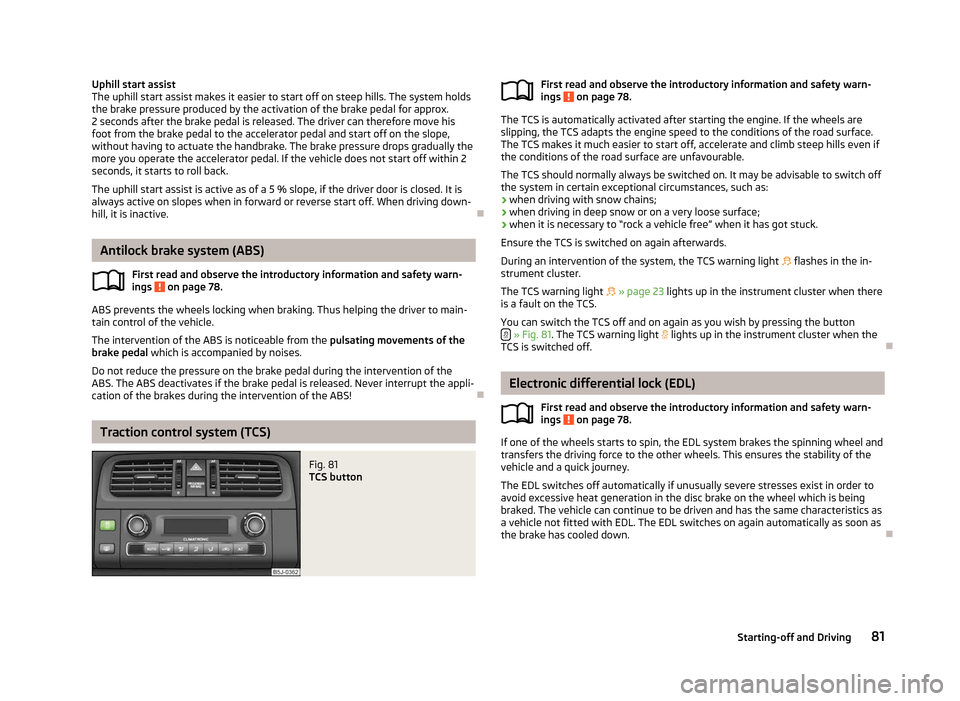
Fig. 81
TCS button
ä First read and observe the introductory information and safety warn-
ings on page 78.
The TCS is automatically activated after starting the engine. If the wheels are
slipping, the TCS adapts the engine speed to the conditions of the road surface.
The TCS makes it much easier to start off, accelerate and climb steep hills even if
the conditions of the road surface are unfavourable.
The TCS should normally always be switched on. It may be advisable to switch off
the system in certain exceptional circumstances, such as:
› when driving with snow chains;
› when driving in deep snow or on a very loose surface;
› when it is necessary to
“rock a vehicle free” when it has got stuck.
Ensure the TCS is switched on again afterwards.
During an intervention of the system, the TCS warning light flashes in the in-
strument cluster.
The TCS warning light » page 23 lights up in the instrument cluster when there
is a fault on the TCS.
You can switch the TCS off and on again as you wish by pressing the button » Fig. 81. The TCS warning light
lights up in the instrument cluster when the
TCS is switched off. Ð Electronic differential lock (EDL)
First read and observe the introductory information and safety warn-
ings on page 78.
If one of the wheels starts to spin, the EDL system brakes the spinning wheel and
transfers the driving force to the other wheels. This ensures the stability of the
vehicle and a quick journey.
The EDL switches off automatically if unusually severe stresses exist in order to
avoid excessive heat generation in the disc brake on the wheel which is being
braked. The vehicle can continue to be driven and has the same characteristics as
a vehicle not fitted with EDL. The EDL switches on again automatically as soon as
the brake has cooled down. Ð
ä
ä
81
Starting-off and Driving
Page 84 of 194
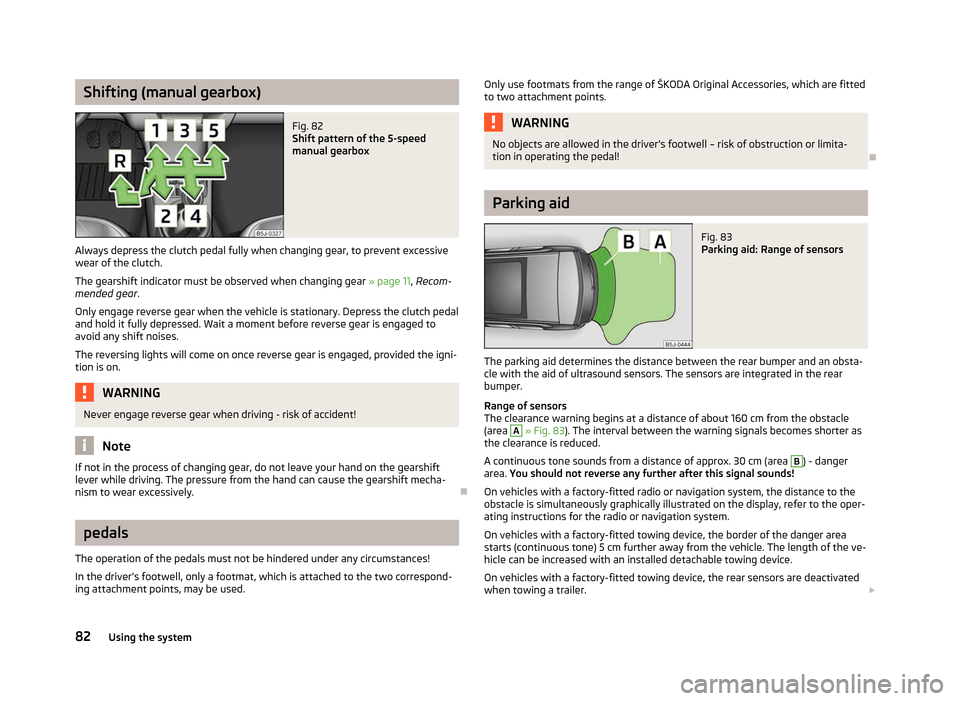
Shifting (manual gearbox)
Fig. 82
Shift pattern of the 5-speed
manual gearbox
Always depress the clutch pedal fully when changing gear, to prevent excessive
wear of the clutch.
The gearshift indicator must be observed when changing gear » page 11, Recom-
mended gear .
Only engage reverse gear when the vehicle is stationary. Depress the clutch pedal
and hold it fully depressed. Wait a moment before reverse gear is engaged to
avoid any shift noises.
The reversing lights will come on once reverse gear is engaged, provided the igni-
tion is on. WARNING
Never engage reverse gear when driving - risk of accident! Note
If not in the process of changing gear, do not leave your hand on the gearshift
lever while driving. The pressure from the hand can cause the gearshift mecha-
nism to wear excessively. Ðpedals
The operation of the pedals must not be hindered under any circumstances!
In the driver's footwell, only a footmat, which is attached to the two correspond-
ing attachment points, may be used. Only use footmats from the range of ŠKODA Original Accessories, which are fitted
to two attachment points. WARNING
No objects are allowed in the driver's footwell – risk of obstruction or limita-
tion in operating the pedal! Ð Parking aid
Fig. 83
Parking aid: Range of sensors
The parking aid determines the distance between the rear bumper and an obsta-
cle with the aid of ultrasound sensors. The sensors are integrated in the rear
bumper.
Range of sensors
The clearance warning begins at a distance of about 160 cm from the obstacle
(area A
» Fig. 83). The interval between the warning signals becomes shorter as
the clearance is reduced.
A continuous tone sounds from a distance of approx. 30 cm (area B
) - danger
area. You should not reverse any further after this signal sounds!
On vehicles with a factory-fitted radio or navigation system, the distance to the
obstacle is simultaneously graphically illustrated on the display, refer to the oper-
ating instructions for the radio or navigation system.
On vehicles with a factory-fitted towing device, the border of the danger area
starts (continuous tone) 5
cm further away from the vehicle. The length of the ve-
hicle can be increased with an installed detachable towing device.
On vehicles with a factory-fitted towing device, the rear sensors are deactivated
when towing a trailer. £
82 Using the system
Page 87 of 194
START/STOP
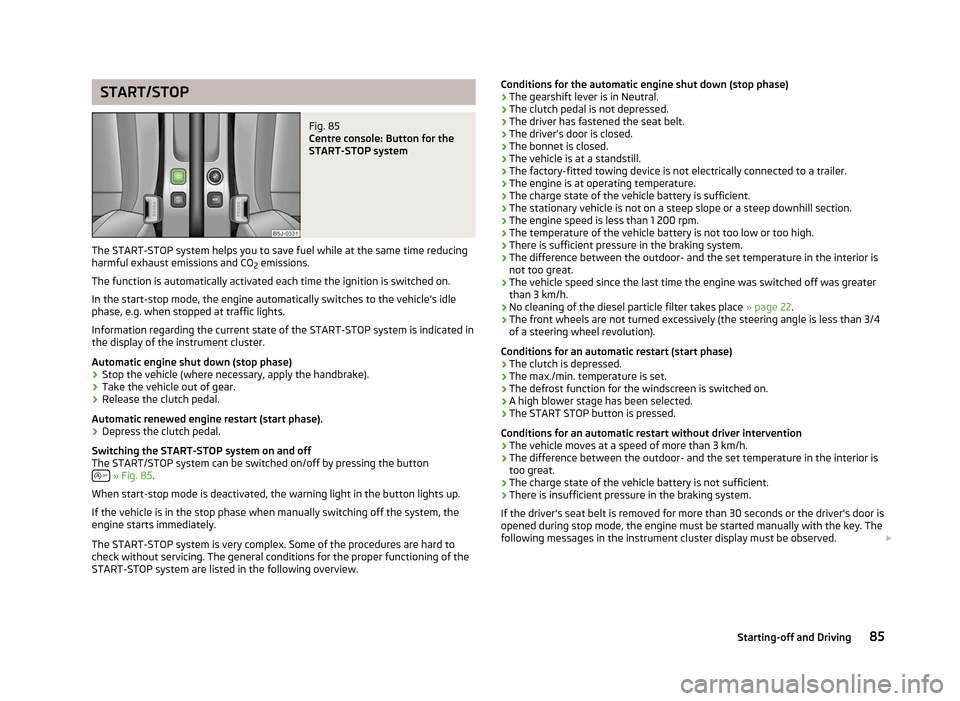
Fig. 85
Centre console: Button for the
START-STOP system
The START-STOP system helps you to save fuel while at the same time reducing
harmful exhaust emissions and CO 2 emissions.
The function is automatically activated each time the ignition is switched on.
In the start-stop mode, the engine automatically switches to the vehicle's idle
phase, e.g. when stopped at traffic lights.
Information regarding the current state of the
START-STOP system is indicated in
the display of the instrument cluster.
Automatic engine shut down (stop phase)
› Stop the vehicle (where necessary, apply the handbrake).
› Take the vehicle out of gear.
› Release the clutch pedal.
Automatic renewed engine restart (start phase).
› Depress the clutch pedal.
Switching the
START-STOP system on and off
The START/STOP system can be switched on/off by pressing the button » Fig. 85.
When start-stop mode is deactivated, the warning light in the button lights up.
If the vehicle is in the stop phase when manually switching off the system, the
engine starts immediately.
The
START-STOP system is very complex. Some of the procedures are hard to
check without servicing. The general conditions for the proper functioning of the
START-STOP system are listed in the following overview. Conditions for the automatic engine shut down (stop phase)
› The gearshift lever is in Neutral.
› The clutch pedal is not depressed.
› The driver has fastened the seat belt.
› The driver's door is closed.
› The bonnet is closed.
› The vehicle is at a standstill.
› The factory-fitted towing device is not electrically connected to a trailer.
› The engine is at operating temperature.
› The charge state of the vehicle battery is sufficient.
› The stationary vehicle is not on a steep slope or a steep downhill section.
› The engine speed is less than 1
200 rpm.
› The temperature of the vehicle battery is not too low or too high.
› There is sufficient pressure in the braking system.
› The difference between the outdoor- and the set temperature in the interior is
not too great.
› The vehicle speed since the last time the engine was switched off was greater
than 3 km/h.
› No cleaning of the diesel particle filter takes place
» page 22.
› The front wheels are not turned excessively (the steering angle is less than 3/4
of a steering wheel revolution).
Conditions for an automatic restart (start phase)
› The clutch is depressed.
› The max./min. temperature is set.
› The defrost function for the windscreen is switched on.
› A high blower stage has been selected.
› The START STOP button is pressed.
Conditions for an automatic restart without driver intervention
› The vehicle moves at a speed of more than 3 km/h.
› The difference between the outdoor- and the set temperature in the interior is
too great.
› The charge state of the vehicle battery is not sufficient.
› There is insufficient pressure in the braking system.
If the driver's seat belt is removed for more than 30 seconds or the driver's door is
opened during stop mode, the engine must be started manually with the key. The
following messages in the instrument cluster display must be observed. £
85
Starting-off and Driving
Page 90 of 194
When parking on a level road surface, it suffices to engage selector lever position
P. When parking on a slope, the handbrake should be applied firmly before the
park position is selected. This ensures that there is no excessive pressure on the
lock mechanism and that it is subsequently easier to move the selector lever out
of position P.
If the selector lever position N is accidentally selected while driving, it is first nec-
essary to release pressure on the accelerator pedal and wait for the idling speed
of the engine to be reached before the selector lever can be engaged in the drive
position. ÐStarting-off and driving
First read and observe the introductory information and safety warn-
ings on page 87.
Starting off
› Firmly depress and hold the brake pedal.
› Press the Shiftlock button (button in the selector lever handle), move the selec-
tor lever into the desired position » page 88 and then release the Shiftlock
button.
› Wait a moment until the gearbox has shifted (a slight engagement nudge can
be felt) 1)
.
› Release the brake pedal and accelerate.
Stop
› The selector lever position
N does not have to be selected when stopping for a
short time, such as at a cross roads. It is sufficient to hold the vehicle stationary
using the foot brake. The engine can, however, be allowed just to idle.
Parking
› Depress the brake pedal.
› Firmly apply the handbrake.
› Press and Shiftlock button in the selector lever, move the selector lever to
P
and then release the Shiftlock button. Ð
ä Selector lever positions
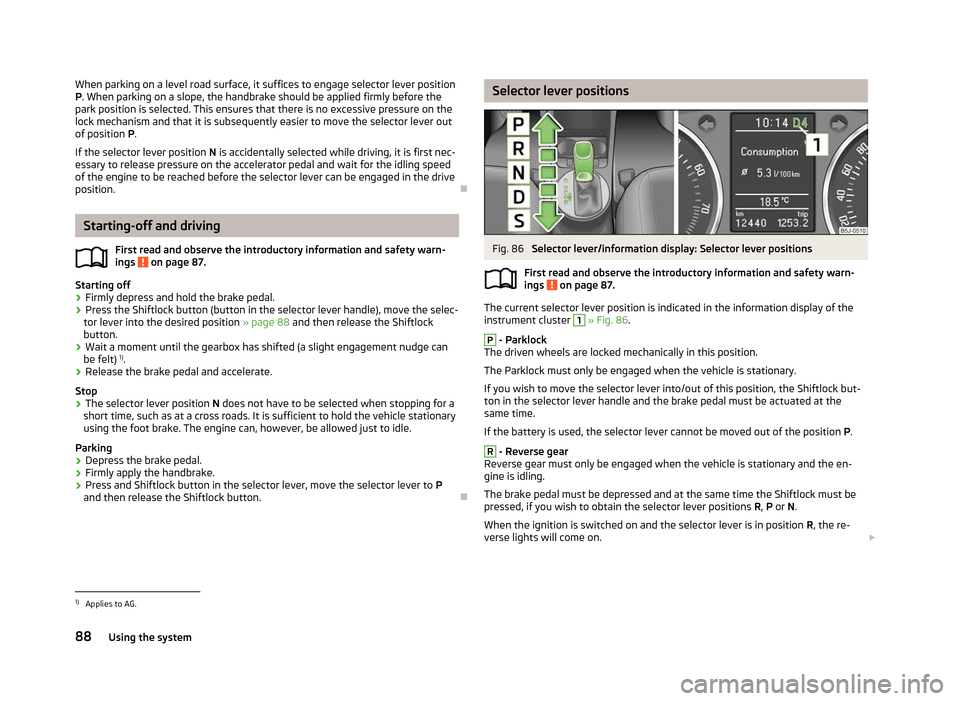
Fig. 86
Selector lever/information display: Selector lever positions
First read and observe the introductory information and safety warn-
ings on page 87.
The current selector lever position is indicated in the information display of the
instrument cluster 1
» Fig. 86
. P
- Parklock
The driven wheels are locked mechanically in this position.
The Parklock must only be engaged when the vehicle is stationary.
If you wish to move the selector lever into/out of this position, the Shiftlock but-
ton in the selector lever handle and the brake pedal must be actuated at the
same time.
If the battery is used, the selector lever cannot be moved out of the position P. R
- Reverse gear
Reverse gear must only be engaged when the vehicle is stationary and the en-
gine is idling.
The brake pedal must be depressed and at the same time the Shiftlock must be
pressed, if you wish to obtain the selector lever positions R, P or N.
When the ignition is switched on and the selector lever is in position R, the re-
verse lights will come on. £
ä
1)
Applies to AG.
88 Using the system
Page 95 of 194
Phone Phonebook
A phone phonebook is part of the hands-free system. This phone phonebook can
be used depending on the type of mobile phone.
After the first connection of the telephone, the system begins to load the phone
book from the phone and the SIM card into the memory of the control unit.
Each time the telephone has established a new connection with the hands-free
system, an update of the relevant phone book is performed. The updating can
take a few minutes. During this time the phone book, which was stored after the
last update was completed, is available. Newly stored telephone numbers are on-
ly shown after the updating has ended. The update is interrupted if a telephone event (e.g. incoming or outgoing call,
voice control dialogue) occurs during the updating procedure. After the telephone
event has ended, the updating starts anew.
The internal phonebook provides 2
500 free memory locations. Each contact can
contain up to 4 numbers.
If the number of contacts loaded exceeds 2 500, the phone book is not complete. ÐOperating the phone on the multifunction steering wheel
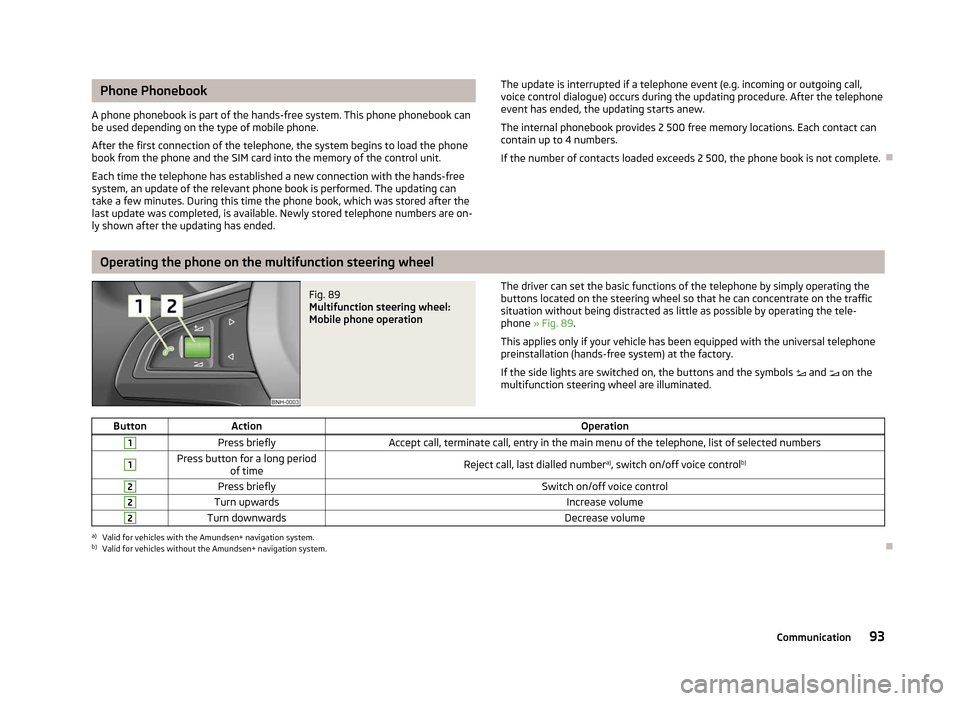
Fig. 89
Multifunction steering wheel:
Mobile phone operation The driver can set the basic functions of the telephone by simply operating the
buttons located on the steering wheel so that he can concentrate on the traffic
situation without being distracted as little as possible by operating the tele-
phone
» Fig. 89 .
This applies only if your vehicle has been equipped with the universal telephone
preinstallation (hands-free system) at the factory.
If the side lights are switched on, the buttons and the symbols and on the
multifunction steering wheel are illuminated.
Button Action Operation1
Press briefly
Accept call, terminate call, entry in the main menu of the telephone, list of selected numbers1 Press button for a long period
of time Reject call, last dialled number
a)
, switch on/off voice control b)2
Press briefly
Switch on/off voice control2
Turn upwards
Increase volume2
Turn downwards
Decrease volumea)
Valid for vehicles with the Amundsen+ navigation system.
b) Valid for vehicles without the Amundsen+ navigation system. Ð
93
Communication
Page 100 of 194
The music playback process is performed on the connected device.
The universal telephone preinstallation GSM
II ensures that the music played back
via the hands-free system can be controlled with the remote control » page 97,
Voice commands . Note
The device being connected must support the Bluetooth ®
A2DP profile; refer to
the operating instructions for the relevant device being connected. ÐOperating the radio and navigation system on the multifunction steering wheel
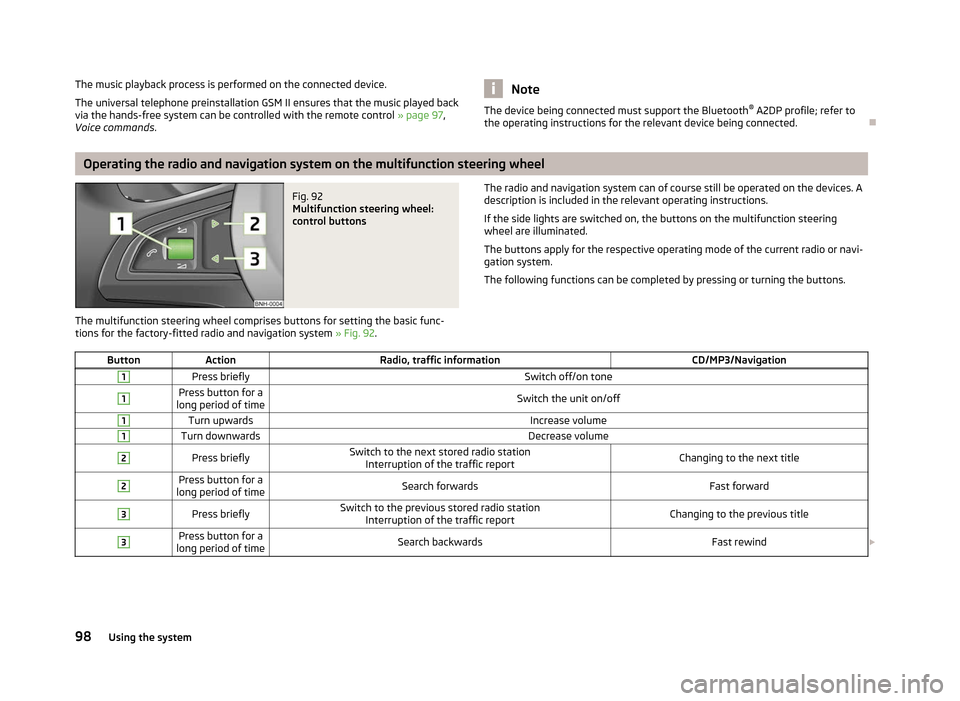
Fig. 92
Multifunction steering wheel:
control buttons
The multifunction steering wheel comprises buttons for setting the basic func-
tions for the factory-fitted radio and navigation system » Fig. 92. The radio and navigation system can of course still be operated on the devices. A
description is included in the relevant operating instructions.
If the side lights are switched on, the buttons on the multifunction steering
wheel are illuminated.
The buttons apply for the respective operating mode of the current radio or navi-
gation system.
The following functions can be completed by pressing or turning the buttons.
Button Action Radio, traffic information CD/MP3/Navigation1
Press briefly
Switch off/on tone1 Press button for a
long period of time Switch the unit on/off1
Turn upwards
Increase volume1
Turn downwards
Decrease volume2
Press briefly
Switch to the next stored radio station
Interruption of the traffic report Changing to the next title2 Press button for a
long period of time Search forwards
Fast forward3
Press briefly
Switch to the previous stored radio station
Interruption of the traffic report Changing to the previous title3 Press button for a
long period of time Search backwards
Fast rewind£98
Using the system