warning lights SKODA YETI 2017 Owner´s Manual
[x] Cancel search | Manufacturer: SKODA, Model Year: 2017, Model line: YETI, Model: SKODA YETI 2017Pages: 200, PDF Size: 28.93 MB
Page 37 of 200
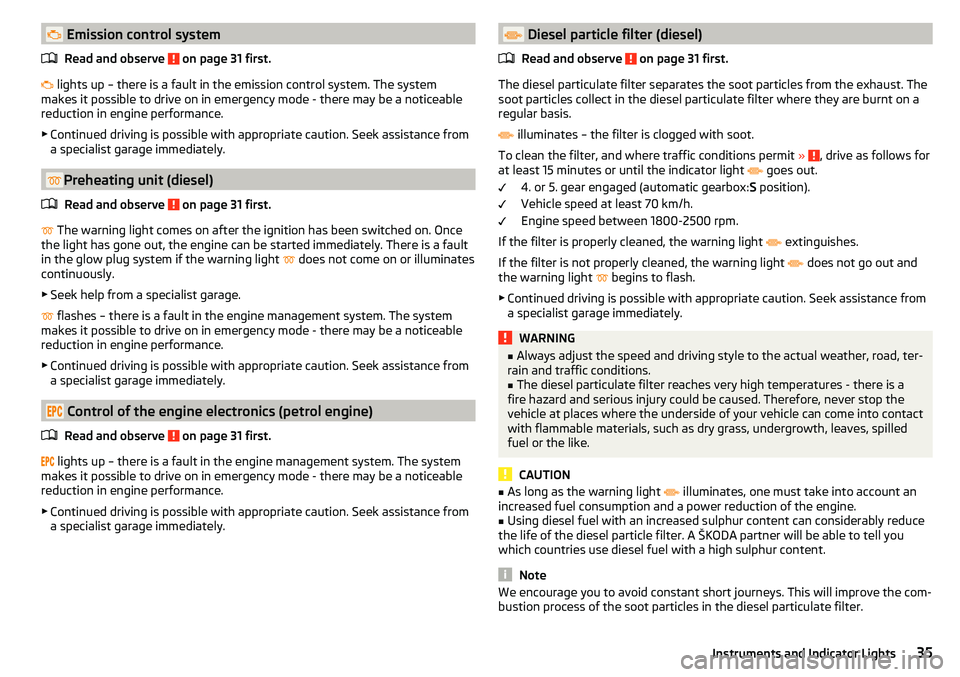
Emission control systemRead and observe
on page 31 first.
lights up – there is a fault in the emission control system. The system
makes it possible to drive on in emergency mode - there may be a noticeable
reduction in engine performance.
▶ Continued driving is possible with appropriate caution. Seek assistance from
a specialist garage immediately.
Preheating unit (diesel)
Read and observe
on page 31 first.
The warning light comes on after the ignition has been switched on. Once
the light has gone out, the engine can be started immediately. There is a fault
in the glow plug system if the warning light does not come on or illuminates
continuously.
▶ Seek help from a specialist garage.
flashes – there is a fault in the engine management system. The system
makes it possible to drive on in emergency mode - there may be a noticeable
reduction in engine performance.
▶ Continued driving is possible with appropriate caution. Seek assistance from
a specialist garage immediately.
Control of the engine electronics (petrol engine)
Read and observe
on page 31 first.
lights up – there is a fault in the engine management system. The system
makes it possible to drive on in emergency mode - there may be a noticeable
reduction in engine performance.
▶ Continued driving is possible with appropriate caution. Seek assistance from
a specialist garage immediately.
Diesel particle filter (diesel)
Read and observe
on page 31 first.
The diesel particulate filter separates the soot particles from the exhaust. The
soot particles collect in the diesel particulate filter where they are burnt on a
regular basis.
illuminates – the filter is clogged with soot.
To clean the filter, and where traffic conditions permit »
, drive as follows for
at least 15 minutes or until the indicator light
goes out.
4. or 5. gear engaged (automatic gearbox: S position).
Vehicle speed at least 70 km/h.
Engine speed between 1800-2500 rpm.
If the filter is properly cleaned, the warning light extinguishes.
If the filter is not properly cleaned, the warning light does not go out and
the warning light begins to flash.
▶ Continued driving is possible with appropriate caution. Seek assistance from
a specialist garage immediately.
WARNING■ Always adjust the speed and driving style to the actual weather, road, ter-
rain and traffic conditions.■
The diesel particulate filter reaches very high temperatures - there is a
fire hazard and serious injury could be caused. Therefore, never stop the
vehicle at places where the underside of your vehicle can come into contact
with flammable materials, such as dry grass, undergrowth, leaves, spilled
fuel or the like.
CAUTION
■ As long as the warning light illuminates, one must take into account an
increased fuel consumption and a power reduction of the engine.■
Using diesel fuel with an increased sulphur content can considerably reduce
the life of the diesel particle filter. A ŠKODA partner will be able to tell you
which countries use diesel fuel with a high sulphur content.
Note
We encourage you to avoid constant short journeys. This will improve the com-
bustion process of the soot particles in the diesel particulate filter.35Instruments and Indicator Lights
Page 38 of 200
Fuel reserveRead and observe
on page 31 first.
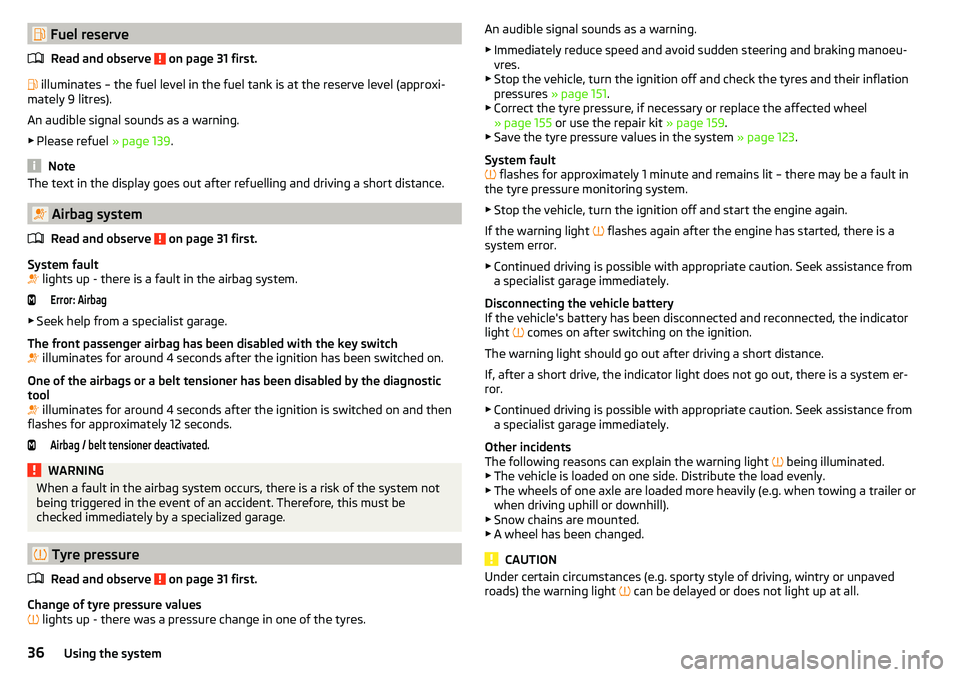
illuminates – the fuel level in the fuel tank is at the reserve level (approxi-
mately 9 litres).
An audible signal sounds as a warning. ▶ Please refuel » page 139.
Note
The text in the display goes out after refuelling and driving a short distance.
Airbag system
Read and observe
on page 31 first.
System fault
lights up - there is a fault in the airbag system.
Error: Airbag
▶
Seek help from a specialist garage.
The front passenger airbag has been disabled with the key switch
illuminates for around 4 seconds after the ignition has been switched on.
One of the airbags or a belt tensioner has been disabled by the diagnostic
tool
illuminates for around 4 seconds after the ignition is switched on and then
flashes for approximately 12 seconds.
Airbag / belt tensioner deactivated.WARNINGWhen a fault in the airbag system occurs, there is a risk of the system not
being triggered in the event of an accident. Therefore, this must be
checked immediately by a specialized garage.
Tyre pressure
Read and observe
on page 31 first.
Change of tyre pressure values
lights up - there was a pressure change in one of the tyres.
An audible signal sounds as a warning.
▶ Immediately reduce speed and avoid sudden steering and braking manoeu-
vres.
▶ Stop the vehicle, turn the ignition off and check the tyres and their inflation
pressures » page 151.
▶ Correct the tyre pressure, if necessary or replace the affected wheel
» page 155 or use the repair kit » page 159.
▶ Save the tyre pressure values in the system » page 123.
System fault
flashes for approximately 1 minute and remains lit – there may be a fault in
the tyre pressure monitoring system.
▶ Stop the vehicle, turn the ignition off and start the engine again.
If the warning light flashes again after the engine has started, there is a
system error.
▶ Continued driving is possible with appropriate caution. Seek assistance from
a specialist garage immediately.
Disconnecting the vehicle battery
If the vehicle's battery has been disconnected and reconnected, the indicator
light comes on after switching on the ignition.
The warning light should go out after driving a short distance.
If, after a short drive, the indicator light does not go out, there is a system er-
ror.
▶ Continued driving is possible with appropriate caution. Seek assistance from
a specialist garage immediately.
Other incidents
The following reasons can explain the warning light being illuminated.
▶ The vehicle is loaded on one side. Distribute the load evenly.
▶ The wheels of one axle are loaded more heavily (e.g. when towing a trailer or
when driving uphill or downhill).
▶ Snow chains are mounted.
▶ A wheel has been changed.
CAUTION
Under certain circumstances (e.g. sporty style of driving, wintry or unpaved
roads) the warning light can be delayed or does not light up at all.36Using the system
Page 39 of 200
Windscreen washer fluid levelRead and observe
on page 31 first.
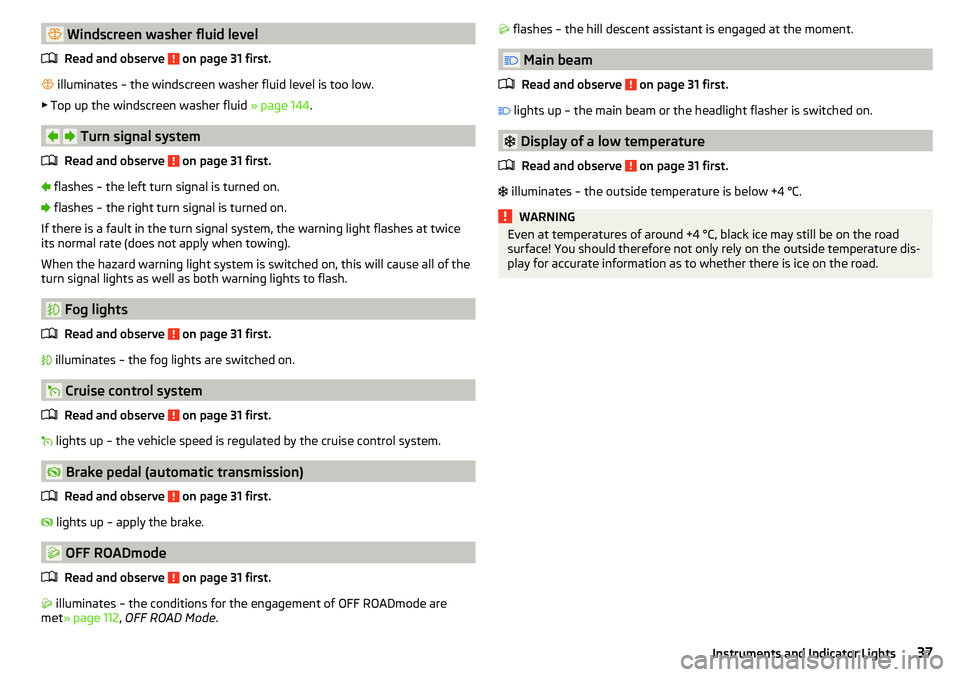
illuminates – the windscreen washer fluid level is too low.
▶ Top up the windscreen washer fluid » page 144.
Turn signal system
Read and observe
on page 31 first.
flashes – the left turn signal is turned on.
flashes – the right turn signal is turned on.
If there is a fault in the turn signal system, the warning light flashes at twice
its normal rate (does not apply when towing).
When the hazard warning light system is switched on, this will cause all of the turn signal lights as well as both warning lights to flash.
Fog lights
Read and observe
on page 31 first.
illuminates – the fog lights are switched on.
Cruise control system
Read and observe
on page 31 first.
lights up – the vehicle speed is regulated by the cruise control system.
Brake pedal (automatic transmission)
Read and observe
on page 31 first.
lights up – apply the brake.
OFF ROADmode
Read and observe
on page 31 first.
illuminates – the conditions for the engagement of OFF ROADmode are
met » page 112 , OFF ROAD Mode .
flashes – the hill descent assistant is engaged at the moment.
Main beam
Read and observe
on page 31 first.
lights up – the main beam or the headlight flasher is switched on.
Display of a low temperature
Read and observe
on page 31 first.
illuminates – the outside temperature is below +4 °C.
WARNINGEven at temperatures of around +4 °C, black ice may still be on the road
surface! You should therefore not only rely on the outside temperature dis-
play for accurate information as to whether there is ice on the road.37Instruments and Indicator Lights
Page 40 of 200
Information system
Driver information system
Introduction
This chapter contains information on the following subjects:
Display in the instrument cluster
38
Setting the time
39
Display of the second speedometer
39
Display of AdBlue range
39
Gear recommendation
39
Display in the instrument cluster
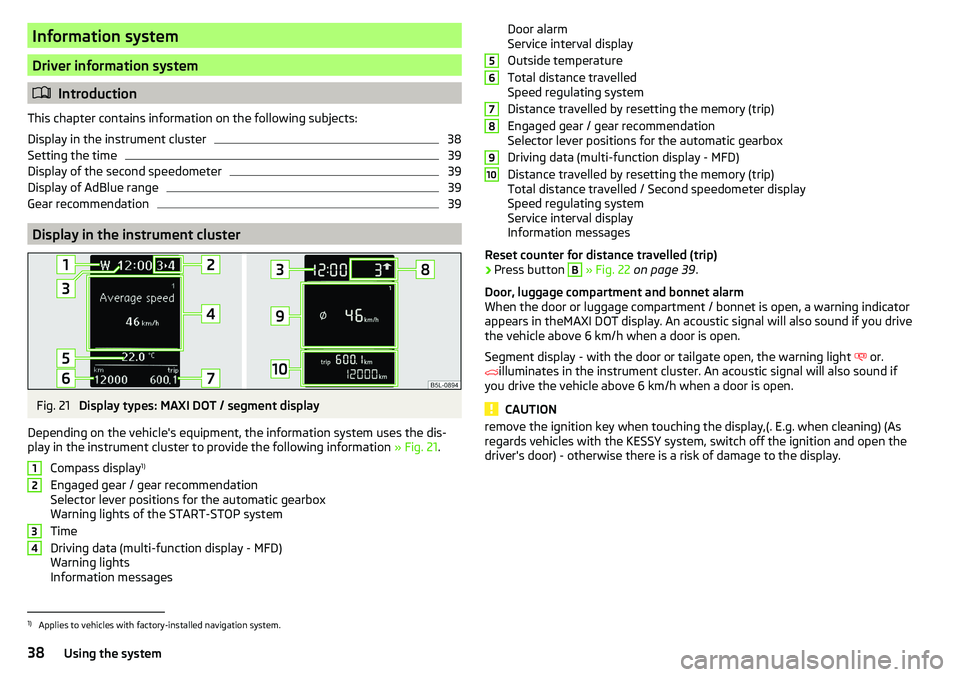
Fig. 21
Display types: MAXI DOT / segment display
Depending on the vehicle's equipment, the information system uses the dis- play in the instrument cluster to provide the following information » Fig. 21.
Compass display 1)
Engaged gear / gear recommendation
Selector lever positions for the automatic gearbox
Warning lights of the START-STOP system
Time
Driving data (multi-function display - MFD)
Warning lights
Information messages
1234Door alarm
Service interval display
Outside temperature
Total distance travelled
Speed regulating system
Distance travelled by resetting the memory (trip)
Engaged gear / gear recommendation
Selector lever positions for the automatic gearbox
Driving data (multi-function display - MFD)
Distance travelled by resetting the memory (trip)
Total distance travelled / Second speedometer display
Speed regulating system
Service interval display
Information messages
Reset counter for distance travelled (trip)›
Press button
B
» Fig. 22 on page 39 .
Door, luggage compartment and bonnet alarm
When the door or luggage compartment / bonnet is open, a warning indicator appears in theMAXI DOT display. An acoustic signal will also sound if you drive
the vehicle above 6 km/h when a door is open.
Segment display - with the door or tailgate open, the warning light or.
illuminates in the instrument cluster. An acoustic signal will also sound if
you drive the vehicle above 6 km/h when a door is open.
CAUTION
remove the ignition key when touching the display,(. E.g. when cleaning) (As
regards vehicles with the KESSY system, switch off the ignition and open the
driver's door) - otherwise there is a risk of damage to the display.56789101)
Applies to vehicles with factory-installed navigation system.
38Using the system
Page 51 of 200

Unlocking/locking - KESSYFig. 31
Vehicle unlocking / vehicle locking
Read and observe
and on page 48 first.
The KESSY system (Keyless Entry Start Exit System) enables unlocking and
locking of the vehicle without actively using the remote control key.
›
Grip the door handle to unlock » Fig. 31 -
the vehicle.
›
Touch the sensor on the door handle with your finger to
lock » Fig. 31 -
the
vehicle.
When unlocking/locking the vehicle, the key must be at a maximum distance
of approximately 1.5 m from the front door handle.
Information on locking
On vehicles fitted with automatic gearbox, the selector lever must be moved
into the position P before unlocking.
The vehicle cannot be locked from the outside if the ignition has not been
turned off.
After locking the vehicle, it is not possible to unlock it within the next 2 sec-
onds by touching the door handle. This can be used to check whether the vehi-
cle is locked.
Protection against inadvertently locking the key in the vehicle
If one of the doors is closed after locking the vehicle and the key with which
the vehicle was locked remains in the passenger compartment, the vehicle is
automatically unlocked. After automatically unlocking, the turn signal lights
will flash four times. If no door is opened within 45 seconds, the vehicle is au-
tomatically locked again.
If the boot lid is closed after locking the vehicle and the key with which the vehicle was locked remains in the luggage compartment, the lid is automatical-
ly unlatched (partially opened). After automatically unlocking, the turn signal
lights will flash four times. The boot lid remains unlatched (partially opened);
the other doors remain locked.
CAUTION
Some types of gloves can affect the unlocking or locking device via the sen-
sors in the door handle.
Vehicle locking / unlocking with the central locking button
Fig. 32
Central locking button
Read and observe and on page 48 first.
Conditions for the locking/unlocking using the central locking button.
The vehicle is not locked from the outside.
None of the doors are open.
›
To lock , press the
button in the area » Fig. 32.
Locking is displayed in the button by the illumination of the
symbol.
›
To unlock , press the button in the area
.
The following applies after locking. ▶ Opening the doors and the boot lid from the outside is not possible.
▶ The doors can be unlocked and opened from the inside by a single pull on the
opening lever of the respective door.
WARNINGDoors locked from the inside make it difficult for rescuers to get into the
vehicle in an emergency – risk to life!49Unlocking and opening
Page 60 of 200
Lights and visibility
Lights
Introduction
This chapter contains information on the following subjects:
Operating the lights
58
Daylight running lights (DAY LIGHT)
59
Turn signal and main beam
59
Automatic driving light control
60
Xenon headlight
60
Fog lights/rear fog light
60
Fog lights with the CORNER function
61
COMING HOME / LEAVING HOME
61
Hazard warning light system
61
Parking lights
61
Driving abroad
62
Unless otherwise stated, the lights only work when the ignition is switched on.
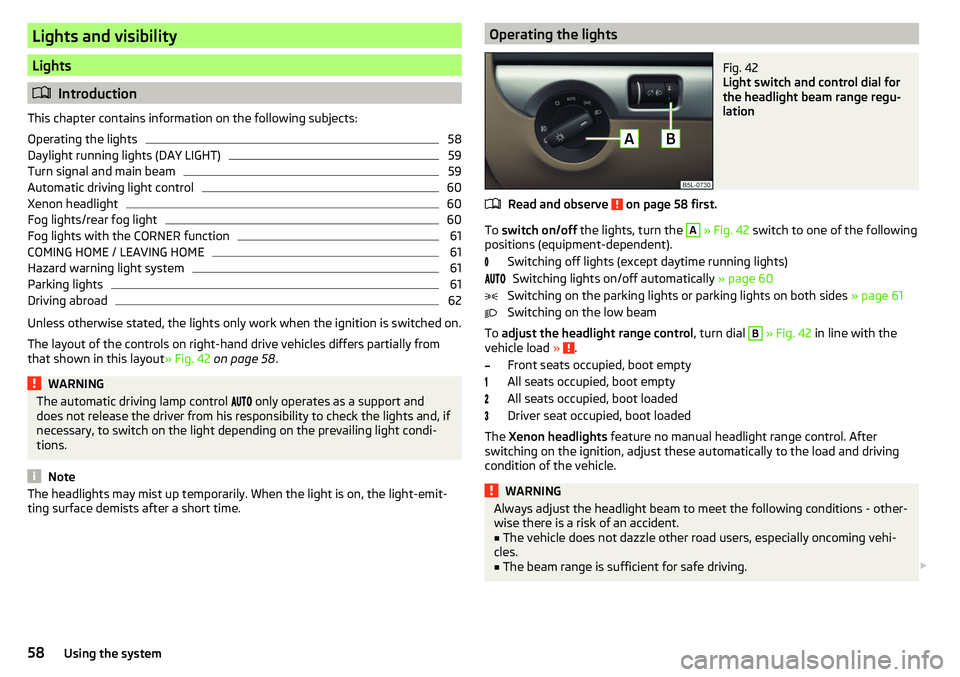
The layout of the controls on right-hand drive vehicles differs partially from
that shown in this layout » Fig. 42 on page 58 .
WARNINGThe automatic driving lamp control only operates as a support and
does not release the driver from his responsibility to check the lights and, if
necessary, to switch on the light depending on the prevailing light condi-
tions.
Note
The headlights may mist up temporarily. When the light is on, the light-emit-
ting surface demists after a short time.Operating the lightsFig. 42
Light switch and control dial for
the headlight beam range regu-
lation
Read and observe on page 58 first.
To switch on/off the lights, turn the
A
» Fig. 42 switch to one of the following
positions (equipment-dependent).
Switching off lights (except daytime running lights)Switching lights on/off automatically » page 60
Switching on the parking lights or parking lights on both sides » page 61
Switching on the low beam
To adjust the headlight range control , turn dial
B
» Fig. 42 in line with the
vehicle load » .
Front seats occupied, boot empty
All seats occupied, boot empty
All seats occupied, boot loaded
Driver seat occupied, boot loaded
The Xenon headlights feature no manual headlight range control. After
switching on the ignition, adjust these automatically to the load and driving
condition of the vehicle.
WARNINGAlways adjust the headlight beam to meet the following conditions - other-
wise there is a risk of an accident.■
The vehicle does not dazzle other road users, especially oncoming vehi-
cles.
■
The beam range is sufficient for safe driving.
58Using the system
Page 61 of 200
Note■If, with a low beam, the ignition is turned off, then the dipped beam will au-
tomatically switch off 1)
and the parking lights illuminate. The parking lights are
switched off when the ignition key is removed (for vehicles with the KESSY
system, after opening the driver's door).■
If there is a fault in the light switch, the low beam comes on automatically.
Daylight running lights (DAY LIGHT)
Read and observe
on page 58 first.
The daytime running light (hereinafter referred to as "function") lights the
front and rear vehicle area (only valid for some countries).
The daytime running lights are switched on automatically if the following
conditions are met.
The light switch is in the position or
.
The ignition is switched on.
The function is activated.
Function for vehicles with MAXI DOT display disable / enable
The function menu item
Daytime driving light
can be deactivated / activated
» page 43 , Menu item
Settings
.
Disable function for vehicles with segment display
›
Pull the indicator / main beam lever towards the steering wheel, push down
and hold in this position.
›
Switch on the ignition and hold the lever in the above position until you hear
a signal (about 3 s).
Enable function for vehicles with segment display
›
Pull the indicator / main beam lever towards the steering wheel, push up and
hold in this position.
›
Switch on the ignition and hold the lever in the above position until you hear
a signal (about 3 s).
WARNINGAlways switch on the low beam when visibility is poor.Turn signal and main beamFig. 43
Operating lever: Turn signal and
main beam operation
Read and observe on page 58 first.
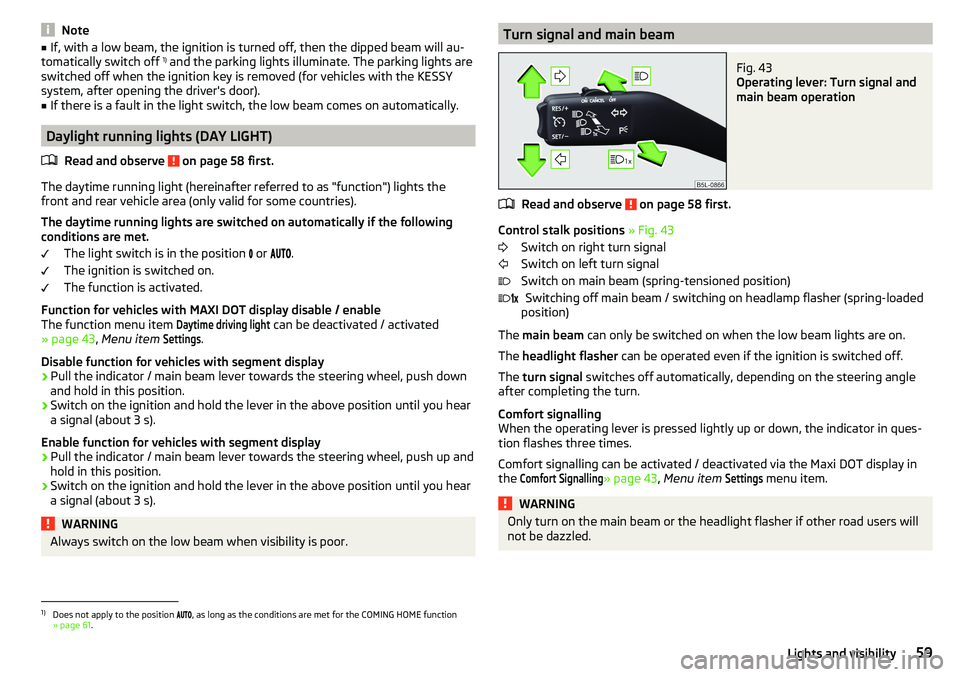
Control stalk positions » Fig. 43
Switch on right turn signal
Switch on left turn signal
Switch on main beam (spring-tensioned position) Switching off main beam / switching on headlamp flasher (spring-loaded
position)
The main beam can only be switched on when the low beam lights are on.
The headlight flasher can be operated even if the ignition is switched off.
The turn signal switches off automatically, depending on the steering angle
after completing the turn.
Comfort signalling
When the operating lever is pressed lightly up or down, the indicator in ques-
tion flashes three times.
Comfort signalling can be activated / deactivated via the Maxi DOT display in
the
Comfort Signalling
» page 43 , Menu item
Settings
menu item.
WARNINGOnly turn on the main beam or the headlight flasher if other road users will
not be dazzled. 1)
Does not apply to the position , as long as the conditions are met for the COMING HOME function
» page 61 .
59Lights and visibility
Page 62 of 200
Automatic driving light controlFig. 44
Light switch: AUTO position
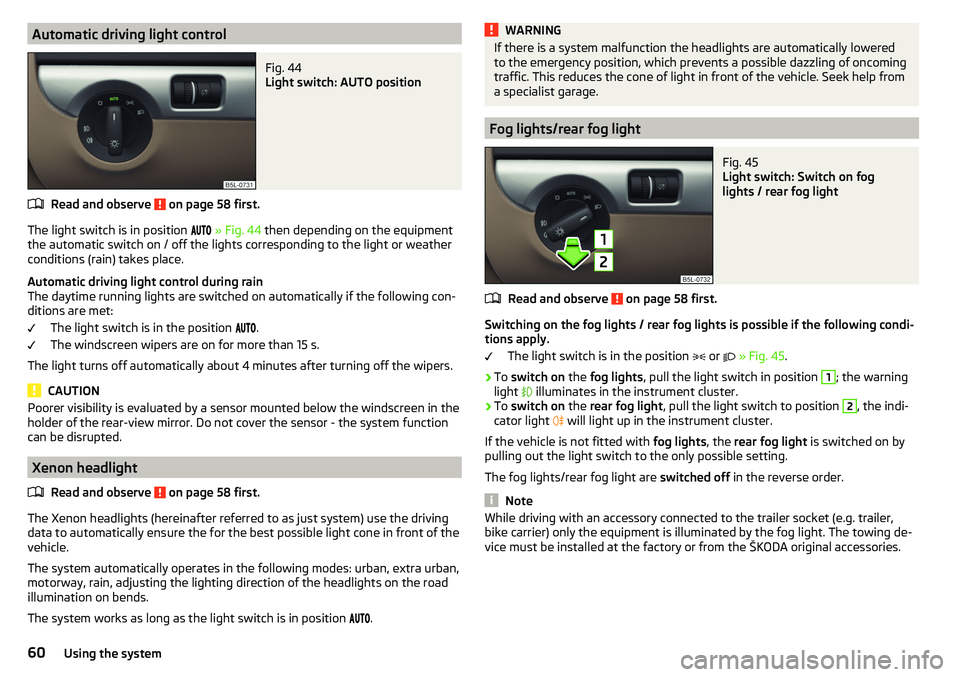
Read and observe on page 58 first.
The light switch is in position
» Fig. 44 then depending on the equipment
the automatic switch on / off the lights corresponding to the light or weather
conditions (rain) takes place.
Automatic driving light control during rain
The daytime running lights are switched on automatically if the following con-
ditions are met:
The light switch is in the position .
The windscreen wipers are on for more than 15 s.
The light turns off automatically about 4 minutes after turning off the wipers.
CAUTION
Poorer visibility is evaluated by a sensor mounted below the windscreen in the
holder of the rear-view mirror. Do not cover the sensor - the system function
can be disrupted.
Xenon headlight
Read and observe
on page 58 first.
The Xenon headlights (hereinafter referred to as just system) use the drivingdata to automatically ensure the for the best possible light cone in front of the
vehicle.
The system automatically operates in the following modes: urban, extra urban,
motorway, rain, adjusting the lighting direction of the headlights on the road
illumination on bends.
The system works as long as the light switch is in position
.
WARNINGIf there is a system malfunction the headlights are automatically lowered
to the emergency position, which prevents a possible dazzling of oncoming
traffic. This reduces the cone of light in front of the vehicle. Seek help from
a specialist garage.
Fog lights/rear fog light
Fig. 45
Light switch: Switch on fog
lights / rear fog light
Read and observe on page 58 first.
Switching on the fog lights / rear fog lights is possible if the following condi-
tions apply.
The light switch is in the position
or
» Fig. 45 .
›
To switch on the fog lights , pull the light switch in position
1
; the warning
light
illuminates in the instrument cluster.
›
To switch on the rear fog light , pull the light switch to position
2
, the indi-
cator light
will light up in the instrument cluster.
If the vehicle is not fitted with fog lights, the rear fog light is switched on by
pulling out the light switch to the only possible setting.
The fog lights/rear fog light are switched off in the reverse order.
Note
While driving with an accessory connected to the trailer socket (e.g. trailer,
bike carrier) only the equipment is illuminated by the fog light. The towing de-
vice must be installed at the factory or from the ŠKODA original accessories.60Using the system
Page 63 of 200
Fog lights with the CORNER functionRead and observe
on page 58 first.
The CORNER function automatically switches on the fog lights on the respec-tive side of the vehicle (e.g. when cornering), if the following conditions are ful-
filled.
The turn signal is switched on or the front wheels are turned sharply 1)
.
The vehicle speed is below 40 km/h.
The low beam is switched on.
The fog lights are not switched on.
The two fog lights are switched on when you shift into the reverse gear.
COMING HOME / LEAVING HOME
Read and observe
on page 58 first.
The function COMING HOME ensures that the vehicle's environment is illumi-
nated after switching off the ignition and opening the driver's door.
The function LEAVING HOME ensures that the vehicle's environment is illumi-
nated after unlocking the vehicle with the radio remote control unit.
The function switches the light on only if there is poorer visibility and the light
switch is in the position .
The functions and settings of the illumination time can be via the MAXI DOT
display in the menu items
Coming Home
or
Leaving Home
activated / deactivated
and set up » page 43, Menu item
Settings
.
CAUTION
■
Poorer visibility is evaluated by a sensor mounted below the windscreen in
the holder of the rear-view mirror. Do not cover the sensor - the system func-
tion can be disrupted.■
If this option is always enabled, then the battery is heavily loaded.
Hazard warning light systemFig. 46
Button for hazard warning light
system
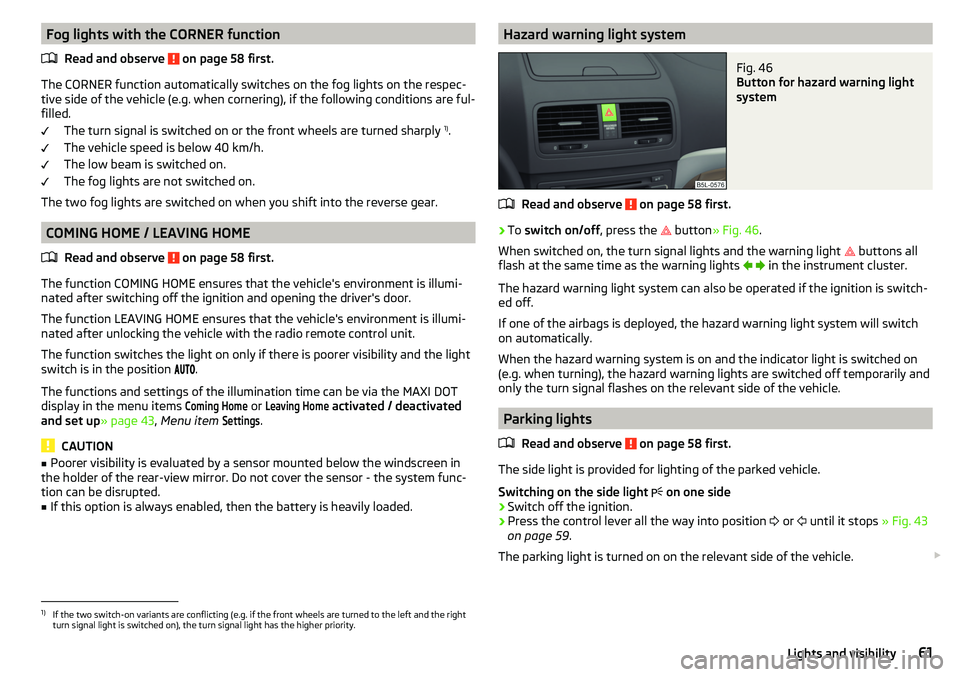
Read and observe on page 58 first.
›
To switch on/off , press the
button
» Fig. 46 .
When switched on, the turn signal lights and the warning light buttons all
flash at the same time as the warning lights
in the instrument cluster.
The hazard warning light system can also be operated if the ignition is switch-
ed off.
If one of the airbags is deployed, the hazard warning light system will switch
on automatically.
When the hazard warning system is on and the indicator light is switched on
(e.g. when turning), the hazard warning lights are switched off temporarily and
only the turn signal flashes on the relevant side of the vehicle.
Parking lights
Read and observe
on page 58 first.
The side light is provided for lighting of the parked vehicle.
Switching on the side light on one side
›
Switch off the ignition.
›
Press the control lever all the way into position
or
until it stops
» Fig. 43
on page 59 .
The parking light is turned on on the relevant side of the vehicle.
1)
If the two switch-on variants are conflicting (e.g. if the front wheels are turned to the left and the right
turn signal light is switched on), the turn signal light has the higher priority.
61Lights and visibility
Page 64 of 200
Switching on the side light on both sides ›Switch on the ignition and turn the light switch to position » page 58 , the
parking lights are turned on.›
Switch off the ignition and lock the car.
After pulling out the ignition key and opening the driver's door, an audible
warning sounds. After a few seconds or after closing the driver's door, the au-
dible warning is turned off.
CAUTION
■ Turning on the parking light means the battery is heavily loaded.■The parking lights may switch off automatically due to a low battery charge.
If the two-sided parking lights are switched on when the ignition is off, the
parking lights will not switch on automatically!
Driving abroad
Read and observe
on page 58 first.
When driving in countries with opposing traffic system (traffic on the
left/right), your headlights may dazzle oncoming traffic. Therefore, it is neces-
sary to have the headlights adapted by a specialist garage.
You can adjust the settings of the Xenon headlights for a reverse traffic sys-
tem in the menu of the MAXI DOT display under the
Travel mode
menu
item » page 43 , Menu item
Settings
. In this mode, no automatic beam adjust-
ment is made ahead of the vehicle. When switching on the ignition the warn-
ing light flashes for 10 seconds.
Interior lighting
Introduction
This chapter contains information on the following subjects:
Front interior light
62
Interior lighting, rear
63
The inner lighting also works if the ignition is switched off. With the ignition
switched off, the lights will automatically switch off after approximately after
10 minutes.
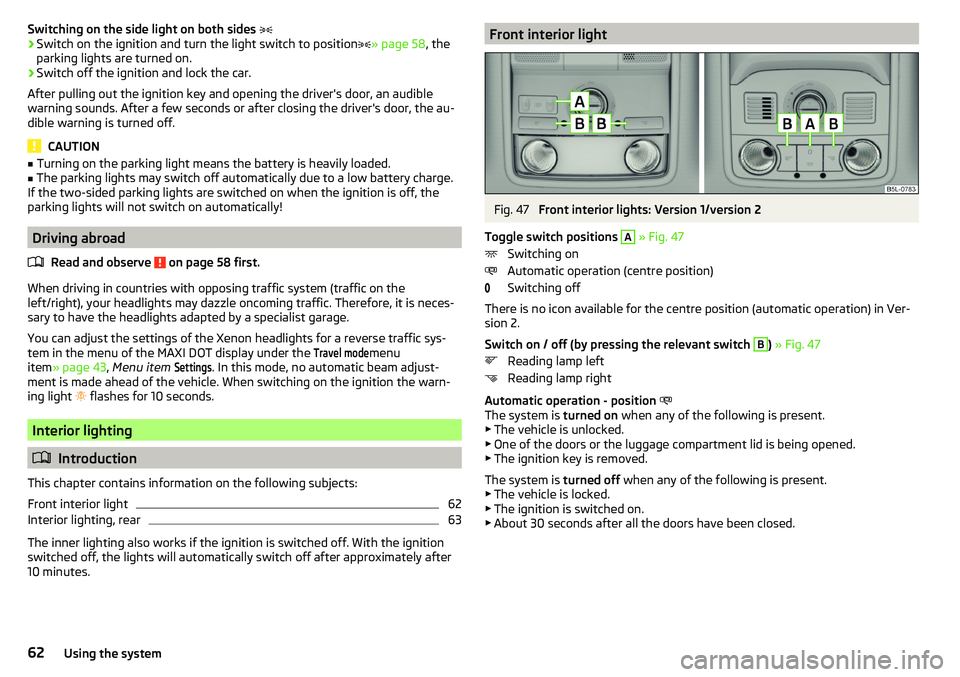
Front interior lightFig. 47
Front interior lights: Version 1/version 2
Toggle switch positions
A
» Fig. 47
Switching on
Automatic operation (centre position)
Switching off
There is no icon available for the centre position (automatic operation) in Ver-
sion 2.
Switch on / off (by pressing the relevant switch
B
) » Fig. 47
Reading lamp left
Reading lamp right
Automatic operation - position
The system is turned on when any of the following is present.
▶ The vehicle is unlocked.
▶ One of the doors or the luggage compartment lid is being opened.
▶ The ignition key is removed.
The system is turned off when any of the following is present.
▶ The vehicle is locked.
▶ The ignition is switched on.
▶ About 30 seconds after all the doors have been closed.
62Using the system