driver SKODA YETI 2017 Owner´s Manual
[x] Cancel search | Manufacturer: SKODA, Model Year: 2017, Model line: YETI, Model: SKODA YETI 2017Pages: 200, PDF Size: 28.93 MB
Page 98 of 200

Air distribution controlRead and observe
on page 94 first.
The recirculation mode prevents contaminated outside air getting into the in-
terior of the vehicle. In recirculated air mode air is sucked out of the interior of
the vehicle and then fed back into the interior.
Heating and manual air conditioning system
›
To switch on press the
button.
›
To switch off , press the
button again.
If the air distribution control is set to position
when the recirculation modes
is switched on, the recirculated-air mode is switched off.
By pressing the button, the air recirculation also in this position can be
switched on again.
Climatronic (automatic air conditioning)
›
To turn the recirculation mode on, press the Symbol key
repeatedly until
the indicator light is lit on the left side of the button.
›
To activate the automatic recirculation mode, press the Symbol key
re-
peatedly until the indicator light is lit on the right side of the button.
The Climatronic can have a sensor that measures the air recirculation mode
and automatically turns on if there is an increased concentration of pollutants
in the incoming air.
When the pollutant concentration decreases to the normal level, the recircula-
ted air mode is automatically switched off.
If the air quality sensor does not automatically switch on the recirculated air mode, you can switch it on yourself by pressing the button . The indicator
light lights up in the button on the left side.
To turn off the air recirculation or to deactivate the automatic air recircula-
tion , press the
button of press the
symbol button repeatedly until the
warning lights in the button go out.
WARNINGThe recirculation system cannot be switched on for a longer period of time,
because no fresh air is fed through from the outside. “Stale air” may result
in fatigue in the driver and occupants, reduce attention levels and also
cause the windows to mist up. As soon as windows mist up, turn on the re-
circulation system immediately - There is a risk of accident!CAUTIONWe recommend not smoking in the vehicle when the recirculating air operation
is switched on. The smoke sucked from the interior is deposited on the evapo-
rator of the air conditioner. This produces a permanent odour when the air
conditioning system is operating which can only be eliminated through consid-
erable effort and expense (replacement of compressor).
Note
The Climatronic automatic air distribution control operates only if the outside
temperature is higher than approx. 2 °C.
Air outlet vents
Fig. 117
Air vents at the front
96Using the system
Page 102 of 200
Driving
Starting-off and Driving
Starting and stopping the engine
Introduction
This chapter contains information on the following subjects:
Electronic immobiliser and steering lock
100
Switch on/off ignition
101
Starting / stopping the engine
101
Problems with the engine start - vehicles with starter button
102
Depending on equipment fitted, it is possible to switch the ignition on/off and
start/stop the engine with the key in the ignition or using the starter button .
WARNING■
Never switch off the engine before the vehicle is stationary – There is a
risk of accident!■
While driving with the engine stopped the ignition must always be
switched on. Otherwise, the steering may lock - There is a risk of an acci-
dent!
■
Do not withdraw the ignition key from the ignition lock until the vehicle
has come to a stop » page 105, Parking . Otherwise, the steering may lock -
danger of an accident!
■
Never leave the vehicle unattended with the engine running - there is a
risk of theft etc!
■
Never (e.g. in garages) run the engine in a closed place - there is a risk of
poisoning and death!
CAUTION
■ Only start the engine when the engine and the vehicle are stationary - there
is a risk of starter and engine damage!■
Do not push-start the engine – There is a risk of damaging the engine and
the catalytic converter! The battery from another vehicle can be used as a
jump-start aid.
■
On vehicles with the starter button, pay attention to where the key is loca-
ted. The system can recognize the valid key, even if it has been accidentally
left on the vehicle roof - there is danger of loss or damage to the key!
NoteDo not warm up the engine while the vehicle is stationary. If possible, start
your journey as soon as the engine has started. Through this, the engine rea-
ches its operating temperature faster.
Electronic immobiliser and steering lock
Read and observe
and on page 100 first.
The electronic immobilizer (hereafter referred to as immobilizer) makes the
theft or unauthorised use of your vehicle more difficult.
Immobilizer
The immobilizer allows the engine to start provided an original vehicle key only
is used.
Malfunction of the immobilizer
If a component in the immobiliser key fails, it is not possible to start the en-
gine. A corresponding message appears in the display of the instrument clus-
ter to explain the immobiliser is active.
To start, use the other vehicle key or seek help from a specialist garage.
Steering lock - lock
›
On vehicles with ignition lock, remove the key and turn the steering wheel
until the steering lock engages.
›
On vehicles with a starter button, switch off the ignition and open the driv-
er's door. If the driver's door is opened and the ignition is switched off after-
wards, the steering is only locked automatically after the vehicle has been
locked.
Steering lock - unlock
›
On vehicles with ignition lock, insert the key into the ignition and turn on the
ignition. If this is not possible, then move the steering wheel slightly back
and forth, as a result of which the steering lock should unlock.
›
On vehicles with starter button, get into the car and close the driver's door.
Under certain circumstances, the steering lock can be unlocked only when
the ignition is switched on or the engine is started.
WARNINGNever let the vehicle roll with locked steering lock - there is a risk of acci-
dent!100Driving
Page 104 of 200
Note■The engine running noises may be louder at first for a short time after start-
ing the cold engine.■
You should not switch on any major electrical components during the heat-
ing period, otherwise the vehicle battery will be drained unnecessarily.
■
After switching off the ignition, the radiator fan may (also intermittently)
continue to operate for approx. 10 minutes.
Problems with the engine start - vehicles with starter button
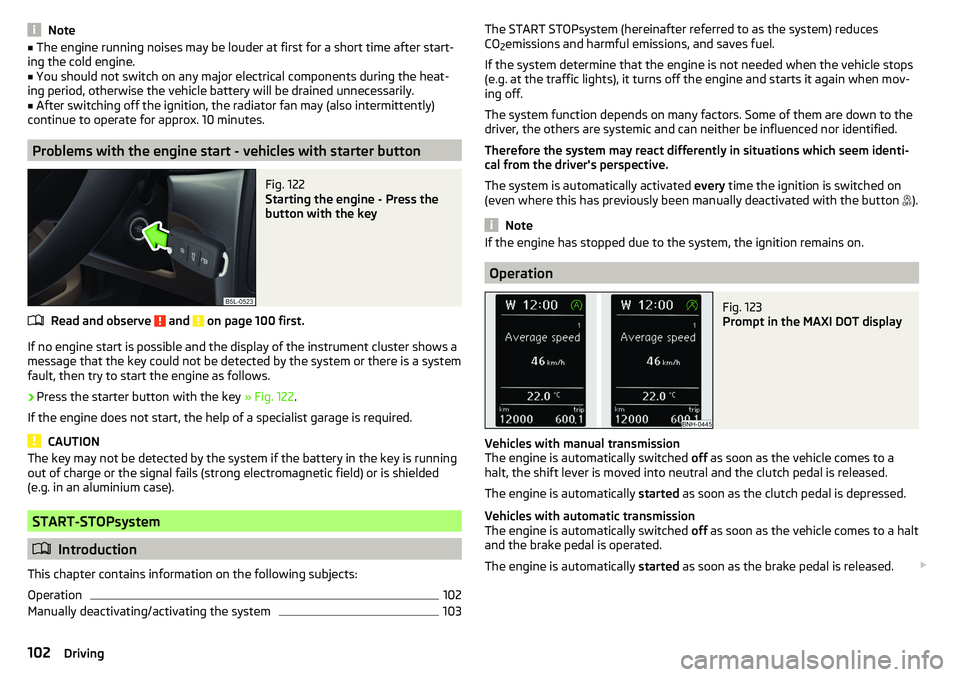
Fig. 122
Starting the engine - Press the
button with the key
Read and observe and on page 100 first.
If no engine start is possible and the display of the instrument cluster shows a message that the key could not be detected by the system or there is a system
fault, then try to start the engine as follows.
›
Press the starter button with the key » Fig. 122.
If the engine does not start, the help of a specialist garage is required.
CAUTION
The key may not be detected by the system if the battery in the key is running
out of charge or the signal fails (strong electromagnetic field) or is shielded
(e.g. in an aluminium case).
START-STOPsystem
Introduction
This chapter contains information on the following subjects:
Operation
102
Manually deactivating/activating the system
103The START STOPsystem (hereinafter referred to as the system) reduces
CO 2emissions and harmful emissions, and saves fuel.
If the system determine that the engine is not needed when the vehicle stops
(e.g. at the traffic lights), it turns off the engine and starts it again when mov-
ing off.
The system function depends on many factors. Some of them are down to the
driver, the others are systemic and can neither be influenced nor identified.
Therefore the system may react differently in situations which seem identi-
cal from the driver's perspective.
The system is automatically activated every time the ignition is switched on
(even where this has previously been manually deactivated with the button ).
Note
If the engine has stopped due to the system, the ignition remains on.
Operation
Fig. 123
Prompt in the MAXI DOT display
Vehicles with manual transmission
The engine is automatically switched off as soon as the vehicle comes to a
halt, the shift lever is moved into neutral and the clutch pedal is released.
The engine is automatically started as soon as the clutch pedal is depressed.
Vehicles with automatic transmission
The engine is automatically switched off as soon as the vehicle comes to a halt
and the brake pedal is operated.
The engine is automatically started as soon as the brake pedal is released.
102Driving
Page 105 of 200
Requirements for the system to function correctly
The following conditions must be met for the system to function correctly.
The driver's door is closed.
The driver has fastened the seat belt.
The driving speed was higher than 4 km.h after the last stop.
No trailer or other accessory is connected to the trailer socket.
System status
The system status is indicated in the instrument cluster display when stopped.
The engine is automatically switched off; when the vehicle moves off the igni-
tion process will be automatically initiated.
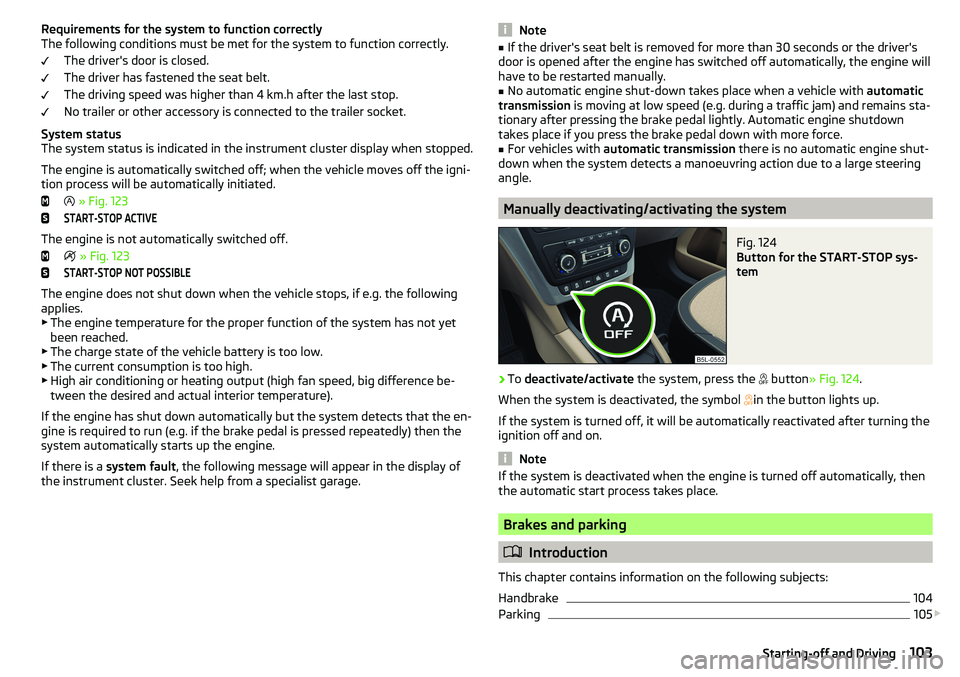
» Fig. 123START-STOP ACTIVE
The engine is not automatically switched off.
» Fig. 123
START-STOP NOT POSSIBLE
The engine does not shut down when the vehicle stops, if e.g. the following
applies.
▶ The engine temperature for the proper function of the system has not yet
been reached.
▶ The charge state of the vehicle battery is too low.
▶ The current consumption is too high.
▶ High air conditioning or heating output (high fan speed, big difference be-
tween the desired and actual interior temperature).
If the engine has shut down automatically but the system detects that the en- gine is required to run (e.g. if the brake pedal is pressed repeatedly) then the
system automatically starts up the engine.
If there is a system fault , the following message will appear in the display of
the instrument cluster. Seek help from a specialist garage.
Note■ If the driver's seat belt is removed for more than 30 seconds or the driver's
door is opened after the engine has switched off automatically, the engine will
have to be restarted manually.■
No automatic engine shut-down takes place when a vehicle with automatic
transmission is moving at low speed (e.g. during a traffic jam) and remains sta-
tionary after pressing the brake pedal lightly. Automatic engine shutdown
takes place if you press the brake pedal down with more force.
■
For vehicles with automatic transmission there is no automatic engine shut-
down when the system detects a manoeuvring action due to a large steering
angle.
Manually deactivating/activating the system
Fig. 124
Button for the START-STOP sys-
tem
›
To deactivate/activate the system, press the
button » Fig. 124 .
When the system is deactivated, the symbol
in the button lights up.
If the system is turned off, it will be automatically reactivated after turning the
ignition off and on.
Note
If the system is deactivated when the engine is turned off automatically, then
the automatic start process takes place.
Brakes and parking
Introduction
This chapter contains information on the following subjects:
Handbrake
104
Parking
105
103Starting-off and Driving
Page 108 of 200
CAUTIONIf not in the process of changing gear, do not leave your hand on the gearshift
lever while driving. The pressure from the hand can cause the gearshift mech-
anism to wear excessively.
Pedals
The operation of the pedals must not be hindered under any circumstances!
Only a floor mat (ex-factory or from the ŠKODA Original Accessories range)
which can be secured to the attachment points should be used in the driver's
footwell.
WARNINGThere should be no objects in the driver's footwell, otherwise the pedal op-
eration can be impeded -There is a risk of an accident!
Automatic transmission
Introduction
This chapter contains information on the following subjects:
Select selector lever position
106
Selector lever lock
107
Manual shifting (Tiptronic)
107
Starting-off and driving
108
The automatic transmission performs an automatic gear change irrespective of
the engine load, the operation of the accelerator, the vehicle speed and the
selected driving mode.
The modes of the automatic transmission can be adjusted by the driver by
means of the selector lever.
WARNING■ Do not accelerate when selecting drive mode prior to moving off - There
is a risk of an accident!■
Never move the selector lever to mode R or P when driving – There is a
risk of an accident!
WARNING (Continued)■ If the vehicle stalls, with engine running, in the D, S , R or Tiptronic mode,
the vehicle must be prevented from rolling away by means of the brake
pedal or the parking brake. Even when the engine is idling, the power
transmission is never completely interrupted – the vehicle creeps.■
When leaving the vehicle, the selector lever must always be set to P. Oth-
erwise, the vehicle could be set in motion - risk of accident!
CAUTION
If you want to move the selector lever from position N to position D / S whilst
driving, the engine must be running at idling speed.
Select selector lever position
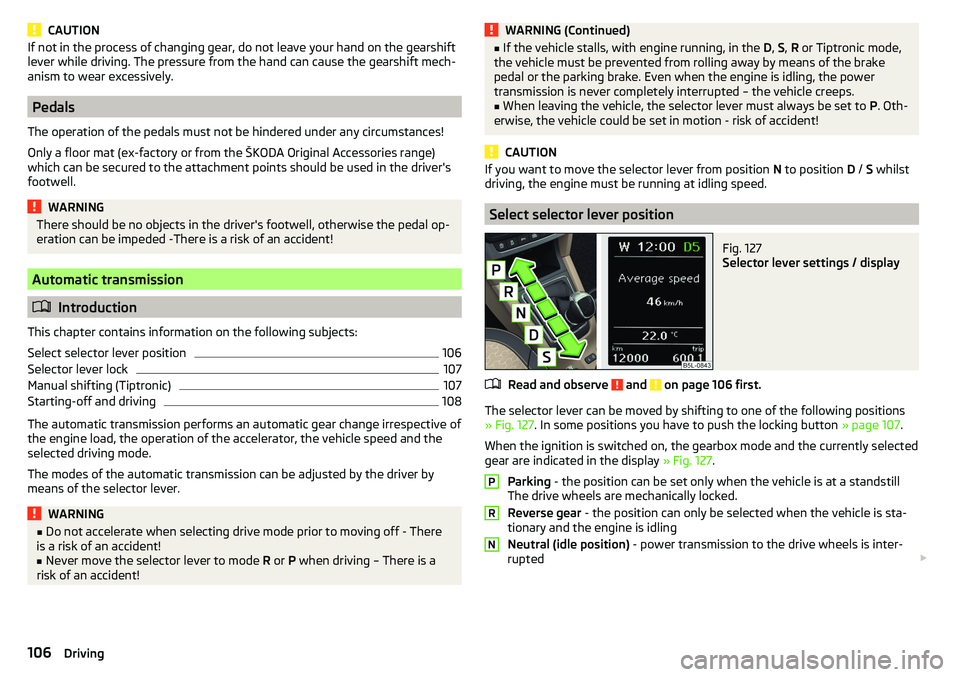
Fig. 127
Selector lever settings / display
Read and observe and on page 106 first.
The selector lever can be moved by shifting to one of the following positions » Fig. 127 . In some positions you have to push the locking button » page 107.
When the ignition is switched on, the gearbox mode and the currently selected
gear are indicated in the display » Fig. 127.
Parking - the position can be set only when the vehicle is at a standstill
The drive wheels are mechanically locked.
Reverse gear - the position can only be selected when the vehicle is sta-
tionary and the engine is idling
Neutral (idle position) - power transmission to the drive wheels is inter-
rupted
PRN106Driving
Page 111 of 200
Avoiding damage to your vehicle
Introduction
This chapter contains information on the following subjects:
Driving Tips
109
Driving through water
109
Driving Tips
Only drive on roads and terrain that are appropriate to the vehicle parameters
» page 175 , Technical data .
The driver is always responsible for deciding whether the vehicle can cope
with the conditions and the terrain.
When travelling off paved roads, we recommend activating the OFF ROAD
mode » page 112 .
WARNING■
Adjust the speed and driving style to the current visibility, weather, road
and traffic conditions. Too high a speed or an erroneous manoeuvre may
cause serious injury and damage to the vehicle.■
Combustible objects such as dry leaves or twigs caught under the base of
the vehicle could ignite on hot vehicle parts - risk of fire!
CAUTION
■ Pay attention to the ground clearance of the vehicle! When driving over ob-
jects which are larger than the ground clearance, the vehicle can get damaged.■
Any objects that get trapped under the vehicle floor must be removed as
soon as possible. These items can cause damage to the vehicle (e.g. to parts of
the fuel or brake system).
Driving through waterFig. 130
Maximum permissible water lev-
el when driving through water
The following must be observed to avoid damage to the vehicle when driving
through bodies of water (e.g. flooded roads).
›
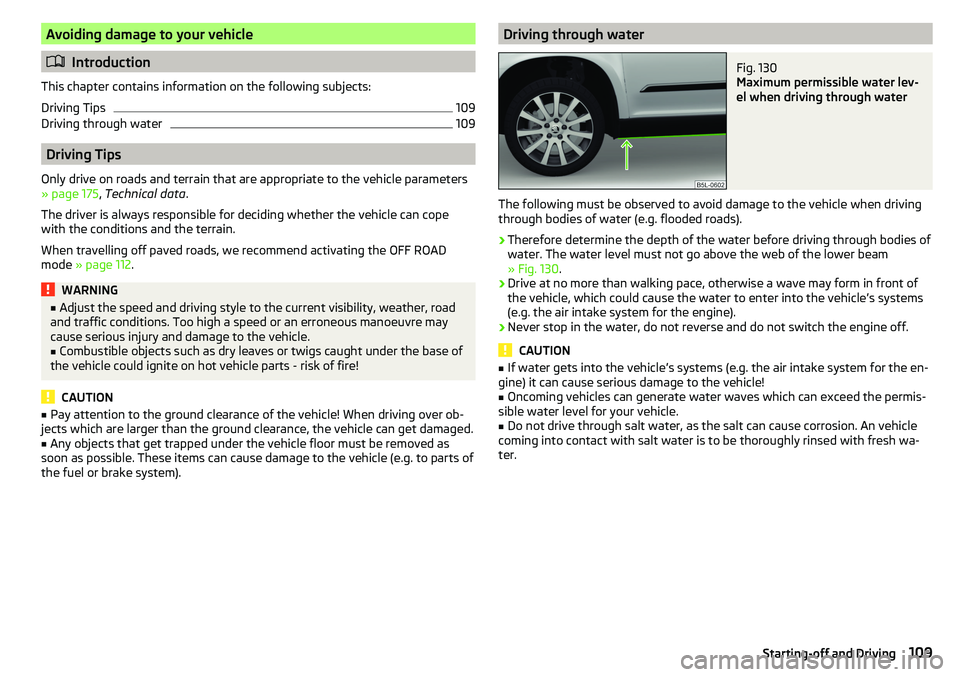
Therefore determine the depth of the water before driving through bodies of
water. The water level must not go above the web of the lower beam
» Fig. 130 .
›
Drive at no more than walking pace, otherwise a wave may form in front of
the vehicle, which could cause the water to enter into the vehicle’s systems
(e.g. the air intake system for the engine).
›
Never stop in the water, do not reverse and do not switch the engine off.
CAUTION
■ If water gets into the vehicle’s systems (e.g. the air intake system for the en-
gine) it can cause serious damage to the vehicle!■
Oncoming vehicles can generate water waves which can exceed the permis-
sible water level for your vehicle.
■
Do not drive through salt water, as the salt can cause corrosion. An vehicle
coming into contact with salt water is to be thoroughly rinsed with fresh wa-
ter.
109Starting-off and Driving
Page 112 of 200
Assist systems
General information
WARNING■The assistance systems only serve to support and do not relieve the driv-
er of the responsibility for driving the vehicle.■
The increased safety provision, as well as the increased occupant protec-
tion provided by the assistance systems must not tempt you to take risks -
risk of accident!
■
Adjust the speed and driving style to the current visibility, weather, road
and traffic conditions.
■
The assistance systems have physical and system-related limitations. For
this reason, the driver may experience some undesired or delayed system
responses in certain situations. You should therefore always be alert and
ready to intervene!
■
Only activate, deactivate or set the assistance systems so that you have
the car fully under control in every traffic situation - risk of accident!
Braking and stabilisation systems
Introduction
This chapter contains information on the following subjects:
Stability Control (ESC)
110
Anti-lock braking system (ABS)
110
Engine drag torque control (MSR)
110
Traction control (TCS)
111
Electronic Differential Lock (EDL)
111
Driver Steering Recommendation (DSR)
111
Brake Assist (HBA)
111
Hill Start Assist (HHC)
111
Trailer stabilization system (TSA)
112
The brake and stabilization systems are automatically activated each time the
ignition is switched on, unless otherwise indicated.
The error display is in Chapter » page 31, Warning lights .
WARNINGThe general information relating to the use of assistance systems must be
observed » page 110, in section General information .
Stability Control (ESC)
Read and observe
on page 110 first.
The ESC improves vehicle stability when driving at the limit (e.g. if the vehiclestarts to skid) by braking individual wheels to maintain the desired direction.
If there is a TCS intervention, the warning light flashes in the instrument
cluster.
Anti-lock braking system (ABS)
Read and observe
on page 110 first.
ABS prevents the wheels locking when braking. Thus helping the driver to
maintain control of the vehicle.
The intervention of the ABS is noticeable from the pulsating movements of
the brake pedal which is accompanied by noises.
When the ABS system is active, do not brake periodically or reduce the pres-
sure on the brake pedal.
Engine drag torque control (MSR)
Read and observe
on page 110 first.
MSR counteracts the tendency of the drive wheels to lock during downshifts
or sudden deceleration (e.g. on icy or an otherwise slippery road surface).
If the drive wheels should lock, then the engine speed is automatically in-
creased. This reduces the braking effect of the engine and the wheels can ro-
tate freely again.
110Driving
Page 113 of 200
Traction control (TCS)Fig. 131
System button: Vehicle with ESC / vehicle without ESC
Read and observe
on page 110 first.
TCS prevents the spinning of the wheels of the driven axle. TCS reduces the drive power transmitted to the wheels in the case of slipping wheels. Thus, for
example, driving on road surfaces with low grip is made easier.
During a TCS intervention, the indicator light flashes in the instrument clus-
ter.
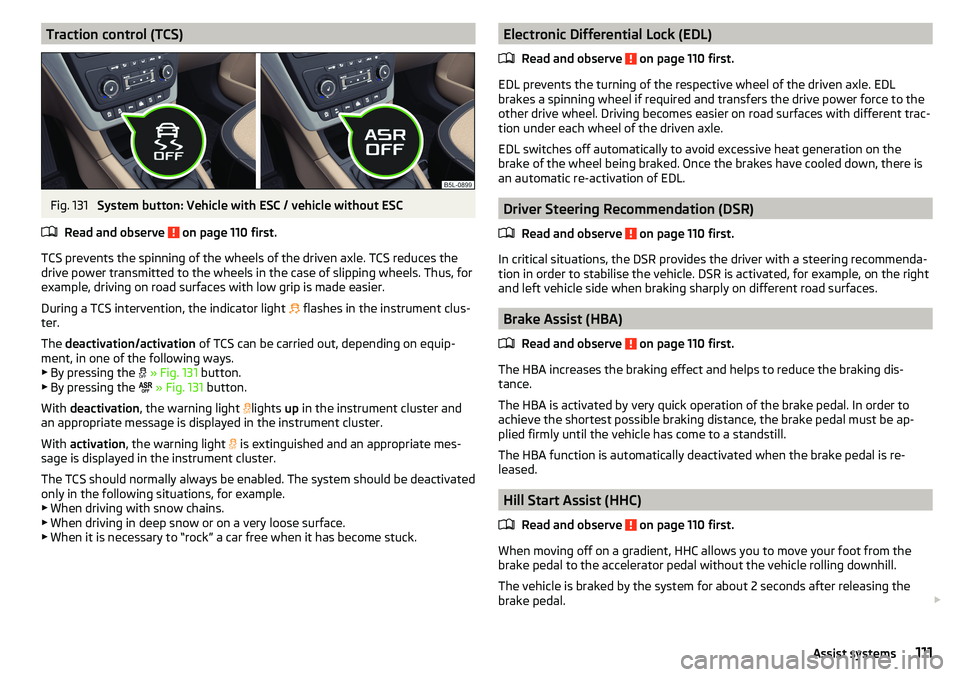
The deactivation/activation of TCS can be carried out, depending on equip-
ment, in one of the following ways. ▶ By pressing the
» Fig. 131 button.
▶ By pressing the
» Fig. 131 button.
With deactivation , the warning light
lights
up in the instrument cluster and
an appropriate message is displayed in the instrument cluster.
With activation , the warning light
is extinguished and an appropriate mes-
sage is displayed in the instrument cluster.
The TCS should normally always be enabled. The system should be deactivated
only in the following situations, for example. ▶ When driving with snow chains.
▶ When driving in deep snow or on a very loose surface.
▶ When it is necessary to “rock” a car free when it has become stuck.
Electronic Differential Lock (EDL)
Read and observe
on page 110 first.
EDL prevents the turning of the respective wheel of the driven axle. EDL
brakes a spinning wheel if required and transfers the drive power force to the
other drive wheel. Driving becomes easier on road surfaces with different trac-
tion under each wheel of the driven axle.
EDL switches off automatically to avoid excessive heat generation on the
brake of the wheel being braked. Once the brakes have cooled down, there is
an automatic re-activation of EDL.
Driver Steering Recommendation (DSR)
Read and observe
on page 110 first.
In critical situations, the DSR provides the driver with a steering recommenda-tion in order to stabilise the vehicle. DSR is activated, for example, on the right
and left vehicle side when braking sharply on different road surfaces.
Brake Assist (HBA)
Read and observe
on page 110 first.
The HBA increases the braking effect and helps to reduce the braking dis-
tance.
The HBA is activated by very quick operation of the brake pedal. In order to
achieve the shortest possible braking distance, the brake pedal must be ap-
plied firmly until the vehicle has come to a standstill.
The HBA function is automatically deactivated when the brake pedal is re-
leased.
Hill Start Assist (HHC)
Read and observe
on page 110 first.
When moving off on a gradient, HHC allows you to move your foot from thebrake pedal to the accelerator pedal without the vehicle rolling downhill.
The vehicle is braked by the system for about 2 seconds after releasing the
brake pedal.
111Assist systems
Page 114 of 200
The HHC is active on gradients upwards up 5% if the driver door is closed. HHC
is only ever active on slopes when in forward or reverse start off.
Trailer stabilization system (TSA)
Read and observe
on page 110 first.
The TSA helps the combination stable in situations where the trailer sways
and then the whole trailer combination.
TSA brakes the individual wheels of the towing vehicle in order to damp the rocking motion of the entire vehicle combination.
The following conditions are required for the correct TSA function. The trailer was shipped from the factory or purchased from the ŠKODA
genuine accessories.
The trailer is electrically connected to the towing vehicle via the trailer
socket.
The TCS is activated.
The speed is greater than 60 km/h.
Further information » page 124, Towing device and trailer .
OFF ROAD Mode
Introduction
This chapter contains information on the following subjects:
Operation
112
Hill Descent Assistant
113
TCSOFF ROAD
113
EDS OFF ROAD
113
ABS OFF ROAD
113
Start-Off Assistant
114
The OFF ROAD mode includes several features that help to overcome difficult
navigable routes when travelling on non-paved roads.
But even with OFF ROAD mode activated, your vehicle is never a true SUV.
WARNING■ The general information relating to the use of assistance systems must
be observed » page 110, in section General information .■
A lack of fuel can cause irregular engine running or cause the engine to
shut down. This would lead the OFF ROAD mode to lose its effectiveness -
risk of accident!
CAUTION
■ The OFF ROAD mode is not designed for the use on common roads.■All four wheels must be fitted with the same tyres approved by the
ŠKODA AUTO to ensure theOFF ROAD mode operates correctly.
Operation
Fig. 132
OFF ROAD button
Read and observe and on page 112 first.
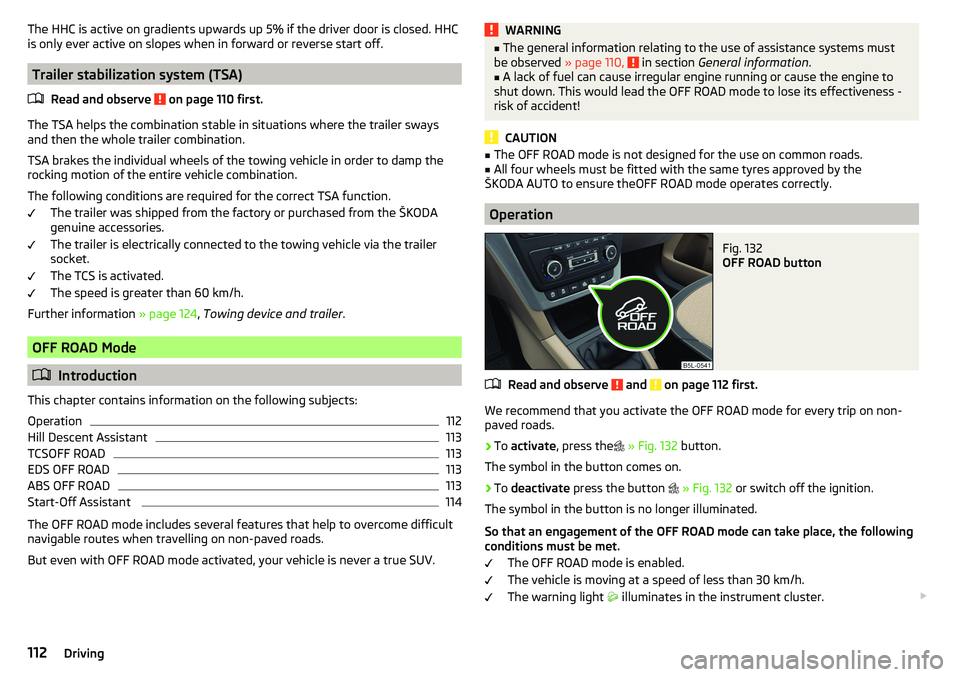
We recommend that you activate the OFF ROAD mode for every trip on non- paved roads.
›
To activate , press the
» Fig. 132 button.
The symbol in the button comes on.
›
To deactivate press the button
» Fig. 132 or switch off the ignition.
The symbol in the button is no longer illuminated.
So that an engagement of the OFF ROAD mode can take place, the following conditions must be met.
The OFF ROAD mode is enabled.
The vehicle is moving at a speed of less than 30 km/h. The warning light
illuminates in the instrument cluster.
112Driving
Page 115 of 200
The following functions are integrated in the OFF ROAD mode.
▶ Downhill Drive Support » page 113.
▶ TCS OFF ROAD » page 113.
▶ EDL OFF ROAD » page 113.
▶ ABS OFF ROAD » page 113.
▶ Start-Off Assistant » page 114.
Note
If the engine stalls while driving and is started again within 30 seconds, then
OFF ROAD mode will be automatically activated.
Hill Descent Assistant
Read and observe
and on page 112 first.
The hill descent assistant (hereinafter referred to as assistant), with its auto-
matic braking action on all wheels, ensures a constant speed is maintained on
a steep slope when driving forwards and reversing.
During an intervention of the Assistants, the warning light flashes in the in-
strument cluster.
The assistant is automatically engaged under the following conditions. The engine is running.
For vehicles with Manual transmission the shift lever is in the neutral po-
sition and or the 1st, 2nd, 3rd gear, or reverse gear is engaged.
On vehicles with an automatic transmission , the selector lever is in the R,
N, D, S position or in the Tiptronic position.
The downhill gradient is at least 10 % (when driving over sleepers, the lim-
it can briefly drop to 8 %).
Neither the accelerator nor the brake pedal is operated.
Driving speed
Initiate the downhill decent at a reasonable speed up to 30 km / h the hill de-
scent assist maintains this speed when driving downhill constant.
The assistant can maintain constant speed of about 2 - 30 km / h.
If a forwards or reverse gear is engaged for vehicles with Manual transmis-
sion , the speed must be high enough to avoid stalling the engine.
By pressing the accelerator or brake pedal, the speed can be increased or re-
duced. This is true even if the shift lever is in the neutral position and the se-
lector lever in the N position. The engagement of the assistant is resumed af-
ter the pedal is released.WARNINGFor the correct operation of the assistant the road surface must be suffi-
ciently adherent. The assistant cannot properly fulfil its function on slushy
soil due to physical reasons (e.g. ice or mud). - there is a risk of an accident!
Note
During an active intervention of the assistant, the brake lights do not light up.
TCSOFF ROAD
Read and observe
and on page 112 first.
The ASR OFF ROAD makes starting and driving on an unpaved surface easier
as it partially allows wheel-spin.
Note
When disabled, the TCS » page 111 OFF ROAD mode works without the support
of the TCS OFF ROAD.
EDS OFF ROAD
Read and observe
and on page 112 first.
The EDS supports OFF ROAD vehicle traction when driving on a surface withdifferent grip under the drive wheels or when driving over bumps.
A spinning wheel or wheels are braked earlier and with more force than with
the intervention of the standard EDS system.
ABS OFF ROAD
Read and observe
and on page 112 first.
The ABS OFF ROAD supports the driver when braking on an unpaved surface
such as gravel, snow, etc.
The system generated by a controlled locking of the wheels braked wheel be-
fore a “wedge” of piled material, which shortens the braking distance.
113Assist systems