lock SMART FORTWO 2016 Workshop Manual
[x] Cancel search | Manufacturer: SMART, Model Year: 2016, Model line: FORTWO, Model: SMART FORTWO 2016Pages: 214, PDF Size: 4.93 MB
Page 111 of 214
Useful information
i
This Operator's Manual describes all
models and all standard and optional
equipment of your vehicle available at the
time of publication of the Operator's Man- ual. Country-specific differences are pos-
sible. Bear in mind that your vehicle may
not feature all functions described here.
This also applies to safety-relevant sys-
tems and functions.
iRead the information on qualified spe-
cialist workshops: (Ypage 20).
Important safety notes
GWARNING
If you operate information systems and
communication equipment integrated in
the vehicle while driving, you will be dis- tracted from traffic conditions. You could
also lose control of the vehicle. There is a
risk of an accident.
Only operate the equipment when the traf-
fic situation permits. If you are not sure
that this is possible, park the vehicle pay-
ing attention to traffic conditions and
operate the equipment when the vehicle is
stationary.
You must observe the legal requirements for
the country in which you are currently driv-
ing when operating the on-board computer.
GWARNING
If the instrument cluster has failed or mal- functioned, you may not recognize function
restrictions in systems relevant to safety.
The operating safety of your vehicle may beimpaired. There is a risk of an accident.
Drive on carefully. Have the vehicle
checked at a qualified specialist workshop
immediately.
The on-board computer only shows display
messages and/or warnings from certain sys-
tems in the display. You should therefore
make sure your vehicle is operating safely at all times. Otherwise, you may cause an acci-
dent by driving a vehicle that is not operat-
ing reliably.
If the operating safety of your vehicle
impaired, park the vehicle as soon as possi-
ble paying attention to road and traffic con-
ditions. Contact a qualified specialist work-
shop.
Read and follow the notes in the overview of
warning and indicator lamps in the instru-
ment cluster (
Ypage 24).
Displays and operation
Instrument cluster lighting
Instrument cluster lighting includes illumi-
nation of the instrument cluster, the addi-
tional instruments on the dashboard, the dis-
plays and the controls.
The instrument cluster lighting is switched
automatically between day and night lighting
depending on the ambient light conditions
(
Ypage 67).
You can additionally set the brightness of the
instrument cluster lighting to different lev-
els in the on-board computer (
Ypage 115).
Speedometer
If you turn the key to position 2in the igni-
tion lock, the warning and indicator lamps in
the instrument cluster will briefly light up
for a lamp test. During the lamp test, the
illuminated speedometer needle moves in the
speedometer.
The display can show a digital speedometer.
The digital speedometer can be hidden/
displayed and its speed unit selected
(
Ypage 115).
Outside temperature display
You should pay special attention to road con-
ditions when temperatures are around freez-
ing point.
Bear in mind that the outside temperature
display indicates the temperature measured
and does not record the road temperature.
The outside temperature is displayed on the
far right in the top bar.
Displays and operation109
>> On-board computer and displays.
Z
Page 112 of 214
Changes in the outside temperature are dis-
played after a short delay.
You can set the temperature unit of the out-
door temperature display (
Ypage 116).
Fuel gauge
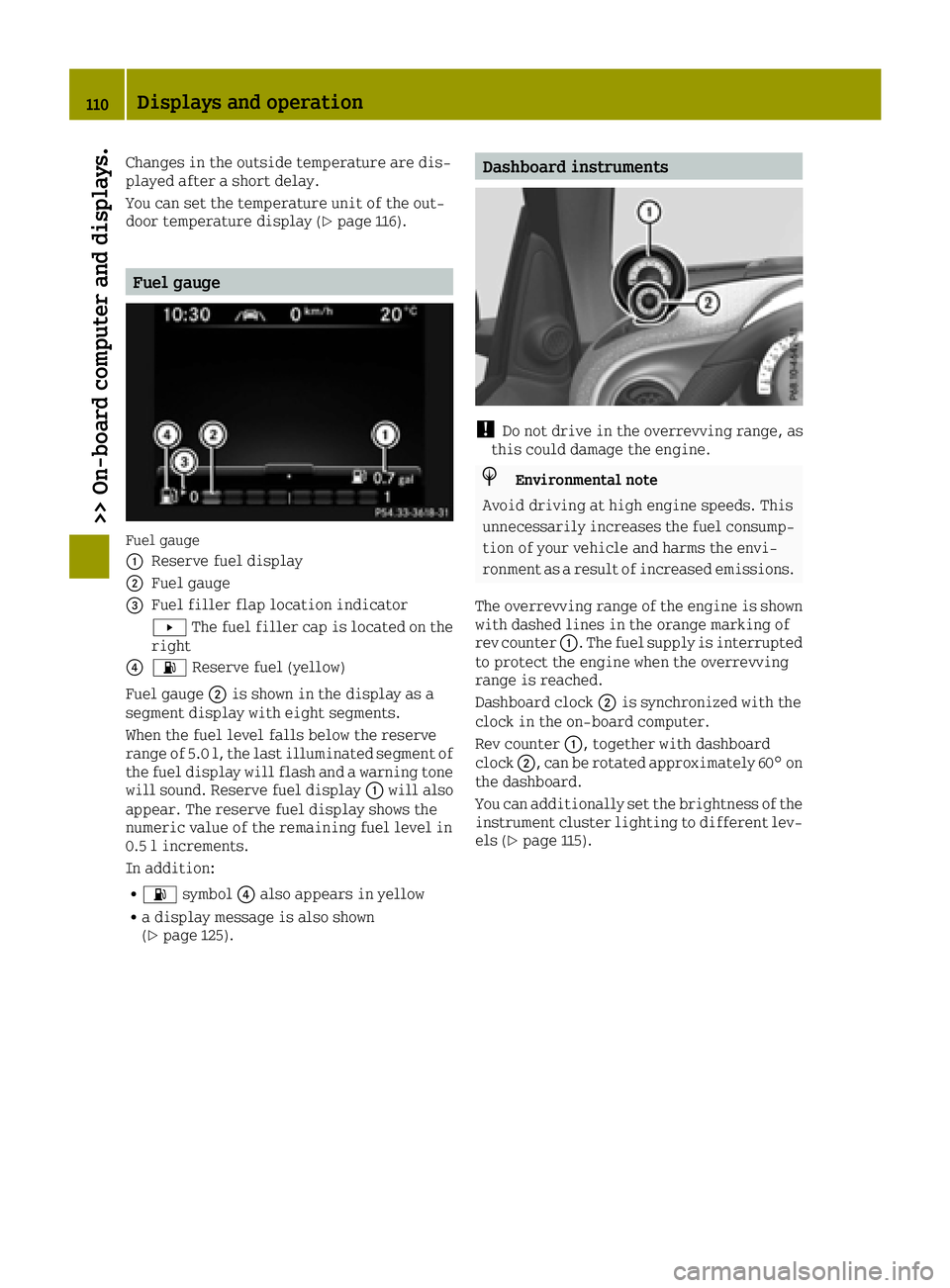
Fuel gauge
0043
Reserve fuel display
0044Fuel gauge
0087Fuel filler flap location indicator
0080The fuel filler cap is located on the
right
008500B4 Reserve fuel (yellow)
Fuel gauge 0044is shown in the display as a
segment display with eight segments.
When the fuel level falls below the reserve
range of 5.0 l, the last illuminated segment of
the fuel display will flash and a warning tone
will sound. Reserve fuel display 0043will also
appear. The reserve fuel display shows the
numeric value of the remaining fuel level in
0.5 l increments.
In addition:
R00B4 symbol 0085also appears in yellow
Ra display message is also shown
(Ypage 125).
Dashboard instruments
!Do not drive in the overrevving range, as
this could damage the engine.
HEnvironmental note
Avoid driving at high engine speeds. This
unnecessarily increases the fuel consump-
tion of your vehicle and harms the envi-
ronment as a result of increased emissions.
The overrevving range of the engine is shown with dashed lines in the orange marking of
rev counter 0043. The fuel supply is interrupted
to protect the engine when the overrevving
range is reached.
Dashboard clock 0044is synchronized with the
clock in the on-board computer.
Rev counter 0043, together with dashboard
clock 0044, can be rotated approximately 60° on
the dashboard.
You can additionally set the brightness of the
instrument cluster lighting to different lev-
els (
Ypage 115).
110Displays and operation
>> On-board computer and displays.
Page 113 of 214
Operating the on-board computer
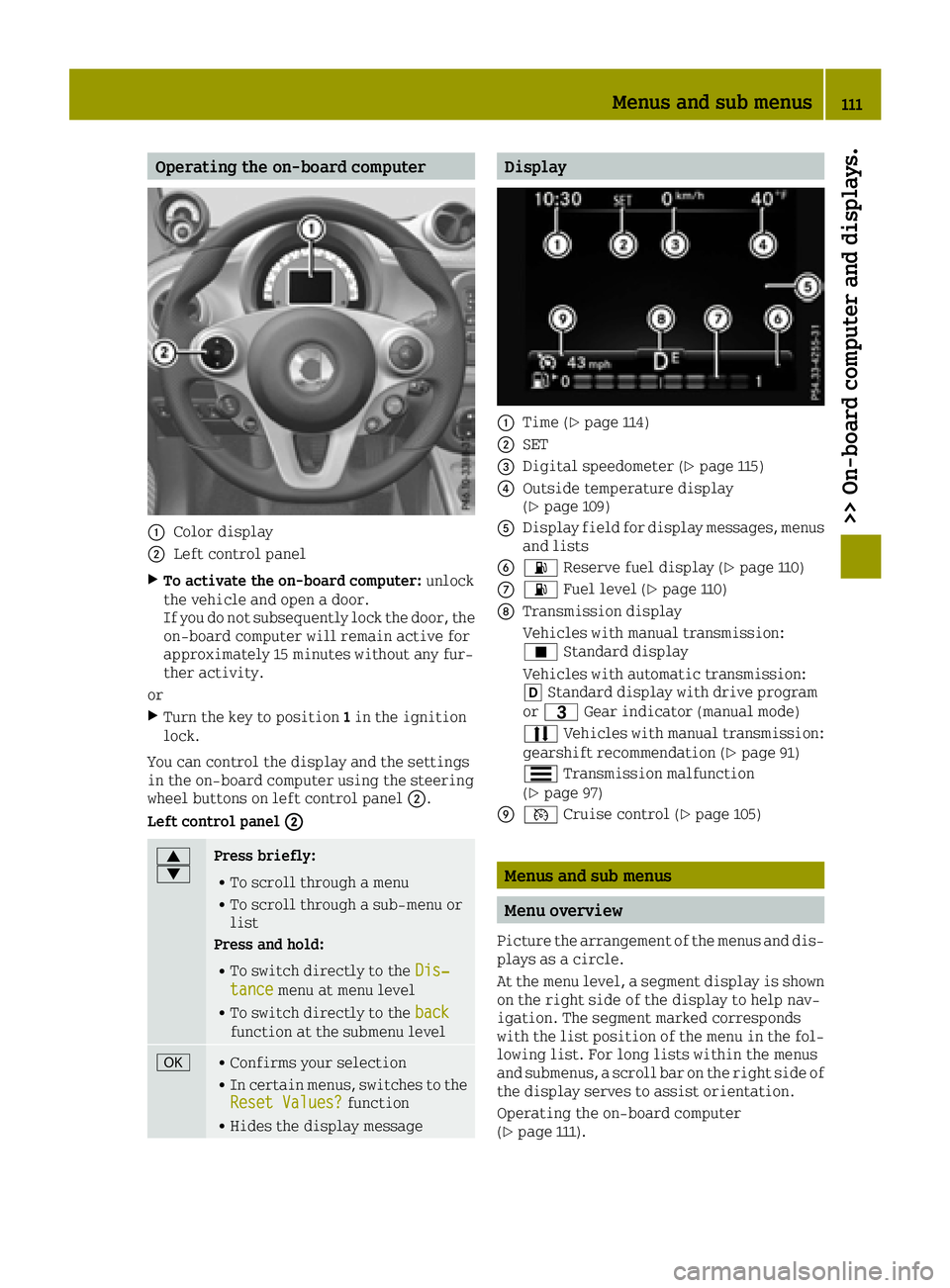
0043Color display
0044Left control panel
XTo activate the on-board computer:unlock
the vehicle and open a door.
If you do not subsequently lock the door, the
on-board computer will remain active for
approximately 15 minutes without any fur-
ther activity.
or
XTurn the key to position 1in the ignition
lock.
You can control the display and the settings
in the on-board computer using the steering
wheel buttons on left control panel 0044.
Left control panel 0044
0063
0064Press briefly:
RTo scroll through a menu
RTo scroll through a sub-menu or
list
Press and hold:
RTo switch directly to the Dis‐tancemenu at menu level
RTo switch directly to the backfunction at the submenu level
0076RConfirms your selection
RIn certain menus, switches to the
Reset Values?function
RHides the display message
Display
0043Time (Ypage 114)
0044SET
0087Digital speedometer (Ypage 115)
0085Outside temperature display
(Ypage 109)
0083Display field for display messages, menus
and lists
008400B4 Reserve fuel display (Ypage 110)
006B00B4Fuel level (Ypage 110)
006CTransmission display
Vehicles with manual transmission:
¿Standard display
Vehicles with automatic transmission:
005B Standard display with drive program
or 0040 Gear indicator (manual mode)
0078 Vehicles with manual transmission:
gearshift recommendation (
Ypage 91)
0079 Transmission malfunction
(
Ypage 97)
006D0085 Cruise control (Ypage 105)
Menus and sub menus
Menu overview
Picture the arrangement of the menus and dis-
plays as a circle.
At the menu level, a segment display is shown
on the right side of the display to help nav-
igation. The segment marked corresponds
with the list position of the menu in the fol-
lowing list. For long lists within the menus
and submenus, a scroll bar on the right side of
the display serves to assist orientation.
Operating the on-board computer
(
Ypage 111).
Menus and sub menus111
>> On-board computer and displays.
Z
Page 116 of 214
Settings menu
Introduction
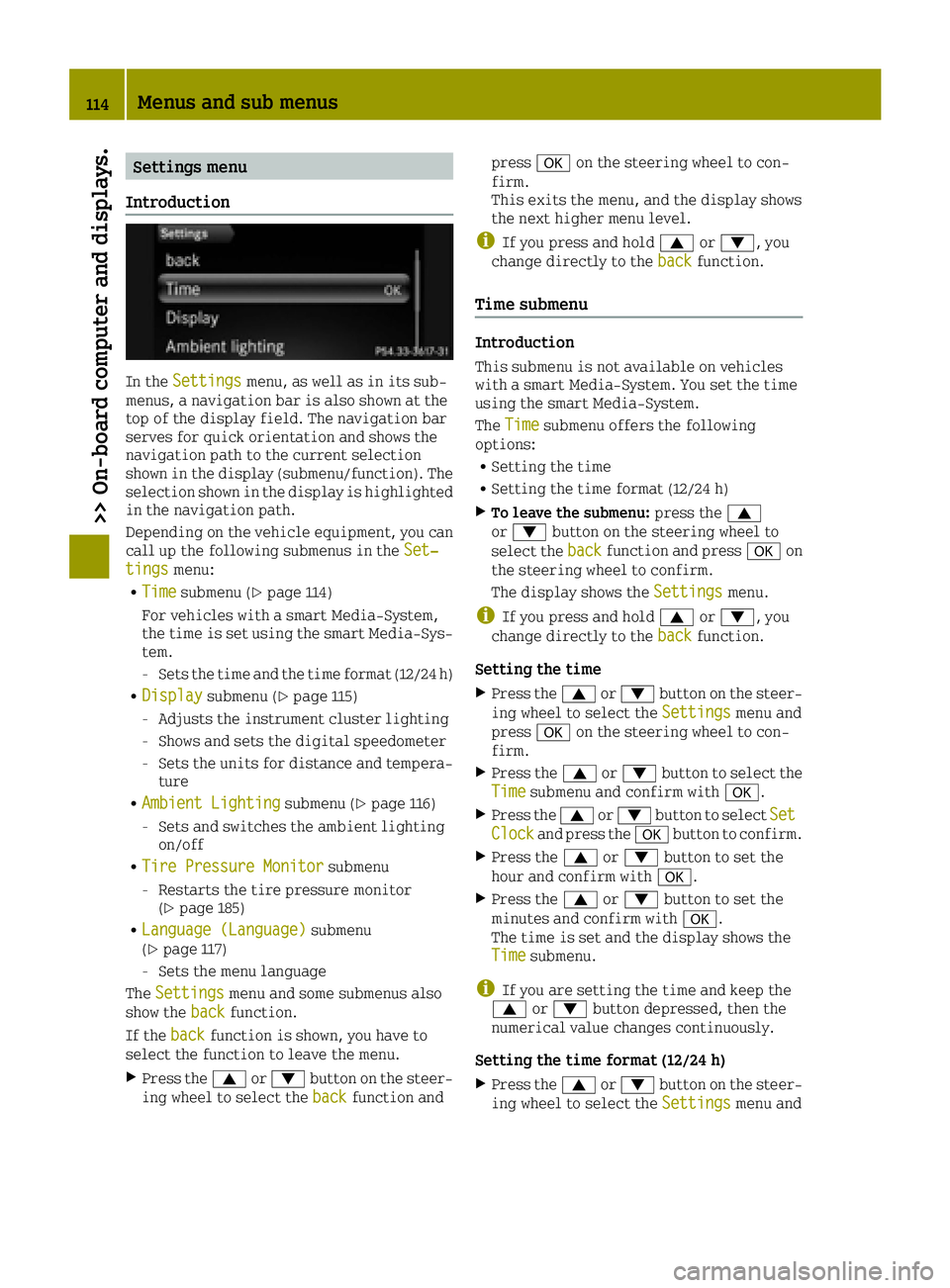
In the Settingsmenu, as well as in its sub-
menus, a navigation bar is also shown at the
top of the display field. The navigation bar
serves for quick orientation and shows the
navigation path to the current selection
shown in the display (submenu/function). The
selection shown in the display is highlighted
in the navigation path.
Depending on the vehicle equipment, you can
call up the following submenus in the Set‐
tingsmenu:
RTimesubmenu (Ypage 114)
For vehicles with a smart Media-System,
the time is set using the smart Media-Sys-
tem.
-Sets the time and the time format (12/24 h)
RDisplaysubmenu (Ypage 115)
-Adjusts the instrument cluster lighting
-Shows and sets the digital speedometer
-Sets the units for distance and tempera-
ture
RAmbient Lightingsubmenu (Ypage 116)
-Sets and switches the ambient lighting
on/off
RTire Pressure Monitorsubmenu
-Restarts the tire pressure monitor
(Ypage 185)
RLanguage (Language)submenu
(Ypage 117)
-Sets the menu language
The Settings
menu and some submenus also
show the backfunction.
If the back
function is shown, you have to
select the function to leave the menu.
XPress the 0063or0064 button on the steer-
ing wheel to select the backfunction andpress
0076on the steering wheel to con-
firm.
This exits the menu, and the display shows
the next higher menu level.
iIf you press and hold 0063or0064, you
change directly to the backfunction.
Time submenu
Introduction
This submenu is not available on vehicles
with a smart Media-System. You set the time
using the smart Media-System.
TheTime
submenu offers the following
options:
RSetting the time
RSetting the time format (12/24 h)
XTo leave the submenu: press the0063
or 0064 button on the steering wheel to
select the back
function and press 0076on
the steering wheel to confirm.
The display shows the Settings
menu.
iIf you press and hold0063or0064, you
change directly to the backfunction.
Setting the time
XPress the0063or0064 button on the steer-
ing wheel to select the Settingsmenu and
press 0076on the steering wheel to con-
firm.
XPress the 0063or0064 button to select the
Timesubmenu and confirm with 0076.
XPress the0063or0064 button to select SetClockand press the0076button to confirm.
XPress the 0063or0064 button to set the
hour and confirm with 0076.
XPress the0063or0064 button to set the
minutes and confirm with 0076.
The time is set and the display shows the
Time
submenu.
iIf you are setting the time and keep the
0063 or0064 button depressed, then the
numerical value changes continuously.
Setting the time format (12/24 h)
XPress the 0063or0064 button on the steer-
ing wheel to select the Settingsmenu and
114Menus and sub menus
>> On-board computer and displays.
Page 121 of 214
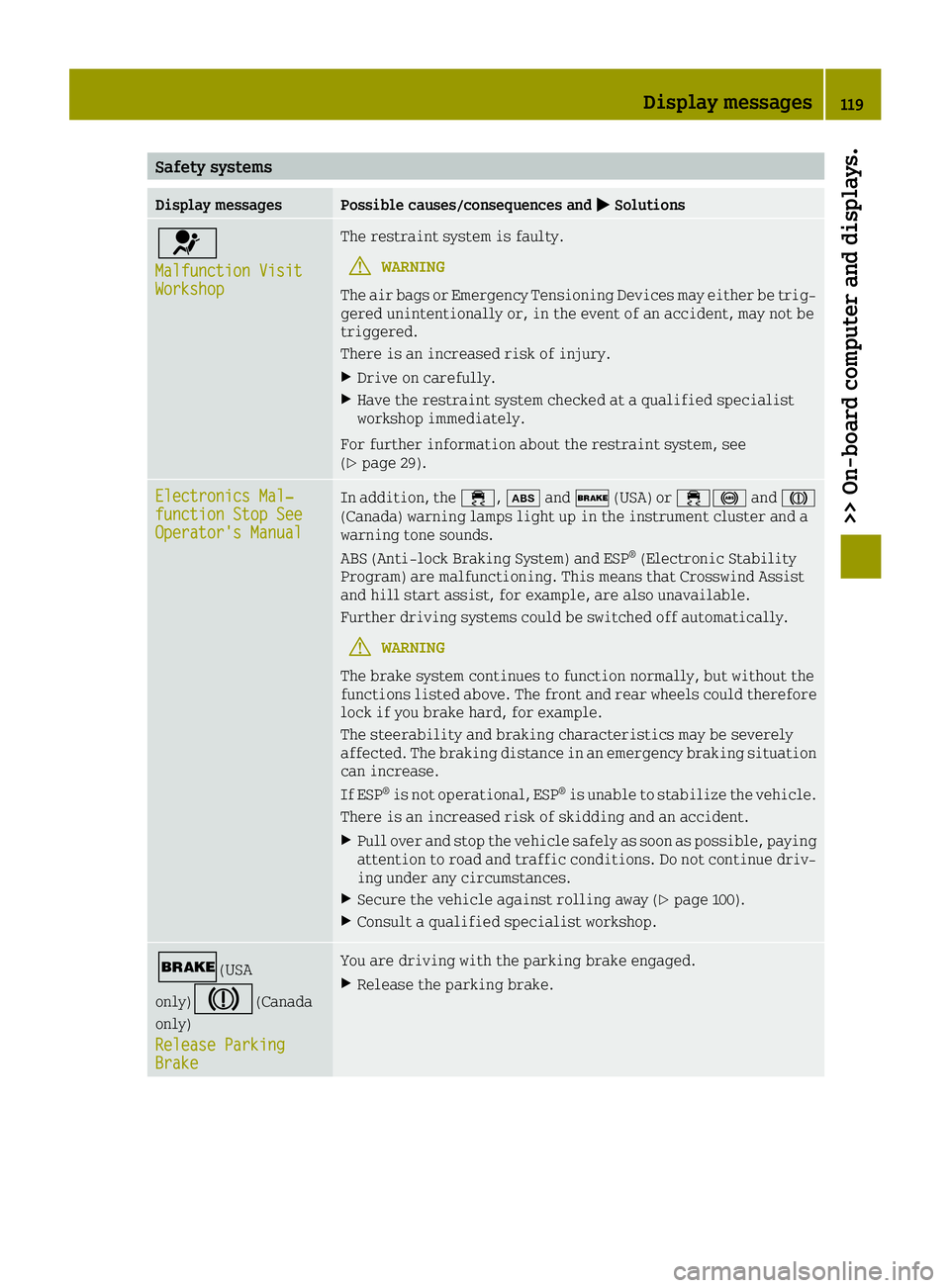
Safety systems
Display messagesPossible causes/consequences and0050Solutions
0075
Malfunction VisitWorkshop
The restraint system is faulty.
GWARNING
The air bags or Emergency Tensioning Devices may either be trig-
gered unintentionally or, in the event of an accident, may not be
triggered.
There is an increased risk of injury.
XDrive on carefully.
XHave the restraint system checked at a qualified specialist
workshop immediately.
For further information about the restraint system, see
(
Ypage 29).
Electronics Mal‐function Stop SeeOperator's Manual
In addition, the 00E5,00DFand0027 (USA) or 00E50025 and004D
(Canada) warning lamps light up in the instrument cluster and a
warning tone sounds.
ABS (Anti-lock Braking System) and ESP
®(Electronic Stability
Program) are malfunctioning. This means that Crosswind Assist
and hill start assist, for example, are also unavailable.
Further driving systems could be switched off automatically.
GWARNING
The brake system continues to function normally, but without the
functions listed above. The front and rear wheels could therefore
lock if you brake hard, for example.
The steerability and braking characteristics may be severely
affected. The braking distance in an emergency braking situation
can increase.
If ESP
®is not operational, ESP®is unable to stabilize the vehicle.
There is an increased risk of skidding and an accident.
XPull over and stop the vehicle safely as soon as possible, paying
attention to road and traffic conditions. Do not continue driv-
ing under any circumstances.
XSecure the vehicle against rolling away (Ypage 100).
XConsult a qualified specialist workshop.
0027(USA
only)
004D(Canada
only)
Release Parking
Brake
You are driving with the parking brake engaged.
XRelease the parking brake.
Display messages119
>> On-board computer and displays.
Z
Page 122 of 214
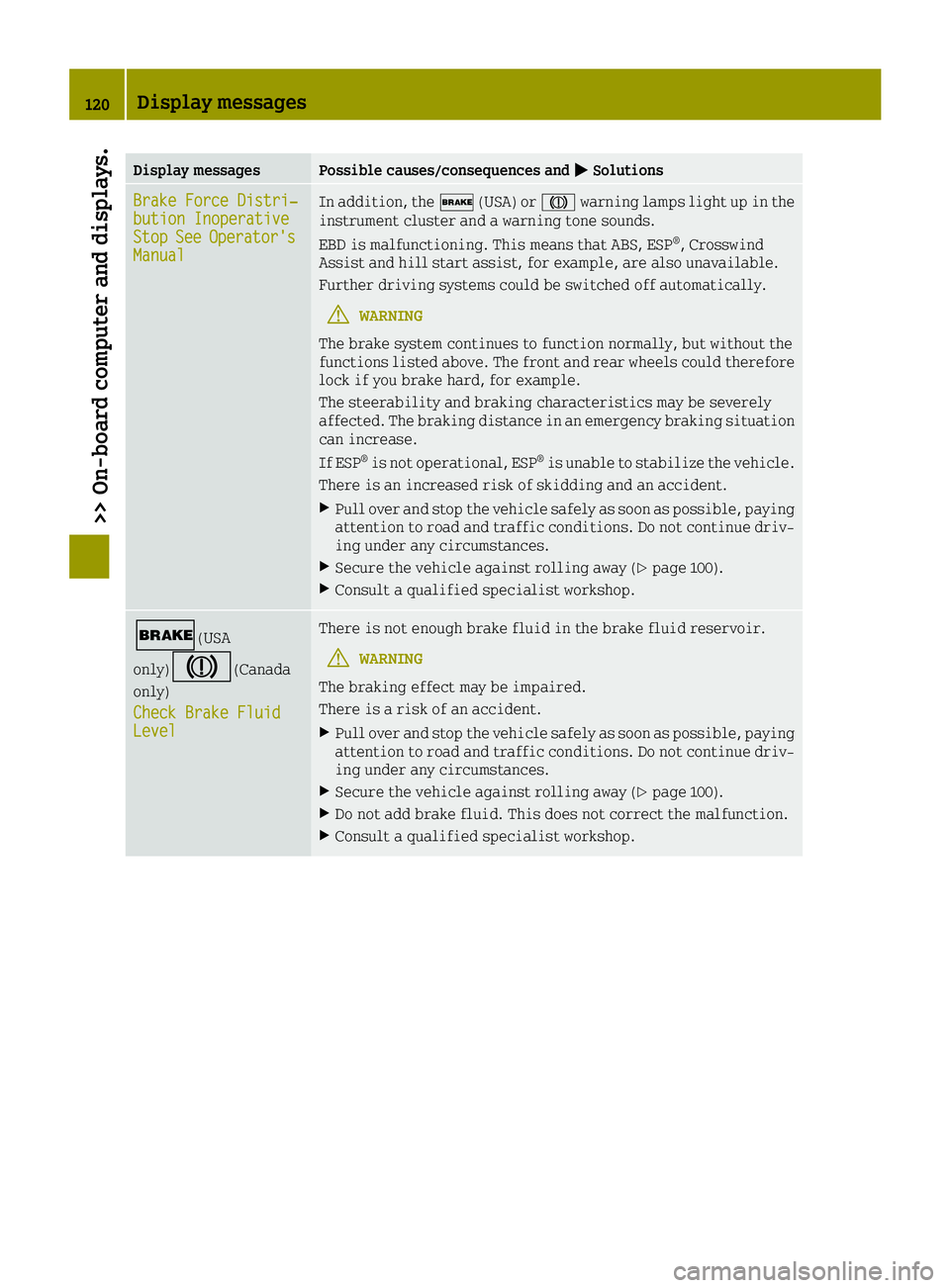
Display messagesPossible causes/consequences and0050Solutions
Brake Force Distri‐bution InoperativeStopSeeOperator'sManual
In addition, the0027(USA) or 004Dwarning lamps light up in the
instrument cluster and a warning tone sounds.
EBD is malfunctioning. This means that ABS, ESP
®, Crosswind
Assist and hill start assist, for example, are also unavailable.
Further driving systems could be switched off automatically.
GWARNING
The brake system continues to function normally, but without the
functions listed above. The front and rear wheels could therefore
lock if you brake hard, for example.
The steerability and braking characteristics may be severely
affected. The braking distance in an emergency braking situation
can increase.
If ESP
®is not operational, ESP®is unable to stabilize the vehicle.
There is an increased risk of skidding and an accident.
XPull over and stop the vehicle safely as soon as possible, paying
attention to road and traffic conditions. Do not continue driv-
ing under any circumstances.
XSecure the vehicle against rolling away (Ypage 100).
XConsult a qualified specialist workshop.
0027(USA
only)
004D(Canada
only)
Check Brake Fluid
Level
There is not enough brake fluid in the brake fluid reservoir.
GWARNING
The braking effect may be impaired.
There is a risk of an accident.
XPull over and stop the vehicle safely as soon as possible, paying
attention to road and traffic conditions. Do not continue driv-
ing under any circumstances.
XSecure the vehicle against rolling away (Ypage 100).
XDo not add brake fluid. This does not correct the malfunction.
XConsult a qualified specialist workshop.
120Display messages
>> On-board computer and displays.
Page 123 of 214
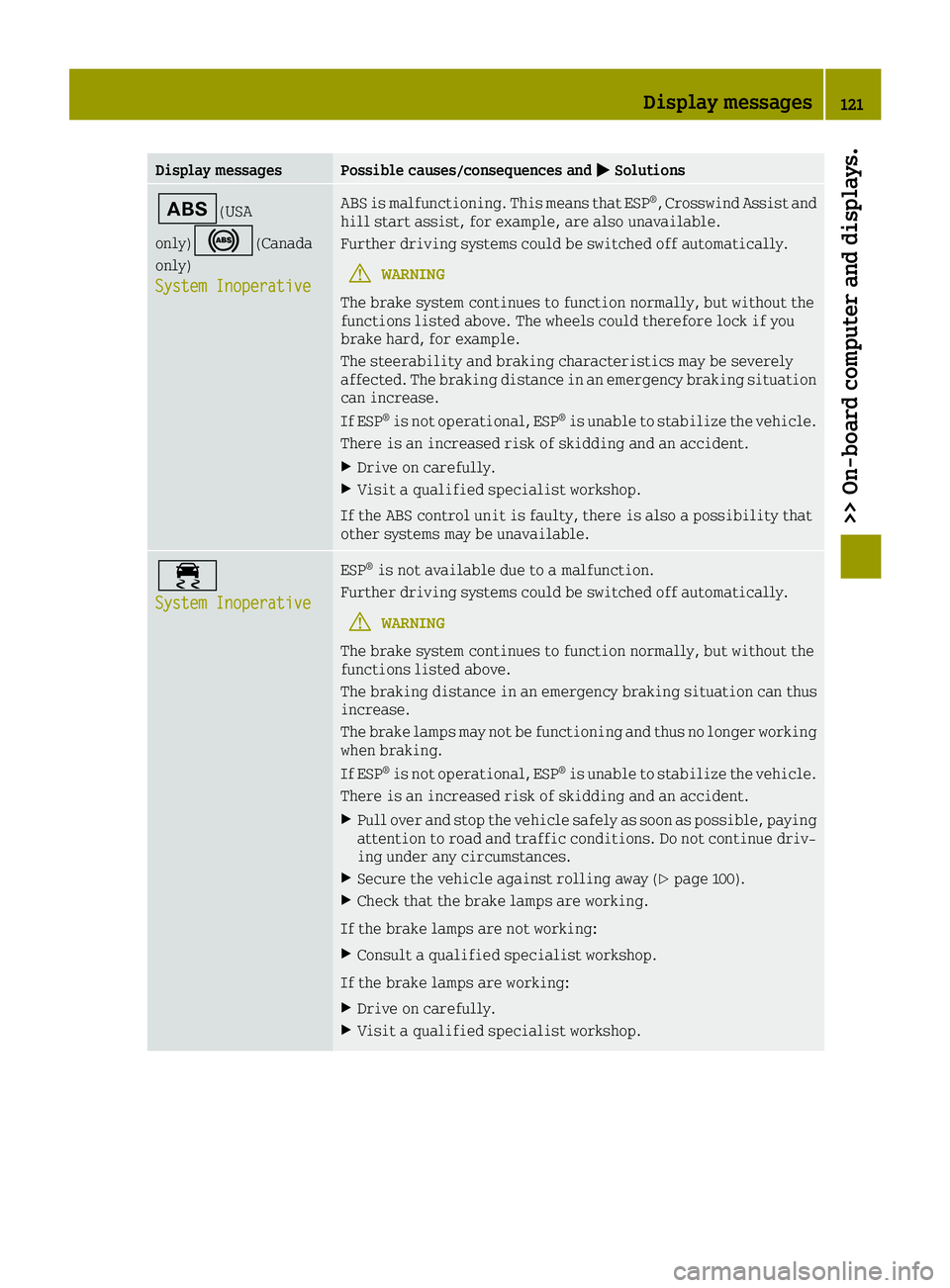
Display messagesPossible causes/consequences and0050Solutions
00DF(USA
only)
0025(Canada
only)
System Inoperative
ABS is malfunctioning. This means that ESP®, Crosswind Assist and
hill start assist, for example, are also unavailable.
Further driving systems could be switched off automatically.
GWARNING
The brake system continues to function normally, but without the
functions listed above. The wheels could therefore lock if you
brake hard, for example.
The steerability and braking characteristics may be severely
affected. The braking distance in an emergency braking situation
can increase.
If ESP
®is not operational, ESP®is unable to stabilize the vehicle.
There is an increased risk of skidding and an accident.
XDrive on carefully.
XVisit a qualified specialist workshop.
If the ABS control unit is faulty, there is also a possibility that
other systems may be unavailable.
00E5
System Inoperative
ESP®is not available due to a malfunction.
Further driving systems could be switched off automatically.
GWARNING
The brake system continues to function normally, but without the
functions listed above.
The braking distance in an emergency braking situation can thus
increase.
The brake lamps may not be functioning and thus no longer working
when braking.
If ESP
®is not operational, ESP®is unable to stabilize the vehicle.
There is an increased risk of skidding and an accident.
XPull over and stop the vehicle safely as soon as possible, paying
attention to road and traffic conditions. Do not continue driv-
ing under any circumstances.
XSecure the vehicle against rolling away (Ypage 100).
XCheck that the brake lamps are working.
If the brake lamps are not working:
XConsult a qualified specialist workshop.
If the brake lamps are working:
XDrive on carefully.
XVisit a qualified specialist workshop.
Display messages121
>> On-board computer and displays.
Z
Page 127 of 214
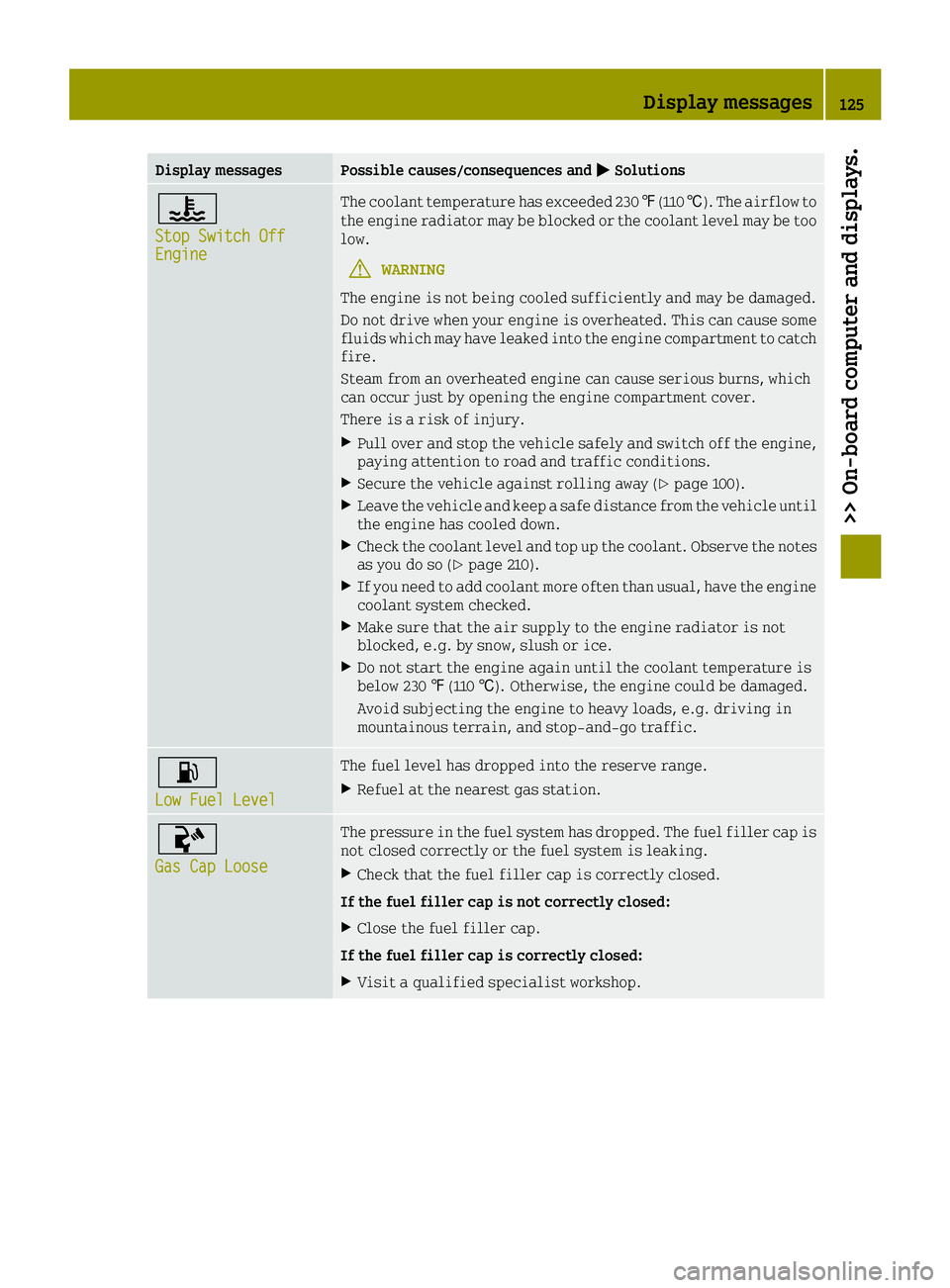
Display messagesPossible causes/consequences and0050Solutions
00AC
Stop Switch OffEngine
The coolant temperature has exceeded 230 ‡(110 †). The airflow to
the engine radiator may be blocked or the coolant level may be too
low.
GWARNING
The engine is not being cooled sufficiently and may be damaged.
Do not drive when your engine is overheated. This can cause some
fluids which may have leaked into the engine compartment to catch
fire.
Steam from an overheated engine can cause serious burns, which
can occur just by opening the engine compartment cover.
There is a risk of injury.
XPull over and stop the vehicle safely and switch off the engine,
paying attention to road and traffic conditions.
XSecure the vehicle against rolling away (Ypage 100).
XLeave the vehicle and keep a safe distance from the vehicle until
the engine has cooled down.
XCheck the coolant level and top up the coolant. Observe the notes
as you do so (Ypage 210).
XIf you need to add coolant more often than usual, have the engine coolant system checked.
XMake sure that the air supply to the engine radiator is not
blocked, e.g. by snow, slush or ice.
XDo not start the engine again until the coolant temperature is
below 230 ‡(110 †). Otherwise, the engine could be damaged.
Avoid subjecting the engine to heavy loads, e.g. driving in
mountainous terrain, and stop-and-go traffic.
00B4
Low Fuel Level
The fuel level has dropped into the reserve range.
XRefuel at the nearest gas station.
00AC
Gas Cap Loose
The pressure in the fuel system has dropped. The fuel filler cap is
not closed correctly or the fuel system is leaking.
XCheck that the fuel filler cap is correctly closed.
If the fuel filler cap is not correctly closed:
XClose the fuel filler cap.
If the fuel filler cap is correctly closed:
XVisit a qualified specialist workshop.
Display messages125
>> On-board computer and displays.
Z
Page 130 of 214
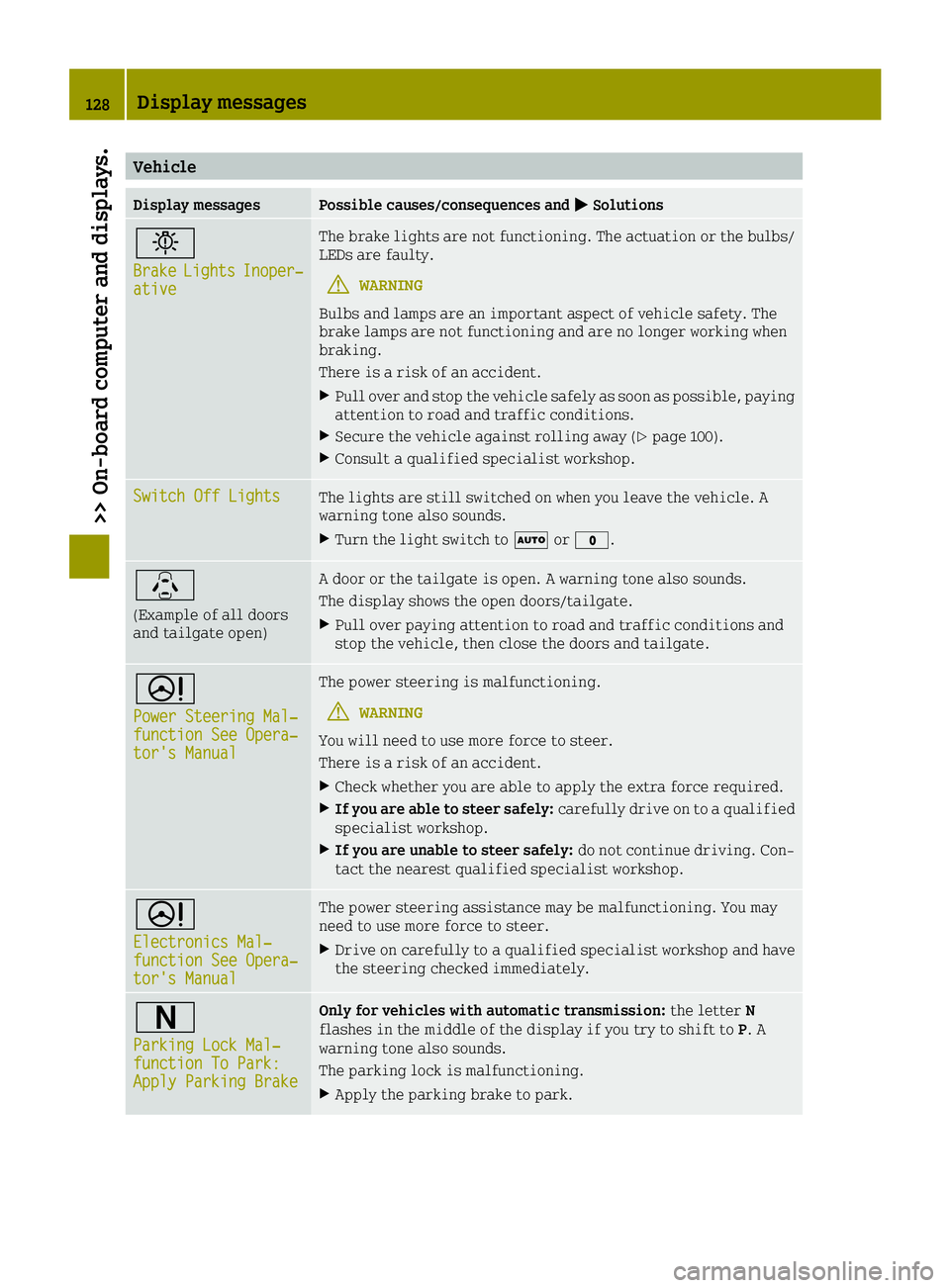
Vehicle
Display messagesPossible causes/consequences and0050Solutions
0049
BrakeLightsInoper‐ative
The brake lights are not functioning. The actuation or the bulbs/
LEDs are faulty.
GWARNING
Bulbs and lamps are an important aspect of vehicle safety. The
brake lamps are not functioning and are no longer working when
braking.
There is a risk of an accident.
XPull over and stop the vehicle safely as soon as possible, paying
attention to road and traffic conditions.
XSecure the vehicle against rolling away (Ypage 100).
XConsult a qualified specialist workshop.
Switch Off LightsThe lights are still switched on when you leave the vehicle. A
warning tone also sounds.
XTurn the light switch to 0058or003F.
\
(Example of all doors
and tailgate open)
A door or the tailgate is open. A warning tone also sounds.
The display shows the open doors/tailgate.
XPull over paying attention to road and traffic conditions and
stop the vehicle, then close the doors and tailgate.
0052
Power Steering Mal‐function See Opera‐tor's Manual
The power steering is malfunctioning.
GWARNING
You will need to use more force to steer.
There is a risk of an accident.
XCheck whether you are able to apply the extra force required.
XIf you are able to steer safely: carefully drive on to a qualified
specialist workshop.
XIf you are unable to steer safely: do not continue driving. Con-
tact the nearest qualified specialist workshop.
0052
Electronics Mal‐function See Opera‐tor's Manual
The power steering assistance may be malfunctioning. You may
need to use more force to steer.
XDrive on carefully to a qualified specialist workshop and have
the steering checked immediately.
0044
Parking Lock Mal‐function To Park:Apply Parking Brake
Only for vehicles with automatic transmission: the letterN
flashes in the middle of the display if you try to shift to P. A
warning tone also sounds.
The parking lock is malfunctioning.
XApply the parking brake to park.
128Display messages
>> On-board computer and displays.
Page 132 of 214
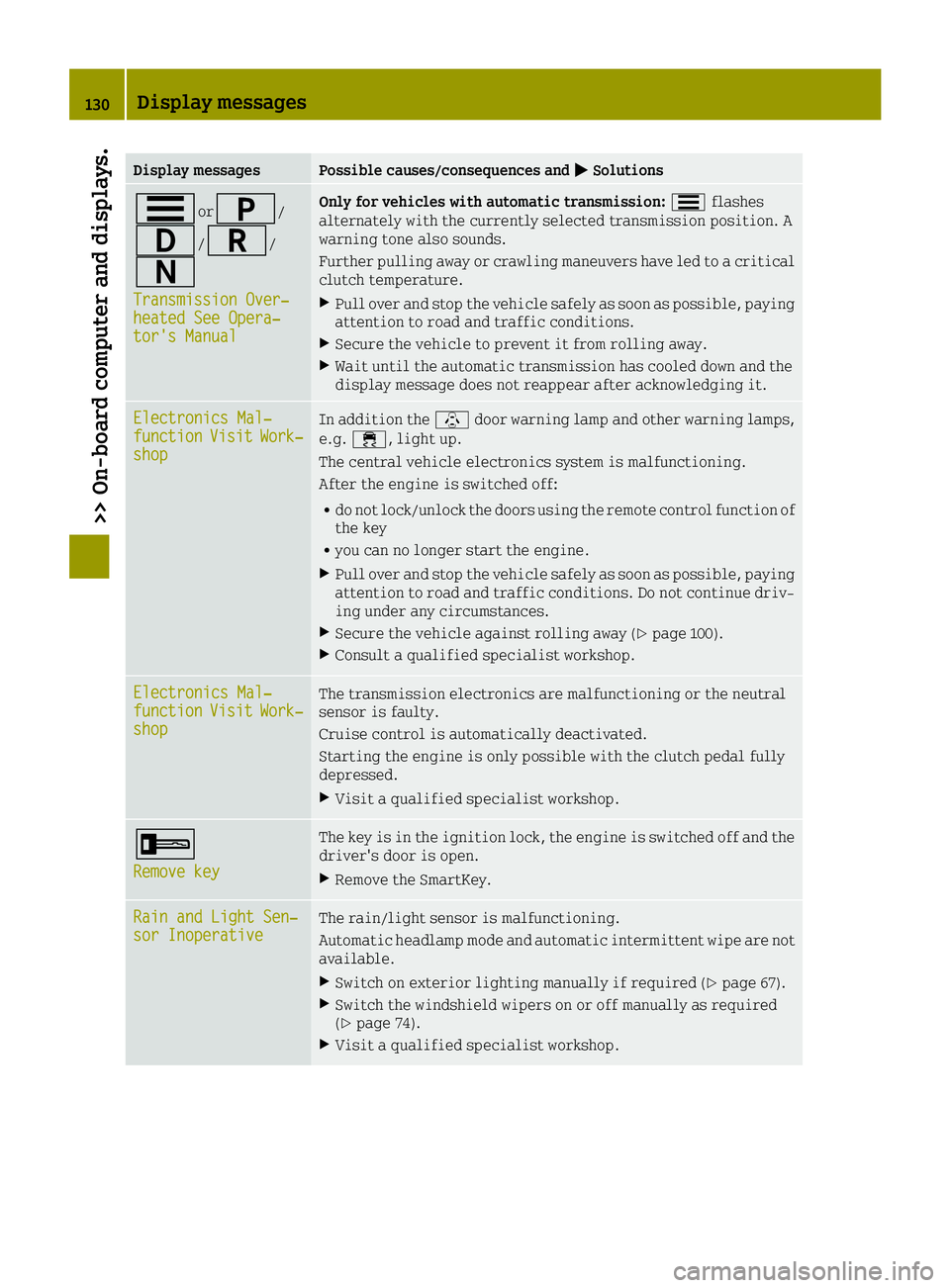
Display messagesPossible causes/consequences and0050Solutions
0079or0045/
003A/0046/
0044
Transmission Over‐heated See Opera‐tor's Manual
Only for vehicles with automatic transmission: 0079flashes
alternately with the currently selected transmission position. A
warning tone also sounds.
Further pulling away or crawling maneuvers have led to a critical
clutch temperature.
XPull over and stop the vehicle safely as soon as possible, paying
attention to road and traffic conditions.
XSecure the vehicle to prevent it from rolling away.
XWait until the automatic transmission has cooled down and the
display message does not reappear after acknowledging it.
Electronics Mal‐functionVisitWork‐shop
In addition the \door warning lamp and other warning lamps,
e.g. 00E5, light up.
The central vehicle electronics system is malfunctioning.
After the engine is switched off:
Rdo not lock/unlock the doors using the remote control function of
the key
Ryou can no longer start the engine.
XPull over and stop the vehicle safely as soon as possible, paying
attention to road and traffic conditions. Do not continue driv-
ing under any circumstances.
XSecure the vehicle against rolling away (Ypage 100).
XConsult a qualified specialist workshop.
Electronics Mal‐functionVisitWork‐shop
The transmission electronics are malfunctioning or the neutral
sensor is faulty.
Cruise control is automatically deactivated.
Starting the engine is only possible with the clutch pedal fully
depressed.
XVisit a qualified specialist workshop.
0039
Remove key
The key is in the ignition lock, the engine is switched off and the
driver's door is open.
XRemove the SmartKey.
Rain and Light Sen‐sor InoperativeThe rain/light sensor is malfunctioning.
Automatic headlamp mode and automatic intermittent wipe are not
available.
XSwitch on exterior lighting manually if required (Ypage 67).
XSwitch the windshield wipers on or off manually as required
(Ypage 74).
XVisit a qualified specialist workshop.
130Display messages
>> On-board computer and displays.