ECU SUBARU BRZ 2013 1.G User Guide
[x] Cancel search | Manufacturer: SUBARU, Model Year: 2013, Model line: BRZ, Model: SUBARU BRZ 2013 1.GPages: 484, PDF Size: 6.46 MB
Page 64 of 484
64
1-3. Adjustable components (seats, mirrors, steering wheel)
WARNING
■Seatbelt damage and wear
●Do not damage the seatbelts by allowing the belt, plate, or buckle to be
jammed in the door.
●Inspect the seatbelt system periodically. Check for cuts, fraying, and loose
parts. Replace a damaged seatbelt immediately. Damaged seatbelts can-
not protect an occupant from death or serious injury.
●Ensure that the belt and plate are locked and the belt is not twisted.
If the seatbelt does not function correctly, immediately contact your
SUBARU dealer.
●Replace the seat assembly, including the belts, if your vehicle has been
involved in a serious accident, even if there's no obvious damage.
●Do not attempt to install, remove, modify, disassemble or dispose of the
seatbelts. Have any necessary repairs carried out by your SUBARU
dealer. Inappropriate handling of the pretensioner may prevent it from
operating properly, resulting in death or serious injury.
■When using the seatbelt guide
●Always make sure that the belt is not twisted, and runs freely through the
guide.
●Regardless of whether the guide is used or not, always secure the seatbelt
guide button.
●Do not hang from or pull the guide forcefully.
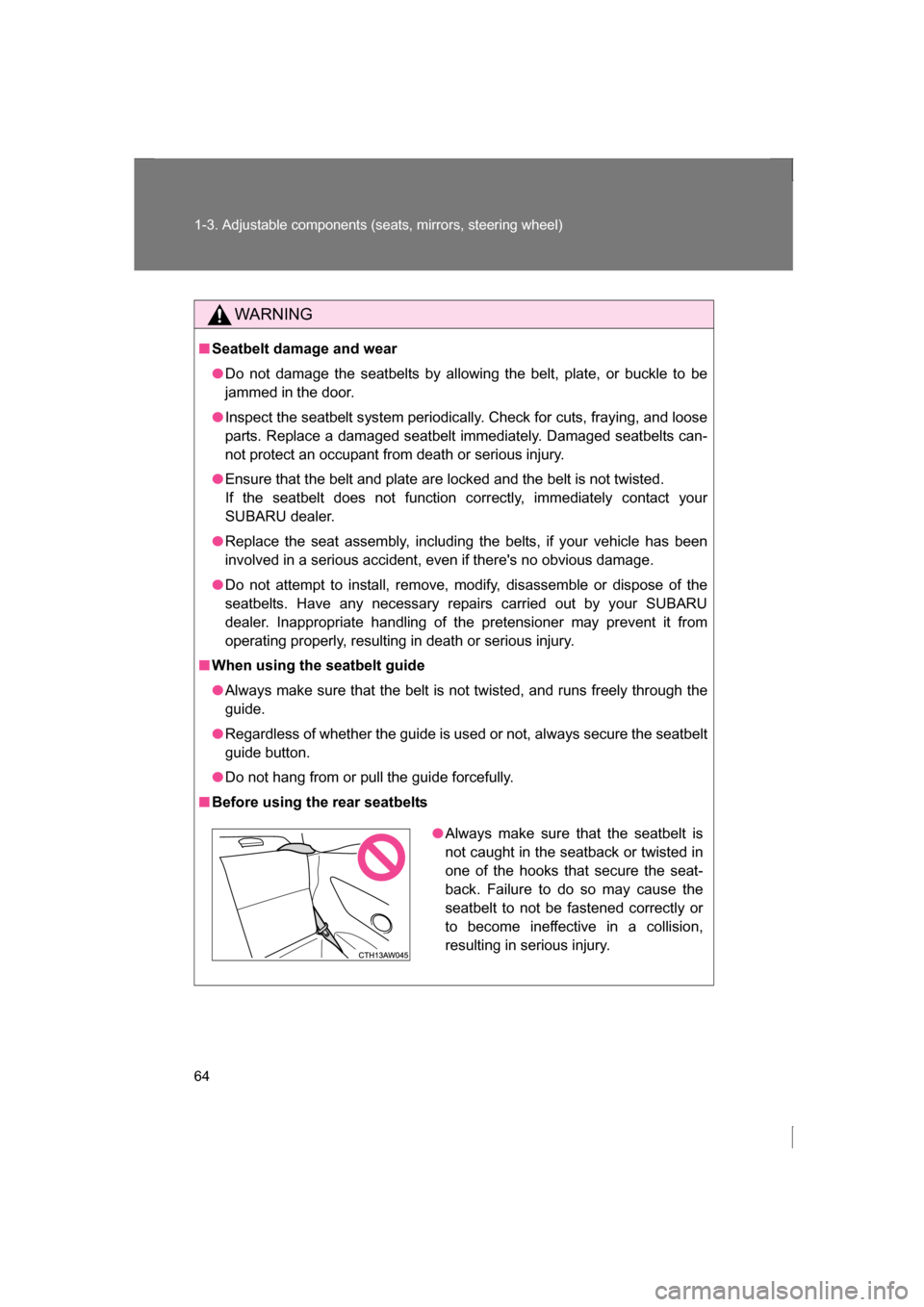
■Before using the rear seatbelts
●Always make sure that the seatbelt is
not caught in the seatback or twisted in
one of the hooks that secure the seat-
back. Failure to do so may cause the
seatbelt to not be fastened correctly or
to become ineffective in a collision,
resulting in serious injury.
Page 65 of 484
65
1
1-3. Adjustable components (seats, mirrors, steering wheel)
Before driving
Steering wheel
WARNING
■Caution while driving
Do not adjust the steering wheel while driving.
Doing so may cause the driver to mishandle the vehicle and an accident,
resulting in death or serious injury.
■After adjusting the steering wheel
Make sure that the steering wheel is securely locked.
Otherwise, the steering wheel may move suddenly, possibly causing an
accident, and resulting in death or serious injury.
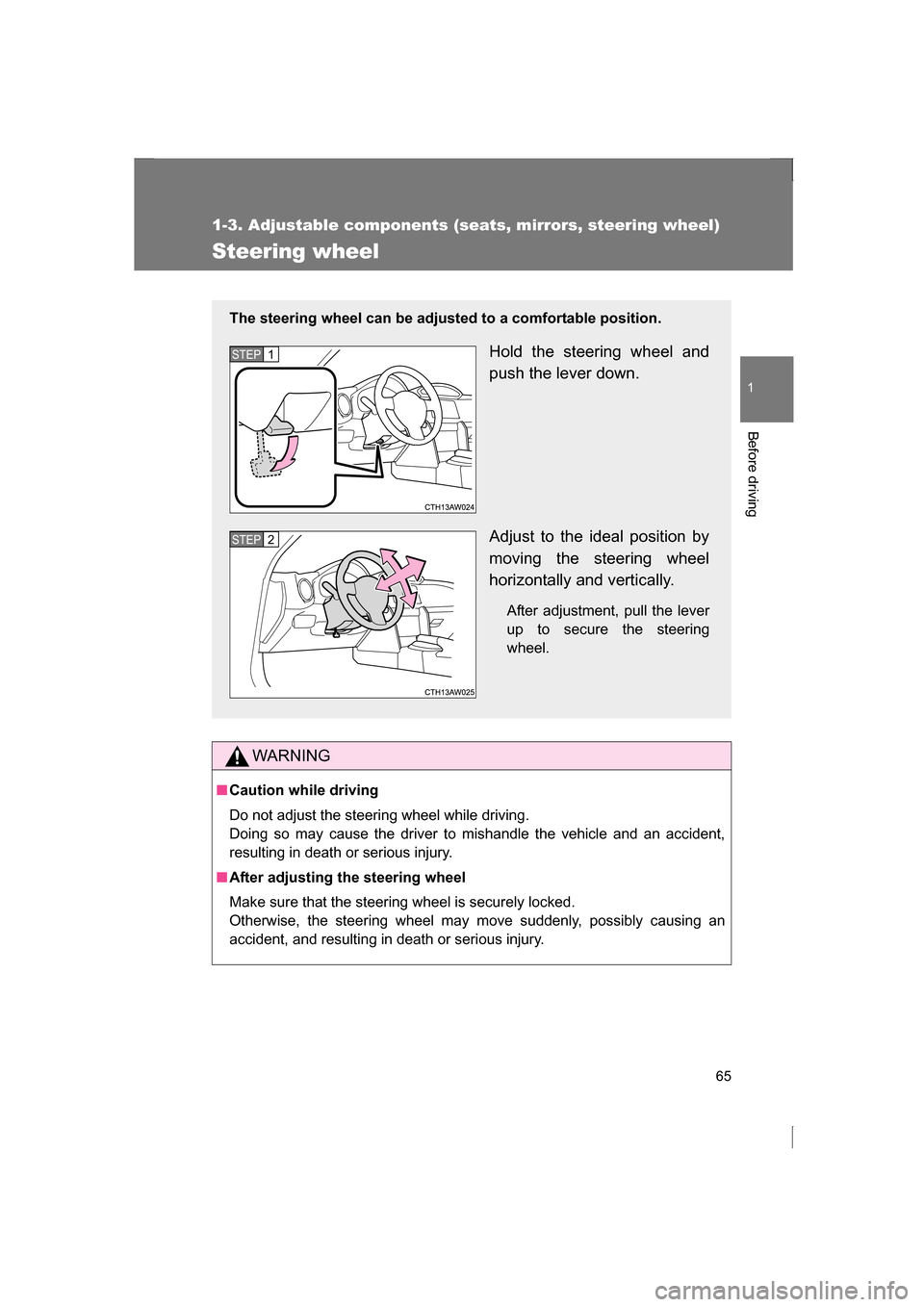
The steering wheel can be adjusted to a comfortable position.
Hold the steering wheel and
push the lever down.
Adjust to the ideal position by
moving the steering wheel
horizontally and vertically.After adjustment, pull the lever
up to secure the steering
wheel.
STEP 1
STEP 2
Page 72 of 484
72
1-4. Opening and closing the windows
■When the power window does not close normally
If the jam protection function is operating abnormally and a window cannot
be closed, close all the doors perform the following operations using the
power window switch on the relevant door.Vehicles without a keyless access with push button start system:
After stopping the vehicle, the engine switch is turned to the “ON”
position.
Vehicles with a keyless access with push button start system: After
stopping the vehicle, the push-button ignition switch is turned to
“ON” mode.
Hold the power window switch in the one-touch closing position two
consecutive times.
Hold the power window switch in the one-touch closing position
once again and continue holding for 1 second or more after the win-
dow closes completely.
If you push the power window switch to the opening position while the win-
dow is moving, start again from the beginning. If the window continues to
close but then re-open slightly even after performing the above procedure
correctly, we recommend that you have your SUBARU dealer.
WARNING
■Closing the windows
Observe the following precautions.
Failure to do so may result in death or serious injury.
●Check to make sure that all passengers do not have any part of their body
in a position where it could be caught when a window is being operated.
●Do not allow children to operate the power windows.
Closing a power window on someone can cause serious injury, and in
some instances, even death.
■Jam protection function
●Never use any part of your body to intentionally activate the jam protection
function.
●The jam protection function may not work if something gets caught just
before the window fully closes.
STEP 1
STEP 2
STEP 3
Page 76 of 484
76
1-5. Refueling
WARNING
■When refueling
Observe the following precautions to prevent fuel overflowing from the fuel
tank:
●Securely insert the fuel nozzle into the fuel filler neck
●Stop filling the tank after the fuel nozzle automatically clicks off
●Do not top off the fuel tank
●Observe other precautions that are posted at the service station.
●Turn the cap to the right until it clicks to ensure that it is fully tightened. If
the cap is not securely tightened, fuel spillage could occur in the event of
an accident, creating a fire hazard.
■When replacing the fuel cap
Do not use anything but a genuine fuel tank cap designed for your vehicle.
Doing so may cause a fire or other incident which may result in death or seri-
ous injury.
CAUTION
■Refueling
●Do not spill fuel during refueling.
Doing so may damage the vehicle, such as causing the emission control
system to operate abnormally or damaging fuel system components or the
vehicle's painted surface.
●Never add any cleaning agents to the fuel tank. The addition of a cleaning
agent may cause damage to the fuel system.
●Immediately put fuel in the tank whenever the low fuel warning light illumi-
nates. Engine misfires as a result of an empty tank could cause damage to
the engine.
Page 77 of 484
77
1
Before driving
1-6. Security system
Engine immobilizer system
The vehicle's keys have built-in transponder chips that prevent the
engine from starting if the key has not been previously registered in
the vehicle's on-board computer.
Never leave the keys inside the vehicle when you leave the vehicle.
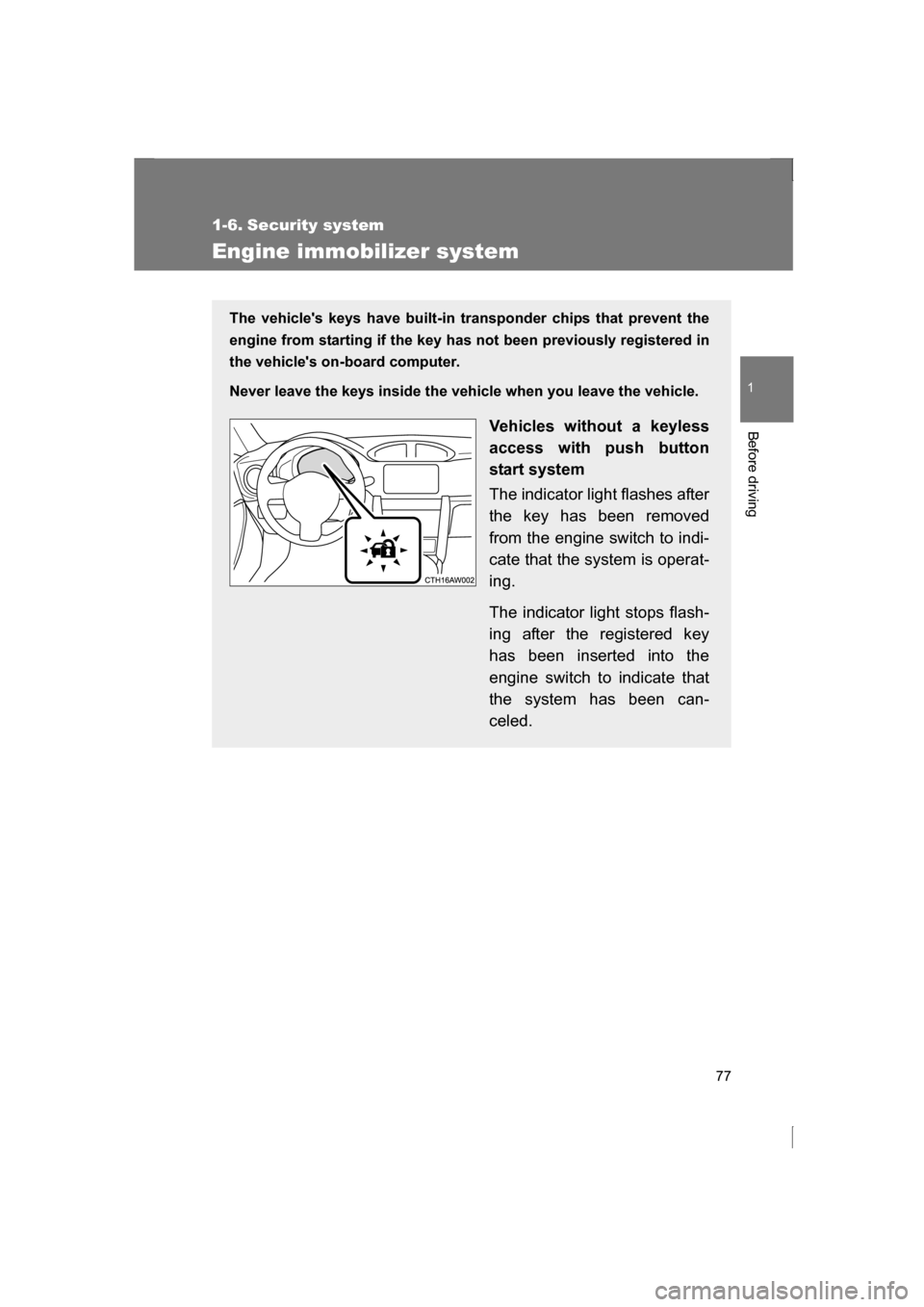
Vehicles without a keyless
access with push button
start system
The indicator light flashes after
the key has been removed
from the engine switch to indi-
cate that the system is operat-
ing.
The indicator light stops flash-
ing after the registered key
has been inserted into the
engine switch to indicate that
the system has been can-
celed.
Page 78 of 484
78
1-6. Security system
■When the vehicle cannot be started with the registered key (vehicles
without a keyless access with push button start system)
Remove the key and try again.
■System maintenance
The vehicle has a maintenance-free type engine immobilizer system.
■Conditions that may cause the system to malfunction
●If the key is in contact with a metallic object
●If the key is in close proximity to or touching a key to the security system
(key with a built-in transponder chip) of another vehicle Vehicles with a keyless
access with push button
start system
The indicator light flashes after
the push-button ignition switch
has been turned off to indicate
that the system is operating.
The indicator light stops flash-
ing after the push-button igni-
tion switch has been turned to
“ACC” or “ON” mode to indi-
cate that the system has been
canceled.
Page 79 of 484
79
1-6. Security system
1
Before driving
■Certification for engine immobilizer system
For vehicles sold in the U.S.A.
FCC ID: Y8PSSPIMB03 FCC ID: MOZRI-38BFH
This device complies with Part 15 of the FCC Rules. Operation is subject to
the following two conditions: (1) this device may not cause harmful interfer-
ence, and (2) this device must accept any interference received, including
interference that may cause undesired operation.
FCC WARNING
Changes or modifications not expressly approved by the party responsible
for compliance could void the user’s authority to operate the equipment.
For vehicles sold in Canada
NOTE:
Operation is subject to the following two conditions: (1) this device may not
cause interference, and (2) this device must accept any interference, includ-
ing interference that may cause undesired operation of the device.
NOTE:
L’utilisation de ce dispositif est autorisée seulement aux deux conditions sui-
vantes: (1) il ne doit pas produire de brouillage, et (2) l’utilisateur du disposi-
tif doit être prêt à accepter tout brouillage radioélectrique reçu, même si ce
brouillage est susceptible de compromettre le fonctionnement du dispositif.
CAUTION
■To ensure the system operates correctly
Do not modify or remove the system. If modified or removed, the proper
operation of the system cannot be guaranteed.
Page 80 of 484
80
1-6. Security system
Theft prevention labels (U.S.A.)
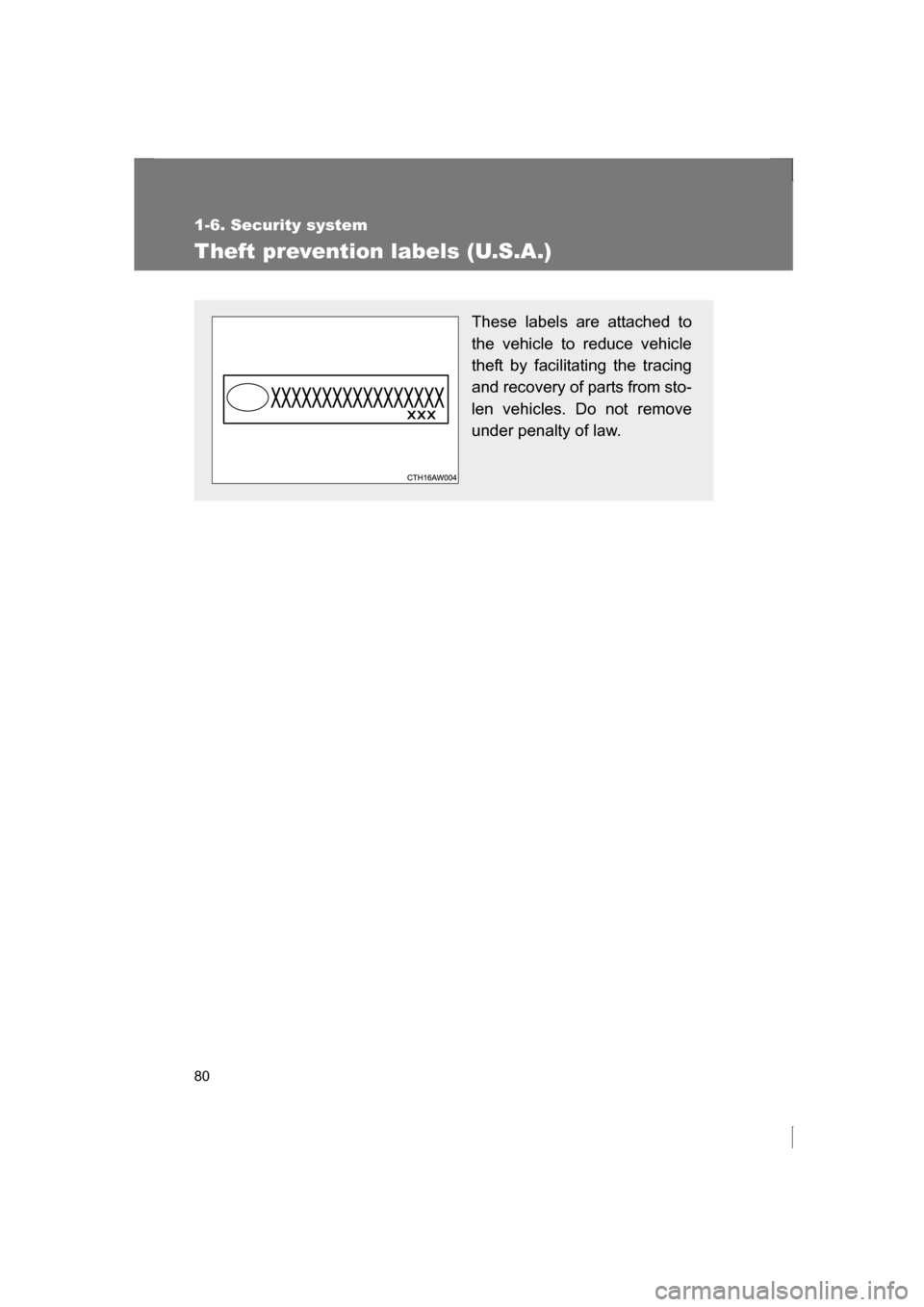
These labels are attached to
the vehicle to reduce vehicle
theft by facilitating the tracing
and recovery of parts from sto-
len vehicles. Do not remove
under penalty of law.
Page 81 of 484
81
1
1-6. Security system
Before driving
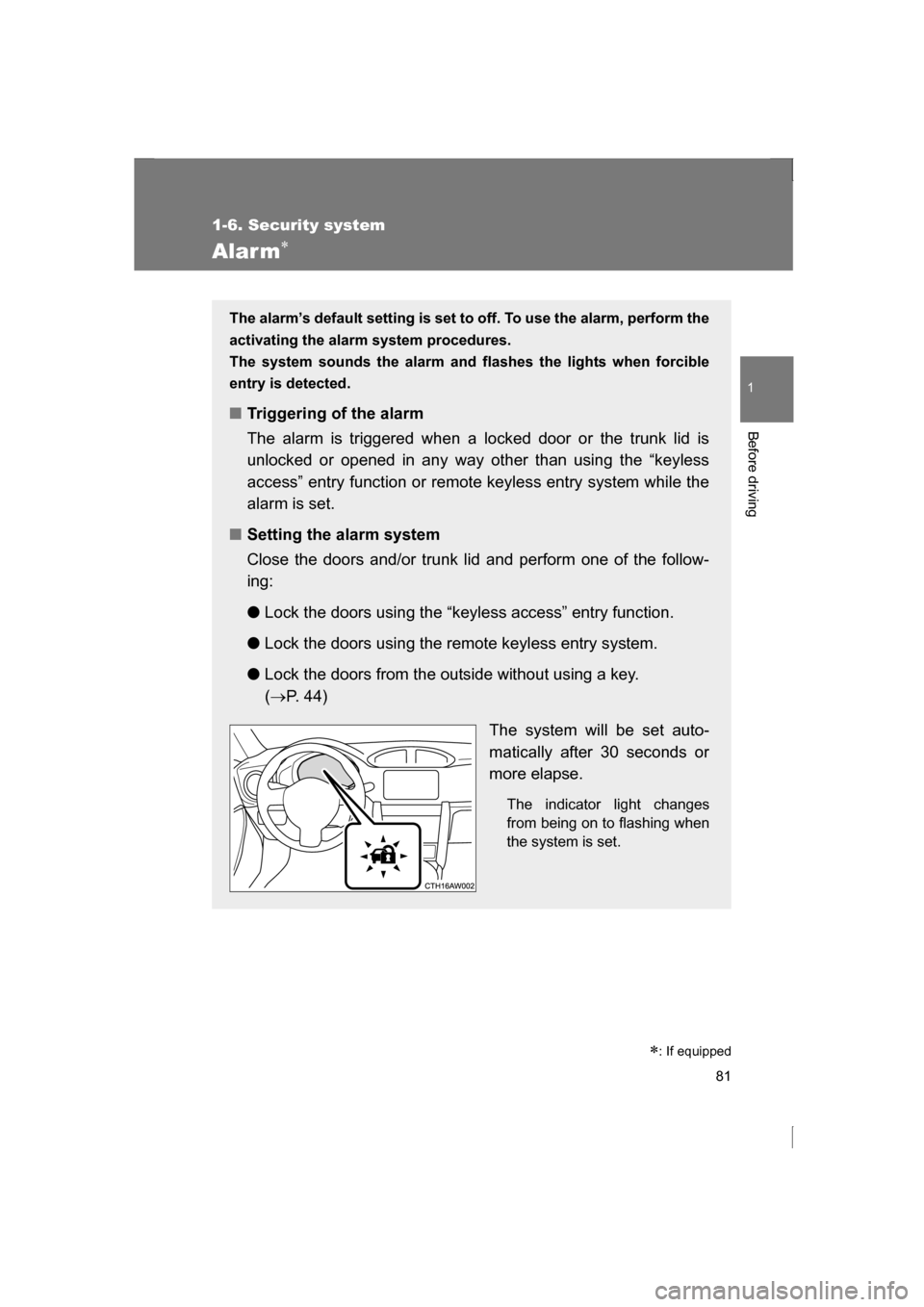
Alarm
∗
The alarm’s default setting is set to off. To use the alarm, perform the
activating the alarm system procedures.
The system sounds the alarm and flashes the lights when forcible
entry is detected.
■Triggering of the alarm
The alarm is triggered when a locked door or the trunk lid is
unlocked or opened in any way other than using the “keyless
access” entry function or remote keyless entry system while the
alarm is set.
■Setting the alarm system
Close the doors and/or trunk lid and perform one of the follow-
ing: ●
Lock the doors using the “keyless access” entry function.
● Lock the doors using the remote keyless entry system.
● Lock the doors from the outside without using a key. (→ P. 44)
The system will be set auto-
matically after 30 seconds or
more elapse.The indicator light changes
from being on to flashing when
the system is set.
∗: If equipped
Page 82 of 484
82
1-6. Security system
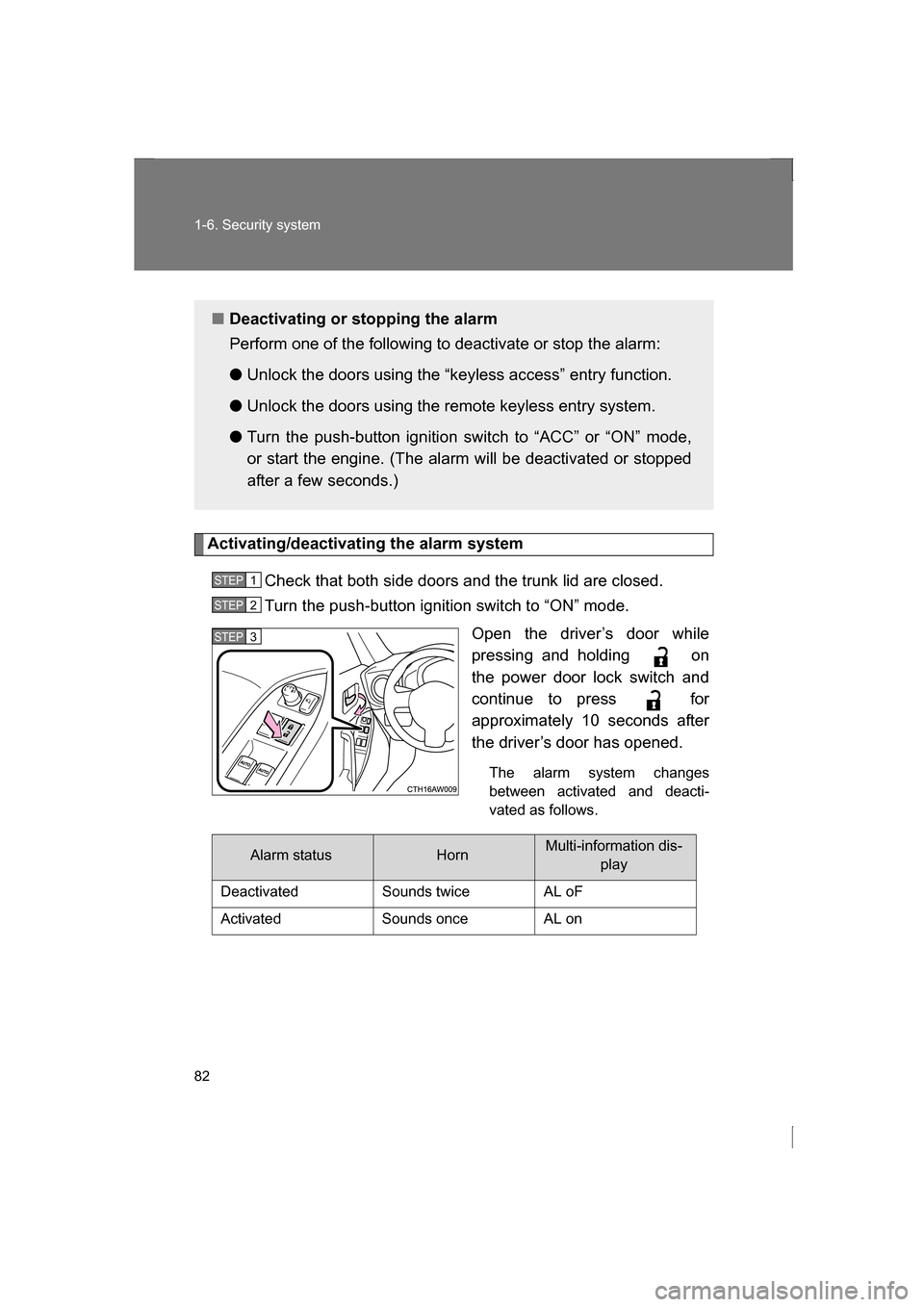
Activating/deactivating the alarm systemCheck that both side doors and the trunk lid are closed.
Turn the push-button ignition switch to “ON” mode. Open the driver’s door while
pressing and holding on
the power door lock switch and
continue to press for
approximately 10 seconds after
the driver’s door has opened.
The alarm system changes
between activated and deacti-
vated as follows.
■Deactivating or stopping the alarm
Perform one of the following to deactivate or stop the alarm: ● Unlock the doors using the “keyless access” entry function.
● Unlock the doors using the remote keyless entry system.
● Turn the push-button ignition switch to “ACC” or “ON” mode,
or start the engine. (The alarm will be deactivated or stopped
after a few seconds.)
STEP 1
STEP 2
STEP 3
Alarm statusHornMulti-information dis-
play
Deactivated Sounds twice AL oF
Activated Sounds once AL on