display SUBARU BRZ 2023 Owner's Manual
[x] Cancel search | Manufacturer: SUBARU, Model Year: 2023, Model line: BRZ, Model: SUBARU BRZ 2023Pages: 432, PDF Size: 16.56 MB
Page 156 of 432
Warning and Indicator Lights
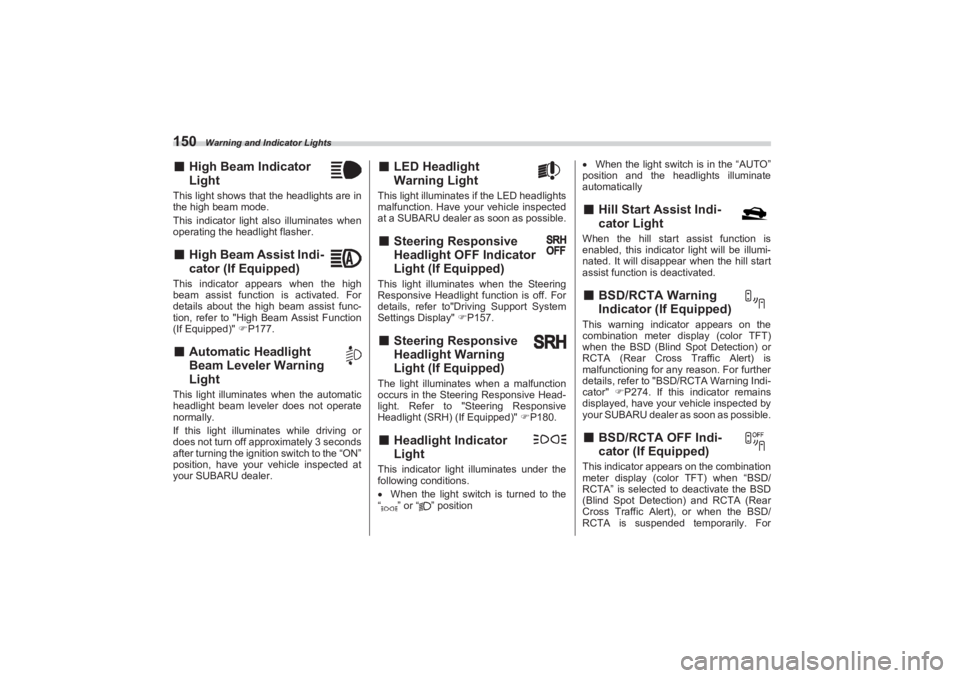
150■High Beam Indicator
LightThis light shows that the headlights are in
the high beam mode.
This indicator light also illuminates when
operating the headlight flasher.■ High Beam Assist Indi -
cator (If Equipped)This indicator appears when the high
beam assist function is activated. For
details about the high beam assist func-
tion, refer to "High Beam Assist Function
(If Equipped)" P177.■ Automatic Headlight
Beam Leveler Warning
LightThis light illuminates when the automatic
headlight beam leveler does not operate
normally.
If this light illuminates while driving or
does not turn off approximately 3 seconds
after turning the ignition switch to the “ON”
position, have your vehicle inspected at
your SUBARU dealer.
■ LED Headlight
Warning LightThis light illuminates if the LED headlights
malfunction. Have your vehicle inspected
at a SUBARU dealer as soon as possible.■ Steering Responsive
Headlight OFF Indicator
Light (If Equipped)This light illuminates when the Steering
Responsive Headlight function is off. For
details, refer to"Driving Support System
Settings Display" P157.■ Steering Responsive
Headlight Warning
Light (If Equipped)The light illuminates when a malfunction
occurs in the Steering Responsive Head-
light. Refer to "Steering Responsive
Headlight (SRH) (If Equipped)" P180.■ Headlight Indicator
LightThis indicator light illuminates under the
following conditions.
When the light switch is turned to the
“ ” or “ ” position
When the light switch is in the “AUTO”
position and the headlights illuminate
automatically
■ Hill Start Assist Indi -
cator LightWhen the hill start assist function is
enabled, this indicator light will be illumi-
nated. It will disappear when the hill start
assist function is deactivated.■ BSD/RCTA Warning
Indicator (If Equipped)This warning indicator appears on the
combination meter di splay (color TFT)
when the BSD (Blind Spot Detection) or
RCTA (Rear Cross Traffic Alert) is
malfunctioning for any reason. For further
details, refer to "BSD/RCTA Warning Indi-
cator" P274. If this indicator remains
displayed, have your vehicle inspected by
your SUBARU dealer as soon as possible.■ BSD/RCTA OFF Indi -
cator (If Equipped)This indicator appears on the combination
meter display (color TFT) when “BSD/
RCTA” is selected to deactivate the BSD
(Blind Spot Detection) and RCTA (Rear
Cross Traffic Alert), or when the BSD/
RCTA is suspended temporarily. For
BRZ_U.book 150 ページ 2022年3月29日 火曜日 午後3時59分
Page 157 of 432
Combination Meter Display (Color TFT)
151
Instruments and Controls3
– CONTINUED –
details, refer to "BSD/RCTA OFF Indi-
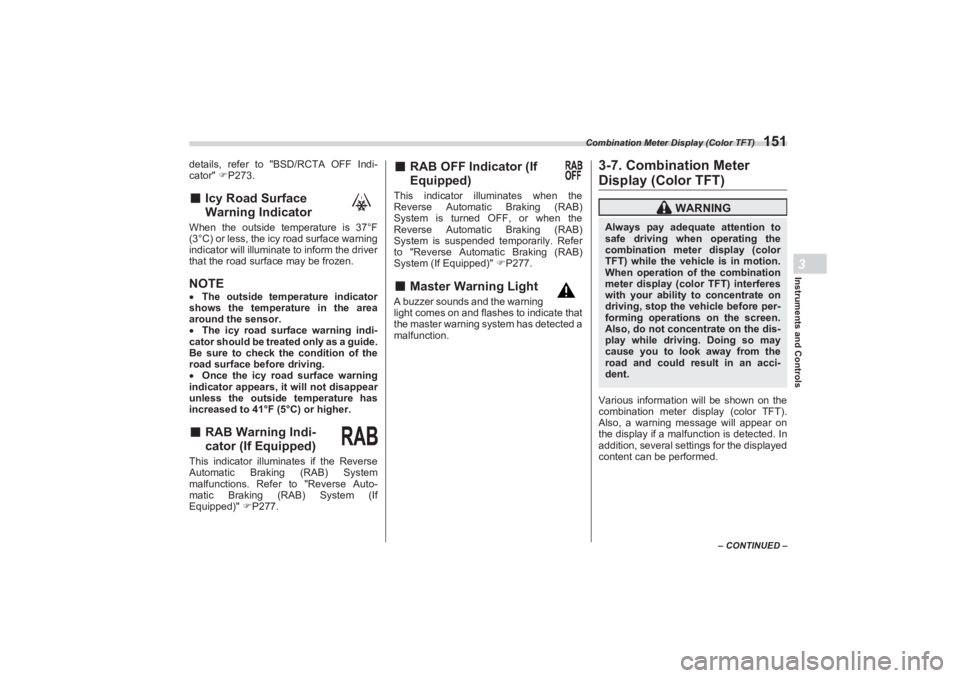
cator" P273.■ Icy Road Surface
Warning IndicatorWhen the outside temperature is 37°F
(3°C) or less, the icy road surface warning
indicator will illuminate to inform the driver
that the road surface may be frozen.NOTE The outside temperature indicator
shows the temperature in the area
around the sensor.
The icy road surface warning indi-
cator should be treated only as a guide.
Be sure to check the condition of the
road surface before driving.
Once the icy road surface warning
indicator appears, it will not disappear
unless the outside temperature has
increased to 41°F (5°C) or higher.■ RAB Warning Indi -
cator (If Equipped)This indicator illuminates if the Reverse
Automatic Braking (RAB) System
malfunctions. Refer to "Reverse Auto-
matic Braking (RAB) System (If
Equipped)" P277.
■ RAB OFF Indicator (If
Equipped)This indicator illuminates when the
Reverse Automatic Braking (RAB)
System is turned OFF, or when the
Reverse Automatic Braking (RAB)
System is suspended temporarily. Refer
to "Reverse Automatic Braking (RAB)
System (If Equipped)" P277.■ Master Warning LightA buzzer sounds and the warning
light comes on and flashes to indicate that
the master warning system has detected a
malfunction.
3-7. Combination Meter Display (Color TFT)Various information will be shown on the
combination meter display (color TFT).
Also, a warning message will appear on
the display if a malfunc tion is detected. In
addition, several settings for the displayed
content can be performed.
WARNING
Always pay adequate attention to
safe driving when operating the
combination meter display (color
TFT) while the vehicle is in motion.
When operation of the combination
meter display (color TFT) interferes
with your ability to concentrate on
driving, stop the vehicle before per-
forming operations on the screen.
Also, do not concentrate on the dis-
play while driving. Doing so may
cause you to look away from the
road and could result in an acci-
dent.
BRZ_U.book 151 ページ 2022年3月29日 火曜日 午後3時59分
Page 158 of 432
Combination Meter Display (Color TFT)
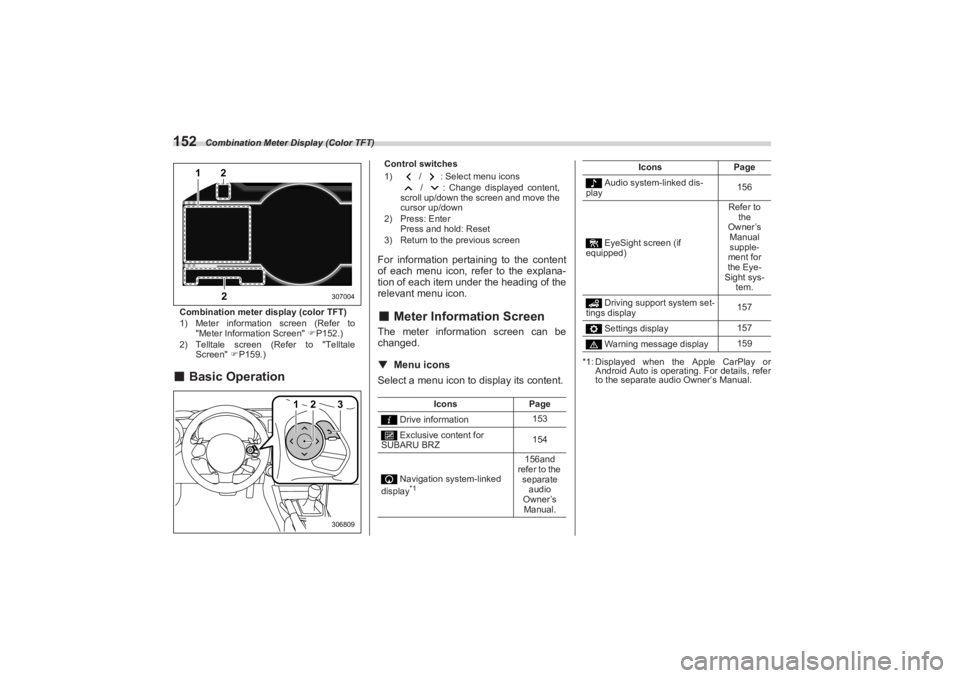
152Combination meter display (color TFT)
1) Meter information screen (Refer to
"Meter Information Screen" P152.)
2) Telltale screen (Refer to "Telltale
Screen" P159.)■Basic Operation
Control switches
1) / : Select menu icons
/ : Change displayed content,
scroll up/down the screen and move the
cursor up/down
2) Press: Enter
Press and hold: Reset
3) Return to the previous screenFor information pertaining to the content
of each menu icon, refer to the explana-
tion of each item under the heading of the
relevant menu icon.■ Meter Information ScreenThe meter information screen can be
changed.
▼ Menu iconsSelect a menu icon to display its content.
*1: Displayed when the Apple CarPlay or
Android Auto is operating. For details, refer
to the separate audio Owner’s Manual.
1
22
307004
1
2
3306809
Icons Page
Drive information 153
Exclusive content for
SUBARU BRZ 154
Navigation system-linked
display
*1
156and
refer to the separate audio
Owner’s Manual.
Audio system-linked dis-
play 156
EyeSight screen (if
equipped) Refer to
the
Owner’s Manual
supple-
ment for
the Eye-
Sight sys-
tem.
Driving support system set-
tings display 157
Settings display 157
Warning message display 159
Icons
Page
BRZ_U.book 152 ページ 2022年3月29日 火曜日 午後3時59分
Page 159 of 432
Combination Meter Display (Color TFT)
153
Instruments and Controls3
– CONTINUED –
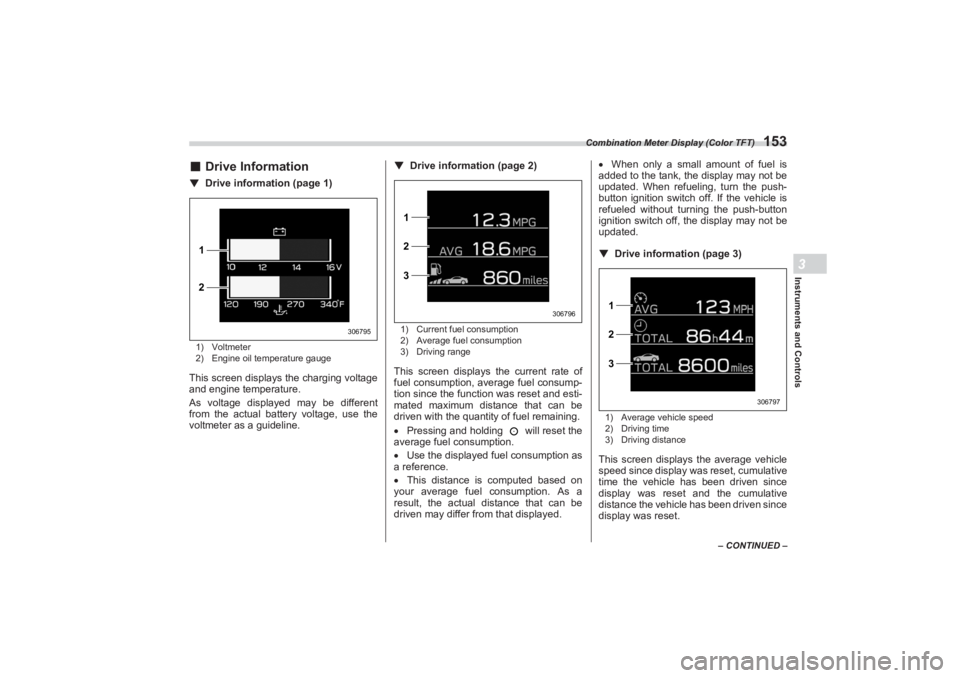
■Drive Information▼ Drive information (page 1)1) Voltmeter
2) Engine oil temperature gaugeThis screen displays the charging voltage
and engine temperature.
As voltage displayed may be different
from the actual battery voltage, use the
voltmeter as a guideline. ▼
Drive information (page 2)
1) Current fuel consumption
2) Average fuel consumption
3) Driving rangeThis screen displays the current rate of
fuel consumption, average fuel consump-
tion since the function was reset and esti-
mated maximum distance that can be
driven with the quantity of fuel remaining.
Pressing and holding will reset the
average fuel consumption.
Use the displayed fuel consumption as
a reference.
This distance is computed based on
your average fuel consumption. As a
result, the actual distance that can be
driven may differ from that displayed.
When only a small amount of fuel is
added to the tank, the display may not be
updated. When refueling, turn the push-
button ignition switch off. If the vehicle is
refueled without turning the push-button
ignition switch off, the display may not be
updated.
▼ Drive information (page 3)
1) Average vehicle speed
2) Driving time
3) Driving distanceThis screen displays the average vehicle
speed since display was reset, cumulative
time the vehicle has been driven since
display was reset and the cumulative
distance the vehicle has been driven since
display was reset.
1
2
306795
1
2
3
306796
1
2
3
306797
BRZ_U.book 153 ページ 2022年3月29日 火曜日 午後3時59分
Page 160 of 432
Combination Meter Display (Color TFT)
154Pressing and holding will reset the
average vehicle speed/driving time/
driving distance.▼ Drive information (page 4) (if
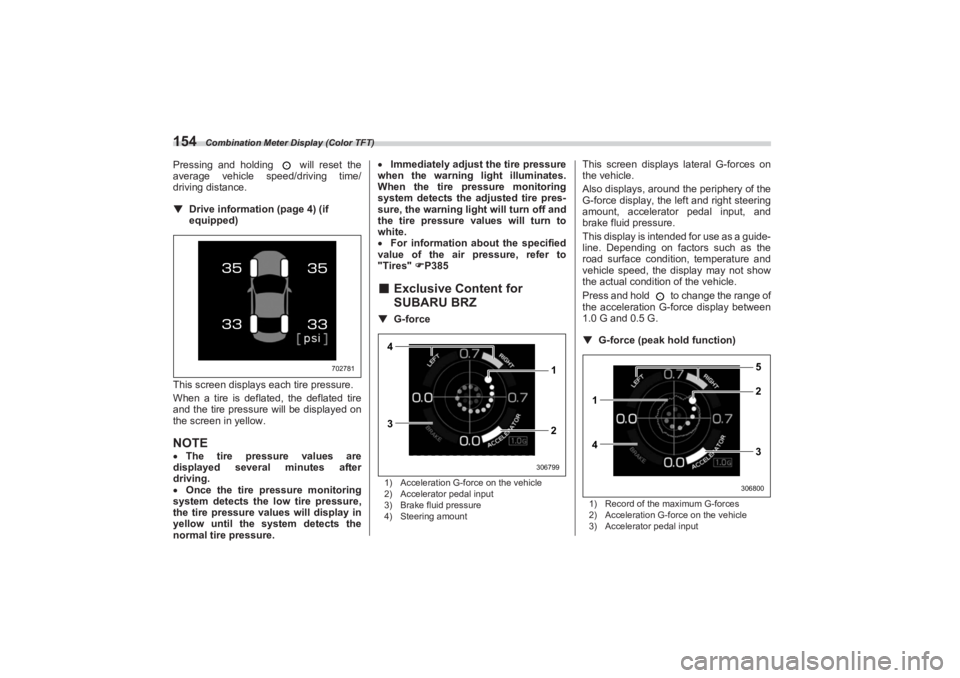
equipped)
This screen displays each tire pressure.
When a tire is deflated, the deflated tire
and the tire pressure will be displayed on
the screen in yellow.NOTE The tire pressure values are
displayed several minutes after
driving.
Once the tire pressure monitoring
system detects the low tire pressure,
the tire pressure values will display in
yellow until the system detects the
normal tire pressure.
Immediately adjust the tire pressure
when the warning light illuminates.
When the tire pr essure monitoring
system detects the adjusted tire pres-
sure, the warning ligh t will turn off and
the tire pressure values will turn to
white.
For information about the specified
value of the air pressure, refer to
"Tires" P385
■ Exclusive Content for
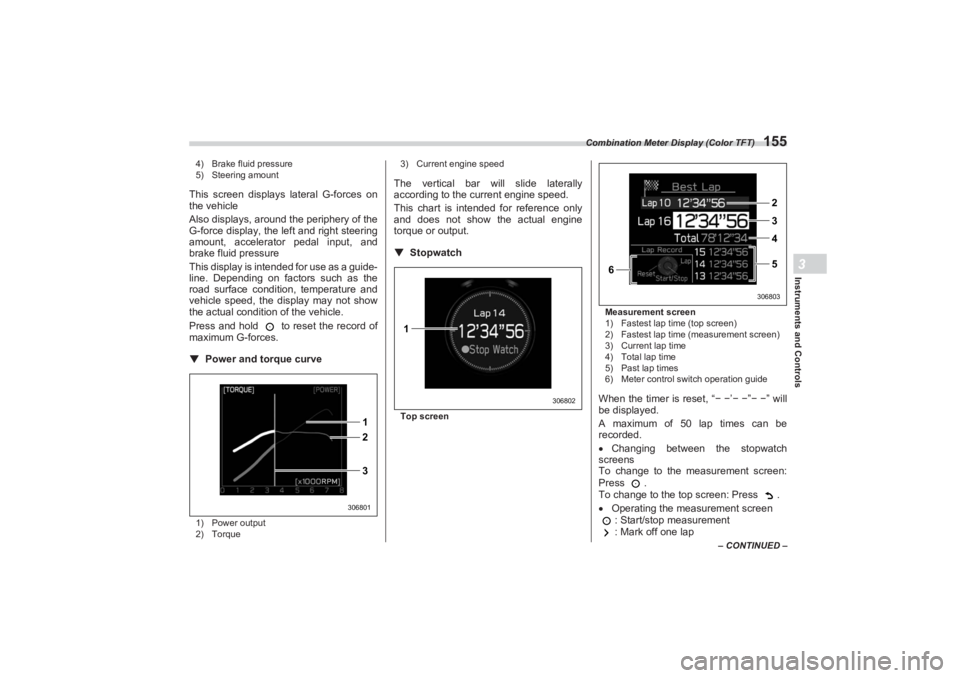
SUBARU BRZ▼ G-force1) Acceleration G-force on the vehicle
2) Accelerator pedal input
3) Brake fluid pressure
4) Steering amount
This screen displays lateral G-forces on
the vehicle.
Also displays, around the periphery of the
G-force display, the left and right steering
amount, accelerator pedal input, and
brake fluid pressure.
This display is intended for use as a guide-
line. Depending on factors such as the
road surface conditi on, temperature and
vehicle speed, the display may not show
the actual condition of the vehicle.
Press and hold to change the range of
the acceleration G-force display between
1.0 G and 0.5 G.
▼ G-force (peak ho ld function)1) Record of the maximum G-forces
2) Acceleration G-force on the vehicle
3) Accelerator pedal input
702781
4
3 1
2
306799
1
42 5
3
306800
BRZ_U.book 154 ページ 2022年3月29日 火曜日 午後3時59分
Page 161 of 432
Combination Meter Display (Color TFT)
155
Instruments and Controls3
– CONTINUED –
4) Brake fluid pressure
5) Steering amount
This screen displays lateral G-forces on
the vehicle
Also displays, around the periphery of the
G-force display, the left and right steering
amount, accelerator pedal input, and
brake fluid pressure
This display is intended for use as a guide-
line. Depending on factors such as the
road surface condition, temperature and
vehicle speed, the display may not show
the actual condition of the vehicle.
Press and hold to reset the record of
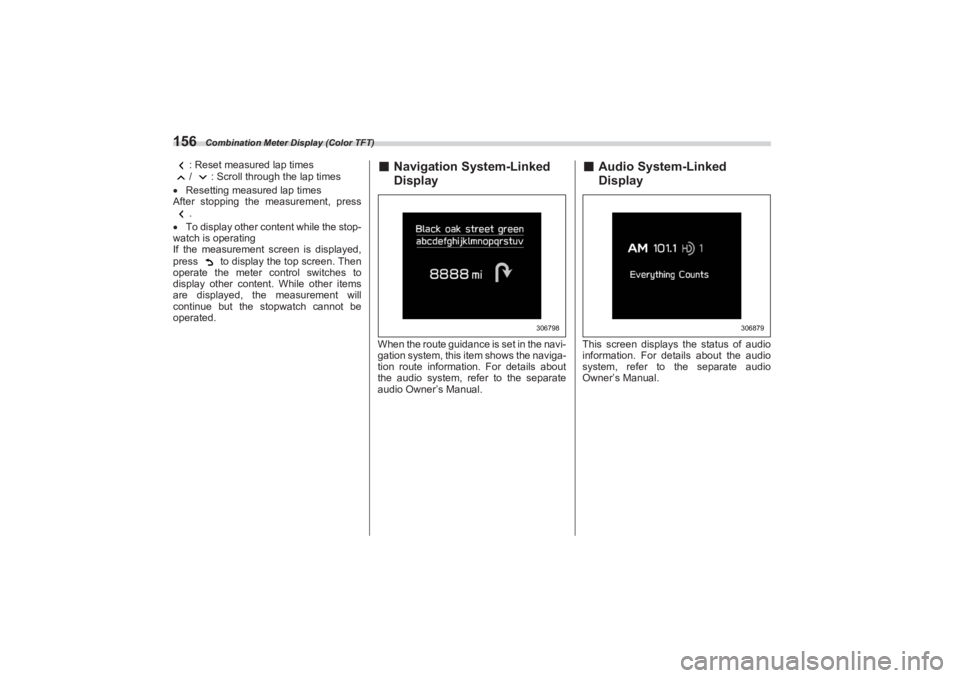
maximum G-forces.▼ Power and torque curve1) Power output
2) Torque 3) Current engine speed
The vertical bar will slide laterally
according to the current engine speed.
This chart is intended for reference only
and does not show the actual engine
torque or output.
▼ StopwatchTop screen Measurement screen
1) Fastest lap time (top screen)
2) Fastest lap time (measurement screen)
3) Current lap time
4) Total lap time
5) Past lap times
6) Meter control switch operation guide
When the timer is reset, “
− − ’− − ”− − ” will
be displayed.
A maximum of 50 lap times can be
recorded.
Changing between the stopwatch
screens
To change to the measurement screen:
Press .
To change to the top screen: Press .
Operating the measurement screen
: Start/stop measurement
: Mark off one lap
2 1
3
306801
1
306802
6
2
3
4
5
306803
BRZ_U.book 155 ページ 2022年3月29日 火曜日 午後3時59分
Page 162 of 432
Combination Meter Display (Color TFT)
156
: Reset measured lap times
/ : Scroll through the lap times
Resetting measured lap times
After stopping the measurement, press
.
To display other content while the stop-
watch is operating
If the measurement screen is displayed,
press to display the top screen. Then
operate the meter control switches to
display other content. While other items
are displayed, the measurement will
continue but the stopwatch cannot be
operated.
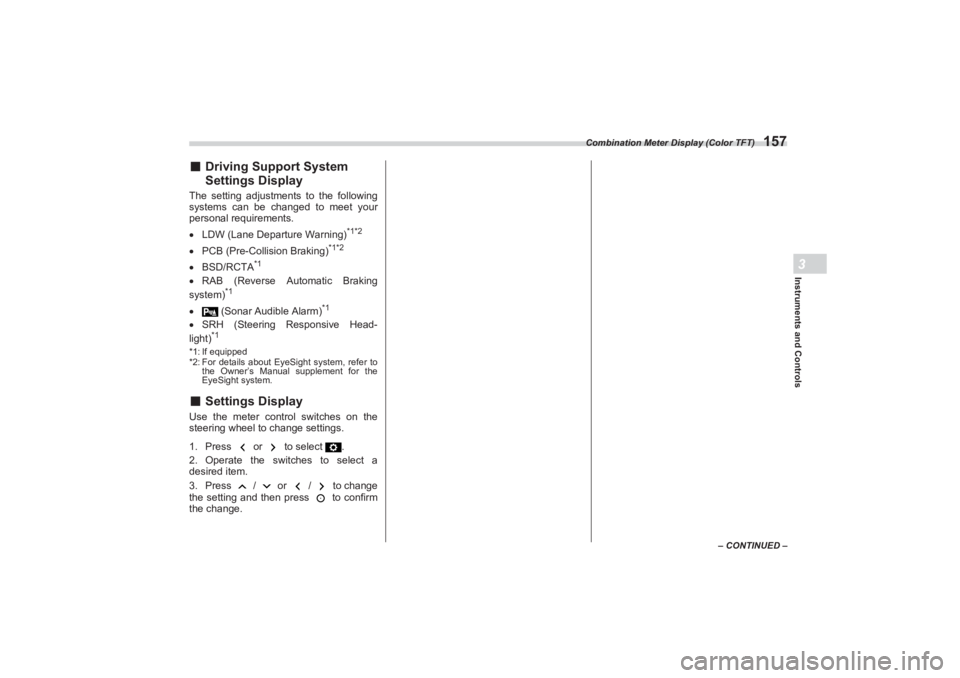
■ Navigation System-Linked
DisplayWhen the route guidance is set in the navi-
gation system, this item shows the naviga-
tion route information. For details about
the audio system, refer to the separate
audio Owner’s Manual.
■ Audio System-Linked
DisplayThis screen displays the status of audio
information. For details about the audio
system, refer to the separate audio
Owner’s Manual.
306798
306879
BRZ_U.book 156 ページ 2022年3月29日 火曜日 午後3時59分
Page 163 of 432
Combination Meter Display (Color TFT)
157
Instruments and Controls3
– CONTINUED –
■Driving Support System
Settings DisplayThe setting adjustments to the following
systems can be changed to meet your
personal requirements.
LDW (Lane Departure Warning)
*1*2
PCB (Pre-Collision Braking)
*1*2
BSD/RCTA
*1
RAB (Reverse Automatic Braking
system)
*1
(Sonar Audible Alarm)
*1
SRH (Steering Responsive Head-
light)
*1
*1: If equipped
*2: For details about EyeSight system, refer to
the Owner’s Manual supplement for the
EyeSight system.■ Settings DisplayUse the meter control switches on the
steering wheel to change settings.
1. Press or to select .
2. Operate the switches to select a
desired item.
3. Press / or / to change
the setting and then press to confirm
the change.
BRZ_U.book 157 ページ 2022年3月29日 火曜日 午後3時59分
Page 164 of 432
Combination Meter Display (Color TFT)
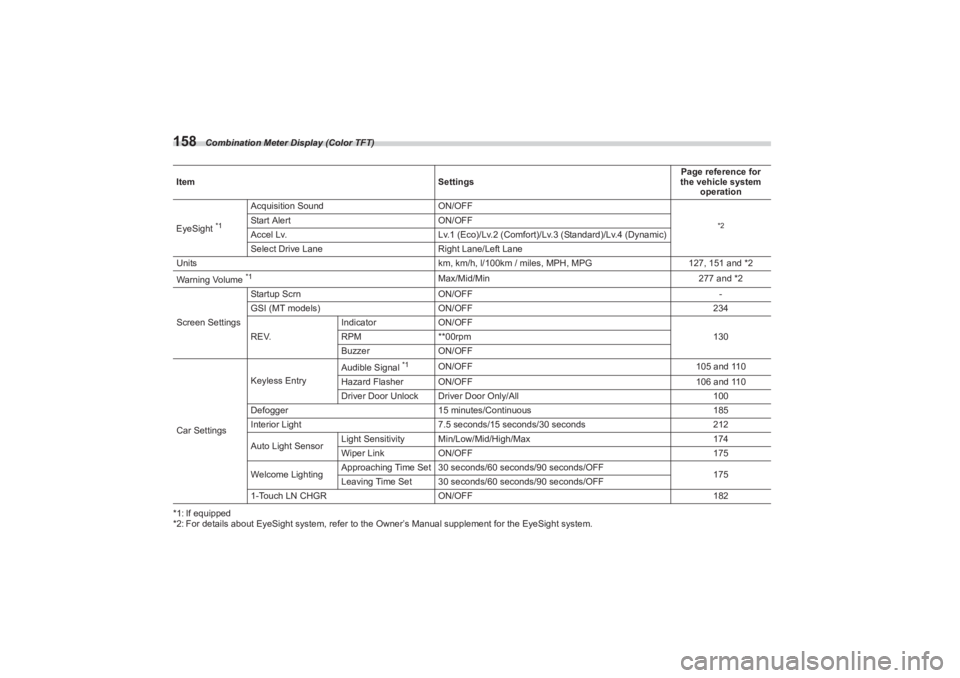
158*1: If equipped
*2: For details about EyeSight system, refer to the Owner’s Manual supplement for the EyeSight system.
Item
SettingsPage reference for
the vehicle system
operation
EyeSight
*1
Acquisition Sound ON/OFF
*2
Start AlertON/OFF
Accel Lv. Lv.1 (Eco)/Lv.2 (Comfort)/Lv.3 (Standard)/Lv.4 (Dynamic)
Select Drive Lane Right Lane/Left Lane
Units km, km/h, l/100km / miles, MPH, MPG127, 151 and *2
Warning Volume *1
Max/Mid/Min 277 and *2
Screen Settings Startup Scrn
ON/OFF -
GSI (MT models) ON/OFF 234
REV. Indicator
ON/OFF
130
RPM **00rpm
Buzzer ON/OFF
Car Settings Keyless Entry
Audible Signal
*1
ON/OFF
105 and 110
Hazard Flasher ON/OFF 106 and 110
Driver Door Unlock Driver Door Only/All 100
Defogger 15 minutes/Continuous 185
Interior Light 7.5 seconds/15 seconds/30 seconds 212
Auto Light Sensor Light Sensitivity Min/Low/Mid/High/Max
174
Wiper Link ON/OFF 175
Welcome Lighting Approaching Time Set 30 sec
onds/60 seconds/90 seconds/OFF
175
Leaving Time Set 30 seconds/60 seconds/90 seconds/OFF
1-Touch LN CHGR ON/OFF 182
BRZ_U.book 158 ページ 2022年3月29日 火曜日 午後3時59分
Page 165 of 432
Combination Meter Display (Color TFT)
159
Instruments and Controls3
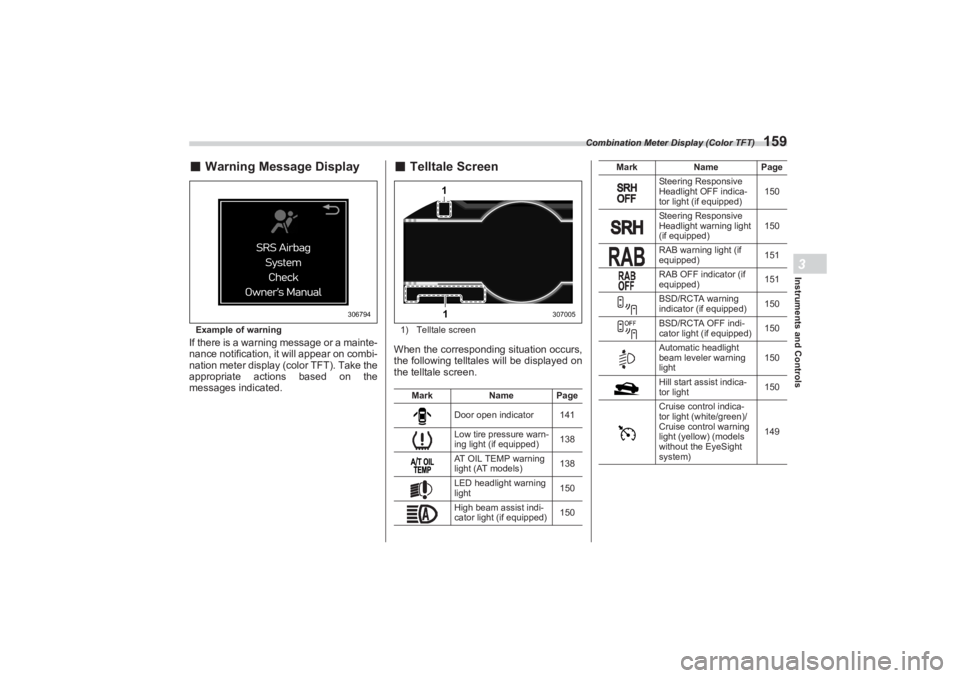
■Warning Message DisplayExample of warningIf there is a warning message or a mainte-
nance notification, it will appear on combi-
nation meter display (color TFT). Take the
appropriate actions based on the
messages indicated.
■ Telltale Screen1) Telltale screenWhen the corresponding situation occurs,
the following telltales will be displayed on
the telltale screen.
306794
Mark Name Page
Door open indicator 141
Low tire pressure warn-
ing light (if equipped) 138
AT OIL TEMP warning
light (AT models) 138
LED headlight warning
light 150
High beam assist indi-
cator light (if equipped) 150
11
307005
Steering Responsive
Headlight OFF indica-
tor light (if equipped)150
Steering Responsive
Headlight warning light
(if equipped) 150
RAB warning light (if
equipped) 151
RAB OFF indicator (if
equipped) 151
BSD/RCTA warning
indicator (if equipped) 150
BSD/RCTA OFF indi-
cator light (if equipped) 150
Automatic headlight
beam leveler warning
light 150
Hill start assist indica-
tor light 150
Cruise control indica-
tor light (white/green)/
Cruise control warning
light (yellow) (models
without the EyeSight
system) 149
Mark
Name Page
BRZ_U.book 159 ページ 2022年3月29日 火曜日 午後3時59分