ECO mode SUBARU CROSSTREK 2017 1.G Service Manual
[x] Cancel search | Manufacturer: SUBARU, Model Year: 2017, Model line: CROSSTREK, Model: SUBARU CROSSTREK 2017 1.GPages: 572, PDF Size: 41.52 MB
Page 177 of 572
&Basic operation
By operating“”or“”of the control
switch, the screens and selection items
can be switched. When the“
/SET”
switch is pulled toward you, the item can
be selected and set.
If there are some useful messages, such
as vehicle information, warning informa-
tion, etc., they will interrupt the current
screen, and appear on the display accom-
panied by a beep. If such a screen is
displayed, take proper action according to
the message shown on the screen.
The warning screen will return to the
original screen after a few seconds. While
the“
”information reminder is shown on
the display, it may be possible to display
the warning screen again. To recall the
message marked with“
”on the display,
pull the“/SET”switch on the steering
wheel toward you.
&Welcome screen and Good-
bye screen
When the driver’s door is opened and
closed after unlocking the door, the
welcome screen will appear on the multi
information display for approximately 20
seconds.
When the ignition switch is turned to the“LOCK”/“OFF”position, the multi informa-
tion display gradually turns off (Good-bye
screen).
NOTE
.The basic screen will be shown
when the ignition switch is turned to
the“ON”position while the welcome
screen is displayed.
.Once the welcome screen appears,
it takes a certain period of time to
display it again.
.If the ignition switch is operated
after unlocking the driver’s door, the
welcome screen will not appear even
when the driver’s door is opened and
closed.
.The welcome screen will disappear
when you lock the driver’s door by
using the remote keyless entry system
(all models) or the keyless access
function (if equipped) while the wel-
come screen is displayed.
.If any of the doors (including the
rear gate) is opened while the welcome
screen is displayed, the door ajar
warning will appear.
.The welcome screen can be set to
on or off. For details, refer to“Welcome
Good-bye Screen”F3-41.
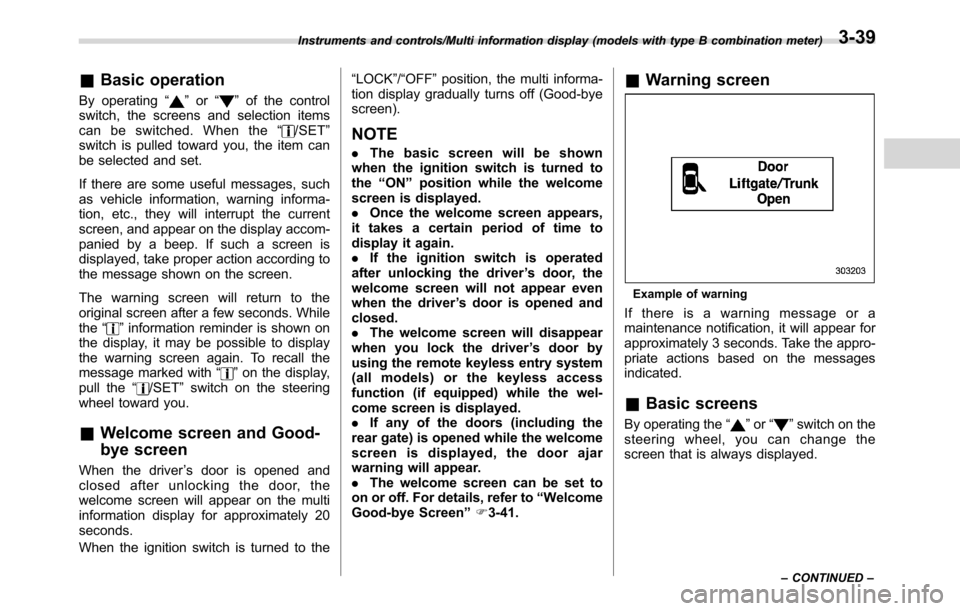
&Warning screen
Example of warning
If there is a warning message or a
maintenance notification, it will appear for
approximately 3 seconds. Take the appro-
priate actions based on the messages
indicated.
&Basic screens
By operating the“”or“”switch on the
steering wheel, you can change the
screen that is always displayed.
Instruments and controls/Multi information display (models with type B combination meter)
–CONTINUED–3-39
Page 179 of 572
The menu list is as follows.
First menuSecond menu
Screen Settings Welcome Good-bye Screen
Gauge Initial Movement
Languages
Go Back
EyeSight (models with EyeSight system) Warning Volume
Lead Vehicle Acquisition Sound
Lead Vehicle Moving Monitor Function
Go Back
BSD/RCTA (if equipped) Warning Volume
Default Settings―
By operating the“”or“”switch on the
steering wheel, you can select the menu.
Pull the“
/SET”switch to enter the
selected menu.
NOTE
If you enter the“Go Back”menu, the
system will return to the previous
screen.
!Screen Settings
After entering the“Screen Settings”menu,
select one of the following menus.
!Welcome Good-bye Screen
The welcome screen/good-bye screens
can be activated or deactivated. Select
“On”to activate the screens. Select“Off”
to deactivate the screens.
!Gauge Initial Movement
The movement of the meter needles and
gauge needles that occurs when the
ignition switch is turned to the“ON”
position can be activated or deactivated.
Select“On”to activate. Select“Off”to
deactivate.
Instruments and controls/Multi information display (models with type B combination meter)
–CONTINUED–3-41
Page 184 of 572
Instruments and controls/Multi function display
following conditions.
–The period of time remaining
until the registered notification date
is 15 days or less.
–The total driving distance remain-
ing until the registered notification
distance is approximately 311 miles
(500 km) or less.
.The maintenance notification screen
will be displayed until either of the
following conditions is satisfied.
–The period of time passed after
the registered notification date is 15
days or more.
–The total distance driven after the
registered notification distance is
approximately 311 miles (500 km) or
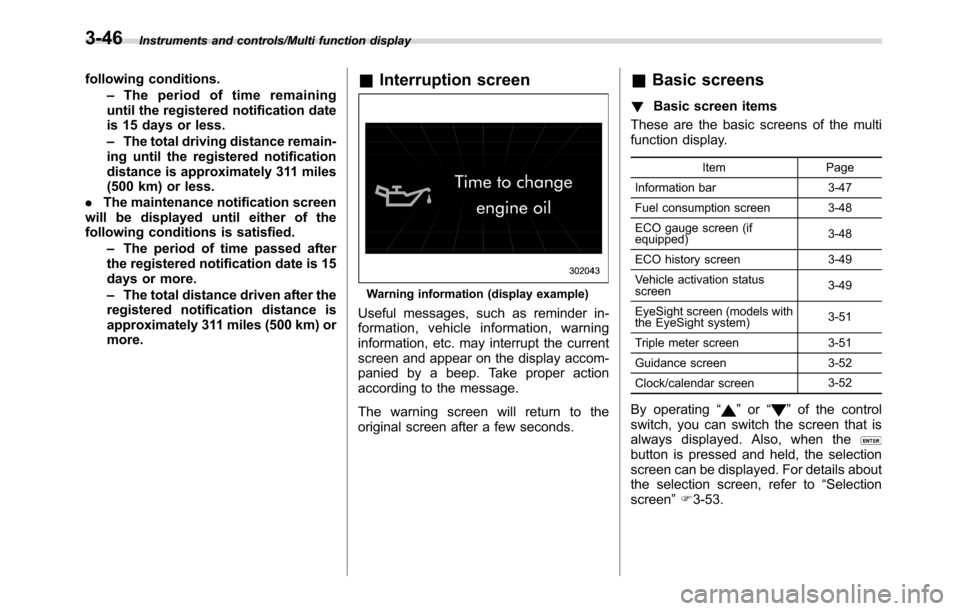
more.&Interruption screen
Warning information (display example)
Useful messages, such as reminder in-
formation, vehicle information, warning
information, etc. may interrupt the current
screen and appear on the display accom-
panied by a beep. Take proper action
according to the message.
The warning screen will return to the
original screen after a few seconds.
&Basic screens
!Basic screen items
These are the basic screens of the multi
function display.
Item Page
Information bar 3-47
Fuel consumption screen 3-48
ECO gauge screen (if
equipped)3-48
ECO history screen 3-49
Vehicle activation status
screen3-49
EyeSight screen (models with
the EyeSight system)3-51
Triple meter screen 3-51
Guidance screen 3-52
Clock/calendar screen3-52
By operating“”or“”of the control
switch, you can switch the screen that is
always displayed. Also, when the
button is pressed and held, the selection
screen can be displayed. For details about
the selection screen, refer to“Selection
screen”F3-53.
3-46
Page 227 of 572
&Headlights
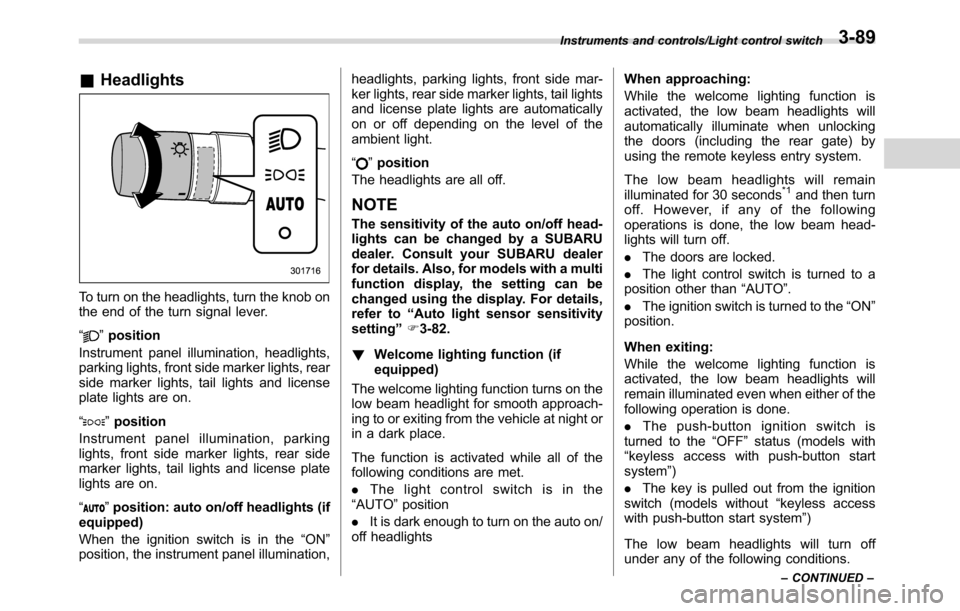
To turn on the headlights, turn the knob on
the end of the turn signal lever.
“
”position
Instrument panel illumination, headlights,
parking lights, front side marker lights, rear
side marker lights, tail lights and license
plate lights are on.
“
”position
Instrument panel illumination, parking
lights, front side marker lights, rear side
marker lights, tail lights and license plate
lights are on.
“
”position: auto on/off headlights (if
equipped)
When the ignition switch is in the“ON”
position, the instrument panel illumination,headlights, parking lights, front side mar-
ker lights, rear side marker lights, tail lights
and license plate lights are automatically
on or off depending on the level of the
ambient light.
“
”position
The headlights are all off.
NOTE
The sensitivity of the auto on/off head-
lights can be changed by a SUBARU
dealer. Consult your SUBARU dealer
for details. Also, for models with a multi
function display, the setting can be
changed using the display. For details,
refer to“Auto light sensor sensitivity
setting”F3-82.
!Welcome lighting function (if
equipped)
The welcome lighting function turns on the
low beam headlight for smooth approach-
ing to or exiting from the vehicle at night or
in a dark place.
The function is activated while all of the
following conditions are met.
.The light control switch is in the
“AUTO”position
.It is dark enough to turn on the auto on/
off headlightsWhen approaching:
While the welcome lighting function is
activated, the low beam headlights will
automatically illuminate when unlocking
the doors (including the rear gate) by
using the remote keyless entry system.
The low beam headlights will remain
illuminated for 30 seconds
*1and then turn
off. However, if any of the following
operations is done, the low beam head-
lights will turn off.
.The doors are locked.
.The light control switch is turned to a
position other than“AUTO”.
.The ignition switch is turned to the“ON”
position.
When exiting:
While the welcome lighting function is
activated, the low beam headlights will
remain illuminated even when either of the
following operation is done.
.Thepush-buttonignitionswitchis
turned to the“OFF”status (models with
“keyless access with push-button start
system”)
.The key is pulled out from the ignition
switch (models without“keyless access
with push-button start system”)
The low beam headlights will turn off
under any of the following conditions.
Instruments and controls/Light control switch
–CONTINUED–3-89
Page 229 of 572
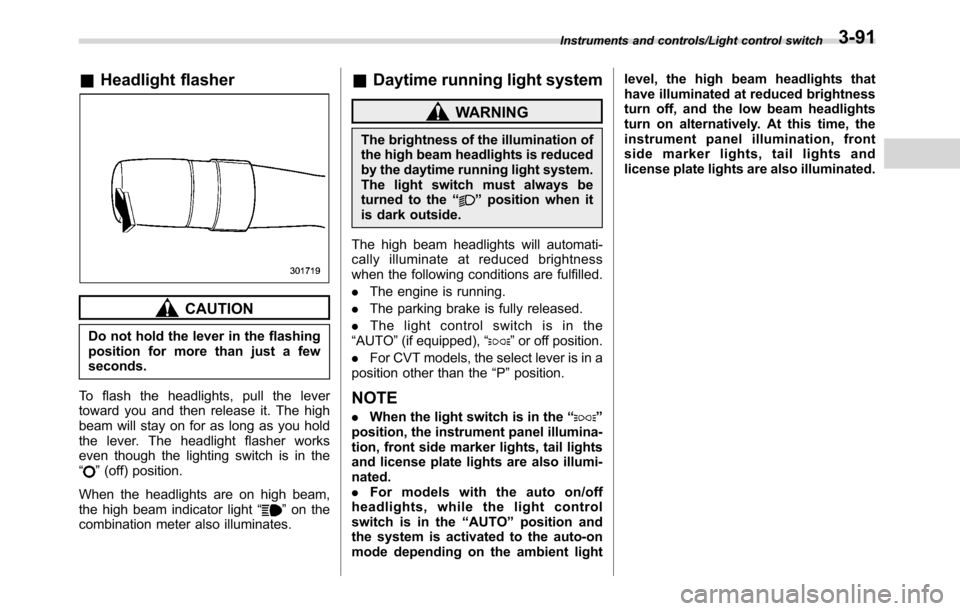
&Headlight flasher
CAUTION
Do not hold the lever in the flashing
position for more than just a few
seconds.
To flash the headlights, pull the lever
toward you and then release it. The high
beam will stay on for as long as you hold
the lever. The headlight flasher works
even though the lighting switch is in the
“
”(off) position.
When the headlights are on high beam,
the high beam indicator light“
”on the
combination meter also illuminates.
&Daytime running light system
WARNING
The brightness of the illumination of
the high beam headlights is reduced
by the daytime running light system.
The light switch must always be
turned to the“
”position when it
is dark outside.
The high beam headlights will automati-
cally illuminate at reduced brightness
when the following conditions are fulfilled.
.The engine is running.
.The parking brake is fully released.
.The light control switch is in the
“AUTO”(if equipped),“
”or off position.
.For CVT models, the select lever is in a
position other than the“P”position.
NOTE
.When the light switch is in the“”
position, the instrument panel illumina-
tion, front side marker lights, tail lights
and license plate lights are also illumi-
nated.
.For models with the auto on/off
headlights, while the light control
switch is in the“AUTO”position and
the system is activated to the auto-on
mode depending on the ambient lightlevel, the high beam headlights that
have illuminated at reduced brightness
turn off, and the low beam headlights
turn on alternatively. At this time, the
instrument panel illumination, front
side marker lights, tail lights and
license plate lights are also illuminated.
Instruments and controls/Light control switch3-91
Page 231 of 572
To darken, turn the control dial downward.
NOTE
.When the control dial is turned fully
upward, the illumination brightness
becomes the maximum and the auto-
matic dimming function does not work
at all.
.The brightness setting is not can-
celed even when the ignition switch is
turned to the“LOCK”/“OFF”position.
Headlight beam leveler (if
equipped)
&Automatic headlight beam
leveler (models with HID
headlights)
The HID headlights generate more light
than conventional halogen headlights.
Therefore a driver of an oncoming vehicle
may experience too much glare if your
headlight beam height adjustment is high
when the vehicle is carrying a heavy load.
The automatic headlight beam leveler
adjusts the headlight beam height auto-
matically and optimally according to the
load being carried by the vehicle.
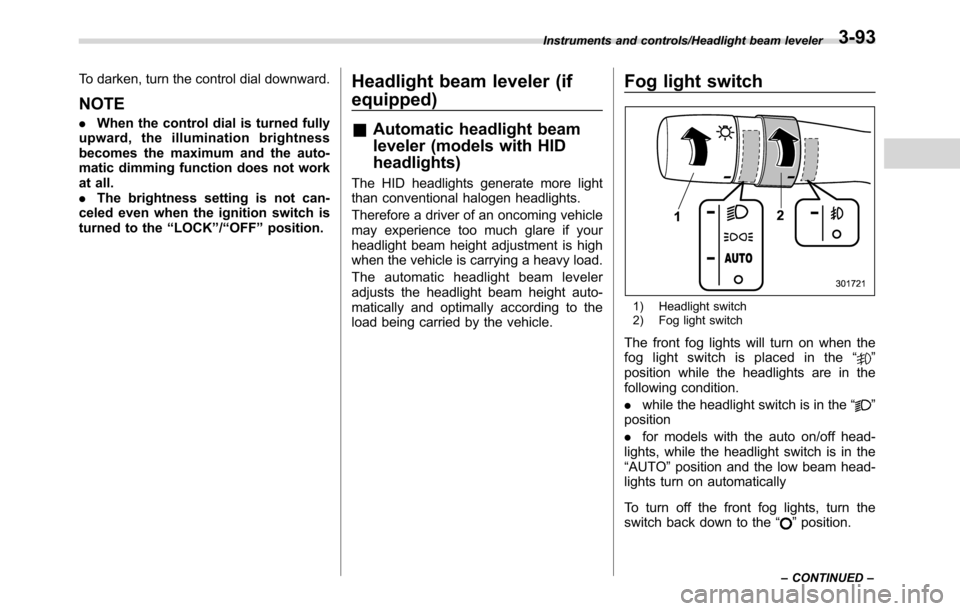
Fog light switch
1) Headlight switch
2) Fog light switch
The front fog lights will turn on when the
fog light switch is placed in the“”
position while the headlights are in the
following condition.
.while the headlight switch is in the“
”
position
.for models with the auto on/off head-
lights, while the headlight switch is in the
“AUTO”position and the low beam head-
lights turn on automatically
To turn off the front fog lights, turn the
switch back down to the“
”position.
Instruments and controls/Headlight beam leveler
–CONTINUED–3-93
Page 232 of 572
Instruments and controls/Fog light switch
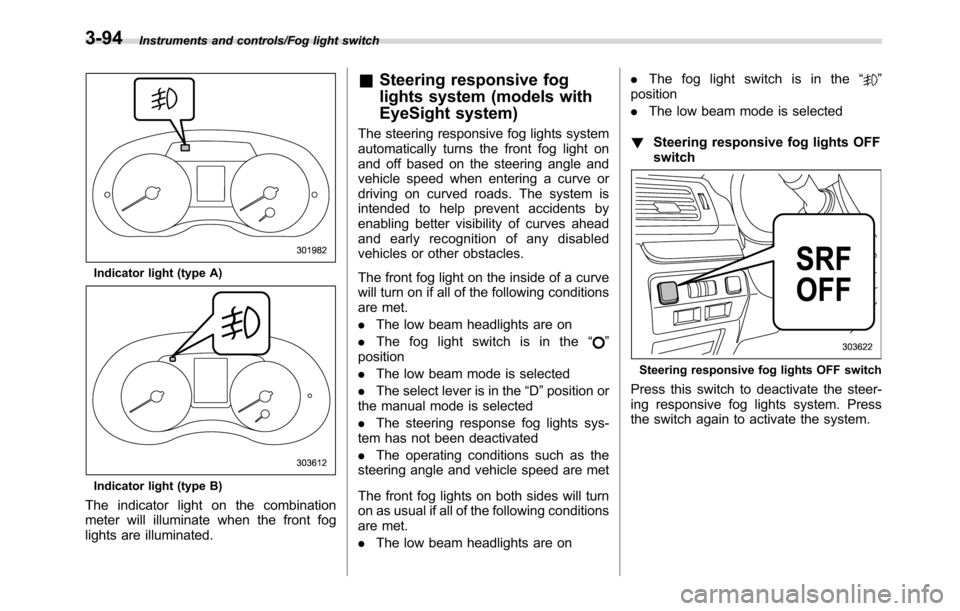
Indicator light (type A)
Indicator light (type B)
The indicator light on the combination
meter will illuminate when the front fog
lights are illuminated.
&Steering responsive fog
lights system (models with
EyeSight system)
The steering responsive fog lights system
automatically turns the front fog light on
and off based on the steering angle and
vehicle speed when entering a curve or
driving on curved roads. The system is
intended to help prevent accidents by
enabling better visibility of curves ahead
and early recognition of any disabled
vehicles or other obstacles.
The front fog light on the inside of a curve
will turn on if all of the following conditions
are met.
.The low beam headlights are on
.The fog light switch is in the“
”
position
.The low beam mode is selected
.The select lever is in the“D”position or
the manual mode is selected
.The steering response fog lights sys-
tem has not been deactivated
.The operating conditions such as the
steering angle and vehicle speed are met
The front fog lights on both sides will turn
on as usual if all of the following conditions
are met.
.The low beam headlights are on.The fog light switch is in the“
”
position
.The low beam mode is selected
!Steering responsive fog lights OFF
switch
Steering responsive fog lights OFF switch
Press this switch to deactivate the steer-
ing responsive fog lights system. Press
the switch again to activate the system.
3-94
Page 248 of 572
Climate control/Manual climate control operation
&Sensors
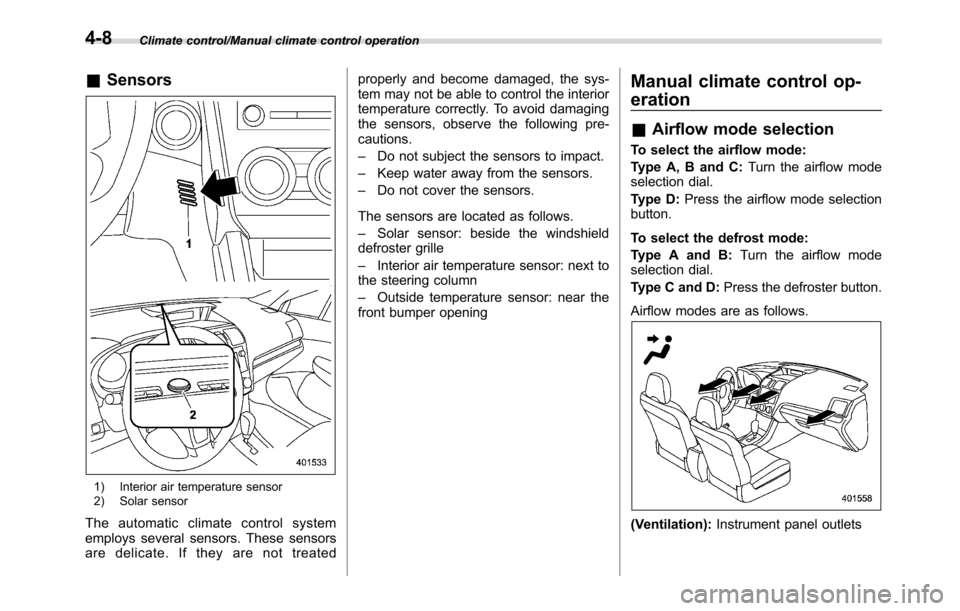
1) Interior air temperature sensor
2) Solar sensor
The automatic climate control system
employs several sensors. These sensors
are delicate. If they are not treatedproperly and become damaged, the sys-
tem may not be able to control the interior
temperature correctly. To avoid damaging
the sensors, observe the following pre-
cautions.
–Do not subject the sensors to impact.
–Keep water away from the sensors.
–Do not cover the sensors.
The sensors are located as follows.
–Solar sensor: beside the windshield
defroster grille
–Interior air temperature sensor: next to
the steering column
–Outside temperature sensor: near the
front bumper opening
Manual climate control op-
eration
&Airflow mode selection
To select the airflow mode:
Type A, B and C:Turn the airflow mode
selection dial.
Type D:Press the airflow mode selection
button.
To select the defrost mode:
Type A and B:Turn the airflow mode
selection dial.
Type C and D:Press the defroster button.
Airflow modes are as follows.
(Ventilation):Instrument panel outlets
4-8
Page 250 of 572
Climate control/Manual climate control operation
!“DUAL”mode (type D)
You can change the setting of the driver’s
side and front passenger’s side tempera-
ture independently by selecting the
“DUAL”mode.
You can select the“DUAL”mode by
performing either of the following proce-
dures.
.Press the“DUAL”button
.Turn the passenger’s side temperature
control dial
The“DUAL”mode can be canceled by
pressing the“DUAL”button.
When the“DUAL”mode is selected:
Turn the driver’ssidedialtosetthe
driver’s side temperature. Turn the front
passenger’ssidedialtosetthefront
passenger’s side temperature.
When the“DUAL”mode is canceled:
Set the desired temperature by turning the
driver’s side dial.
&Fan speed control
The fan operates only when the ignition
switch is in the“ON”position. Select the
preferred fan speed by turning the fan
speed control dial.
&Air conditioner control
The air conditioner operates only when
the engine is running.
Press the air conditioner button while the
fan is in operation to turn on the air
conditioner. When the air conditioner is
on, the“A/C”indicator light illuminates.
To turn off the air conditioner, press the
button again.
NOTE
For efficient defogging or dehumidify-
ing in cold weather, turn on the air
conditioner. However, if the ambient
temperature decreases to approxi-
mately 328F(08C), the air conditioner
compressor will stop operating.
&Air inlet selection
Select the air inlet by pressing the air inlet
selection button.
ON position (recirculation):Interior air is
recirculated inside the vehicle. Press the
air inlet selection button to the ON position
for fast cooling with the air conditioner or
when driving on a dusty road.
OFF position (outside air):Outside air is
drawn into the passenger compartment.
Press the air inlet selection button to the
OFF position when the interior has cooledto a comfortable temperature and the road
is no longer dusty.
WARNING
Continued operation in the ON posi-
tion may fog up the windows. Switch
to the OFF position as soon as the
outside conditions are no longer
dusty.
NOTE
.When the indicator light on the air
inlet selection button is flashing at
engine starting, a malfunction might
be occurring in the electrical system.
Contact your SUBARU dealer for in-
spection.
.The indicator light on the air inlet
selection button may flash in the
following cases. However, this does
not indicate a malfunction.
–After the vehicle battery has been
disconnected and reconnected.
–When the vehicle battery voltage
is low.
4-10
Page 270 of 572
Audio/Audio set
!Touch screen operation
This system is operated mainly by the
keys on the screen.
When a screen key is touched, a beep
sounds. You can set the beep sound.
Refer to“Unit settings”F5-19.
NOTE
.If the system does not respond to
touching a screen key, move your
finger away from the screen and touch
it again.
.Grayed-out screen keys cannot be
operated.
.The displayed image may become
darkerandmovingimagesmaybe
slightly distorted when the screen is
cold.
.In extremely cold conditions, the
screen may not be displayed correctly.
Also, the screen keys may be less
responsive than usual when pressed.
.When you look at the screen
through polarized material such as
polarized sunglasses, the screen may
be dark and difficult to see. If so, look at
the screen from different angles, adjust
the screen settings or take off your
sunglasses. Refer to“Unit settings”
F5-19.!Entering letters and numbers/list
screen operation
!Entering letters and numbers
When entering the Bluetooth device name
or PIN-code, or the phone number, letters
and numbers can be entered via the
screen.
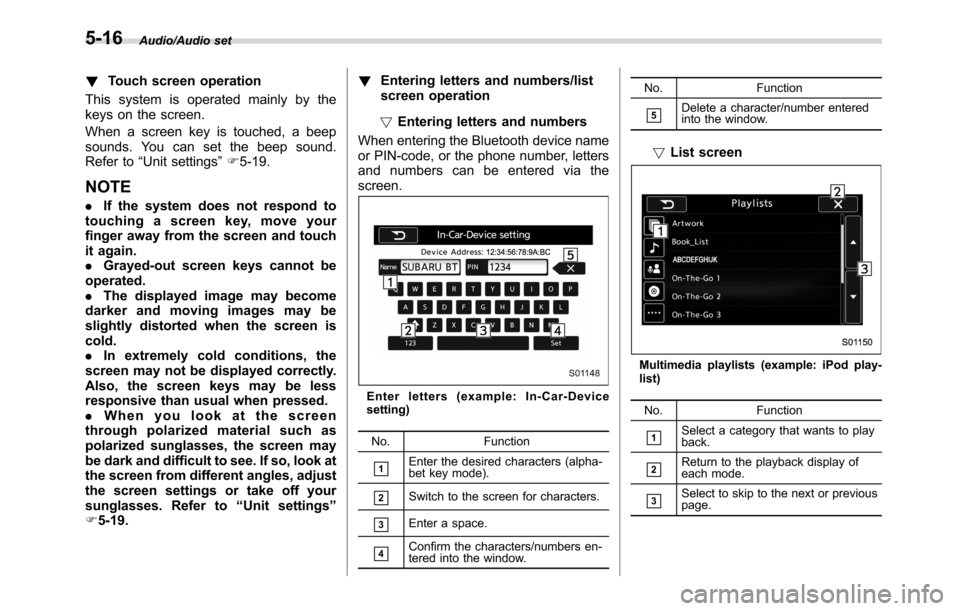
Enter letters (example: In-Car-Device
setting)
No. Function
&1Enter the desired characters (alpha-
bet key mode).
&2Switch to the screen for characters.
&3Enter a space.
&4Confirm the characters/numbers en-
tered into the window.No. Function
&5Delete a character/number entered
into the window.
!List screen
Multimedia playlists (example: iPod play-
list)
No. Function
&1Select a category that wants to play
back.
&2Return to the playback display of
each mode.
&3Select to skip to the next or previous
page.
5-16